Smart Home Store Landing Page Template
Automate is a smart home landing page template built for electronics and gadget stores. It uses an overlap and layered layout with a sunset gradient palette, an interactive Before/After slider header, a countdown deal ribbon, a Room Builder tool, and stacked product cards, all designed to turn casual browsers into confident buyers.
by Rocket studio
Quick summary
Automate is a single-page smart home storefront template with a layered, glowing aesthetic. It opens with an interactive Before/After living room slider, drops straight into a countdown deal ribbon, and flows through curated product grids, a Room Builder, and overlapping testimonial cards. The result is a shopping experience that feels immersive before a single product is added to a setup.
Who this template is for
This template suits anyone selling smart home devices through a marketplace or multi-vendor storefront. It works especially well for stores where the range spans multiple categories and buyers need guidance before they commit.
- First-time homeowners equipping a new build with connected devices
- Renters building out an affordable smart home setup one device at a time
- Tech-comfortable sellers targeting buyers who already know what a smart hub is
What problem this template solves
Most electronics store pages dump a product grid in front of visitors and call it done. Smart home buyers need to see how devices work together before they buy anything. Automate solves this by leading with experience before it leads with catalog.
- Buyers leave generic storefronts because they cannot visualize how products fit their home
- Urgency is hard to communicate without it feeling cheap or forced
- Multi-category ranges are difficult to navigate without clear discovery paths
What you get with this template
You get a fully structured, single-page storefront layout purpose-built for smart home device discovery. Every section is designed to draw the visitor deeper into the experience and closer to a purchase decision.
- An interactive Before/After slider header, a 72-hour countdown deal ribbon, and a sticky bottom bar with cart and compare functions
- A Room Builder interactive section, Staff Picks product row, category discovery grids, and overlapping testimonial cards
- A layered sunset gradient design system with coral pill buttons, amber flash deal treatments, and stacked card shadows
Feature list
This section covers the core interactive and visual capabilities built into the Automate template.
Before/After Living Room Slider
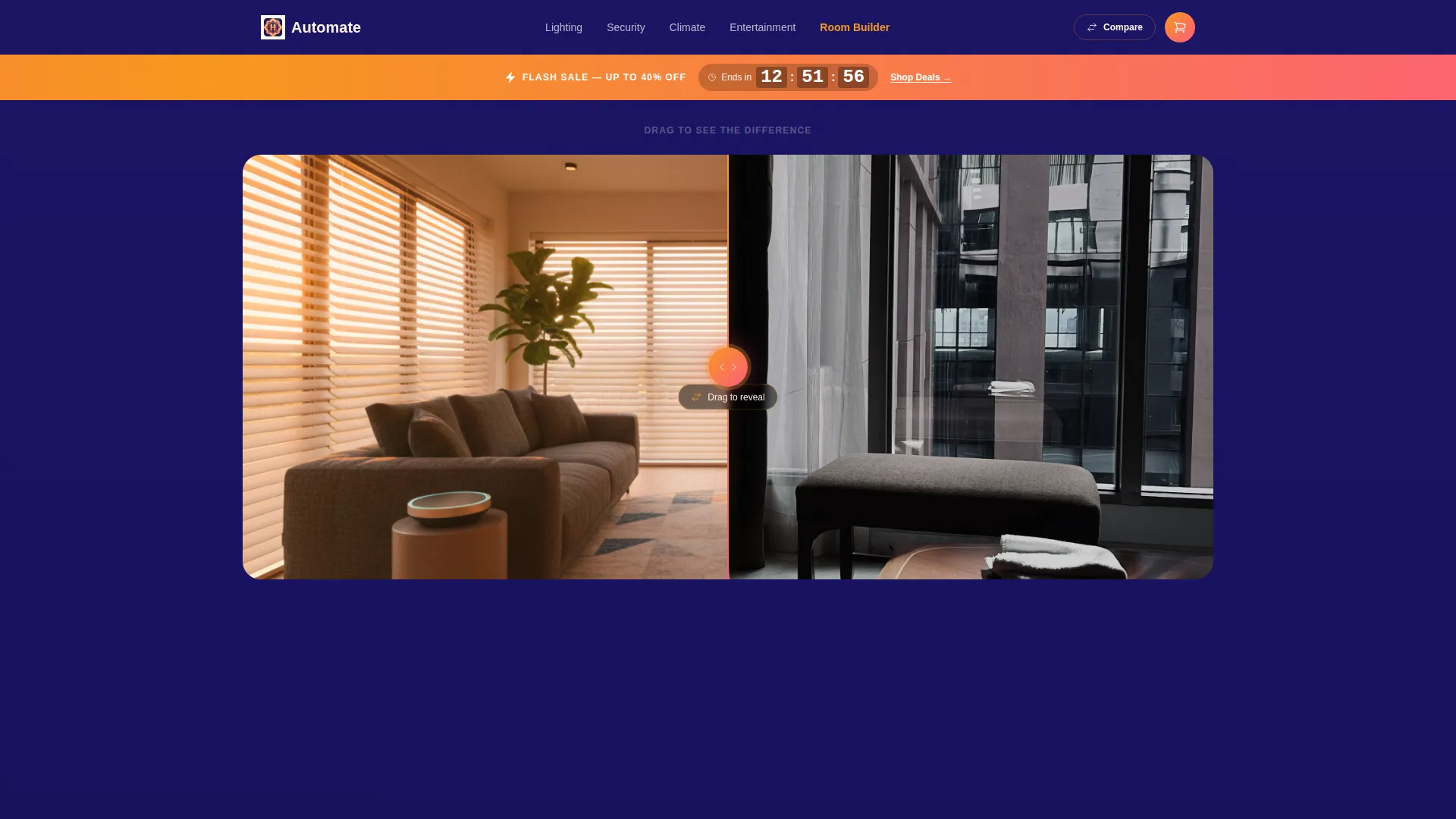
The header splits a single living room scene into a dull, fluorescent-lit before state and a warm, automation-lit after state. The slider handle pulses with the coral-to-amber gradient. Once the visitor drags past the midpoint, the headline "Every Room, One Tap" animates into view.
Countdown Deal Ribbon
Immediately below the header, a molten amber ribbon displays a live 72-hour countdown timer. It creates immediate urgency and pulls the visitor's eye down the page before they have had a chance to scroll intentionally.
Room Builder Interactive Tool
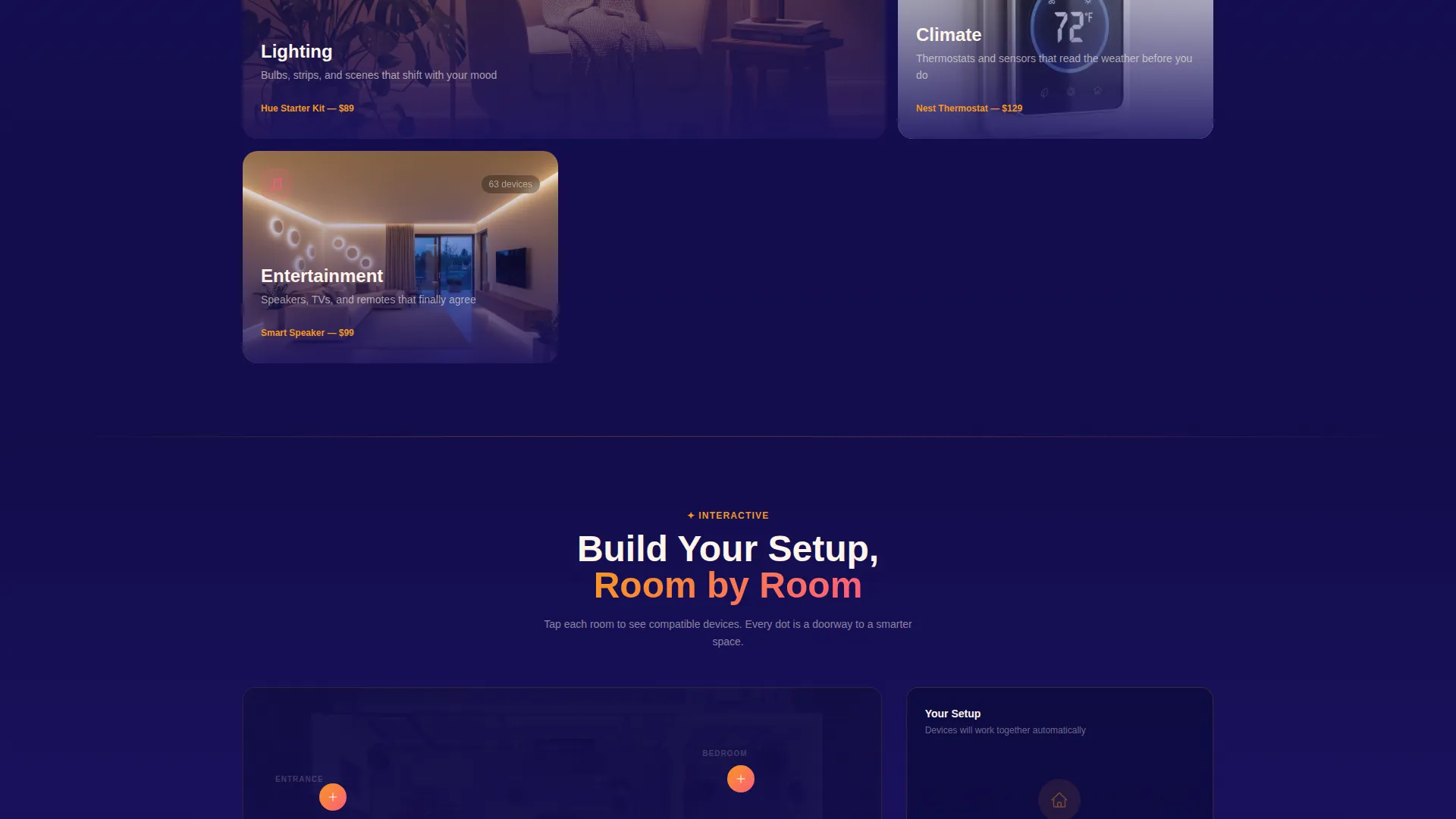
Visitors tap a floor-plan illustration to watch compatible devices populate each room. It turns product discovery into a hands-on activity and creates a sense of personal investment before any add-to-cart action happens.
Stacked Product Card Grids
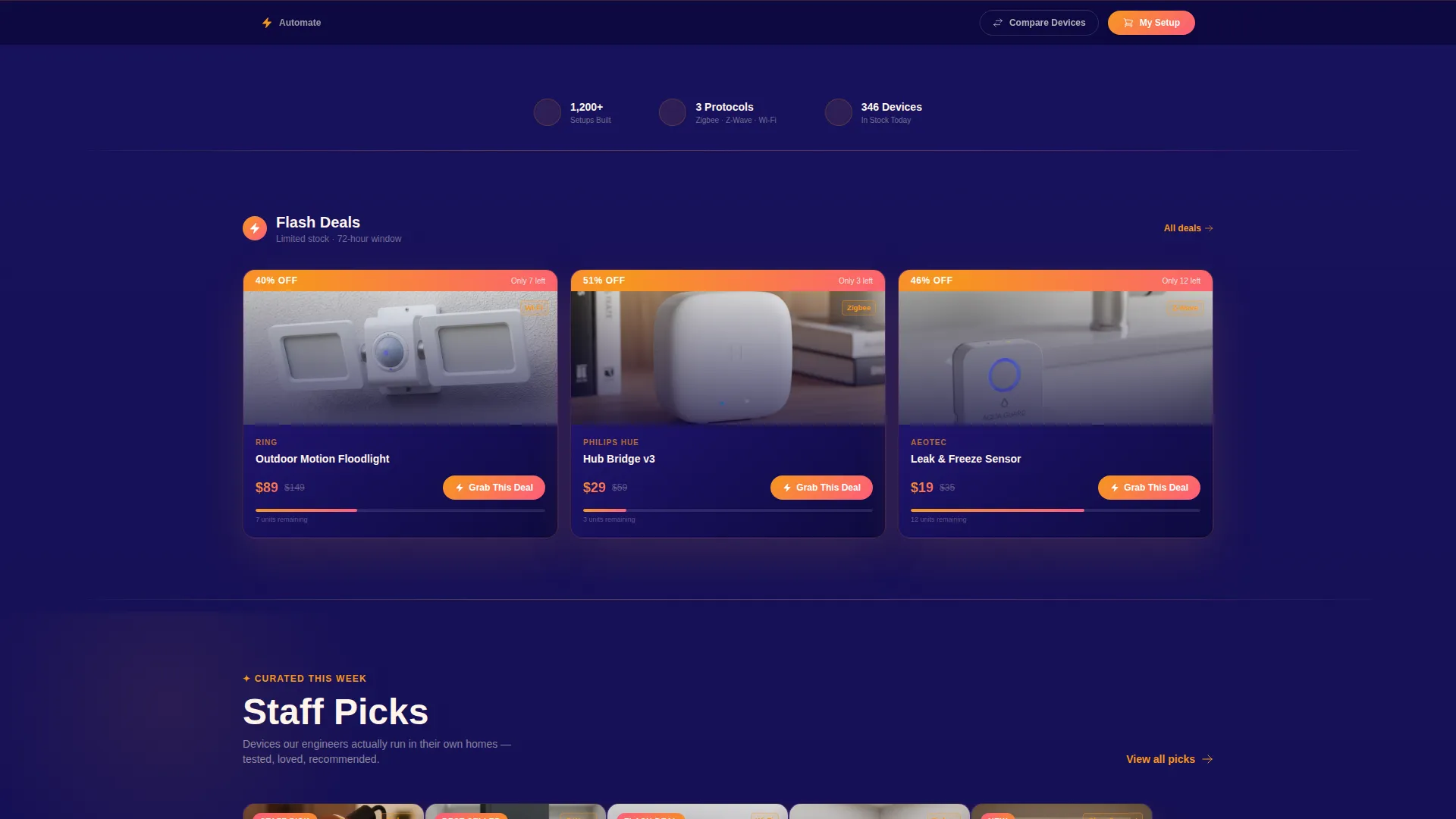
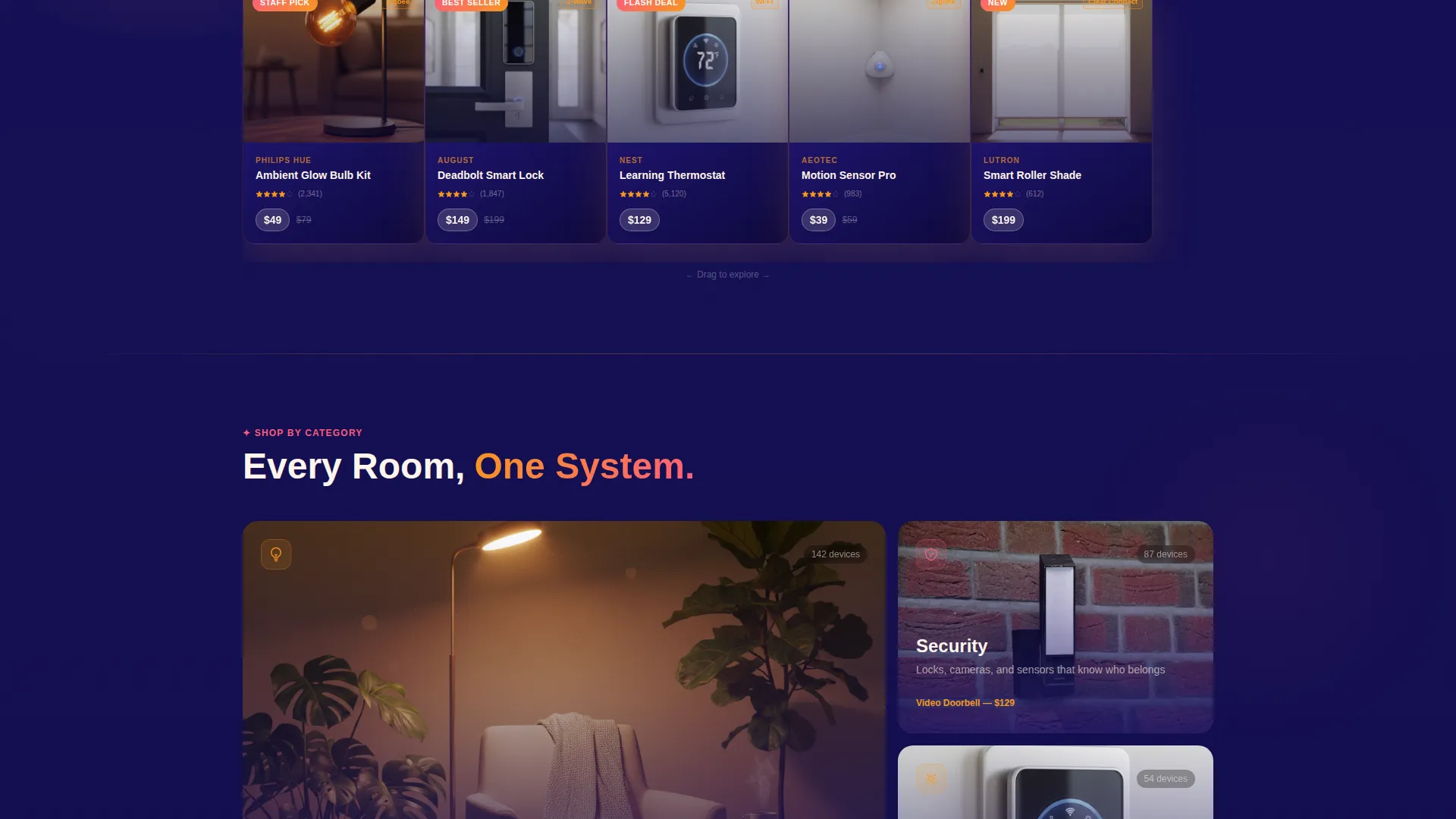
Staff Picks and category grids use overlapping, flick-able product tiles. Each card lifts on hover to reveal a quick-add button beneath. The rhythm alternates tight product grids with lifestyle panels so the page never feels like a plain spreadsheet.
Sticky Bottom Bar with Compare Drawer
A persistent bottom bar carries a live cart item count and a "Compare Devices" button. Tapping it opens a slide-out drawer for side-by-side specification comparisons, keeping the decision process on-page rather than scattering it across tabs.
Category Discovery Navigation
Four category grids cover Lighting, Security, Climate, and Entertainment. Each card links to a filtered view. The layout makes a wide product range feel organized and approachable rather than overwhelming.
Page sections overview
| Section | Purpose |
|---|---|
| Before/After Slider | Opens with a living room transformation to hook visitor attention |
| Countdown Deal Ribbon | Communicates 72-hour sale urgency directly below the header |
| Staff Picks Row | Showcases curated overlapping product tiles for quick discovery |
| Category Discovery Grids | Organizes Lighting, Security, Climate, and Entertainment ranges |
| Room Builder Tool | Lets visitors tap a floor plan and see compatible devices populate |
| Testimonial Cards | Overlaps customer photos with real smart home dashboard shots |
| Flash Deal Section | Features amber gradient "Grab This Deal" buttons and timed offers |
| Sticky Bottom Bar | Persists cart count and Compare Devices slide-out drawer |
Design & branding system
The visual identity uses a Sunset Gradient color system. The palette feels like the last minutes before dark: deep indigo backgrounds shifting to molten amber and soft coral as you scroll, with warm white text surfaces throughout.
- Deep twilight indigo (#1B1464) anchors all backgrounds; warm cloud white (#FFF5EB) handles text surfaces
- Molten amber (#F7971E) bleeds into soft coral (#FC5C7D) across card overlaps, hover states, and the countdown ribbon
- Cards carry drop shadows tinted in translucent amber; coral pill buttons mark primary calls to action; price tags sit in crisp white pills against the gradient
Mobile & speed optimization
The layered layout is structured so that interactive elements, card grids, and the sticky bottom bar translate cleanly to smaller screens. The overlap and stacked-card approach collapses naturally into a vertical scroll flow on mobile devices.
- Product tile flick behavior and hover-reveal quick-add buttons adapt to touch interactions on phones and tablets
- The sticky bottom bar keeps the cart and compare functions accessible without requiring the visitor to scroll back to the top
- Countdown ribbon and flash deal sections remain visible and prominent in mobile viewports, preserving urgency across device sizes
How this template helps you convert
Automate earns the click before it asks for it. The template sequences interaction, urgency, and discovery in a deliberate order so that visitors feel informed and engaged rather than pressured.
- The Before/After slider creates personal investment the moment the page loads, turning a passive viewer into an active participant before any product appears.
- The countdown ribbon and flash deal "Grab This Deal" button add time-limited scarcity immediately after that first engaged moment, motivating action while interest is at its peak.
- The Room Builder closes the loop by helping visitors picture their own home, making the "Add to Setup" step feel like a logical next move rather than an impulse purchase.
Other information about this template
The Automate template is part of the Overlap/Layered template style family and follows a Marketplace/Multi-vendor landing page direction. It is categorized under the Retail and E-Commerce category, specifically the Electronics and Gadgets Store subcategory.
- The template theme draws from a Neo-Retro creative sensibility with a Curated Collection presentation approach
- The header concept is built around a Countdown Timer paired with the interactive Before/After slider for a dual-urgency and engagement opening
- A Dopamine Pop color philosophy underpins the Sunset Gradient system, using high-contrast warm tones to trigger visual excitement and hold attention through the scroll
Theme
Neo-Retro
Creative direction
Curated Collection
Color system
Dopamine Pop
Style
Overlap/Layered
Direction
Marketplace/Multi
Page Sections
Before/after Living Room Slider
Hour Countdown Deal Ribbon
Room Builder Interactive Tool
Stacked Overlap Product Card Grids
Sticky Bottom Bar with Compare Drawer
Category Discovery Navigation
Related questions
Is this template designed for a single-page layout?
Can I use this template for a store that carries multiple smart home brands?
How does the Room Builder section work?
What are the primary call-to-action buttons in this template?
Does the Before/After slider headline appear on page load?



