Balance — Refined Ayurveda Dining Landing Page Template
Rasa is a luxe minimal Ayurvedic restaurant landing page template built around a masonry layout and a six-taste scroll journey. It combines full-bleed food photography, scroll-linked palette warming, and a sticky "Reserve Your Thali" call-to-action bar to move wellness-minded diners from sensory discovery to reservation, with no form fields blocking the path.
by Rocket studio
Quick summary
Rasa is a single-page Ayurvedic restaurant template designed for fine-dining discovery. It guides visitors through six Ayurvedic tastes using a masonry photography grid, editorial dish descriptions, and a warm Fire & Earth color system. The primary goal is a frictionless click to the reservation experience, backed by sensory-led design and high-motion scroll interactions.
Who this template is for
This template is built for Ayurvedic restaurants and wellness-forward dining concepts that want their online presence to reflect the care and philosophy behind their food. It suits operators who attract intentional, aesthetics-aware diners rather than fast-casual walk-ins.
- Ayurvedic fine-dining restaurants and wellness hospitality venues
- Chefs and restaurateurs serving dosha-aware or ingredient-forward menus
- Food and wellness brands that use editorial photography as their main storytelling tool
What problem this template solves
Most restaurant templates treat every page section the same: menu, hours, contact, done. That approach gives no sense of atmosphere, ritual, or reason to choose one restaurant over another. Rasa solves the problem of a generic, emotionally flat digital presence.
- Visitors leave before connecting with the food because layouts feel transactional, not experiential
- Dosha-aware diners and wellness professionals need more than a menu list to feel understood
- High-end food concepts lose credibility when their site looks like a generic booking page
What you get with this template
You get a fully structured, single-page layout organized around the six Ayurvedic tastes: sweet, sour, salty, pungent, bitter, and astringent. Each taste maps to its own scroll section, and each section contains a masonry tile group with ingredient-forward dish photography and one-line spice-first descriptions.
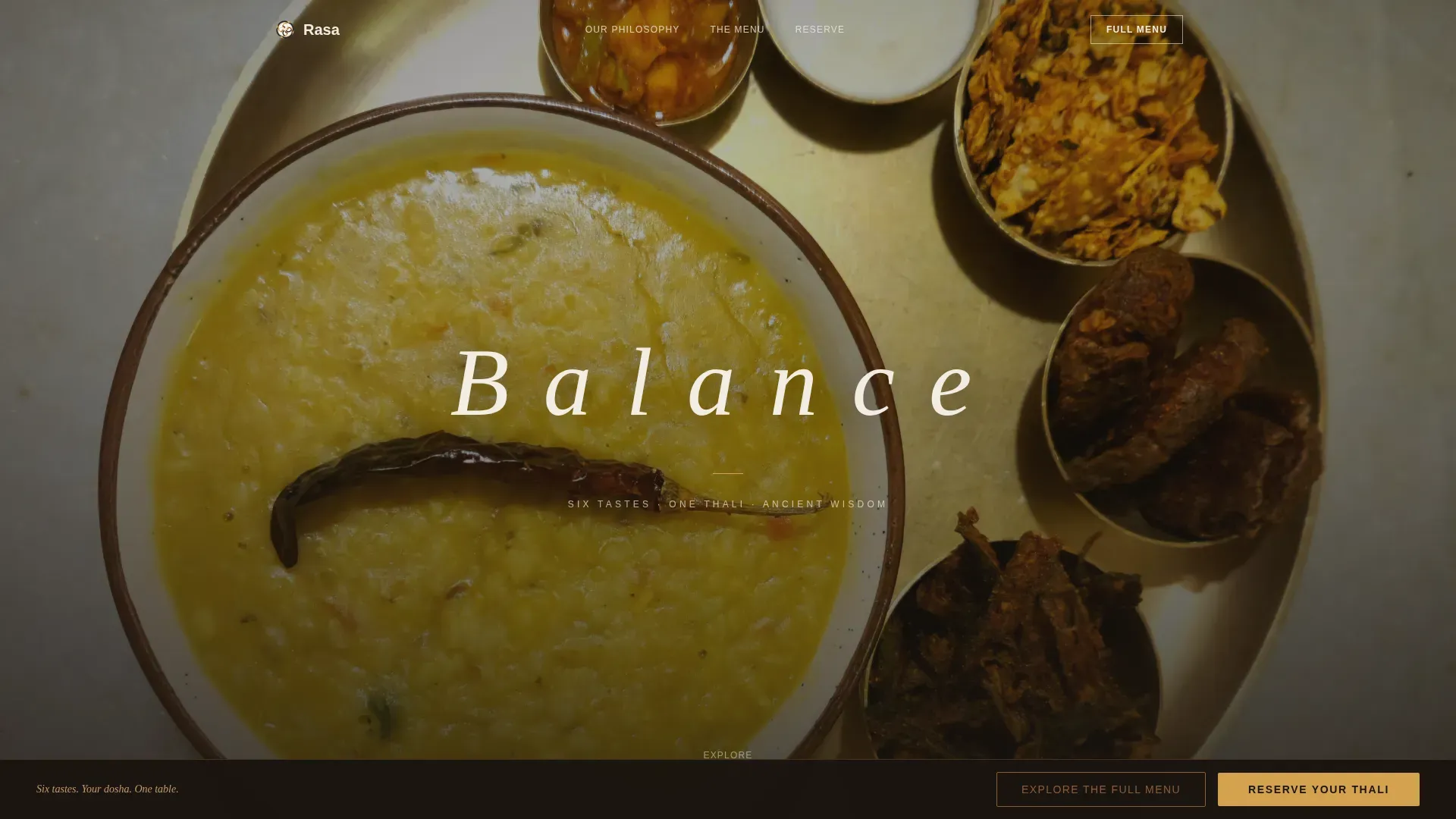
- A full-bleed hero section with an overhead brass thali photograph and a masked "Balance" text reveal animation
- Six taste-themed masonry sections, a social proof section with testimonials and a chef note, and an ultra-minimal footer
- A sticky bottom call-to-action bar, a menu overlay panel, and scroll-linked background palette warming across the full page
Feature list
This section highlights the core built-in capabilities that define what Rasa does and how it behaves on screen.
Masonry Taste-Journey Grid
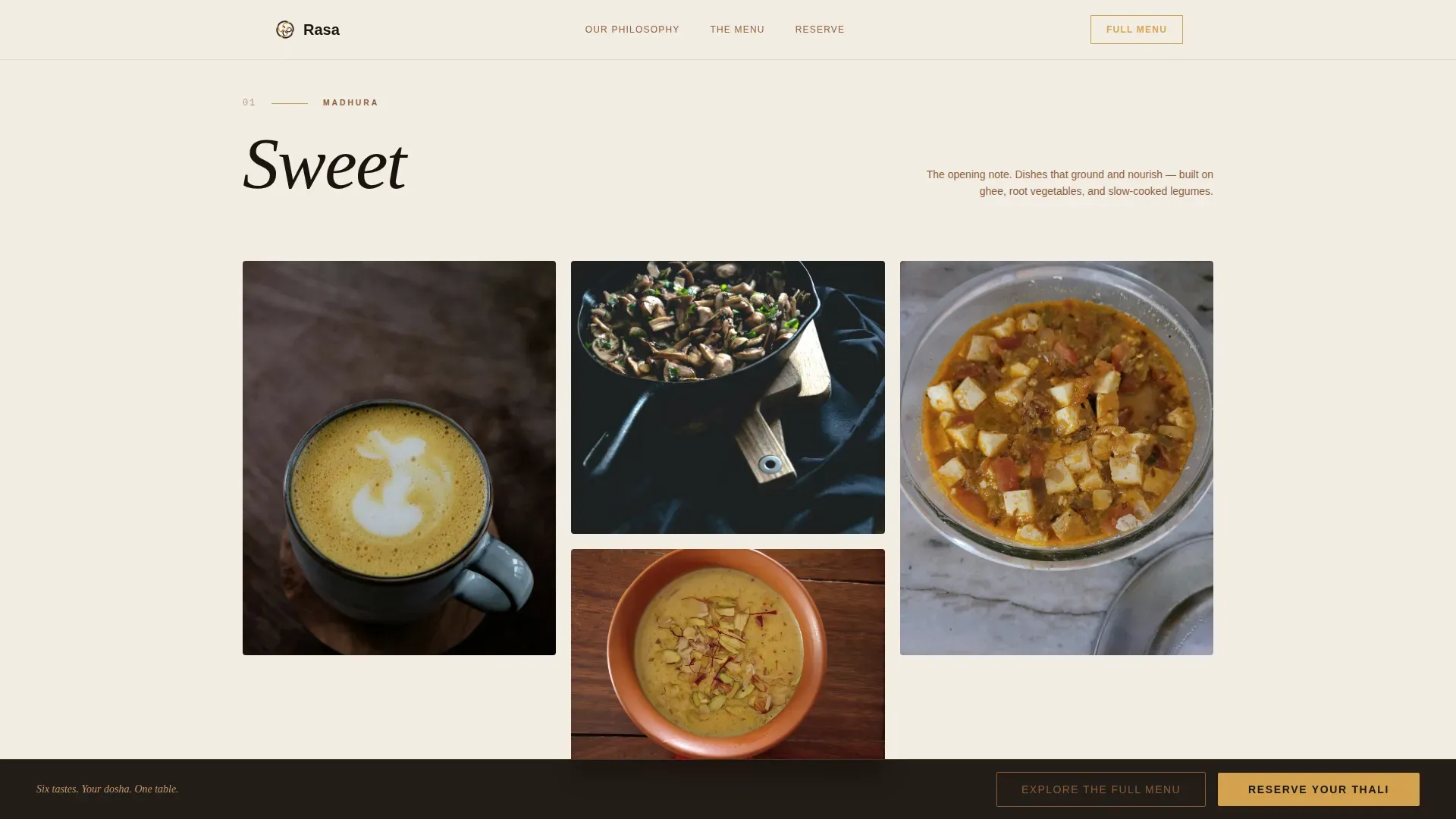
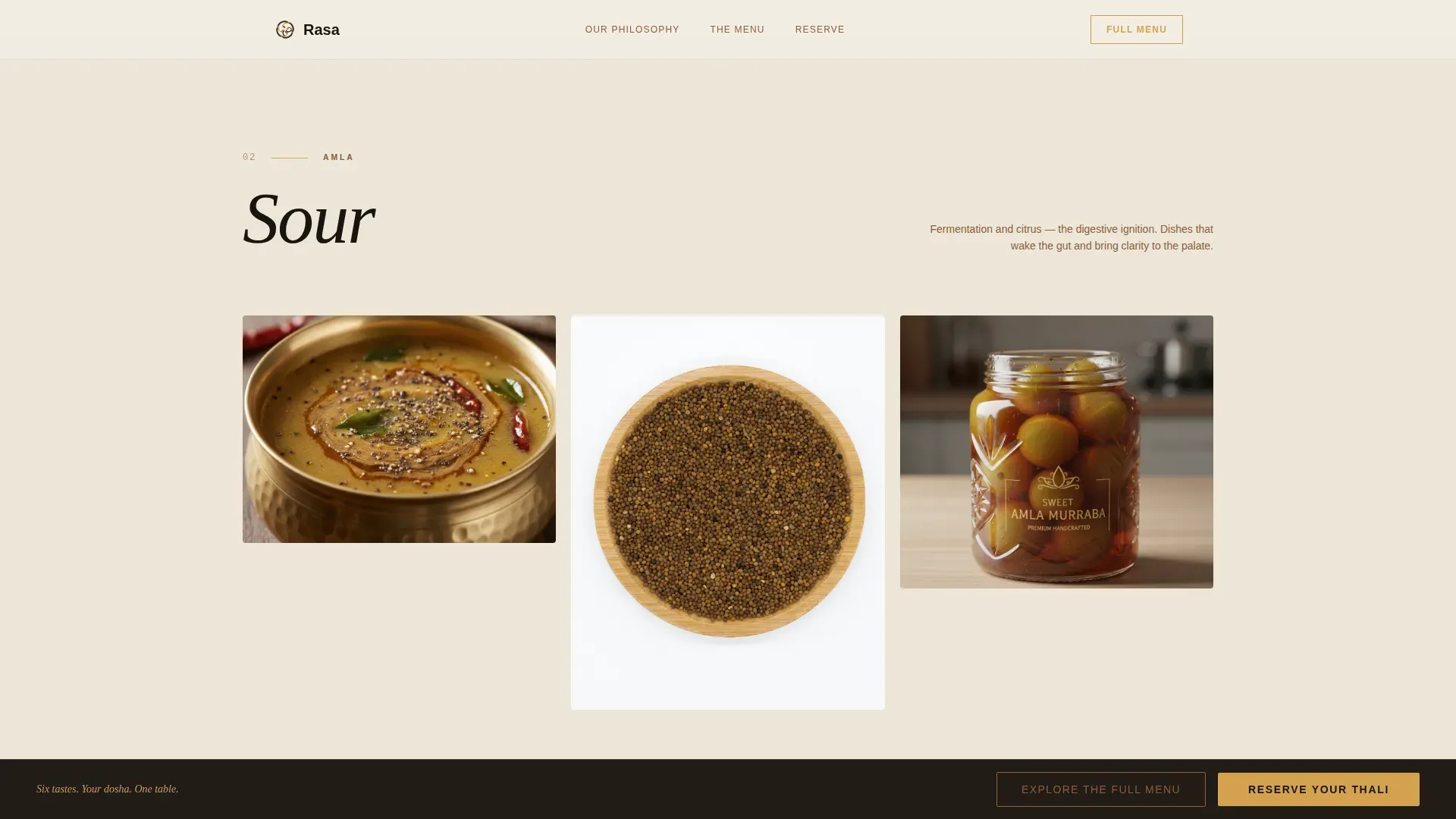
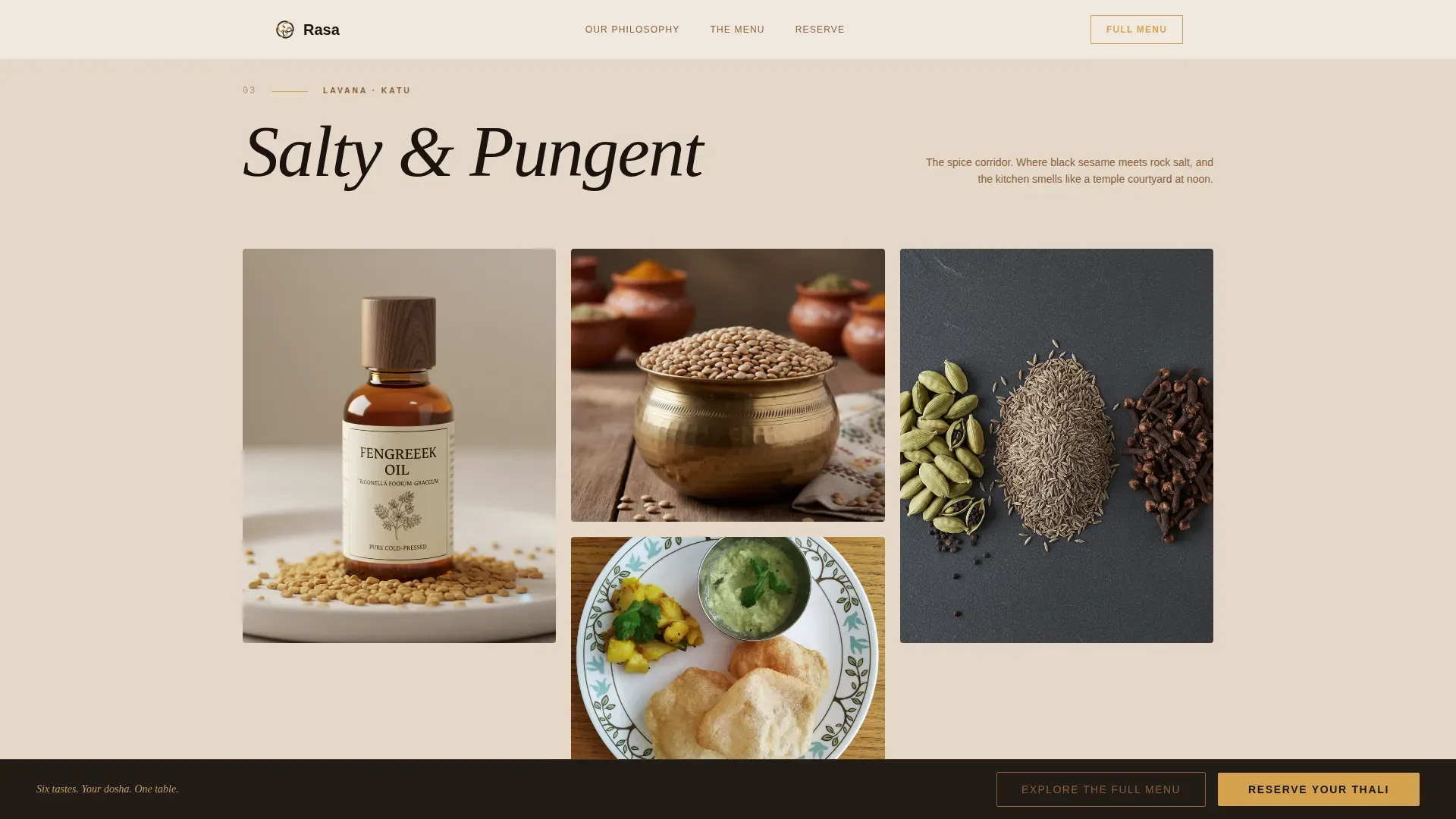
Each of the six Ayurvedic tastes gets its own masonry section. Tiles vary in proportion, some tall and narrow, others wide, to mirror the uneven rhythm of a real spread. Dish descriptions lead with the spice or preparation method, not the category label.
Scroll-Linked Palette Warming
As the visitor scrolls deeper into the taste journey, the page background shifts gradually from raw linen toward smoked clay. This CSS-first animation creates a sense of moving closer to the source of the food without requiring any script-heavy libraries.
Masked Hero Text Reveal
The hero opens with a full-bleed overhead photograph of a brass thali. After the first visual beat, the word "Balance" fades into the center of the composition in thin, tracked-out linen white. The reveal uses a mask animation tied to page load rather than scroll.
Sticky Reservation Call-to-Action Bar
A bottom-anchored bar carrying the "Reserve Your Thali" button appears after the visitor passes the second taste section. It stays visible through the remainder of the page, keeping the conversion path accessible without interrupting the sensory scroll.
Menu Overlay Panel
A secondary call-to-action labeled "Explore the Full Menu" opens an overlay panel directly on the page. The visitor never navigates away, keeping immersion intact and reducing drop-off at the discovery stage.
Parallax Tile Animations and Hover States
Individual masonry tiles move at slightly different rates on scroll, adding visual depth to the grid. Ghee gold activates on hover states across tiles and accent typography, reinforcing the warm editorial feel without adding visual noise.
Page sections overview
| Section | Purpose |
|---|---|
| Hero Thali | Full-bleed overhead thali photograph with masked "Balance" text reveal on load |
| Sweet (Madhura) | Masonry tiles: ghee-roasted maitake, golden milk pour, sweet potato kheer |
| Sour and Salty | Masonry tiles: tamarind rasam, fermented kanji, fenugreek-tempered kadhi |
| Pungent and Bitter | Spice-forward masonry tiles paired with editorial philosophy text |
| Astringent Course | Finishing course tiles and a dosha explanation bento layout |
| Social Proof | Three testimonials with handwritten-feel quotes and a chef philosophy note |
| Minimal Footer | Ultra-minimal horizontal footer pattern with essential navigation |
Design & branding system
The visual identity follows a Luxe Minimal direction built on a Fire & Earth palette. Every color choice references a material from the kitchen itself, keeping the page grounded in the world it represents.
- Four-color palette: black sesame (#1A1410) for headlines, ghee gold (#D4A24E) for hover states and accent type, smoked clay (#8B5E3C) for dividers and secondary text, raw linen (#F3EDE4) as the dominant background
- Typography pairing: Instrument Serif for headlines and editorial moments, DM Sans for body text and descriptions
- Tile proportions, section spacing, and palette transitions are calibrated to feel unhurried and editorial, not promotional
Mobile & speed optimization
Rasa is built desktop-first to match fine-dining discovery behavior, where visitors typically browse on larger screens during a considered decision. Full mobile support is included so the experience holds on any device.
- Image lazy loading is built in so the masonry grid loads progressively rather than all at once
- CSS-first animations handle scroll-linked effects and transitions, reducing reliance on heavy JavaScript
- The sticky call-to-action bar and menu overlay are touch-friendly on mobile viewports
How this template helps you convert
The page is designed as a click-through experience. There are no form fields on the landing page itself. The entire scroll journey builds desire, and a single tap carries the visitor to the booking system already primed to act.
- The masonry taste journey creates layered sensory engagement before any conversion prompt appears, so the "Reserve Your Thali" bar arrives after the visitor is already invested
- The menu overlay keeps curious visitors on the page instead of sending them to a separate menu link, reducing the chance they leave before booking
- The sticky bar remains visible from the third taste section onward, so the path to reservation is always one tap away without competing with the editorial content
Other information about this template
This template is categorized under Food & Beverage, specifically the Ayurvedic Food & Dining subcategory. It is designed for the Ayurvedic restaurant niche and was built with a high intersection match score for that combination of category, subcategory, and niche.
- Template style: Masonry/Pinterest layout with uneven tile proportions and scroll-driven section transitions
- Localization defaults: English language, USD pricing, United States timezone
- Animation intensity is set to high, covering masked reveals, parallax tiles, scroll-linked color transitions, and sticky bar entry
- The footer follows an ultra-minimal horizontal pattern, keeping the close of the page clean and consistent with the Luxe Minimal theme
Theme
Luxe Minimal
Creative direction
Taste & Aroma
Color system
Fire & Earth
Style
Masonry/Pinterest
Direction
Click-Through
Page Sections
Masonry Taste-journey Grid
Scroll-linked Palette Warming
Masked Hero Text Reveal
Sticky Reservation Bar
On-page Menu Overlay
Parallax Tiles and Hover States
Related questions
Does this template include a booking form?
Can I change the dish names and photography?
How many taste sections are included in the template?
What happens when a visitor clicks Explore the Full Menu?
Is this template suitable for a non-Ayurvedic restaurant?