Trusted Feng Shui Design Landing Page Template
Align is a Feng Shui consultation landing page template built around a modular card grid layout. It opens with an interactive floorplan map and a compass-dial tool that delivers a preliminary Bagua overlay. The design uses a Navy Authority palette with aged brass accents. Booking, case studies, testimonials, and a lead-capture checklist are all built in.
by Rocket studio
Quick summary
Align is a single-page Feng Shui consultation template designed for practitioners who serve homeowners, business owners, and real estate professionals. The layout opens with an interactive map concept and a compass-dial tool, then flows through a modular card grid of case studies, methodology explainers, and a scheduling module. Every section is self-contained and quietly persuasive.
Who this template is for
This template is built for Feng Shui consultants who work across residential, commercial, and staging contexts. It suits practitioners who want to lead with expertise before asking for a booking.
- Homeowners mid-renovation who sense something is wrong with a space but cannot name it
- New business owners fitting out their first commercial lease or office
- Real estate stagers who offer Feng Shui consultations as a premium add-on to listings
What problem this template solves
Many Feng Shui practitioners lose potential clients because their online presence feels vague or unserious. Visitors arrive curious but leave unconvinced. This template solves that by leading with participation and proof, not just promises.
- The interactive compass tool demonstrates real knowledge before a booking is made
- Methodology cards explain Form School and Compass School approaches clearly, without oversimplifying
- The scheduling flow and email-capture checklist give visitors two low-friction ways to convert
What you get with this template
The template delivers a complete, ready-to-use landing page structured around an interactive tool, a modular card grid, and a booking module. Every section has a defined role in moving a visitor toward a consultation.
- An interactive floorplan map header with animated compass lines and soft Bagua zone reveals
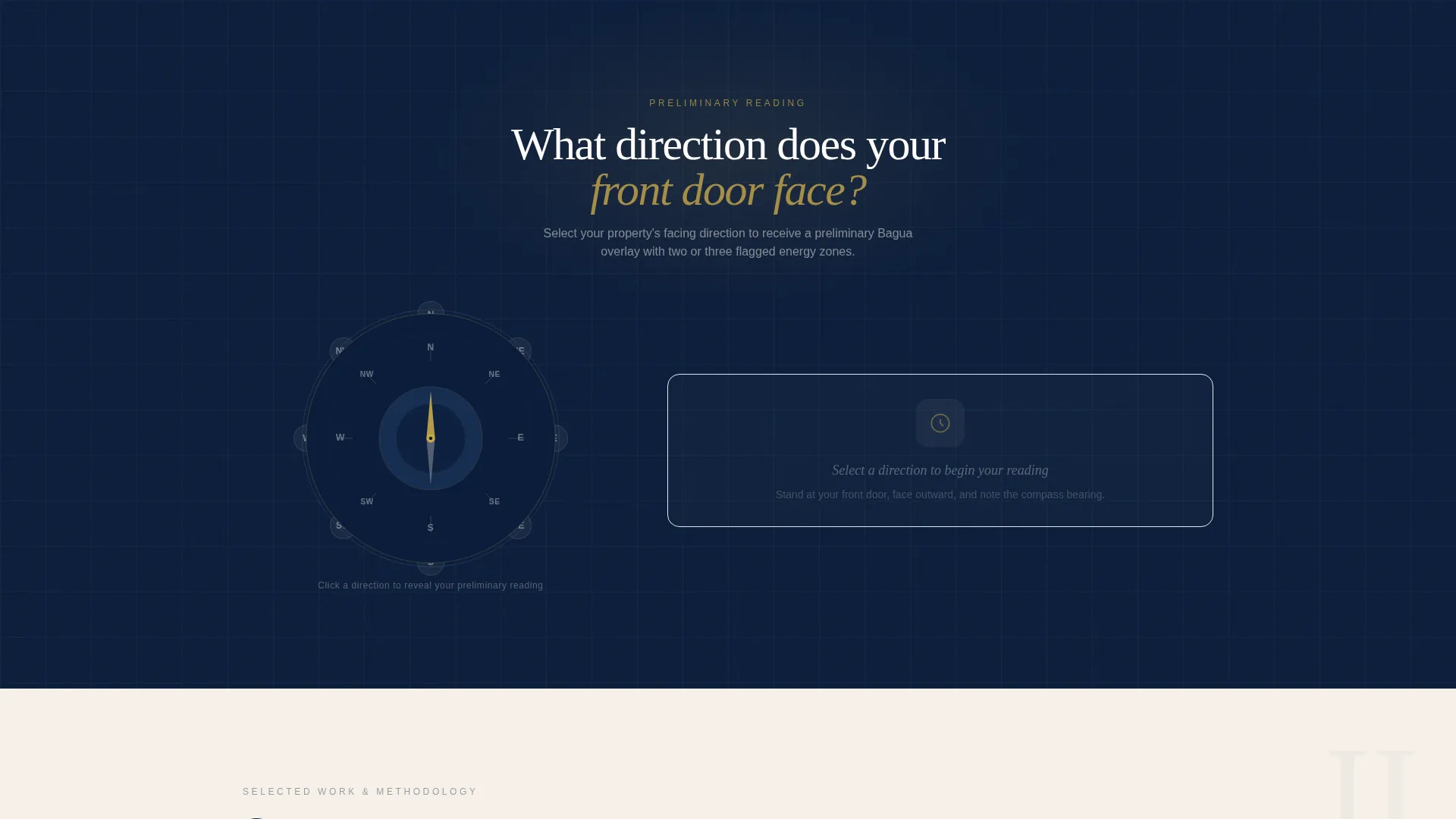
- A compass-dial or address-input tool that returns a preliminary Bagua overlay with flagged zones
- Modular card sections for case studies, testimonials, methodology, and scheduling
Feature list
This template packs a focused set of components that work together as a coherent consultation experience, not a collection of disconnected sections.
Interactive Floorplan Map Header
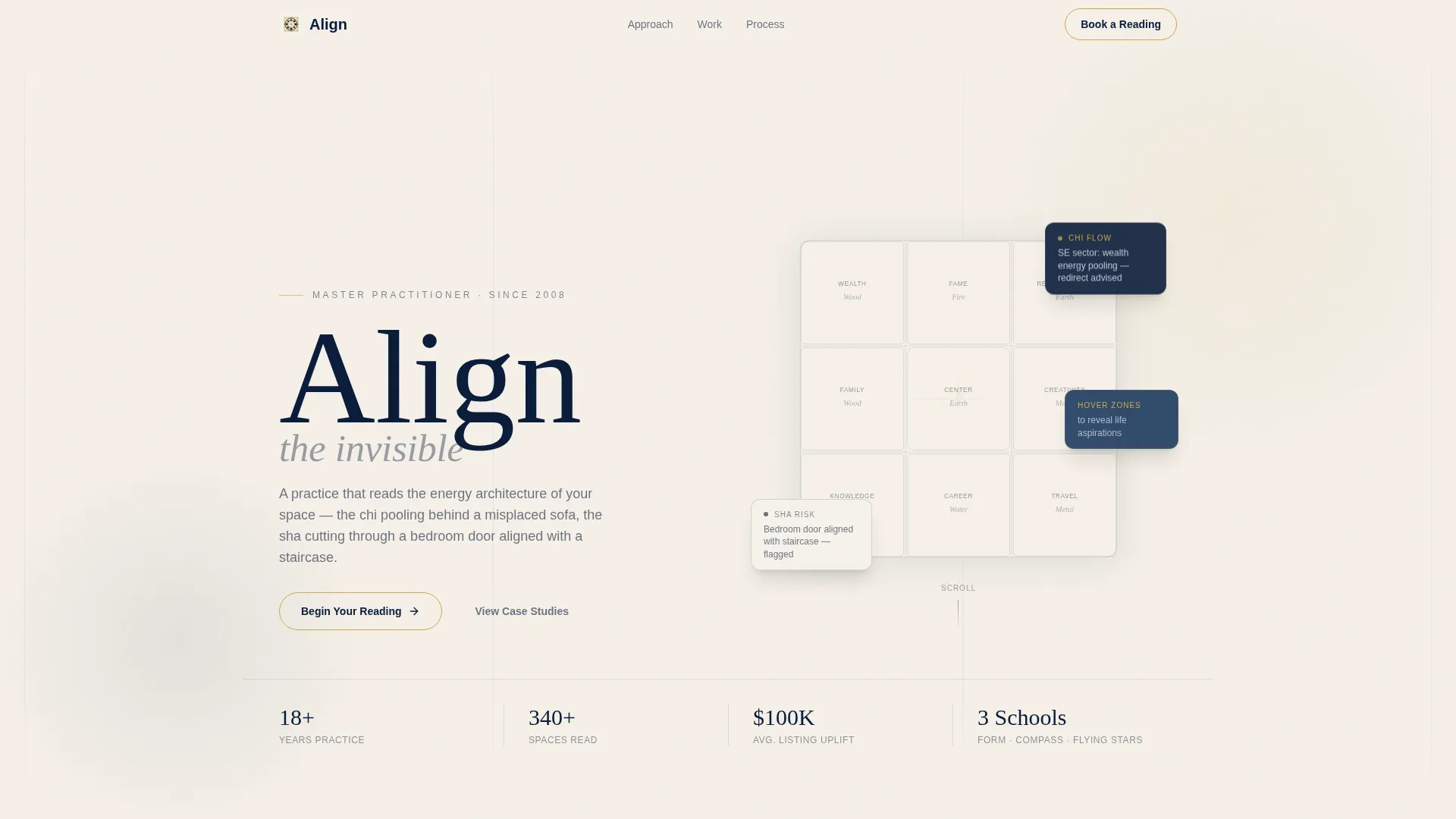
The header renders an ink-blue stylized floorplan on a warm parchment background. Animated compass lines radiate from the center. As the visitor moves their cursor, Bagua zones glow softly and reveal their element and life aspiration in brass typography. The effect feels like an artifact from a master practitioner's private study.
Compass-Dial Engagement Tool
The first interactive card invites visitors to input their home's facing direction using a compass dial or a street address field. The tool returns a preliminary Bagua overlay with two or three flagged zones. It proves expertise immediately without replacing a full paid session.
Modular Card Grid Layout
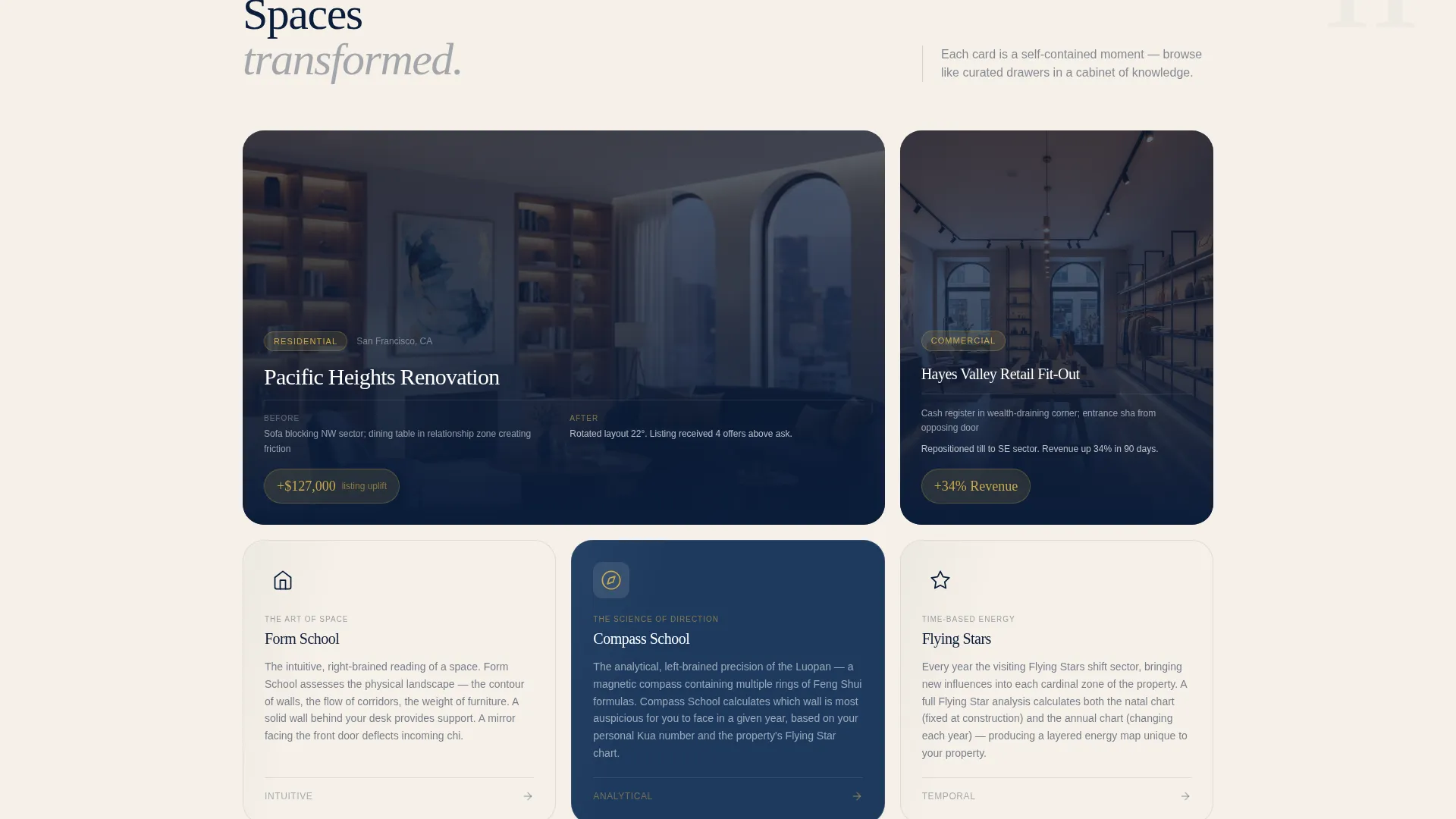
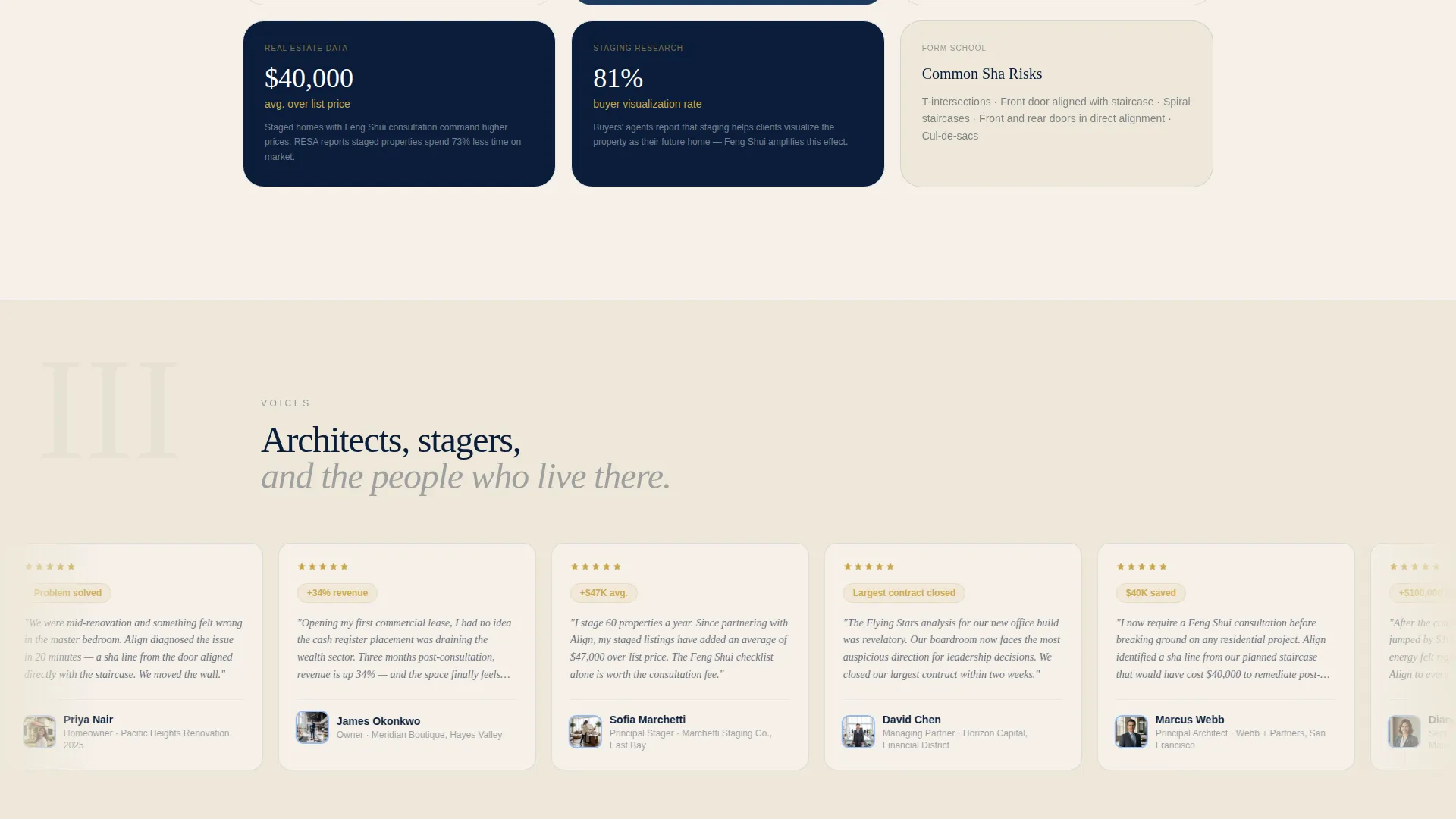
The scroll unfolds like browsing curated drawers in a cabinet of knowledge. Case study cards show before-and-after room arrangements with chi-flow arrows. Testimonial cards feature renovation architects and property professionals. Methodology cards explain Feng Shui approaches at a scholarly but accessible level.
Contextual Booking Module
After the tool delivers its reading, a contextual call-to-action card appears with a warm brass border that pulses once. The scheduling flow collects property type, square footage range, and preferred consultation format. A calendar embed shows available slots in two-week windows.
Lead-Capture Checklist Download
A secondary conversion path offers a downloadable "Prepare for Your Consultation" checklist in exchange for an email address. This captures high-intent visitors who are not yet ready to book but are clearly planning ahead.
Navy Authority Visual System
The color palette uses deep command navy, brushed ink blue, warm parchment, and a single aged brass accent. Brass appears only on interactive states and call-to-action borders, making every clickable moment feel intentional and distinct.
Page sections overview
| Section | Purpose |
|---|---|
| Floorplan Map Header | Orients and engages visitors instantly with an interactive, atmospheric concept |
| Compass Input Tool | Delivers a preliminary Bagua reading to demonstrate practitioner expertise |
| Case Study Cards | Shows before-and-after room arrangements with chi-flow context |
| Testimonial Card Grid | Builds trust through voices from renovation architects and property professionals |
| Methodology Cards | Explains Form School and Compass School without oversimplifying either |
| Booking Module | Collects property details and preferred format, then shows a calendar embed |
| Checklist Download | Captures email addresses from high-intent visitors via a practical lead magnet |
Design & branding system
The visual identity follows an Atelier Studio theme that feels authoritative without severity. Navy dominates structural elements, parchment breathes between modules, and brass appears only when something is interactive.
- Color palette: deep command navy (#0B1D3A), brushed ink blue (#1E3A5F), warm parchment (#F5F0E8), and aged brass (#C9A84C) for interactive states only
- Typography and linework feel scholarly and curated, referencing ink-blue drafting aesthetics rather than digital minimalism
- Card backgrounds alternate between navy and parchment to create rhythm and visual separation across the modular grid
Mobile & speed optimization
The modular card grid structure makes this template naturally suited to smaller screens. Each card is a self-contained unit that stacks cleanly without losing its individual purpose or visual weight.
- The compass-dial tool and floorplan header are designed as contained interactive modules that adapt to narrower viewports
- Card-based layout means no complex multi-column dependencies that would break on mobile devices
How this template helps you convert
The template treats conversion as a sequence of low-friction invitations rather than a single high-pressure ask. Each section earns the next click.
- The interactive compass tool delivers immediate, personalised value before any booking prompt appears, establishing trust through demonstrated knowledge
- The contextual booking card appears only after the tool returns its reading, so the call to action feels earned and timely rather than imposed
- The checklist download provides a second conversion path that captures emails from visitors who are planning ahead but are not yet ready to schedule
Other information about this template
This template is a strong fit for practitioners who position their work at the intersection of interior design, real estate, and spatial philosophy. The Atelier Studio aesthetic supports premium pricing and attracts clients who already associate quality with restraint.
- The template is categorised under Real Estate and Property, with a focus on Interior Design Studio positioning
- The card grid direction means new content blocks, such as additional case studies or seasonal offerings, can be added without redesigning the layout
- The "Prepare for Your Consultation" checklist serves a dual purpose: it filters for serious, preparation-minded clients and builds the practitioner's email list
- The scheduling module collects property type, square footage, and consultation format preferences upfront, reducing back-and-forth before the first session
Theme
Luxe Minimal
Creative direction
Stats-First Impact
Color system
Charcoal & Amber
Style
Gallery + Detail
Direction
Direct Sales
Page Sections
Interactive Floorplan Map Header
Compass-dial Engagement Tool
Modular Card Grid Layout
Contextual Booking Module
Lead-capture Checklist Download
Related questions
Who is this landing page template designed for?
Can I use this template without offering an interactive tool?
What consultation formats does the booking module support?
How does the checklist download capture leads?
Is this template a good fit for real estate stagers adding Feng Shui services?



