Kids Online Safety & Tech Booking Website Template
Balance is a hero-dominant landing page template for a screen time management app aimed at parents of children aged seven to thirteen. Built around a warm watercolor picture-book aesthetic, it guides visitors through a Hero's Journey scroll flow, from recognizing the chaos of too much screen time to discovering a gentle, family-first solution. One clear call to action drives app store downloads.
by Rocket studio
Quick summary
Balance is a single-page, click-through landing page template for a screen time management app. It pairs a full-viewport watercolor owl mascot with a cinematic scroll journey, moving parents from pain to hope in five distinct sections. The design is warm, never clinical. One tap leads to an app store download. No forms. No friction.
Who this template is for
This template is built for app makers, indie developers, and parenting-tech founders who need to convert tired, emotionally invested parents into app downloads. If your product helps families reclaim real-life moments from glowing screens, this template speaks your audience's language from the first pixel.
- Parents-first founders building screen time management or family-tech apps
- Developers launching on the App Store or Google Play who need a single click-through page
- Parenting brands that want warmth and trust rather than a cold product pitch
What problem this template solves
Most app landing pages feel like spec sheets. They list features before earning emotional trust. For an audience of exhausted parents browsing at midnight, that approach fails. This template solves the trust gap first, then makes the ask.
- Parents arrive skeptical; the scroll journey validates their frustration before introducing the solution
- A single call to action removes decision fatigue and points every tap toward one destination
- The "No kid data collected, ever" privacy badge addresses the one concern that stops cautious parents from downloading
What you get with this template
You get a fully structured, mobile-first landing page with five narrative sections, a sticky call-to-action bar, and a handcrafted visual system built for emotional resonance. Every component is positioned to reduce friction and increase confidence before the download tap.
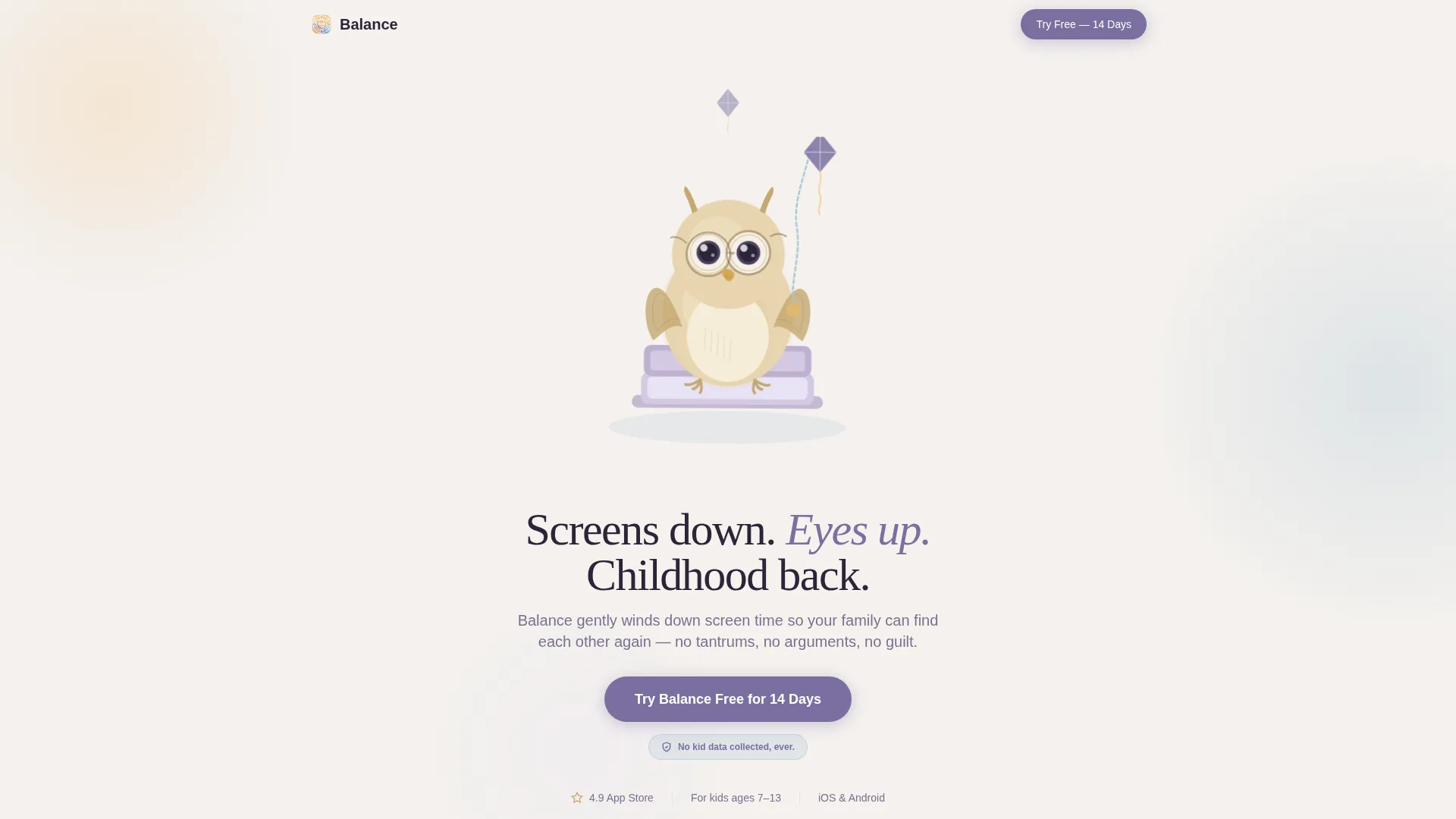
- A full-viewport hero section with a watercolor owl mascot illustration and a fade-in headline
- Animated stat counters, a family activity spinner, a scrolling sticky-note testimonial ticker, and a platform-detection interstitial
- A purposeful Soft Mist color palette and dual-typeface typographic system ready to customize
Feature list
This template includes the following built-in capabilities drawn directly from the design brief.
Full-Viewport Watercolor Hero
The hero section occupies the entire screen with a picture-book-style owl mascot perched on a closed laptop, holding a kite string that trails upward. A single headline fades in beneath the mascot. No screenshots, no product user interface at this stage. The character earns emotional connection before the product earns attention.
Hero's Journey Scroll Architecture
The page is structured as a five-act narrative: ordinary world chaos, the pain of a family divided by screens, the owl mentor introducing the solution, a hope section with rewards and the activity spinner, and a warm "return" scene of the family reunited at a board game. Each section deepens the emotional arc and escalates toward the call to action.
Animated Stat Counters and Scroll Triggers
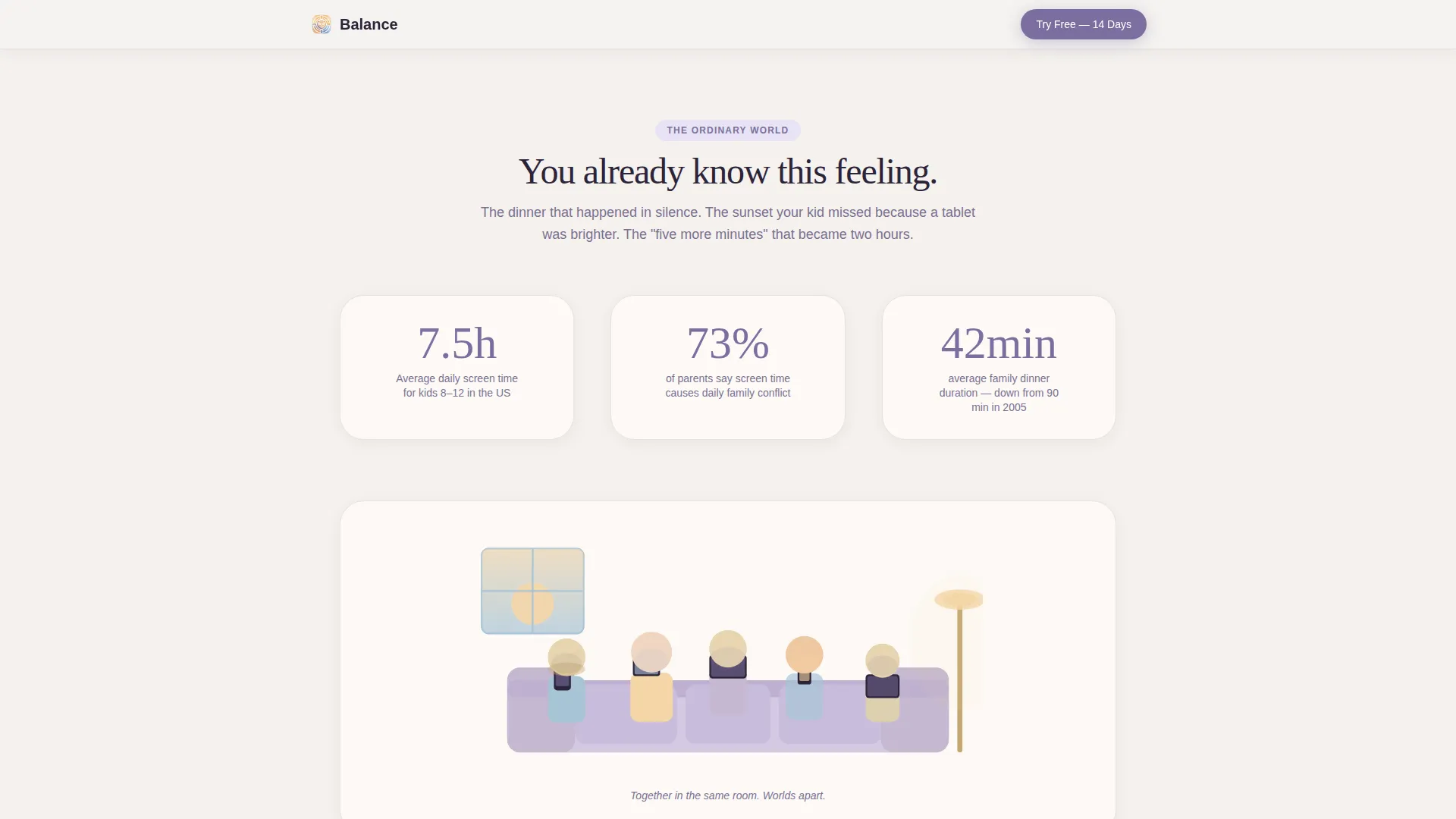
The pain section uses animated counters that tick upward to show average child screen hours. Scroll-triggered reveals bring illustrated scenes into view as the parent reads. An Intersection Observer pattern drives the counters so they only activate when visible.
Sticky Call-to-Action Bar
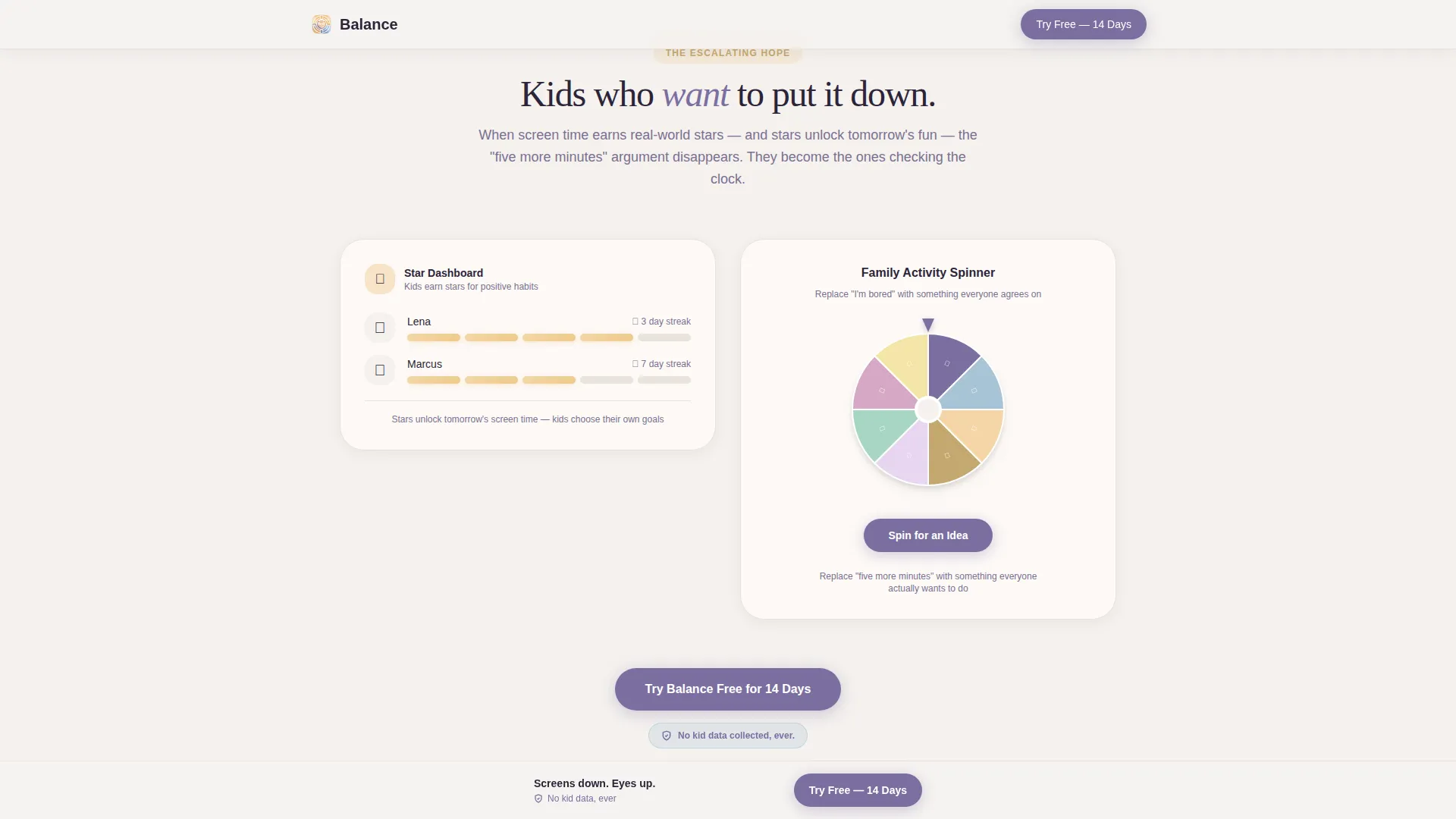
After the third scroll section, a persistent bottom bar appears carrying the primary call to action, "Try Balance Free for 14 Days," in the purposeful violet. The bar stays visible as the parent continues scrolling, keeping the download path one tap away at all times.
Platform-Detection Interstitial
Tapping the call to action leads to a platform-detection screen rather than a generic link. The interstitial identifies whether the visitor is on an iOS or Android device and routes them to the correct app store. No additional input is required from the user.
Handwritten Testimonial Ticker and Privacy Badge
A scrolling ticker displays parent testimonials styled as handwritten sticky notes. A "No kid data collected, ever" privacy badge anchors beside every call-to-action instance on the page, addressing the primary trust concern for parents before they tap.
Page sections overview
| Section | Purpose |
|---|---|
| Hero Owl Mascot | Establish emotional warmth and deliver the headline before any product claim |
| Pain Stat Counters | Validate parental frustration with animated screen-hour data and illustrated family-on-devices scene |
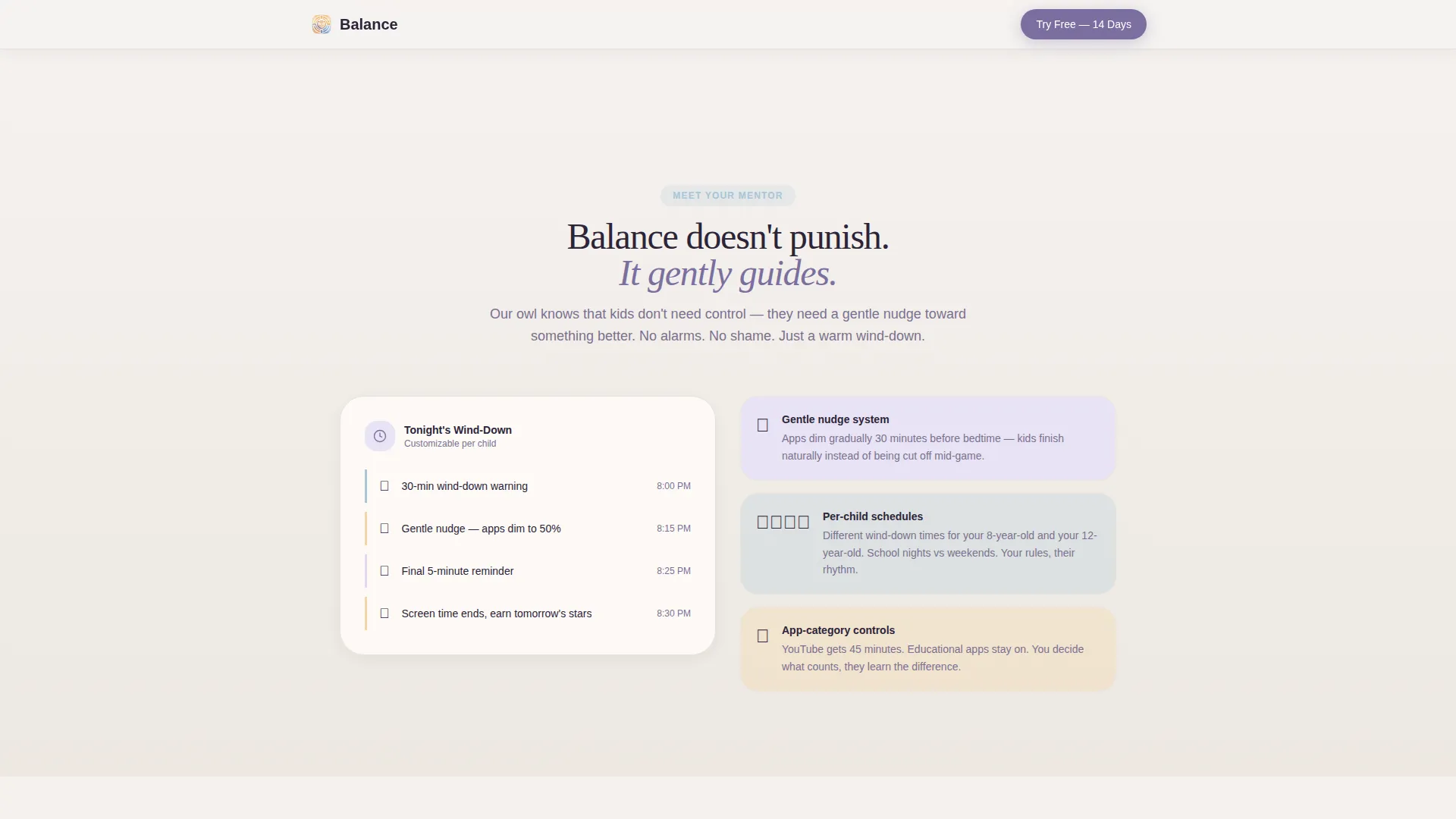
| Solution Owl Mentor | Introduce the app's gentle nudge system and customizable wind-down schedules |
| Hope Rewards Section | Show kid-friendly reward dashboards and the family activity spinner; trigger sticky call-to-action bar |
| Return Family Scene | Full-width board game illustration and scrolling sticky-note testimonials close the narrative arc |
| Footer Pattern | Single-row linear footer with essential links |
Design & branding system
The visual identity uses a Soft Mist color system that feels like a child's bedroom at dusk. Every color choice prioritizes warmth and exhale over clinical utility. Typography pairs a clean user-interface font with an editorial serif for headings.
- Color palette: morning fog white (#F4F1EE), worn cotton blue (#A8C4D6), warm lamplight (#F5D6A8), and purposeful violet (#7B6FA0) reserved for calls to action and active states
- Typography: DM Sans for interface copy and Fraunces for editorial headings, creating a picture-book editorial contrast
- Illustration style: soft watercolor textures throughout, consistent with a hand-painted picture-book spread
Mobile & speed optimization
This template is built mobile-first because the target audience, parents, are most likely browsing on their phones late at night. The technical approach prioritizes smooth scroll performance without requiring heavy infrastructure.
- Static hero section with CSS animations keeps the above-the-fold experience fast and lightweight
- Intersection Observer pattern fires animated stat counters only when they enter the viewport, reducing unnecessary processing
- Sticky call-to-action bar and platform-detection interstitial are designed for one-thumb operation on small screens
How this template helps you convert
Every structural decision in this template points toward a single outcome: the app store tap. Trust is built deliberately before any ask is made.
- The emotional scroll journey moves parents from recognizing their pain to believing in the solution before the call to action appears, so the tap feels like a natural next step rather than a pitch.
- The sticky bottom bar and the privacy badge work together to keep the download path visible and the primary objection answered at every stage of the scroll.
Other information about this template
This template is designed for the Kids and Family category, specifically within the Kids Online Safety and Tech subcategory. It is built for screen time management app promotions targeting US English-speaking audiences, using USD pricing context and US date formats.
- The Family First theme runs through every section, from the mascot concept through to the board game return scene
- The Hero's Journey creative direction is a deliberate structural choice, not a surface aesthetic, meaning each section must carry its narrative weight in the final build
- The template style is Hero-Dominant (90/10), meaning the hero section commands roughly ninety percent of the initial visual weight
- The lp_direction is Click-Through, meaning no forms or data collection fields appear on the page
- This template can support localization adjustments for language, currency, and date format if your audience extends beyond the US
Theme
Family First
Creative direction
Hero's Journey
Color system
Soft Mist
Style
Hero-Dominant (90/10)
Direction
Click-Through
Page Sections
Full-viewport Watercolor Hero Section
Hero's Journey Five-act Scroll Flow
Animated Stat Counters and Scroll Reveals
Sticky Call-to-action Bar
Platform-detection Interstitial
Sticky-note Testimonial Ticker and Privacy Badge
Related questions
Does this template include a contact form or email capture?
Can I replace the owl mascot with my own character or illustration?
How does the platform-detection interstitial work?
When does the sticky call-to-action bar appear during scrolling?
Is this template suitable for a screen time management app outside the US market?



