Mobile Espresso Bar Landing Page Template
Barista is an editorial-style landing page template built for mobile espresso bar operators. It serves corporate event clients, wedding coordinators, and festival organizers with a FAQ-driven scroll flow, a sticky booking bar, and an Arctic White visual identity. Every section answers a real visitor question and ends with a nudge toward the "Book Your Barista" form.
by Rocket studio
Quick summary
Barista is a single-page, lead-generation template for mobile espresso bar services. It uses an editorial magazine layout, an Arctic White color palette, and a FAQ-driven creative direction. The page walks visitors through service area coverage, equipment details, capacity, and branding options, then closes with a focused booking form that feels earned, not forced.
Who this template is for
This template is built for mobile coffee bar operators who need a polished online presence that converts inquiries into bookings. It suits service providers who work across multiple event types and want a single page that handles every common client question with confidence.
- Mobile espresso bar operators targeting corporate, wedding, and festival clients
- Event vendors who want a branded, editorial-quality landing page without a full website build
- Coffee professionals expanding into new service areas who need a credible first impression
What problem this template solves
Prospective clients arrive with a list of practical questions before they commit to a vendor. Most service pages either bury the answers or skip them entirely, leaving visitors to chase details by email. This template removes that friction by structuring the entire page around the questions clients actually ask.
- Eliminates back-and-forth inquiries by answering coverage, capacity, and setup details up front
- Reduces drop-off by placing the booking form only after trust has been built through clear, layered information
- Gives event coordinators and office managers everything they need to make a confident vendor decision on a single scroll
What you get with this template
The template delivers a complete, single-page layout designed for mobile espresso bar lead generation. Every section is purposeful, and the overall flow guides visitors from curiosity to commitment without pressure.
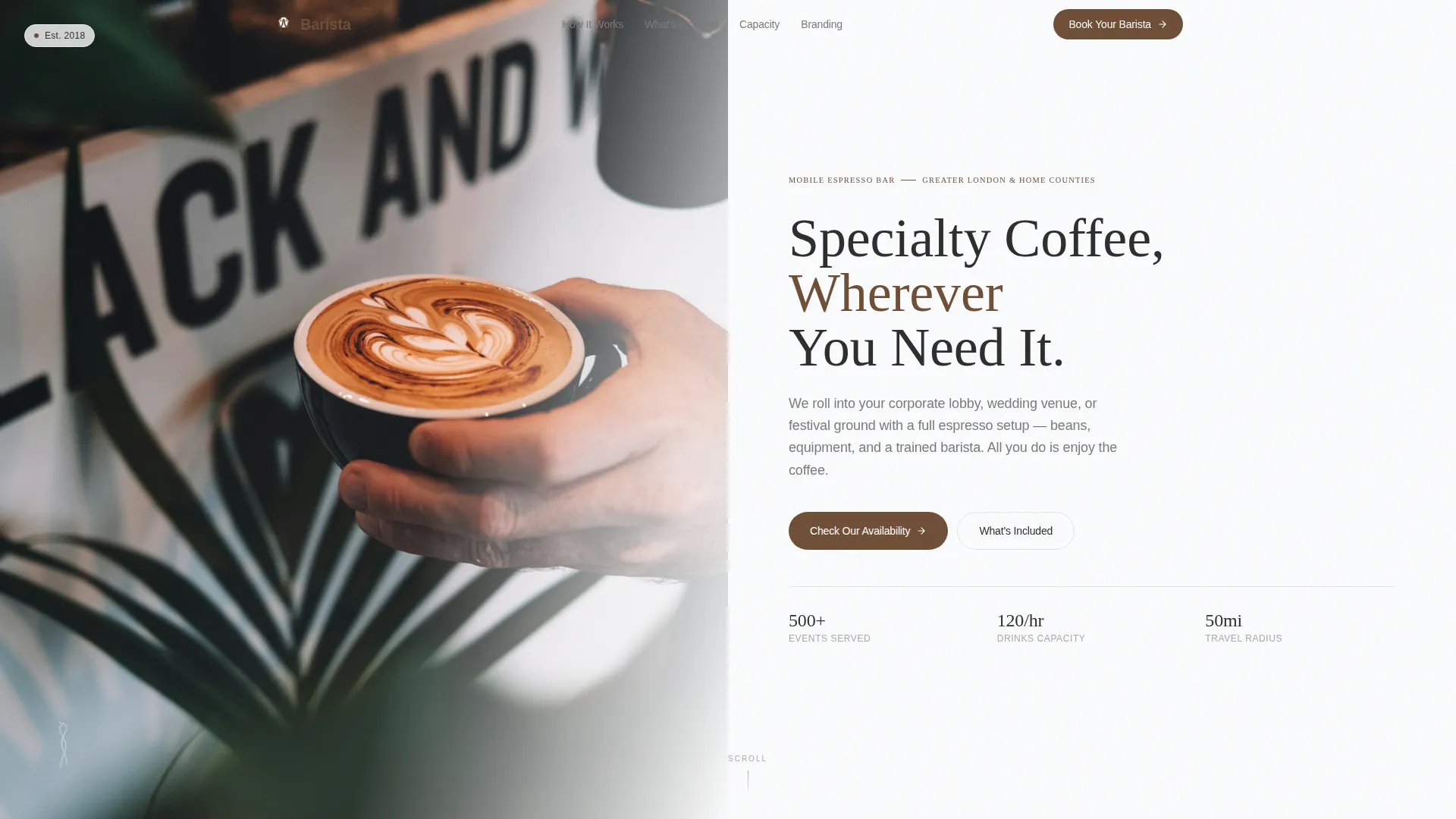
- A half-page photo and text header with a serif headline, regional subhead, and espresso brown call-to-action button
- Four FAQ-driven scroll sections covering service area, equipment, capacity, and branded cup options, each ending with a micro call-to-action
- A sticky bottom booking bar with a multi-step form asking for event date, postcode, guest count, and event type via icon-select tiles
- A secondary conversion path offering a gated downloadable event menu for visitors still in the comparison stage
Feature list
This template packs several purposeful components into one clean, editorial layout. Each feature below reflects exactly what the source brief describes.
Half-Page Photo and Text Header
The header splits into two halves. The left side holds a tightly cropped editorial photograph of a barista mid-pour, steam catching soft directional light. The right side carries a clean serif headline, a one-line regional subhead, and a muted espresso brown availability button. The composition feels calm and magazine-cover confident.
FAQ-Driven Scroll Architecture
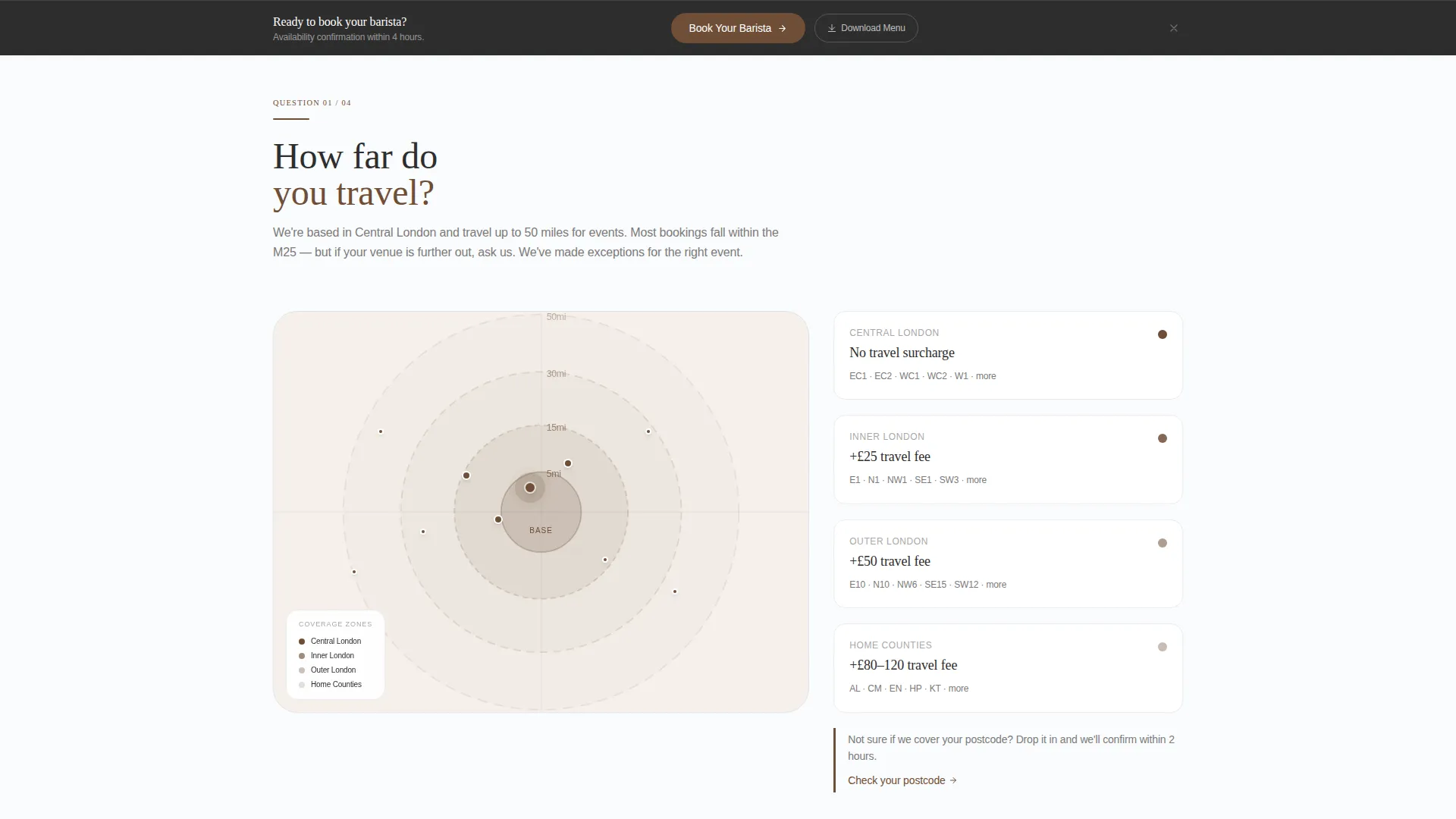
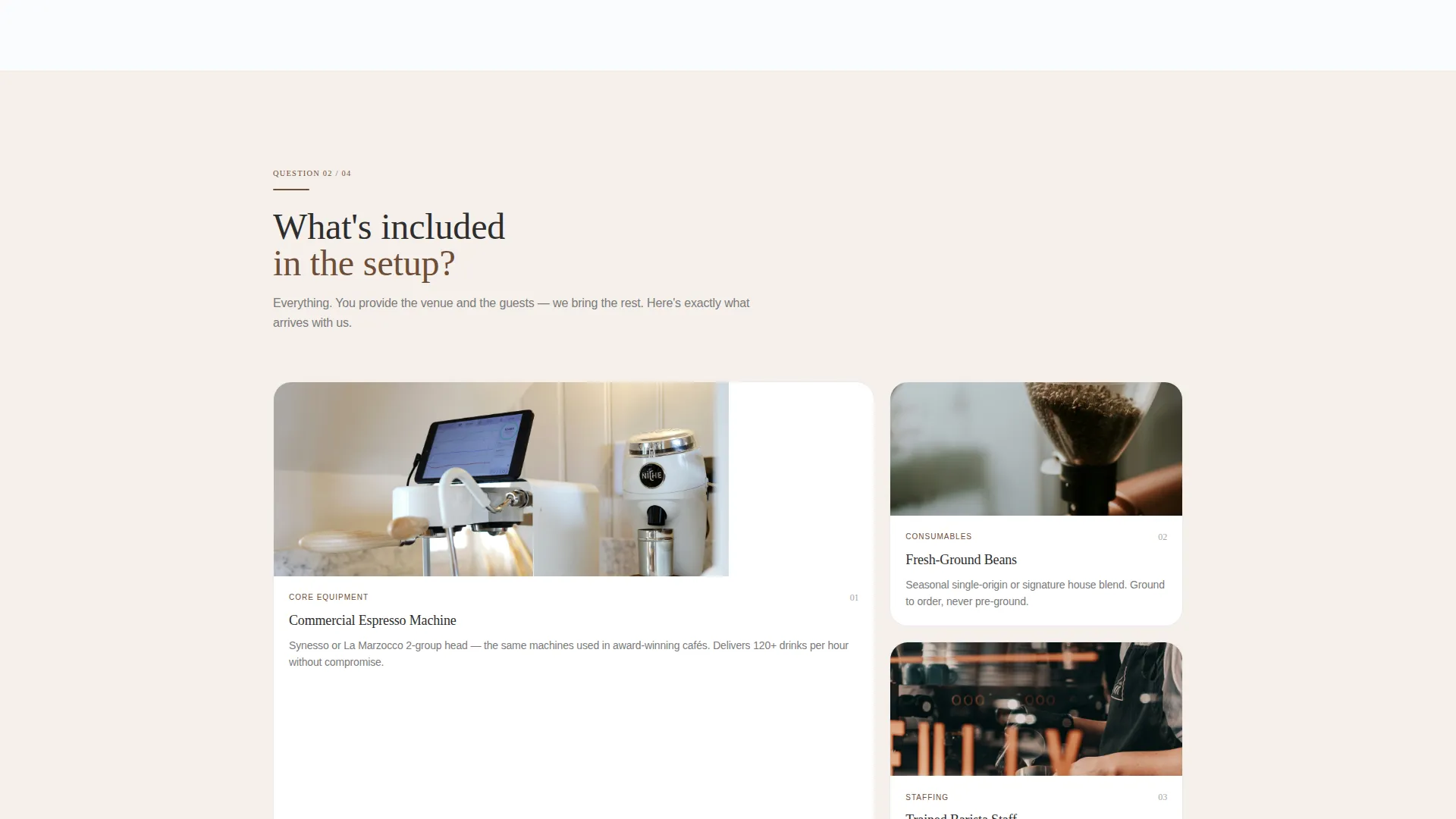
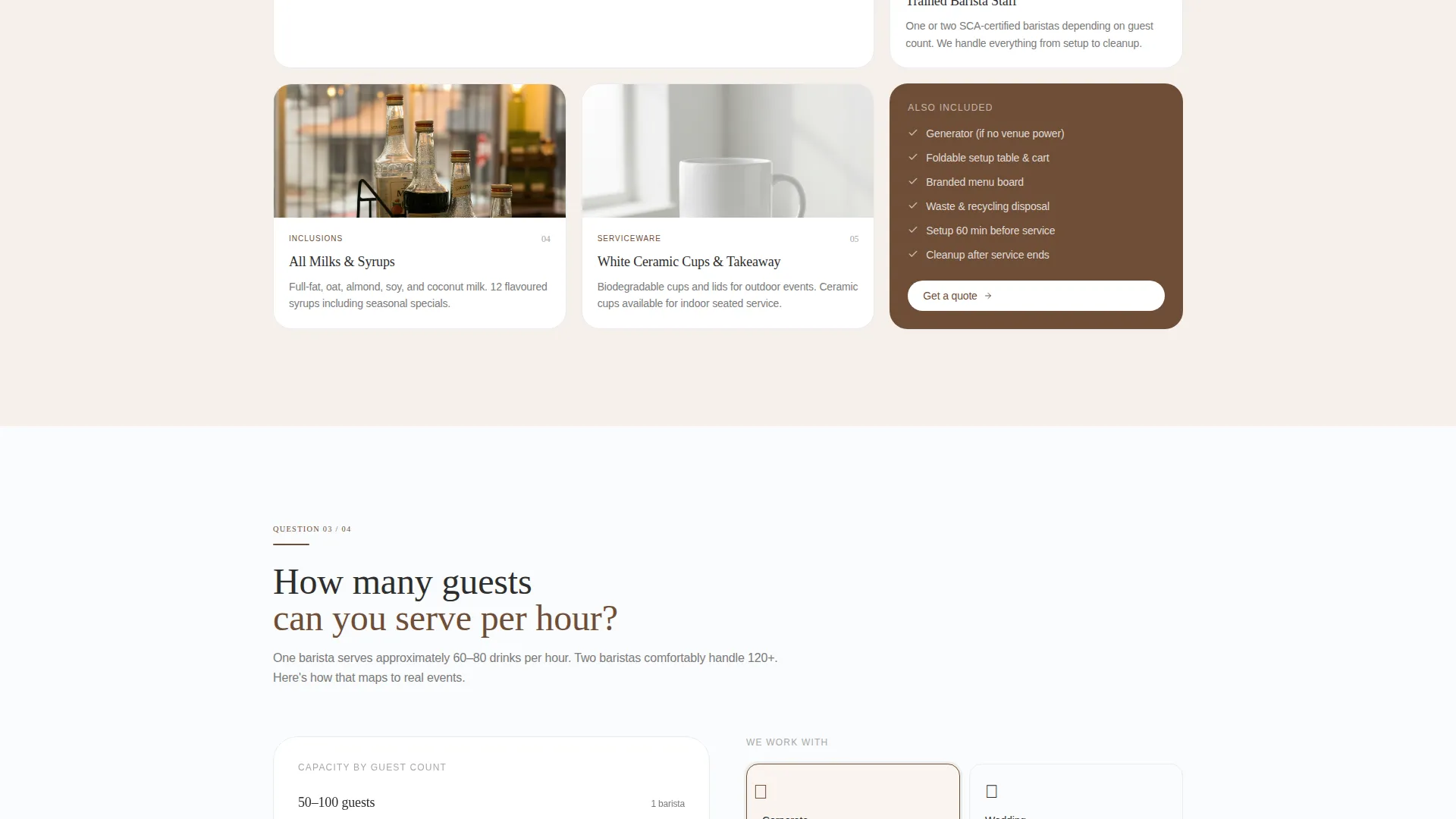
After the header, every major section opens with a real visitor question. "How far do you travel?" pairs with an interactive service area map. "What's included in the setup?" reveals a photo-annotated equipment breakdown. "How many guests can you serve per hour?" presents a capacity chart. "Do you offer branded cups?" shows a custom job gallery. Each answer ends with a micro call-to-action.
Sticky Booking Bar
A persistent bottom bar appears after the visitor passes the second FAQ section. It anchors the primary call-to-action, "Book Your Barista," and keeps the conversion path visible without interrupting the reading flow.
Multi-Step Booking Form
The form collects event date first, then postcode, then estimated guest count, then event type. Event type is selected through icon-select tiles covering corporate, wedding, festival, and private party. The sequence feels conversational, not clinical.
Gated Event Menu Download
A secondary conversion path offers a downloadable event menu as a gated PDF. This captures contact details from visitors who are still comparing options and not yet ready to submit a full booking request.
Arctic White Editorial Design System
The full page uses a deliberate four-color system: crisp snowfield white for backgrounds, matte charcoal for body text and headlines, soft dove gray for section dividers and card surfaces, and roasted espresso brown as the single accent on buttons, links, and pull-quote borders.
Page sections overview
| Section | Purpose |
|---|---|
| Header photo block | Introduces the service with editorial photography and a regional headline |
| Service area FAQ | Answers travel range with an interactive postcode map |
| Equipment FAQ | Shows a photo-annotated breakdown of the setup |
| Capacity FAQ | Presents a clean guest-per-hour chart |
| Branded cups FAQ | Displays a gallery of past custom cup work |
| Sticky booking bar | Keeps the primary call-to-action visible after scroll |
| Booking form | Collects event date, postcode, guest count, and event type |
| Menu download offer | Provides a gated PDF for visitors still in comparison mode |
Design & branding system
The visual identity follows an Educational Guide theme that feels like a specialty coffee magazine left open on a marble countertop. Whitespace does the heavy lifting, and the single accent color keeps the palette disciplined.
- Arctic White backgrounds (#FAFBFC), matte charcoal text (#2D2D2D), dove gray dividers (#E0E2E6), and roasted espresso brown accents (#6F4E37) on buttons, links, and pull-quote borders
- Clean serif typography for headlines paired with editorial spacing that keeps sections airy and confident
- Photography-forward layout with a half-page editorial image in the header and photo-annotated components in the FAQ sections
Mobile & speed optimization
The layout is designed with a mobile-first audience in mind. Event coordinators and office managers often browse vendors on their phones between meetings, so the template prioritizes legibility and tap-friendly interactions at smaller screen sizes.
- Sticky bottom booking bar remains accessible on mobile without blocking content
- Icon-select tiles in the booking form are sized for comfortable thumb interaction
- Clean column structure in the header and FAQ sections adapts naturally to narrower viewports
How this template helps you convert
The page earns the booking by removing doubt before the form ever appears. Every design and content decision points toward one outcome: a submitted inquiry from a qualified client.
- The FAQ-driven scroll answers every common logistical question in sequence, so visitors arrive at the form already informed and confident rather than hesitant.
- The sticky booking bar keeps the primary call-to-action visible throughout the page without demanding attention until the visitor is ready, reducing friction at the moment of decision.
- The gated menu download creates a second conversion point for visitors who are still comparing vendors, capturing contact details from leads who are not yet ready to book but are genuinely interested.
Other information about this template
This template is part of the Barista collection of professional service landing page designs. It is well suited to operators who want a credible, editorial-quality presence without building a full multi-page website.
- The template style is Editorial/Magazine, designed to position a mobile coffee service as a premium vendor choice
- The Educational Guide theme makes the page feel like a knowledgeable resource rather than a hard-sell service brochure
- The Lead Generation direction means every layout decision is oriented toward capturing qualified inquiries, not just showcasing the service
- The Half-Page Photo and Text header concept is one of several header formats available in the broader template library
- The FAQ-driven creative direction is particularly well matched to service-area and location pages where logistical trust is the primary barrier to conversion
Theme
Educational Guide
Creative direction
FAQ-Driven
Color system
Arctic White
Style
Editorial/Magazine
Direction
Lead Generation
Page Sections
Half-page Editorial Header
Faq-driven Scroll Sections
Sticky Booking Bar
Multi-step Booking Form
Gated Event Menu Download
Four-color Arctic White Palette
Related questions
Can I edit the service area map and capacity chart for my own coverage region?
Does the template include both the booking form and the gated PDF download path?
Is this template suitable for a barista who serves only one event type, such as corporate clients?
How long does it take to customize this template for a new service area?
Can the gated menu download be used for a seasonal or updated menu?



