Post-Frame Builder Landing Page Template
Barncraft is a single-page landing page template built for post-frame building contractors. It leads with animated data counters and a county project map, then walks visitors through build types and partner logos before funneling them into a streamlined lead form. The result is a credibility-first layout that turns cold traffic into priced inquiries.
by Rocket studio
Quick summary
Barncraft is a split-screen landing page template designed for post-frame building contractors. It opens with hard project data, builds authority through supplier logos, and closes with a sliding lead-capture form. Every section follows a claim-then-proof rhythm, so visitors understand the builder's range and feel confident requesting a quote before they scroll past the fold.
Who this template is for
This template is built for post-frame building contractors who serve rural and suburban clients across multiple counties. It suits businesses that handle agricultural, commercial, and residential builds and need a single page that communicates both scale and specificity.
- Pole barn and post-frame builders targeting hobby farmers, small business owners, and rural homeowners
- Contractors who want lead generation built into the page layout rather than bolted on afterward
- Building service businesses that have real project data and want that data to do the persuading
What problem this template solves
Most contractors rely on photo galleries and generic taglines. That approach fails clients who are comparing real bids and need proof of range, speed, and reliability before they pick up the phone.
- Visitors leave without requesting a quote because they see no hard evidence of past work
- The form or contact path is buried, adding friction for buyers who are ready to act
- The page treats every visitor the same, missing people who need a guide before they are ready to commit
What you get with this template
You get a complete single-page layout that moves a visitor from first impression to qualified lead without sending them to another page. Every visual and content block has a defined job.
- A data-driven header with animated counters and a county project map
- A full build-type content flow covering agricultural, commercial, residential, and hobby shop structures
- Two lead capture paths: a sliding quote form and a gated PDF download for nurture
Feature list
The template delivers a set of focused, purpose-built components. Each one has a clear role in moving the visitor toward a decision.
Animated Data Counter Header
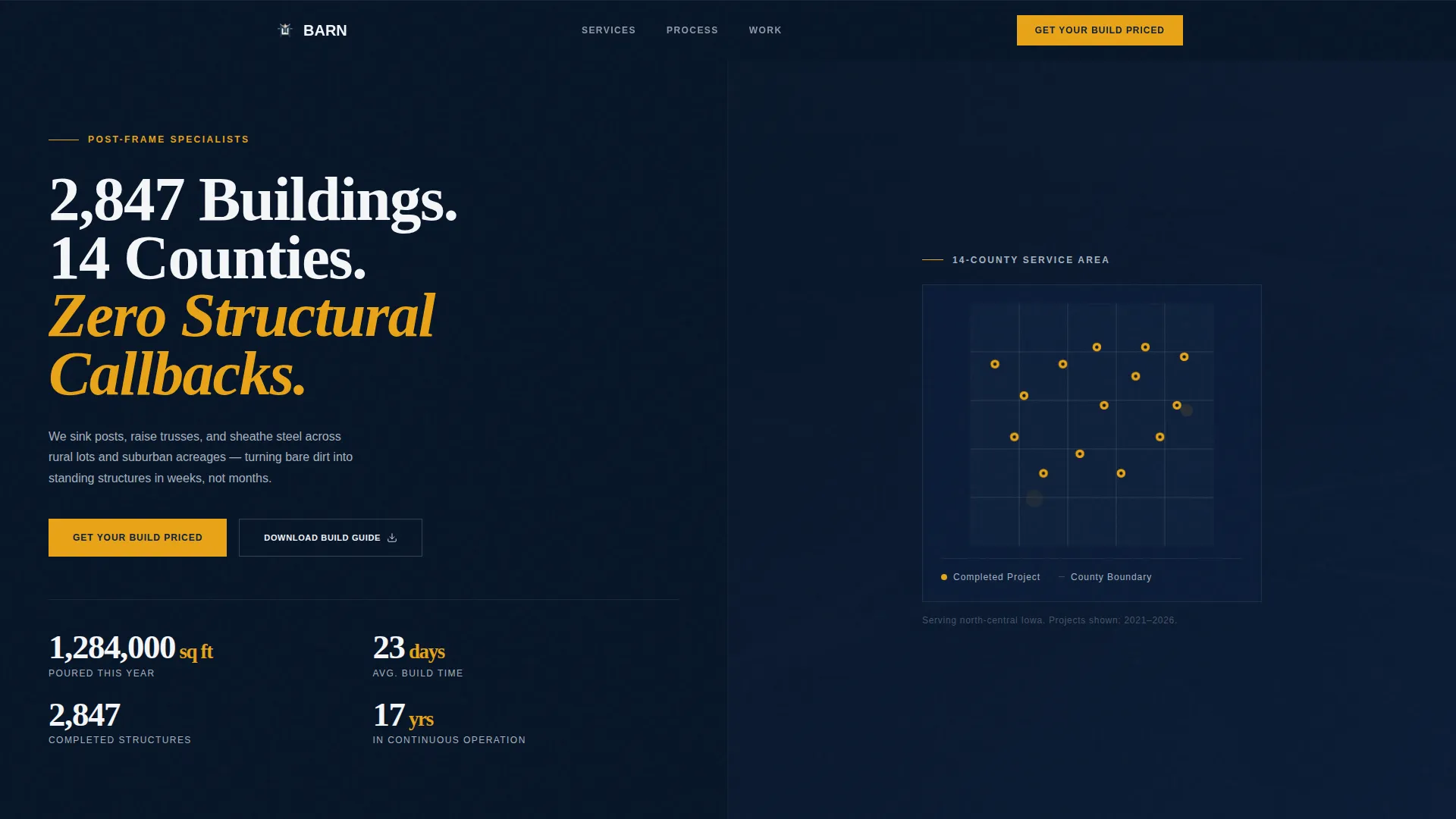
Three counters tick upward on load, showing square footage poured this year, average build time in days, and years in continuous operation. The numbers are large enough to read like a scoreboard, placing hard proof at the very top of the page before any testimonial appears.
County Project Map Panel
A simplified county map sits in the right half of the opening split screen. Completed project pins glow in amber, giving geographic proof of service reach at a glance. Visitors in the coverage area immediately see that this builder has worked near them.
Supplier Logo Wall
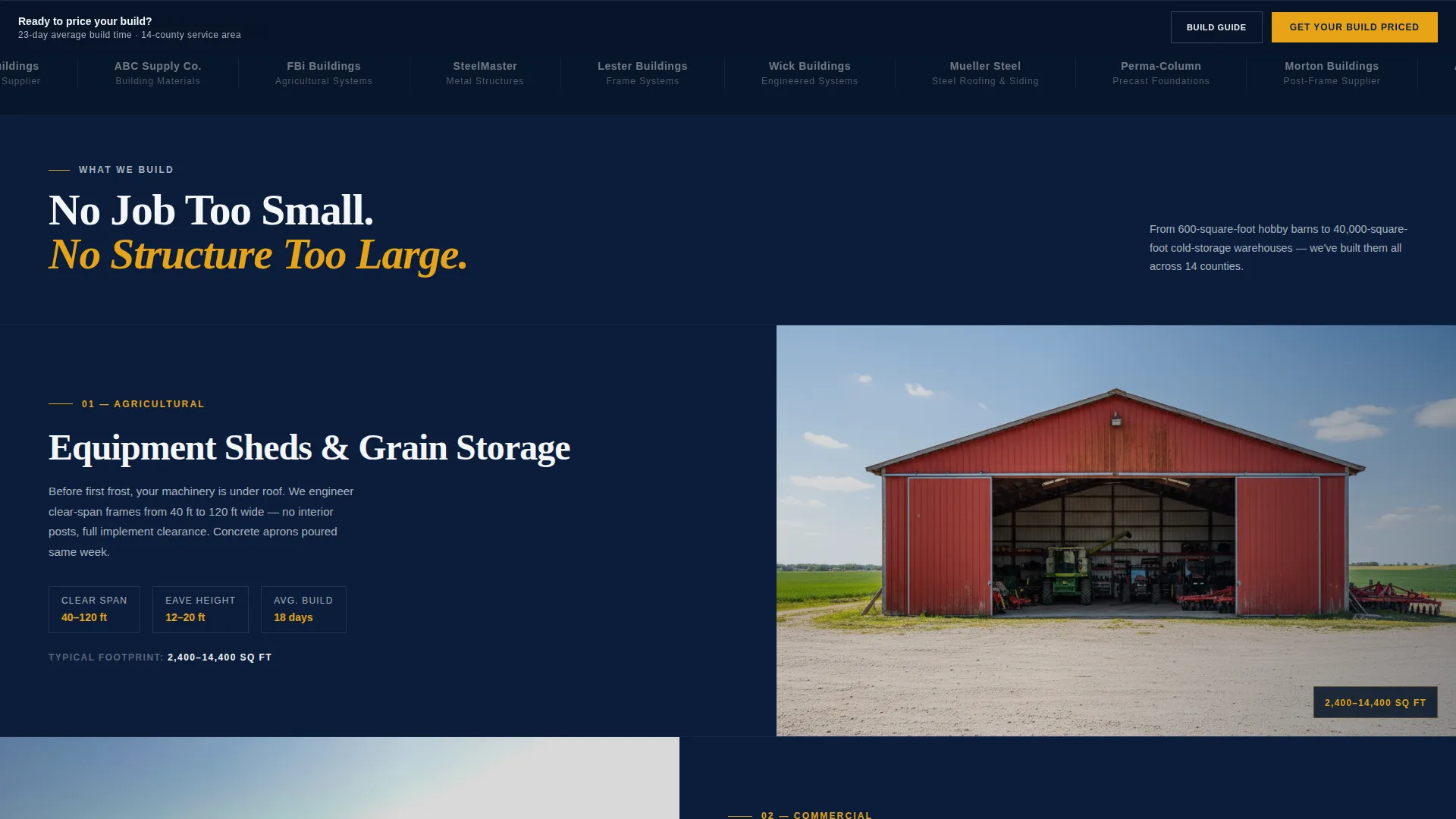
A horizontal logo wall follows the data header. It signals trade-level legitimacy by showing the material partners the builder works with. This section transitions the page from raw numbers into brand-level credibility.
Split-Screen Build Type Sections
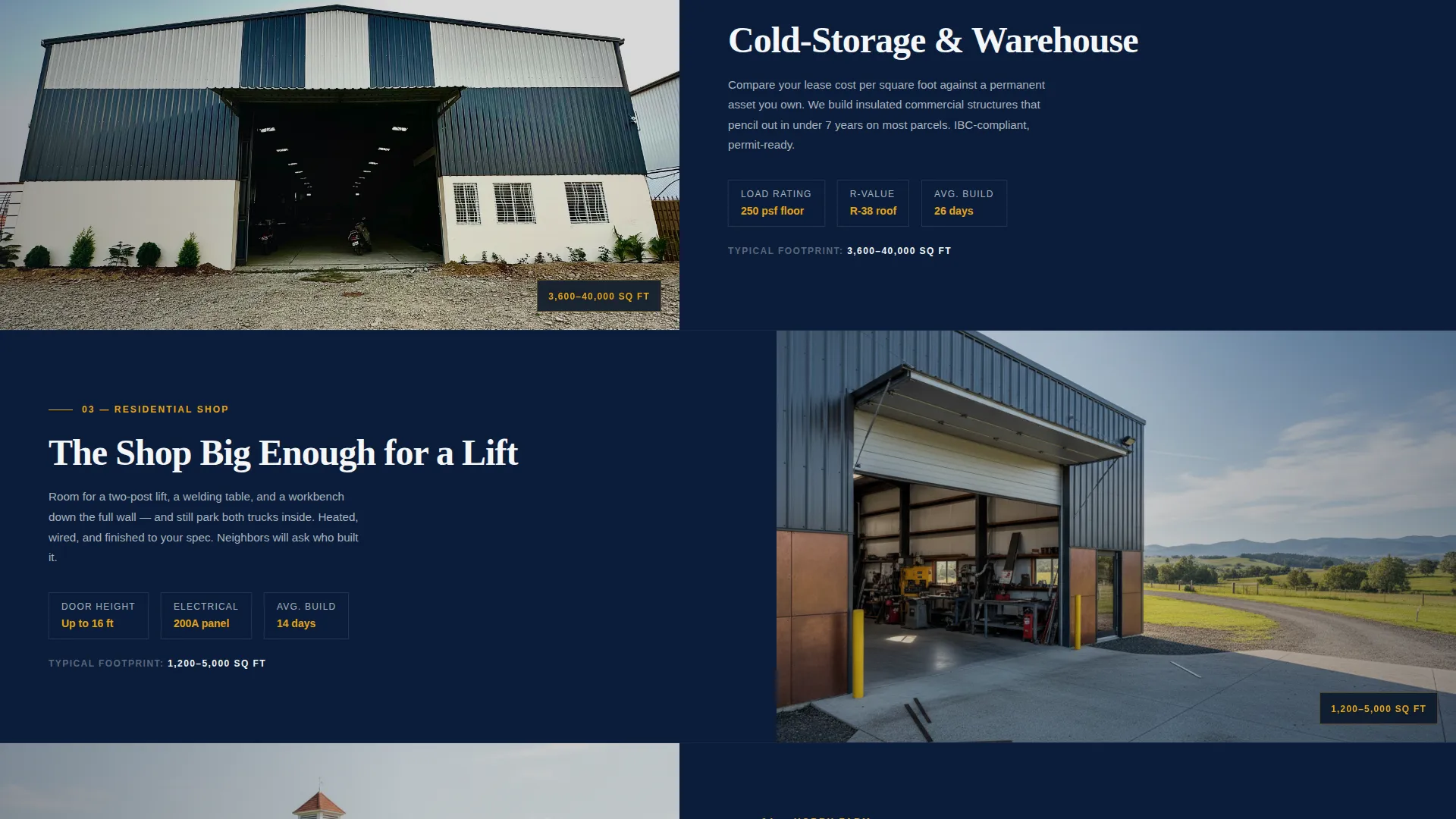
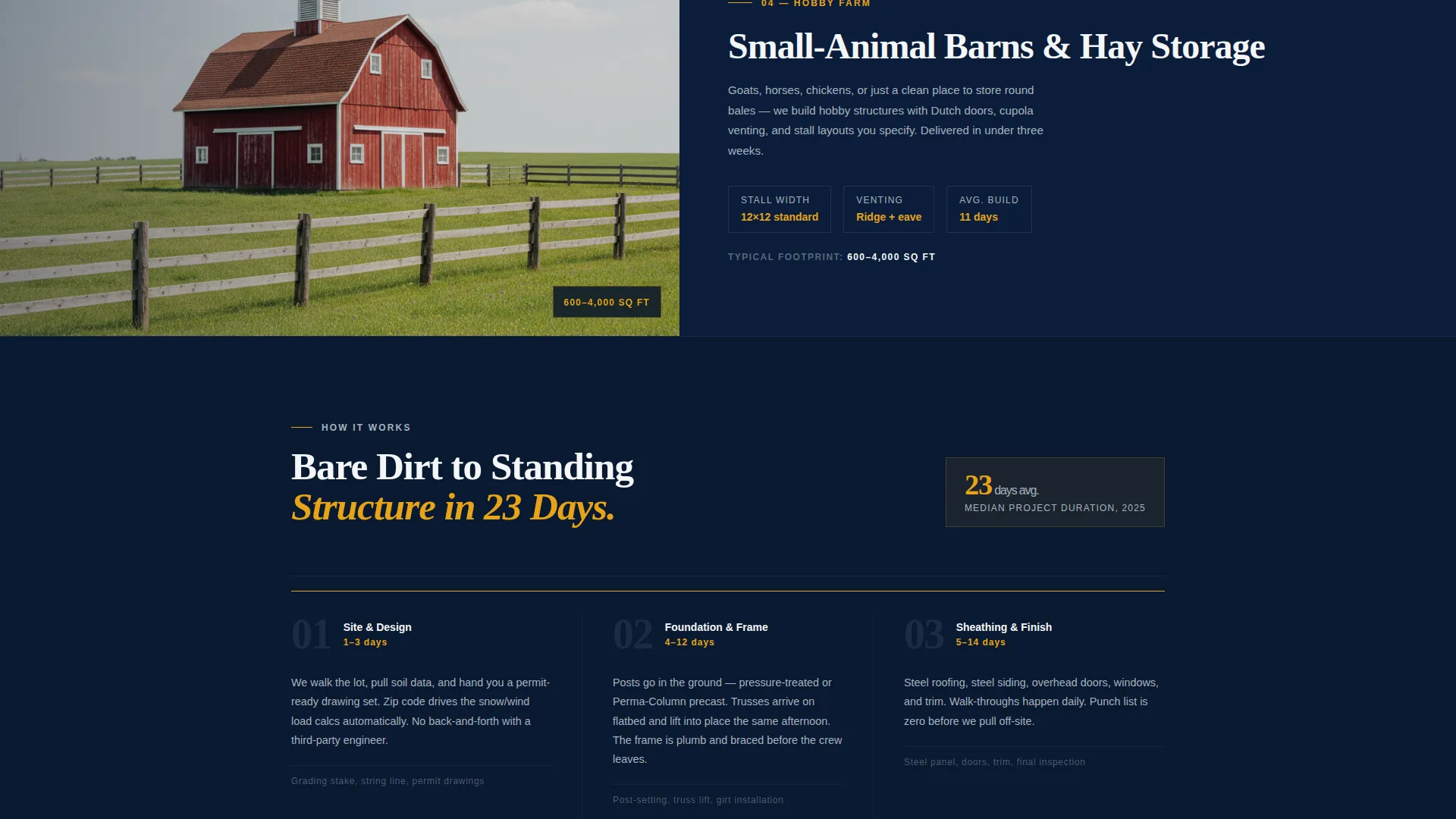
Each build category gets its own split-screen block: left side carries specs and square-footage ranges, right side shows a straight-on finished photo. The sequence escalates in project scale, showing the builder's full range from small hobby shops to large commercial structures.
Sliding Lead Capture Form
The primary call to action opens a sliding panel with three qualifying questions in sequence: building purpose, approximate footprint via a slider from 600 to 10,000 or more square feet, and preferred build window by season. Name, phone, and zip code follow, with zip code auto-populating the nearest service area to reduce friction.
Sticky Call-to-Action Bar
After the second scroll, a sticky bar appears and keeps the primary call to action visible throughout the rest of the page. A secondary path on the same bar offers the gated build guide download for visitors who are not ready to request a quote.
Page sections overview
| Section | Purpose |
|---|---|
| Data counter header | Opens with animated project stats and county map proof |
| Supplier logo wall | Establishes material partner credibility |
| Agricultural build block | Showcases farm and equipment shed specs with photo |
| Commercial build block | Presents cold-storage and warehouse range with photo |
| Residential build block | Covers hobby shop and garage builds with photo |
| Sticky quote bar | Keeps the primary call to action visible after second scroll |
| Sliding quote form | Captures qualified leads with three sequential questions |
| PDF download path | Offers a gated build guide for visitors in nurture stage |
Design & branding system
The visual identity follows a Service Utility theme built on a Navy Authority color system. Every color choice references a specific job-site function, keeping the page feeling purposeful rather than decorative.
- Deep structural navy (#0B1D3A) anchors every background, galvanized steel gray (#A8B2BD) handles secondary surfaces, and chalk-line white (#F4F6F8) carries body text and open space
- Safety-vest amber (#E8A317) is reserved exclusively for calls to action, hover states, and key data points so those elements always stand out
- Typography uses a condensed sans-serif for headlines, keeping the layout tight and the numbers easy to read at a glance
Mobile & speed optimization
The split-screen layout is designed to restack cleanly on smaller screens so the data header and build-type sections remain readable without horizontal scrolling.
- Animated counters and the county map panel adapt to single-column flow on mobile viewports
- The sliding form panel and sticky bar remain accessible on touch devices so lead capture works across all screen sizes
How this template helps you convert
The page is structured around two conversion paths that serve visitors at different stages of readiness. Neither path requires the visitor to leave the page or start over.
- The primary path moves a ready buyer from the data header directly into the sliding quote form, collecting building purpose, footprint, build window, location, and contact details in one focused session.
- The secondary path captures email addresses from visitors who are still researching by offering a downloadable build guide, keeping them in reach for follow-up without forcing a premature commitment.
Other information about this template
This template is part of a Professional Services category designed specifically for post-frame and pole barn businesses. It works well for contractors who serve multiple counties and want a single landing page that handles both high-intent and early-stage visitors.
- The header concept draws on an authority-data approach, using real project metrics in place of lifestyle photography
- The template style follows a sidebar-companion layout adapted into a full split-screen format for visual balance
- The creative direction takes an expert panel approach, presenting the builder as a credentialed authority through numbers, geography, and partner associations rather than through testimonials alone
- The corporate precision theme and Navy Authority color system together reinforce a serious, trade-level identity that appeals to commercial clients and serious hobby farmers alike
Theme
Corporate Precision
Creative direction
Expert Panel
Color system
Navy Authority
Style
Sidebar Companion
Direction
Partnership/B2B
Page Sections
Animated Data Counter Header
County Project Map Panel
Supplier Logo Wall Section
Split-screen Build Type Blocks
Sliding Three-step Lead Form
Sticky Quote Bar with Dual Call to Action
Related questions
Can I update the project numbers and county map with my own data?
What are the two lead capture options included in this template?
Does the sticky call-to-action bar appear immediately or after scrolling?
Is this template suitable for a contractor who builds more than one type of structure?
Does a visitor have to leave the page to request a quote or download the build guide?



