Dance School Free Estimate Landing Page Template
Barre is a corporate-precision landing page template built for dance schools offering free estimates. It uses oversized stat figures, side-by-side comparison tables, and a floating lead-capture form to turn informed visitors into qualified enquiries. The design feels like a printed prospectus, authoritative, restrained, and built to earn trust before asking for commitment.
by Rocket studio
Quick summary
Barre is a single-page landing page template designed for dance academies that need to present pricing and class packages with institutional clarity. It leads with a bold stats wall, moves through accreditation logos and structured comparison tables, and closes with two distinct lead-generation paths. Every layout decision prioritises transparency and trust over decoration.
Who this template is for
This template is built for dance schools and academies that compete on professionalism, not just passion. It suits businesses where prospective clients arrive with spreadsheets in hand and leave only when every question has been answered.
- Dance school operators targeting parents who are comparing tuition across multiple providers
- Corporate event planners sourcing choreographed team workshops or performance bookings
- Adult education coordinators welcoming professionals returning to ballet or ballroom after a long absence
What problem this template solves
Most dance school pages bury pricing inside PDF downloads or hide it behind a phone call. That friction loses the comparison-minded visitor before a conversation even starts. This template removes that barrier entirely.
- Visitors cannot easily compare class packages, age groups, and pricing side by side on a typical school website
- Trust signals are scattered or missing, making it hard for parents and planners to validate the school's credentials
- Lead capture often interrupts the decision process rather than supporting it at the right moment
What you get with this template
The template delivers a complete, single-page lead-generation flow structured around transparent pricing and institutional credibility. Every section is intentional and ordered to guide the visitor from awareness to action.
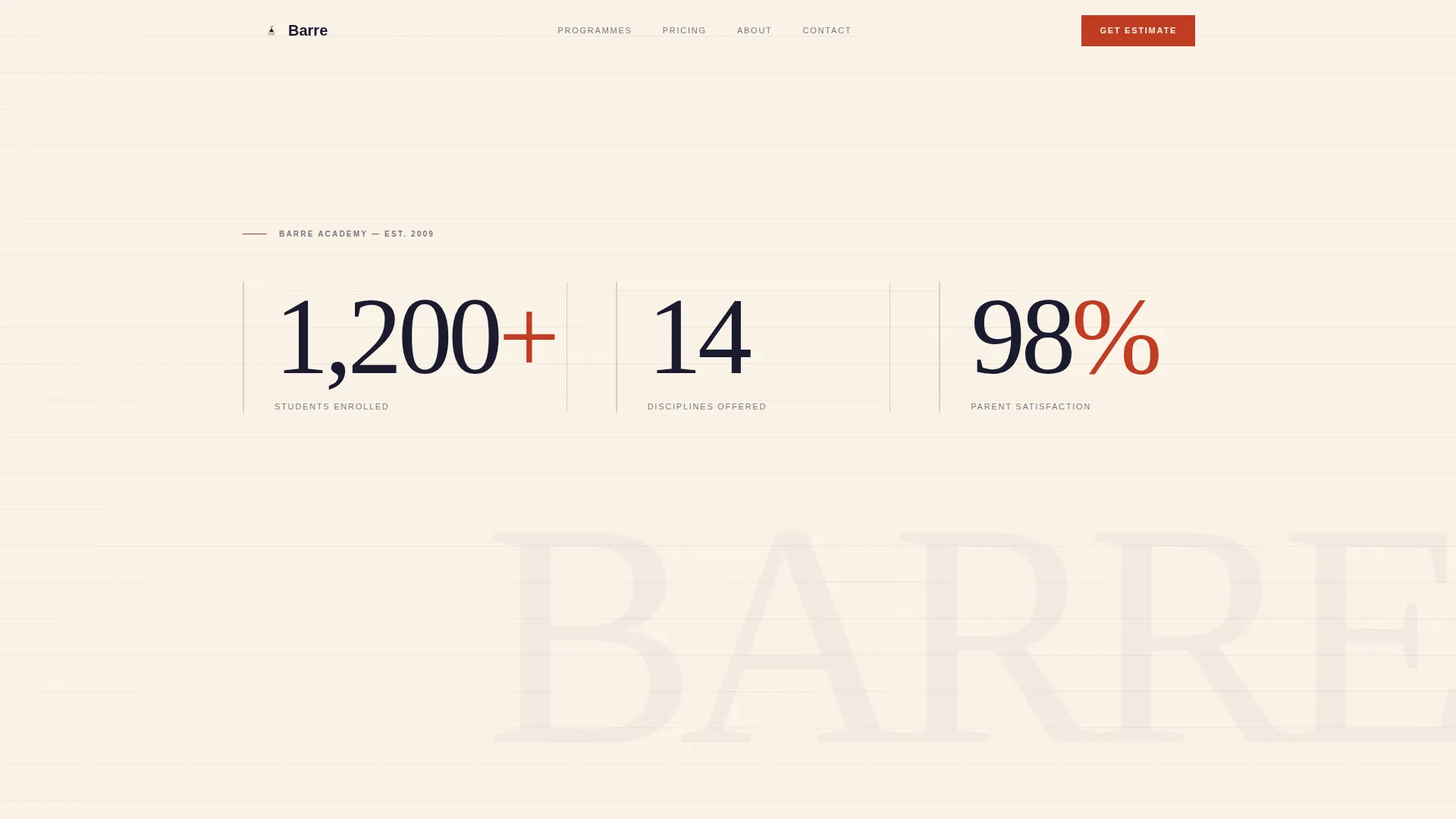
- A full-viewport stats wall with three animated typographic metrics and a single positioning line
- Horizontal logo wall for partner and accreditation authorities, followed by structured age-group and discipline comparison tables
- A floating "Get Your Custom Estimate" bar with a multi-field form, plus a secondary gated PDF download path
Feature list
This template brings together visual authority and practical lead capture in one coherent page structure. Each feature below reflects a specific design or functional decision described in the brief.
Animated Stats Header Wall
Three oversized typographic figures dominate the opening viewport. Each number uses a subtle counter animation to draw attention. The section carries no imagery, the metrics themselves are the visual centrepiece.
Side-by-Side Comparison Tables
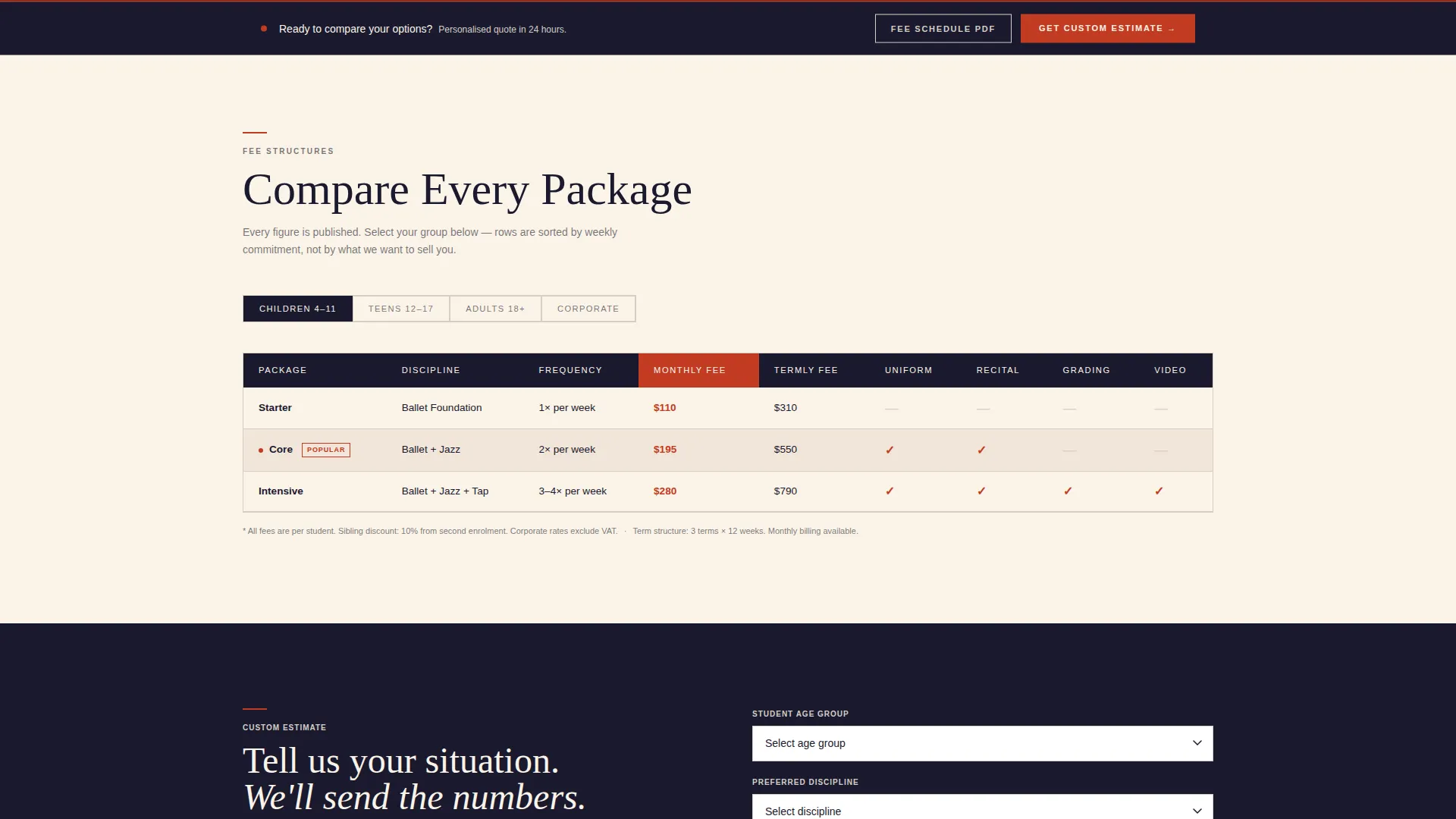
Structured tables break down class packages by age group, discipline, and weekly frequency. Ruled-line gray row dividers and alternating cream-white bands keep the layout scannable. Editorial red checkmarks flag included items at a glance.
Floating Lead Capture Bar
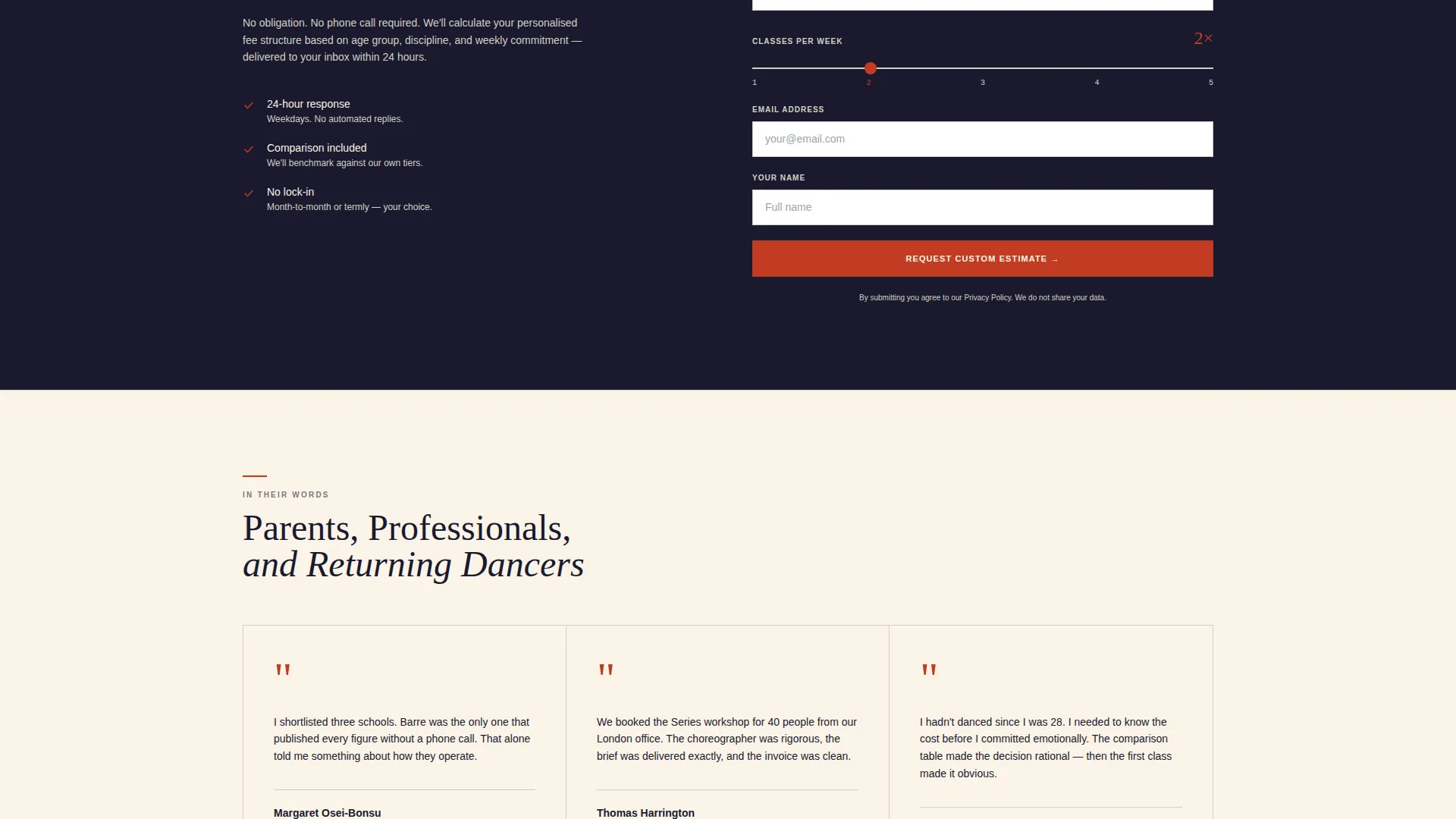
A persistent "Get Your Custom Estimate" bar appears after the first comparison table. The form collects student age, preferred discipline via dropdown, classes per week via a slider from one to five, and an email address.
Gated PDF Download Path
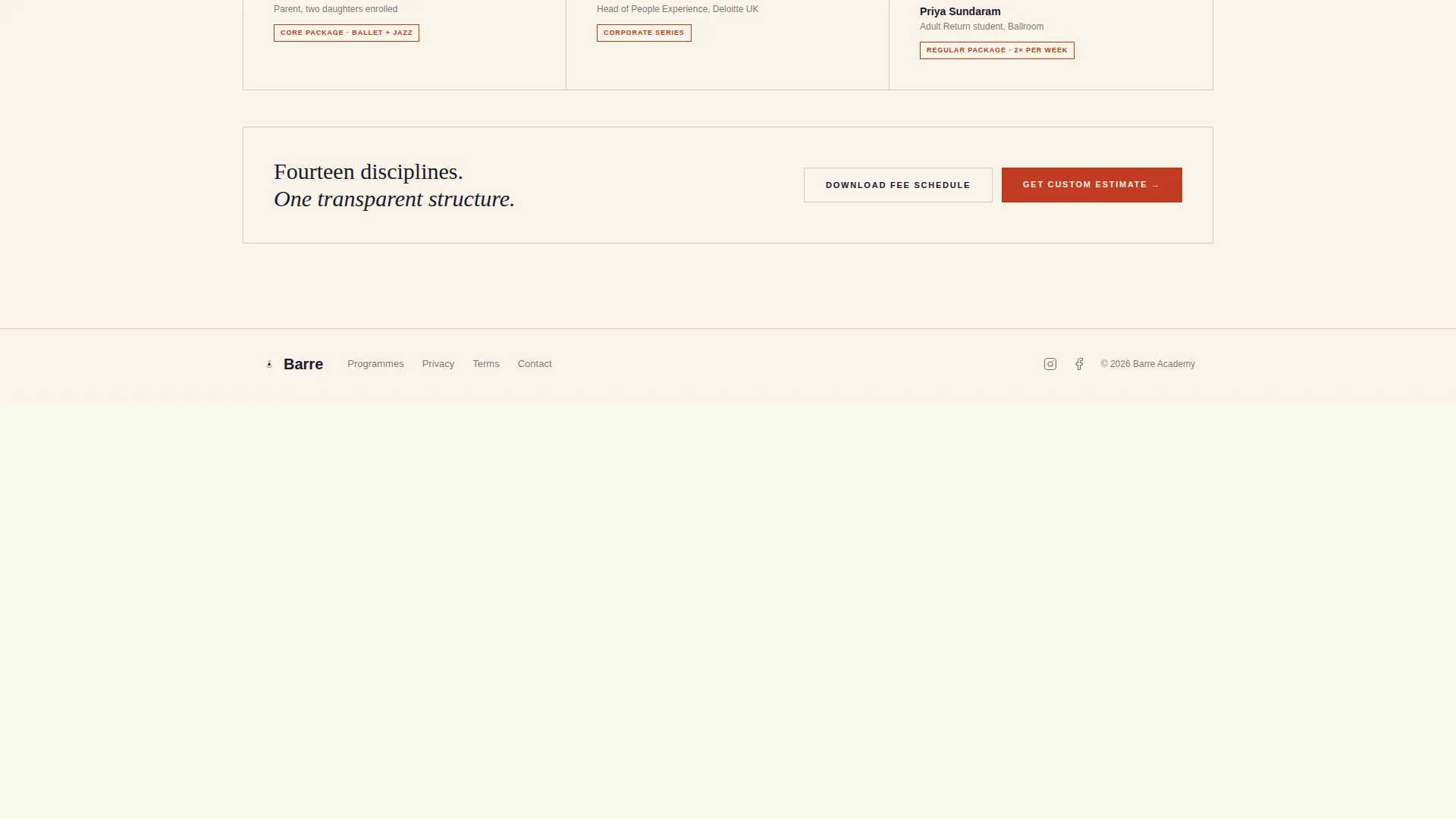
A secondary call to action offers "Download Full Fee Schedule" as a gated PDF. It requires only an email address, capturing browsers who want detailed pricing without committing to a personalised quote.
Logo Wall Authority Band
A horizontal strip of partner and accreditation logos sits immediately below the stats header. This band establishes institutional credibility before the visitor reaches any pricing information.
Editorial Red Call-to-Action System
A single accent colour in editorial red is reserved exclusively for calls to action and key metric highlights. This restraint makes every action point immediately recognisable without visual clutter.
Page sections overview
| Section | Purpose |
|---|---|
| Stats metrics wall | Opens the page with three animated enrollment and satisfaction figures |
| Positioning tag line | Delivers the core value statement in one concise line below the stats |
| Logo authority band | Establishes partner and accreditation credibility above the tables |
| Age group tables | Compares packages by student age group with ruled dividers |
| Discipline comparison tables | Breaks down offerings by dance discipline and weekly frequency |
| Floating estimate bar | Captures qualified leads with a four-field form after table one |
| PDF download call to action | Offers a gated fee schedule download for browsers not yet ready to commit |
Design & branding system
The visual identity follows a Corporate Precision theme built on the Ink and Paper colour system. Every palette choice reinforces the feel of a leather-bound financial document opened on a mahogany desk.
- Core colours: deep manuscript black (#1A1A2E), warm archival cream (#FAF3E8), ruled-line gray (#D5CEC5), and editorial red (#C23B22) used only for calls to action and key metrics
- Typography uses thin, high-contrast serif faces set at oversized display sizes for the stats wall, with structured body sizing for table rows and labels
- No photography or illustration appears on the page; layout geometry, typographic scale, and colour restraint carry all visual weight
Mobile & speed optimization
The template is structured for clean rendering across viewport sizes without relying on heavy media assets. The absence of photography keeps the page lightweight by default.
- All comparison table layouts are designed to reflow cleanly at narrower viewport widths
- The floating lead capture bar is positioned to remain accessible on smaller screens without obscuring table content
How this template helps you convert
The page is built around two conversion paths that work together rather than competing. Visitors at different stages of the decision process each have a clear next step.
- The floating estimate form activates after the first comparison table, meeting visitors at the exact moment they have seen enough pricing context to make a specific request.
- The gated PDF download captures email addresses from visitors who are still researching, turning passive browsers into a warm follow-up list without requiring a full commitment upfront.
Other information about this template
This template sits within the Professional Services category, specifically the Dance School Marketing subcategory. It is designed around the dance school free estimate landing page use case, where transparent pricing presentation directly drives enquiry volume.
- The template style is Comparison Table, making it equally useful for any service business that needs structured, side-by-side package breakdowns
- The Corporate Precision theme and Ink and Paper colour system make this template adaptable to other tuition-based or professional service providers beyond the dance sector
- The header concept follows a Stats and Metrics wall pattern, a proven approach for service businesses where credibility figures carry more persuasive weight than lifestyle photography
Theme
Corporate Precision
Creative direction
Logo Wall Authority
Color system
Ink & Paper
Style
Comparison Table
Direction
Lead Generation
Page Sections
Animated Stats Header Wall
Side-by-side Comparison Tables
Floating Lead Capture Bar
Gated PDF Download Path
Logo Wall Authority Band
Editorial Red Call-to-action System
Related questions
Can I update the pricing figures and table rows myself?
Do both lead capture paths collect contact details?
Is this template suitable for a dance school that offers only one or two disciplines?
Does the template include the partner and accreditation logos?
Can this template work for a single instructor rather than a full academy?



