Compliant Fencing | Free Website Template | Rocket
Barrier is a single-page landing page template built for Hong Kong fence installation subcontractors. It combines a side-by-side fence-type comparison table, a six-stage project process timeline, and two conversion paths into one authoritative layout. The design uses a Navy Authority colour system to communicate regulatory precision and professional credibility to property managers, main contractors, and logistics operators.
by Rocket studio
Quick summary
Barrier is a B2B landing page template designed for a Hong Kong fencing subcontractor. It leads with a half-page hero, moves into a detailed fence-type comparison table, and walks visitors through a six-stage auditable project process. Every section is structured to earn trust from contracts managers and quantity surveyors before they make first contact.
Who this template is for
This template is built for fencing subcontractors operating in Hong Kong's regulated construction market. It speaks directly to the buyers who matter most in this niche.
- Property management companies overseeing housing estates and communal boundary works
- Main contractors tendering government slope stabilisation or civil works projects
- Logistics operators securing port-side yards and industrial facilities in areas like Kwai Tsing
What problem this template solves
Fencing subcontractors in Hong Kong often struggle to communicate compliance credentials quickly to busy procurement contacts. A generic company page does not answer the specific questions a contracts manager needs answered before adding a subcontractor to a tender list.
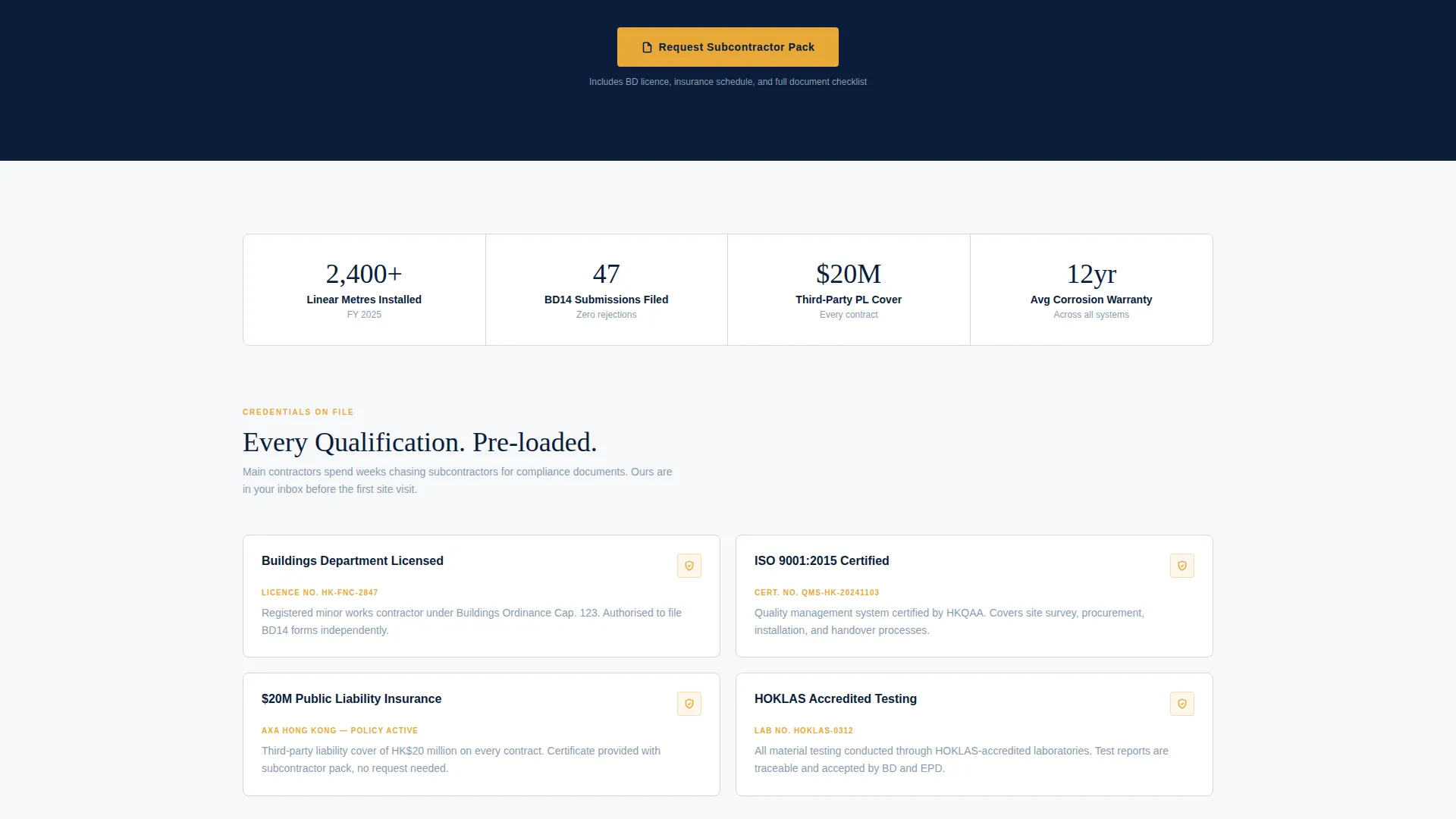
- Buyers need to verify Buildings Department licensing, insurance levels, and compliance class before they engage
- Main contractors need to compare fence types across technical specifications in one place, without chasing documents
- The tender process moves fast, and a subcontractor's page needs to capture project details in under a minute
What you get with this template
You get a fully structured, single-page layout that turns technical credibility into a persuasive conversion tool. Every section is purposeful and buyer-focused.
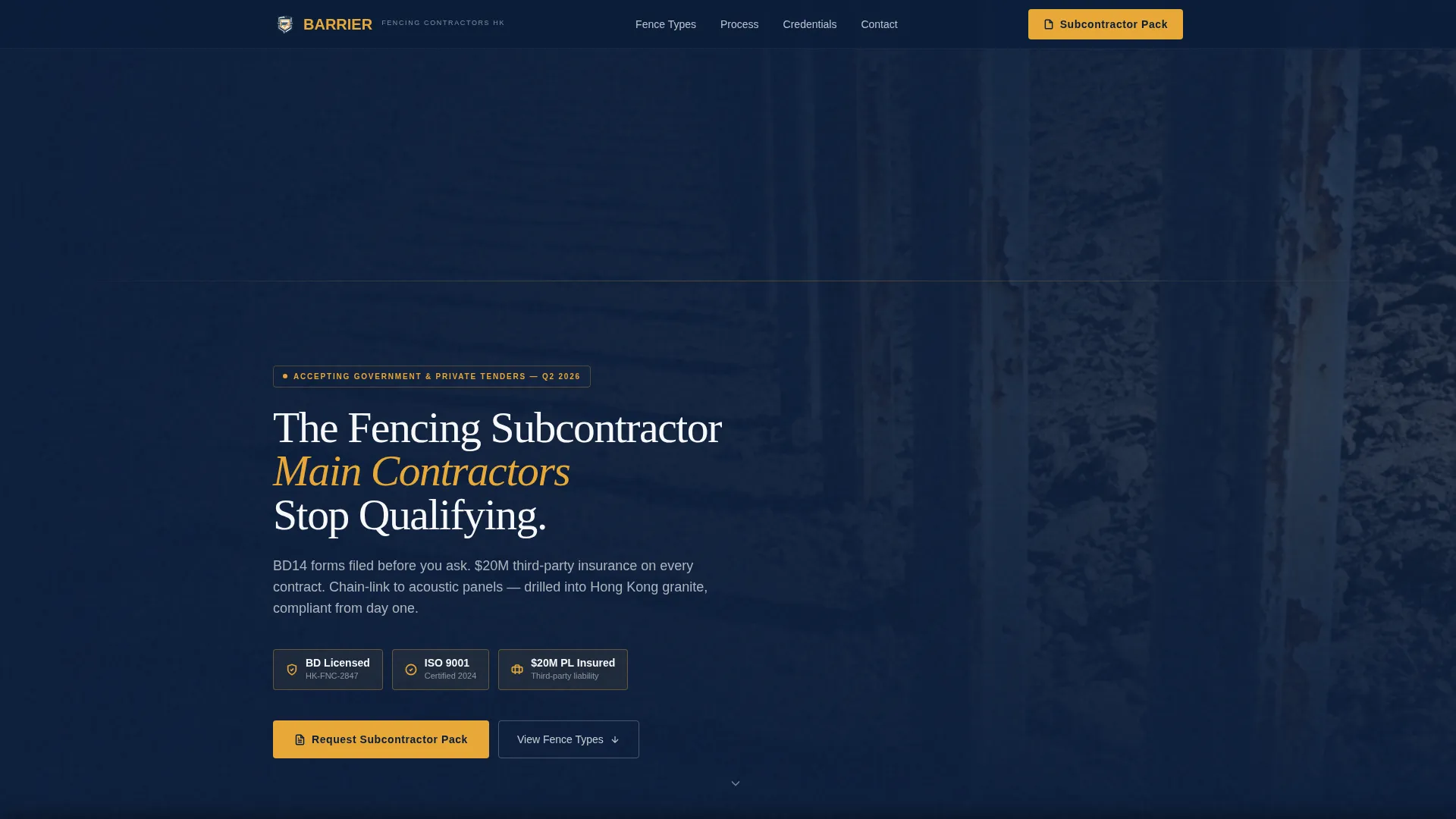
- A hero section with headline, three inline trust signals, and a primary call to action
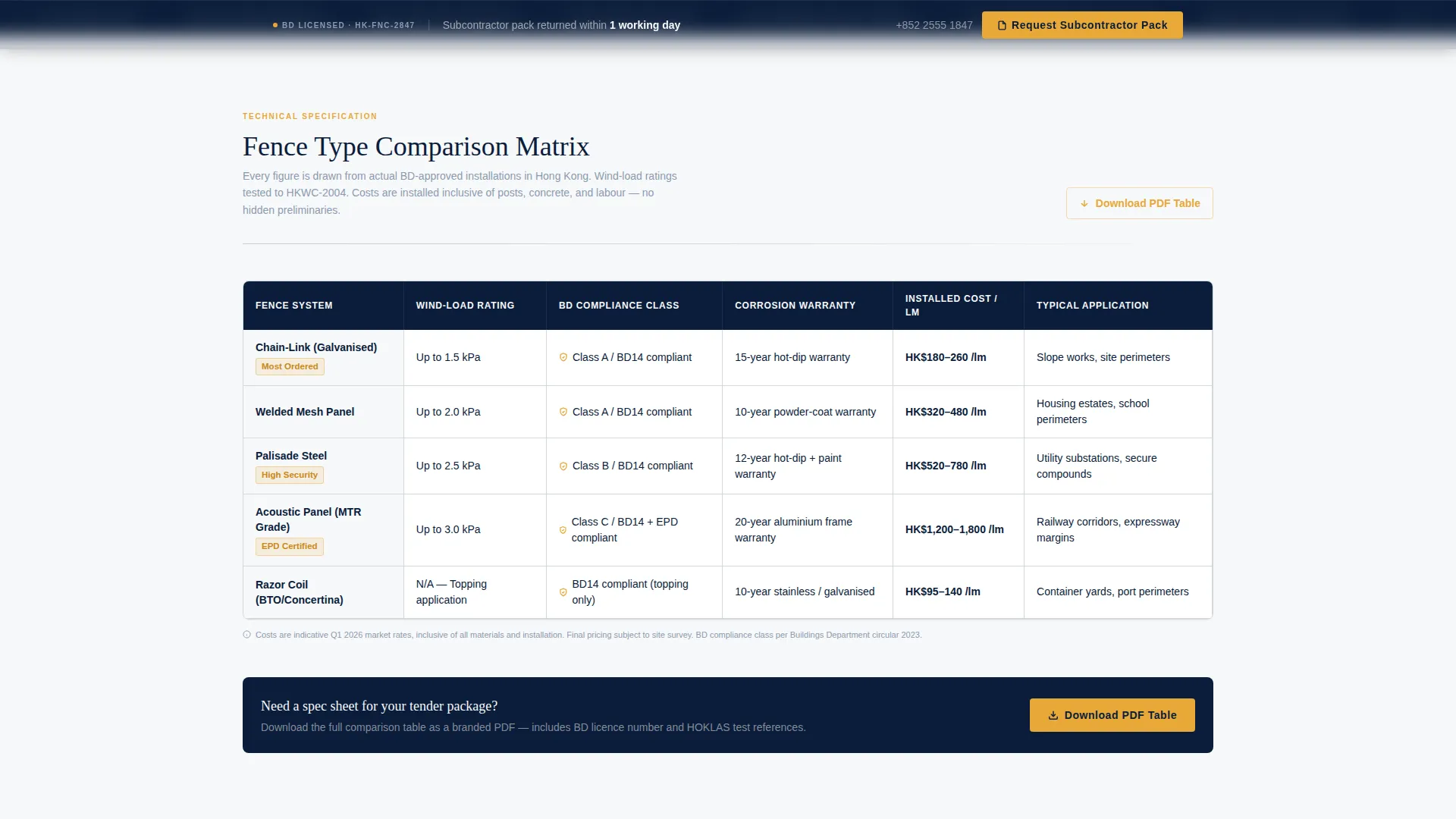
- A multi-column comparison table covering chain-link, welded mesh, palisade, acoustic panel, and razor coil fence types
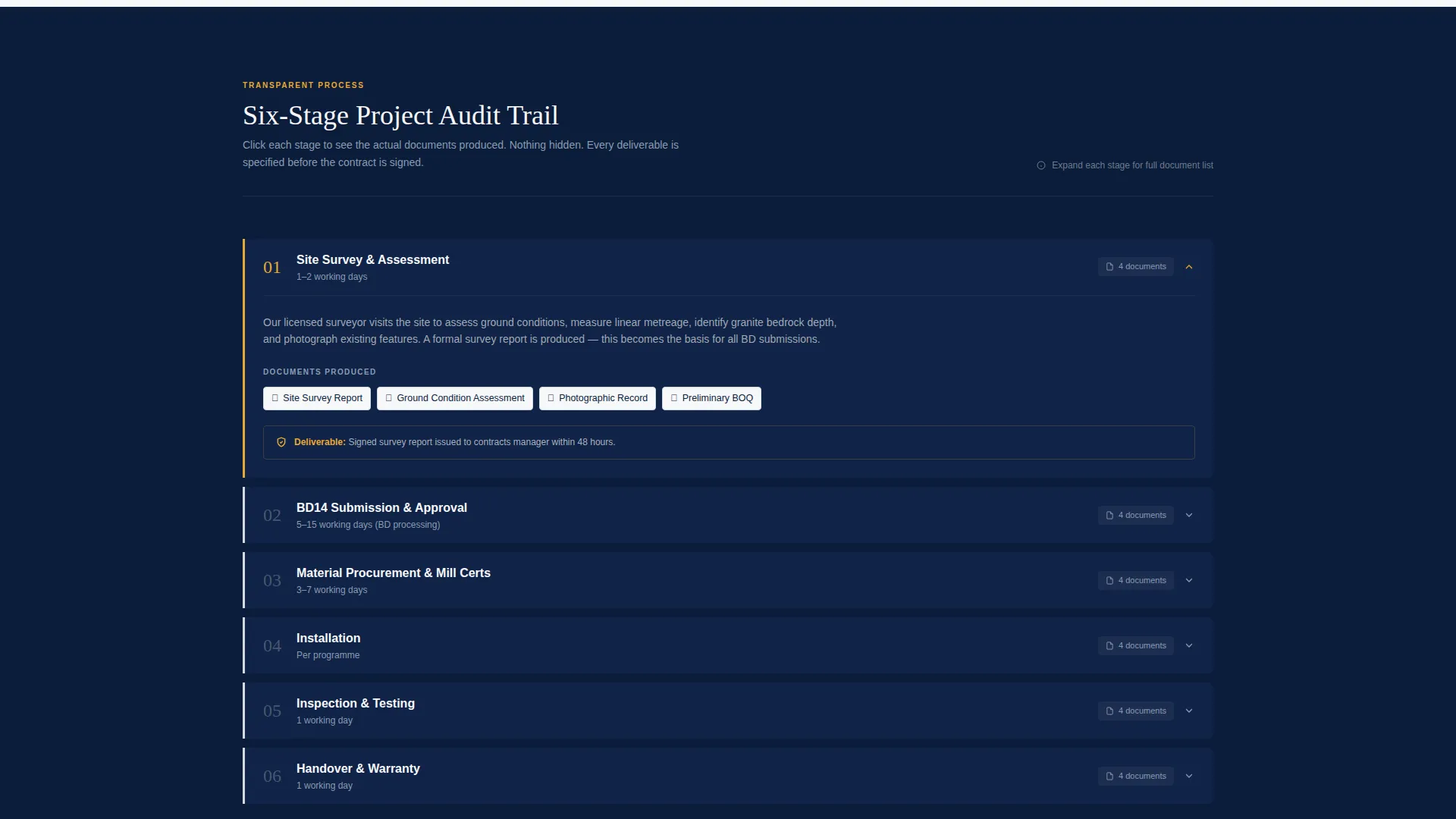
- A clickable six-stage project timeline with expandable document proof at each stage
- Two conversion paths: a structured subcontractor enquiry form and a gated PDF download
Feature list
This template includes the following built-in components, each designed for the Hong Kong fencing B2B context.
Half-Page Hero with Trust Signals
The hero uses a split layout. The left side holds a telephoto photo of plumb galvanised steel posts on a slope stabilisation site. The right side delivers the headline on ordinance navy with three horizontal trust badges: Buildings Department Licensed, ISO 9001, and $20 million public liability insured.
Fence-Type Comparison Table
A structured matrix compares five fence types side by side. Columns cover wind-load rating, Buildings Department compliance class, corrosion warranty, and installed cost per linear metre. This gives procurement contacts everything they need in a single glance.
Six-Stage Project Process Timeline
The timeline walks through site survey, Buildings Department submission, material procurement, installation, inspection, and handover. Each stage expands on click to show the actual documents produced, including the BD14 form, mill certificates, HOKLAS test results, and completion photos.
Primary Subcontractor Enquiry Form
The enquiry form captures company name, project type, estimated linear metreage, and a tender-deadline date field. It is designed so a contracts manager can complete it in under forty seconds between site visits.
Gated PDF Comparison Download
A secondary conversion path offers a downloadable PDF of the full comparison table. It is gated behind a business email field and branded with the company's Buildings Department licence number for added credibility.
Sticky Call-to-Action Bar
A compliance-amber "Request Subcontractor Pack" button appears as a sticky bar after the process section. This keeps the primary conversion action visible throughout the entire scroll experience.
Page sections overview
| Section | Purpose |
|---|---|
| Hero with headline | Establishes authority and shows three compliance trust signals |
| Fence type comparison | Lets buyers compare five fence types across technical columns |
| Subcontractor pack call to action | First conversion prompt placed after the comparison table |
| Six-stage process | Builds proof by revealing documents at each project stage |
| Sticky call to action bar | Keeps the enquiry action visible after the process section |
| PDF download gate | Secondary lead capture via branded comparison table download |
Design & branding system
The template follows a Legal Shield visual theme built around a Navy Authority colour palette. The overall impression is authoritative and document-grade, appropriate for a quantity surveyor's desk or a tender committee review.
- Deep ordinance navy (#0B1D3A) anchors headers and section backgrounds; regulation-gray (#D4D8DD) defines table cells and dividers; statutory white (#F7F8FA) provides open breathing space
- Compliance-amber (#E8A838) is reserved exclusively for call-to-action buttons and approval-status icons, making every conversion point instantly visible
- The palette references the aesthetic of a government gazette, giving the page a tone of regulatory authority without feeling cold or unapproachable
Mobile & speed optimization
The layout is designed to remain functional and clear on smaller screens. A contracts manager filling out a form between site visits needs the page to work on a phone as easily as on a desktop.
- The comparison table is structured for horizontal scroll on mobile so column data stays readable without truncation
- The enquiry form fields are sized for thumb-friendly input, keeping the under-forty-second completion target realistic on any device
- The sticky call-to-action bar remains fixed at the bottom of the viewport on mobile, ensuring the primary action is always one tap away
How this template helps you convert
The layout is engineered around two conversion paths and removes every common friction point a B2B buyer faces before making first contact.
- The comparison table answers technical qualification questions upfront, so buyers arrive at the form already convinced rather than still evaluating
- The six-stage timeline with expandable document proof replaces the need for follow-up document requests, shortening the sales cycle before it begins
- The gated PDF download captures business email addresses from buyers who are not yet ready to submit a full enquiry, creating a second nurture entry point
Other information about this template
This template is part of the Professional Services category and is specifically positioned within the Hong Kong Local Services subcategory. It is purpose-built for the Hong Kong fence installation niche where regulatory compliance is a primary purchase signal.
- The template style is a Comparison Table layout, making it well-suited for any fencing or civil works subcontractor who needs to present specification data clearly
- The creative direction is Transparent Process, meaning the page earns trust through visible proof rather than general claims
- The header concept is Half-Page Photo and Text, a format that pairs strong site photography with concise headline copy for maximum first-impression impact
- The landing page direction is Partnership and B2B, optimised for procurement contacts and contracts managers rather than individual consumers
Theme
Legal Shield
Creative direction
Transparent Process
Color system
Navy Authority
Style
Comparison Table
Direction
Partnership/B2B
Page Sections
Half-page Hero with Compliance Trust Badges
Fence-type Comparison Table
Six-stage Project Timeline
Structured B2B Enquiry Form
Gated Comparison Table PDF Download
Sticky Call-to-action Bar
Related questions
Can I edit the fence-type comparison table columns?
Does the template support Buildings Department compliance document references?
How does the gated PDF download section work?
Is this template suitable for fencing subcontractors outside Hong Kong?
Can the enquiry form capture tender deadline dates?



