Insulation & Weatherproofing Pricing Website Template
Barrier is a direct-sales landing page template built for radiant barrier installation companies. It uses a zigzag case study narrative, a half-page photo and text header, and an inline price calculator to move hot-climate homeowners, house flippers, and commercial property managers from curiosity to a confirmed install quote without leaving the page.
by Rocket studio
Quick summary
Barrier is a single-page template designed for radiant barrier installers working in high-heat markets. It leads with a striking before-and-after electric bill comparison, builds trust through three escalating real-job case studies, and closes with an inline calculator that returns a price estimate and available install week on the same page.
Who this template is for
This template is built for contractors and service businesses in the radiant barrier installation space. It speaks directly to the people those businesses need to reach and the decision-makers who control the budget.
- Residential installers targeting Texas and Arizona homeowners facing high summer cooling bills
- House flippers and real estate investors preparing properties for resale
- Commercial property managers trying to reduce heat load in metal-roofed warehouses
What problem this template solves
Most home service landing pages bury the proof and hide the price. Visitors in hot climates are impatient. They have a real number on their electric bill and they want a real answer fast. Generic contractor pages make them work too hard for both.
- Visitors leave before finding proof that radiant barrier installation actually lowers bills
- No clear path from interest to a quote keeps ready buyers from converting
- Vague pricing and no timeline create hesitation that kills momentum
What you get with this template
The template delivers a complete, conversion-focused single page structured around real job evidence and a low-friction booking path. Every section earns its place before the visitor reaches the call to action.
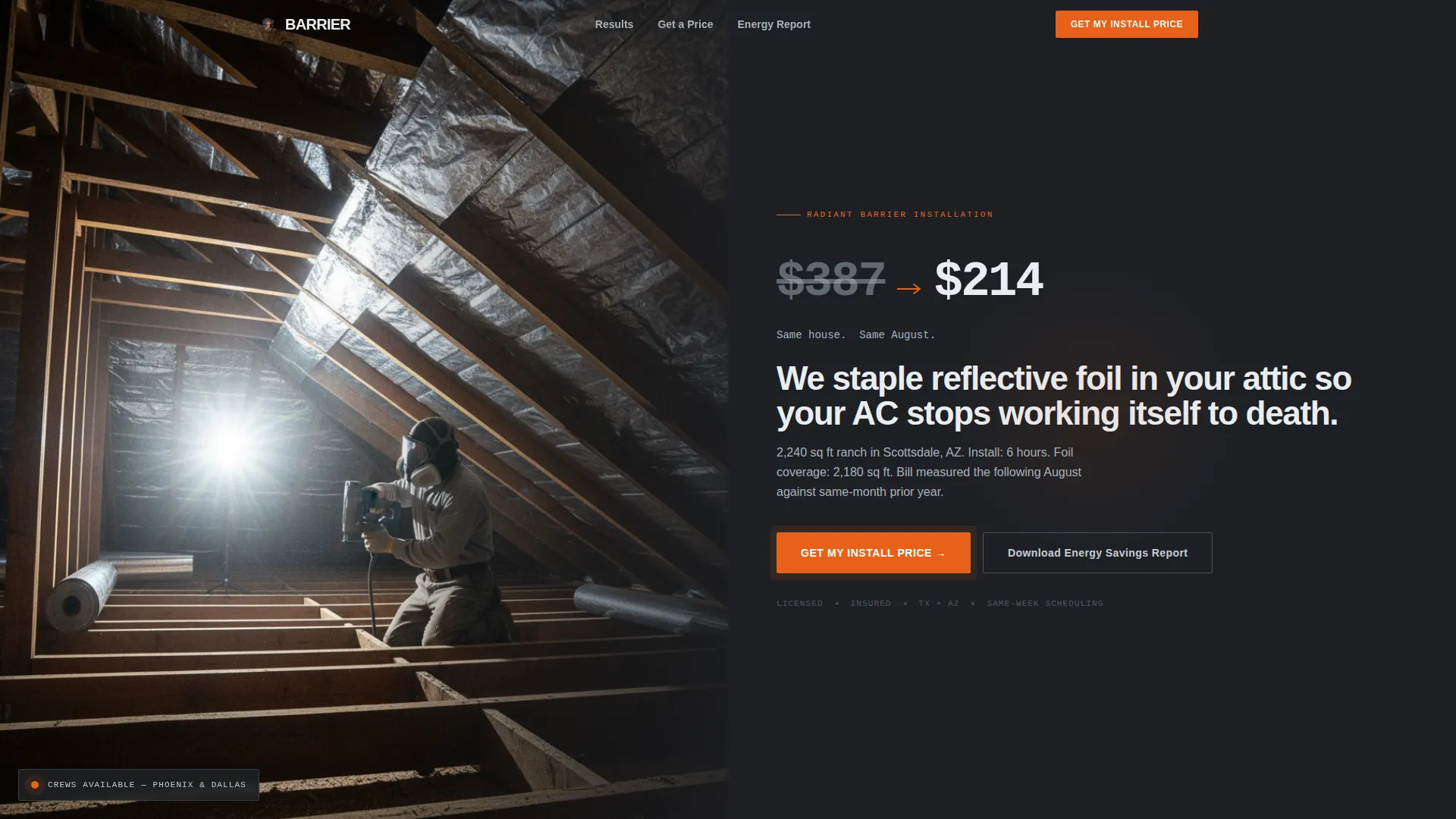
- A half-page split header with a real before-and-after electric bill comparison in oversized type
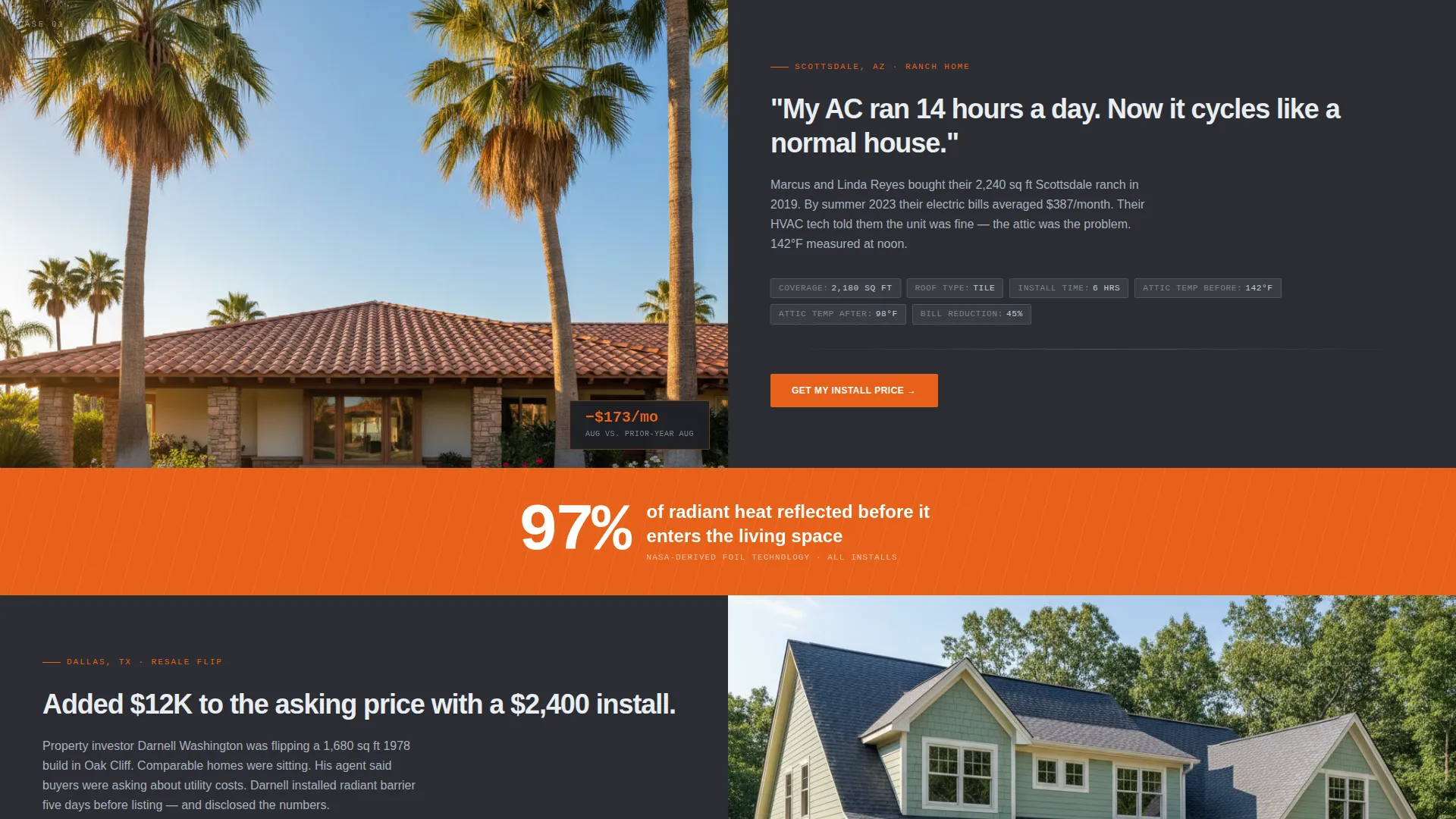
- Three zigzag case study sections with install specs, measured results, and escalating stakes
- An inline price calculator and a secondary email-capture path for leads not yet ready to commit
Feature list
This template is built around proof and practicality. Each feature directly supports the goal of turning a skeptical high-heat homeowner or property manager into a confirmed install appointment.
Half-Page Split Header
The header divides into two clear halves. The left side holds a flash-lit attic photo of a technician stapling reflective foil across raw rafters. The right side carries a before-and-after electric bill comparison in oversized type, anchored with a city name and square footage so it reads like a real job result.
Zigzag Case Study Sections
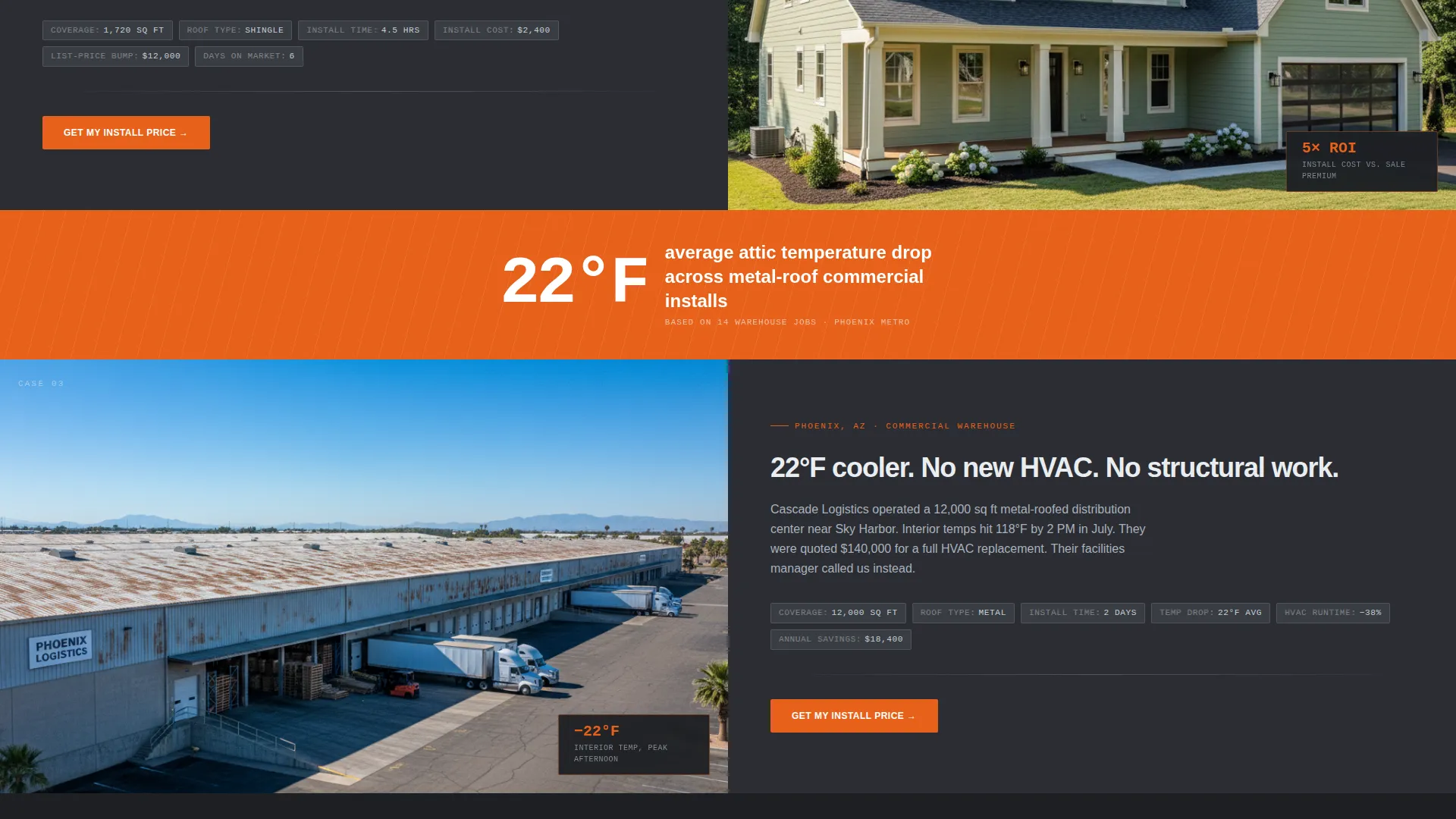
Three alternating layout sections each tell a mini installation story. One side shows a jobsite photo; the other presents the homeowner's problem, the install specs (square footage covered, R-value equivalent, hours on site), and the measured outcome. Stakes escalate from an 18% cooling savings on a ranch house to a 22-degree interior temperature drop in a 12,000-square-foot warehouse.
Single-Stat Interstitial Bars
Between each case study, a full-width bar in thermal orange pulses a single verified number such as "97% radiant heat reflected." These bars maintain the evidence rhythm so the visitor arrives at the third case study already convinced.
Inline Price Calculator
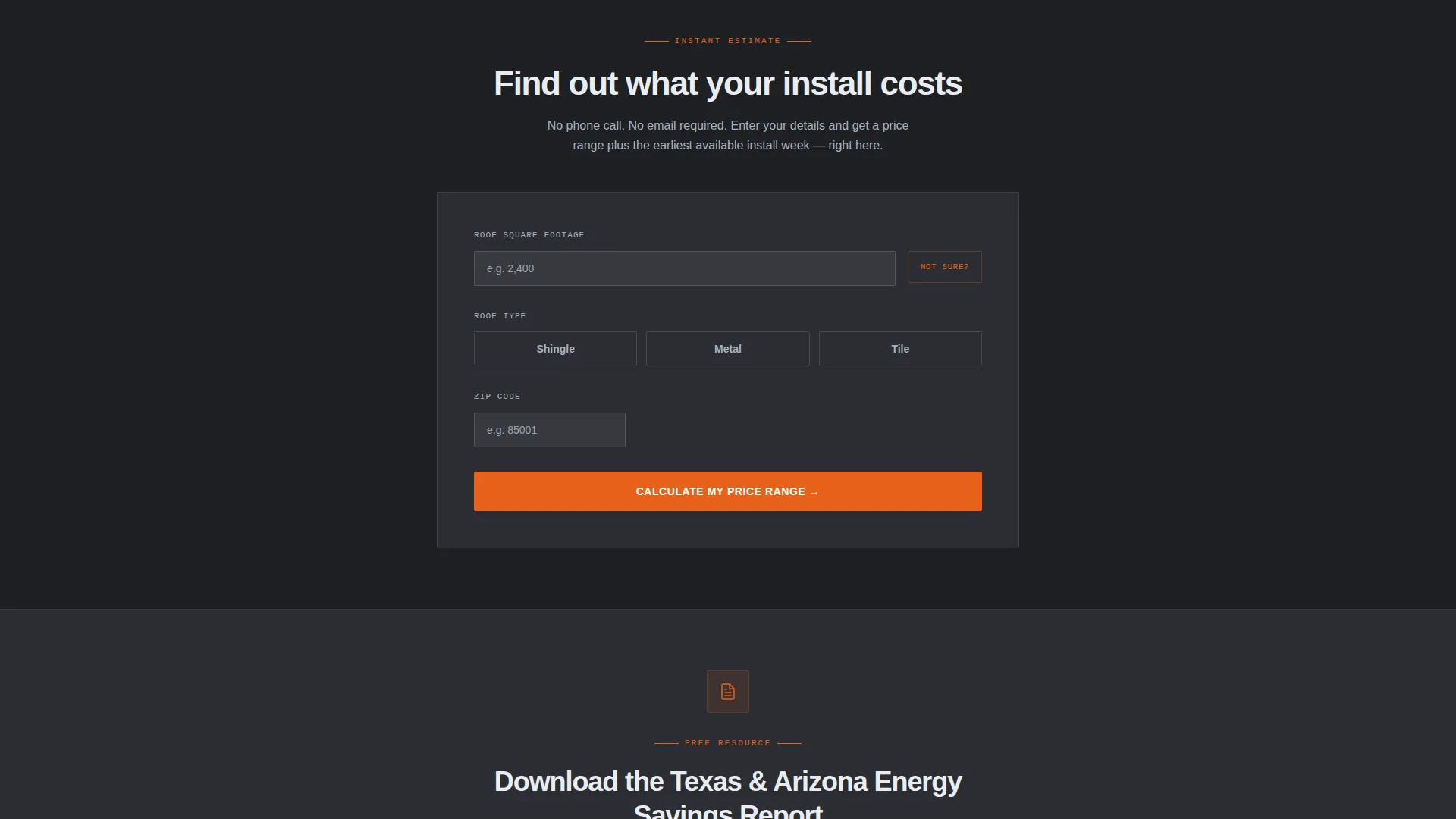
The primary call to action opens a calculator directly on the page. Visitors enter roof square footage (with a "not sure" option that defaults to home size multiplied by 1.1), select roof type (shingle, metal, or tile), and enter their zip code. The calculator returns an estimated price range and an available install week without redirecting to another page.
Secondary Email Capture Path
A secondary conversion path offers a downloadable energy savings report gated behind just a first name and address. The report references the visitor's climate zone, giving leads who are not yet ready to book a reason to stay connected.
Repeating Primary Call to Action
The "Get My Install Price" button appears first in the header and repeats after each case study section. This placement keeps the main conversion action visible throughout the scroll without feeling pushy.
Page sections overview
| Section | Purpose |
|---|---|
| Split Header | Anchor attention with real bill savings |
| Primary call to action Button | Drive immediate quote requests |
| Case Study One | Show residential install proof |
| Interstitial Stat Bar | Reinforce radiant heat data |
| Case Study Two | Escalate with larger job proof |
| Interstitial Stat Bar | Sustain the evidence drumbeat |
| Case Study Three | Close with warehouse-scale result |
| Inline Price Calculator | Convert ready buyers on-page |
| Email Capture Section | Capture undecided leads by email |
Design & branding system
The visual identity follows a Service Utility theme built on a Monochrome Steel color system. The palette is deliberately industrial, referencing the physical materials of the job itself rather than a generic contractor aesthetic.
- Core colors are galvanized silver (#A8B2BD), deep tool-chest charcoal (#2B2D33), and reflective foil white (#EAEDF1) for all structural and body elements
- Thermal orange (#E8611A) is used exclusively for calls to action and temperature callouts, so it always signals action or heat data
- The overall feel references opening a contractor's aluminum toolbox on a job site, where every surface is purposeful and the only warm color means something measurable
Mobile & speed optimization
The layout is structured to work cleanly on a phone screen, which is where many homeowners will first see it after getting a shocking utility bill. The zigzag alternating layout stacks vertically on smaller screens without losing its narrative logic.
- Zigzag sections reflow to a single-column stack on mobile so case study photos and text remain paired and readable
- The inline calculator is designed for thumb-friendly input with a "not sure" default to reduce friction on small screens
- Interstitial stat bars compress cleanly to full-width mobile banners so the evidence rhythm holds across all devices
How this template helps you convert
The page is engineered around one principle: remove every reason a ready buyer has to leave before requesting a price. Each design choice supports that goal directly.
- The before-and-after bill comparison in the header answers the core question ("does this actually save money?") before the visitor has to scroll, making the rest of the page confirmatory rather than persuasive.
- The escalating case study structure builds trust progressively, so by the third story the visitor is thinking about scheduling, not about whether radiant barrier installation works.
- The inline calculator delivers a real price estimate and available week without a redirect, cutting the friction between interest and commitment to a single scroll and one click.
Other information about this template
This template is categorized under Construction and Home, within the Insulation and Weatherproofing subcategory. It is specifically matched to the radiant barrier installation niche and carries an intersection match score of 13, reflecting a tight alignment between the template style and the service category.
- The template style is Zigzag/Alternating, and the creative direction is Case Study Narrative, both chosen to suit a service where real-world proof drives purchase decisions
- The header concept is Half-Page Photo and Text, appropriate for a trade where the physical job site and a tangible result are the strongest sales tools available
- The landing page direction is Direct Sales, meaning the page is built to generate immediate quote requests rather than drive traffic to a secondary destination
Theme
Service Utility
Creative direction
Case Study Narrative
Color system
Monochrome Steel
Style
Zigzag/Alternating
Direction
Direct Sales
Page Sections
Half-page Split Header with Bill Comparison
Zigzag Case Study Narrative Layout
Thermal Orange Interstitial Stat Bars
On-page Inline Price Calculator
Secondary Email Lead Capture
Repeating Get My Install Price Call to Action
Related questions
Who is this landing page template designed for?
How does the inline price calculator work?
Can I use this template if I serve both residential and commercial clients?
What is the secondary conversion path for visitors not ready to book?
Can I replace the case study content with my own job results?



