Mosquito & Tick Control Service Website Template
Barrier is a split-screen landing page template built for mosquito and tick control services. It pairs a dramatic Before/After slider header with a Problem-to-Solution scroll flow, a lead-capture form with zip code and property-size inputs, and a warm Fire and Earth color palette. Everything on the page is designed to turn a visitor's itch into a booked appointment.
by Rocket studio
Quick summary
Barrier is a single-page lead generation template for perimeter pest control services. A Before/After slider opens the experience, and a guided scroll moves visitors from problem awareness to service plans and a multi-step intake form. The warm Pastoral Calm design makes the page feel inviting, not clinical, while every section nudges the visitor toward booking a first treatment.
Who this template is for
This template is built for local and regional mosquito and tick control businesses that want a purpose-built landing page, not a generic service site. It speaks directly to suburban homeowners who have outdoor events planned, young families worried about tick exposure, and gardeners reclaiming their outdoor space.
- Pest control operators who rely on seasonal lead volume and need a high-intent intake form
- Service businesses targeting homeowners with yards ranging from a quarter acre to an acre or more
- Operators who want a visually differentiated page that communicates urgency without feeling aggressive
What problem this template solves
Generic pest control websites bury the service details and never make the problem feel real enough to act on. Visitors leave without converting because nothing on the page matches the emotional weight of canceling a cookout or finding a tick on a child. Barrier closes that gap by making discomfort visible and the solution immediate.
- No dramatic before/after moment to hook visitors at arrival
- No guided scroll that connects pest risk to a specific, bookable service
- No smart lead form that qualifies prospects by location, property size, and preferred timing before a technician calls
What you get with this template
You get a fully structured, single-page layout with every section planned and placed. The template includes the Before/After slider header, the dual-column Problem-to-Solution arc, the service plan comparison block, and the multi-step lead form, all styled consistently in the Fire and Earth palette.
- A zip-code-first lead form with property size selector and calendar picker for preferred first-treatment week
- A secondary "Get Your Bite Risk Score" quiz path that qualifies leads through questions about shade, standing water, and wooded borders
- A seasonal treatment calendar section and a guarantee badge block that build purchase confidence before the form appears
Feature list
This section covers the core built-in components that make Barrier work as a conversion-focused pest control landing page.
Before/After Viewport Slider
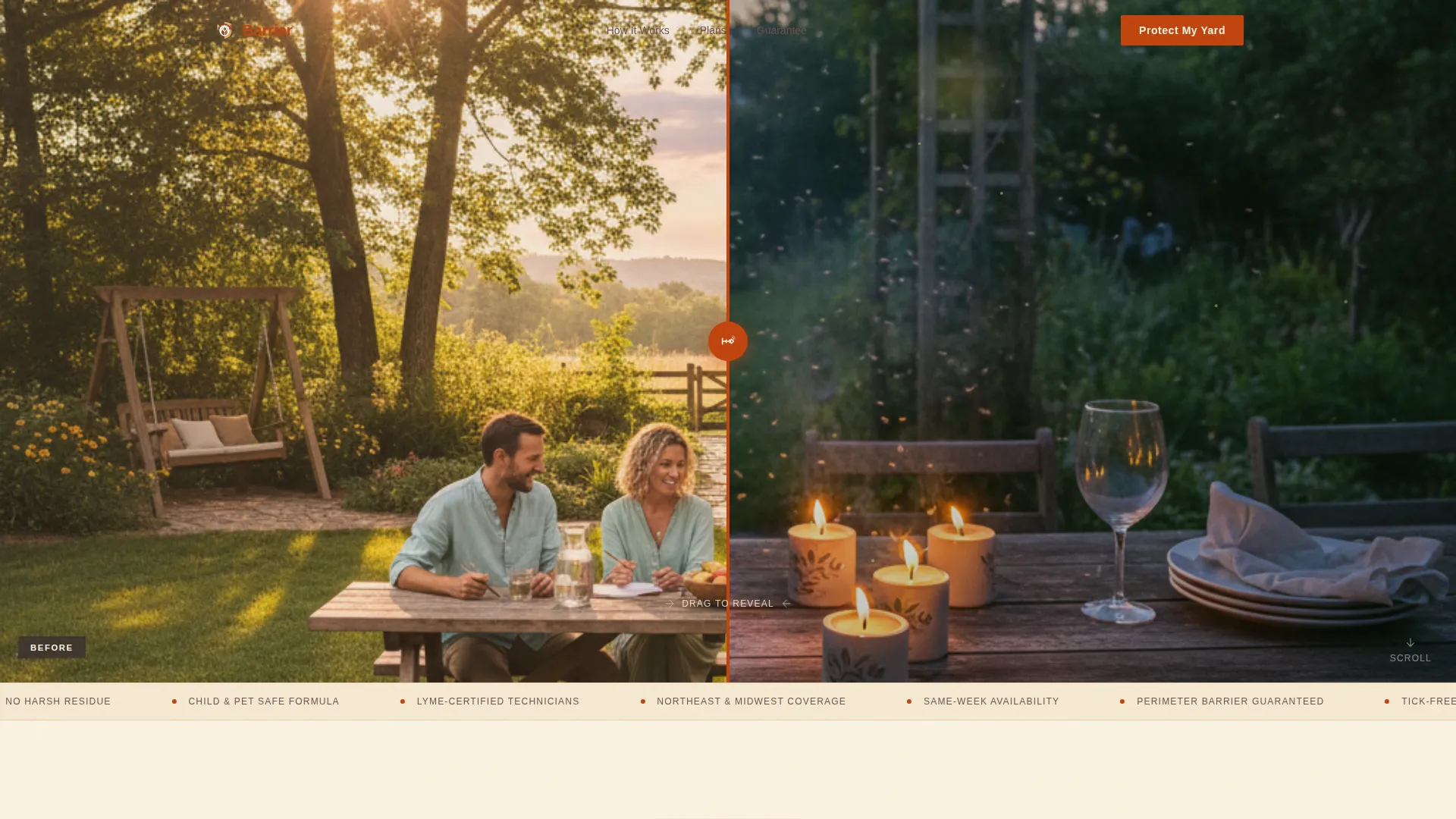
The header fills the full viewport with a split image. Left shows a dusk backyard with visible mosquitoes and flickering citronella candles. Right shows the same yard, same light, with a relaxed family outdoors. A spray-nozzle icon styled in paprika red serves as the drag handle. The headline "Your yard, after one visit." appears only after the visitor interacts with the slider.
Dual-Column Problem and Solution Arc
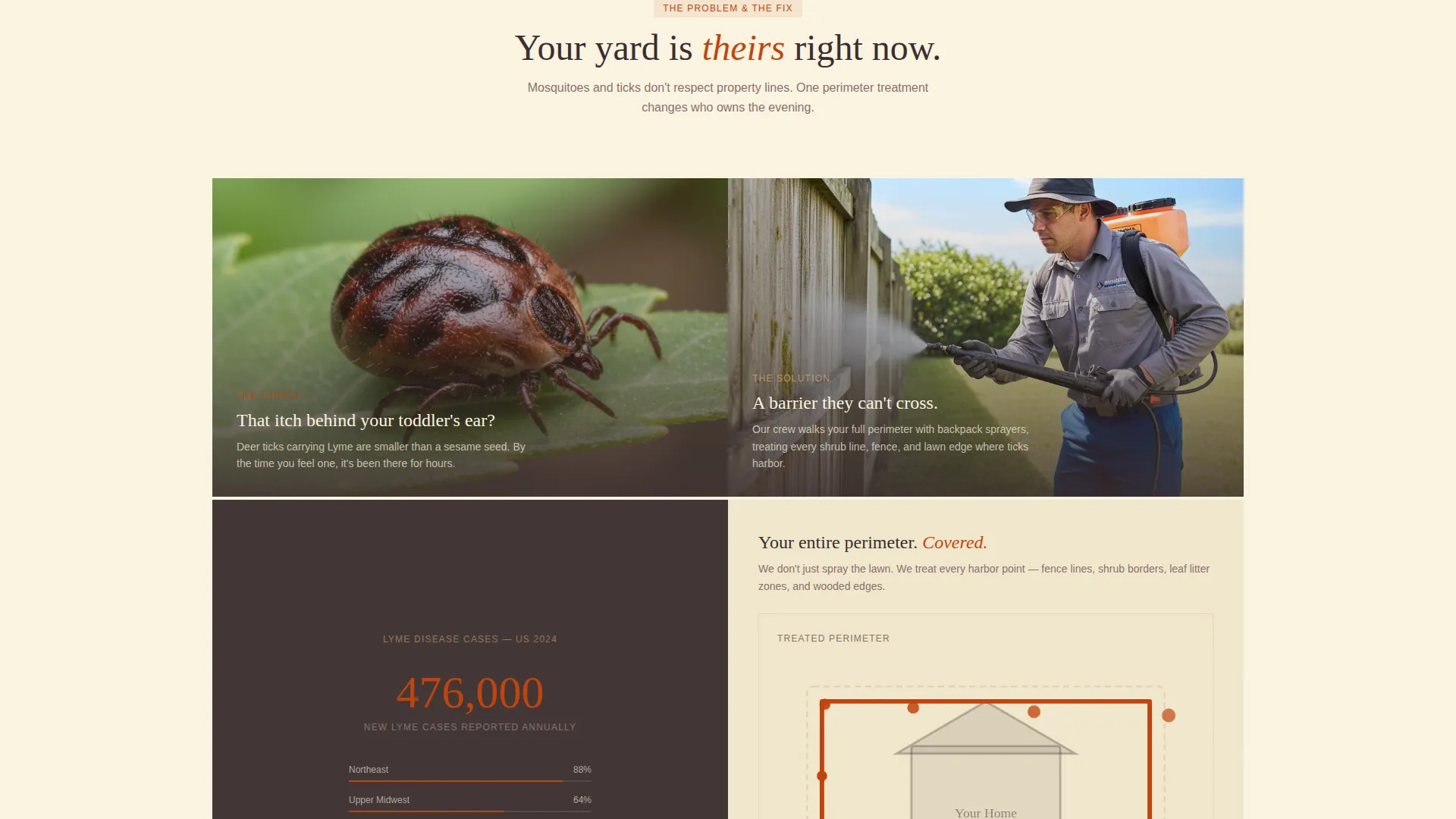
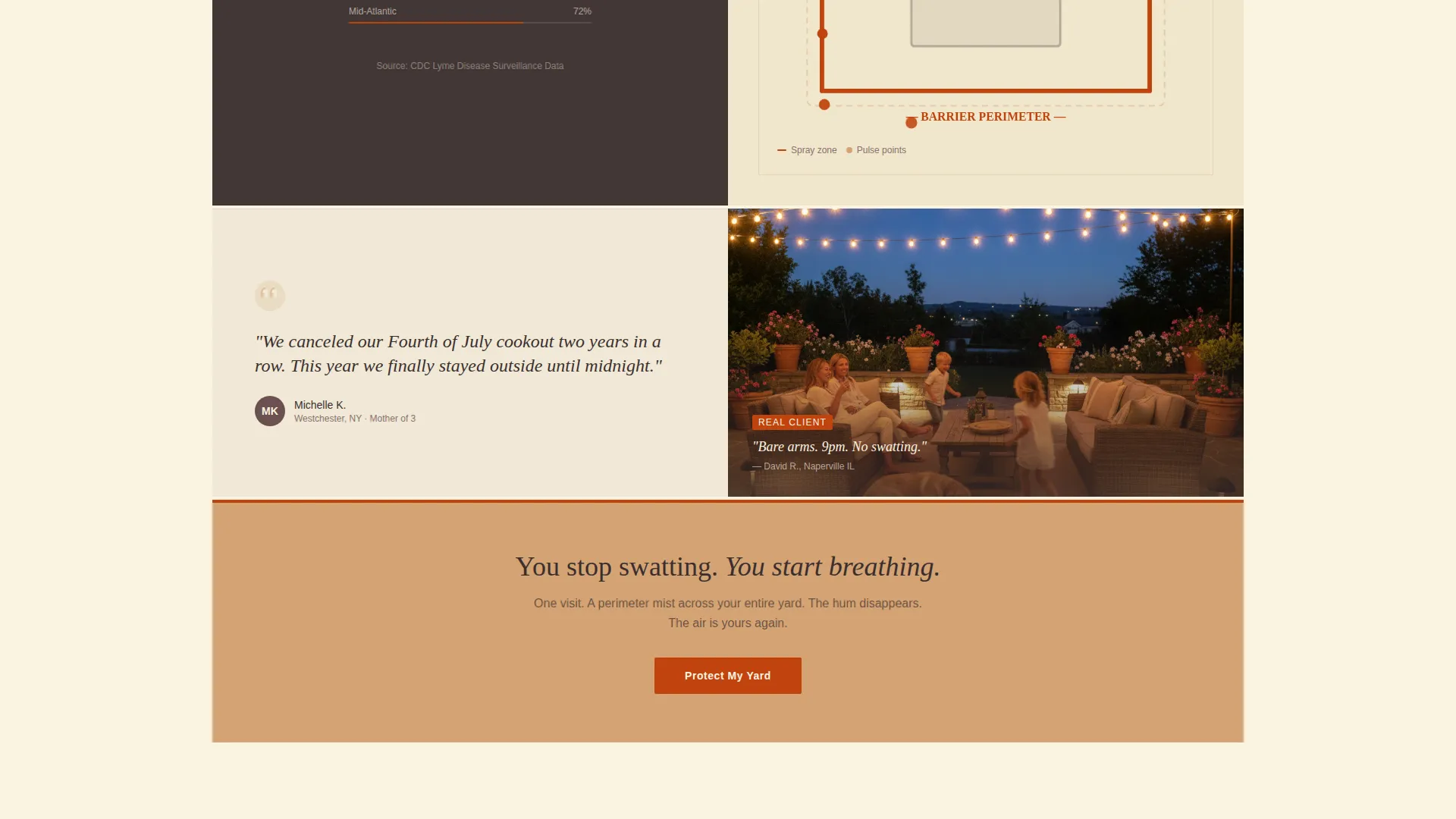
Below the header, the left column locks onto the problem with close-up pest photography, an animated Lyme disease case counter, and a parent quote about a canceled event. The right column mirrors each problem with a paired solution: a technician at work, a treated-perimeter map, and an outdoor family testimonial. The scroll builds tension, then releases it into a warmer full-width section.
Multi-Step Lead Capture Form
The primary intake form opens with a zip code field to confirm service area, then moves to a visual property-size selector showing quarter-acre, half-acre, and acre-plus options, then closes with a calendar picker for preferred first-treatment week. The flow qualifies the lead step by step before any follow-up call is made.
Bite Risk Score Quiz
A secondary conversion path invites visitors to answer a short quiz about their yard conditions: shade cover, standing water presence, and proximity to wooded borders. The quiz pre-qualifies the lead and gives the business useful context before outreach, while giving the visitor a personalized reason to book.
Service Plan Comparison and Seasonal Calendar
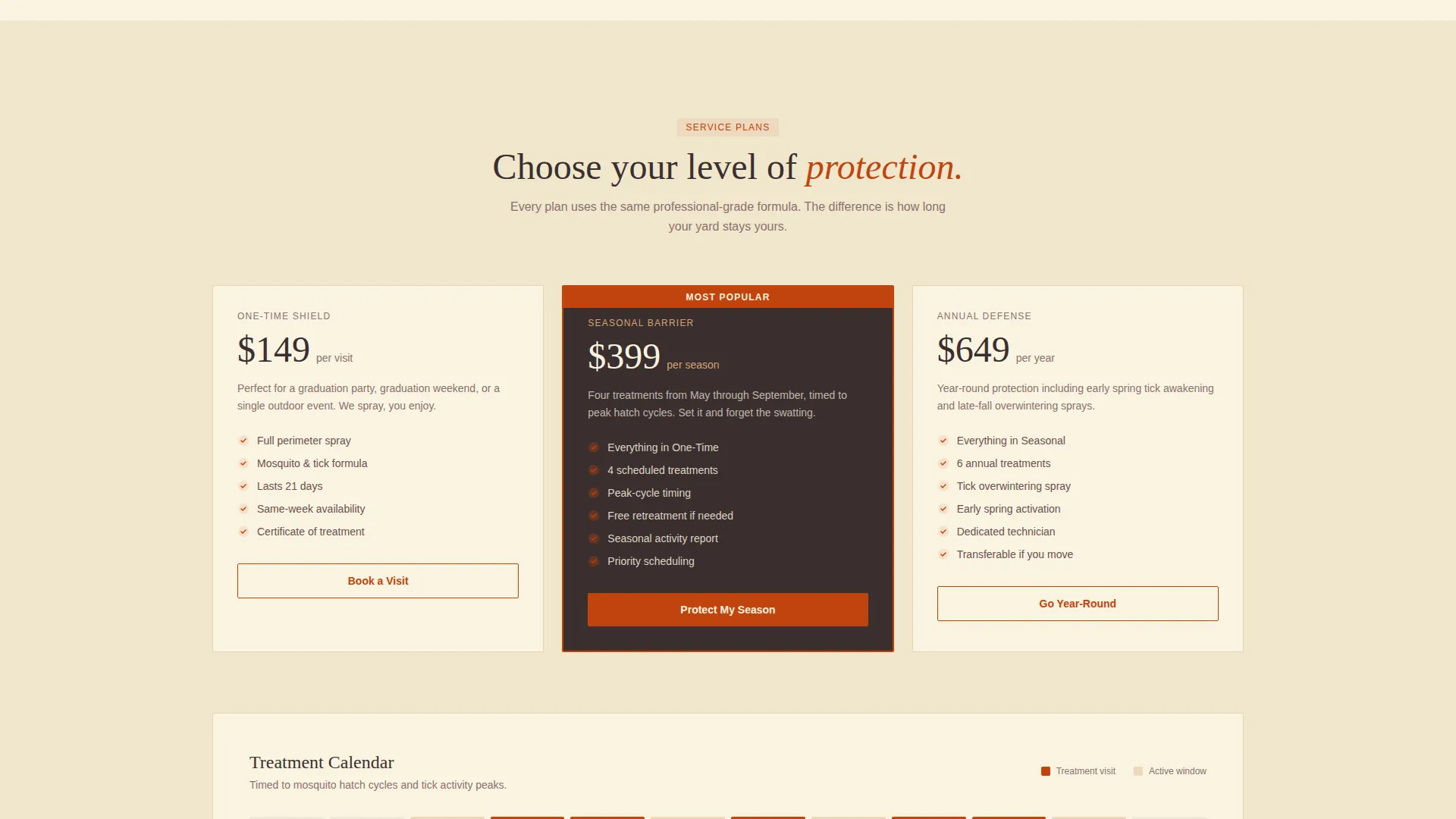
A dedicated section presents the available service tiers side by side so visitors can self-select before submitting the form. A seasonal treatment calendar shows treatment intervals across the active pest season, helping homeowners understand the commitment and set realistic expectations.
Fire and Earth Color System
Paprika red (#C1440E) marks every primary call-to-action button and pest-stat callout. Deep loam brown (#3B2F2F) anchors headers and footer copy. Sun-warmed sandstone (#D4A373) warms testimonial cards and pricing tiers. Meadow cream (#FAF3E0) provides breathing room across the canvas so no section feels crowded.
Page sections overview
| Section | Purpose |
|---|---|
| Before/After Slider | Hooks visitors with a visceral yard transformation at first scroll |
| Problem Column Left | Presents pest risk through macro imagery, stats, and a parent quote |
| Solution Column Right | Pairs each problem with a technician visual, perimeter map, and testimonial |
| Visual Threshold Break | Transitions the scroll from tension to warmth with a full-width sandstone section |
| Service Plan Comparison | Lets visitors self-select a treatment tier before submitting the form |
| Seasonal Treatment Calendar | Shows treatment intervals to set expectations across the pest season |
| Guarantee Badge Block | Builds confidence with a visible service commitment before the form |
| Primary Lead Form | Captures zip code, property size, and preferred first-treatment week |
| Bite Risk Score Quiz | Offers a secondary path that qualifies leads through yard-condition questions |
| Footer and Copysection | Closes the page with contact anchors and brand trust signals |
Design & branding system
The Pastoral Calm theme gives Barrier a grounded, warm identity that feels like a well-kept backyard rather than a chemical treatment catalog. Every color choice is intentional: warmth communicates safety, and urgency is reserved for the moments that matter most.
- Deep loam brown (#3B2F2F) and meadow cream (#FAF3E0) form the base contrast pair, keeping text readable without feeling stark
- Smoked paprika (#C1440E) appears only on primary call-to-action buttons, pest-stat counters, and danger-state accents so urgency reads clearly and never becomes noise
- Sun-warmed sandstone (#D4A373) backgrounds the testimonial cards, pricing tiers, and guarantee block to create warmth and visual separation between scroll sections
Mobile & speed optimization
The split-screen layout adapts to smaller viewports by stacking the left and right columns vertically, preserving the Problem-to-Solution narrative on mobile without losing the emotional sequence. The Before/After slider remains interactive on touch devices via the spray-nozzle drag handle.
- The multi-step lead form is structured to work cleanly on mobile, with the zip code field, visual property-size selector, and calendar picker each occupying a single focused step
- Section backgrounds and color fills use flat values from the Fire and Earth palette, keeping the visual weight light without relying on image-heavy decorations in every block
How this template helps you convert
Barrier is designed to earn the lead before the form appears. Every scroll section reduces hesitation and increases the visitor's felt need to act.
- The Before/After slider creates an immediate emotional contrast that makes the benefit tangible within seconds of landing on the page, before any copy is read
- The Problem-to-Solution arc guides the visitor through three paired sections of rising tension and relief, so by the time they reach the service plan block, the decision feels logical rather than pressured
- The dual conversion paths, the primary "Protect My Yard" form and the secondary "Get Your Bite Risk Score" quiz, give hesitant visitors a lower-commitment entry point that still captures a qualified lead
Other information about this template
Barrier is categorized under Construction and Home, specifically within the Pest Control subcategory and the Mosquito and Tick Control niche. The template was built to match a high intersection score between that niche and its visual and structural approach, meaning the design decisions are intentional for this specific service category, not adapted from a general-purpose layout.
- The template style is Split Screen (50/50), meaning every narrative section pairs a left-side problem visual with a right-side solution visual across the scroll
- The lead generation direction means every design decision, from the slider reveal headline to the form field sequence, prioritizes capturing a qualified contact over passive brand awareness
- The creative direction follows a Problem-to-Solution Arc, a scroll structure where tension builds across the first half of the page and releases into warmth, service details, and the intake form in the second half
Theme
Pastoral Calm
Creative direction
Problem→Solution Arc
Color system
Fire & Earth
Style
Split Screen (50/50)
Direction
Lead Generation
Page Sections
Before/after Viewport Slider
Dual-column Problem and Solution Arc
Multi-step Lead Capture Form
Bite Risk Score Quiz
Service Plan Comparison Block
Seasonal Treatment Calendar
Related questions
What kind of business is this landing page built for?
What does the lead form collect from visitors?
Can I use this template if I offer multiple service tiers?
Is the Before/After slider interactive on mobile devices?
Can I replace the placeholder photography with my own images?



