Tactical Electronics Operations Landing Page Template
The Sentinel Defense Electronics Data Command landing page template is built for ruggedized electronics manufacturers targeting program managers, procurement officers, and systems integrators. It combines a live-data command wall, filterable product card grid, mission brief case studies, and persistent call-to-action elements inside a tactical Fire & Earth color system. Every section earns authority before asking for the click.
by Rocket studio
Quick summary
This template drops visitors straight into an intelligence dossier formatted as a tactical operations center. Oversized metrics, amber-lit data cells, and scan-line animations replace generic hero imagery. The page guides defense procurement decision-makers from threat-environment context through product families and program case studies, then routes them to a gated technical library. Authority is earned row by row before the call to action appears.
Who this template is for
This template is built for defense electronics manufacturers that sell hardened subsystems to government and prime contractor buyers. It works best when the product is complex, the sales cycle is long, and the buyer demands proof before any conversation begins.
- Program managers at prime defense contractors tracking LRIP milestones and schedule risk
- Procurement officers at allied ministries of defense evaluating SWAP-C tradeoffs and qualification evidence
- Systems integrators selecting a qualified subsystem that fits an eighteen-month production window
What problem this template solves
Selling ruggedized electronics to defense buyers is not a marketing problem. It is a credibility problem. A generic website cannot survive an engineering review board. Buyers need dense operational proof, not polished stock photography.
- Standard templates bury the qualification data that defense customers need to evaluate a product quickly
- There is no structured way to display product families with specs, platform compatibility, and certification badges side by side
- Most landing page formats fail to log program authority or present case study details in a language procurement officers recognize
What you get with this template
You get a single-page layout engineered to communicate operational authority from the first scroll. Every section adds a layer of credibility, and every call-to-action element is positioned where a qualified buyer is most ready to act.
- A full-viewport command wall with four oversized KPI cells, scan-line animation, and monospaced data type
- A filterable product family grid where each card can display platform icons, key specs, and qualification badges
- Mission brief case studies with timeline bars, performance deltas, and deployment map slots
- A persistent bottom call-to-action bar, per-card request links, and a full-width closing call-to-action section
Feature list
This template ships with purpose-built components that match the decision language of defense procurement. Each section is designed to help a user process dense technical information without losing momentum.
Live-Data Command Wall Header
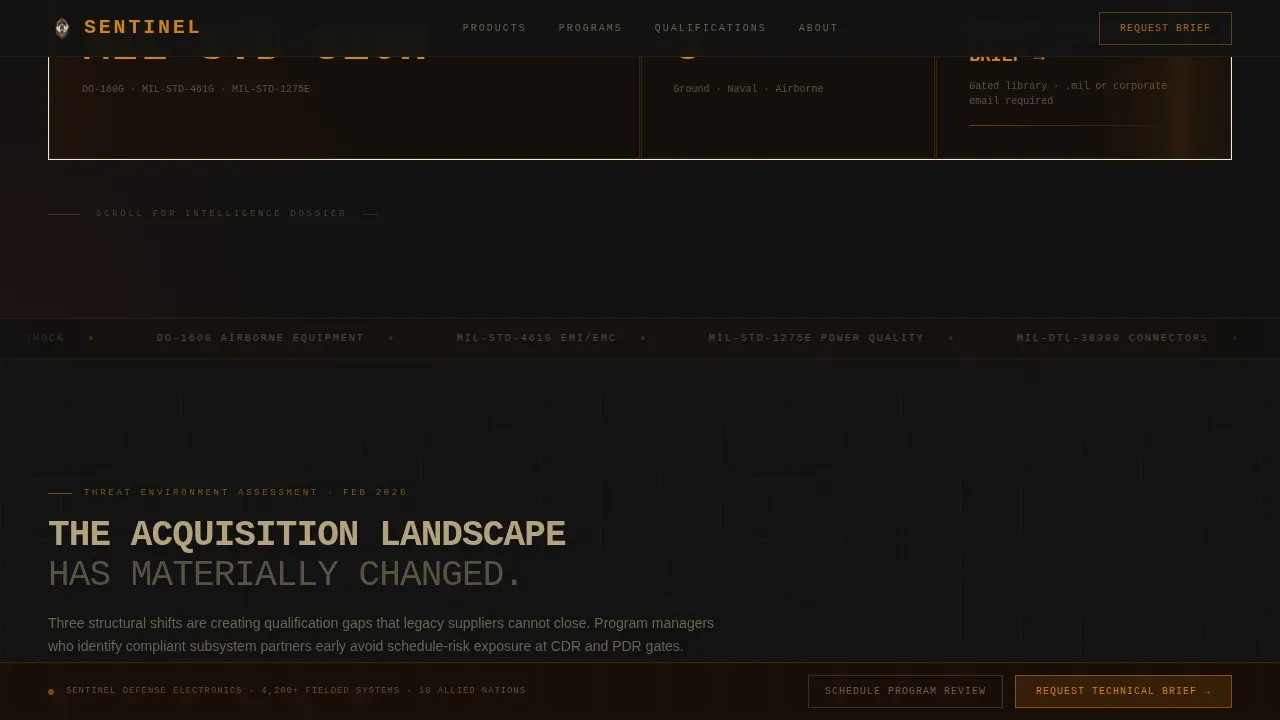
The header is a full-viewport grid of oversized metrics rendered in JetBrains Mono. Stats like "4,200+ Fielded Systems" and "99.97% Operational Availability" each occupy their own amber-bordered cell. A faint scan-line animation sweeps left to right across each cell, creating the visual message that data is live and continuously accessed. No stock photography is required. The numbers are the visual, and they hit like a declassified briefing slide.
Filterable Product Family Grid
The product section presents each hardware family as a data card inside a structured grid. Users can select filters to narrow the list by platform type or qualification standard. Each card can display platform compatibility icons, key specification rows, and certification badge identifiers such as MIL-STD-810H, DO-160G, or MIL-STD-461G. This layout lets a procurement officer evaluate and compare options without leaving the page.
Mission Brief Case Studies
Program case studies are formatted as mission briefs rather than generic testimonials. Each entry includes a timeline bar, performance delta figures, and a deployment map slot. This format lets a program manager watch a project unfold from contract award through delivery, using the language of acquisition rather than marketing copy. The combination of timeline and delta data gives engineering review boards something concrete to log and forward.
Persistent Call-to-Action Architecture
The primary call to action, "Request Technical Brief," appears first as a persistent bottom bar after the header clears. It repeats inside each product card and again as a full-width section after the case studies. A secondary path, "Schedule a Program Review," targets visitors deeper in the acquisition cycle. Clicking either call to action can redirect the user to a gated technical library where they select a product family and enter a verified email address.
Threat Environment Intelligence Section
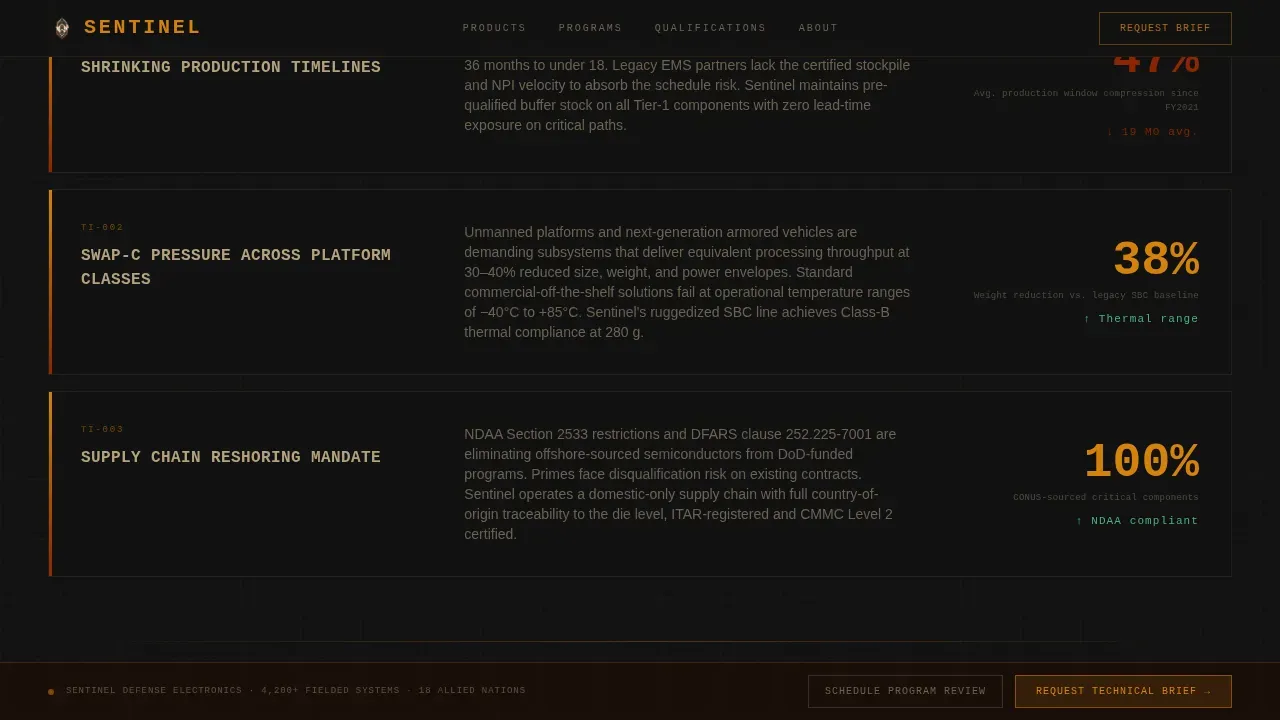
Section one reframes the defense electronics landscape as a structured threat overview. Shrinking production timelines, SWAP-C pressure, and supply chain reshoring mandates are presented as operational context, not marketing language. This section helps the page earn trust before it asks for anything. A compelling introduction to the environment sets up every product claim that follows with the precision that defense customers expect.
Fire and Earth Visual Data System
The full color system runs from deep scorched terrain to molten amber, iron oxide red, and tactical sand. Backgrounds stay in the charcoal-to-scorched range. Data cells glow with amber borders. Critical KPIs pulse in iron oxide. Interactive elements carry molten amber as hover states that behave like targeting reticles locking on a value. Typography pairs JetBrains Mono for all metric displays with DM Sans for body copy throughout the page.
Page sections overview
| Section | Purpose |
|---|---|
| Command Wall Header | Display four oversized KPI metrics with scan-line animation |
| Threat Environment | Frame acquisition pressure and reshoring context as intel dossier |
| Product Family Grid | Present filterable hardware cards with specs and qualification badges |
| Mission Brief Studies | Log program case studies with timeline bars and performance deltas |
| Request Technical Brief | Full-width primary call-to-action section with dual conversion paths |
| Linear Footer Row | Single-row footer with navigation links and entity identifiers |
Design & branding system
The visual identity follows a Data Command theme built entirely from a Fire and Earth color system. The palette reads like satellite thermal imaging of a desert proving ground at dusk. Dark earth fields radiate residual heat while bright amber signatures mark every active system entity on the page.
- Core colors: charcoal field (#111111), scorched terrain (#1A0F0A), molten amber (#D4820C), iron oxide red (#8B2500), tactical sand (#C4B08B)
- Typography: JetBrains Mono for all data, metrics, and identifiers; DM Sans for all body and description copy
- Hover states use molten amber to simulate targeting reticle lock-on; KPI cells pulse in iron oxide on load
Mobile & speed optimization
This template is desktop-first by design. Program managers and engineering review boards typically access the page on workstation displays, where the full command wall grid and data card layout deliver maximum impact. However, mobile-first optimization remains a valid concern since many users may view the page on mobile devices during early research phases.
- CSS animations handle scan-line sweeps and amber pulse effects, keeping JavaScript dependency low and load times fast
- Server components serve static content sections, supporting rapid page delivery for users who have limited time on any device
- Staggered grid reveals use intersection observer so each row of product cards enters view cleanly without layout error or content flash
How this template helps you convert
A high-stakes technical product requires more than a clean layout. It requires a structured process that builds enough credibility to survive a forwarded email thread. This template earns the click by leading with proof, not promises.
- The command wall opens with four operational metrics that immediately communicate scale, reliability, and qualification status. A user who sees "18 Allied Nations Deployed" in the first five seconds can already summarize the company's reach to a colleague.
- The filterable product grid and mission brief case studies continue to add layers of detail, giving procurement officers and systems integrators enough parameters to evaluate fit without a phone call. Each product card is a self-contained document of record.
- The persistent call-to-action bar keeps "Request Technical Brief" accessible at every scroll depth, so a buyer who is ready to act is never redirected away from the conversion path. The dual-path structure lets the page support both early-stage research and late-stage acquisition queries.
Other information about this template
This template is built as a comprehensive guide to converting defense procurement intent into a structured, click-through landing page. It is designed to help customers in the Aerospace and Defense category create a page that communicates authority without relying on generic visuals or vague language.
- The template follows a following format inspired by intelligence dossier structure, where each scroll depth grants a higher level of product detail
- Builders can customize section content, edit qualification badge identifiers, and update KPI values to match actual program data
- The page is presented as a single-file layout, making it straightforward to open, edit, and deploy without complex project dependencies
- Buyers who want to learn more before committing can watch an explainer video or preview the template before selecting it
- The template can support a collection of product family entries; builders can add new rows to the product grid or delete entries that do not apply to their current program
- Content in each data card follows a consistent property structure: platform type, key specification list, and qualification identifier displayed in a uniform format
- The design language intentionally avoids errors of overreach. Every visual element serves a functional purpose to help users understand complex data systems quickly
- This is the sentinel defense electronics data command landing page template, and it is positioned as the authoritative solution for defense electronics manufacturers who need a page that performs under procurement scrutiny
- In the context of platforms like Microsoft Sentinel, users familiar with querying entity data and building activity logs will recognize the structured data display language this template borrows from command-and-control interface design
- Microsoft Sentinel users accustomed to KQL (Kusto Query Language) queries that summarize data by account or computer will find the grid layout familiar. The following table structure in the product section mirrors the rows-and-columns logic of a log analytics workspace
- Teams using Microsoft Entra for identity management or those who manage access through role-based account controls will appreciate how the gated technical library entry point aligns with that access-controlled document philosophy
- The template's visual grammar also draws from the same structured-display thinking used when you select and display log data from a SecurityEvent table or a windows event collection in a monitoring dashboard
- Microsoft Entra-aware teams can align the gated email entry field with their existing access management process, treating the form as a lightweight account-verification step before granting access to the technical library


Theme
Data Command
Creative direction
Industry Report
Color system
Fire & Earth
Style
Dashboard/Data Grid
Direction
Click-Through
Page Sections
Live-data Command Wall Header
Filterable Product Family Grid
Mission Brief Case Study Section
Persistent Dual Call-to-action Architecture
Fire and Earth Tactical Color System
Threat Environment Intelligence Section
Related questions
Can I edit the KPI metrics in the command wall header?
How many product cards can I add to the filterable grid?
Does the template include case study content, or do I supply it?
Is the Request Technical Brief call to action customizable?
What type of page is this and how does the scroll flow work?