Insulation & Weatherproofing Booking Website Template
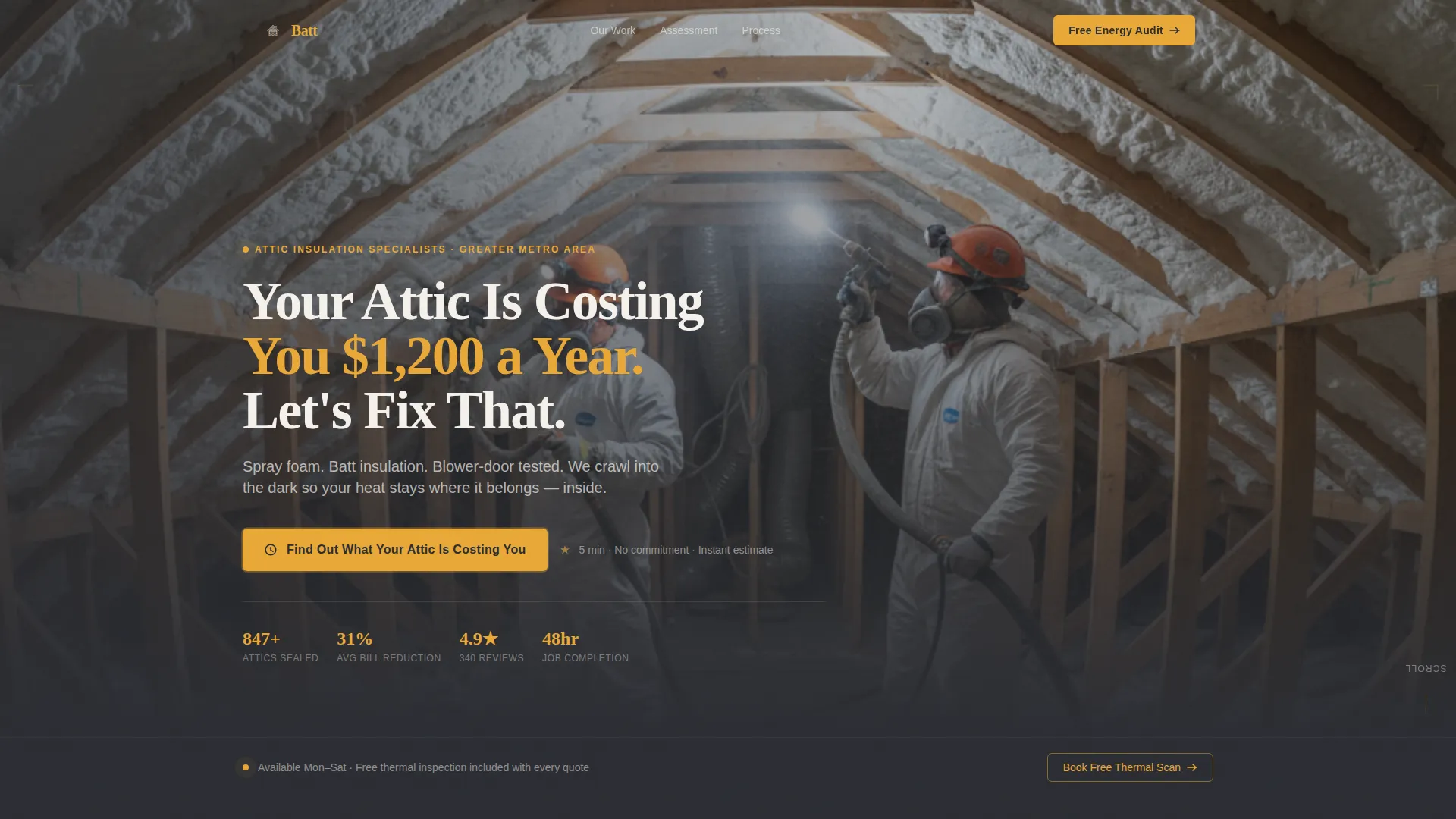
Batt is a hero-dominant landing page template built for attic insulation contractors. It pairs a full-screen video background with a five-step interactive quiz assessment, local neighborhood proof sections, and thermal imaging before-and-afters. The Engineering Blueprint visual theme uses deep graphite and warm amber to build trust fast and move homeowners toward booking a free inspection.
by Rocket studio
Quick summary
Batt is a single-page lead generation template designed for attic insulation contractors. It opens with a 90% viewport video hero, runs visitors through a personalized energy-loss quiz, and closes with a sticky booking call to action. Every section is grounded in local neighborhood proof, technical credibility, and a visual identity that feels precise and craft-driven.
Who this template is for
This template is built for contractors who do real fieldwork in real neighborhoods. It speaks directly to the trades professional who needs a page that earns trust before asking for a phone number.
- Attic insulation contractors targeting homeowners with high energy bills
- Local insulation businesses serving aging housing stock in defined service areas
- Property managers or multi-unit operators looking to qualify leads at scale
What problem this template solves
Most contractor pages look generic. They use stock photography, vague promises, and a single contact form that goes nowhere. Homeowners searching after opening a $340 winter gas bill need proof before they convert, and a flat brochure page does not deliver that.
- Visitors have no way to understand their specific energy loss before committing to a call
- Generic pages fail to signal local expertise or neighborhood-level experience
- A simple contact form creates friction for visitors who are not yet ready to talk
What you get with this template
You get a fully structured, single landing page with high interactivity baked in. Every section is purpose-built to move a homeowner from curiosity to qualified lead without requiring a long back-and-forth.
- A full-screen video hero with an amber headline and a quiz call to action button
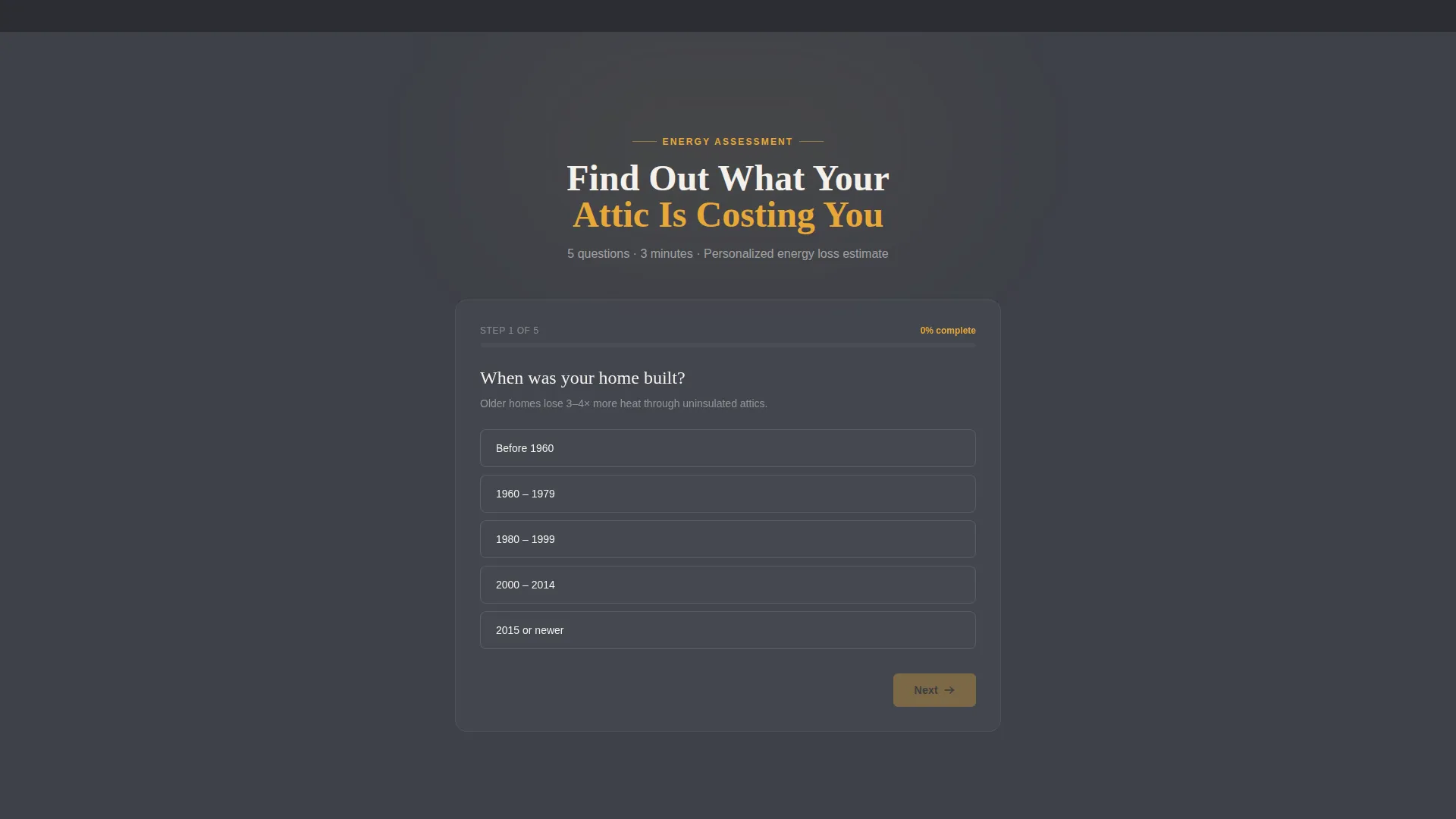
- A five-step interactive assessment with animated thermal gauge progress and a personalized result screen
- Neighborhood job-count proof, thermal before-and-after panels, and a blueprint explainer section
Feature list
This template ships with a focused set of interactive and visual components, each designed to support lead generation for a local insulation contractor.
Full-Screen Video Hero
The hero fills 90% of the viewport with handheld crew footage. The amber headline fades in over the video, and a single pulsing call to action button sits in the 10% strip below. A fallback image is included for devices that cannot load video.
Five-Step Quiz Assessment
Visitors answer five questions covering home age, square footage, heating source, comfort symptoms, and zip code. Each answer fills an amber thermal gauge progress bar with a micro-animation. On completion, the visitor sees a personalized energy-loss estimate and a recommended insulation approach before a lead capture form appears.
Local Neighborhood Proof Section
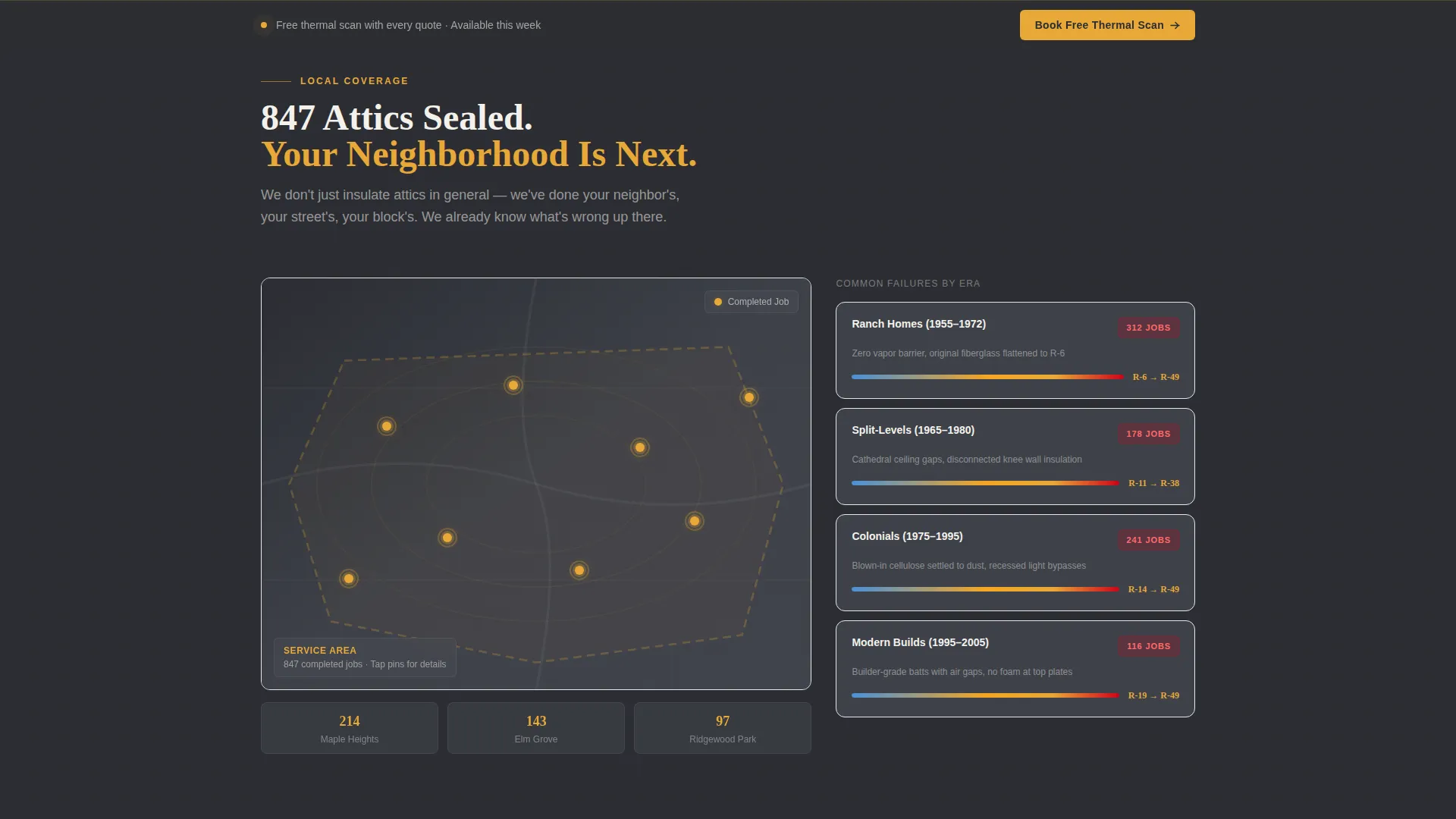
A dark satellite-map aesthetic displays completed jobs as glowing amber pins across the service area. Neighborhood-specific job counts and housing-stock callouts ground the social proof in real geography rather than generic testimonials.
Thermal Imaging Before-and-After Panels
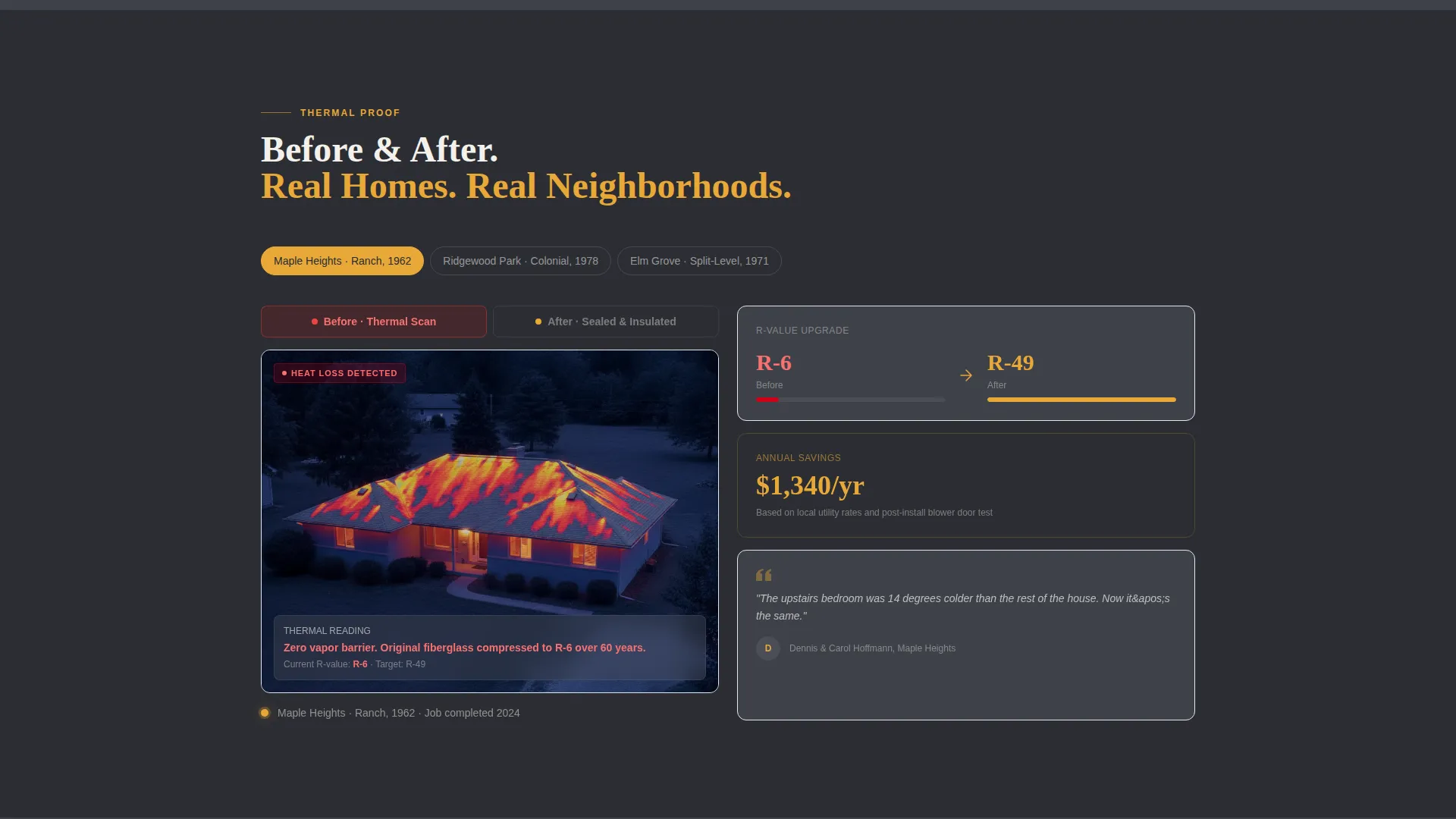
Split panels show thermal imaging results labeled with actual neighborhood names. The before state shows heat loss in reds and oranges. The after state shows a sealed thermal envelope. This section builds visual evidence without requiring written explanation.
Blueprint Explainer with Technical Overlays
Chalk-on-charcoal cross-section illustrations show common attic failure points, R-value scales, and air sealing diagrams. The Engineering Blueprint style makes technical information readable and visually consistent with the rest of the page.
Sticky Footer Booking Bar
A persistent footer bar carries a secondary call to action: "Book a Free Thermal Scan." It stays visible as the visitor scrolls, capturing leads who want to skip the quiz and go straight to scheduling.
Page sections overview
| Section | Purpose |
|---|---|
| Full-Screen Hero | Launch video, amber headline, quiz call to action |
| Local Proof Map | Neighborhood job pins, stats bento |
| Quiz Assessment | Five-step lead qualification flow |
| Thermal Before/After | Split imaging panels, neighborhood labels |
| Blueprint Explainer | Cross-section art, R-value education |
| Sticky Footer Bar | Persistent secondary booking call to action |
Design & branding system
The visual identity follows an Engineering Blueprint theme. The palette reads like unrolled architectural drawings lit by a caged work lamp: precise, industrial, and grounded in craft.
- Deep graphite (#2B2D33) as the primary background, technical charcoal (#4A4E57) for card surfaces and dividers, warm amber (#E8A838) as the accent, and chalk white (#F4F1EB) for body text
- Fraunces display serif for headlines, DM Sans for body copy, creating a contrast between editorial weight and clean readability
- Chalk-on-charcoal line art for technical diagrams, with amber used consistently for interactive elements, progress indicators, and map pins
Mobile & speed optimization
This template is built mobile-first, recognizing that most homeowners search on a phone minutes after opening a high utility bill. The layout and interactions are sized and sequenced for small screens.
- The video hero includes a fallback static image for mobile devices and slower connections
- Thermal imaging panels use lazy loading to avoid blocking the initial page paint
- The quiz flow is designed for thumb-friendly tap interactions with large touch targets on each step
How this template helps you convert
The page is structured to reduce friction at every stage and move visitors toward a committed action rather than a passive form submission.
- The quiz assessment qualifies visitors by collecting home age, square footage, heating source, comfort symptoms, and zip code, then delivers a personalized energy-loss estimate that makes the follow-up call feel relevant rather than cold.
- The sticky footer booking bar gives impatient visitors a direct path to scheduling a free thermal scan without requiring them to complete the full quiz, so no high-intent lead is lost mid-scroll.
Other information about this template
This template is designed as a standalone single-page lead generation tool for a local home services business. It does not require a multi-page site structure to function effectively.
- The footer uses a Linear Single-Row pattern, keeping the page close without adding navigation weight
- Animation intensity is high throughout: scroll reveals, pin pulse animations, quiz micro-animations, and thermal gauge fills are all built into the template structure
- The page uses imperial measurements throughout, including R-value ratings and square footage inputs, making it appropriate for United States market use
- The template style is Hero-Dominant at a 90/10 ratio, meaning the video hero takes nearly the full first viewport before any scroll content appears
- Social proof is built from job counts by neighborhood, thermal imaging results, and homeowner quotes with street-level specificity rather than generic five-star ratings
Theme
Engineering Blueprint
Creative direction
Local & Neighborhood
Color system
Charcoal & Amber
Style
Hero-Dominant (90/10)
Direction
Quiz/Assessment
Page Sections
Full-screen Video Hero Section
Five-step Interactive Quiz
Local Neighborhood Proof Map
Thermal Imaging Before-and-after Panels
Blueprint Explainer with Diagrams
Sticky Footer Booking Bar
Related questions
Can I replace the video background with a static image?
How does the five-step quiz work for visitors?
What sections are built into this template?
Can I edit the neighborhood names and job count figures?
Is this template suitable for a property manager as well as a homeowner contractor?



