Social Services & Welfare Professional Website Template
Compass is a split-screen landing page template built for city departments and senior services organizations. It connects older adults and their caregivers to meals, transportation, legal aid, and social programs through a calm, trust-first design. A three-field lead form, scroll-triggered scenario sections, and a mobile-fixed call-to-action bar guide every visitor toward the right resource without confusion.
by Rocket studio
Quick summary
Compass is a single-page landing page template purpose-built for government and public senior services departments. It uses a 50/50 split-screen layout, scroll-triggered scenario reveals, and a focused three-field lead form to help families, seniors, and caseworkers find the right community services quickly and with dignity.
Who this template is for
This template is built for municipal departments and nonprofit organizations serving older adults. It speaks directly to the people who arrive stressed, unsure, or managing a loved one's care from a distance.
- Adult children managing a parent's health care and daily life from another city or time zone
- Retirees navigating a new living situation after a major life change such as widowhood or a health event
- Caseworkers and social professionals placing clients before a deadline and toggling between too many browser tabs
What problem this template solves
Finding the right services for seniors should not feel impossible. Most city department websites bury crucial information under layers of navigation, leaving families without clear guidance at the exact moment they need it most.
- Visitors arrive overwhelmed and need a single, calm entry point to explore available care options
- The decision making process for senior support is often emotional and urgent, yet most pages treat it as a simple directory search
- Caregivers and family members need to contact the right team without wading through jargon or dead ends
What you get with this template
Compass delivers a fully structured landing page that moves visitors through a clear journey from anxiety to action. Every section is designed to reduce the burden of searching and put the right resource one step away.
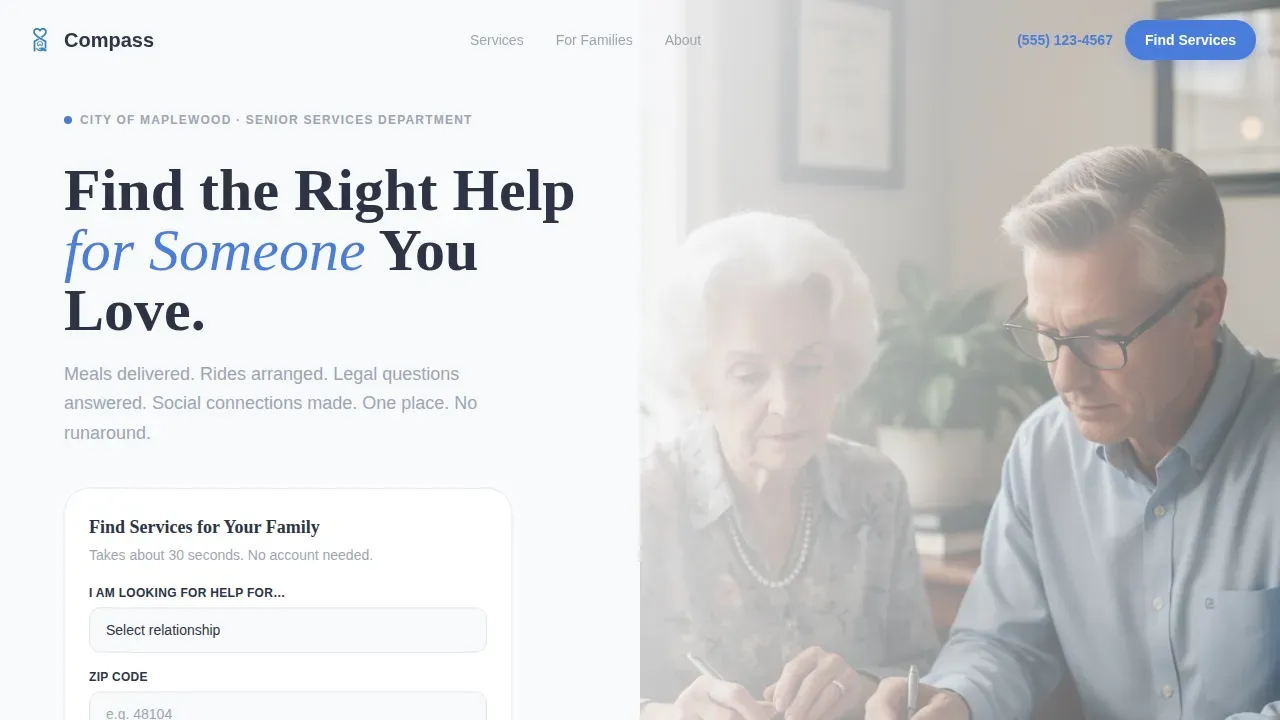
- A hero section with a split 50/50 layout, a powerful headline, an authentic photograph, and a three-field lead form
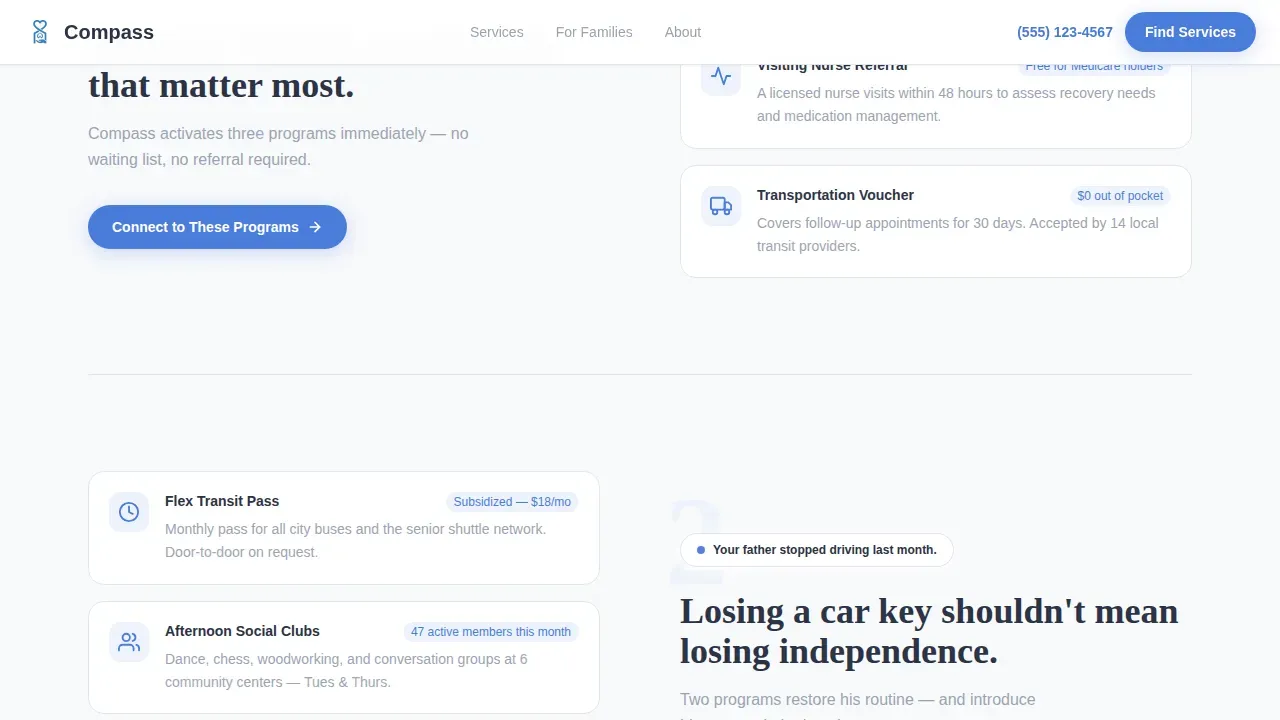
- Scroll-triggered scenario sections that match a specific family challenge to three concrete services
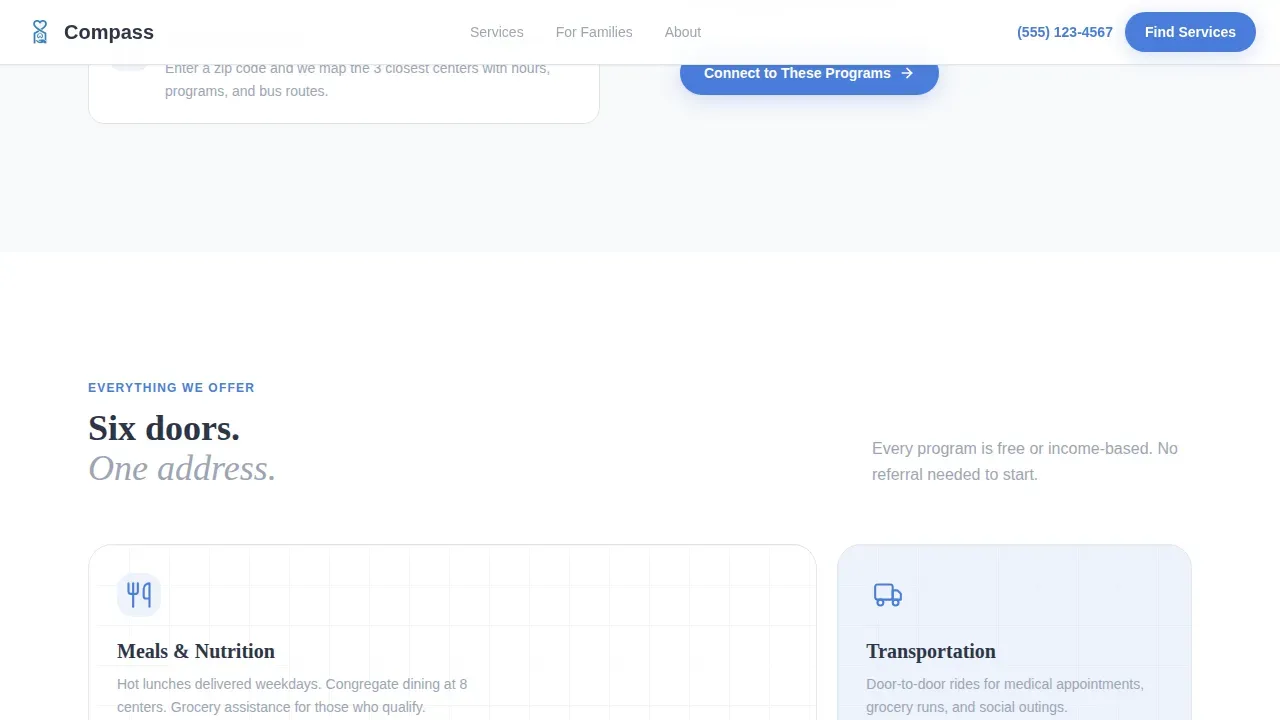
- A six-category services bento grid, a credibility stats banner, two testimonials, and a linear single-row footer
Feature list
This template was built around one clear mission: help seniors and their families reach the right support without friction. Every component serves that goal.
Split-Screen Hero with Lead Form
The hero divides the page into two equal halves. The left side carries a bold serif headline and a three-field form covering relationship to the senior, zip code, and primary need. The right side holds an authentic photograph that creates an immediate personal connection. The form includes an "I'm not sure" option to respect visitors who are still deciding.
Scroll-Triggered Scenario Sections
Two scenario blocks use a cause-and-resolution structure. Each scenario names a real family challenge, then reveals the specific services that respond to it. Content glides in from the edges on scroll, giving the page a sense of forward movement and keeping visitors engaged through the journey.
Six-Category Services Bento Grid
An asymmetric bento grid displays six service categories at a glance. Meals, transportation, legal aid, social programs, housing, and health-related referrals are each given a dedicated visual block. This layout helps visitors quickly identify the area of care that matters most to their unique needs.
Credibility Stats and Testimonials
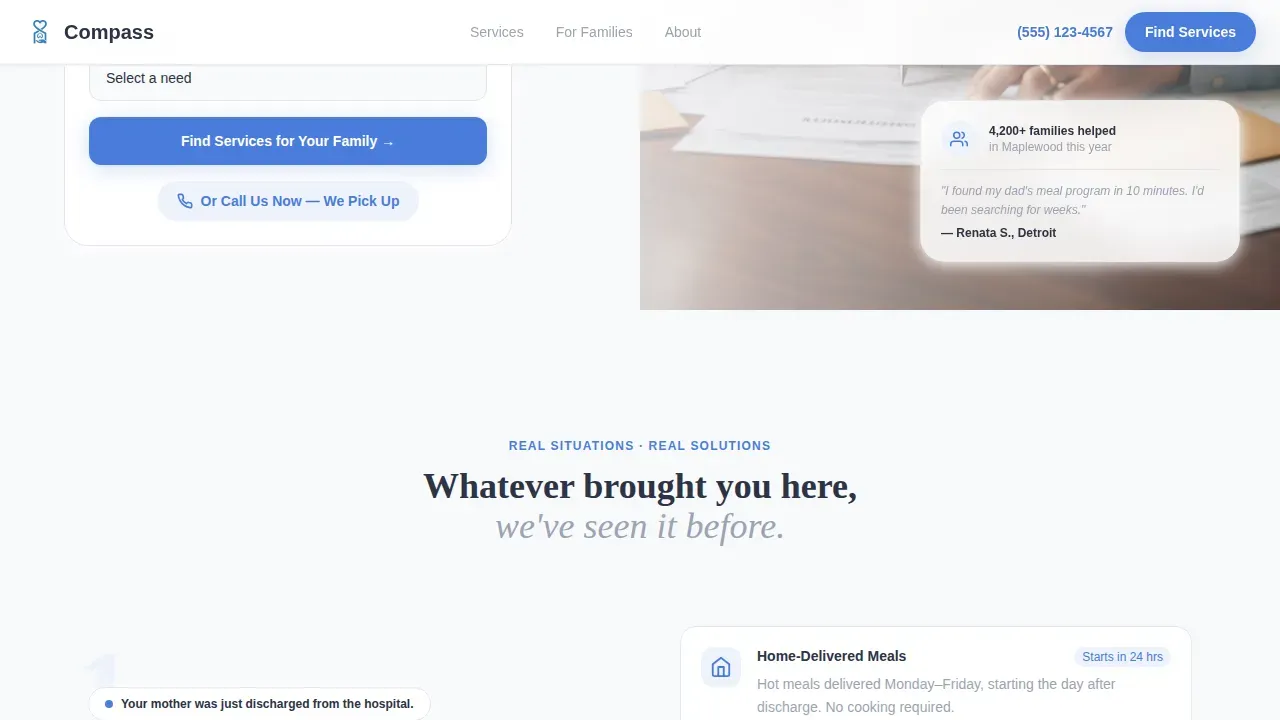
A stats banner displays key figures such as residents served and years of operation. Two testimonials follow, one from a caregiver and one from a caseworker, providing the social proof that families and professionals need before they choose to contact a department.
Mobile-Fixed Call-to-Action Bar
On smaller screens, a fixed bottom bar keeps the primary call to action visible at all times. This ensures that seniors and caregivers accessing the page on a mobile device never have to scroll back to find a way to reach out or fill out the form.
Direct Phone Call Button
A cornflower blue pill button styled as "Or Call Us Now, We Pick Up" sits alongside the form as a secondary contact path. It gives visitors who prefer a direct conversation an immediate way to reach a real person without filling out any form.
Page sections overview
| Section | Purpose |
|---|---|
| Split-screen hero | Headline, photo, three-field lead form |
| Scenario one block | Hospital discharge to active services |
| Scenario two block | No longer driving to transit options |
| Services bento grid | Six categories in asymmetric layout |
| Stats and testimonials | Credibility, resident count, real quotes |
| Single-row footer | Contact links and department details |
Design & branding system
The visual identity follows a Directory and Discovery theme that feels like a government pamphlet redesigned by someone who genuinely cares. Every color and type choice is intentional, creating a sense of warmth without sacrificing clarity or trust.
- Color palette: Arctic White (#F8F9FB) backgrounds, Deep Charcoal (#2C3345) headlines, Soft Pewter (#9BA4B5) secondary text and dividers, Cornflower Blue (#4A7CDB) for all clickable surfaces
- Typography: Fraunces serif for headlines that feel warm and authoritative, DM Sans for body text that stays highly readable at any size
- Photography direction: authentic, unposed images such as two hands sorting through paperwork in natural window light, no stock-photo smiles or clip art
Mobile & speed optimization
The template is built desktop-first with deliberate mobile adaptations that protect the experience for seniors and caregivers who access services from a phone. Accessibility and legibility are treated as essential, not optional.
- A fixed bottom call-to-action bar keeps the primary prompt visible on mobile screens throughout the entire scroll journey
- Large readable typography and high-contrast color pairings align with recommendations from the US Administration for Community Living for users with vision differences
- Scroll-triggered slide animations use medium-weight interactions that feel smooth without adding unnecessary visual complexity
How this template helps you convert
Compass is a dedicated lead generation landing page. Every layout decision is made to guide visitors toward taking one clear action: submitting the form or picking up the phone.
- The three-field form is deliberately short and ordered by emotional logic, starting with the visitor's relationship to the senior so they feel seen before they discuss a zip code or specific need
- Scenario sections resolve anxiety by pairing each family challenge with concrete services immediately, so visitors move forward in confidence rather than sitting with uncertainty
- Testimonials from satisfied clients and a credibility stats banner build the trust that is essential before a family will choose to contact any public service department
Other information about this template
This template reflects values that matter deeply in senior services work: integrity, respect for autonomy, and a commitment to serving every visitor with dignity. The design choices emphasize accessibility not as a checkbox but as a genuine expression of care for the people using this page.
- Compass Plus is a national network of agents dedicated to serving the senior community with compassion, integrity, and professionalism. Compass Plus agents are trained to understand the unique challenges older adults face, including emotional attachment to a home and moving into senior housing. These values of expertise and dedication are reflected in the template's tone and mission.
- Downsizing is crucial for older adults to maintain their independence as they face challenges related to aging and health. According to a 2023 National Association of Realtors survey, 44% of adults aged 60 and over were considering downsizing within five years. Professionals working in senior housing can use this template to connect clients to planning resources that protect their financial and health decisions.
- Medicare offers various plans tailored to the unique needs of seniors. Seniors should consider their health care needs and financial situation when selecting a plan. A consultation with an advisor is often provided at no cost to the client, and this template can support departments that want to highlight those services on their page.
- The template's connected scenario structure and supportive tone help visitors who feel isolated reconnect with community resources. Maintaining relationships with friends and family, and accessing services designed for older adults, are proven ways to protect wellbeing across decades of later life. This template creates a digital front door that makes those connections feel possible and close.
Theme
Directory & Discovery
Creative direction
Movement & Cause
Color system
Arctic White
Style
Split Screen (50/50)
Direction
Lead Generation
Page Sections
Split-screen Hero with Lead Form
Scroll-triggered Scenario Sections
Six-category Services Bento Grid
Credibility Stats and Dual Testimonials
Mobile-fixed Call-to-action Bar
Direct Phone Call Pill Button
Related questions
Can I customize the three-field lead form for my department's specific services?
Is this template suitable for a nonprofit senior services organization, not just a city department?
How does the scroll-triggered scenario section work?
Does this template include social proof components?
Can the phone call button be edited to match my department's contact number?



