Fitness Studio FAQ Website Template
Pulse is a single-page fitness studio FAQ landing page built on a Data Command theme with a glassmorphic visual system. It features an interactive FAQ dashboard header, collapsible category modules, progress bar feedback indicators, and contextual call-to-action buttons. The design feels like a premium heart-rate monitor display, giving members instant, confident answers before they ever call the front desk.
by Rocket studio
Quick summary
Pulse is a fitness studio FAQ landing page template built around a dashboard and data grid layout. It uses a glassmorphic color system on a deep charcoal substrate, with frosted card surfaces and electric cyan accents. Every section is designed to answer member questions instantly and move visitors toward booking with minimal friction.
Who this template is for
This template is built for fitness studio owners and operators who want their website to do the work that front-desk staff currently handle by phone. It works especially well for studios running high-frequency class schedules across multiple time slots.
- Studio owners who need to reduce repetitive inquiry calls and front-desk load
- Fitness operators who want to convert late-night pricing comparisons into actual sign-ups
- Studios welcoming post-rehab or first-time clients who need equipment and safety details before committing
What problem this template solves
Most fitness studio pages bury critical information inside long text blocks or force visitors to call during staffed hours. Members researching at midnight or checking holiday schedules before a 5:30 a.m. class get no immediate answer and often bounce.
- Early-morning regulars cannot quickly confirm whether holiday classes still run
- New members comparing unlimited memberships versus class-pack pricing find no clear side-by-side answer
- Post-rehab clients need equipment specifications before they commit, but that detail is rarely surfaced on studio pages
What you get with this template
Pulse delivers a complete, ready-to-customize single-page FAQ experience. The layout is structured as a scrollable data brief with an interactive header and categorized content modules below it.
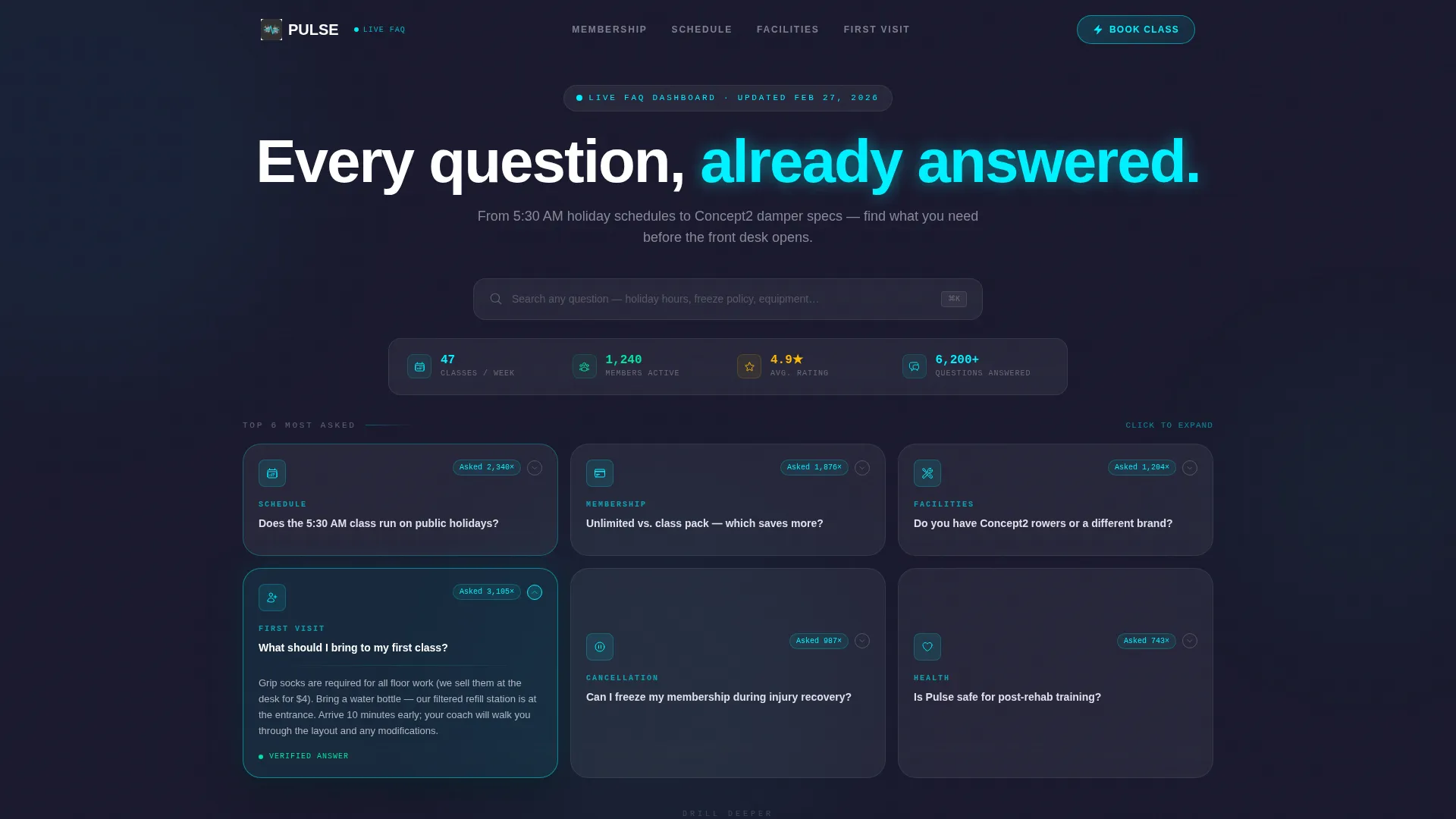
- An interactive FAQ dashboard header with a two-by-three frosted card grid and live hover states
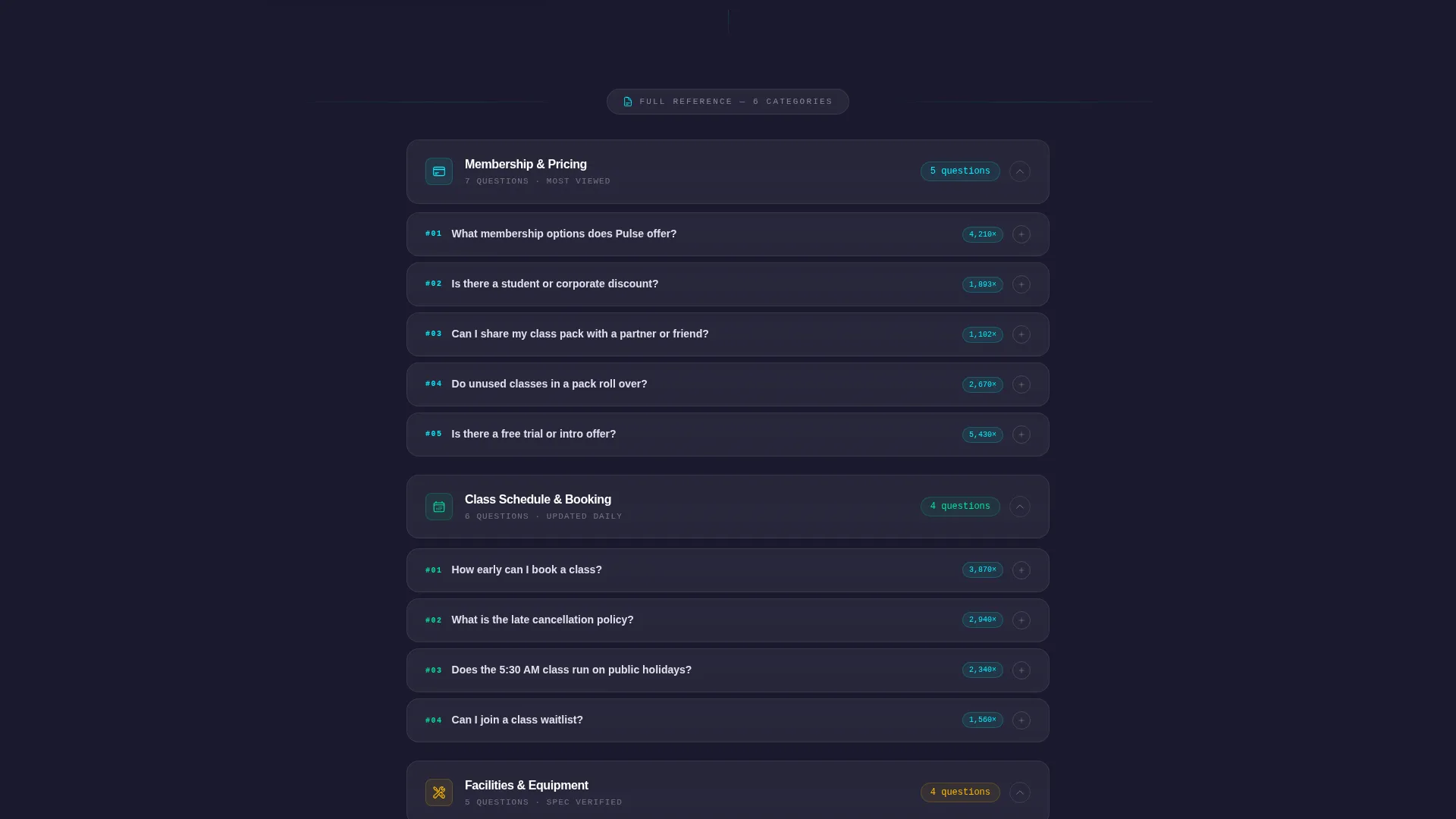
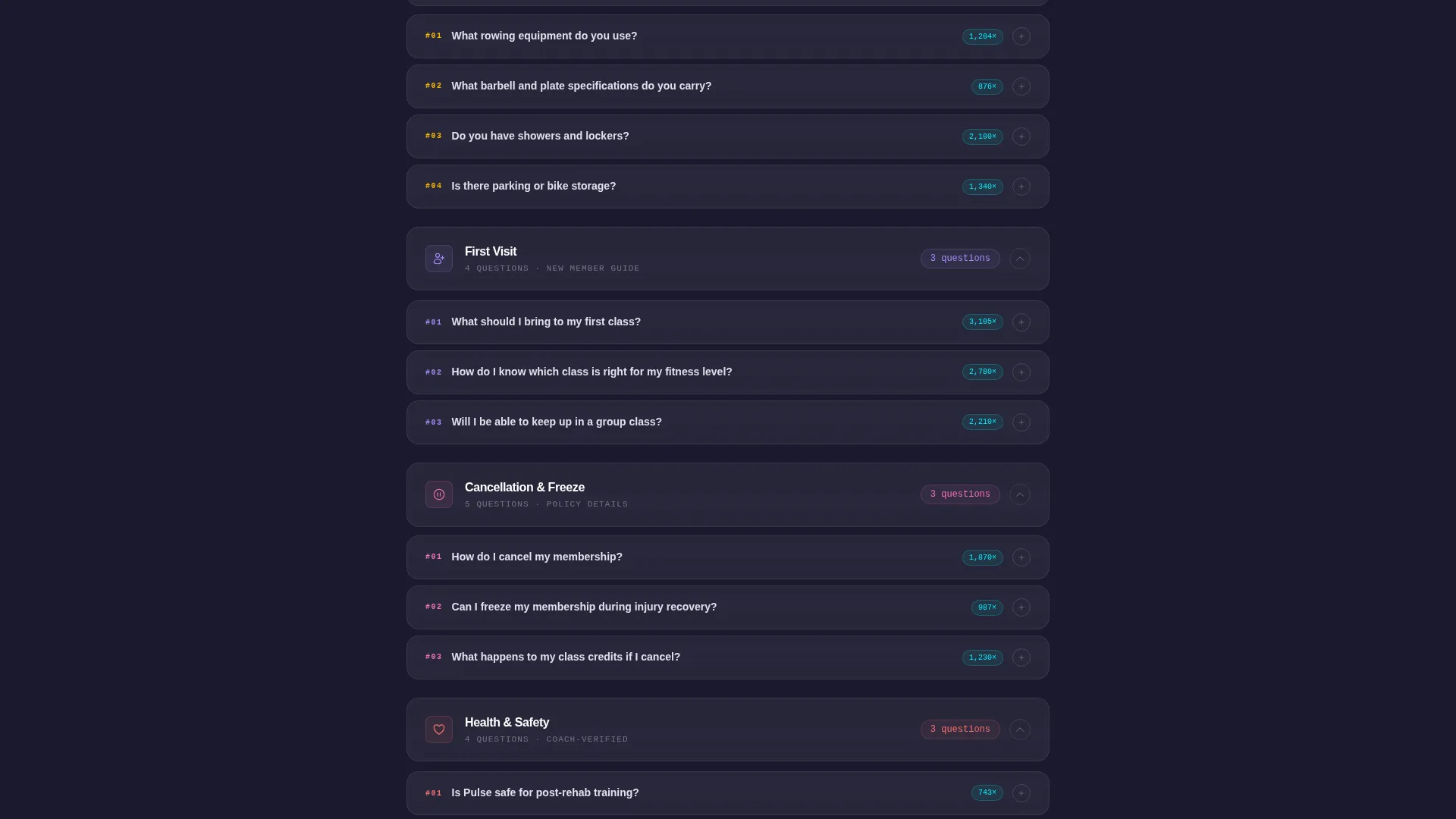
- Six collapsible category modules covering Membership and Pricing, Class Schedule and Booking, Facilities and Equipment, First Visit, Cancellation and Freeze, and Health and Safety
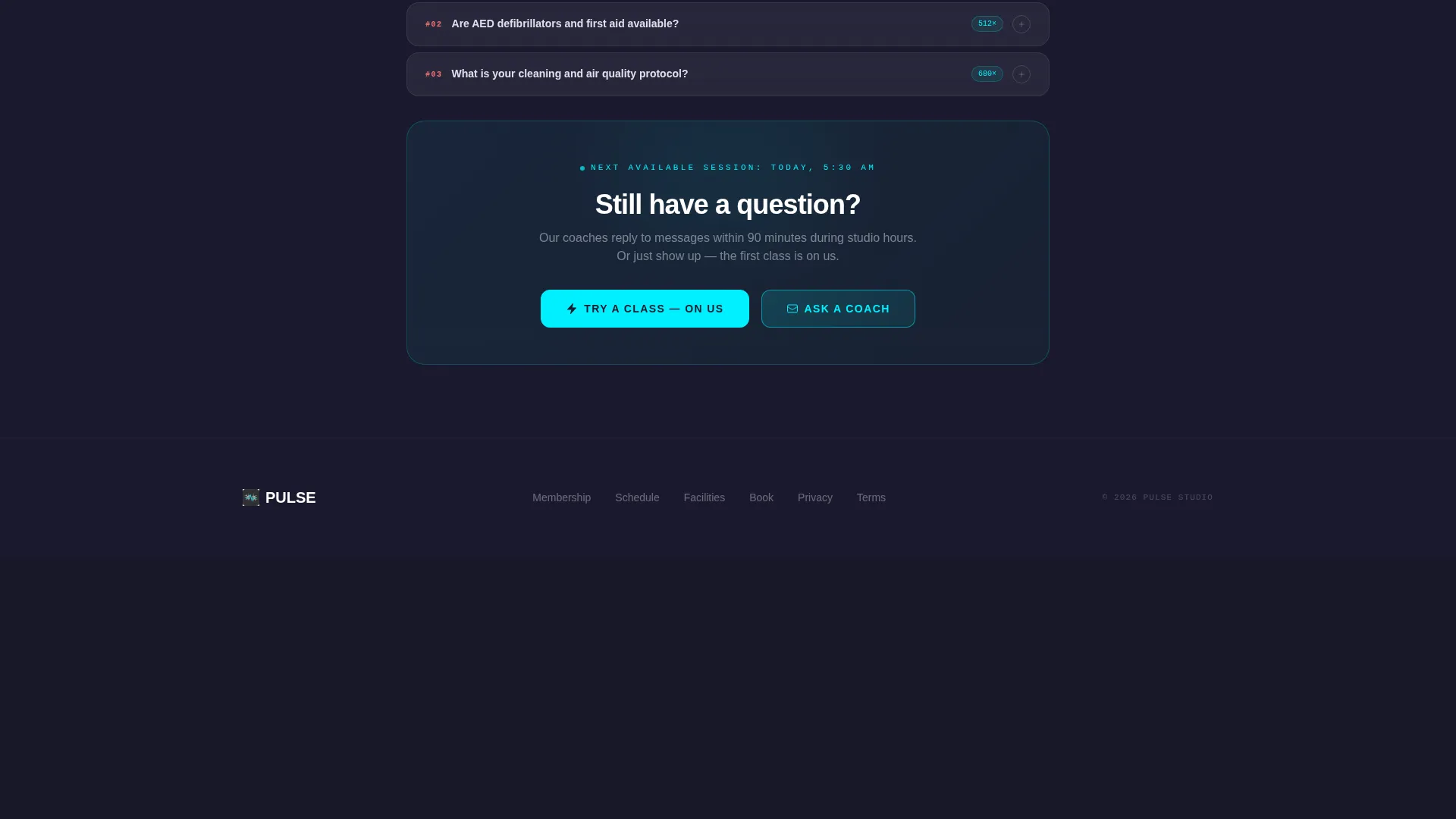
- Contextual call-to-action buttons threaded into each expanded answer, plus a persistent floating button pinned to the bottom of the viewport
Feature list
Pulse is packed with purposeful components drawn directly from the brief. Every feature below is part of the delivered template.
Interactive FAQ Dashboard Header
The header displays six frosted glass cards in a two-by-three grid. Each card pulses with a subtle cyan border glow on hover. One card arrives pre-opened, showing visitors exactly how the interaction works before they scroll down.
Micro-Data View Count Badges
Every header card carries a small badge showing how many times that question has been asked, for example "Asked 2,340 times." This validates common anxieties and helps visitors feel that their question is normal and already answered.
Collapsible Category Data Modules
Below the header, six FAQ categories stack like chapters in an industry report. Each category opens as a collapsible module. Individual answer cards expand on click, keeping the page clean until a visitor actively explores.
Helpfulness Progress Bars
Every expanded answer card includes a progress bar showing the percentage of members who found that answer helpful, for example 87 percent. This adds a layer of social proof inside the answer itself, not just beside it.
Contextual In-Answer Call-to-Action Buttons
Each expanded answer ends with a button relevant to that specific topic. The First Visit section offers "Book Your First Class Free," the Class Schedule section links to "See Full Schedule," and the Membership and Pricing section surfaces "Compare Plans."
Floating Viewport-Pinned Call to Action
A persistent button reading "Try a Class, On Us" in electric cyan is pinned to the bottom of the screen. It appears only after the visitor has opened at least two questions, reducing interruption while catching genuinely interested visitors at the right moment.
Page sections overview
| Section | Purpose |
|---|---|
| FAQ Dashboard Header | Introduces interactive cards in a two-by-three grid with pre-opened state |
| Membership and Pricing | Covers plan types, unlimited versus class-pack comparisons, and pricing clarity |
| Class Schedule and Booking | Addresses holiday schedules, time slots, and booking steps |
| Facilities and Equipment | Lists equipment specs for post-rehab and detail-oriented clients |
| First Visit Module | Guides new members with arrival tips and a free class call to action |
| Cancellation and Freeze | Explains pause and cancellation policies clearly |
| Health and Safety | Surfaces protocols that build trust for cautious or returning clients |
Design & branding system
The visual identity follows a Data Command theme. The palette is built to feel like a premium heart-rate monitor display in a dim studio, where glowing data floats on smoked glass.
- Deep charcoal substrate (#1A1A2E) as the page background, frosted card surfaces using white at 8 percent opacity, and electric cyan (#00F0FF) for active states and category highlights
- Soft chalk white (#E0E0EC) for all body text, ensuring every answer is readable without harsh contrast
- Glassmorphic card surfaces with backlit depth, giving each FAQ module the feel of a data panel rather than a plain text block
Mobile & speed optimization
The template is designed with mobile visitors in mind. Members checking class schedules or pricing at midnight on a phone are a core audience, and the layout accounts for that context directly.
- The two-by-three card grid in the header is structured to reflow cleanly for smaller screens, keeping the interactive preview usable on mobile
- Collapsible modules reduce visible content length on smaller viewports, showing only category titles until a visitor taps to expand
- The floating call-to-action button is pinned at the viewport bottom, making it reachable with a thumb without requiring a scroll back to the top
How this template helps you convert
Pulse is built with a click-through direction at every layer. The goal is a single tap to the booking system, not a form submission.
- The persistent floating button appears after two questions are opened, targeting visitors who have already demonstrated genuine interest rather than casual browsers.
- Every expanded answer ends with a specific, contextual call-to-action button that passes the visitor directly to the relevant next step, such as the booking system pre-filtered to the next available intro session.
- The pre-opened header card and micro-data view count badges build immediate trust, lowering the psychological barrier that stops first-time visitors from clicking through.
Other information about this template
Pulse is a strong fit for fitness studio operators building or refreshing a digital presence on modern website platforms. The template style is Dashboard and Data Grid, which makes it distinctive in a category where most fitness studio FAQ pages default to plain accordion lists.
- The template is categorized under Fitness Studio Website Templates and is built specifically for the fitness studio FAQ page niche
- The Industry Report creative direction means the scroll experience feels structured and authoritative, not just decorative
- The no-form philosophy is a deliberate design choice: every call-to-action routes visitors directly to a booking system, removing the friction of filling out a contact form before experiencing the studio
- This template can support studios that want to position themselves as transparent and data-forward, which resonates with performance-minded members who already track workouts by numbers
Theme
Data Command
Creative direction
Industry Report
Color system
Glassmorphic
Style
Dashboard/Data Grid
Direction
Click-Through
Page Sections
Interactive FAQ Dashboard Header
Micro-data View Count Badges
Collapsible Category Modules
Helpfulness Progress Bars
Contextual In-answer Call-to-action Buttons
Viewport-pinned Floating Button
Related questions
Does this template include a contact form?
Can I change the FAQ categories and questions?
How does the floating call-to-action button behave?
Is the header dashboard truly interactive in the template?
Can I update the color scheme to match my studio branding?