Trusted Appraiser Comparison Landing Page Template
Appraise is a single-page landing page template built for mid-rise residential appraisers. It uses an asymmetric 60/40 grid, a draggable Before/After Slider header, and a persistent sidebar that fills in real time as visitors scroll. The design projects institutional authority through a Charcoal and Amber color system, guiding commercial lenders, asset managers, and attorneys toward a three-step quote request.
by Rocket studio
Quick summary
Appraise is a Corporate Precision landing page template designed for mid-rise residential appraisers serving commercial clients. It pairs an immersive 60/40 asymmetric grid with a scroll-driven valuation narrative and a three-step lead capture form. The Charcoal and Amber palette communicates institutional confidence from the first pixel.
Who this template is for
This template is built for appraisal firms that work on five-to-twelve-story residential buildings and need to earn trust before a visitor ever picks up the phone. The tone and structure speak directly to high-stakes decision-makers who vet vendors carefully.
- Commercial loan officers packaging financing deals who need a credible appraisal partner
- Asset managers repositioning workforce housing portfolios who require defensible valuations
- Attorneys handling partnership dissolutions or tax appeals who need a qualified expert opinion
What problem this template solves
Most appraisal firm websites look like they were built to list services, not to demonstrate expertise. Sophisticated clients skip past generic copy and look for evidence that the firm actually understands their deal. This template solves that credibility gap by performing the appraisal process visually rather than describing it in text.
- Visitors watching passive service pages leave without engaging or submitting a lead
- High-value clients compare multiple firms and cannot tell them apart from branding alone
- A generic contact form does not qualify the lead or communicate the firm's methodology
What you get with this template
You get a fully structured single-page layout that guides a qualified visitor from first impression through to a submitted quote request. Every section is purposeful and sequenced to build authority progressively.
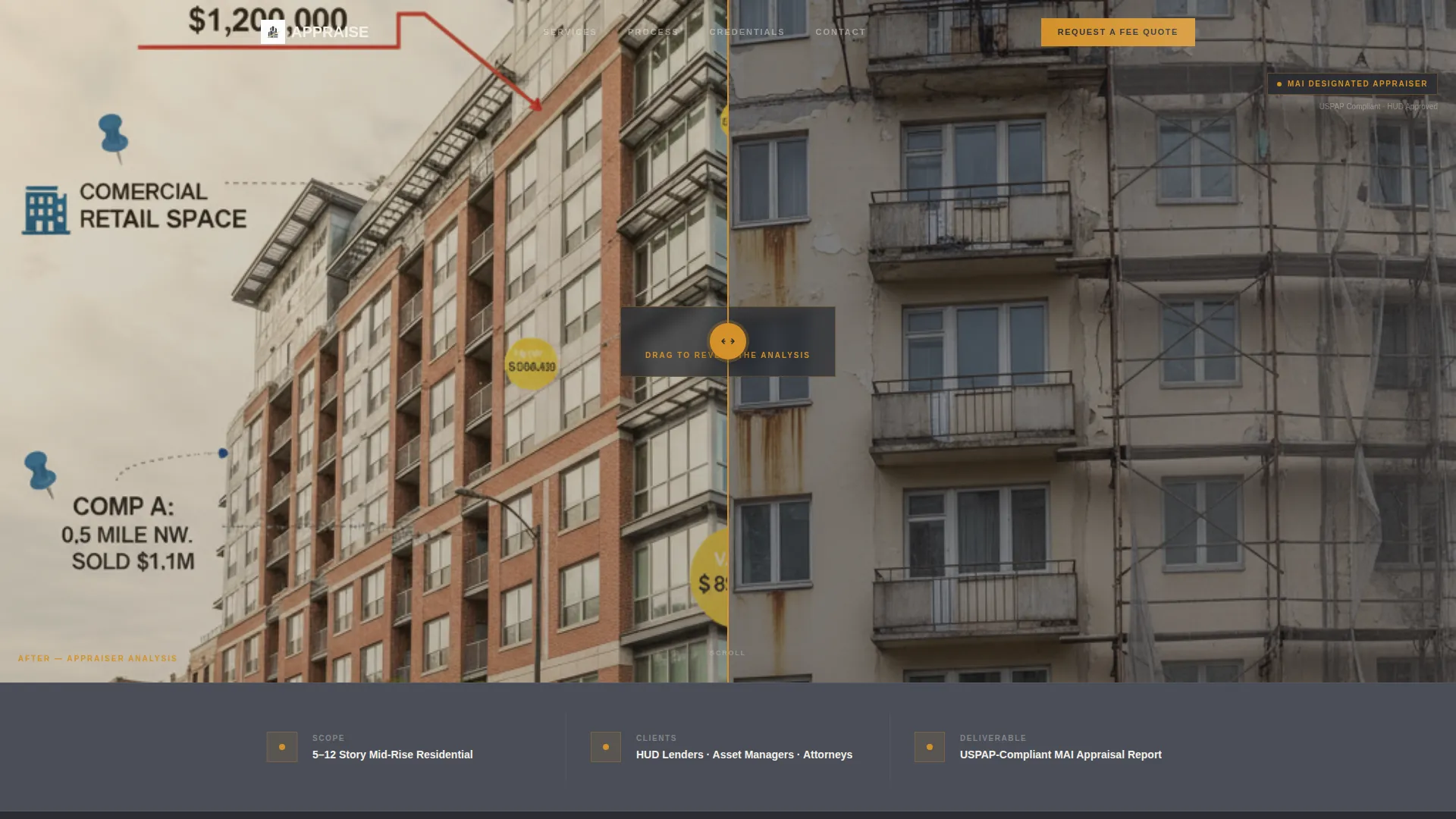
- A draggable Before/After Slider header with an amber handle and a delayed headline reveal
- A scroll-driven 60-column narrative walking through site analysis, rent comparables, income approach, and cost approach
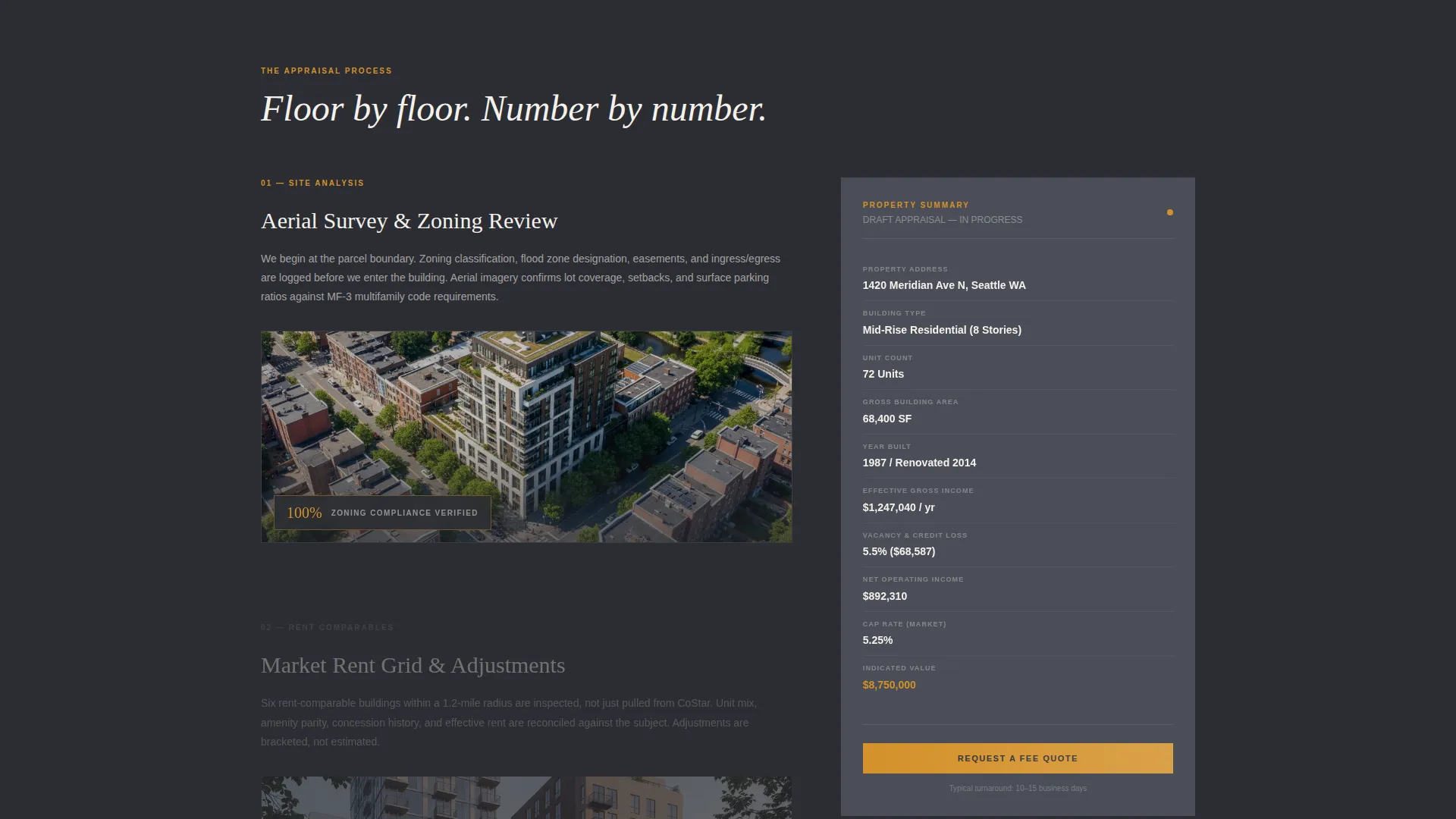
- A persistent 40-column sidebar property summary card that populates line by line as the visitor scrolls
- A progressive three-step lead capture form with an amber progress bar
- A secondary email-gated PDF download path for visitors still evaluating their options
Feature list
This section outlines the core functional components included in the Appraise template.
Before/After Slider Header
The header splits the 60-column into a draggable left/right view. The left side shows a raw mid-rise exterior photograph. The right side reveals the same frame annotated with value callouts, unit-mix breakdowns, and comparable-sale pins. The headline "We see what the market misses." types in only after the visitor moves the slider at least once.
Scroll-Driven Valuation Narrative
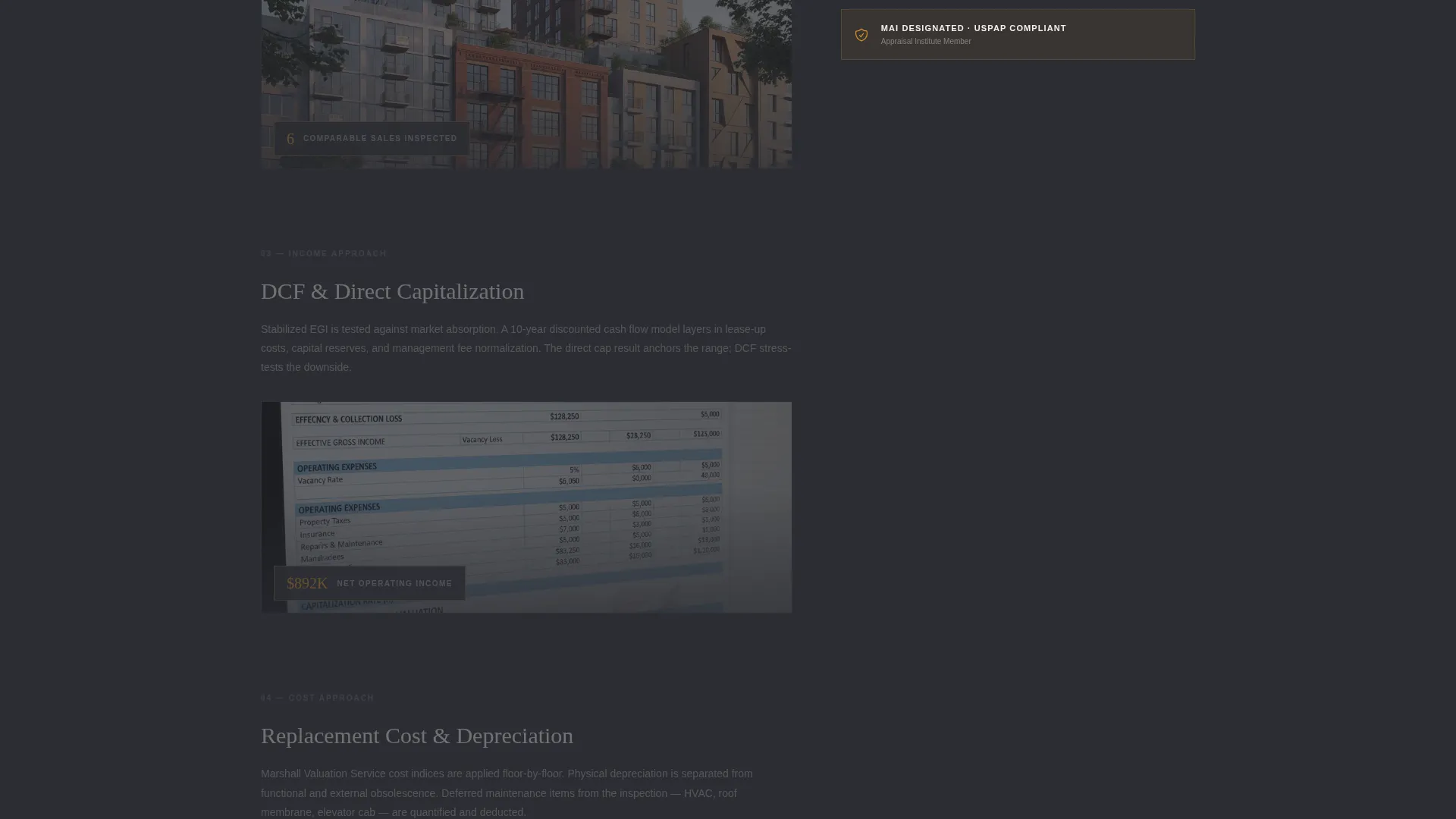
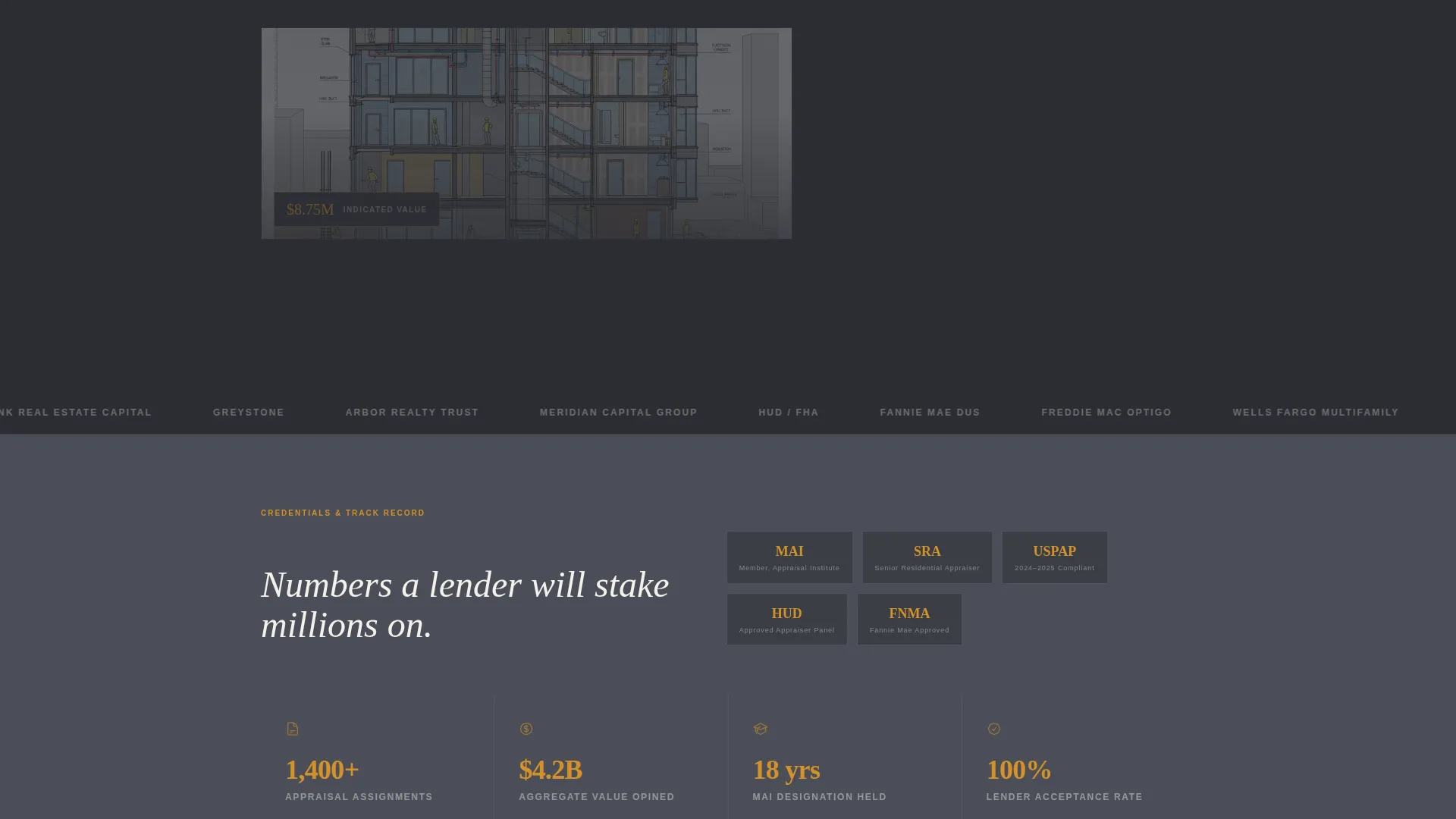
The 60-column content area walks visitors floor by floor through the appraisal process. Sections cover site analysis with aerial overlays, rent comparables on an interactive map, income approach calculations that animate on scroll, and a cost approach section where building components stack visually. Each scroll segment adds a new line item to the sidebar card.
Persistent Sidebar Summary Card
The 40-column sidebar locks in place as the visitor scrolls through the narrative. It displays a live-updating property summary card showing unit count, gross building area, and indicated value. By the time a visitor reaches the bottom of the page, they have watched a complete valuation materialize in real time.
Three-Step Progressive Lead Form
The primary call to action, "Request a Fee Quote," appears three times: pinned in the top navigation, floating at the sidebar base, and anchoring the final section. The form collects property address and building type in step one, unit count, intended use, and lender name in step two, and contact details with preferred turnaround in step three. An amber progress bar connects all three steps.
Email-Gated Sample Report Download
A secondary conversion path offers a downloadable sample report PDF behind an email capture. This path is designed for visitors who are still comparing firms, warming them toward a full quote request without forcing a premature commitment.
Asymmetric 60/40 Grid Layout
The entire page is built on a 60/40 asymmetric grid. This structure keeps the narrative content dominant while the sidebar provides persistent context and a conversion anchor. The layout feels structured and authoritative, consistent with how a bound appraisal report is organized.
Page sections overview
| Section | Purpose |
|---|---|
| Before/After Slider | Anchor attention and reveal annotation expertise |
| Animated headline reveal | Deliver the brand promise after slider interaction |
| Site analysis segment | Present aerial overlay and site context visually |
| Rent comparables map | Show interactive comparable data geographically |
| Income approach section | Animate calculation logic as visitor scrolls |
| Cost approach section | Stack building components like a cross-section |
| Persistent sidebar card | Accumulate valuation data in real time |
| Three-step quote form | Capture qualified leads progressively |
| Sample report download | Convert early-stage visitors via email gate |
| Top navigation bar | Pin the primary call to action persistently |
Design & branding system
The Appraise template uses a Corporate Precision theme built around a Charcoal and Amber color system. Every color choice serves a functional role. Nothing is decorative unless it also communicates hierarchy or trust.
- Deep graphite (#2B2D33) anchors backgrounds and typography blocks for a grounded, authoritative feel
- Polished slate (#4A4E57) surfaces secondary panels and card areas, creating depth without distraction
- Warm amber (#D4912A) activates calls to action, data highlights, hover states, and the slider handle, drawing the eye to decision points
- Pressed linen white (#F4F1EB) gives content fields and reading areas room to breathe, keeping the layout clean and legible
Mobile & speed optimization
The template is designed with a layout that adapts the 60/40 grid for smaller screens without breaking the scroll-driven narrative experience. Interactive components remain usable on touch devices.
- The Before/After Slider handle is sized and positioned for touch interaction on mobile viewports
- The persistent sidebar stacks below the narrative content on narrower screens so the valuation story reads cleanly from top to bottom
- The three-step form maintains its step-by-step flow on mobile, keeping the amber progress bar visible throughout
How this template helps you convert
The Appraise template is engineered around two conversion paths: a direct quote request and a lower-commitment PDF download. Both paths are placed where visitor intent is highest.
- The "Request a Fee Quote" call to action appears three times across the page, in the top navigation, at the sidebar base, and in the final section, so a qualified visitor never has to search for the next step.
- The progressive three-step form qualifies leads before they submit, collecting property type, intended use, and preferred turnaround so the firm receives actionable enquiries rather than vague contact messages.
- The email-gated sample report creates a secondary funnel for visitors who are not yet ready to commit, capturing their address and keeping the firm top of mind while they evaluate alternatives.
Other information about this template
The Appraise template is a strong fit for firms whose client base includes parties involved in Fannie Mae and HUD (United States Department of Housing and Urban Development) financing transactions, where the appraisal must meet specific regulatory standards. The template's tone and structure also align well with MAI-designated appraisers, where MAI refers to the Member of the Appraisal Institute credential, a qualification that carries weight in lender and litigation contexts.
- The template supports use cases across financing, litigation, estate settlement, and tax appeal assignments
- The visual identity is designed to signal the same institutional confidence as a formally presented appraisal report
- The template's Corporate Precision theme and Charcoal and Amber palette are consistent with how established commercial real estate advisory firms present themselves
Theme
Corporate Precision
Creative direction
Immersive Visual
Color system
Charcoal & Amber
Style
Asymmetric Grid (60/40)
Direction
Lead Generation
Page Sections
Before/after Slider with Annotated Reveal
Scroll-driven Floor-by-floor Narrative
Persistent Live-updating Sidebar Card
Three-step Progressive Quote Form
Email-gated Sample Report Download
Asymmetric 60/40 Grid with Pinned Navigation
Related questions
Who is the target client for a firm using this template?
Can the three-step form qualify different types of appraisal assignments?
What makes the Before/After Slider effective for an appraisal firm?
Is the email-gated sample report download included in this template?
What page type is this template?



