Medicaid Medicare Enrollment Landing Page Template
The Enroll template is a sidebar-companion landing page built for Medicaid and Medicare enrollment offices. It pairs an animated Medicare timeline header with a scroll-linked progress sidebar, an interactive eligibility screener, real-dollar cost visualizations, and a short appointment-booking form. The design uses an Institutional Authority style to make federal deadlines feel clear and the enrollment process feel manageable.
by Rocket studio
Quick summary
The Enroll template gives a neighborhood enrollment office a steady, authoritative online presence. It guides visitors through eligibility screening, cost stakes, and a step-by-step filing process, all while a persistent sidebar tracks their progress. The primary goal is a booked Saturday clinic appointment, with a secondary path to download an eligibility checklist.
Who this template is for
This template suits enrollment offices and public-service teams that help families navigate Medicare and Medicaid applications face to face and online. It is designed for staff who need a trusted, structured page that earns a visitor's confidence before asking for their contact information.
- Adult children managing aging parents' coverage gaps and plan changes
- Recently disabled workers moving through an SSDI-to-Medicare transition
- Immigrant families facing enrollment deadlines who may request language assistance
What problem this template solves
Federal enrollment windows are short and unforgiving. Visitors arrive at enrollment sites anxious, uncertain about which form to file, and unsure whether they are even eligible. A generic page makes that confusion worse. This template resolves it by structuring information the way a caseworker would: one clear step at a time.
- Visitors do not know which Medicare parts or Medicaid plan apply to their situation
- Deadline urgency is invisible on most pages, leaving people to delay until they pay the price
- Long or confusing enrollment forms cause drop-off before any application is ever submitted
What you get with this template
You get a fully structured, single-page layout with five content sections, a persistent sidebar companion, and a compact appointment form. Every section is purpose-built to move a visitor from confusion to a confirmed booking.
- A full-width animated timeline header with live counters for enrollment activity
- An interactive eligibility screener, a cost-stakes section, and a process walkthrough
- A short appointment form and a secondary email-gate for checklist downloads
Feature list
Animated Medicare Timeline Header
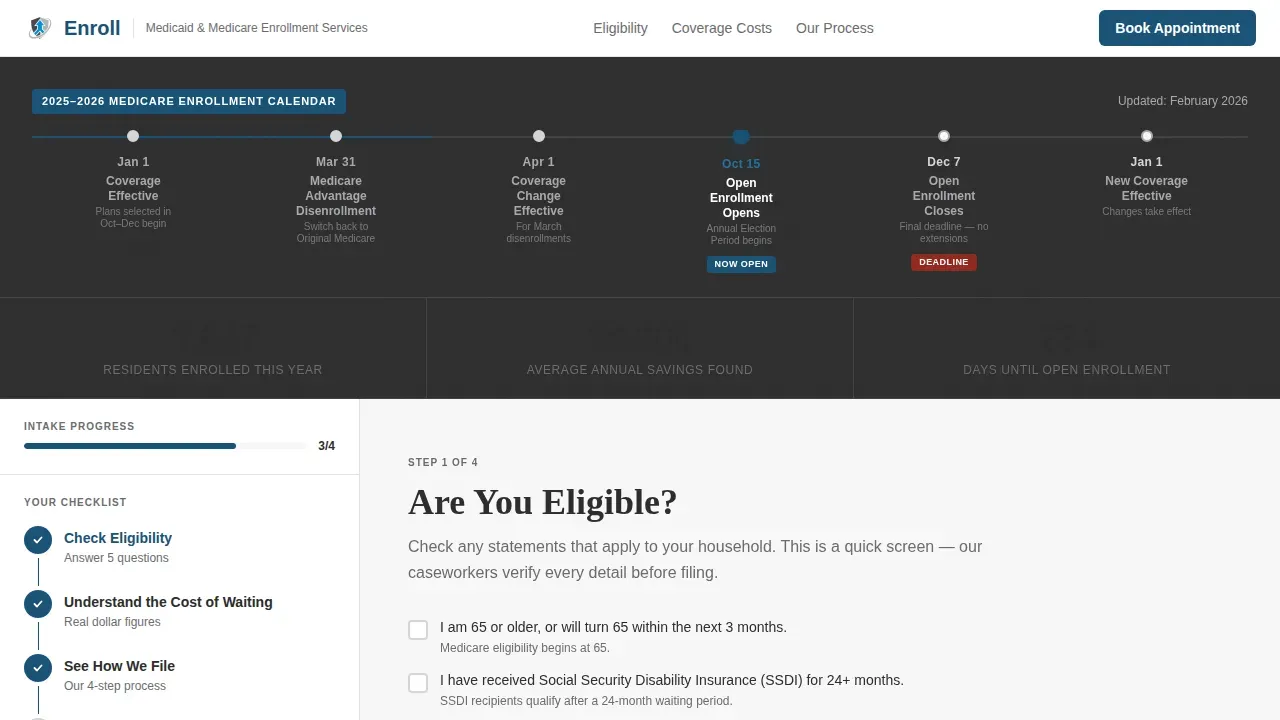
The header displays the annual Medicare enrollment calendar as a horizontal flowchart. Key dates, including the October 15 open enrollment start, the December 7 deadline, and the January 1 coverage effective date, appear as steel-gray nodes. The current period pulses in signal blue. Three counters tick up live: residents enrolled this year, average savings found, and days until the next deadline.
Scroll-Linked Sidebar Checklist
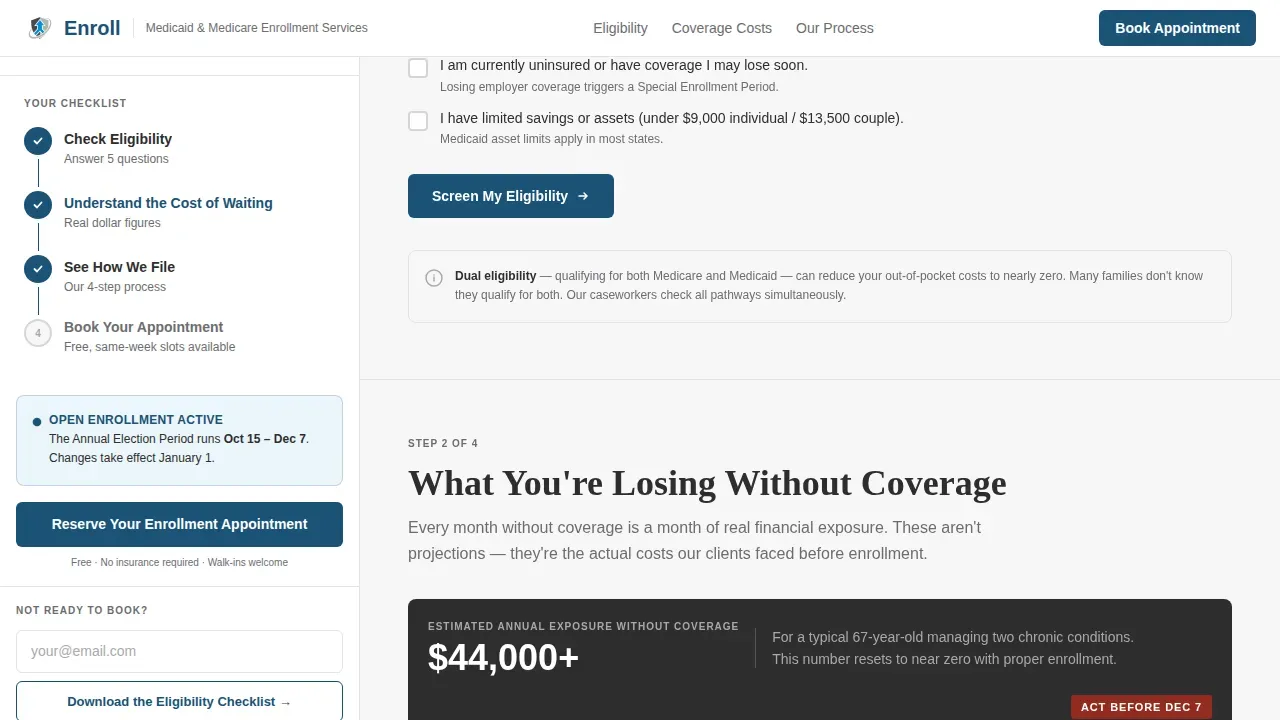
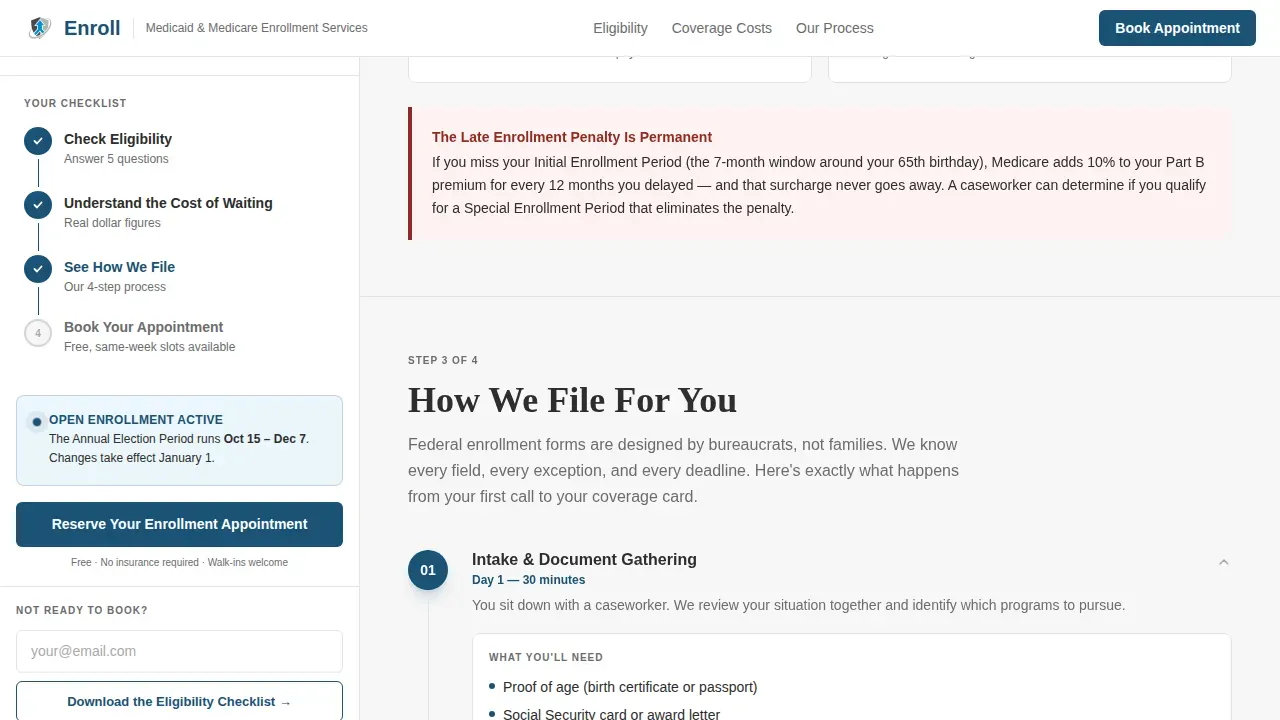
The persistent sidebar companion tracks the visitor's scroll position using an IntersectionObserver approach. As the visitor moves through each section, hollow checklist icons fill in, creating a tangible sense of forward momentum. The primary call to action, "Reserve Your Enrollment Appointment," stays fixed at the sidebar's base so it is always one glance away.
Interactive Eligibility Screener
The first main section presents a checkbox-based screening tool. Visitors can quickly check whether they qualify based on age, disability status, income, or conditions such as permanent kidney failure. This section surfaces dual-eligibility information and signals Extra Help availability for Part D prescription costs, helping visitors understand their options before they submit anything.
Real-Dollar Cost Visualization
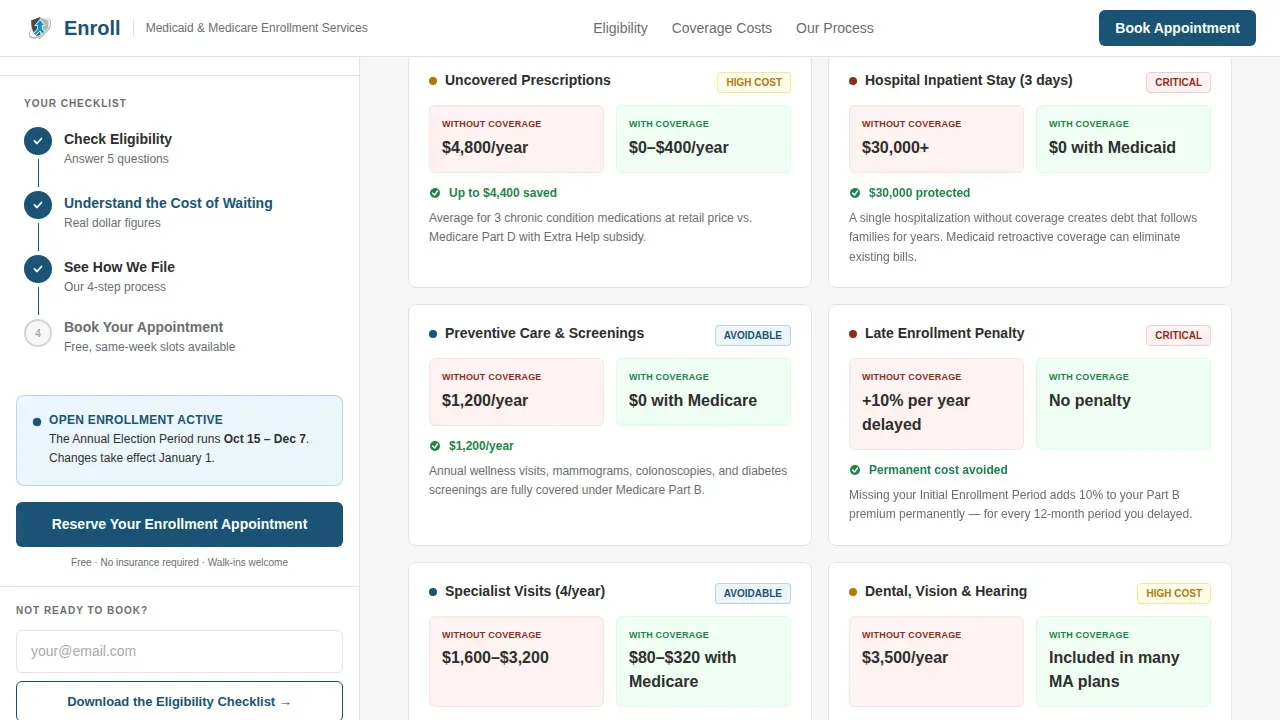
The second section, "What You're Losing Without Coverage," displays actual dollar figures for uncovered prescriptions, hospital stays, and preventive care. The figures escalate as the visitor scrolls, making the budget impact of delayed enrollment concrete and visible. This section replaces abstract warnings with specific costs that motivate action.
Short Appointment and Checklist Form
The appointment form asks for only four fields: preferred Saturday clinic date, full name, phone number, and a language assistance checkbox. Visitors who are not ready to book can submit their email to download the eligibility checklist, creating a lower-commitment second path that still captures contact information.
Page sections overview
| Section | Purpose |
|---|---|
| Timeline header | Show enrollment deadlines and live counters |
| Eligibility screener | Help visitors check qualification quickly |
| Cost stakes section | Reveal the real costs of no coverage |
| Filing process steps | Demystify how the office files for you |
| Appointment form | Capture bookings and checklist requests |
Design & branding system
The visual identity follows an Institutional Authority theme, styled like a federal building quietly modernized: clean lines, no stock photography, and data as the primary visual element. Typography pairs DM Sans for body and interface text with Fraunces display headings for authoritative weight.
- Structural charcoal (#2D2D2D) for primary text; brushed aluminum (#A8A9AD) for dividers and secondary surfaces; federal white (#F7F7F7) for open space
- Signal blue (#1A5276) reserved exclusively for buttons, deadline dates, and active sidebar indicators
Mobile & speed optimization
The layout is desktop-first to support the sidebar companion structure. On smaller screens, the sidebar stacks below the main content so every section remains readable and the appointment form stays accessible. Over 45% of traffic to enrollment sites comes from mobile devices, so the stacked mobile view preserves all form fields and checklist functionality.
- IntersectionObserver drives scroll-linked sidebar updates without heavy scripting
- Animated timeline nodes and counter tick-up effects are designed for a fast initial load
How this template helps you convert
This template earns the appointment booking by removing doubt at every scroll point. By the time a visitor reaches the form, the timeline has shown the clock is running and the sidebar has walked them halfway through intake.
- The pulsing deadline counter creates urgency without pressure, making the enrollment window feel real and immediate
- The interactive screener and cost-stakes section provide answers before a visitor has to ask, reducing hesitation before they fill in the form and sign up
Other information about this template
This template is the enroll trusted medicaid medicare enrollment landing page template built for government and social-services offices. It can support teams that work with CMS guidelines and need to promote services that align with federal requirements across multiple states. Enrollment forms featured in the template context include references to CMS-standard documents: the CMS855I form is used for individual provider enrollment, the CMS855B form covers clinics and group practices, and the CMS588 form authorizes electronic financial transfers (EFT) for Medicare payments. When filing paper forms, a handwritten signature is required, and staff should mail a copy to the enrollment contractor while retaining a signed copy for records. You can also enroll providers online using PECOS (the Provider Enrollment, Chain, and Ownership System), which tends to process applications faster than paper submissions. A pre-printed voided check or a bank letter of verification must be submitted alongside the CMS588 EFT form.
- The template design supports trust signals such as displaying professional certifications and affiliations that build credibility with visitors
- CMS encourages states to adopt standardized templates to strengthen their ability to meet federal Medicaid requirements, and this template is built with that compliance-forward spirit in mind
- Visitors who receive Supplemental Security Income (SSI) social security benefits may be automatically enrolled in Medicaid in most states, and this template's screener section can surface that guidance
- Medicare Savings Programs (MSPs) can help dual-eligible individuals reduce their Medicare out-of-pocket costs; three of the four MSPs cover the Medicare Part B premium
Theme
Institutional Authority
Creative direction
Movement & Cause
Color system
Monochrome Steel
Direction
Event Registration
Page Sections
Animated Medicare Enrollment Timeline
Scroll-linked Sidebar Companion
Interactive Eligibility Screener
Real-dollar Cost Stakes Section
Short Appointment and Checklist Form
Related questions
Who is the primary audience for this template?
What enrollment form types does the template reference?
Can visitors download an eligibility checklist without booking an appointment?
How does the scroll-linked sidebar checklist work?
What information does the appointment form collect?