Port Authority Event Registration Landing Page Template
Berth is a split-screen event registration landing page built for port authority municipal offices. It pairs oversized operational statistics with a tightly structured registration form, guiding shipping line agents, logistics coordinators, and city officials toward reserving a seat at the annual maritime summit. The Corporate Precision design uses an Arctic White palette to make every data point land with authority.
by Rocket studio
Quick summary
Berth is a high-impact port authority event registration landing page template designed for the maritime public sector. It uses a 50/50 split-screen layout to lead with bold port performance data before pivoting to the upcoming summit event. Every section is built to earn trust through numbers, then convert that trust into a confirmed registration.
Who this template is for
This template is purpose-built for municipal port authority offices that need to sign up stakeholders for a major maritime event. It works especially well when the audience already understands port operations and needs credibility signals, not persuasion from scratch. Any port communications team, event coordinator, or city liaison managing summit registration will find this page ready to work from day one.
The permitted users and roles this template serves include:
- Shipping line agents and logistics coordinators confirming schedules and reserving seats at terminal-focused events
- City council liaisons, trade association directors, and government officials who need a secure, professional place to register and access the full agenda
- Port authority communications teams responsible for driving registered attendance across stakeholder categories
What problem this template solves
Port authority events attract a demanding audience. Shipping line agents are between vessel arrivals. Logistics coordinators are tracking container dwell times at the terminal. City officials are preparing budget testimony. None of them have time for a cluttered, low-credibility event page that makes them work to find the date, the purpose, or the registration form. The absence of clear, data-forward design is a competitive risk for every port event that wants decision-makers in the room.
This template directly addresses that problem:
- It eliminates the warm-up period by opening with hard port performance data, so every person who lands on the page immediately understands the stakes
- It keeps the registration form short and action-oriented, reducing abandonment for busy professionals working from workstations or checking between vessel calls on mobile
- It structures the full page to guide visitors from operational credibility to event registration in one continuous, permitted flow without unnecessary friction
What you get with this template
You get a fully structured single-page layout that moves from authority to action without wasted space. The template is built around a Stats-First Impact creative direction, meaning numbers lead every section and context follows. High-quality imagery of port infrastructure sets the visual tone above the fold, and the split-screen cadence stays consistent from the hero through the agenda reveal and into the registration section.
Included components and sections:
- A Logo Bar header carrying the port authority seal, city crest, and partner organization logos, all set on glacial white with charcoal keyline dividers
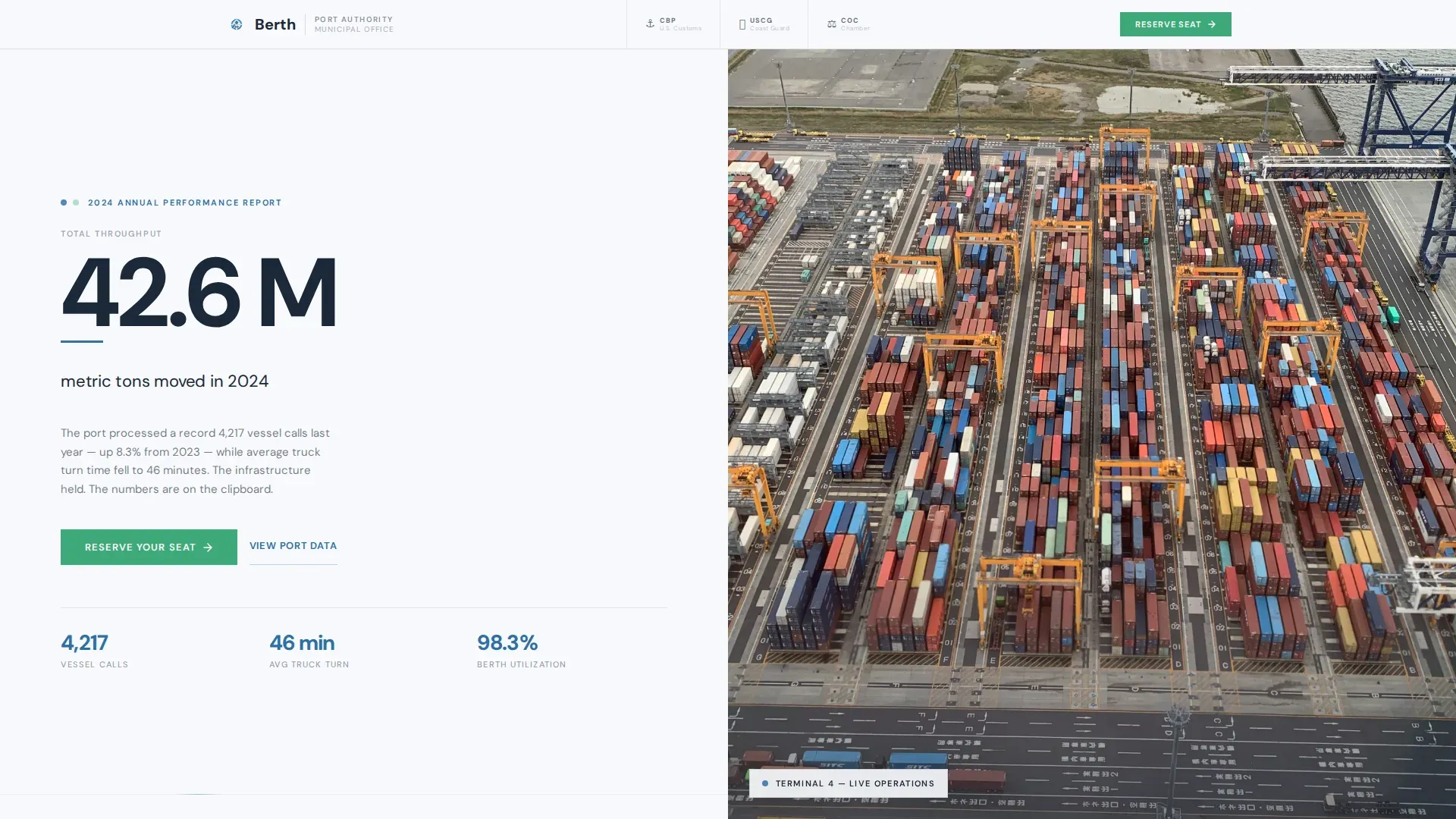
- A hero split section with an oversized "42.6 M metric tons moved in 2024" statistic on the left and a tightly cropped aerial port photograph on the right, complete with a clip-in animation for the hero stat
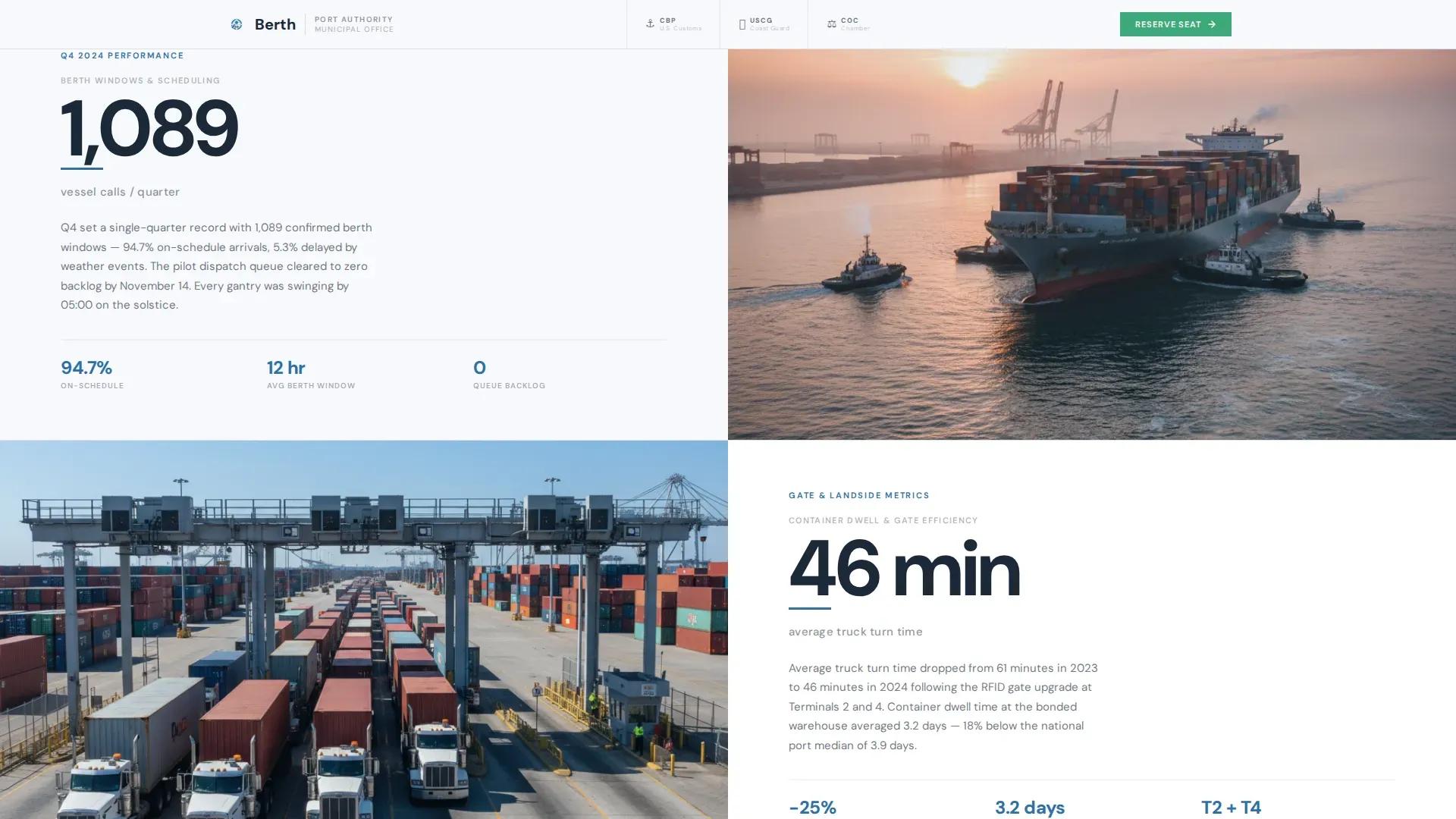
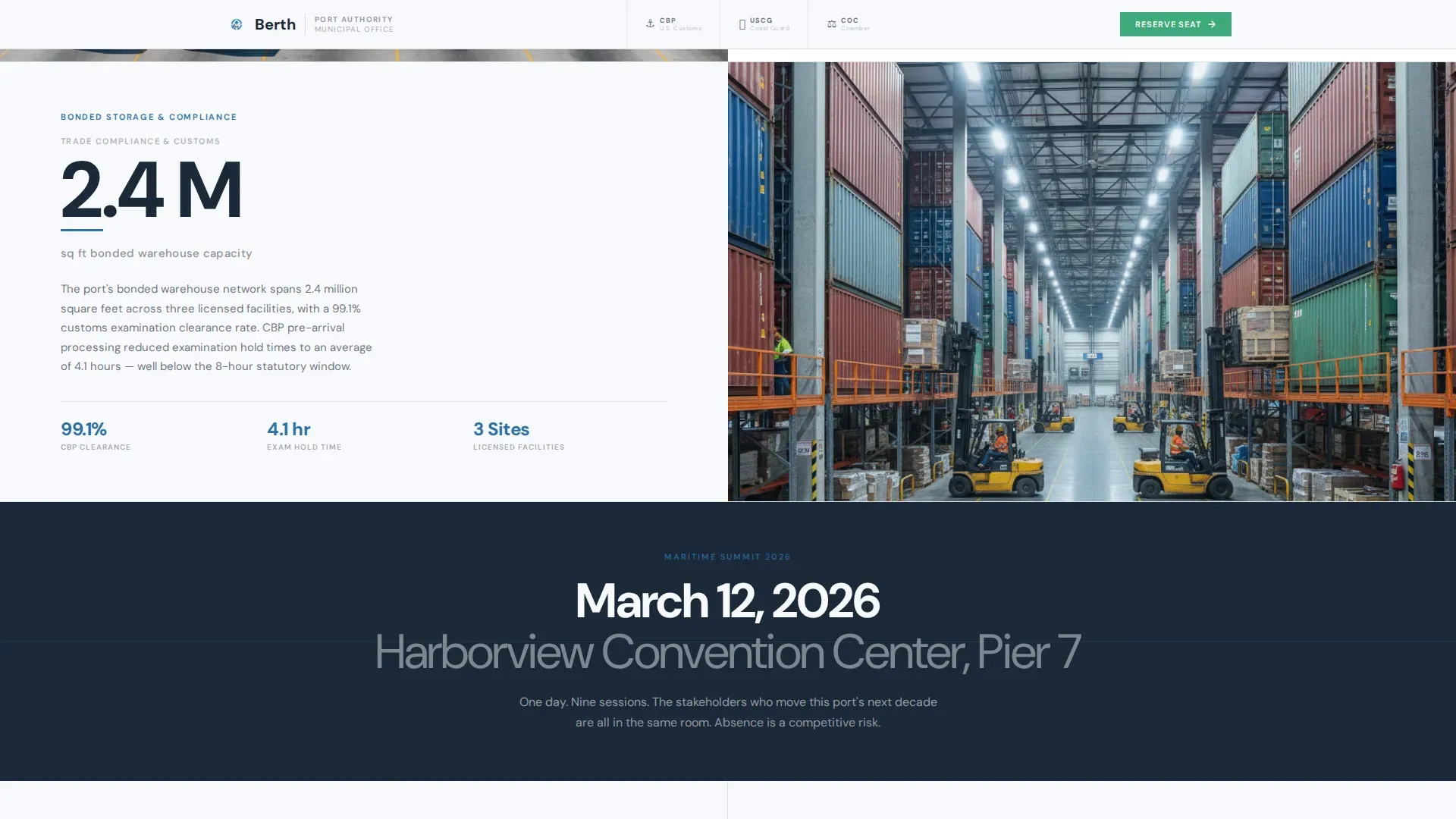
- A Stats Triptych of three split-screen data pairs covering vessel calls per quarter, average truck turn time at the terminal, and bonded warehouse capacity, each with a spotlight card hover effect
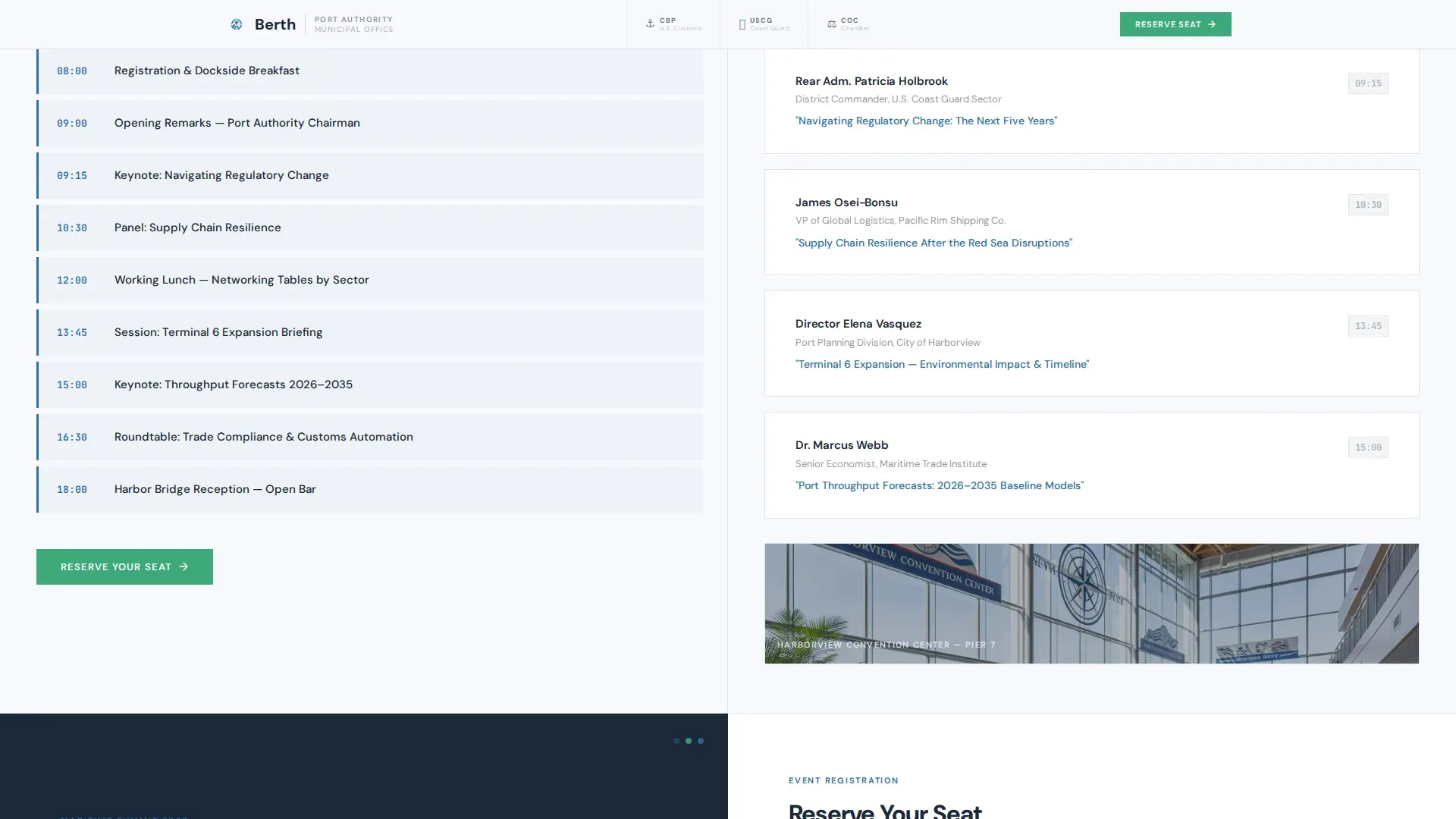
- An Agenda Pivot section presenting event highlights and keynote speaker names in the same split cadence, maintaining the data-forward rhythm as the page transitions from port performance to the summit itself
- A Registration section with a short form, a "Reserve Your Seat" call-to-action button in clearance green, and a secondary PDF agenda download gate
- A Linear Single-Row footer closing the page cleanly
Feature list
This template delivers six focused capabilities that work together to guide port stakeholders from first scroll to confirmed registration.
Stats-First Split-Screen Layout
The 50/50 split-screen structure places bold data on the left and supporting context on the right throughout the entire page. Vessel call counts, truck turn times, and terminal capacity figures each occupy their own split pair. This direction means every visitor arrives at the registration form already persuaded by the port's operational record.
Logo Bar with Partner Credentials
The slim header carries the port authority seal, the city crest, and three to four partner logos including customs agency, coast guard, and chamber of commerce representations. Thin charcoal keylines separate each mark on a glacial white background. Listing partners and institutional logos builds the kind of credibility that helps visitors commit to registration faster.
Animated Hero Statistic with Aerial Photography
The hero section uses a clip-in animation to bring the oversized harbor charcoal statistic into view, paired with a signal-blue underline accent. The right half shows a tightly cropped aerial photograph of the port at operational peak, with gantry cranes, a container ship in the turning basin, and tugboats in frame. High-quality imagery of port infrastructure sets the visual tone for the entire page.
Spotlight Card Hover Effect on Stats Triptych
Each of the three stat cards in the triptych responds to mouse tracking with a spotlight hover effect. The interactivity draws attention to data points the way a channel buoy draws a helmsman's gaze, reinforcing the Corporate Precision theme and keeping the page engaging without distracting from the registration goal.
Short, Validated Registration Form with PDF Gate
The registration form asks for full name, organization, title, and an attendee category dropdown. One optional field covers dietary or accessibility requirements. A secondary text link above the form reads "Download the Full Agenda (PDF)" and captures an email address through a one-field modal gate before delivery. Form validation is built in, and the entire form is short enough to complete on a phone between vessel arrivals.
Staggered Scroll Animations
Every section uses staggered fade-up animations triggered by an IntersectionObserver as the visitor scrolls. The effect gives the page a sense of operational rhythm without heavy scripting. Static sections use Server Components to keep the page load light, and JavaScript usage is kept minimal so the page stays fast even on port authority workstations with restricted browser environments.
Page sections overview
| Section | Purpose |
|---|---|
| Logo Bar Header | Display port seal, city crest, and partner institution marks |
| Hero Split Section | Lead with oversized tonnage stat and aerial port photograph |
| Stats Triptych | Spotlight three terminal performance data pairs |
| Agenda Pivot | Transition to event highlights and keynote speaker details |
| Registration Form | Capture attendee information and drive seat reservation |
| PDF Agenda Gate | Provide a low-commitment download action to collect emails |
| Linear Footer | Close the page with a single-row footer strip |
Design & branding system
The template follows a Corporate Precision theme built around an Arctic White color system. The palette feels like a freshly printed manifest on a steel desk: clinical, trustworthy, and impossible to misread. Large fields of white breathe authority across each section, while the charcoal anchors every number and the signal blue draws the eye to the data points that matter most.
Color and typography decisions include:
- Glacial white (#F7F9FC) as the dominant background across all open areas, giving the page its clean, data-forward character
- Deep harbor charcoal (#1B2838) for all primary text, section dividers, and the oversized hero statistic, ensuring every number is legible at any size
- Signal blue (#2E6FA6) reserved for data callouts, interactive highlights, and the hero statistic underline accent, directing visitor attention the way a channel marker guides vessels through a busy terminal approach
- Clearance green (#3DAA7A) used exclusively for the "Reserve Your Seat" call-to-action button and confirmation states, making the primary registration action impossible to miss
- DM Sans as the typeface for data labels and body text, with large tracking-tight numerals on all stat displays
Mobile & speed optimization
The template is built desktop-first to match the primary usage pattern of port authority professionals working at workstations, but it is fully responsive for mobile visitors. This matters because over 60% of traffic comes from mobile devices for event registrations, and a shipping line agent checking berth windows between vessel arrivals should be able to complete the form just as easily on a phone. The page is structured to ensure a seamless experience regardless of the device a person uses to reach it.
Key optimization decisions include:
- Server Components for all static sections, keeping JavaScript usage to a minimum and reducing page load time for users on restricted or slow connections at port facilities
- A short, single-screen registration form that works as well on a small display as it does on a desktop monitor, making it straightforward to complete registration without scrolling through long input sequences
- Staggered fade-up animations powered by IntersectionObserver, which only trigger as sections enter the viewport, avoiding unnecessary processing during initial page load
How this template helps you convert
Every structural decision in this template is directed toward a single outcome: getting the right port stakeholders registered for the event. The page does not ask visitors to trust the event before it earns that trust. It builds the case section by section, in the same disciplined cadence that port operations teams use to manage vessel schedules and terminal throughput.
The three conversion levers built into the page are:
- The Stats-First structure places the port's 42.6 M metric tons figure, vessel call data, and terminal performance numbers before the event registration pitch, so the audience arrives at the form already convinced that this is the event where the port's next decade gets decided
- The dual call-to-action strategy places the "Reserve Your Seat" button at the midpoint agenda reveal and again at the final registration section, giving visitors two clearly marked action points to sign up without waiting until the very end of the page
- The PDF agenda download gate above the form gives hesitant visitors a low-commitment action that still captures an email address, allowing the port authority to follow up with anyone who was not yet ready to complete full registration on the first visit
Other information about this template
This template is categorized under Government and Public, specifically the Port Authority City/Municipal Office niche, and is designed for Business-to-Government and Business-to-Business event registration use cases. It addresses compliance-heavy environments where trust signals, official partner logos, and data accuracy are subject to the same scrutiny as any formal port document. The page is localized for English-language audiences using the United States date format (MM/DD/YYYY), and no payment processing is required since the event is a municipal summit with no ticketed fee structure.
Additional context for teams evaluating this template:
- Ground transportation services at ports require compliance with specific rules and regulations, and operators must obtain necessary permits to provide ground transportation at port events. The template's venue logistics section in the Agenda Pivot is the right place to address parking, shuttle services, and nearby hotel information, including an embedded map, to give each registered person clear directions to the event site.
- Compliance start dates for per-visit emissions control requirements are listed by vessel type at regulated terminals. Port authority event pages that address vessel emissions compliance, such as the At Berth Regulation for which the United States Environmental Protection Agency (U.S. EPA) granted CARB's authorization request, benefit from a credibility-forward design that signals institutional authority. This template's design direction is well suited to that context.
- Reporting is required for all vessel types, regardless of whether a vessel or terminal has emissions control requirements. Attendees subject to reporting obligations, including those managing cruise vessels and bulk carrier operations, will find the attendee category dropdown in the registration form useful for signaling their role.
- Port sustainability initiatives are increasingly central to the maritime sector. Ports committed to safety, efficiency, and sustainability goals benefit from a page design that projects the same institutional seriousness, which this template's Corporate Precision theme is built to deliver.
- The template's January event registration timeline aligns with maritime summit planning cycles. January through early spring is a common period for annual port authority convening, and the date display format and schedule details are pre-structured to support that window.
- The Berth high impact port authority event registration landing page template is the full title used to identify this asset in the template marketplace.
Theme
Corporate Precision
Creative direction
Stats-First Impact
Color system
Arctic White
Style
Split Screen (50/50)
Direction
Event Registration
Page Sections
Stats-first Split-screen Structure
Logo Bar with Institutional Partner Marks
Animated Hero Statistic and Aerial Photo
Spotlight Card Hover on Stats Triptych
Short Registration Form with PDF Gate
Staggered Fade-up Scroll Animations
Related questions
Can I change the statistics displayed in the split-screen sections?
Does the registration form include an optional field for accessibility needs?
How does the PDF agenda download gate work?
Is the page ready to use for a January summit date?
What attendee categories are listed in the registration dropdown?



