Ocean Container Shipping Landing Page Template
Berth is a split-screen ocean container shipping landing page template built for freight operations that move full container loads across major trade lanes. It combines an exploded vessel header, an interactive route-and-cargo explorer, and a three-step inline booking form. The result is a direct-sales page that shows buyers their rate before asking for contact details.
by Rocket studio
Quick summary
Berth is a single-page template for ocean container shipping operations. It opens with a deconstructed container vessel header, guides visitors through a route builder and a cargo configurator, then closes the deal with a transparent three-step booking form. The design runs on a Charcoal and Amber palette and a Dynamic Motion theme that keeps every section alive.
Who this template is for
This template is built for shipping businesses that sell directly to commercial buyers. It works best when visitors arrive knowing what they need and want to see pricing fast.
- Ocean freight operators and container shipping lines offering full container load services
- Freight forwarders managing multiple active bookings across different trade lanes
- Operations managers and procurement leads at manufacturers or retail chains comparing FCL (full container load) rates
What problem this template solves
Most freight websites bury their rates behind a contact form, then follow up days later. That gap drives buyers to competitors who quote faster. Berth removes the gate.
- Visitors see live rate data before they are asked for any contact details
- The interactive explorer narrows cargo type and route in real time, reducing back-and-forth emails
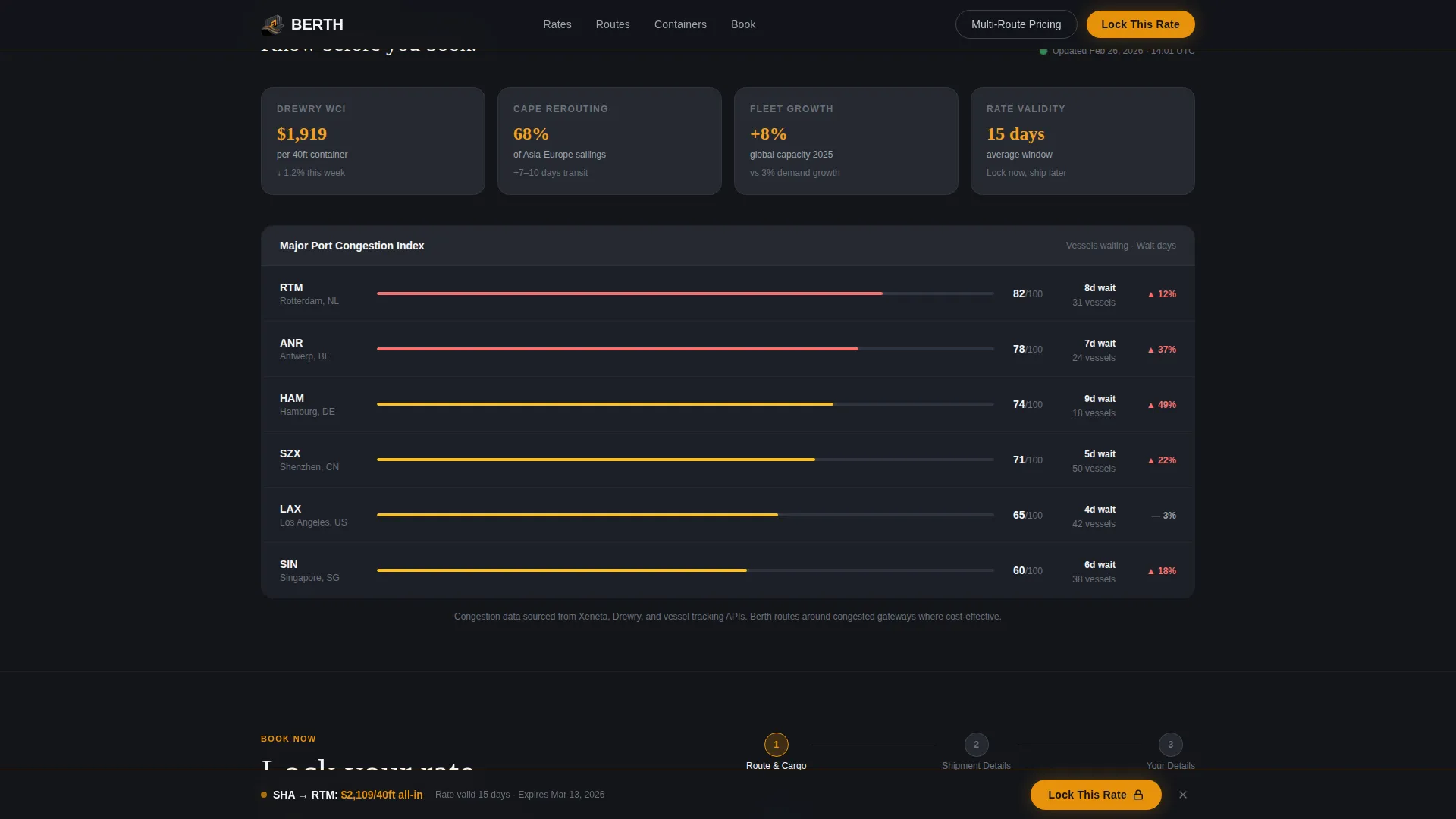
- The sticky "Lock This Rate" bar re-engages visitors who scroll deep without committing
What you get with this template
You get a fully structured, single-page direct-sales layout with every section pre-built and purposefully sequenced. Nothing here is decorative for its own sake.
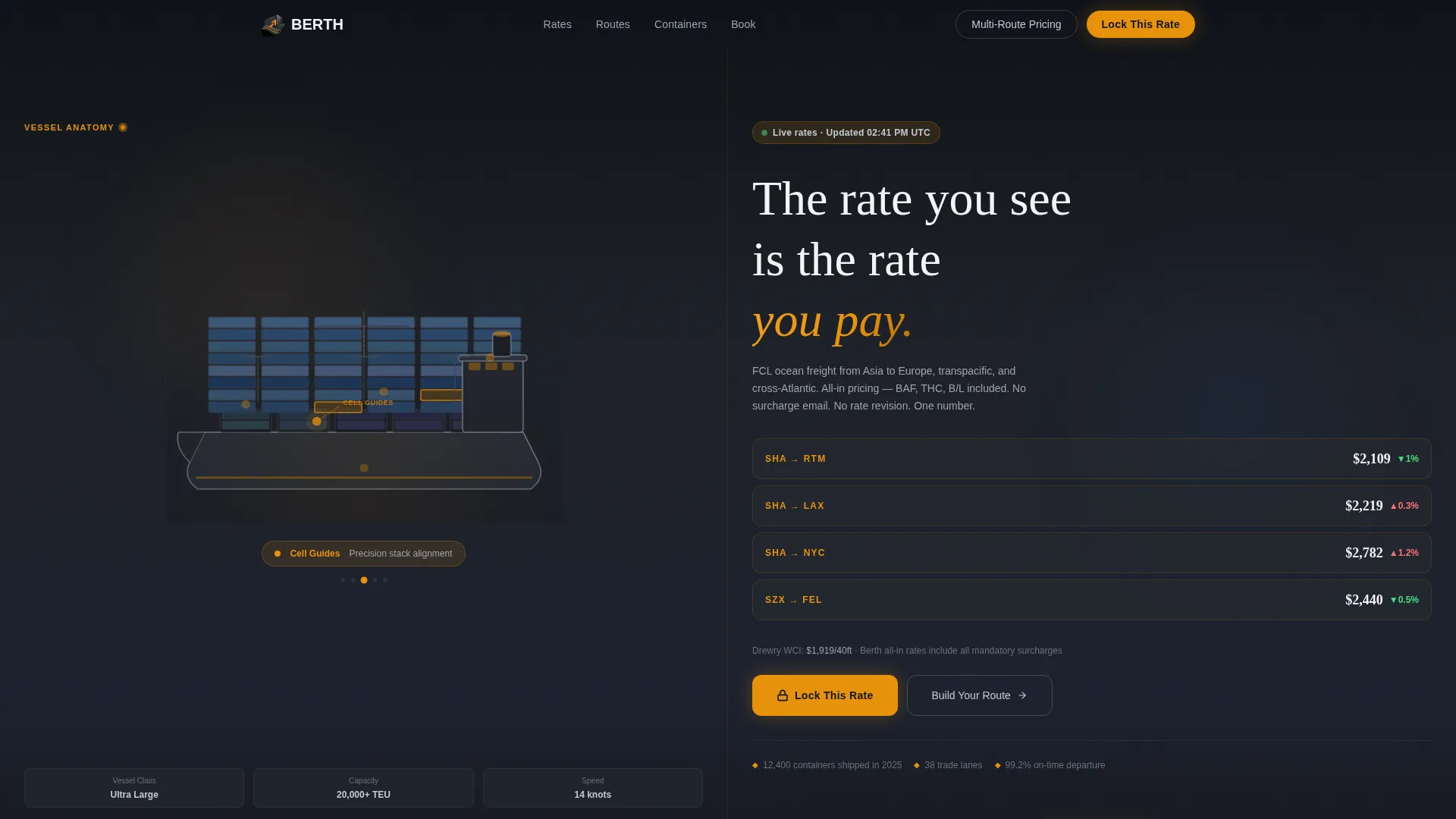
- A split-screen (50/50) exploded vessel header with interactive hotspots and a live rate ticker
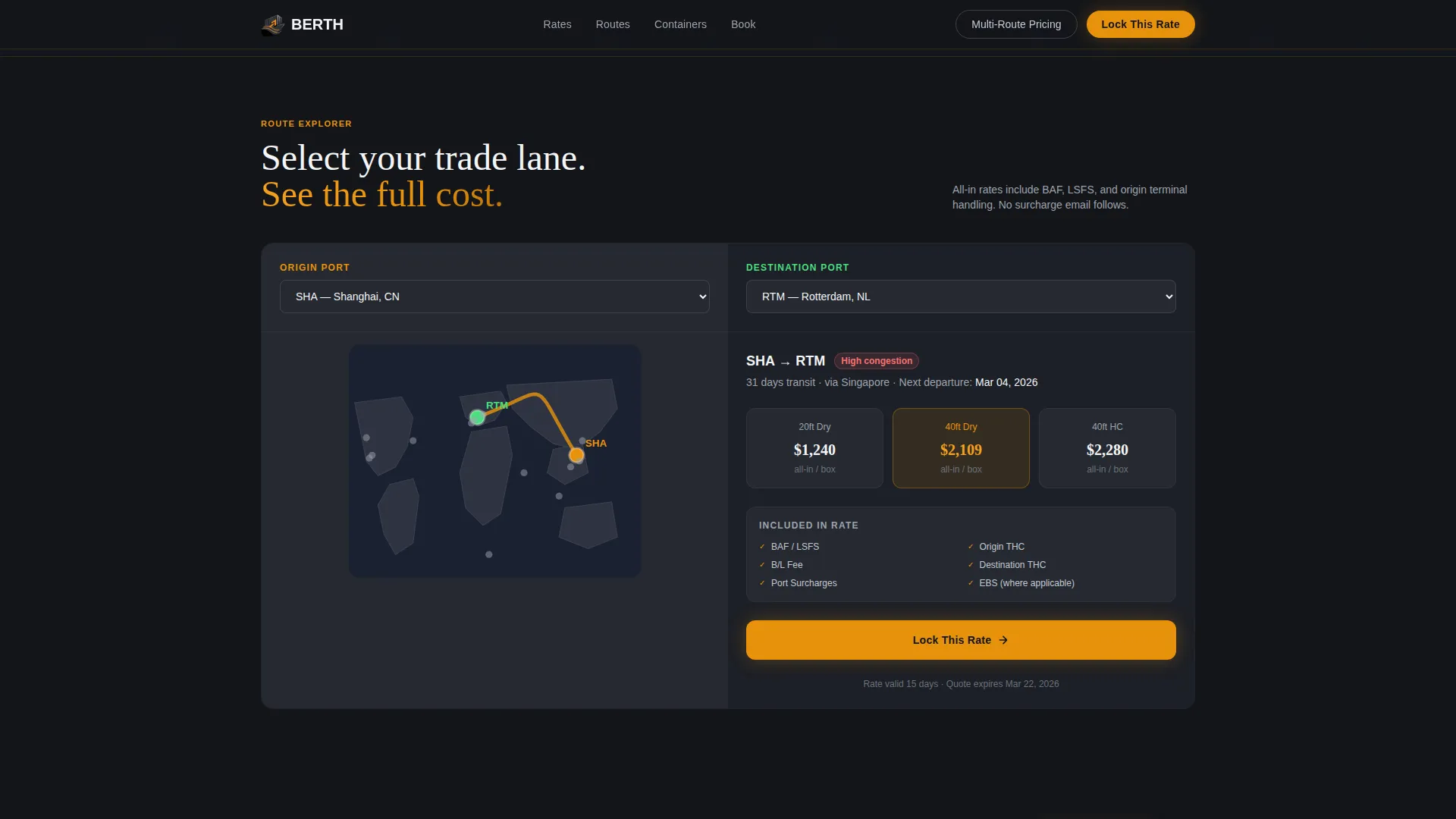
- An interactive route builder that draws the sailing path, transit time, transshipment points, and estimated cost across the center seam
- A three-step inline booking form plus a secondary "Get Multi-Route Pricing" bulk upload path for freight forwarders
Feature list
This section covers the core functional components included in the Berth template.
Exploded View Vessel Header
The header deconstructs a container vessel mid-viewport, peeling back hull plates to reveal cargo holds, reefer plugs, cell guides, and lashing bridges. Each labeled layer is interactive, with amber hotspots that pulse gently to invite cursor engagement. The left split holds the rotating diagram on a deep charcoal field; the right split displays vessel positions, port congestion indices, and a live rate ticker.
Interactive Route Builder
Past the header, visitors select an origin port on a left-panel map and a destination on the right. The split screen draws the sailing path across the center seam and populates transit time, transshipment points, and estimated cost in real time. The route builder turns passive browsing into active configuration.
3D Container Type Explorer
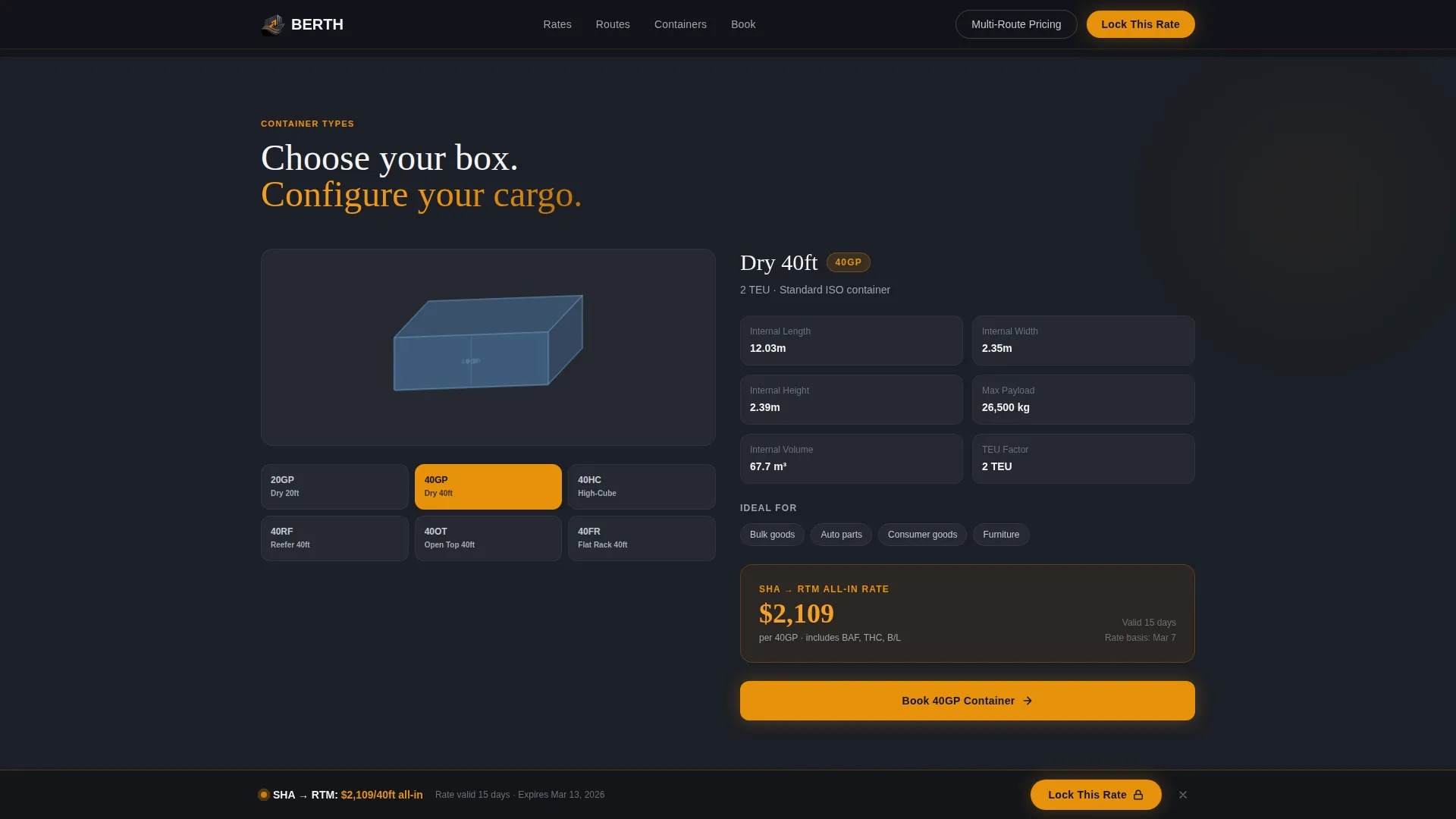
Scrolling deeper shifts the explorer to a container configurator. The left panel shows a rotatable 3D model covering dry, reefer, open-top, and flat-rack container types. The right panel updates specifications, weight limits, and per-unit pricing as the visitor interacts.
Three-Step Inline Booking Form
The booking flow is broken into three clear steps. Step one captures origin port, destination port, and cargo type. Step two asks for container quantity, weight estimate, and preferred sailing date. Step three collects company name, email, and a cargo insurance toggle.
Sticky "Lock This Rate" Bar
Once a visitor has configured a route, a sticky amber-on-charcoal call-to-action bar follows their scroll. It reinforces commitment without interrupting the exploration flow and reappears at the natural moment when the visitor is ready to act.
Bulk Rate Upload Path
A secondary conversion path labeled "Get Multi-Route Pricing" opens a bulk upload field designed for freight forwarders submitting spreadsheet rate requests across multiple lanes. It targets high-volume buyers without cluttering the primary booking flow.
Page sections overview
| Section | Purpose |
|---|---|
| Split-screen header | Hosts the exploded vessel diagram and live rate ticker |
| Route builder panel | Lets visitors map origin, destination, and sailing path |
| Container type explorer | Displays 3D container models with live spec updates |
| Inline booking form | Captures booking details across three sequential steps |
| Sticky rate bar | Re-engages scrollers with a persistent call-to-action |
| Bulk pricing upload | Offers a second conversion path for multi-lane forwarders |
Design & branding system
The visual identity follows a Dynamic Motion theme anchored by a Charcoal and Amber color system. Every color choice has a functional purpose tied to the industrial environment it references.
- Deep hull charcoal (#1C1F26) anchors all backgrounds; signal amber (#E8920B) marks every call-to-action and route highlight
- Brushed steel (#9EA4AD) handles secondary text and divider lines; open-water white (#F4F5F7) fills content panels for contrast
- Motion details include subtle parallax on ocean textures, containers that slide into frame like gantry crane loads, and rate numbers that tick up to their final value rather than appearing static
Mobile & speed optimization
The template is designed so that the split-screen layout and motion elements translate cleanly to smaller viewports without losing the core interaction logic.
- Interactive panels stack vertically on narrower screens, keeping the route builder and container explorer usable without horizontal scrolling
- Motion effects are scoped to meaningful transitions rather than decorative overhead, keeping the page responsive as visitors move through each scroll section
How this template helps you convert
Berth is structured as a progressive commitment funnel. Each scroll step increases buyer investment before the form ever appears.
- The live rate ticker in the header shows real pricing immediately, so visitors understand the cost before they configure anything.
- The route builder and container explorer turn the visitor into an active participant, making the quote feel personally built rather than generically pulled.
- The three-step form appears only after the visitor has already seen their rate, so filling in contact details feels like confirming a decision rather than passing through a gate.
Other information about this template
This template sits within the Automotive and Transport category under the Freight and Shipping subcategory, with a specific focus on the ocean container shipping niche. It is a strong fit for businesses whose primary sales motion depends on transparent rate display and fast quoting.
- The template style is Split Screen (50/50), meaning both panels carry equal visual weight throughout every scroll section
- The creative direction is Interactive Explorer, which means visitors navigate through the shipping process as a layered, scroll-driven experience rather than reading static content blocks
- The header concept is Exploded View, a mechanical and honest presentation that uses the vessel itself as the interface rather than lifestyle photography
- The landing page direction is Direct Sales, optimized for visitors who arrive ready to compare rates and book rather than browse brand content
Theme
Dynamic Motion
Creative direction
Interactive Explorer
Color system
Charcoal & Amber
Style
Split Screen (50/50)
Direction
Direct Sales
Page Sections
Exploded View Vessel Header
Interactive Route Builder
3D Container Type Explorer
Three-step Inline Booking Form
Sticky Rate Confirmation Bar
Bulk Multi-route Pricing Path
Related questions
Who is the Berth template designed for?
Does the template show pricing before asking for contact details?
What container types does the template cover?
Can freight forwarders managing multiple lanes use this template?
What does the split-screen layout mean for the visitor experience?



