Harbor Authority Permit & Funding Landing Page
Berth is a hub-and-spoke anchor-nav landing page built for county port authority offices. It gives fleet captains, marina permit applicants, and waterfront business owners one organized destination to file applications, track infrastructure projects, and invest in harbor facilities. An animated SVG cross-section hero sets the tone, and a progressive donation form drives community funding for seawall restoration and dock upgrades.
by Rocket studio
Quick summary
Berth is a single-page hub-and-spoke template purpose-built for county port authority offices. It organizes commercial shipping, marina permits, infrastructure timelines, and community funding into five anchor-nav spoke sections. Fleet captains can file a seasonal docking application, while commissioners and donors can review restoration progress and contribute directly through a guided three-step form.
Who this template is for
This template serves public-sector harbors offices and the people who depend on them daily.
- Small fleet captains filing seasonal docking permit applications
- County commissioners tracking bond-funded seawall and dock restoration
- Waterfront business owners seeking zoning variances and pier-use permits
What problem this template solves
Port authority websites are often scattered and hard to navigate. Captains waste time hunting for the right permit form, and donors never find a clear way to contribute. Berth solves this by organizing every process into labeled spoke sections with a sticky funding call-to-action.
- Fragmented permit workflows confuse applicants across multiple pages
- No clear funding path means harbors miss community investment opportunities
- Outdated design fails to communicate the port's economic scale
What you get with this template
You get a complete, ready-to-customize landing page with every key section pre-built and visually organized. The layout guides visitors from orientation to application to donation without friction.
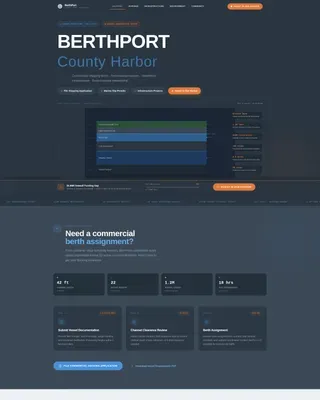
- Animated SVG harbor cross-section hero with data callouts (1.2M tons cargo, 340 slips)
- Five anchor-nav spoke sections covering Shipping, Marinas, Infrastructure, Environment, and Community
- Three-step progressive donation form with preset amounts and "Adopt a Piling" recognition path
Feature list
A brief introduction: every feature below is drawn directly from the template's designed components and interaction patterns.
Animated SVG Infographic Hero
The header renders a cross-section of the port in clean vector style. Each layer draws itself on load from seafloor upward, with floating data callouts highlighting shipping channel depth, dock infrastructure, marina slips, and environmental buffer zones.
Anchor Navigation System
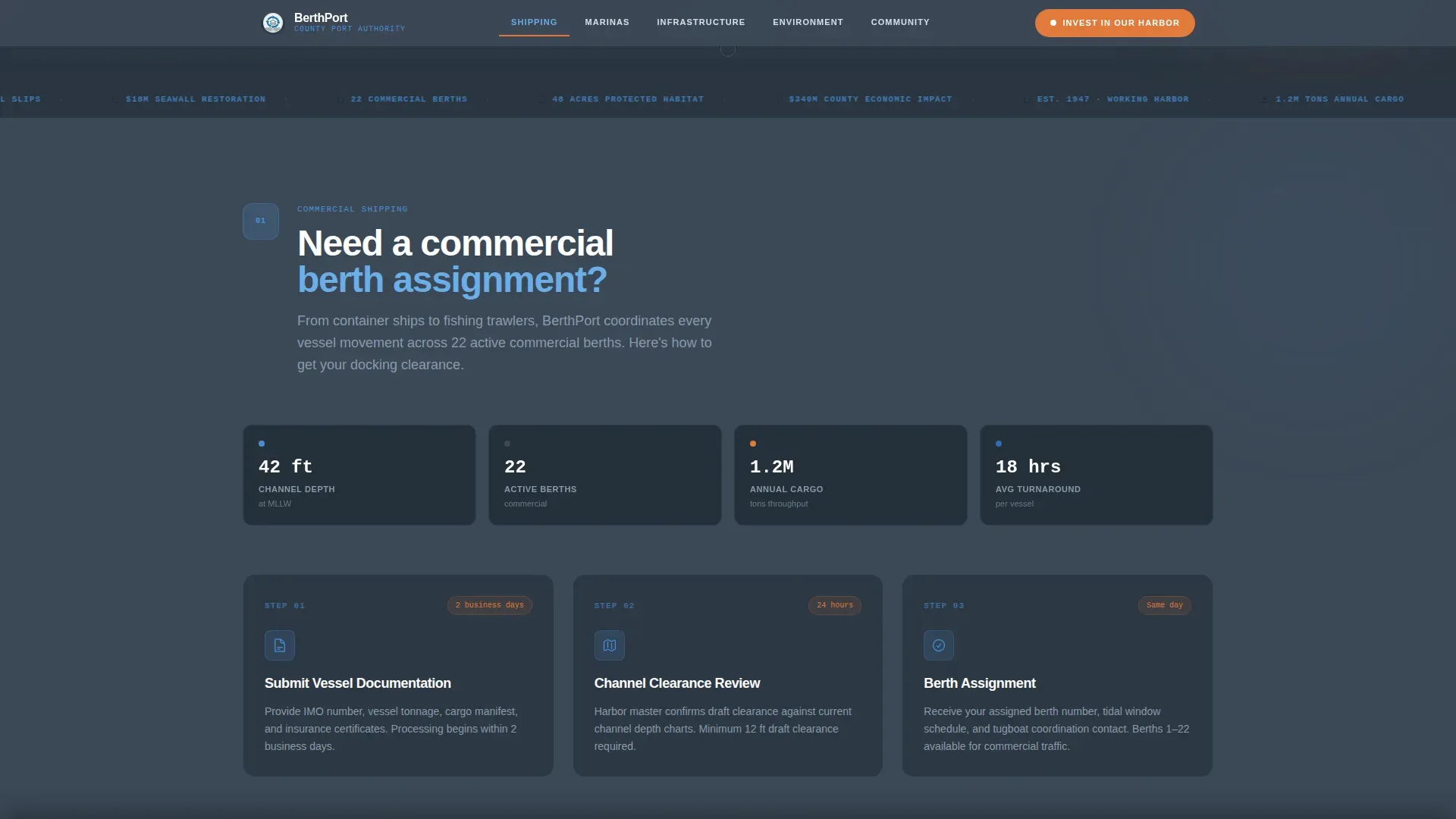
A sticky top bar reads like a port operations manual: Shipping, Marinas, Infrastructure, Environment, Community. Each spoke opens with a numbered step icon and an orienting question before expanding into permit workflows, project timelines, or interactive maps.
Permit Application Workflow
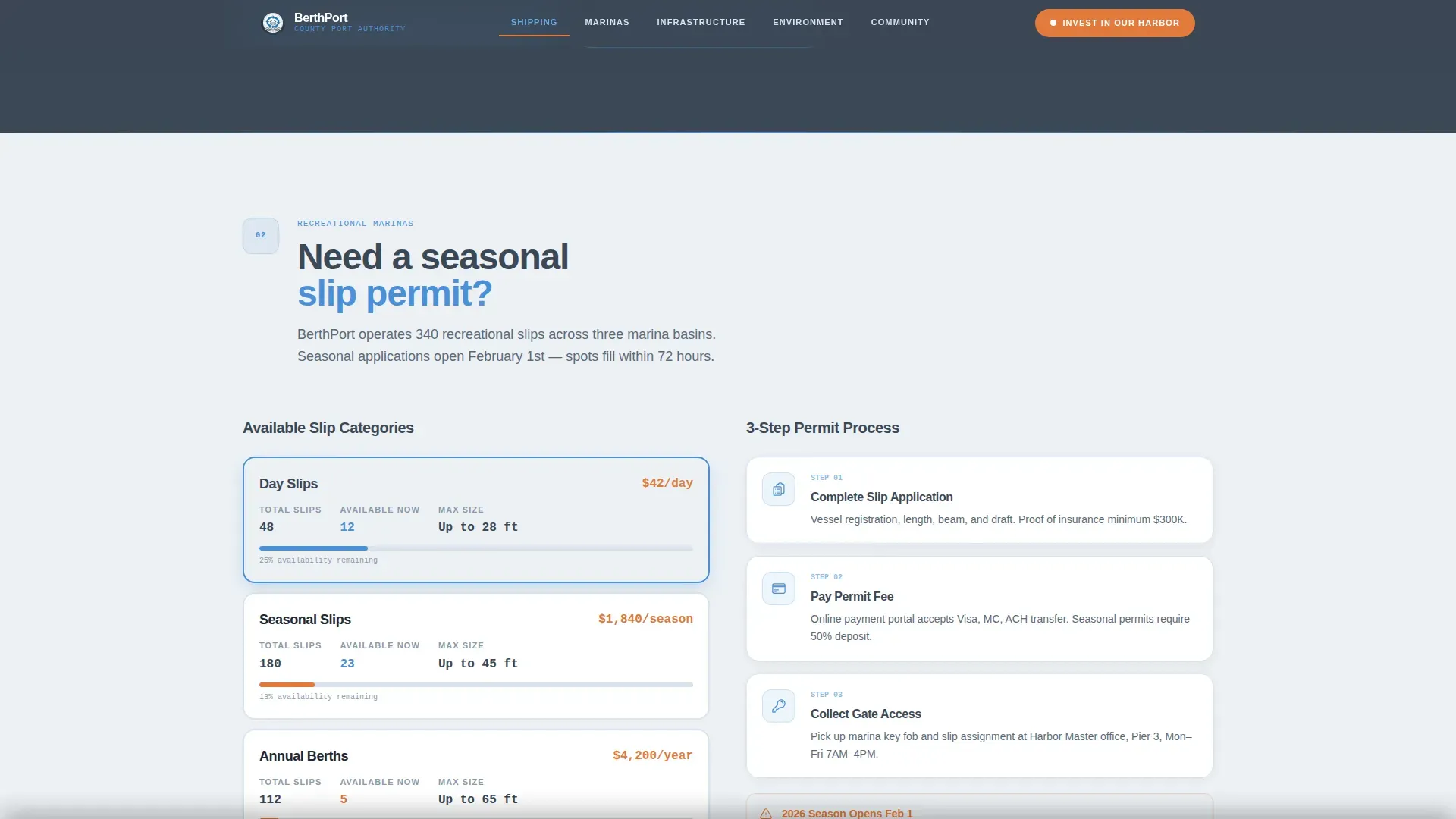
Each spoke section guides visitors through a clear application process. Permit applications and required documentation can be submitted online. Users review all fields before submitting, and they receive a confirmation copy at the email address provided.
Three-Step Donation Form
The "Invest in Our Harbor" form uses a progressive three-step flow. Step one presents a preset amount selector. Step two offers a dedication option. Step three collects contact details and confirms the gift.
Sticky Funding Bar
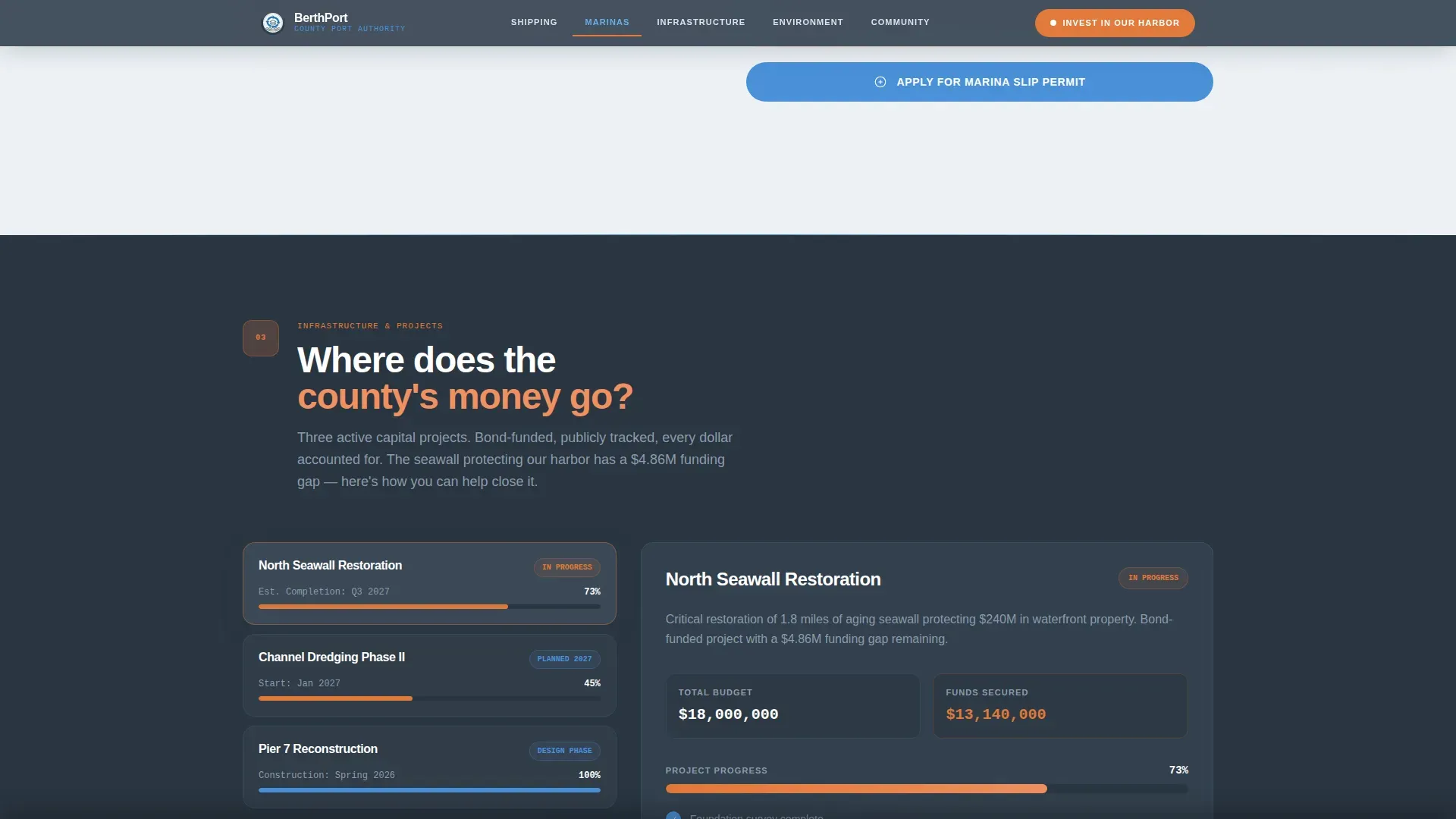
A signal buoy orange donation bar appears after the Infrastructure section reveals the seawall funding gap. It stays visible as visitors scroll, keeping the "Invest in Our Harbor" call-to-action in reach at all times.
Adopt a Piling Path
A secondary donor journey lets contributors claim naming recognition on restored dock infrastructure. This gives donors a physical, visible return on their generosity and strengthens community ties to harbor facilities.
Page sections overview
| Section | Purpose |
|---|---|
| Hero Infographic | Animated port cross-section with anchor nav |
| Shipping Lane Permits | Commercial permit application workflows |
| Marina Slip Applications | Seasonal slip permits, 340-slip capacity |
| Infrastructure Timeline | Seawall restoration progress and funding gap |
| Environment & Community | Buffer zones, adopt-a-piling, community programs |
| Footer | Linear single-row contact and links |
Design & branding system
The palette feels like a nautical chart laminated under glass. Deep dock slate anchors the layout, while channel-marker blue guides the eye through each section like open water.
- Deep dock slate (#3B4856) as the primary background and structural color
- Channel-marker blue (#4A90D9) for navigation, dividers, and section guides
- Signal buoy orange (#E07A3A) reserved for call-to-action buttons and alert badges
Mobile & speed optimization
The template is built desktop-first for harbor masters and commissioners who work at their desks, with a fully responsive mobile fallback for captains on the dock.
- GSAP ScrollTrigger powers staggered section reveals and SVG path animations
- Server Components handle static content; Client Components manage interactive elements
- Alternating slate and horizon white backgrounds maintain contrast across all screen sizes
How this template helps you convert
Every layout decision is built to move visitors from information to action.
- The animated hero immediately communicates scale, building trust in the authority's operational reach across all harbors it manages.
- Numbered step icons and orienting questions in each spoke section reduce friction and guide applicants through each permit or funding form with confidence.
- The sticky donation bar and "Adopt a Piling" secondary path ensure the funding call-to-action is always visible, turning page visitors into harbor investors.
Other information about this template
The Berth harbor authority permit and funding landing page template is designed for USA-based port offices using USD currency and MM/DD/YYYY date formats. Several practical workflow details are built into the page's informational content.
- Permit payment options include check, cashier's check, money order, or credit card; a service fee applies to credit card transactions
- Bulk fuel is available through permitted vendors for commercial fishermen using port facilities
- The Port Infrastructure Development Program (PIDP) context is relevant here: federal grant eligibility often requires secured local permits, and berth permit fees support the local match required by grant programs
- Commercial fishermen wishing to use the facilities must obtain a Pier Use permit; the Commercial Fisherman's Revolving Loan Fund also provides loans to qualified applicants
- Hazardous materials require prior port management approval and compliance with government regulations before any vessel may use docking facilities
- Users must confirm they agree to all port rules, regulations, and tariffs when submitting any application through the page
Theme
Directory & Discovery
Creative direction
Step-by-Step Guide
Color system
Slate & Sky
Style
Hub & Spoke (Anchor Nav)
Direction
Donation/Fundraising
Page Sections
Animated SVG Harbor Infographic Hero
Anchor Navigation Spoke System
Permit Application Workflow Sections
Three-step Progressive Donation Form
Sticky Funding Call-to-action Bar
Adopt a Piling Donor Path
Related questions
Can permit applications be submitted through this template?
What payment methods are shown for permit fees?
How does the three-step donation form work?
Can the template support commercial fishing permit workflows?
Does the template cover infrastructure funding context?



