Specialist Port & Harbor Comparison Website Template
Berth is a hub-and-spoke anchor-nav landing page template built for container terminal operators. It leads with a panoramic aerial header, a live-data HUD overlay, and spoke sections for every operational stage from berth to customs. A persistent comparison panel and a gated PDF download path work together to convert evaluating buyers before they leave the page.
by Rocket studio
Quick summary
Berth is a single-page, anchor-navigated landing page template designed for container terminal operators competing for shipping line rotations and cargo owner contracts. It pairs a cinematic aerial header with operational KPI tiles, a scrollable hub-and-spoke section flow, and a side-panel comparison tool that lets visitors benchmark this terminal against industry standards in real time.
Who this template is for
This template is built for terminal operators who need to win over analytically minded buyers. Slot planners, freight forwarders, and beneficial cargo owners all require hard evidence before committing volume to a port.
- Shipping line slot planners evaluating Asia-Europe rotation ports
- Freight forwarders comparing dwell times across competing terminals
- Beneficial cargo owners who need documented cold chain integrity from quay to gate
What problem this template solves
Most terminal websites bury their performance data or present it in generic brochure language. Serious buyers move on because they cannot find the numbers they need to justify a decision to their own stakeholders.
- Lack of visible, published operational metrics that build credibility with technical buyers
- No structured comparison path that lets a visitor evaluate this terminal against a competing port
- A disconnect between marketing claims and the granular proof that slot planners and forwarders demand
What you get with this template
You get a fully structured, single-page layout that guides technical buyers from first impression through operational proof to a conversion action. Every section is designed to build trust progressively, not just present content.
- A panoramic aerial header with a translucent live-data overlay showing vessel count, truck turn time, and berth utilization
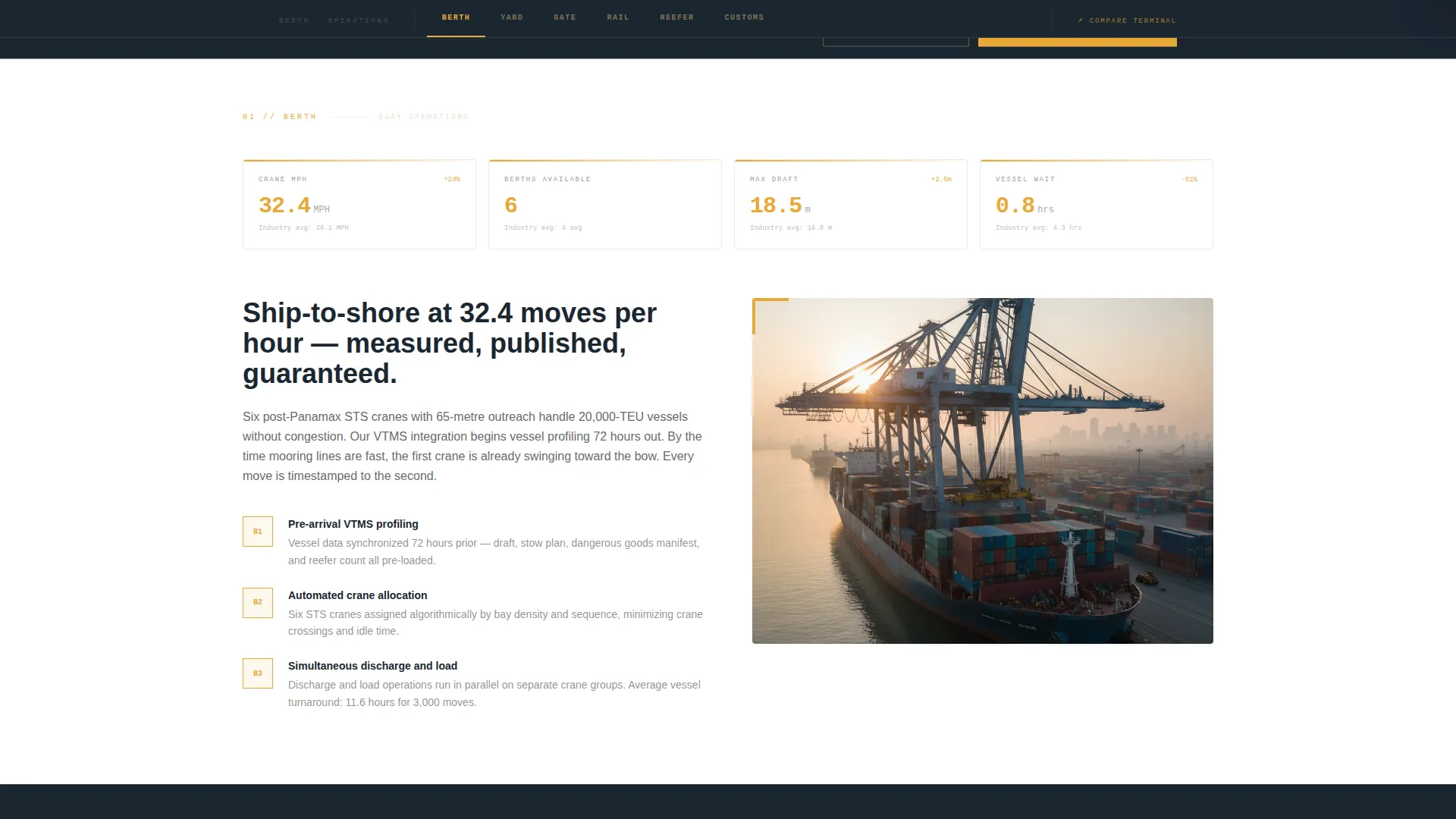
- Six anchor-nav spoke sections covering Berth, Yard, Gate, Rail, Reefer, and Customs, each opening with a KPI dashboard tile
- A persistent bottom-rail comparison panel and a gated PDF download path for lead capture
Feature list
A paragraph introduces the capabilities below. Each feature is drawn directly from the template brief and represents a distinct, visible element of the page experience.
Panoramic Aerial Header with HUD Overlay
The header stretches edge to edge with a drone-level photograph of a container vessel mid-discharge at golden hour, six gantry cranes working simultaneously. After two seconds, a translucent data overlay fades in displaying live vessel count, average truck turn time, and berth utilization percentage, giving the image the feel of a control-room display layered over the physical yard.
Anchor Navigation with Six Spoke Sections
A sticky anchor bar pins to the top of the page with six labeled tabs: Berth, Yard, Gate, Rail, Reefer, and Customs. Each tab scrolls directly to its corresponding spoke section. This structure lets a freight forwarder jump straight to gate appointment compliance data, or a reefer cargo owner navigate directly to plug availability figures, without scrolling through irrelevant content.
Operational KPI Dashboard Tiles
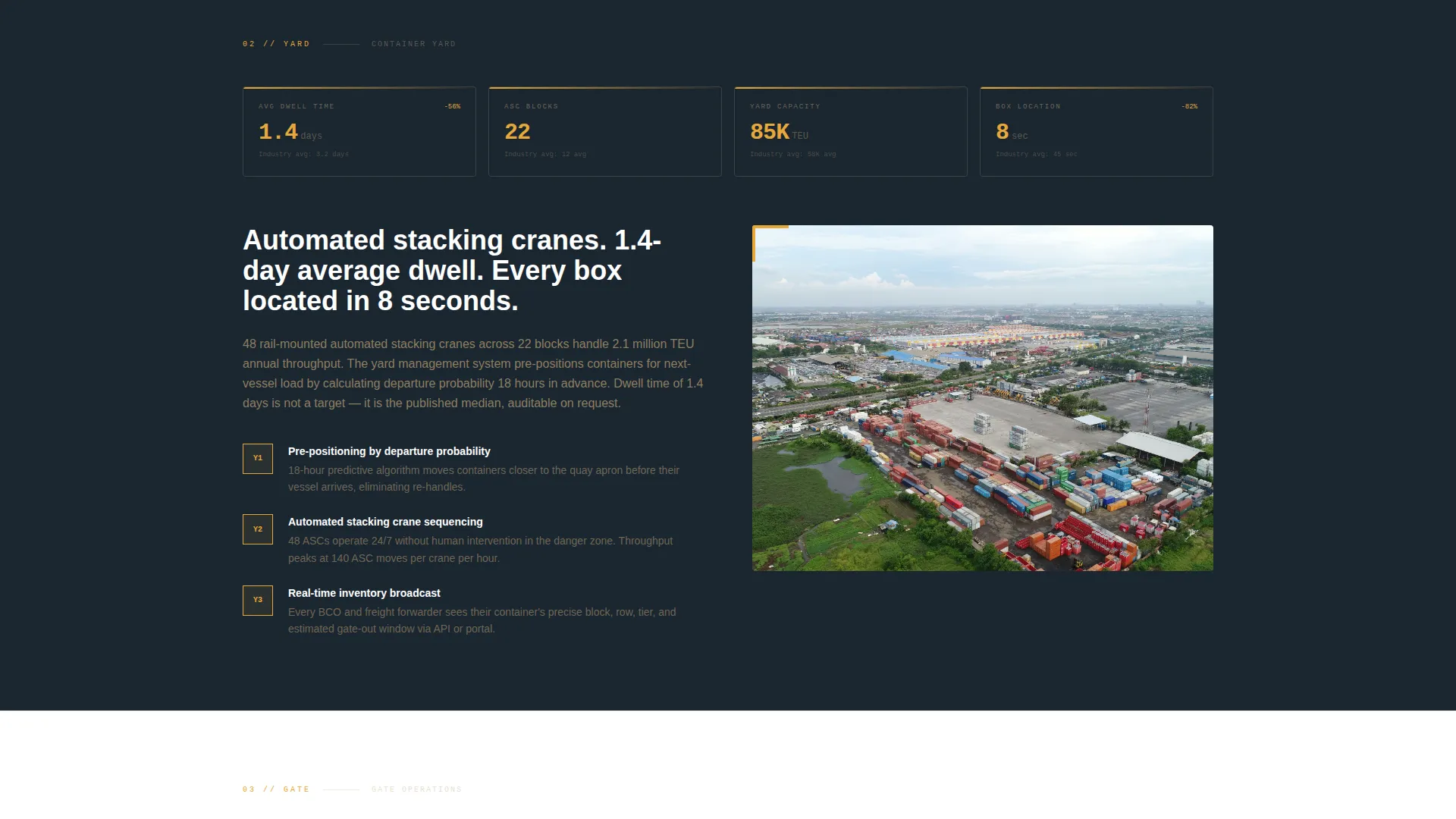
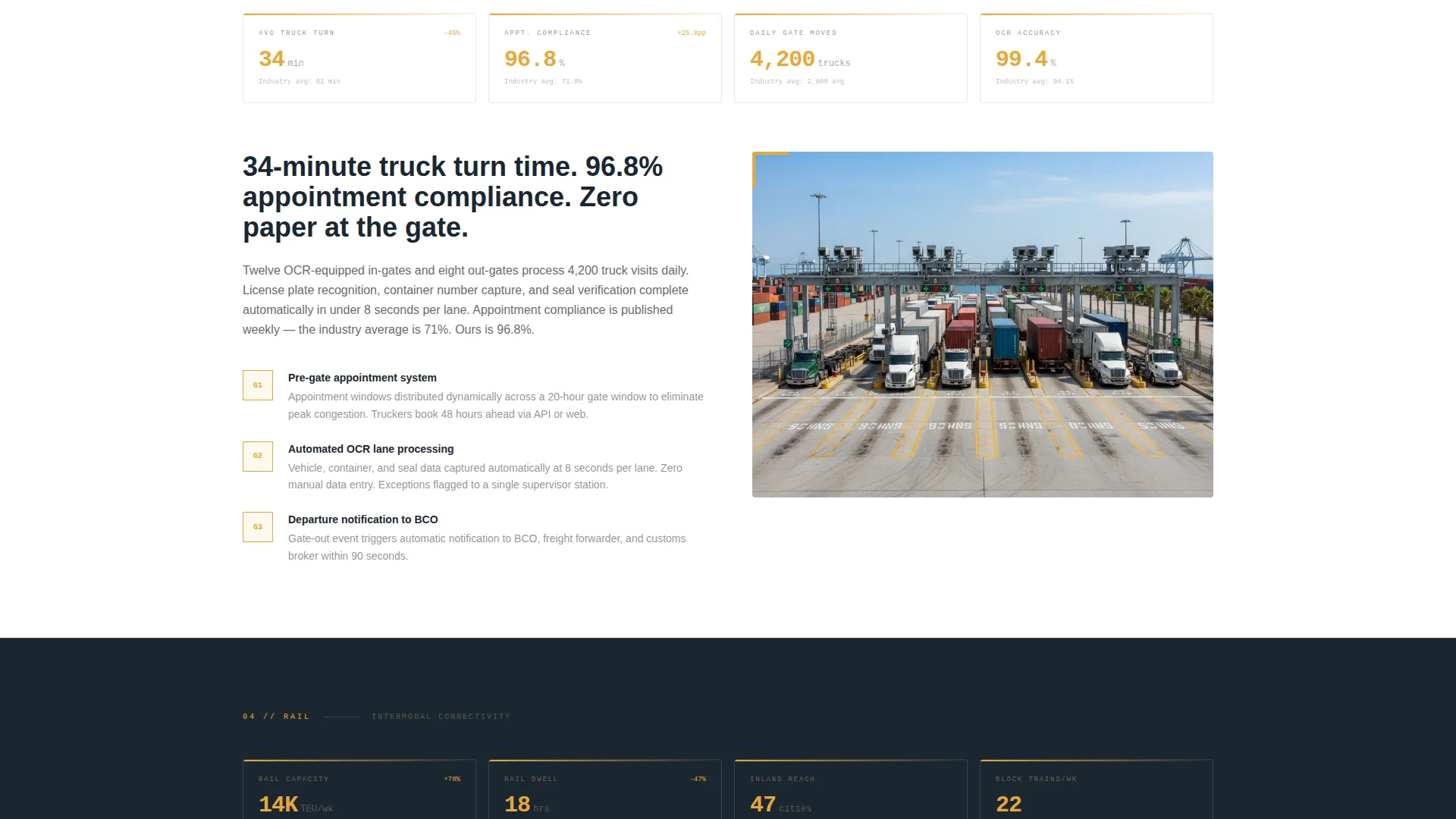
Every spoke section opens with a real-time-styled dashboard tile showing that operation's headline metric before expanding into the process explanation below. Crane moves per hour, gate appointment compliance rates, and reefer plug availability percentages are displayed openly, giving buyers the specific proof points they compare across competing terminals.
Persistent Comparison Panel
A "Compare Our Terminal" call-to-action button anchors to the bottom rail of the page throughout the entire scroll. Clicking it opens a side panel where the visitor selects their current terminal, enters average monthly twenty-foot equivalent unit (TEU) volume, and selects their top priority from dwell time, cost per lift, reefer reliability, or intermodal connectivity. The panel then generates a side-by-side scorecard pre-populated with this terminal's published metrics against industry benchmarks.
Gated PDF Specification Download
A secondary conversion path labeled "Download Terminal Specs PDF" captures a visitor's email address and company name. This path targets evaluating buyers who are not yet ready to run a full comparison but are actively building a shortlist. The gate is lightweight and positioned after the page has already demonstrated value through open data.
Warm Stone Dashboard Pro Visual Theme
The visual identity uses a four-color Warm Stone system applied across a Dashboard Pro theme. Quarry sandstone, weathered bollard gray, deep harbor ink, and signal amber work together to communicate industrial reliability and precise instrumentation without relying on generic maritime photography clichés.
Page sections overview
| Section | Purpose |
|---|---|
| Aerial Header Hero | Establishes scale and credibility with a panoramic vessel-discharge photograph and a live-data HUD overlay |
| Anchor Navigation Bar | Pins to the top of the page and provides direct scroll links to each of the six operational spoke sections |
| Berth Operations Hub | Leads the spoke sequence with berth-level KPI tile and crane productivity process explanation |
| Yard Operations Spoke | Shows automated stacking crane metrics and container move tracking data |
| Gate Operations Spoke | Displays gate appointment compliance rate and truck turn time detail |
| Rail Terminal Spoke | Covers intermodal connectivity and rail throughput context |
| Reefer Operations Spoke | Presents reefer plug availability percentage and cold chain process detail |
| Customs Spoke | Explains documentation flow and dwell time transparency |
| Comparison Side Panel | Lets visitors benchmark this terminal against a selected competitor using their own TEU volume input |
| PDF Lead Capture | Captures email and company name in exchange for the terminal specification document |
Design & branding system
The template follows a Dashboard Pro theme with a Warm Stone color system. The palette is drawn from the physical environment of a working container terminal: sun-bleached concrete aprons, weathered steel, and the amber glow of instrumentation screens at dawn.
- Quarry sandstone (#C2A878) and weathered bollard gray (#4A4A4A) provide the base tones for background surfaces and body text
- Deep harbor ink (#1B2631) anchors dark interface panels, nav bars, and dashboard tile backgrounds
- Signal amber (#E8A838) is reserved for KPI highlights, hover states, and live-data accents throughout the page
Mobile & speed optimization
The template is structured with a vertically scrolling, section-led layout that adapts naturally to smaller screens. The anchor navigation bar and the persistent comparison panel both remain functional as the layout reflows.
- The hub-and-spoke scroll structure collapses cleanly to a single-column flow on mobile devices
- KPI dashboard tiles and the comparison side panel are sized and layered to remain readable on phone and tablet screens
How this template helps you convert
The page earns trust before it asks for anything. Buyers see actual operational data first, then encounter conversion paths that feel logical rather than premature.
- The HUD overlay and KPI tiles present published metrics openly from the first scroll position, removing skepticism before a visitor reaches the comparison section
- The persistent comparison panel meets the buyer at the moment of decision by letting them input their own volume and priorities, making the scorecard feel personally relevant rather than generic
Other information about this template
This template is part of a broader set of niche-specific designs built for specialist industries where generic layouts fail to communicate operational credibility. The following notes cover additional context useful for buyers evaluating this template.
- The template is categorized under Marine and Maritime, specifically the Port and Harbor subcategory and the Container Terminal Operator niche
- The Hub and Spoke with anchor navigation template style is well suited to operations with multiple distinct service lines that share a common brand
- The Transparent Process creative direction is the structural backbone: each section exposes a real operational stage rather than summarizing it abstractly
- The Comparison and Versus landing page direction is a deliberate choice for an audience that will benchmark this terminal against competitors before any commercial conversation begins
- The Panoramic and Wide header concept was selected to communicate berth scale immediately, before a single word is read

Theme
Dashboard Pro
Creative direction
Transparent Process
Color system
Warm Stone
Style
Hub & Spoke (Anchor Nav)
Direction
Comparison/Versus
Page Sections
Panoramic Aerial Header with HUD Overlay
Sticky Anchor Navigation Bar
Operational KPI Dashboard Tiles
Persistent Comparison Side Panel
Gated Terminal Specs PDF Download
Warm Stone Dashboard Pro Theme
Related questions
Who is this landing page template designed for?
What are the six anchor-nav spoke sections?
How does the comparison side panel work?
What does the PDF download path capture?
Can I update the KPI numbers shown in the dashboard tiles?