Boat Mechanic (Marine) Business Professional Website Template
Bilge is a precision-built marine mechanic landing page template designed for lead generation. It uses a zigzag alternating layout with a Corporate Precision theme in charcoal and amber. Built for boat repair shops and mobile marine technicians, it guides marina managers, weekend anglers, and yacht owners from first scroll to a service call request.
by Rocket studio
Quick summary
Bilge is a single-page marine mechanic service area template built to convert serious boat owners into booked service calls. The zigzag layout presents each specialization with authority, the charcoal and amber color system signals workshop credibility, and a sticky lead capture bar keeps the primary call to action in reach at every scroll depth.
Who this template is for
This template is built for marine repair professionals who need a polished, trust-first online presence. It works especially well for service providers handling a wide mix of hull types, engine platforms, and client expectations.
- Marine mechanics and boat repair shops offering in-shop and mobile dockside service
- Marina operators who need a clear service page for slip tenants with deferred maintenance
- Mobile marine technicians handling diagnostics, rebuilds, and seasonal programs across a coverage area
What problem this template solves
Most boat mechanics lose potential clients because their web presence feels unfinished or generic. Boat owners facing a knock in the outboard or a corroded lower unit need confidence before they hand over the keys to their vessel.
- Visitors cannot quickly identify whether the shop handles their specific engine platform or hull type
- There is no clear path to book a service call or describe the symptom before picking up the phone
- Credibility signals like certifications, manufacturer affiliations, and real client testimony are buried or absent
What you get with this template
The template delivers a complete, scroll-driven service area landing page that layers technical authority and lead capture into a single cohesive flow. Every section is purpose-built and ready to fill with real shop details.
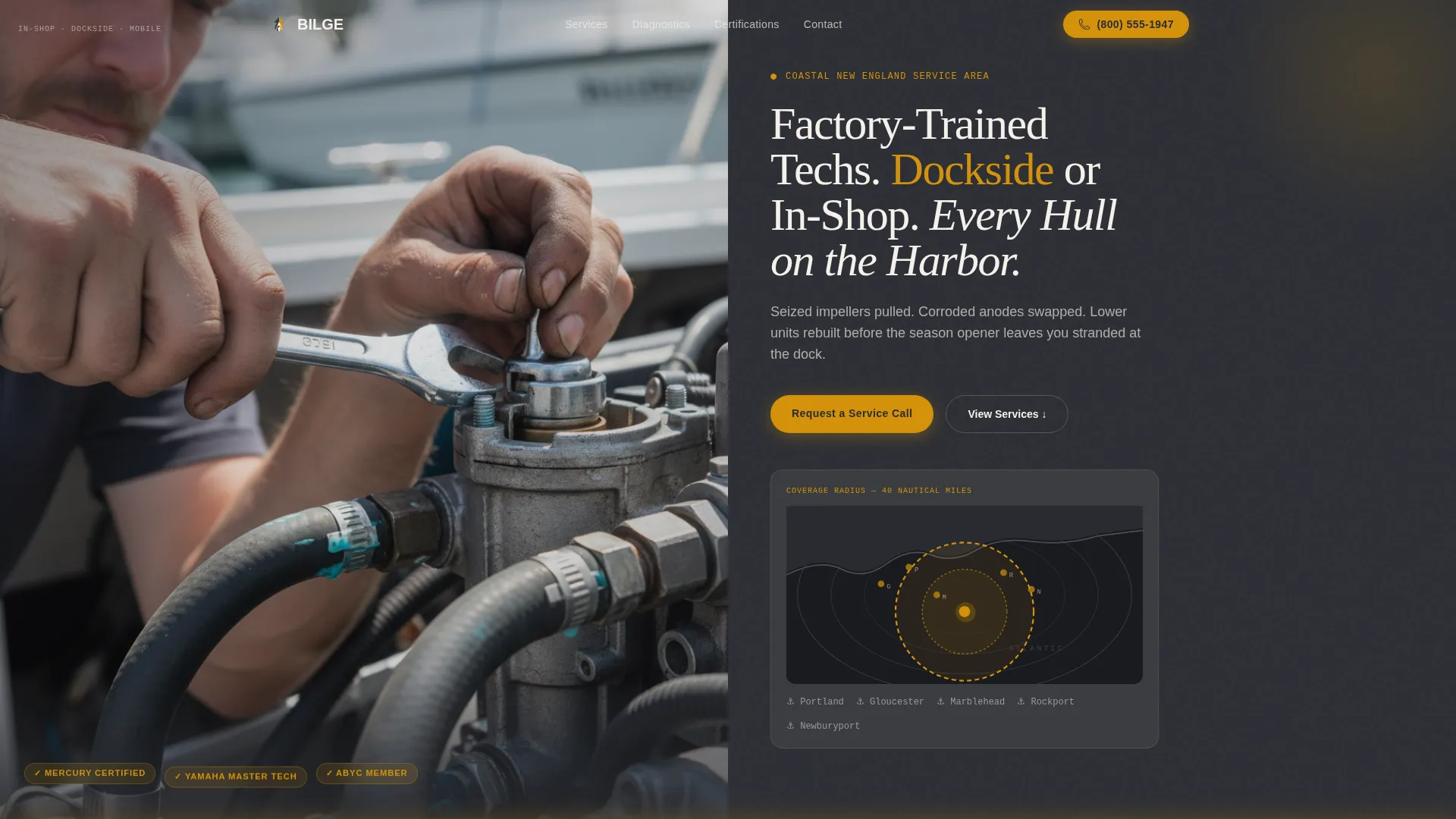
- A half-page photo and text header with a service-area map overlay shown in amber over charcoal bathymetry
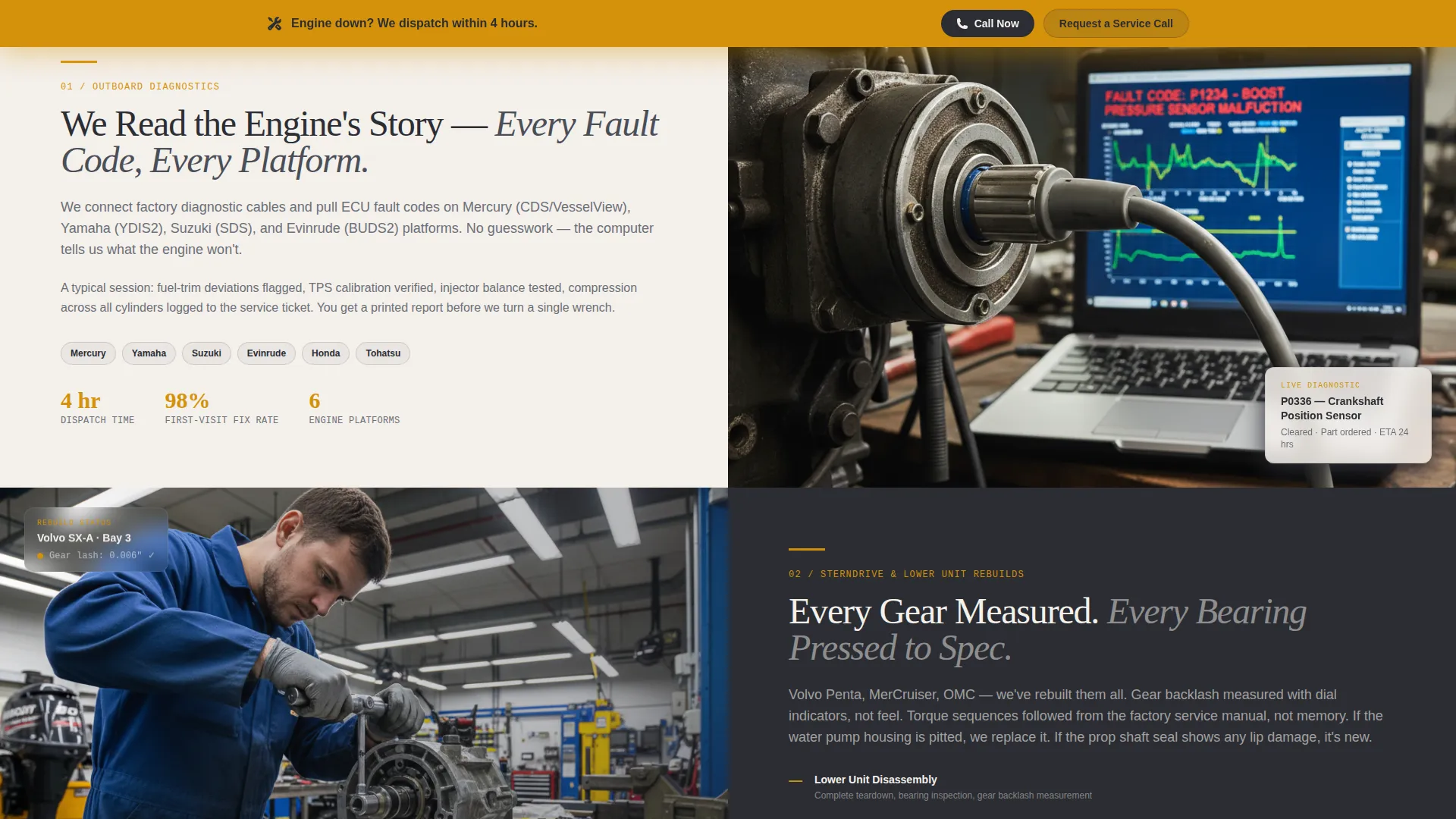
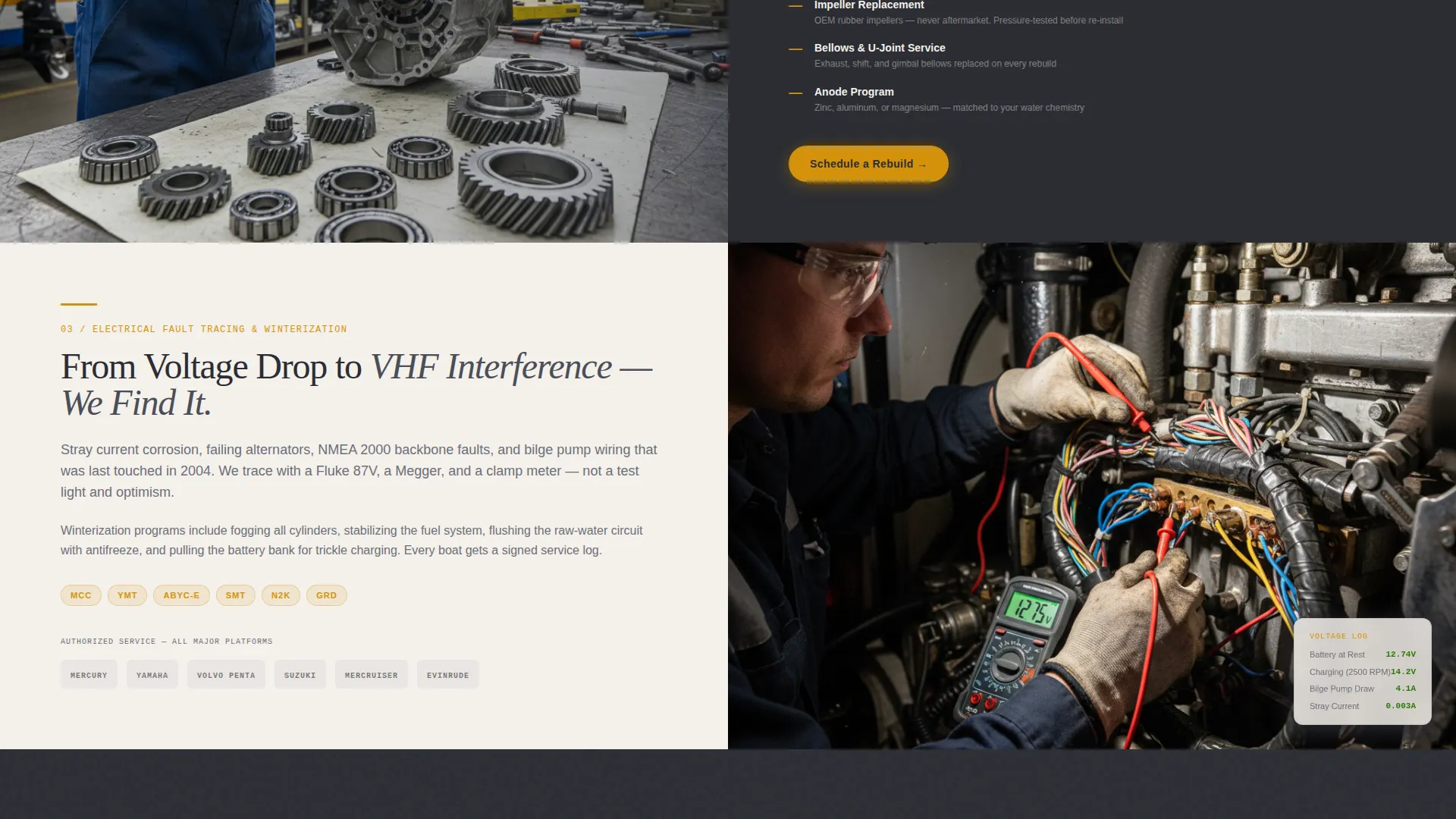
- Four zigzag alternating specialization sections covering outboard diagnostics, sterndrive rebuilds, electrical fault-tracing, and winterization programs
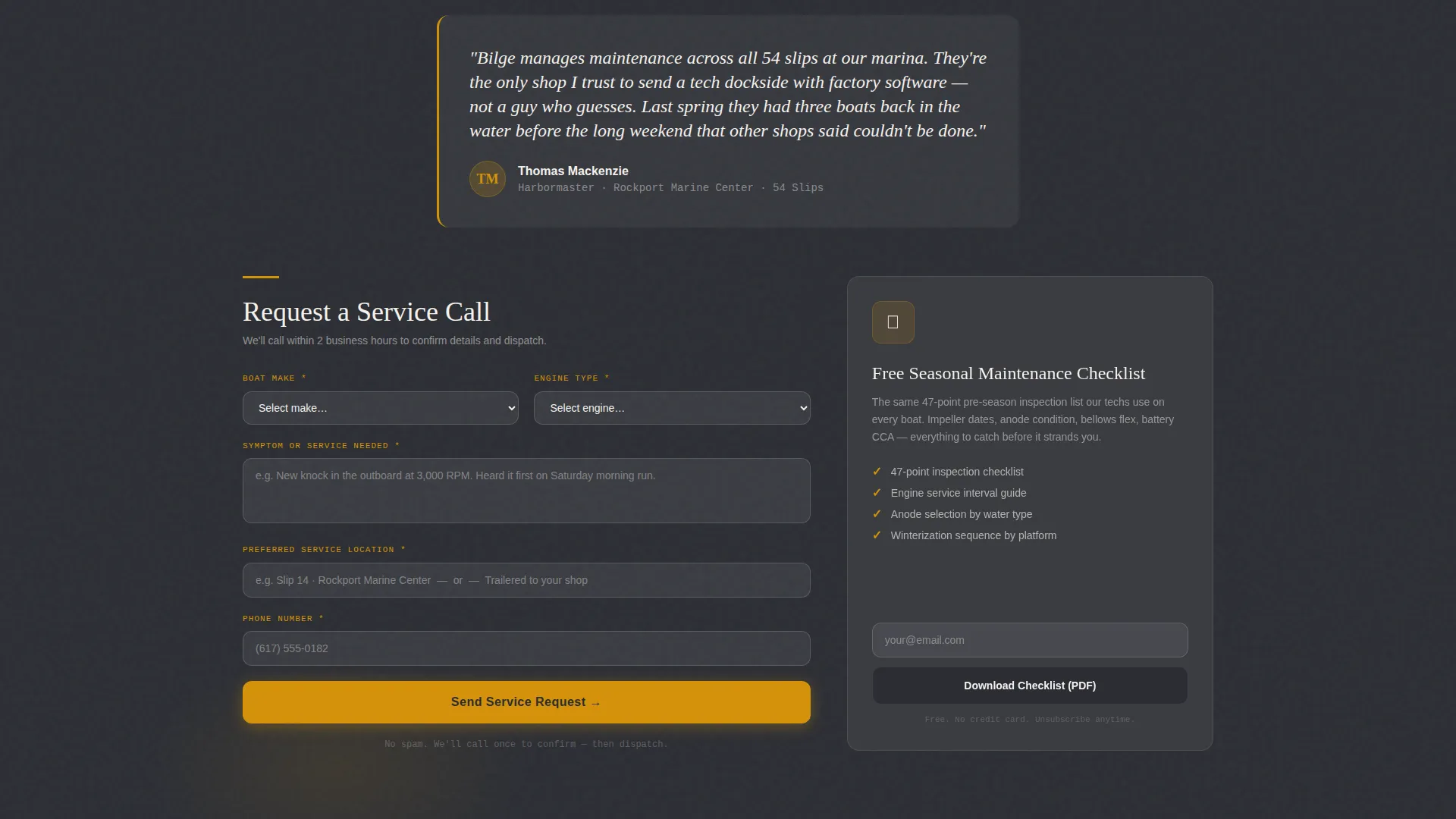
- A sticky amber lead capture bar with a multi-field service request form and a secondary PDF checklist download gate
Feature list
This section covers the core capabilities built into the Bilge template as described in the source brief.
Half-Page Photo and Text Header
The header splits the viewport between an editorial workshop photograph on the left and a headline with service-area map on the right. The map renders coverage radius in amber over a charcoal bathymetry background, giving the page an authoritative, chart-room feel from the first impression.
Zigzag Alternating Section Layout
Each specialization section alternates image and text sides as the visitor scrolls. This Expert Panel layout presents one named service topic per section, pairing a technical narrative with a workshop photograph or component close-up. The structure reads like a senior technician walking you through the job.
Sticky Lead Capture Bar
A persistent amber bar appears after the second section and stays anchored as the visitor scrolls. It holds the primary call to action and keeps conversion opportunity present without interrupting the reading experience.
Multi-Field Service Request Form
The service request form collects boat make and engine type via dropdown, a free-text symptom or service description, preferred location such as a dock slip number or trailered to shop, and a phone number. This front-loads the most diagnostic information before any phone call takes place.
Secondary PDF Checklist Download Gate
A seasonal maintenance checklist is offered as a downloadable file behind an email capture form. This secondary conversion path gives hesitant visitors a low-commitment reason to share their contact details before committing to a service appointment.
Escalating Credibility System
The page builds trust progressively as the visitor scrolls. Certifications appear first, followed by manufacturer platform references, and then a testimonial from a marina manager naming real boat counts. Each layer adds weight to the shop's authority.
Page sections overview
| Section | Purpose |
|---|---|
| Header split panel | Introduce the shop with editorial photo and coverage map |
| Outboard diagnostics section | Present ECU fault-code reading and diagnostic credentials |
| Sterndrive rebuild section | Detail lower unit and impeller rebuild capability |
| Electrical fault-tracing section | Cover wiring diagnosis and onboard systems repair |
| Winterization programs section | Explain seasonal prep services and recurring maintenance |
| Certifications and logos | Display credentials and manufacturer platform recognition |
| Marina manager testimonial | Provide social proof from a named, high-volume client |
| Sticky service call bar | Anchor the primary lead capture call to action on scroll |
| Service request form | Collect boat details, symptoms, location, and phone number |
| Checklist download gate | Offer PDF lead magnet for email capture |
Design & branding system
The visual identity follows a Corporate Precision theme that feels less like a marketing page and more like opening a well-kept service manual. Every color choice and layout decision reinforces the impression of a clean, organized workshop.
- The four-tone palette uses deep engine-block charcoal (#2B2D33), hull-wash gunmetal (#4A4E57), warm amber (#D4920B), and dock-line white (#F4F0EB) for clear visual hierarchy
- Amber is used selectively as an accent for calls to action, map overlays, torque-value highlights, and section dividers to draw the eye without overpowering the layout
- The overall aesthetic references a halogen-lit workshop manual: authoritative, uncluttered, and immediately readable under any viewing condition
Mobile & speed optimization
The Bilge template is structured for clean rendering across screen sizes, with layout choices that translate naturally from desktop to mobile without losing the zigzag rhythm or the sticky bar functionality.
- The alternating image and text columns stack vertically on smaller screens, keeping each specialization section readable without horizontal scrolling
- The sticky lead capture bar adapts to mobile viewport height so the call to action remains visible without covering critical content
- Form fields are sized and spaced for thumb-friendly input on touchscreens, reducing friction for boat owners filling out a service request from a dock or marina parking lot
How this template helps you convert
The page is architected around a single conversion goal: turning a boat owner with a problem into a confirmed service request. Every structural decision supports that path.
- The sticky amber bar appears after the second section and stays visible throughout the rest of the page, reducing the number of steps between intent and contact
- The multi-field service form front-loads boat make, engine type, and symptom details so the shop receives qualified leads rather than vague inquiries
- The PDF checklist download provides a second conversion entry point for visitors who are not yet ready to book, capturing their email for follow-up before the season opener
Other information about this template
This template is designed specifically for marine mechanic service area pages where the audience ranges from first-time boat owners to experienced marina managers with high vessel counts. The content structure and form logic reflect the real decision process a boat owner goes through before booking a repair.
- The template supports service narratives referencing multiple engine platforms, making it suitable for shops that work across a broad range of outboard and sterndrive systems
- The design system and section order can be adapted for mobile marine technicians who want to lead with dockside coverage before in-shop capability
- The checklist download gate is a practical tool for shops that want to build an off-season email audience among boaters who are researching rather than ready to book
Theme
Corporate Precision
Creative direction
Expert Panel
Color system
Charcoal & Amber
Style
Zigzag/Alternating
Direction
Lead Generation
Page Sections
Half-page Photo and Text Header
Zigzag Alternating Specialization Layout
Sticky Amber Lead Capture Bar
Multi-field Service Request Form
PDF Checklist Download Gate
Escalating Credibility Sequence
Related questions
Who is this landing page template designed for?
What lead capture tools are included in this template?
Can this template present multiple service specializations?
How does the template build trust with first-time visitors?
Is this a single-page template or a multi-page website?



