Marine HVAC & Refrigeration Service Landing Page Template
Bilge is a dashboard-style landing page template built for marine HVAC and refrigeration service companies. It uses a case study narrative layout to present real completed jobs as data cards, a sticky lead-capture bar, and a service-ticket slide-in form. The charcoal and amber color system signals precision, urgency, and reliability to fleet managers, yacht captains, and commercial fishing operators.
by Rocket studio
Quick summary
Bilge is a single-page, data-grid landing page template built for marine refrigeration and HVAC service teams. It presents completed service jobs as scannable case study cards, surfaces fleet-wide performance stats between sections, and drives leads through a sticky bottom bar and a slide-in service-ticket form. The charcoal and amber palette keeps every visual cue functional and on-brand.
Who this template is for
This template is designed for marine HVAC and refrigeration contractors who serve working vessels and managed fleets. It speaks directly to buyers who make fast, high-stakes decisions about mechanical systems at sea.
- Fleet operations managers scheduling maintenance between port calls
- Yacht captains and charter operators preparing systems before season
- Commercial fishing skippers who cannot afford refrigeration downtime
What problem this template solves
Marine service buyers do not browse casually. They arrive with an urgent problem, a tight timeline, and a need to know fast whether a contractor can handle their specific vessel type and system. Generic service pages fail them.
- No clear proof of relevant past work on comparable vessels
- No fast path to request emergency or scheduled service
- No way to distinguish a capable specialist from a general contractor
What you get with this template
This template gives you a fully structured, lead-focused landing page that does the qualification work upfront. Visitors scan real completed jobs, read the numbers, and then choose their own path to contact.
- A documentary-style hero section with an embedded fleet-wide performance stat overlay
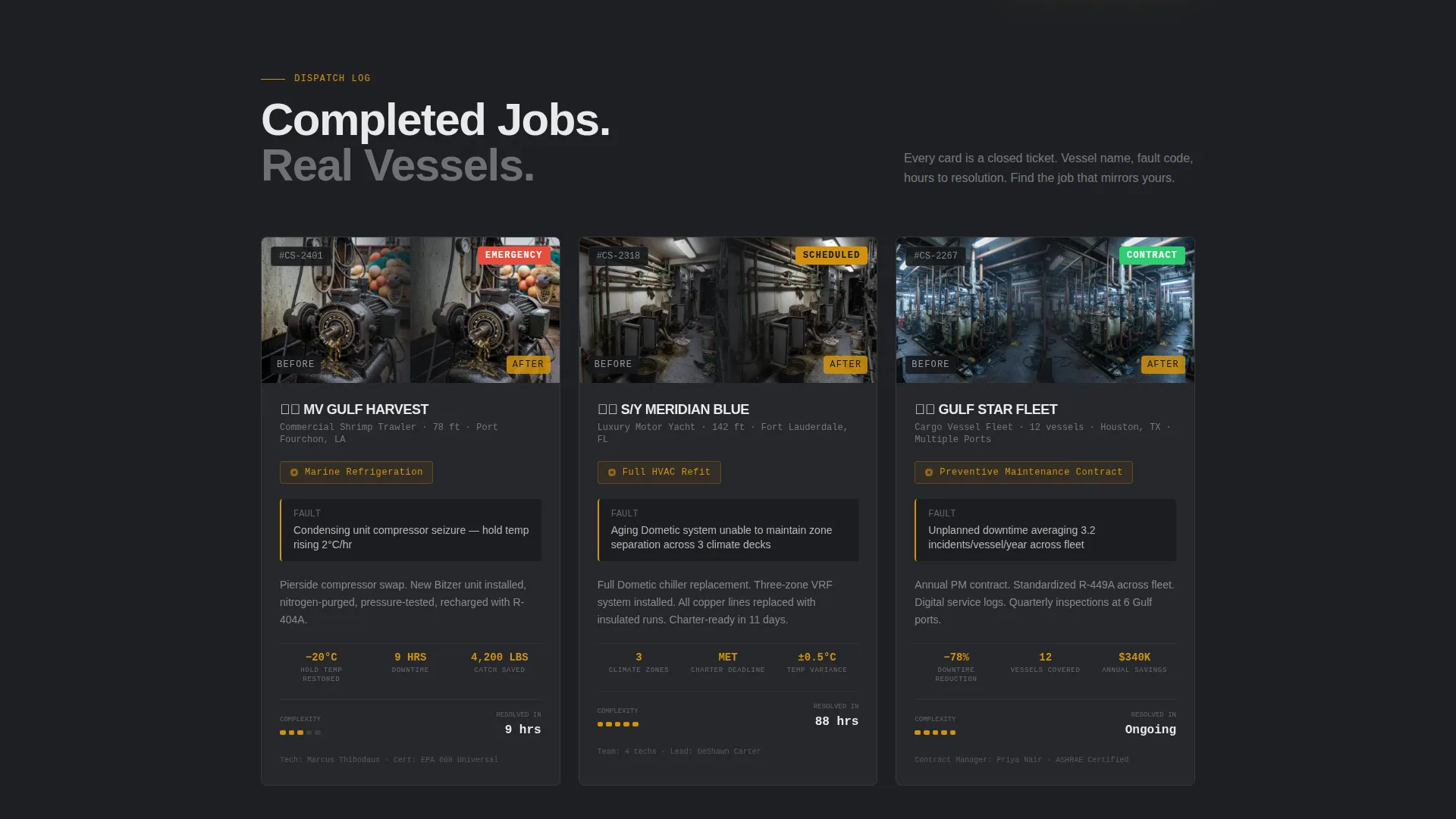
- Three escalating case study data cards covering emergency, refit, and contract scopes
- A sticky bottom bar call to action and a slide-in service-ticket form with vessel and urgency fields
- A secondary email capture path offering a downloadable fleet maintenance checklist
Feature list
This template is built around a tight set of components that mirror how a marine service buyer thinks and decides.
Case Study Data Grid
Each case study is presented as a structured data card showing vessel name, system type, fault diagnosis, hours to resolution, and a before-and-after photo pair. The grid layout lets visitors scan like a dispatch board and click into the job that mirrors their own situation.
Sticky Lead Capture Bar
A "Request a Service Call" bar in amber on charcoal pins to the bottom of the viewport after the first case study scrolls past. It stays accessible without interrupting reading, giving buyers a low-friction entry point at the exact moment trust is established.
Service Ticket Slide-In Form
The primary contact form opens as a slide-in panel styled like an actual service ticket. Fields include vessel name, vessel type dropdown, system affected, port or current location, and an urgency selector covering emergency, scheduled, and quote-only requests.
Fleet Metric Stat Banners
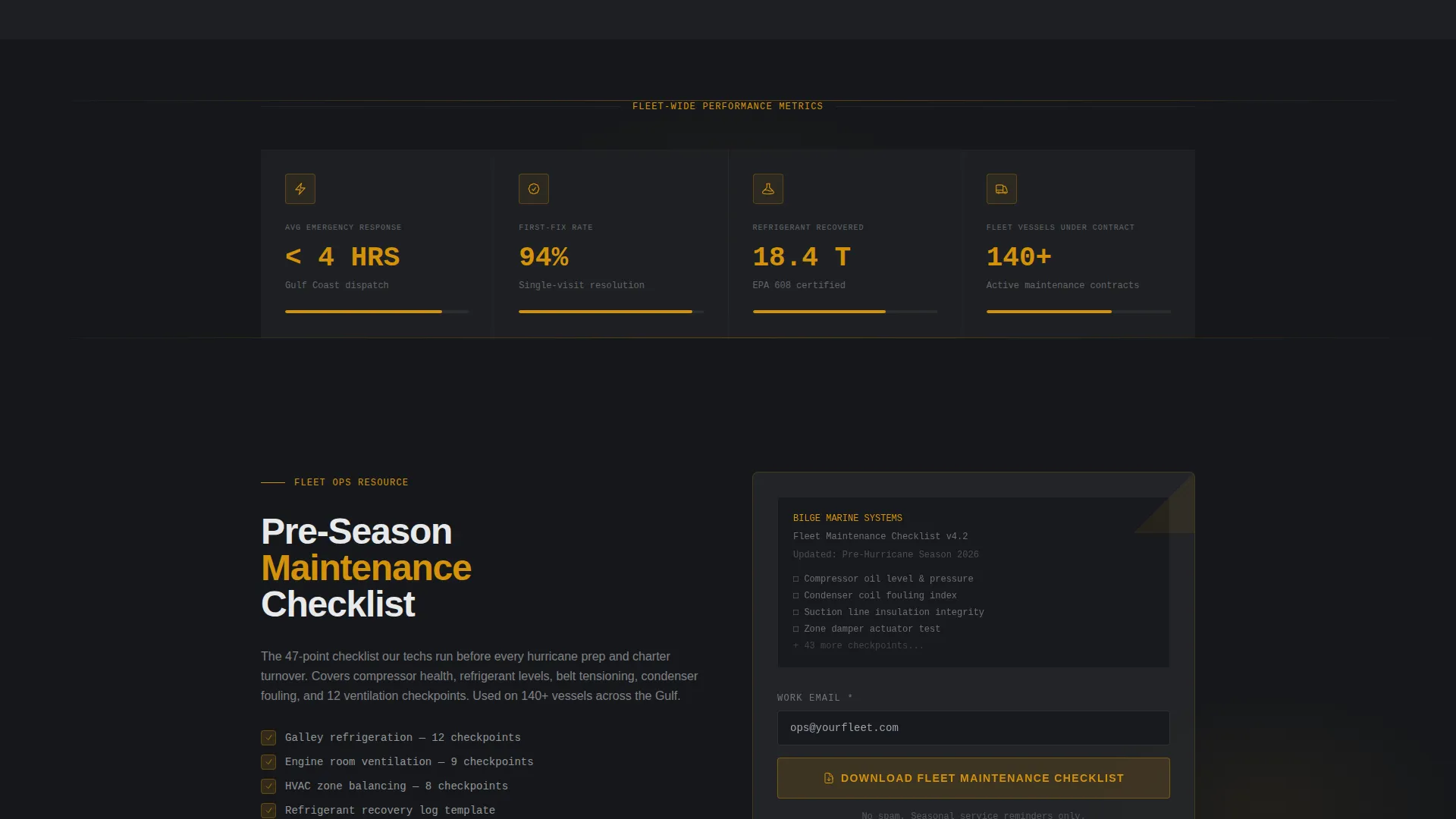
Single-stat banners appear between case study cards to surface fleet-wide numbers: average response time, first-fix rate, and tonnage of refrigerant recovered. These act as proof points that reinforce credibility between narrative sections.
Secondary Email Capture Path
A "Download Our Fleet Maintenance Checklist" prompt captures email addresses from operations managers who are researching rather than booking. The framing ties naturally to hurricane prep windows and charter turnover cycles.
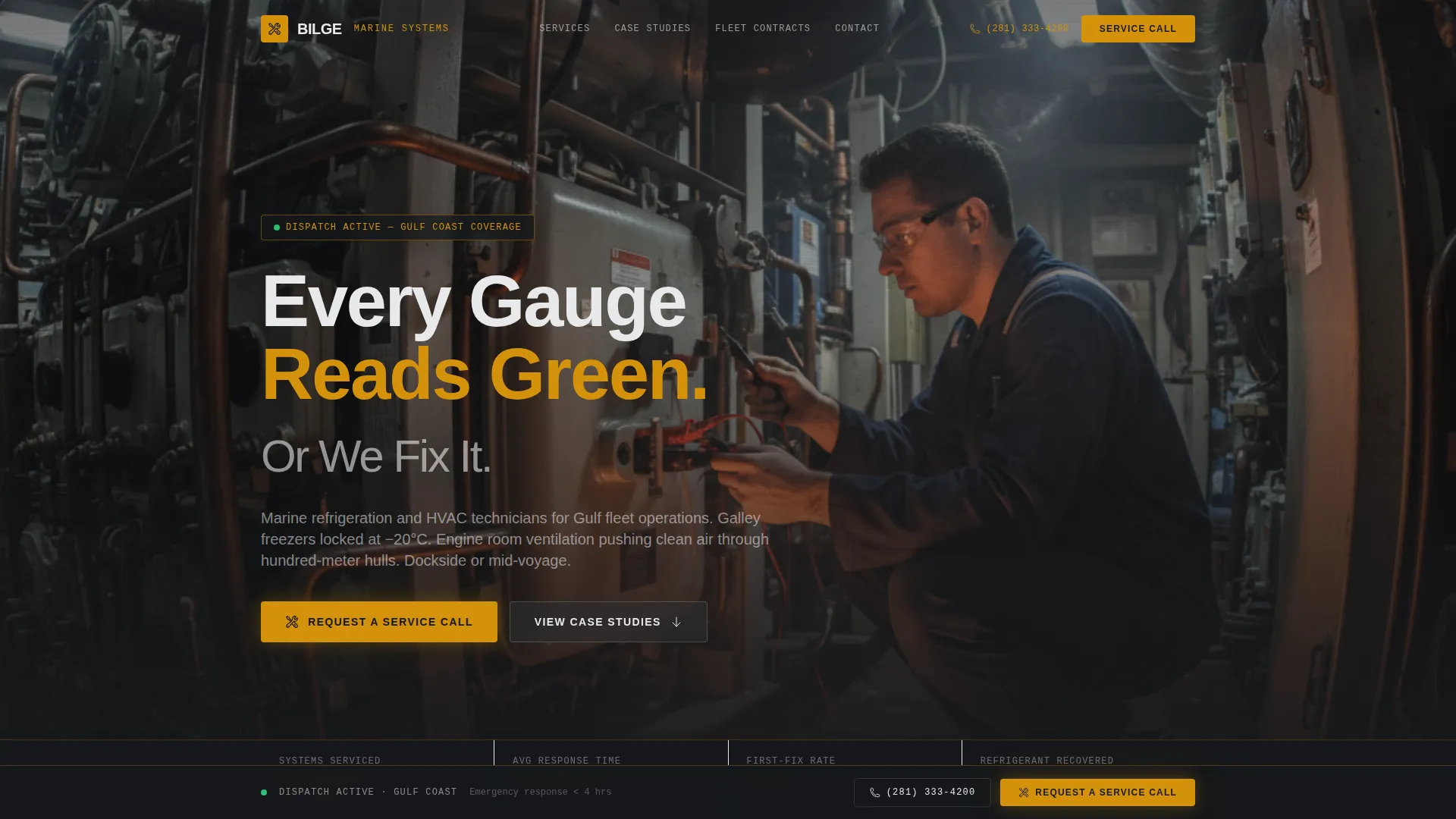
Behind-the-Scenes Hero Section
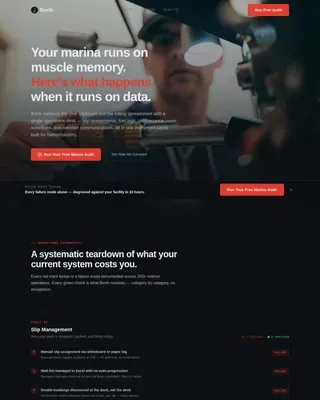
The header uses a wide-angle machinery-space photograph with a technician at work beside a marine condensing unit. A HUD-style stat overlay reads "4,200+ systems serviced across the Gulf fleet," grounding authority before the visitor scrolls.
Page sections overview
| Section | Purpose |
|---|---|
| Hero Header | Establish credibility with a behind-the-scenes vessel machinery photo and fleet stat overlay |
| Case Study One | Shrimp trawler emergency compressor replacement completed pierside in nine hours |
| Stat Banner One | Surface average fleet response time as a standalone proof point |
| Case Study Two | Full yacht HVAC refit across three climate zones |
| Stat Banner Two | Highlight first-fix rate across serviced systems |
| Case Study Three | Preventive maintenance contract covering twelve cargo vessels |
| Stat Banner Three | Display total tonnage of refrigerant recovered fleet-wide |
| Checklist Capture | Secondary email opt-in for the fleet maintenance checklist download |
| Sticky Bottom Bar | Persistent "Request a Service Call" call to action pinned after first scroll milestone |
| Service Ticket Form | Slide-in panel for vessel details, system type, location, and urgency level |
Design & branding system
The visual identity follows a Service Utility theme built around a charcoal and amber color system. Every design choice is functional, not decorative. The palette reads like a well-organized maintenance log under fluorescent dock lighting.
- Deep hull charcoal (#2B2D31) and bulkhead gray (#4A4E54) form the structural base
- Instrument-panel white (#E8E9EB) handles body text and data readouts for clear contrast
- Caution amber (#D4920B) is reserved strictly for calls to action, status indicators, and data highlights
Mobile & speed optimization
The data-grid layout is designed to remain scannable and usable on smaller screens, which matters when a captain or fleet manager is checking options from a phone at the dock.
- Case study cards and stat banners restack cleanly for vertical scrolling on mobile viewports
- The sticky bottom bar and slide-in form are sized and positioned to stay accessible on touch screens
How this template helps you convert
The page is structured around the psychology of a buyer who is under time pressure and needs proof before committing. Every layout decision moves them closer to submitting a service request.
- The hero section establishes authority immediately with a real-context photograph and a concrete fleet stat, so trust is built before the visitor reads a single word of copy.
- The escalating case study narrative mirrors the visitor's own problem in at least one card, making the service feel relevant and proven rather than generic.
- The dual conversion path captures both urgent buyers through the sticky service-call bar and longer-cycle prospects through the maintenance checklist email capture.
Other information about this template
This template is built for a single-page, section-led layout and does not include multi-page navigation or blog architecture. It is designed specifically for the marine HVAC and refrigeration niche within the broader marine and maritime service market.
- The template style is classified as Dashboard and Data Grid, making it well suited for service companies that want to present performance data and case evidence in a structured, readable format
- The creative direction follows a Case Study Narrative, meaning the page tells a progression of real completed jobs rather than listing services abstractly
- The header concept is Behind-the-Scenes, using documentary-style imagery rather than polished product photography
- The lead generation direction supports two distinct conversion paths: an immediate service call request and a lower-commitment checklist download for nurture sequences
- The template fits naturally within the marine equipment and supply subcategory, serving contractors who work across commercial fishing fleets, private yachts, and cargo vessels
Theme
Service Utility
Creative direction
Case Study Narrative
Color system
Charcoal & Amber
Style
Dashboard/Data Grid
Direction
Lead Generation
Page Sections
Case Study Data Grid Cards
Sticky Service Call Bar
Service Ticket Slide-in Form
Fleet Metric Stat Banners
Secondary Email Capture
Documentary Hero Section
Related questions
Can I edit the case study cards with my own completed jobs?
What vessel types does the contact form support?
Is this template suitable for a company that handles both HVAC and refrigeration?
Can I use the checklist download path without the primary service form?
How many case studies does the template include by default?