Marine Mechanic Comparison Table Landing Page
Bilge is a single-page landing page template built for independent marine mechanics. It leads with certification badges, a stat counter, and honest comparison tables that walk clients through every service tier. The educational tone builds trust before the ask, and every section points toward one clear action: booking a diagnostic appointment.
by Rocket studio
Quick summary
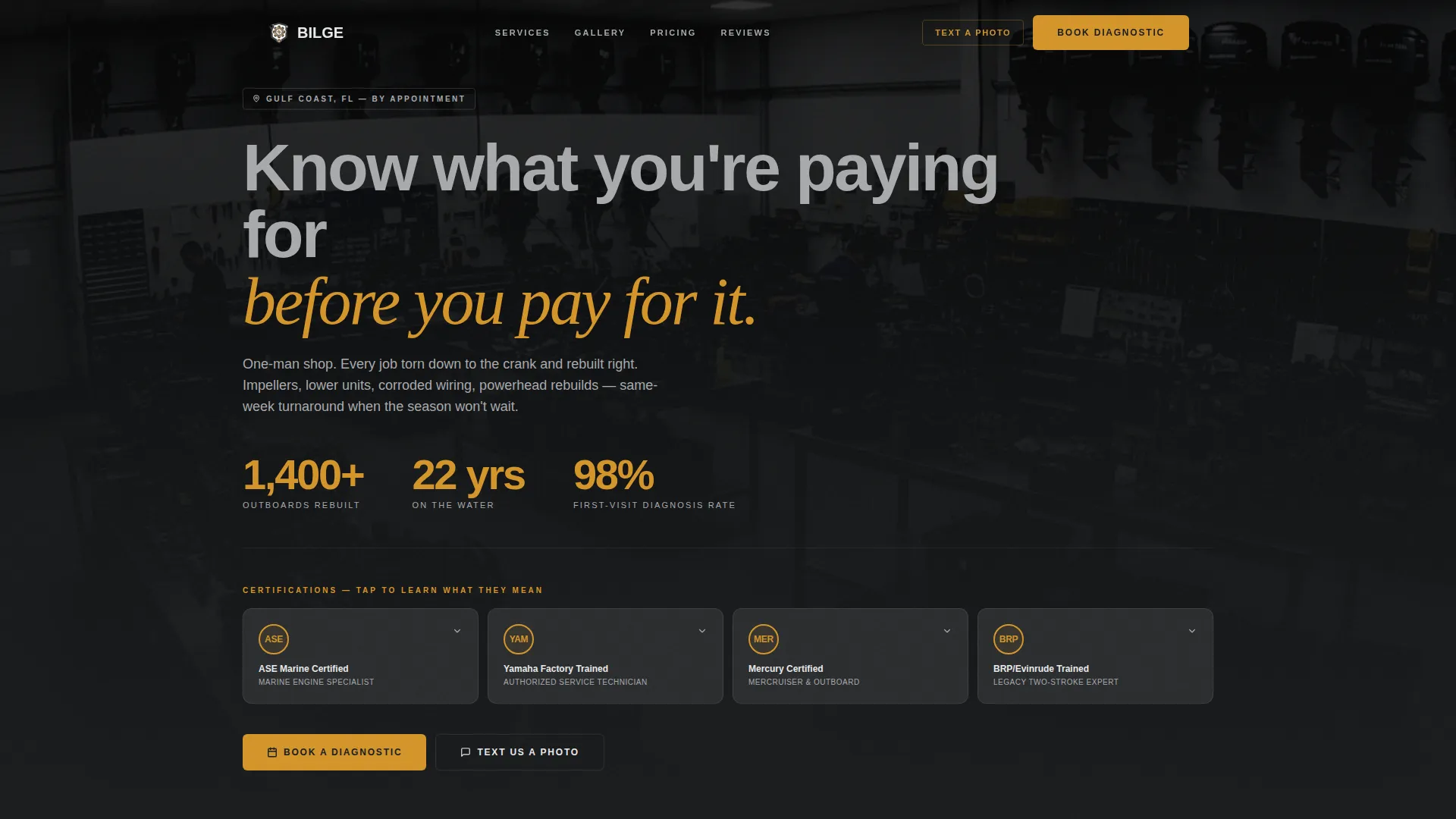
Bilge is a comparison table landing page for a marine mechanic portfolio and gallery. It opens with award badges and hard numbers, then teaches clients what each repair actually involves before asking for their business. The design uses a charcoal and amber palette that feels as deliberate as the work it represents.
Who this template is for
This template is built for independent marine mechanics and small boat repair shops that do serious technical work and want their website to reflect that. It fits operators who rely on word of mouth but need a professional page to close new clients faster.
- Solo marine mechanics offering outboard repair, lower unit rebuilds, and seasonal service
- Small boat repair shops serving anglers, liveaboard cruisers, and charter captains
- Marine technicians who want to show certifications and real repair work rather than stock photography
What problem this template solves
Most boat owners arrive with distrust. They have been overcharged, misdiagnosed, or left waiting weeks at a marina with no communication. This template addresses that friction directly by putting credentials, data, and plain-language explanations front and center before any pricing appears.
- Clients cannot tell the difference between a qualified technician and someone with a used socket set
- Service pricing feels opaque without context showing what the work actually involves
- Booking a repair feels risky when there is no proof of competence visible on the page
What you get with this template
You get a fully structured single-page layout that handles both portfolio presentation and service conversion. Every section is designed to move a skeptical boat owner from curiosity to a booked appointment without friction.
- Award badge header row with stat counters covering rebuilt units, years of experience, and diagnosis rate
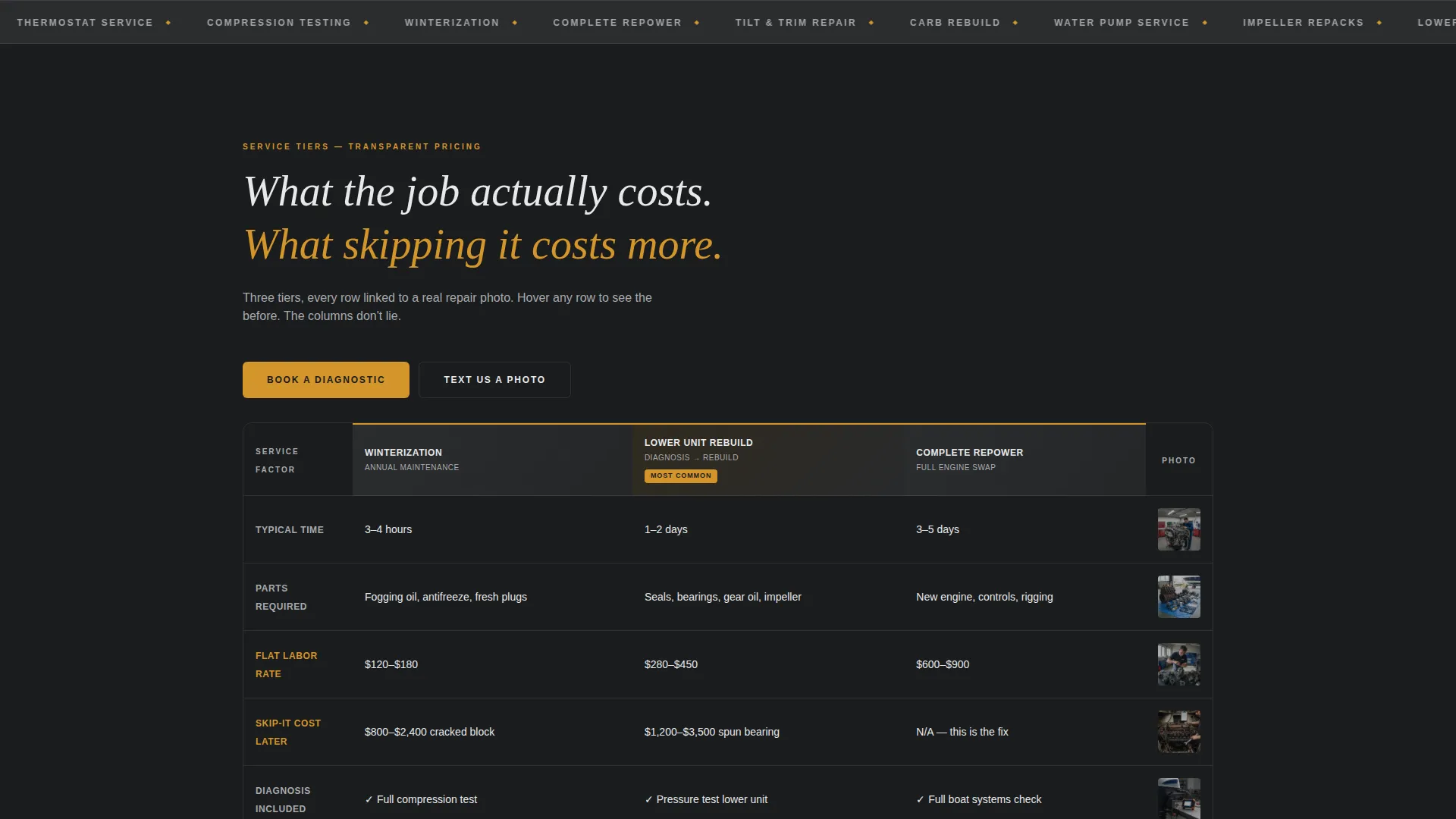
- Comparison table blocks for service tiers with linked gallery images showing actual repair work
- Dual call-to-action paths: a booking form and a direct SMS link for boaters at the ramp
Feature list
This template includes purposeful components grounded in how a working marine mechanic actually earns new clients.
Award Badge Header with Stat Counters
The header displays certification seals and bold numeric stats side by side. Each badge is tappable and reveals a plain-language explanation of what the certification means, so clients understand the credentials without guessing.
Service Tier Comparison Tables
Three service tiers are laid out in honest comparison columns covering time, parts, labor, and the cost of skipping the repair. Each row links directly to a gallery image of the actual job, connecting the table data to real work.
Repair Portfolio Gallery
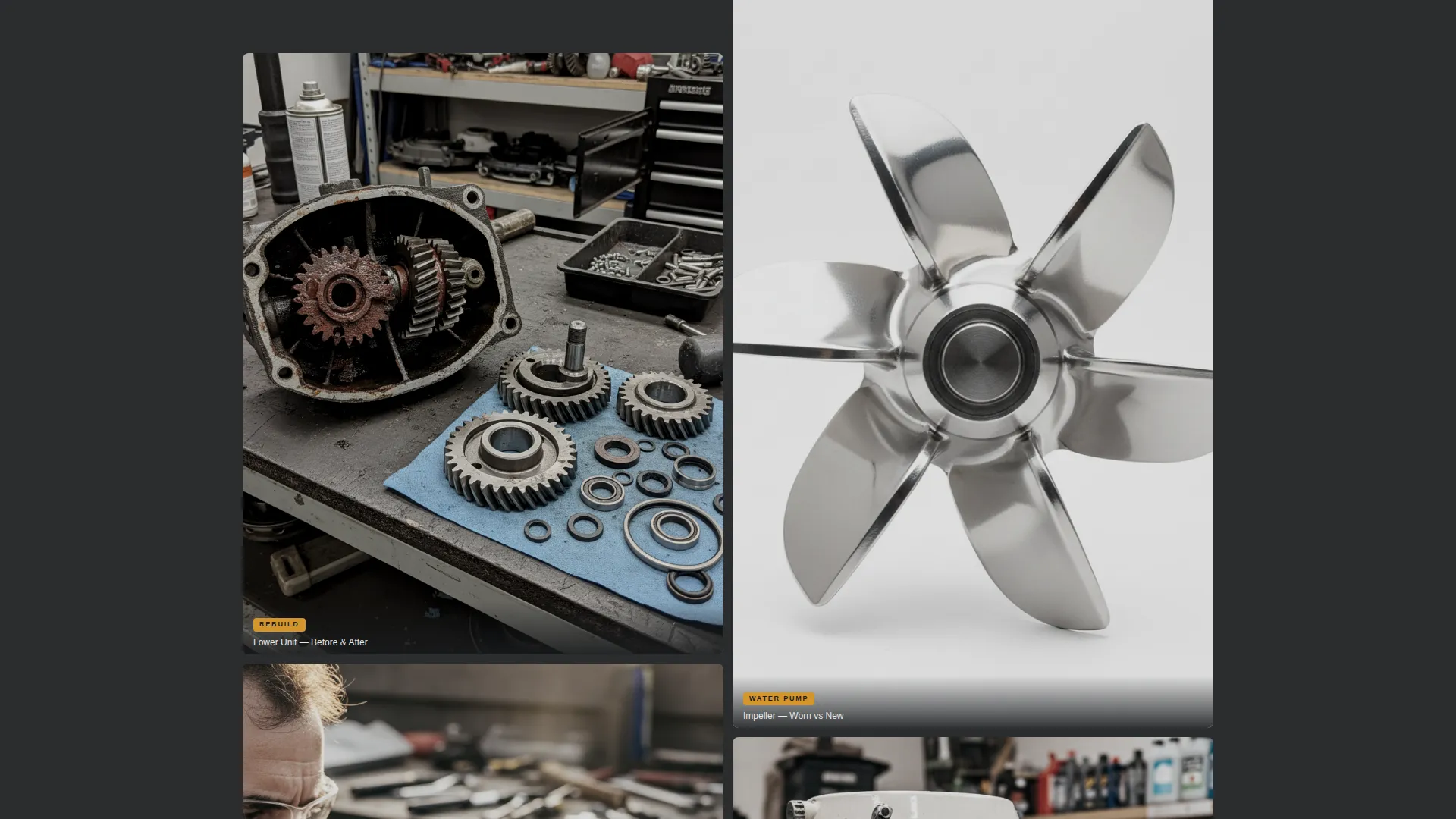
Before-and-after images are embedded throughout the page alongside the relevant comparison rows. A corroded water pump next to its replacement, a powerhead teardown documented in full: the gallery is evidence, not decoration.
Educational Callout Sections
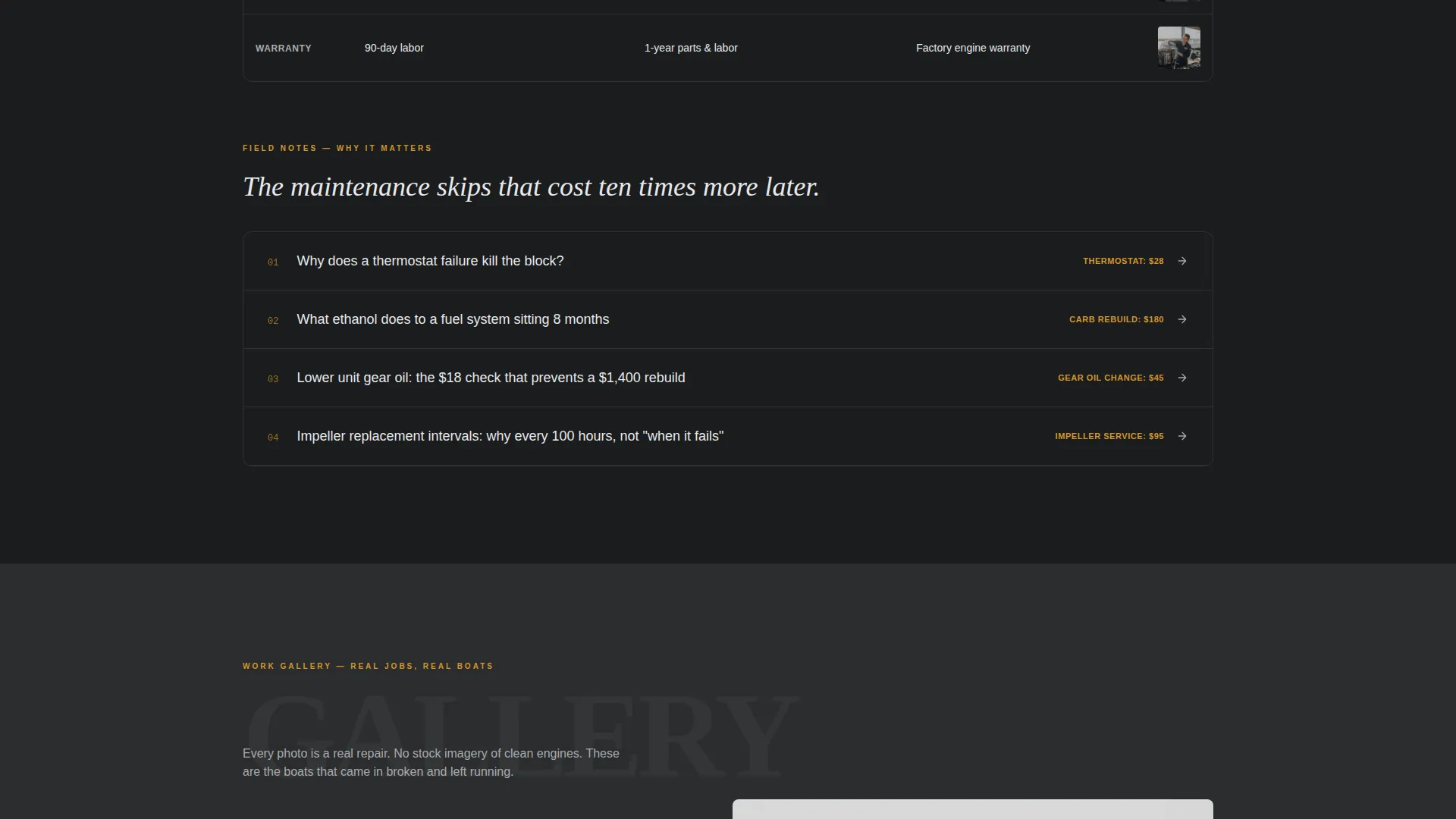
Short explanatory blocks sit between the tables and explain why specific repairs matter. The tone never talks down. It covers topics like what ethanol does to a fuel system and why a thermostat failure can destroy a block, building trust through competence.
Booking and Scheduling Form
The primary call-to-action form collects engine make and model, a symptom from a plain-language dropdown, and a preferred drop-off date. The form sits at the top of every comparison table and floats on mobile screens.
SMS Quick-Contact Path
A secondary contact option lets boaters send a photo via direct SMS link. This path targets people who are already at the ramp with a problem and need a faster first step than filling out a form.
Page sections overview
| Section | Purpose |
|---|---|
| Award Badge Header | Display certifications and key stats |
| Stat Counter Row | Reinforce trust with hard numbers |
| Service Comparison Tables | Break down tiers clearly and honestly |
| Repair Gallery | Show documented before-and-after work |
| Educational Callouts | Explain repair stakes in plain language |
| Booking Form Block | Capture leads at each table anchor |
| SMS Contact Path | Offer a fast option for urgent cases |
Design & branding system
The visual identity follows an Educational Guide theme built on a charcoal and amber color system. Every color choice references something physical: the steel of an engine block, the brass of an aged latch, the dull silver of a zinc anode.
- Engine-block charcoal (#2B2D2F) and bilgewater dark (#1A1C1E) form the base surfaces throughout the page
- Worn brass amber (#D4952A) marks callouts, highlights, and interactive states so critical information never gets missed
- Zinc anode silver (#A8AAAD) handles secondary text and divider lines, keeping the layout readable without visual noise
Mobile & speed optimization
The layout is built with the mobile user in mind, specifically the boat owner standing at a ramp or sitting in a marina parking lot with a dead engine and five minutes of patience.
- The booking form floats persistently on mobile so the primary action is always within reach
- The SMS contact link is positioned for one-tap access on small screens, removing friction for urgent situations
- Comparison tables are structured to remain readable on narrow viewports without horizontal scrolling
How this template helps you convert
Every design and content decision in this template is aimed at shortening the distance between a skeptical first visit and a confirmed appointment.
- Credentials are the first thing a visitor sees, so trust is established before any service is described or priced
- Comparison tables show the honest cost of skipping maintenance alongside the actual repair cost, making the decision to book feel logical rather than pressured
- Two distinct contact paths serve two different mindsets: the planner who wants to schedule ahead and the boater who needs help right now
Other information about this template
This template is part of a Professional Services collection focused on trade-based businesses where demonstrated expertise matters more than visual flair. It is designed for mechanics who want their page to work as hard as they do.
- The template fits niche marine service contexts where clients arrive with specific technical questions and need proof of competence before committing
- The Stats-First Impact creative direction means data appears before any emotional appeal, which suits a technically minded client base
- Color and layout choices reference physical workshop objects, reinforcing the hands-on identity of the business
Theme
Educational Guide
Creative direction
Stats-First Impact
Color system
Charcoal & Amber
Style
Comparison Table
Direction
Booking/Scheduling
Page Sections
Award Badge Header with Stat Counters
Service Tier Comparison Tables
Repair Portfolio and Gallery
Educational Callout Sections
Dual Call-to-action System
Related questions
Can I edit the service tiers in the comparison tables?
How do I connect the booking form to my scheduling system?
Can I replace the gallery images with my own repair photos?
Does the SMS contact link work for any phone number?
Is this template suitable if I offer more than three service tiers?



