Marine Mechanic Quote Landing Page Template
Bilge is an editorial-style marine mechanic landing page built to earn trust through real diagnostic authority. A bold stats panel opens the page, FAQ-driven sections teach before they sell, and a persistent amber call-to-action guides boat owners toward requesting a quote. The charcoal and amber design system feels as purposeful as a well-lit instrument cluster.
by Rocket studio
Quick summary
Bilge is a single-page, click-through landing page template for marine mechanics. It opens with four credibility-first statistics, then walks visitors through real boat-owner questions in a magazine editorial layout. Every section builds mechanical trust. By the time a visitor reaches the quote button, the decision to click already feels obvious.
Who this template is for
This template is built for marine mechanics, boat repair shops, and independent outboard technicians who want a professional online presence that converts visitors into quote requests. It works especially well for operators who service a mix of clients and need a page that speaks to all of them clearly.
- Weekend boaters who need reassurance before booking a diagnostic
- Charter captains and liveaboards who require fast, reliable turnaround
- Marine shops offering multi-brand engine servicing and hull maintenance
What problem this template solves
Most marine mechanics rely on word-of-mouth alone. When a boat owner lands on a generic service page, there is nothing to close the trust gap before they move on. Bilge solves that specific problem by leading with proof, then educating, then asking for the click.
- Visitors leave without requesting a quote because the page offers no credibility signal
- Boat owners with urgent problems cannot quickly find a reason to trust a new shop
- No clear path exists from reading to requesting, so conversions stall
What you get with this template
You get a fully structured editorial landing page that handles the entire trust-building journey in one scroll. Every layout decision supports the goal of turning a skeptical boat owner into a confident quote requester.
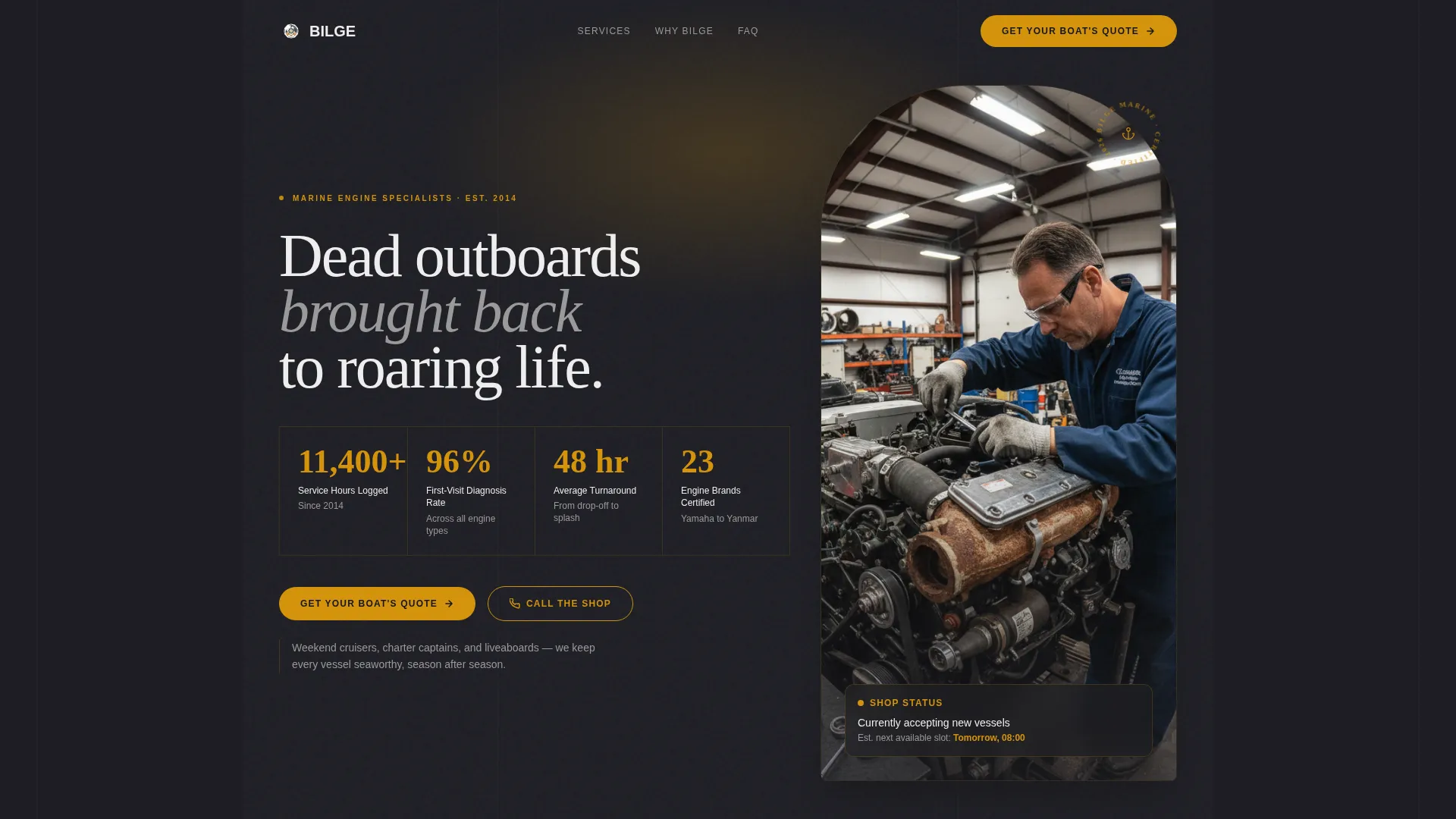
- A stats and metrics header panel with four oversized amber credibility figures
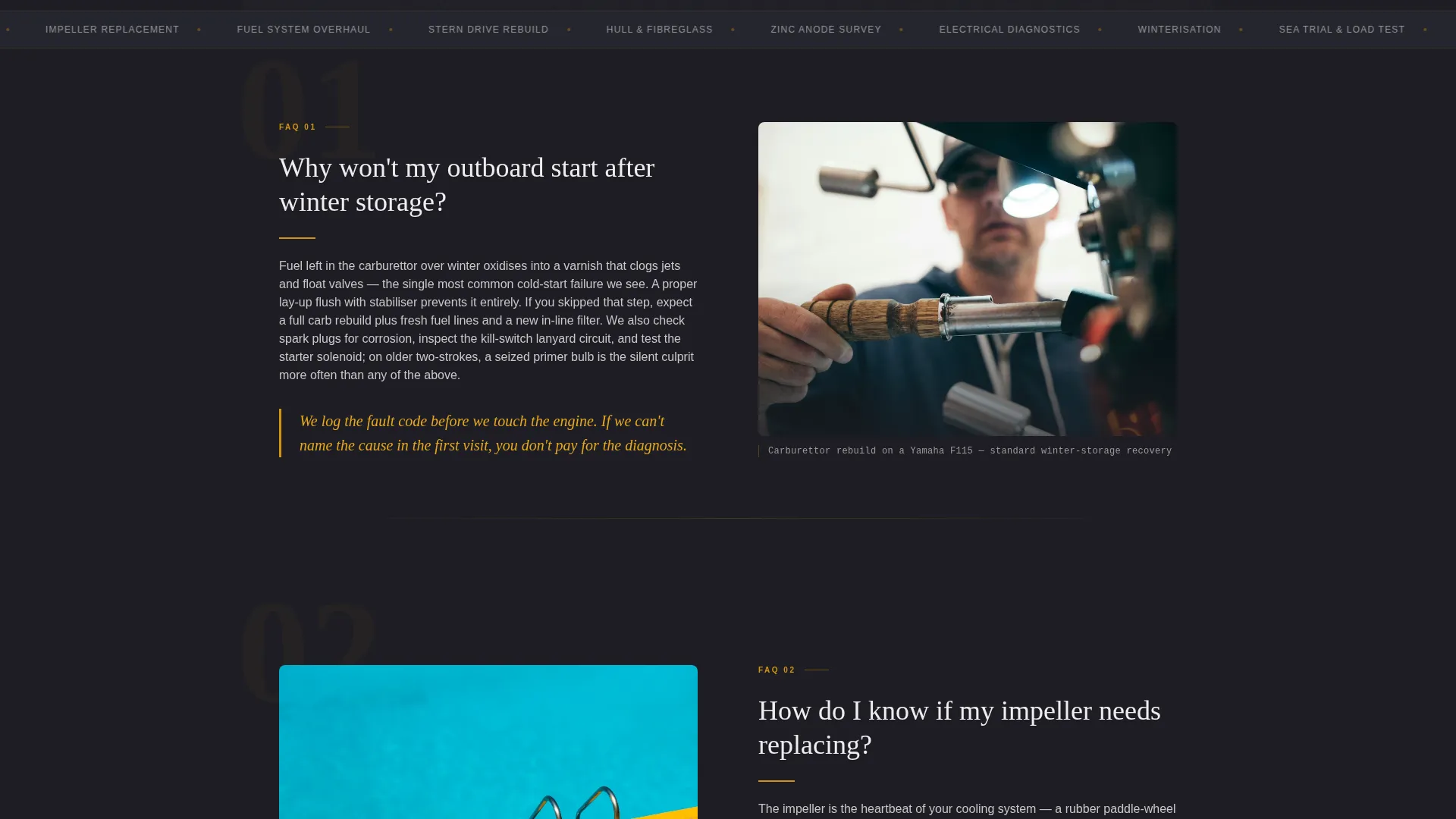
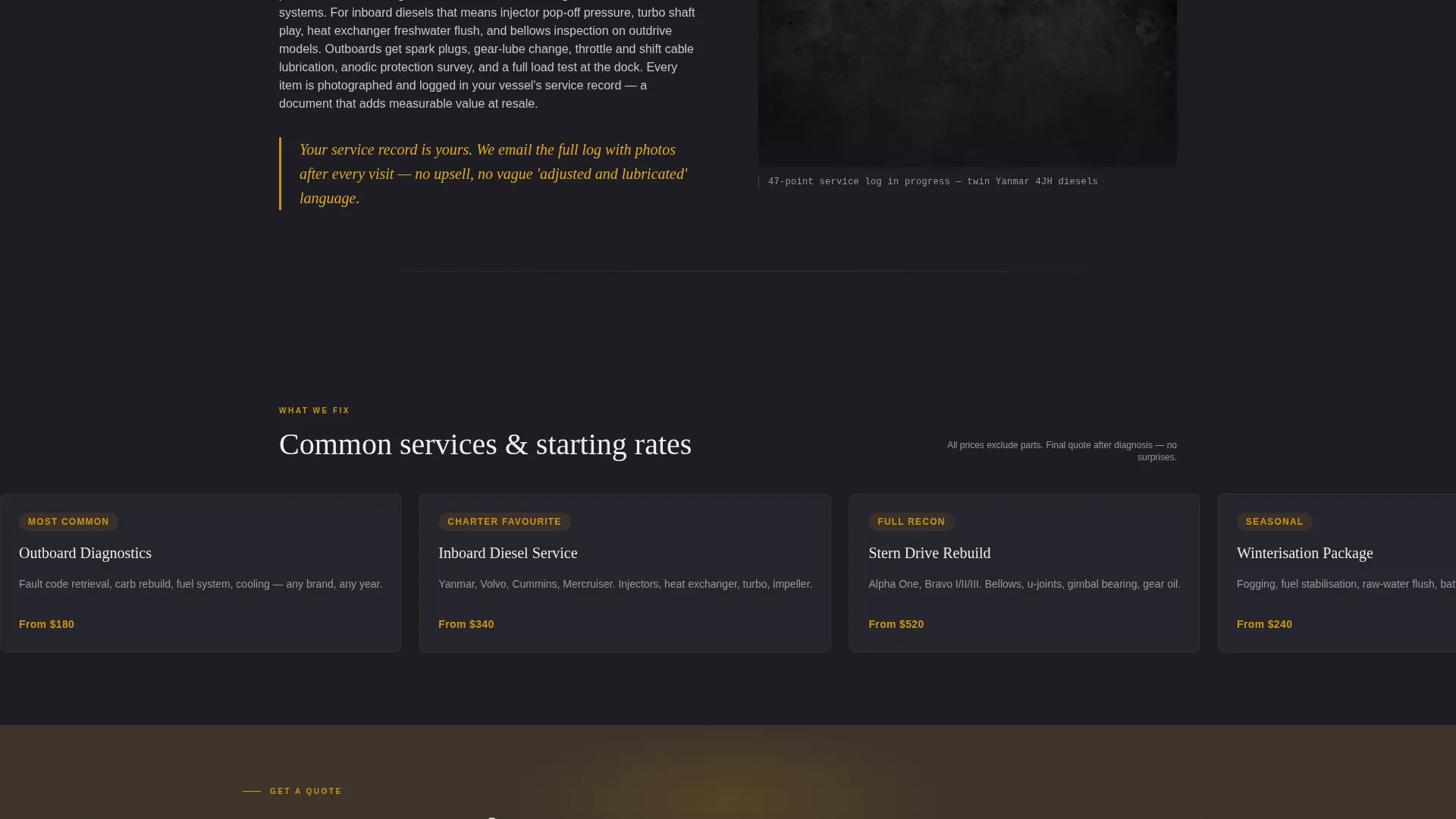
- A series of FAQ-driven editorial spreads with pull-quotes and supporting detail placements
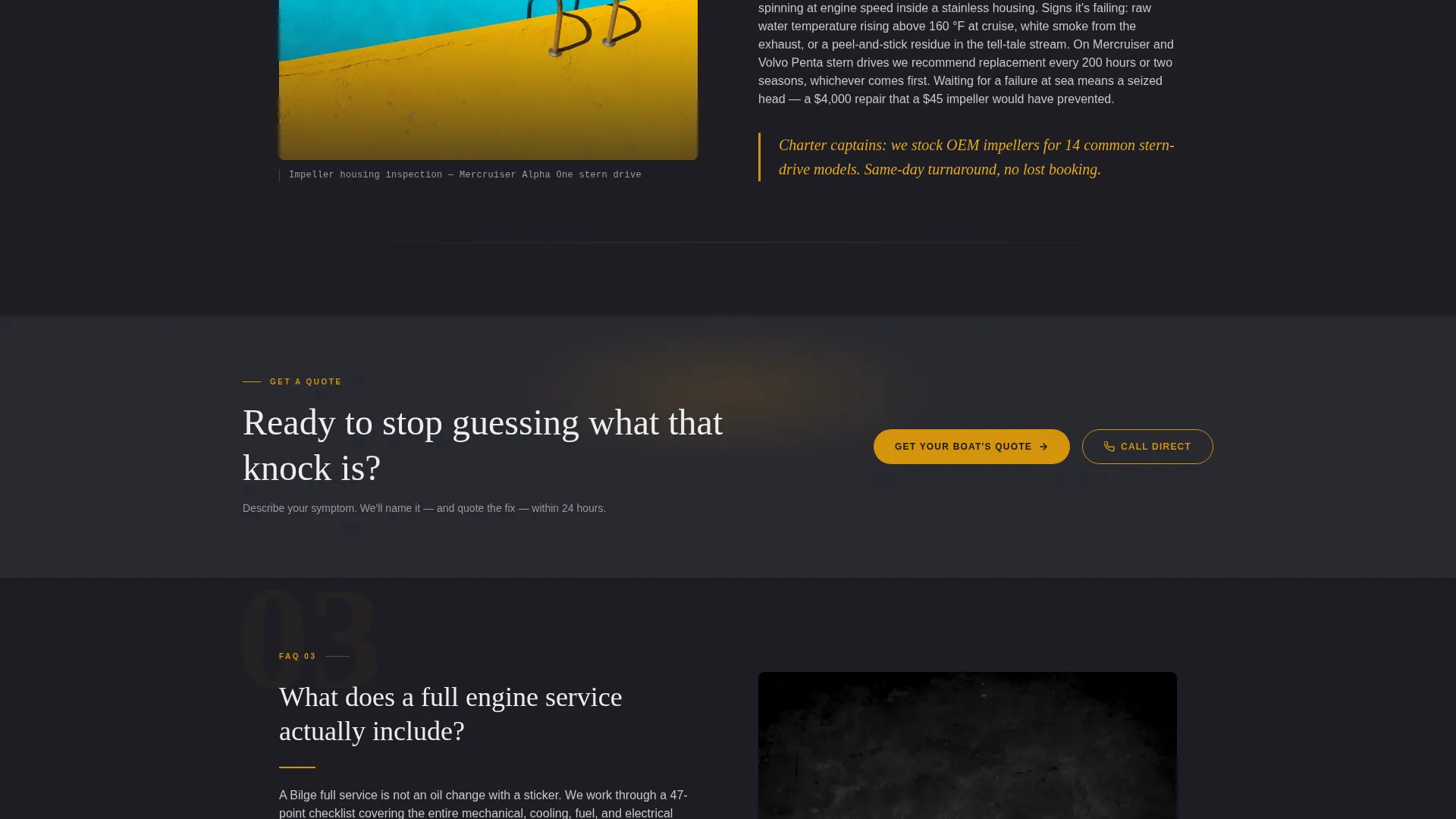
- A persistent call-to-action button in the top navigation and repeated full-width callouts after every third FAQ block
Feature list
This template packages several distinct layout components, each designed to do a specific job in the conversion journey.
Credibility Stats Header Panel
Four oversized figures sit inside their own editorial columns at the top of the page. Each number renders in polished brass amber against engine-block charcoal. A single-line white descriptor anchors every figure. No hero image competes for attention; the numbers carry the opening.
FAQ-Driven Editorial Spreads
Each major section opens with a real question that boat owners actually ask. A short authoritative answer sits on one side, and a supporting detail photograph or cutaway diagram placement sits on the other. Amber pull-quotes break the column rhythm like highlighted marginalia, reinforcing expertise without feeling like a sales pitch.
Persistent Amber Call-to-Action
The primary "Get Your Boat's Quote" button lives in the top navigation at all times. It reappears as a full-width editorial callout after every third FAQ block. Visitors always have a clear next step without the page ever feeling pushy.
Executive Suite Color System
The charcoal and amber palette is applied consistently across every element. Deep engine-block charcoal dominates backgrounds and body typography. Polished brass amber marks every interactive surface. Dock-fog white creates generous open reading space between content blocks.
Refined Serif Typography
Numbers and headline figures are typeset in a refined serif, giving the page the visual weight of a quality print publication. This typographic choice reinforces the sense that the shop behind the page is experienced and detail-oriented.
Footer Secondary Contact Path
A tap-to-dial phone number sits in the footer under a "Call the Shop Direct" label. This gives charter captains and time-sensitive boat owners a direct line to answers without requiring them to complete a form.
Page sections overview
| Section | Purpose |
|---|---|
| Top Navigation Bar | Persistent quote button access |
| Stats Metrics Panel | Open with four credibility figures |
| FAQ Editorial Block One | Answer first diagnostic question |
| Full-Width call to action Callout | First quote request prompt |
| FAQ Editorial Block Two | Answer second service question |
| FAQ Editorial Block Three | Answer third engine question |
| Full-Width call to action Callout | Second quote request prompt |
| FAQ Editorial Block Four | Answer fourth maintenance question |
| Footer Contact Strip | Tap-to-dial secondary contact path |
Design & branding system
The visual identity follows an Executive Suite theme built around a charcoal and amber color system. Every color choice serves a function: charcoal anchors attention, amber directs it, and white space lets content breathe. The result feels like stepping into the captain's salon on a well-maintained motoryacht.
- Deep engine-block charcoal (#1E1E24) dominates all backgrounds and primary typography
- Polished brass amber (#D4930D) marks every interactive element, accent line, and pull-quote
- Weathered teak (#3B3228) and dock-fog white (#EDEDED) provide supporting depth and open reading space
Mobile & speed optimization
The editorial layout is structured to read cleanly on smaller screens without losing its visual authority. Single-column stacking preserves the FAQ rhythm on mobile, and the persistent navigation button stays reachable throughout the scroll.
- The stats panel reflows into a stacked two-by-two grid on narrow screens
- Pull-quotes and detail image placements adapt to single-column layouts naturally
- The tap-to-dial footer link works directly on mobile devices for immediate phone access
How this template helps you convert
The page is engineered around a single goal: make the quote request feel inevitable. It does that by sequencing trust signals in a deliberate order before ever asking for the click.
- The stats panel removes doubt immediately at the top, so visitors begin reading from a position of confidence rather than skepticism.
- Each FAQ block answers a real concern, and the amber pull-quotes reinforce expertise so naturally that by the fourth question, visitors are thinking about their own boat rather than evaluating the shop.
- The full-width callout after every third FAQ block meets visitors at the exact moment their trust peaks, making "Get Your Boat's Quote" the natural next step rather than an interruption.
Other information about this template
This template is part of the Bilge collection, designed specifically for marine service businesses operating in competitive coastal and inland waterway markets. It is well suited to shops that service multiple engine brands and want a single page that speaks to recreational boaters, charter operators, and liveaboards with equal credibility.
- The click-through structure keeps this landing page focused on trust-building while the quote form lives on a separate dedicated page
- The editorial magazine template style sets Bilge apart from generic directory listings or basic service-page layouts
- The FAQ-driven creative direction means the page content can be updated with new questions over time to reflect seasonal service topics
- The template is compatible with the broader Executive Suite theme family for shops that want a consistent look across multiple pages
Theme
Executive Suite
Creative direction
FAQ-Driven
Color system
Charcoal & Amber
Style
Editorial/Magazine
Direction
Click-Through
Page Sections
Credibility Stats Header Panel
Faq-driven Editorial Spreads
Persistent Amber Call-to-action
Executive Suite Color System
Refined Serif Editorial Typography
Footer Tap-to-dial Contact Strip
Related questions
What kind of marine mechanic business is this landing page built for?
Does this template include a quote form?
Can I update the FAQ questions to match my shop's services?
How does the persistent call-to-action button work?
Is the tap-to-dial phone number in the footer editable?



