Blacktop - Highimpact Asphalt Landing Page Template
Blacktop is a data-driven landing page template built for Seattle commercial paving and asphalt companies. It opens with animated stat counters, moves through a service comparison table, and closes with a lead-capture form. The layout is designed to help property managers, HOA boards, and general contractors self-diagnose their lot condition and request an assessment fast.
by Rocket studio
Quick summary
Blacktop is a single-page asphalt contractor template built for Seattle's commercial paving market. It leads with live-style stat counters, presents a clear service comparison table, and guides visitors to a structured lead form. Every section is built around evidence and data, not adjectives, so decision-makers can move from problem to quote request in one scroll.
Who this template is for
This template is purpose-built for paving contractors and asphalt companies operating in the Pacific Northwest commercial space. If your clients are the people responsible for keeping lots functional and safe, this layout speaks their language directly.
- Property managers fielding tenant complaints about drainage and surface cracking
- HOA boards dealing with deteriorating cul-de-sacs and shared parking areas
- General contractors who need a reliable paving sub for commercial projects
What problem this template solves
Most contractor websites bury the most useful information. Visitors arrive with a specific problem and leave without getting a clear answer. Blacktop flips that by leading with data and letting the visitor self-diagnose before they ever read a pitch.
- Property managers can't quickly tell which service they actually need
- Generic contractor pages don't build credibility fast enough to hold commercial buyers
- Lead forms placed too early capture unqualified requests and waste follow-up time
What you get with this template
You get a fully structured, single-page layout built around a stats-first scroll experience. Every section earns the next by raising the stakes with evidence before offering the solution.
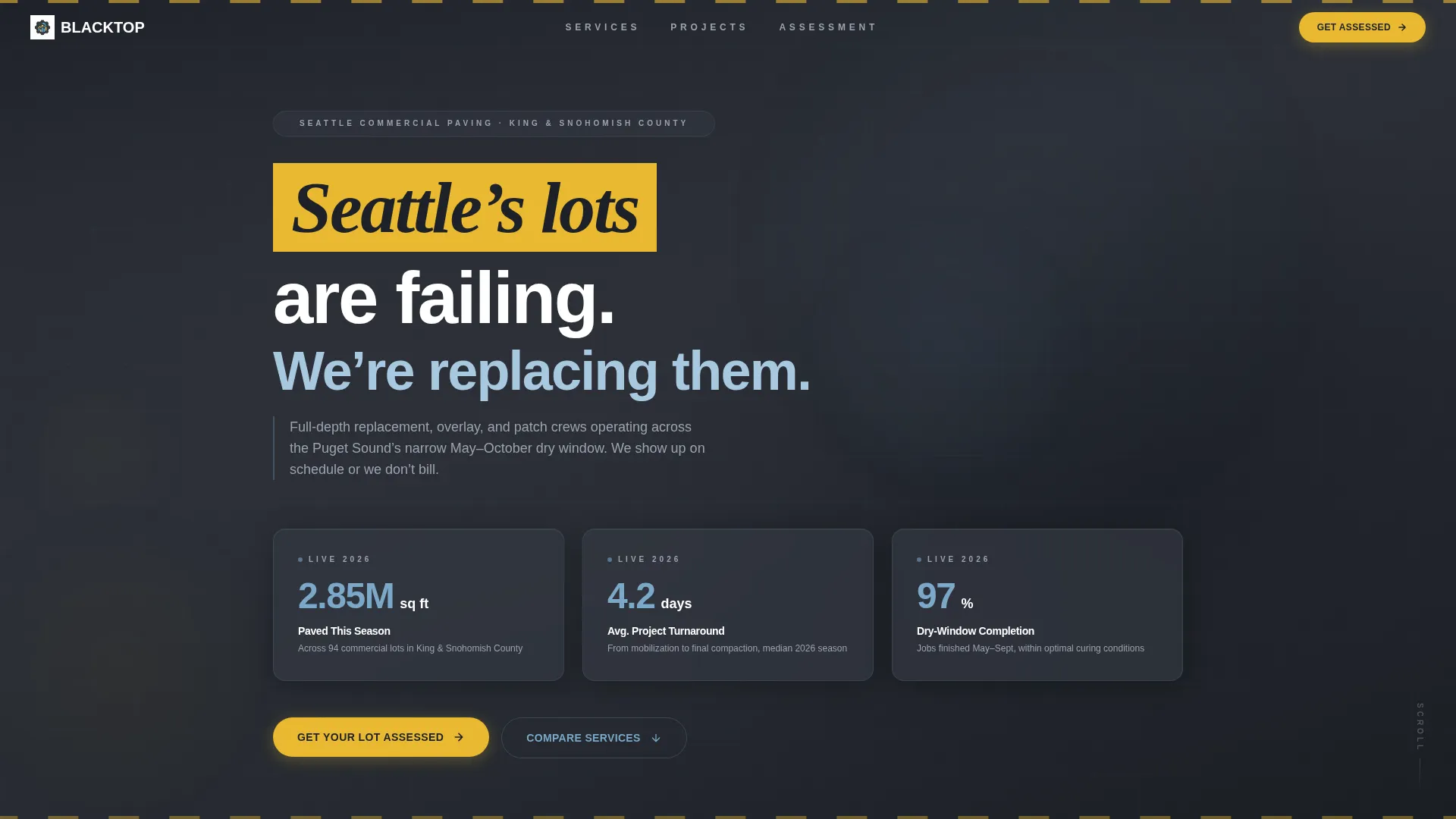
- Animated stat counters in the header displaying square footage paved, average turnaround in days, and dry-season completion rate
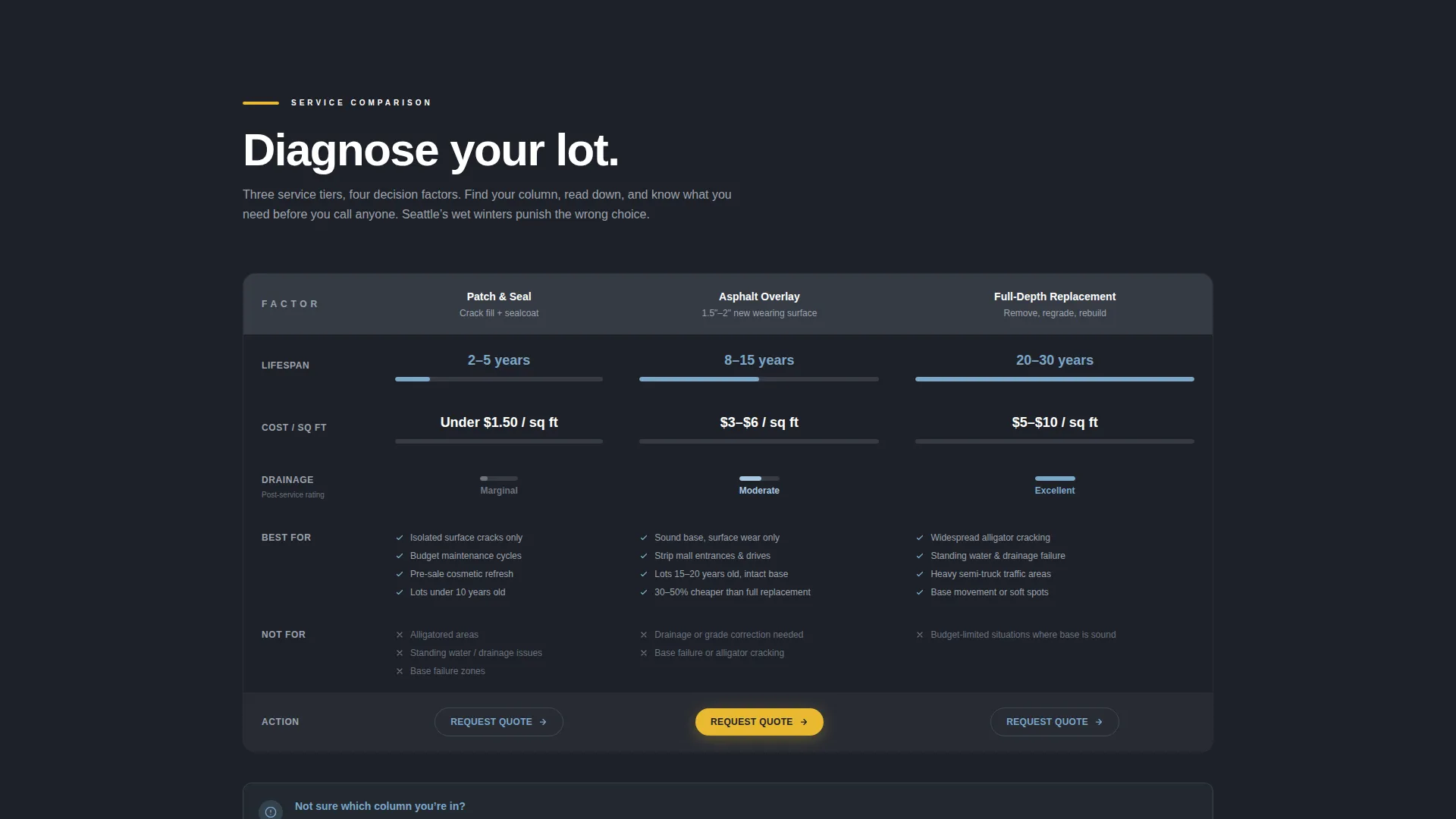
- A three-column service comparison table covering asphalt overlay, full-depth replacement, and patch-and-seal with lifespan, cost per square foot, drainage rating, and best-for scenarios
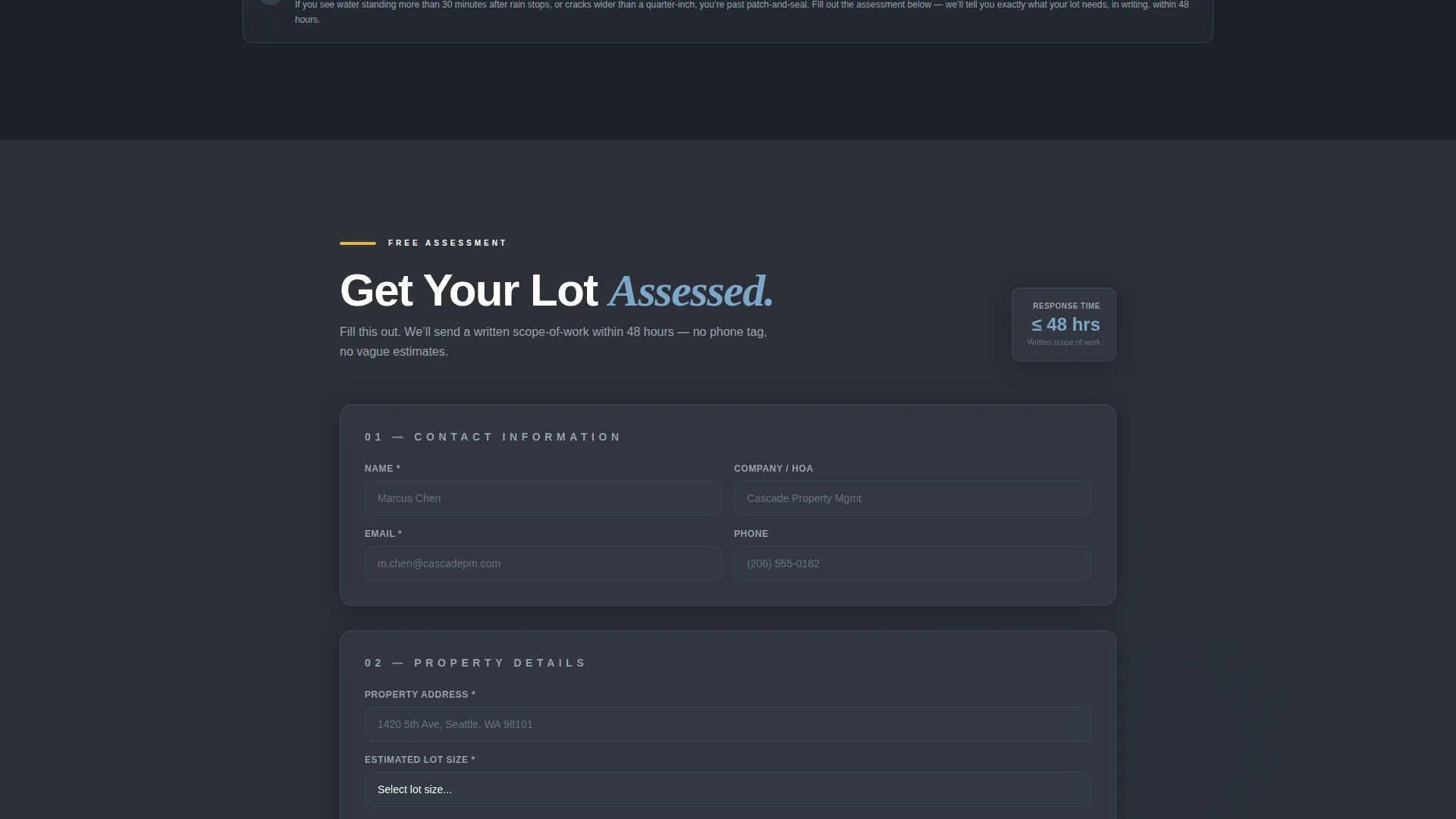
- A primary lead form with property address, lot size dropdown, surface condition selector, and preferred timeline, plus a secondary path for a downloadable paving guide PDF
Feature list
This template is built around a specific set of components derived directly from the brief. Each one is designed to serve a commercial buyer who wants answers, not atmosphere.
Animated Stat Counter Header
Three large counters tick upward against a deep asphalt-dark background. They display square feet paved, average project turnaround in days, and the percentage of jobs completed within the Pacific Northwest dry season window. Numbers are rendered in sky blue with lane-stripe yellow unit labels, making the data impossible to miss.
Service Comparison Table
A structured three-column table lets visitors compare asphalt overlay, full-depth replacement, and patch-and-seal side by side. Columns cover lifespan, cost per square foot, drainage rating, and best-for scenarios. Property managers can self-diagnose their lot condition without a phone call.
Before-and-After Aerial Data Section
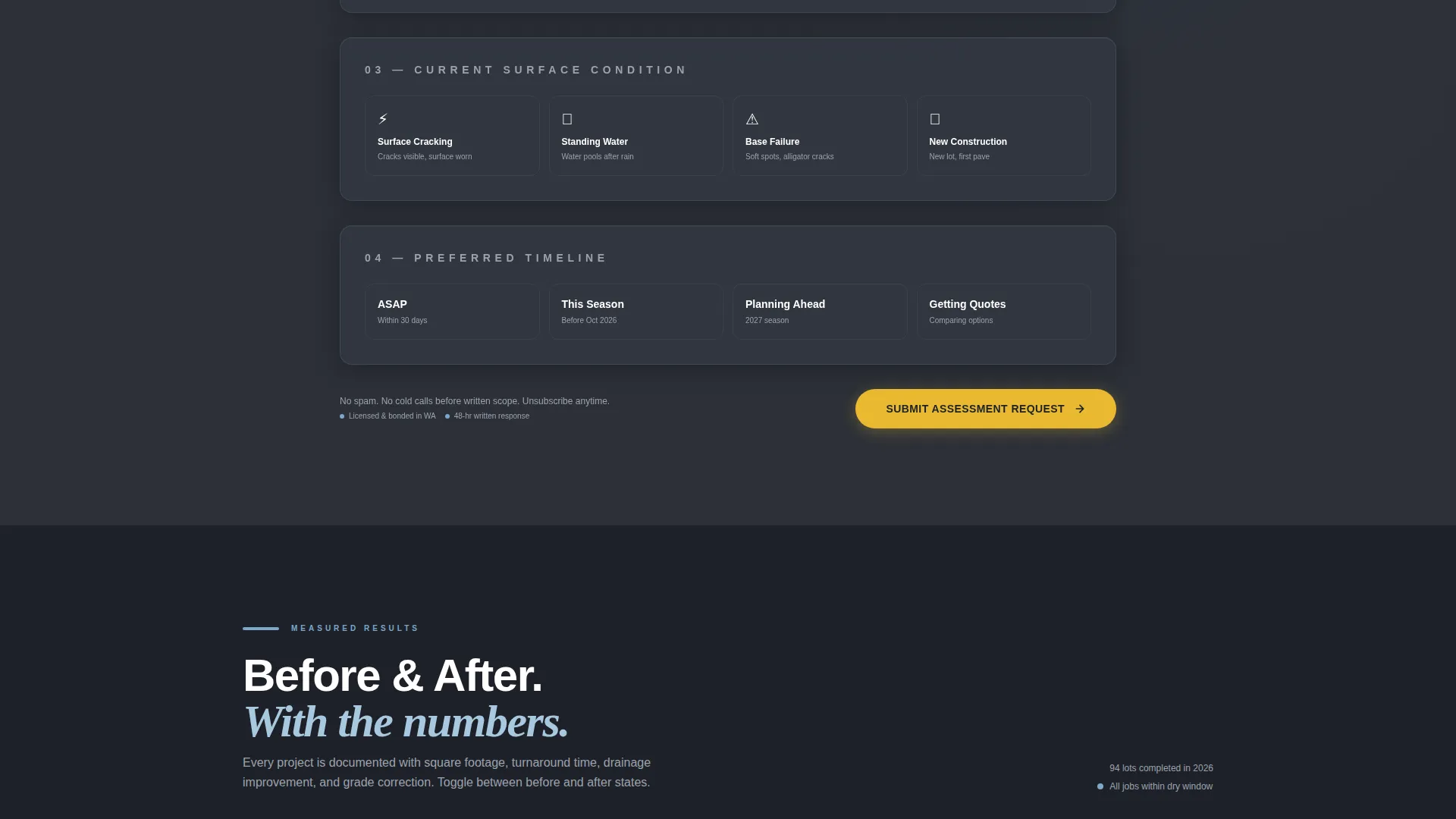
This section layers measurable data directly over before-and-after aerial views. Overlaid figures include square footage treated, grade correction percentages, and drainage flow improvements. It builds credibility through measurement rather than testimonials.
Structured Lead Capture Form
The primary call to action reads "Get Your Lot Assessed." The short form collects property address, estimated lot size via dropdown (under 10,000 square feet, 10,000 to 50,000, or 50,000 and above), current surface condition (cracking, ponding, base failure, or new construction), and preferred project timeline. Placement immediately follows the comparison table.
Downloadable PDF Lead Magnet
A secondary conversion path offers the "Seattle Property Manager's Paving Guide" as a downloadable PDF. Visitors provide their email to receive it, creating a nurture-ready list separate from direct form submissions.
Stats-First Page Architecture
The entire page is structured so each scroll reveals more granular data before showing a solution. This architecture is built to persuade commercial decision-makers through evidence, progressively building trust from the header stat counters through to the lead form at the bottom.
Page sections overview
| Section | Purpose |
|---|---|
| Stat Counter Header | Opens with three live-style data counters to establish scale and credibility immediately |
| Service Comparison Table | Lets visitors self-diagnose their lot and identify the right service type |
| Lead Capture Form | Converts informed visitors into assessment requests right after the comparison table |
| Before-and-After Aerials | Reinforces credibility with measurable, data-overlaid project results |
| PDF Download call to action | Captures email addresses from visitors not yet ready to request a direct assessment |
Design & branding system
The visual identity follows a Service Utility theme built on a Slate and Sky color system. The palette feels like a freshly sealed parking lot under clearing skies: industrial and purposeful, with a small but clear note of optimism.
- Deep asphalt charcoal (#2C3038) as the primary background, wet-gravel gray (#6B7280) for supporting text and borders, and Pacific Northwest sky blue (#7BA7C9) for key data figures
- High-visibility lane-stripe yellow (#E8B930) reserved exclusively for call-to-action elements and key data point labels, keeping every call to action visually distinct
- The overall tone is no-nonsense and utilitarian, with layout choices that prioritize data clarity over decorative design
Mobile & speed optimization
The template is structured for clear vertical readability on mobile devices. The comparison table and stat counters are designed to reflow and remain scannable on smaller screens.
- Stat counters stack cleanly into a single column on mobile without losing visual impact
- The lead form fields are sized and spaced for thumb-friendly input on touch devices
How this template helps you convert
Blacktop is engineered to move commercial decision-makers from curiosity to a completed form submission. The sequence is deliberate: data first, problem identification second, solution third.
- The stat counter header creates immediate authority, giving visitors a concrete sense of the company's scale and reliability before any copy has to argue for it.
- The comparison table does the qualification work, so by the time a visitor reaches the lead form they already know which service they need, producing higher-quality inquiry submissions.
Other information about this template
Blacktop is a strong fit for Seattle-area paving businesses targeting the commercial property management sector. It works equally well for companies expanding into neighboring markets across the Pacific Northwest.
- The template's data-forward layout suits any contractor who wants to position their business around measurable results rather than general reputation
- The PDF lead magnet component creates a secondary conversion layer, supporting longer-term follow-up without requiring immediate commitment from the visitor
- The dry-season scheduling angle built into the form's timeline selector directly addresses the narrow May-to-October paving window common in the Pacific Northwest, making the template feel locally specific rather than generic
Theme
Executive Suite
Creative direction
Case Study Narrative
Color system
Charcoal & Amber
Style
Sidebar Companion
Direction
Booking/Scheduling
Page Sections
Animated Stat Counter Header
Service Comparison Table
Before-and-after Aerial Data Section
Structured Lead Capture Form
Downloadable PDF Lead Magnet
Stats-first Scroll Architecture
Related questions
Can I customize the stat counter numbers for my own business?
Does the comparison table support more than three service types?
Where does the lead form appear on the page?
Can I remove the PDF download section if I don't have a guide ready?
Is this template only useful for Seattle-based paving companies?



