Laser Tag Arena Landing Page Template
Blaster is a single-column laser tag landing page built for arenas that need to turn midnight impulse into confirmed bookings. It combines a high-energy visual identity, occasion-led content sections, and a structured three-step booking flow to move parents, corporate teams, and walk-in groups from first scroll to locked reservation.
by Rocket studio
Quick summary
Blaster is a full-page laser tag landing page template designed around one goal: getting visitors to book before the moment fades. It pairs a void-black neon aesthetic with occasion-driven sections and a pinned booking bar, so every scroll feels like a countdown to the best Friday night they haven't had yet.
Who this template is for
This template is built for laser tag arenas that serve multiple audience types at once. If your venue handles birthday parties, corporate groups, and weekend walk-ins on the same night, Blaster gives each of those visitors a section that speaks directly to them.
- Venue owners and operators marketing to parents, workplace teams, and teen friend groups
- Arenas running themed zones, seasonal events, and private party packages under one roof
- Businesses that need a booking-first landing page with urgency built into every section
What problem this template solves
Most entertainment venue pages list features. Blaster sells moments. The problem is that laser tag is an impulse purchase, and a dull page kills that impulse fast. This template keeps the energy alive from the first frame to the booking confirmation step.
- Visitors leave when pages feel flat and generic, especially on mobile late at night
- Separate audience groups (parents, corporate clients, teens) get lost when sections don't speak to them specifically
- Booking friction, long forms, and unclear availability all cost confirmed reservations
What you get with this template
You get a complete single-column landing page structured around bookable occasions, not a feature checklist. Every section is designed to feel like a movie poster for a night your visitor hasn't had yet, escalating energy as they scroll deeper.
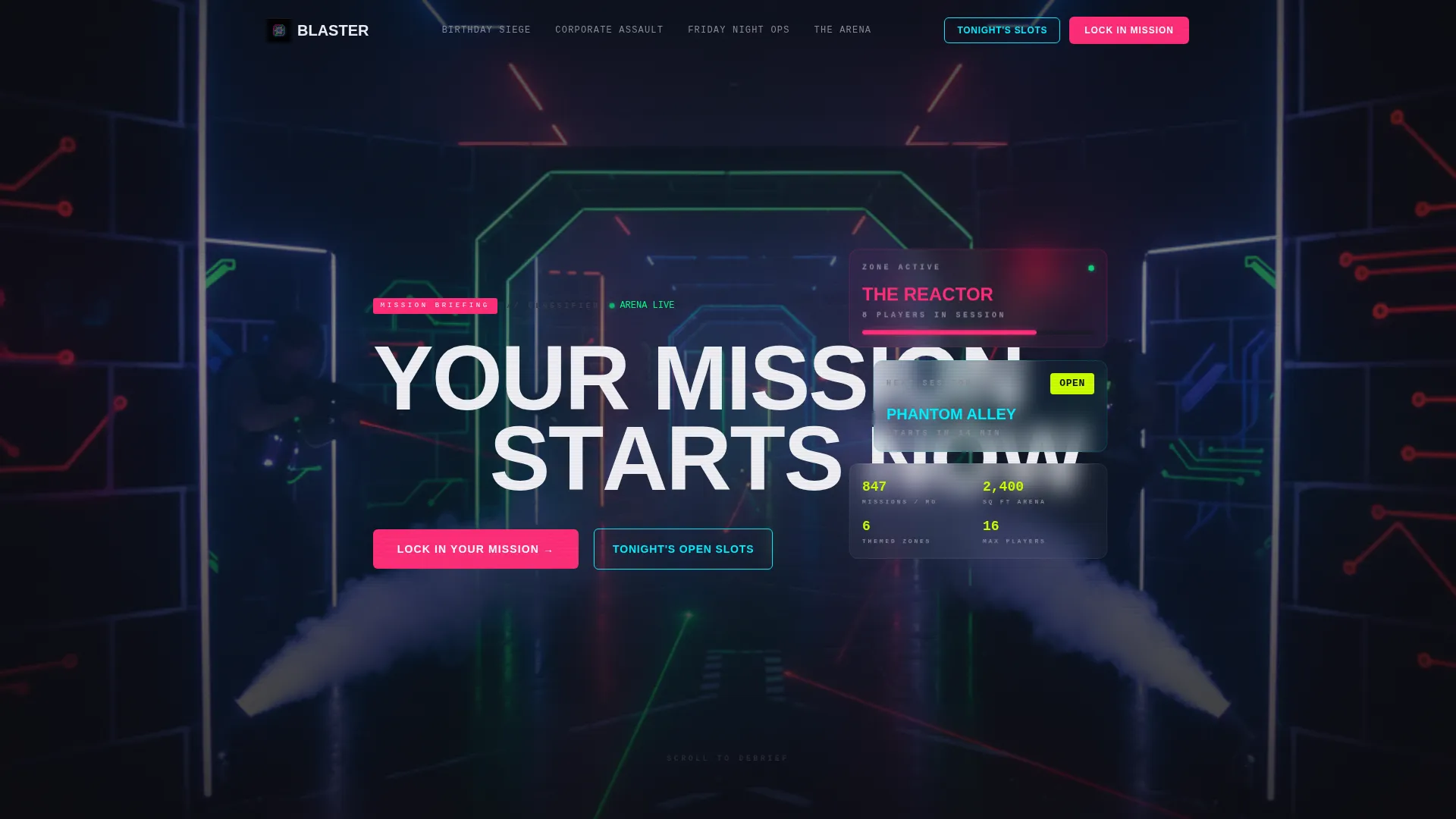
- A cinematic hero section with a Short-Form Reel header, letter-by-letter headline reveal, and a live-energy visual identity
- Four occasion-based content sections: Birthday Siege, Corporate Assault, Friday Night Ops, and Holiday Blackout
- A three-step booking flow with a floating mobile bottom bar, availability grid, and a fast-path same-day slot option
Feature list
This template bundles focused design and booking-oriented components. Each one is pulled directly from the creative brief.
Short-Form Reel Hero Header
The hero opens with vertical-shot, phone-native footage cutting every 1.2 seconds. Fog corridors, chest-sensor impacts, a scoreboard eruption, and a confetti burst each land in rapid sequence. The headline "YOUR MISSION STARTS NOW" punches in letter by letter over the final frame.
Occasion-Based Section Architecture
Each full-page section is a bookable moment, not a bullet-point feature. Birthday Siege, Corporate Assault, Friday Night Ops, and Holiday Blackout each carry their own visual mood, group context, and call to action, making the page read like a mission dossier.
Three-Step Booking Flow
Visitors pick their occasion type, choose from a live availability grid showing green, amber, and red capacity indicators, then enter group size and contact details. The flow reduces decision friction by breaking the commitment into three clear steps.
Floating Mobile Booking Bar
On mobile, the primary call to action "Lock In Your Mission" stays pinned to the bottom of the screen at all times. It expands into the full booking flow without requiring the visitor to scroll back up.
Same-Day Walk-In Fast Path
A secondary call to action "Check Tonight's Open Slots" bypasses the full form entirely. It drops impulse visitors straight into same-day availability, capturing the walk-in audience before they change their minds.
Seasonal Rotation Section
The Holiday Blackout section is built to rotate content by season: summer camps, Halloween horror mode, and winter break tournaments each occupy the same layout block with different creative. The section keeps the page feeling current year-round.
Page sections overview
| Section | Purpose |
|---|---|
| Hero Reel Header | Opens with rapid video cuts and the letter-by-letter mission headline |
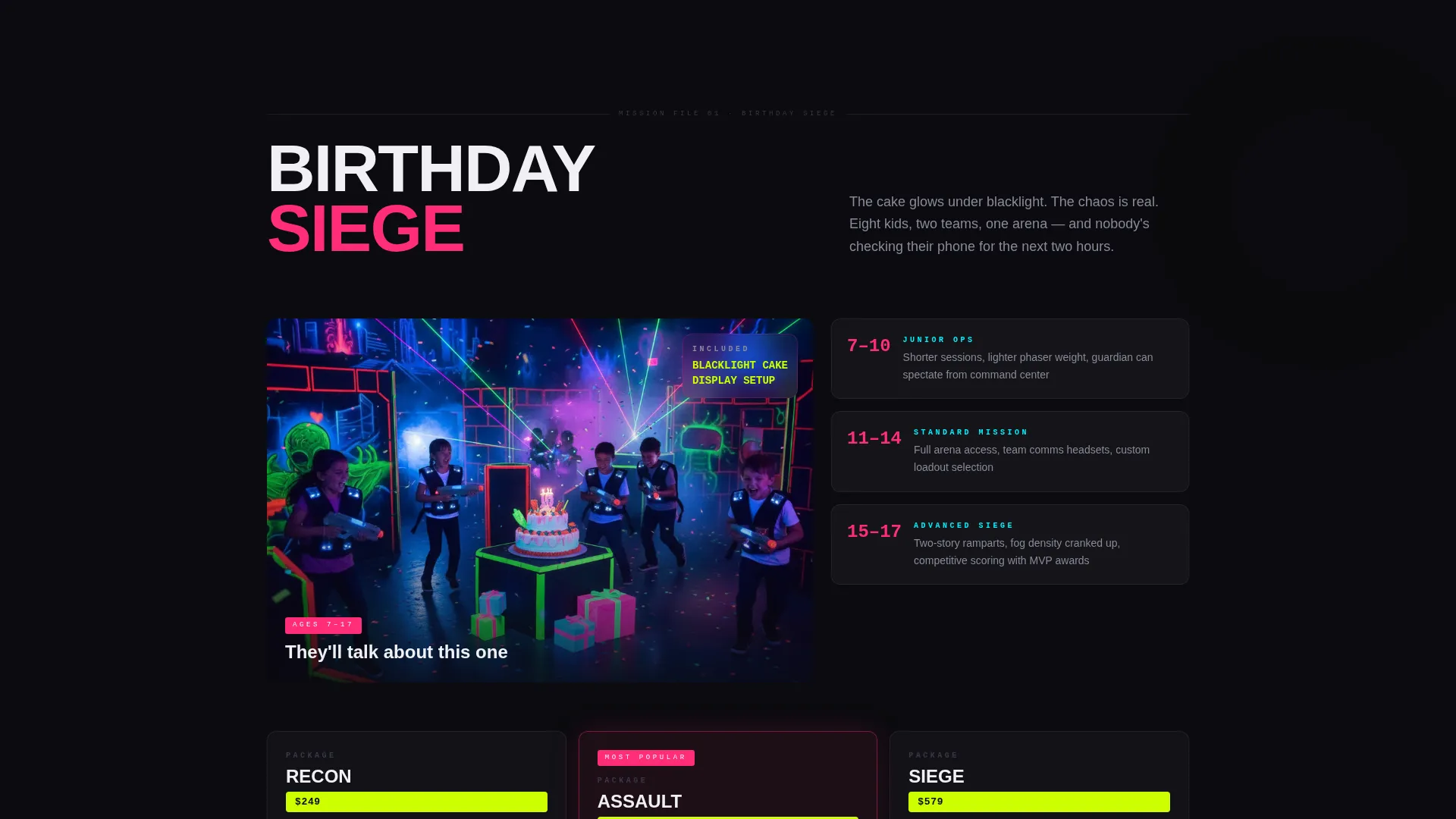
| Birthday Siege | Showcases the party package with blacklight cake and mid-chaos energy |
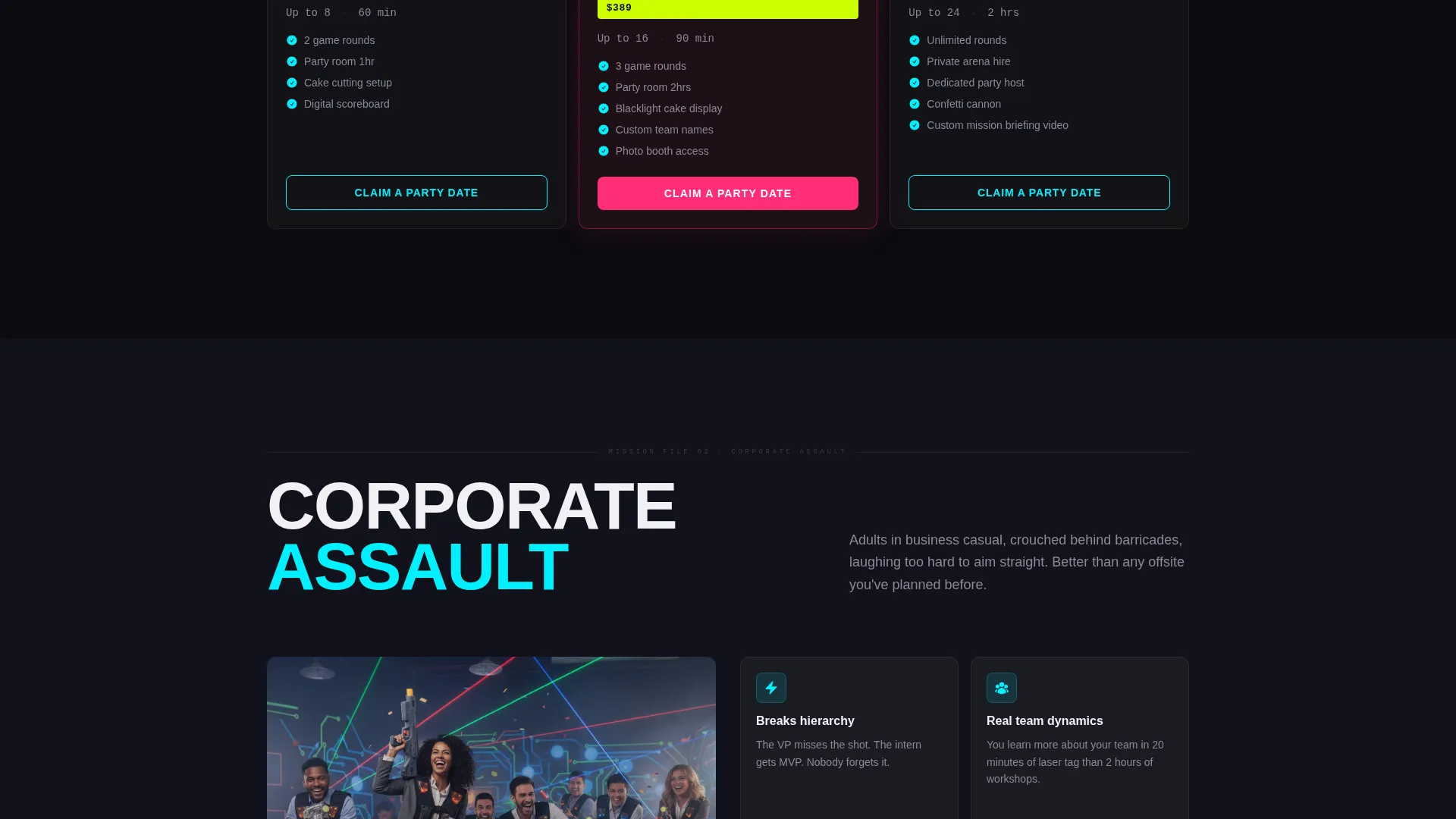
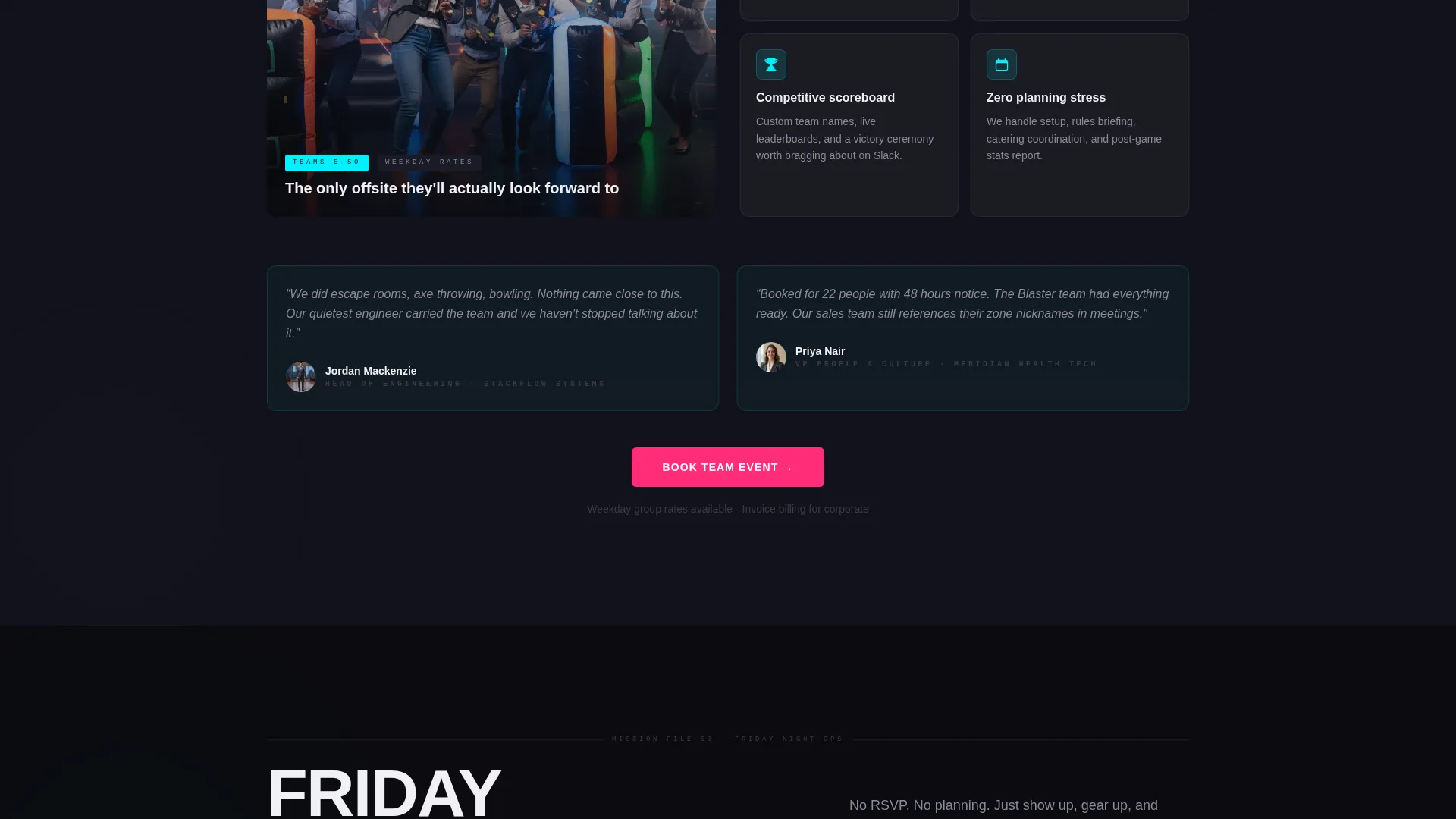
| Corporate Assault | Targets workplace groups with adults-behind-barriers humor and action |
| Friday Night Ops | Sells weekend drop-ins with a countdown clock to the next open session |
| Holiday Blackout | Rotates seasonal occasions like Halloween mode and winter tournaments |
| Booking Flow Bar | Pinned mobile bar expanding into the three-step reservation flow |
| Same-Day Slots | Fast-path bypass for walk-in impulse visitors checking tonight's times |
Design & branding system
The visual identity follows an Adventure Terrain theme built on a Neon Shock color system. Every color is chosen to feel like a glowstick cracking in a pitch-dark room: vivid, floating, and impossible to ignore against the void background.
- Void black (#0B0B0F) as the dominant background, electric magenta (#FF2D78) for primary actions and hero accents, reactor cyan (#00F0FF) for secondary highlights and interface edges
- Toxic chartreuse (#CCFF00) reserved exclusively for price callouts and availability badges, keeping financial information immediately visible
- Camera direction uses whip pans, first-person sprints, and low-angle hero shots through laser beams cutting fog, with thumping bass audio and muffled crowd energy replacing stock music
Mobile & speed optimization
Blaster is built around a phone-first visitor. The late-night impulse buyer is almost always on a mobile screen, and the template is structured so every conversion path works without desktop interaction.
- The single-column flow keeps content stacked and readable on small screens without any layout compromise
- The floating booking bar stays pinned at the bottom of mobile screens so the primary call to action is always one tap away
- The Short-Form Reel header uses vertical-shot footage natively sized for portrait phone screens
How this template helps you convert
Every design and layout decision in Blaster is pointed at one outcome: a confirmed booking before the visitor's impulse cools.
- The occasion-based sections show each audience group a version of the night that is already happening, making the booking feel like claiming a spot rather than filling out a form.
- The live availability grid with color-coded capacity indicators creates genuine urgency without manufactured pressure, and the same-day fast path captures impulse visitors who would otherwise bounce from a long form.
Other information about this template
Blaster fits within the Sports and Recreation category, specifically designed for the entertainment venue and laser tag arena market. It is built as a single-column flow template under the Adventure Terrain theme, matching the intersection context for Bowling and Entertainment Center venues looking to modernize their online booking presence.
- The template style is Single Column Flow, meaning all content stacks vertically for a clean, uninterrupted scroll experience
- Themed zone naming conventions like "The Reactor" and "Phantom Alley" are reflected in the section language and creative direction, reinforcing the arena's world-building for visitors
- The page supports venues running groups of up to eight players per team, private events, seasonal programming, and same-night walk-in capacity alongside pre-booked parties
Theme
Adventure Terrain
Creative direction
Hero's Journey
Color system
Cinematic Dark
Style
Single Column Flow
Direction
Booking/Scheduling
Page Sections
Short-form Reel Hero Header
Occasion-based Section Architecture
Three-step Booking Flow
Floating Mobile Booking Bar
Same-day Walk-in Fast Path
Seasonal Rotation Content Block
Related questions
Is this template designed for a single-page layout or multiple pages?
Can I adapt the occasion sections for my specific venue packages?
How does the booking flow work for walk-in visitors?
Does the Holiday Blackout section update automatically with the season?
What color is used for pricing and availability information?