US Government Professional Website Template
Station is a sidebar companion fundraising landing page template built for US Forest Service ranger station campaigns. It follows a single ranger's 14-hour shift through narrative scroll, a live cost counter, and blaze-orange calls to action mapped to real gear costs. The result is a visceral, conversion-focused page that earns donations before asking for them.
by Rocket studio
Quick summary
Station is a narrative-driven wildfire fundraising landing page template for ranger station campaigns. It pairs a cinematic shift timeline with a persistent sidebar cost counter, so every visitor feels the weight of underfunding before the donation ask appears. The Monochrome Steel palette, condensed display typography, and a single blaze-orange accent give the page the credibility and urgency the cause deserves.
Who this template is for
This template is built for organizations and individuals who need to raise funds for a US Forest Service ranger station or a comparable conservation cause. It works best when the story is specific, the budget is real, and the ask needs to feel earned rather than generic.
- Nonprofit fundraising coordinators running wildfire prevention or trail preservation campaigns
- Forest service ranger stations, conservation councils, and land stewardship organizations seeking donor support
- Corporate sustainability directors and community partners looking for a logo-worthy, cause-aligned giving page
What problem this template solves
Most donation pages ask for money before they explain why it matters. Visitors arrive, see a generic "Donate Now" button, and leave without connecting to the cause. For ranger station campaigns, that disconnect is costly. The work is specific, the costs are real, and the people who give most generously respond to detail, not sentiment.
- Generic fundraising templates do not communicate the daily operational cost of protecting 86,000 acres of backcountry landscape
- Donors who could give $120 or $500 leave when they cannot see exactly what their contribution funds
- Corporate partners need a structured, credible page before they will contact your team about a sponsorship arrangement
What you get with this template
You get a fully structured, single-page fundraising layout designed around a ranger's actual 14-hour shift. Every section advances a clock from 0500 to 2300, accumulating real cost data in a persistent sidebar as the visitor scrolls. The page is desktop-first with a mobile fallback that collapses the sidebar into a sticky bottom bar.
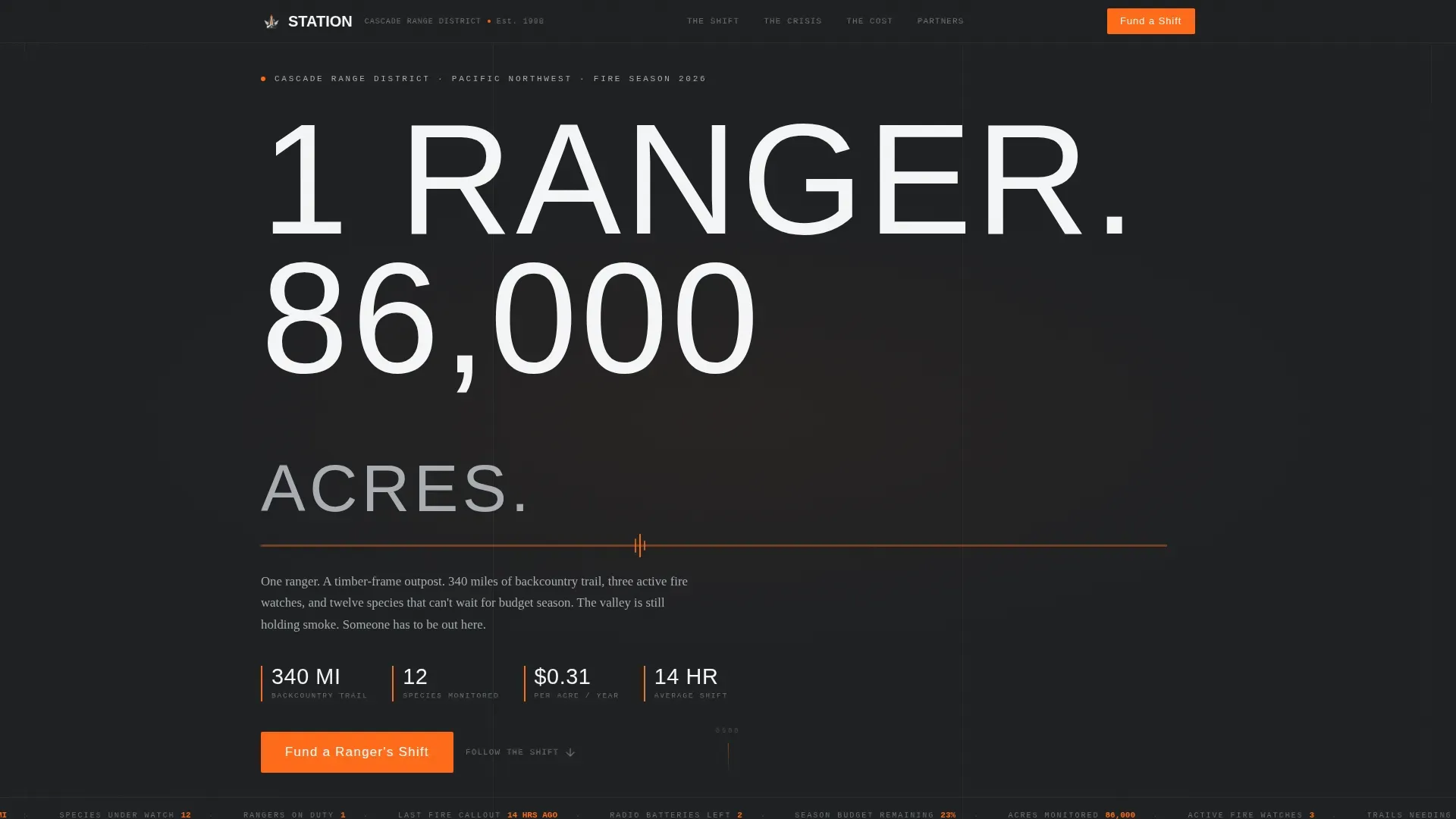
- A hero section with massive condensed typography, a pulsing blaze-orange heartbeat line, and a live fire-season ticker showing acres monitored, trails needing repair, and species under watch
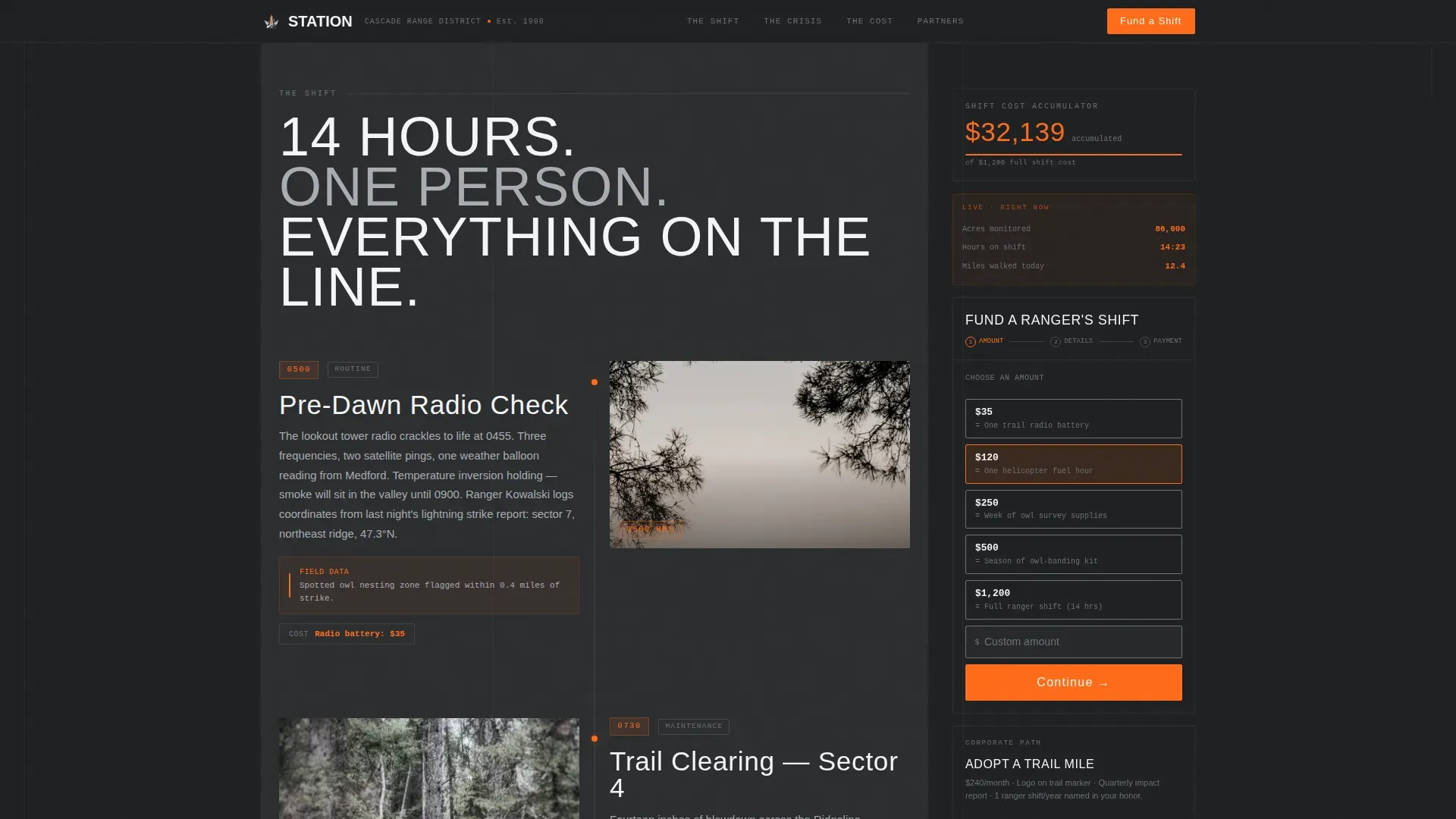
- A scroll-linked sidebar cost counter that accumulates gear, fuel, and hours costs visibly as the visitor moves through each shift segment
- A three-step inline donation form with dollar amounts mapped to real costs, a recurring monthly "Adopt a Trail Mile" path, and a downloadable impact report teaser for corporate sponsors
Feature list
This template is built around a specific creative brief, and every feature below is drawn directly from that brief.
Shift-Clock Narrative Scroll
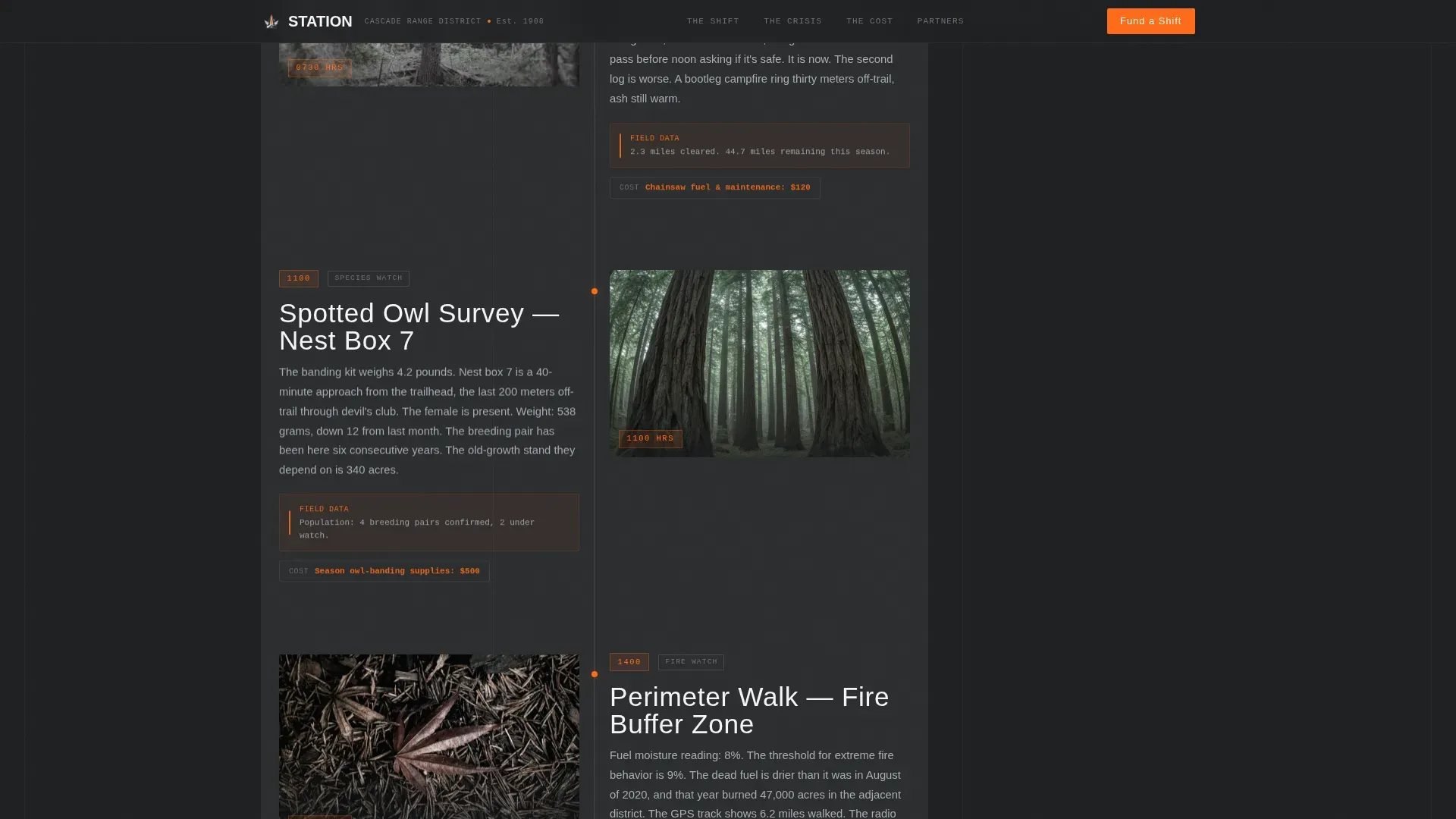
The main content area follows a single ranger's shift from pre-dawn radio check to midnight fire-line patrol. Each section is timestamped (0500, 0730, 1100, and beyond), giving visitors a concrete, time-anchored reason to keep reading. The narrative escalates from routine trail clearing and owl surveys to a full wildfire callout, building stakes through operational specificity rather than emotional language alone. This approach mirrors what effective wildfire fundraising landing pages do best: they showcase the ranger's story and explain the specific problem before presenting any ask.
Persistent Sidebar Cost Counter
A sidebar companion panel travels with every scroll position. It displays a running cost total that accumulates visibly as the visitor moves through each shift segment, showing the price of each task in gear, fuel, and hours. By the time the visitor reaches the donation section, the sidebar has already made the case. This is the template's core persuasion mechanism, and it is what separates this layout from a standard contact-and-give page.
Blaze-Orange Crisis Viewport
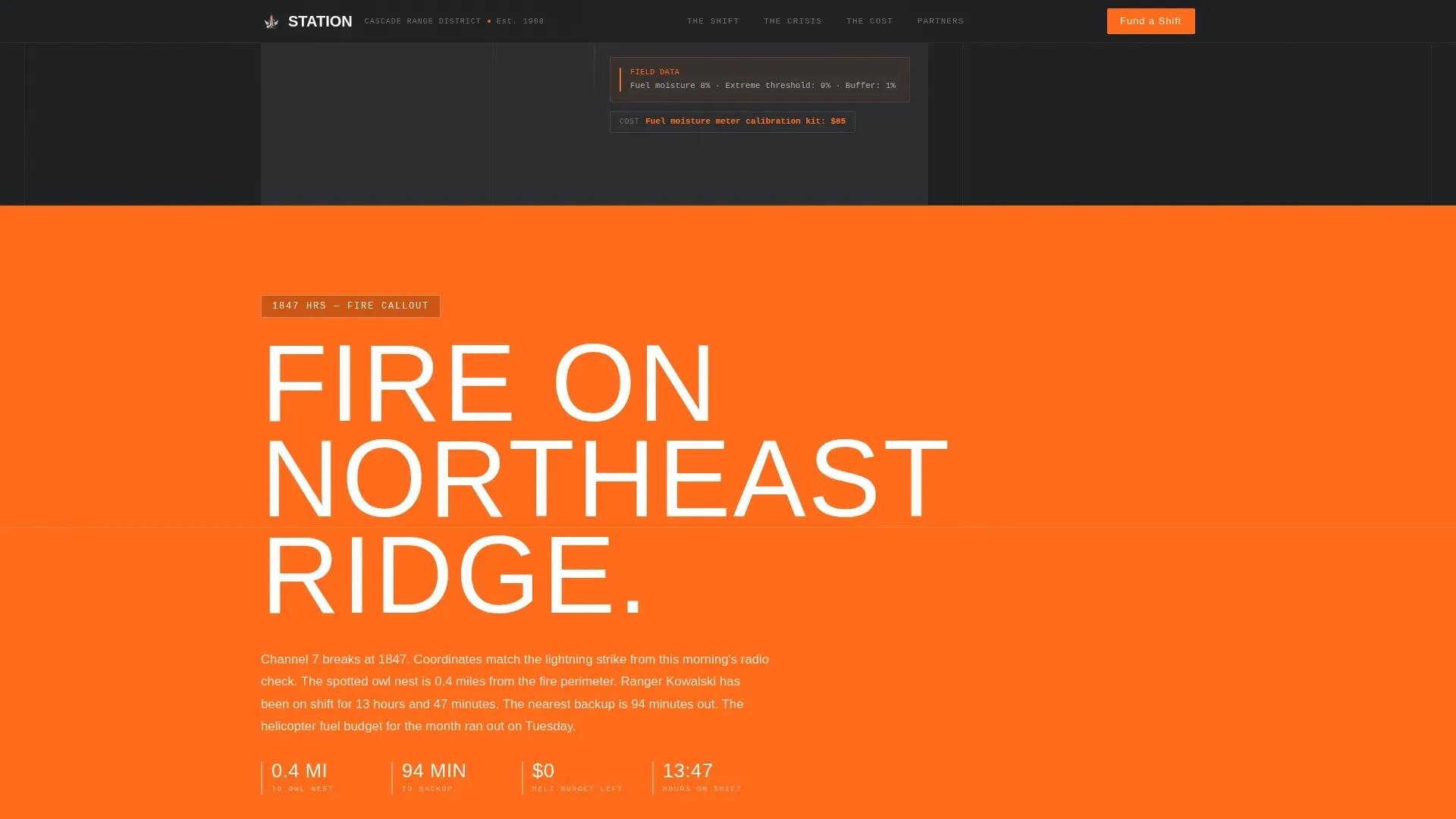
For exactly one viewport during the wildfire callout section, the entire background floods with emergency blaze orange (#FF6B1A), breaking the monochrome discipline in a single controlled moment. This is the visual equivalent of a radio crackling with coordinates in the night. The color recedes immediately after, returning the page to its steel-and-charcoal discipline. No other section uses this treatment, which means the moment lands with full force every time.
Three-Step Inline Donation Form
The donation form is built inline rather than linking out to a separate page. Step one lets donors choose a dollar amount mapped to a real cost: $35 for one trail radio battery, $120 for one helicopter fuel hour, $500 for one season of owl-banding supplies. Step two collects name and email only, keeping friction minimal. Step three handles payment. This structure follows best practice for wildfire fundraising landing pages: limit form fields to essential information and make the cost-to-impact connection explicit.
"Adopt a Trail Mile" Recurring Path
Below the primary donation form, a secondary conversion path invites corporate sponsors and committed individual donors to adopt a trail mile as a recurring monthly contribution. This section includes a downloadable impact report teaser, giving sustainability directors and county-level partners a credible artifact to bring back to their teams. Offering a monthly giving option converts one-time supporters into recurring donors, which is one of the most proven mechanics in cause-based fundraising.
Live Fire-Season Sidebar Ticker
The hero section sidebar displays a live ticker showing current operational data: acres currently monitored, trail miles needing repair, and species under watch. This data panel sets urgency immediately without relying on stock language about "critical missions." Visitors who arrive from a city office or a suburban school district get a concrete picture of the scale before they read a single word of body copy.
Page sections overview
| Section | Purpose |
|---|---|
| Hero headline block | Opens with massive "1 RANGER. 86,000 ACRES." typography and pulsing orange line |
| Live sidebar ticker | Displays real-time fire-season data: acres, trail miles, species counts |
| Shift segment 0500 | Pre-dawn radio check, trail access review, and morning route planning |
| Shift segment 0730 | Trail clearing, dog-tag survey work, and contact with emergency services dispatch |
| Shift segment 1100 | Owl-banding survey, hot spot monitoring, and hazardous fuel reduction notes |
| Wildfire callout crisis | Full blaze-orange viewport flood for the escalation moment |
| Cost reality tiers | Dollar amounts mapped to real gear: $35, $120, $500 donation options |
| Inline donation form | Three-step form: amount, name and email, payment |
| Partners and proof | Donor testimonials and corporate "Adopt a Trail Mile" section |
| Footer row | Linear single-row footer with contact and legal references |
Design & branding system
The visual identity follows a Corporate Precision theme built on a Monochrome Steel color system. Every design decision earns its place the way a ranger's gear earns its spot in the pack: nothing decorative, nothing wasted.
- Color palette: charcoal bark (#2B2D2F) for backgrounds and headers, brushed aluminum (#A8ADB3) for secondary text and borders, snowfield white (#F4F5F6) for body copy, and emergency blaze orange (#FF6B1A) reserved exclusively for calls to action and urgent data points
- Typography: Bebas Neue condensed display face for headlines and timestamps, DM Sans for body paragraphs and form labels, JetBrains Mono for cost figures and live data readouts
- Animation: high-intensity scroll-linked reveals, the pulsing orange heartbeat line beneath the hero headline, staggered section entrances, and the single full-viewport orange flood during the crisis section
Mobile & speed optimization
The template is designed desktop-first because the sidebar companion layout requires horizontal width to function as intended. On narrower screens, the sidebar collapses into a sticky bottom bar so the cost counter and donation call to action remain accessible without breaking the scroll narrative.
- Desktop layout: two-column sidebar and main content area, with the cost counter and "Fund a Ranger's Shift" call to action pinned in the sidebar throughout the full scroll
- Mobile fallback: sidebar converts to a sticky bottom bar, preserving the persistent call to action and running cost total without obstructing the shift-clock content
- Static sections use server components to keep initial load lean; interactive sidebar, cost counter, and donation form use client components to deliver live interactivity only where needed
How this template helps you convert
The page earns the click before it asks for one. By the time a visitor reaches the donation form, the sidebar cost counter has tracked every dollar of the ranger's shift, and the orange crisis viewport has made the stakes physical. The conversion mechanics are layered and deliberate.
- The persistent sidebar call to action ("Fund a Ranger's Shift" in blaze orange) is visible from the first scroll position, so donors who are ready can give immediately without hunting for a button, satisfying the best-practice rule that a visible call-to-action should be present above the fold and throughout the page
- The three-step inline form reduces friction by mapping dollar amounts to real operational costs, collecting only name, email, and payment, and keeping the entire process on the same page without redirecting donors away from the narrative they just experienced
- The "Adopt a Trail Mile" monthly path and downloadable impact report teaser give corporate sponsors and recurring donors a structured next step, converting a one-time visit into an ongoing partnership with a clear contact and reporting loop
Other information about this template
This section covers practical usage context, visitor guidance considerations, and additional details relevant to anyone building or evaluating this template for a ranger station fundraising campaign.
The Station template is well-suited for campaigns that operate within a specific geographic area, whether that is a north-facing slope in the Pacific Northwest mountains, a south-facing ridgeline in a fire-prone county, or a west-running trail corridor crossing multiple jurisdictions. The page can present permit and access information relevant to the station, including details about special use permits and special events hosted by the station's managing organization. If your station hosts community special events such as volunteer trail days or education programs for schools and children, the Partners and Proof section can surface that context alongside donor testimonials.
Campaigns running in high-fire-risk periods, such as late summer through october, can use the live ticker and sidebar data points to present current road conditions, shelter availability, and trail closures. Visitors who plan to hike or visit the backcountry in the area can be directed to further information about access rules, restrooms, parking availability, and waste disposal requirements at trailheads. Rangers who manage areas spanning from lower elevations near city limits up through summit terrain will find the shift-clock structure flexible enough to reflect that geographic range, from north county roads to high northern ridgelines.
The cost-reality donation tiers work well for conveying that even a small amount covers essential gear. Donors who give $35 fund one trail radio battery; those who give $120 cover one helicopter fuel hour. This specificity builds the kind of trust that keeps residents, families with children, and backcountry hunters returning as recurring contributors. Dog-friendly trail programs, alcohol and fire rules posted at trailheads, and trash and waste management signage can all be referenced in the Partners and Proof or footer sections to stay consistent with state law requirements and special use permit conditions.
The template also supports framing around the broader mission to preserve wild land for future generations. Real-world fundraising precedents show the power of this framing. The Crabapple Fire in Gillespie County consumed approximately 9,858 acres after starting on March 15, 2025, with the Texas A&M Forest Service and local fire departments working together to manage the blaze. Recovery funds were established immediately to support affected residents. Similarly, the British Mountaineering Council (BMC) Access and Conservation Trust has led the Wildfire Appeal through Mend Our Mountains and The Climate Project, aiming to raise funds to protect the Eastern Moors and fund a dedicated Wildfire Ranger role. These real campaigns show that donors respond when the cost of inaction is made specific, the route to giving is simple, and the report on impact is transparent.
For organizations using no-code platforms to launch quickly, this template is designed to be deployment-ready without requiring traditional programming skills. No-code fundraising solutions let teams set up pages for causes rapidly, and this template's structure is built to slot into that workflow. Subscription-based platform models often include free trials, so teams can begin testing the template and refining donation tiers before committing to a full launch plan.
Practical guidance for visitors and donors who plan to engage beyond the donation form:
- Always check current road conditions and parking availability before heading to a trailhead, especially on friday, saturday, sunday, or tuesday when weekend trail traffic is highest
- Carry enough drinking water for your planned route, as water sources in the backcountry may be limited and not suitable for direct consumption without treatment; rangers recommend one liter of drinking water per two hours of hiking at elevation
- Wear light colored clothing in hot summer conditions to stay safe and reduce heat risk, and sign all trailhead registers so emergency services can account for your location
- Dog owners should check permit and leash rules before bringing pets on trail; many areas require dogs to be leashed and prohibit food scraps to protect wildlife
- Hunting and hunters should confirm season dates and county-specific rules; check whether a special use permit or special use authorization is required for your activity in the area
- Families with children should plan shorter routes that begin and end at trailheads with restrooms and parking; avoid starting long hikes late in the day, especially from april through october when afternoon fire weather can develop quickly
- Alcohol is restricted or prohibited in many forest service areas; confirm local rules before your visit and always pack out all trash to support waste-free trail stewardship
- Boat ramps in adjacent recreation areas may have separate permit and access requirements; contact the station directly for further information on water-access points and refuge boundaries
- Construction zones near trailheads can affect parking and access; check station notices before your visit date, especially during the week following a major weather event
Theme
Corporate Precision
Creative direction
Movement & Cause
Color system
Monochrome Steel
Style
Sidebar Companion
Direction
Donation/Fundraising
Page Sections
Shift-clock Narrative Scroll
Persistent Sidebar Cost Counter
Blaze-orange Crisis Viewport
Three-step Inline Donation Form
Adopt a Trail Mile Recurring Path
Live Fire-season Hero Ticker
Related questions
What makes this template different from a standard donation page?
Can the donation tiers be customized to reflect different gear costs?
Is this template suitable for corporate sponsors as well as individual donors?
Does the template work on mobile devices?
How do I launch this template without a development team?



