Castle Wedding Florist Landing Page Template
Bloom is a castle wedding florist landing page built for florists who work with historic venues. It follows the wedding day from dawn to midnight through a timeline scroll, layered imagery, and a scrapbook-style header. The page guides couples toward booking with an inline form and captures early-stage leads through a downloadable lookbook.
by Rocket studio
Quick summary
Bloom is a single-page florist landing page designed specifically for castle and historic venue weddings. It uses a Heritage and Story visual theme, a timeline scroll structure, and a collage-style header to communicate craft and context. The primary call to action drives direct bookings, while a secondary path captures leads through a downloadable lookbook.
Who this template is for
This template is built for florists who specialise in castle weddings and historic venue events. It speaks directly to couples who have already secured their venue and now need a florist who truly understands the scale, light, and character of ancient spaces.
- Florists working with castles, manor houses, and heritage halls
- Couples who have booked a castle venue and are now planning floral design
- Wedding professionals who want their portfolio to feel as considered as their arrangements
What problem this template solves
Most florist websites show flowers against neutral studio backgrounds. That approach undersells the work when the work happens inside a thirteenth-century great hall. This template solves the mismatch between the grandeur of a castle venue and the generic look of a typical florist page.
- Generic portfolios fail to communicate scale, context, or architectural understanding
- Couples cannot easily picture how arrangements will work inside their specific venue
- Standard booking forms do not gather the venue-specific details a castle florist actually needs
What you get with this template
You get a fully structured overlap and layered landing page that scrolls like a handcrafted wedding album. Every section is designed to build trust and move the visitor naturally toward an enquiry or a booking.
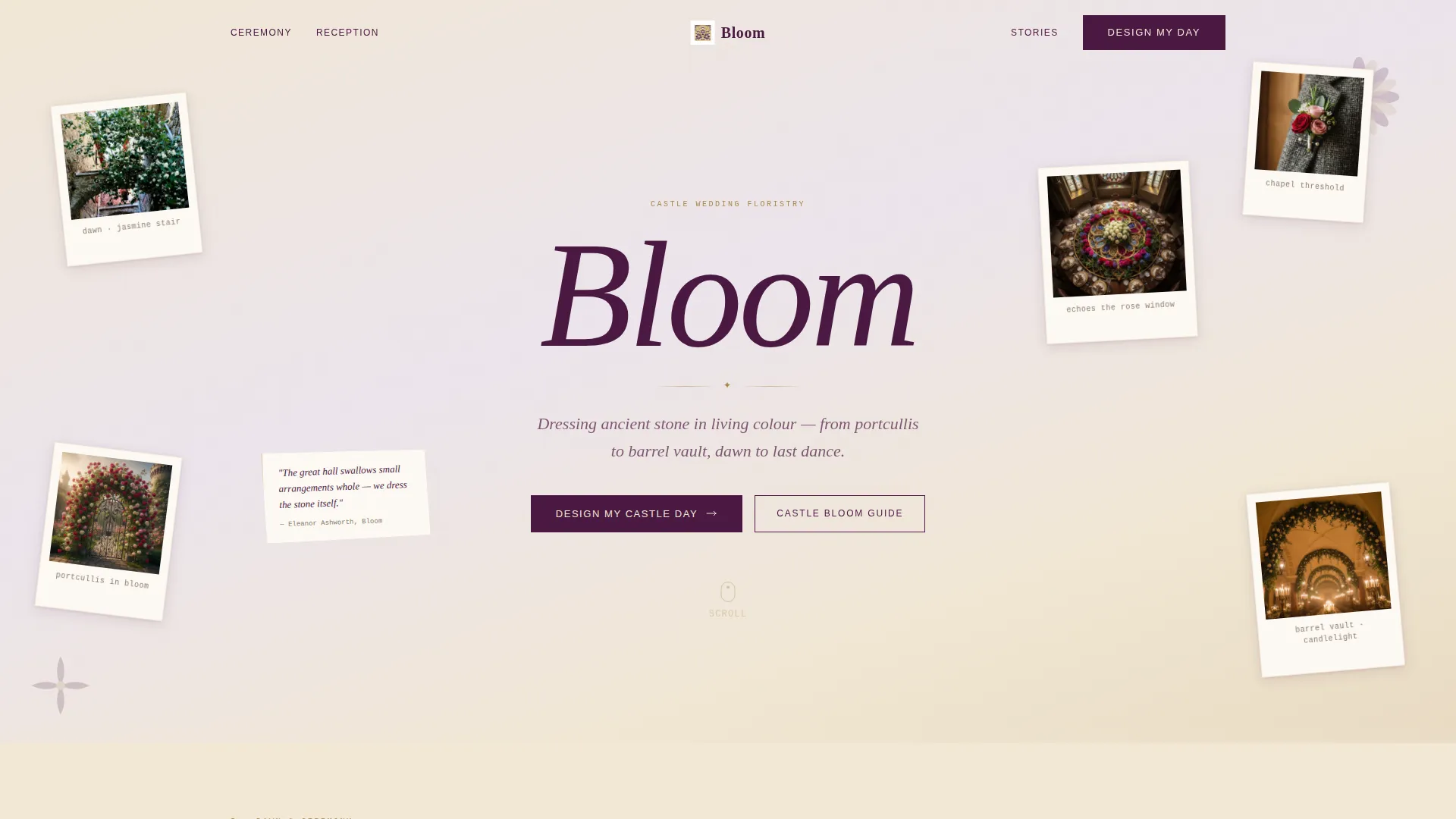
- A collage and scrapbook header with polaroid-style overlapping photographs on a parchment-textured background
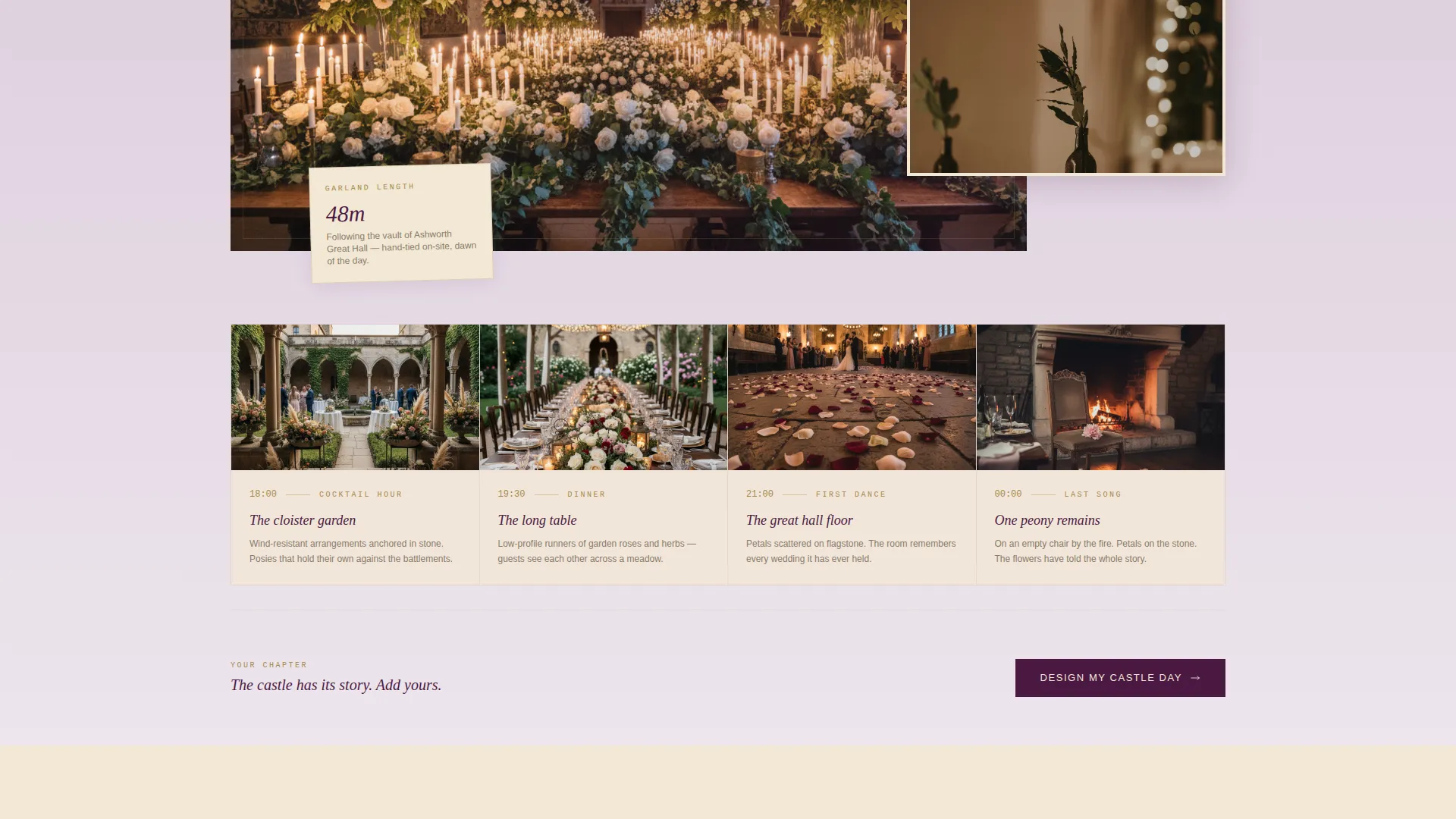
- A timeline progression scroll layout moving from dawn preparation through ceremony, reception, and the last dance
- An inline booking form with venue name, wedding date, guest count slider, and style preference swatches
- A secondary lead-capture path offering a downloadable lookbook for couples still in the planning stage
Feature list
This section covers the core built-in capabilities of the Bloom template.
Collage Scrapbook Header
The header arranges overlapping polaroid-style photographs at slight angles across a parchment-textured background. Each image shows a different castle detail: a jasmine-wrapped banister, a buttonhole on a chapel threshold, and a circular table centerpiece echoing a rose window. Torn-edge paper textures and a handwritten-script name treatment complete the hand-placed feel.
Timeline Progression Scroll
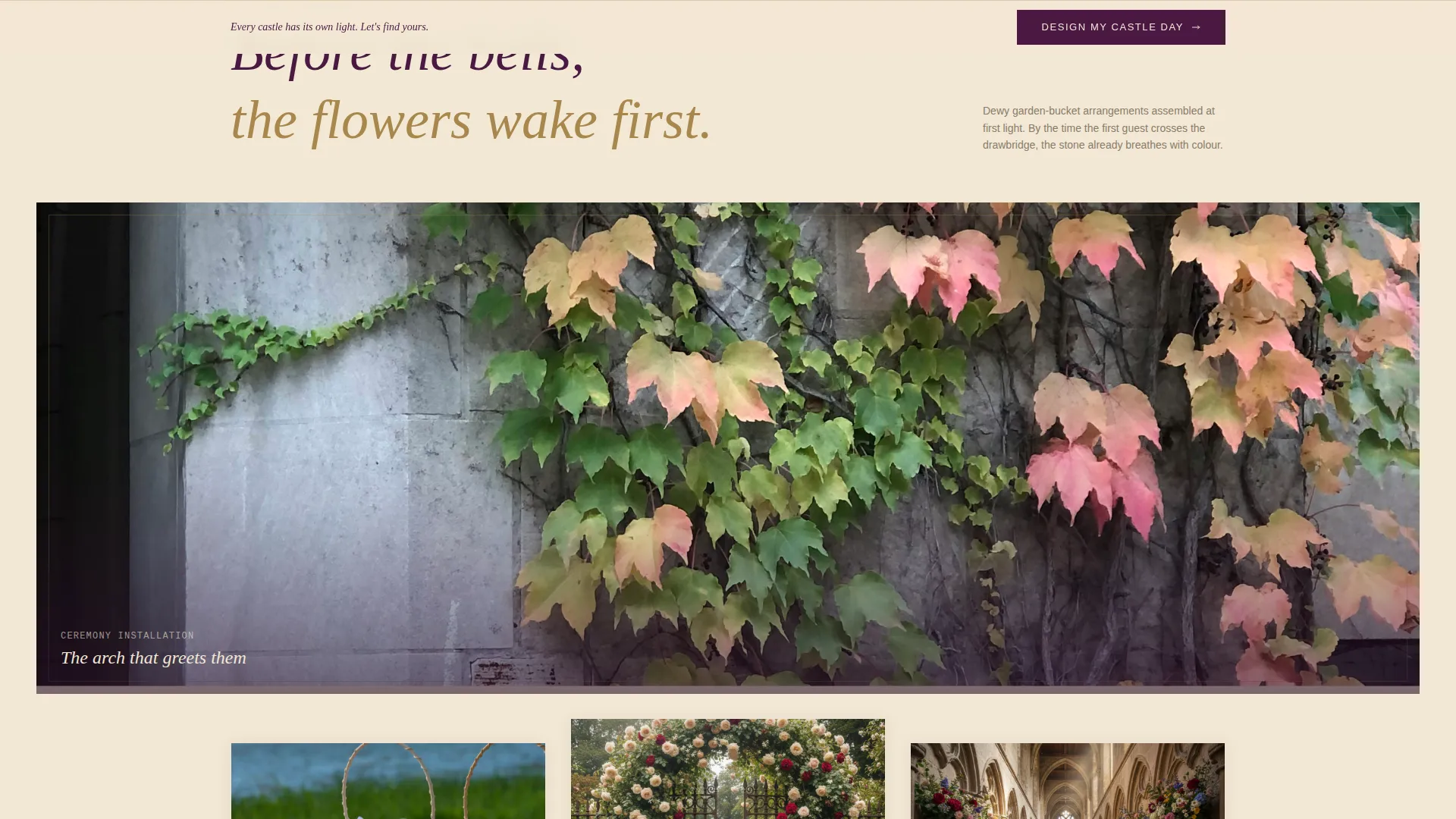
Scrolling moves the visitor forward through the wedding day itself, from early-morning preparation to the last dance at midnight. Each section layers onto the one above it, mimicking the way memory accumulates. The structure narrates the story of a full castle wedding day without a single word of explanation needed.
Inline Booking Form
The primary call to action opens an inline booking form built for castle wedding enquiries. It includes a free-text venue name field, a calendar date picker, a guest count slider ranging from 20 to 300 guests, and a style preference selector with four thumbnail swatches: Romantic Abundance, Architectural Minimalism, Wildflower and Meadow, and Classic Heritage.
Lookbook Lead Capture
A secondary conversion path invites visitors to download a Castle Bloom Guide lookbook by entering their email address. This path is designed for couples who are still in the early dreaming stage and not yet ready to submit a full booking enquiry.
Parallax Depth and Layered Cards
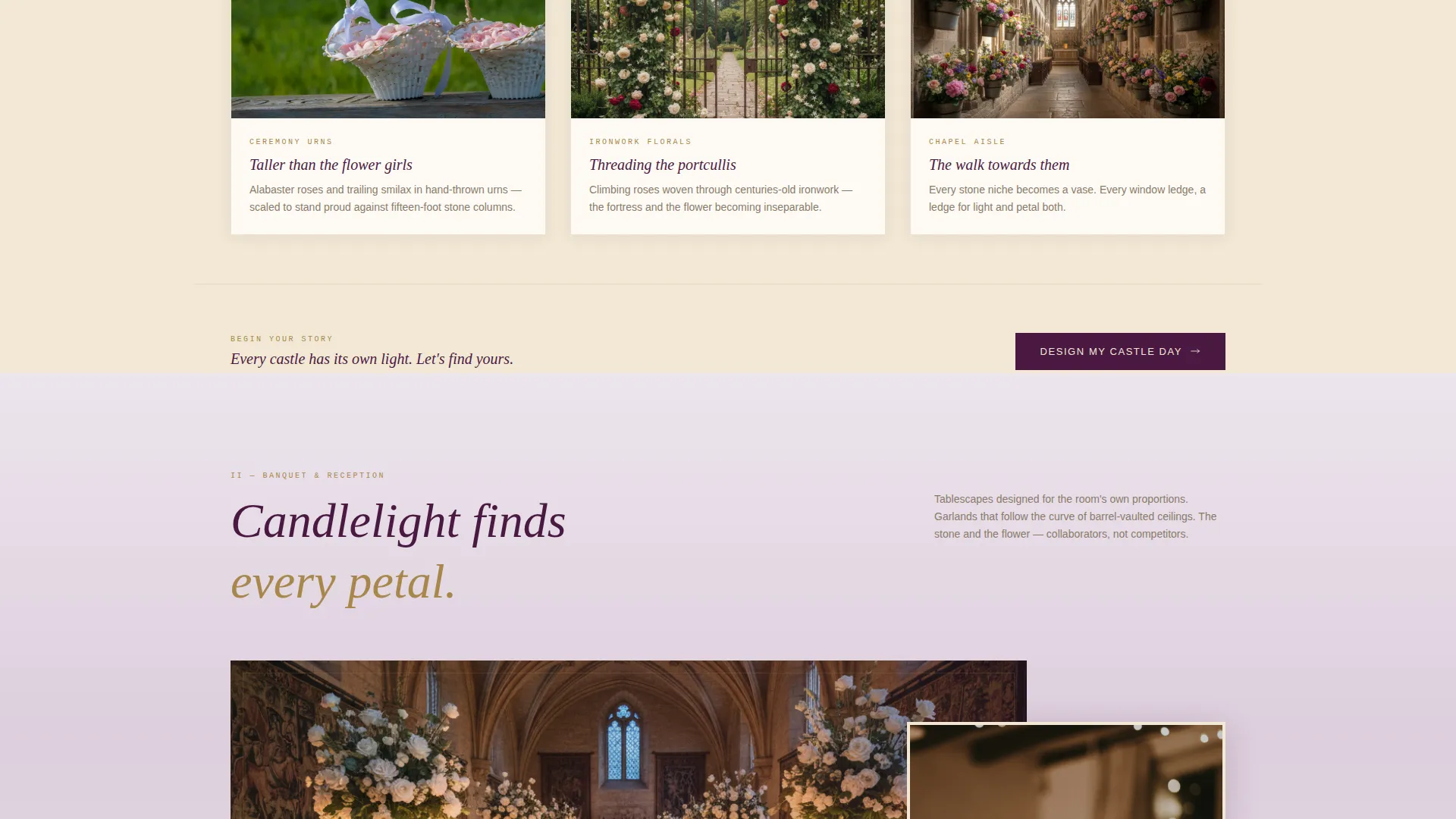
Reception tablescape sections use stacking and shifting card layouts with parallax depth. This creates a visual sense of candlelit layers and reinforces the timeline narrative without requiring animation work from the template user.
Persistent Call to Action
The "Design My Castle Day" button appears first after the ceremony section and stays pinned gently at the bottom of every subsequent section. Visitors always have a clear and accessible path to the booking form no matter how far down the page they have scrolled.
Page sections overview
| Section | Purpose |
|---|---|
| Collage Header | Establishes the scrapbook aesthetic and draws the visitor into the castle wedding world |
| Dawn Preparation | Opens the timeline with dewy morning arrangements still being assembled |
| Ceremony Installation | Reveals full architectural installations in their castle context with overlapping imagery |
| Reception Tablescapes | Showcases candlelit centerpieces using layered parallax card stacking |
| Last Dance Close | Closes the timeline with a single peony on an empty chair, petals on flagstones |
| Booking Form | Captures venue details, date, guest count, and style preference inline |
| Lookbook Capture | Collects email leads from couples in the early planning stage |
Design & branding system
The Bloom template uses the Plum Executive color system, which draws its mood from velvet curtains and candlelit stone. Every color decision is deliberate: nothing reads as rustic, and nothing reads as cold.
- Deep damson plum (#4A1942) anchors headlines and navigation for a regal, grounded authority
- Aged parchment cream (#F2E8D5) grounds layered cards and the scrapbook header background
- Tarnished gold (#A8874B) traces borders, button states, and hover details for warmth without glitter
- Soft heather mist (#C5ADC5) softens secondary backgrounds so overlapping image frames never feel harsh
Mobile & speed optimization
The Bloom template is structured to work across screen sizes while preserving the layered visual experience. The overlap and parallax elements are scaled to remain legible on smaller screens without losing the depth they create on desktop.
- Polaroid-style header photographs restack naturally on narrower viewports so the scrapbook feel is retained
- The inline booking form fields, including the guest count slider and style swatch selector, are touch-friendly and easy to use on a mobile device
How this template helps you convert
Every design and copy decision in Bloom is pointed toward one outcome: turning a browsing couple into a confirmed enquiry. The page earns that click by proving competence before asking for commitment.
- The timeline scroll builds emotional investment section by section, so by the time visitors reach the booking form they already feel the day unfolding
- The inline form gathers venue-specific details upfront, which filters for serious couples and gives the florist everything needed to respond with a relevant proposal
- The lookbook capture creates a second conversion opportunity for visitors who are not ready to book, keeping the florist's work in front of them during the rest of their planning process
Other information about this template
Bloom sits within the Wedding and Events category with a specific focus on the castle wedding florist niche. It is part of the Overlap and Layered template style family and pairs the Heritage and Story theme with the Collage and Scrapbook header concept.
- The template style is classified as Overlap and Layered, meaning sections intentionally extend into and over one another to create depth
- The creative direction is Timeline Progression, a structure where each scroll step represents a chapter of the wedding day
- The landing page direction is Direct Sales, prioritising a primary booking action with a secondary lead-capture fallback
- The Intersection Match Score for this template is 13, reflecting a high degree of alignment between the visual system, the niche, and the conversion structure
Theme
Heritage & Story
Creative direction
Timeline Progression
Color system
Plum Executive
Style
Overlap/Layered
Direction
Direct Sales
Page Sections
Collage Scrapbook Header
Timeline Progression Scroll
Inline Venue Booking Form
Lookbook Lead Capture
Parallax Layered Cards
Related questions
Who is the Bloom template designed for?
What does the inline booking form collect?
What is the lookbook feature and how does it work?
Does the page work as a single page or across multiple pages?
Can the style preference swatches be changed to reflect a different floral offer?



