Maternity Landing Page Template | Obsidian & Gold
Bloom is a luxurious maternity landing page template built for boutique fashion brands. It uses a modular card grid layout with a deep obsidian and brushed-gold color system, a countdown-timer header, and a tiered upsell flow. The page guides shoppers from a core capsule wardrobe through a Trimester Bundle and VIP tier, with cost-per-wear logic and a slide-up upgrade drawer.
by Rocket studio
Quick summary
Bloom is a single-page maternity fashion template designed to sell premium clothing through escalating bundle tiers. It opens with a full-width countdown header and moves shoppers through three modular card clusters, each expanding to show fabric close-ups and customer photos. The layout ends with a slide-up drawer for bundle upgrades and a "Build Your Own Bump Box" secondary path.
Who this template is for
This template is built for maternity clothing boutiques that sell considered, quality pieces rather than fast fashion. It suits brands whose customers weigh cost-per-wear and expect a polished, editorial shopping experience.
- Independent maternity fashion boutiques launching a time-limited capsule collection
- Clothing brands offering tiered bundle upgrades with postpartum and nursing pieces
- Retailers targeting first-time mothers, experienced mothers, and postpartum women shopping for versatile wardrobe essentials
What problem this template solves
Most maternity fashion pages treat urgency and upselling as afterthoughts. They list products without a structured journey, leaving shoppers with no clear reason to upgrade or act now.
- Shoppers abandon pages that do not show clear value differences between tiers
- Countdown timers and urgency elements are often decorative rather than embedded into the scroll flow
- Cost justification is missing, so higher-priced bundles feel expensive rather than rational
What you get with this template
Bloom delivers a fully structured, single-page layout built around a three-tier upsell journey. Every section is designed to move the visitor one step closer to the highest-value bundle.
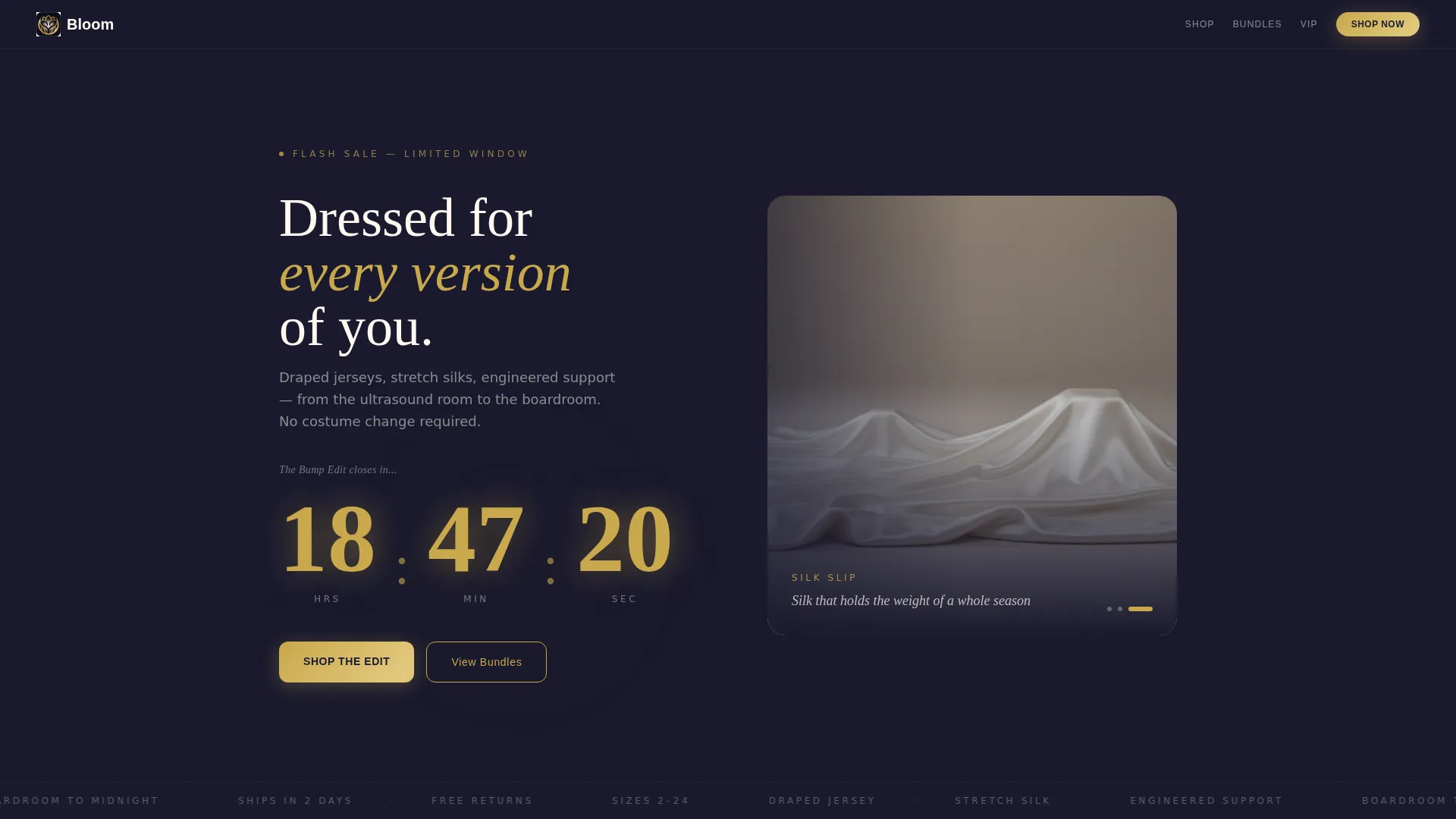
- A countdown-timer header with oversized brushed-gold digits and a blush gradient pulse effect
- Three modular card clusters covering the core capsule, the Trimester Bundle, and the VIP postpartum tier
- A sticky gold urgency bar, an expandable slide-up upgrade drawer, and a secondary "Build Your Own Bump Box" path
Feature list
This section describes the core functional components built into the Bloom template.
Full-Width Countdown Header
The header spans the full page width and displays a live countdown in oversized brushed-gold numerals against a deep obsidian background. A slow blush gradient pulses behind the digits, and a champagne-serif line reads "The Bump Edit closes in..." beneath the clock. A three-card carousel below previews draped fabrics in motion, with no model faces, keeping the focus entirely on the clothing.
Modular Tiered Card Grid
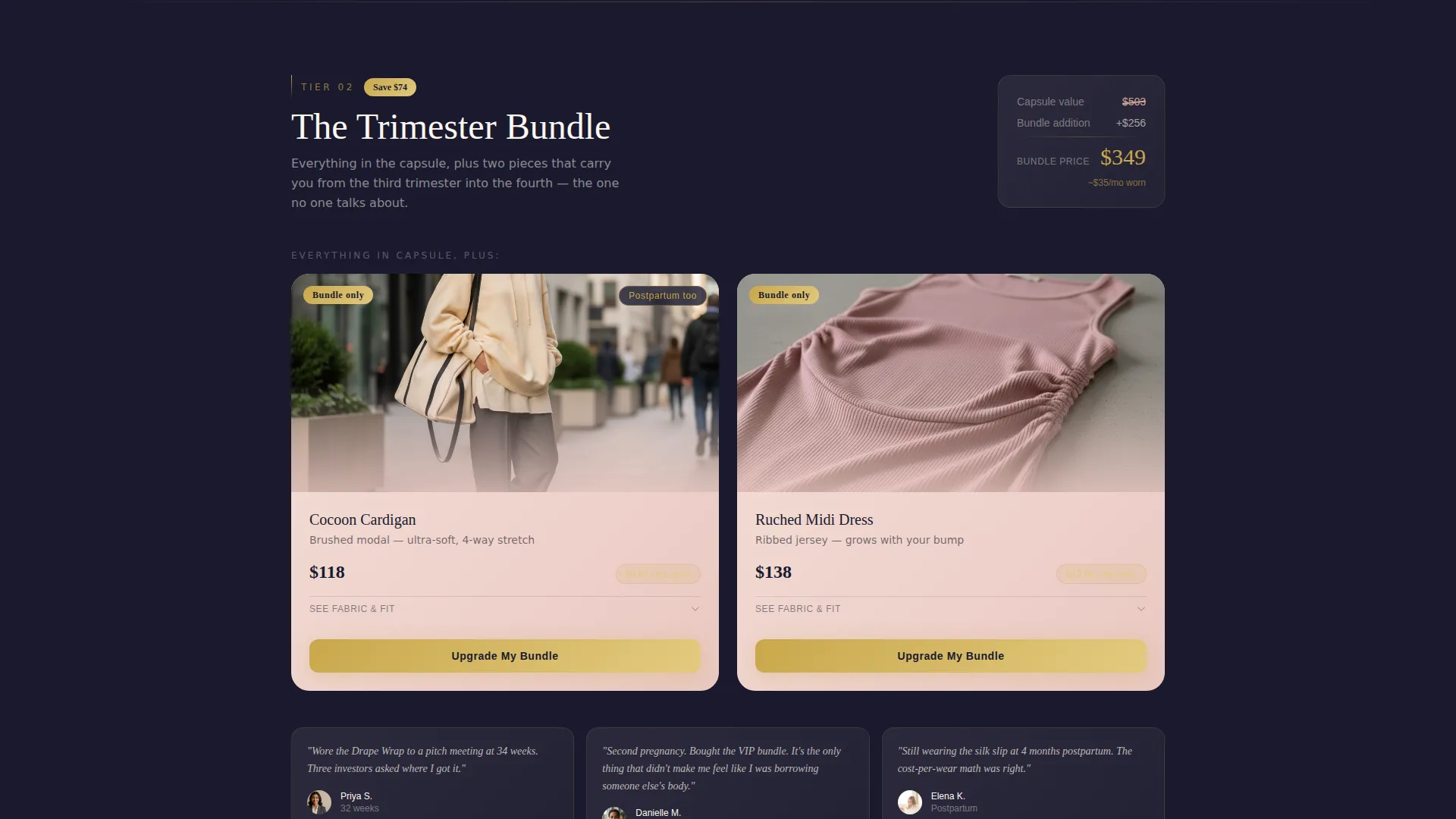
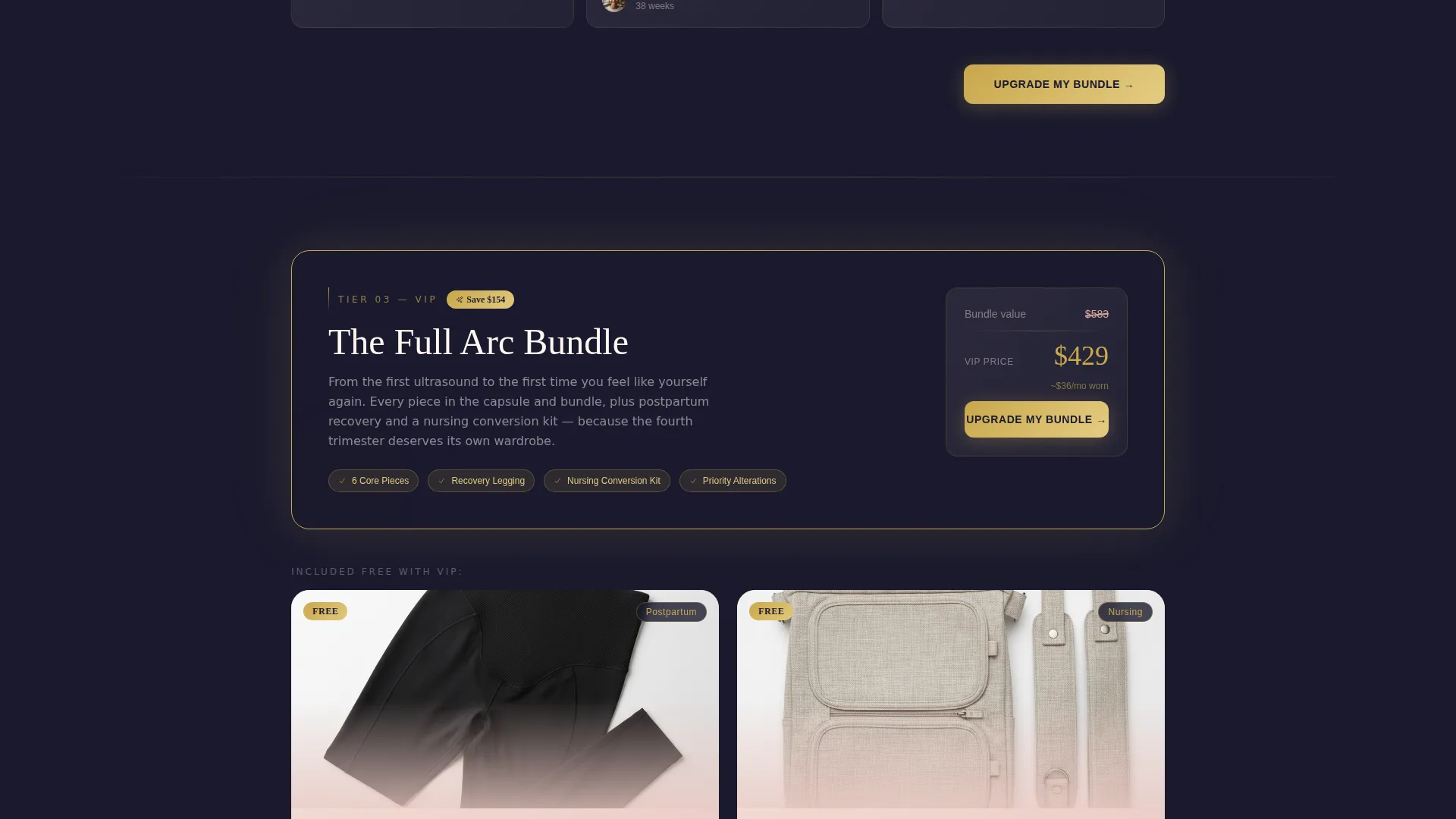
The page body is built from three distinct modular card clusters. Each cluster represents one offer tier: the core capsule, the Trimester Bundle, and the VIP tier with postpartum recovery pieces and a nursing conversion kit. Cards expand on tap to reveal fabric close-ups, stretch demonstrations, and real customer photos at 32 weeks.
Sticky Urgency Bar
A gold sticky bar follows the visitor through every scroll position. It compresses perceived time by displaying the live countdown, making each new section feel like the last opportunity to act before the deal closes.
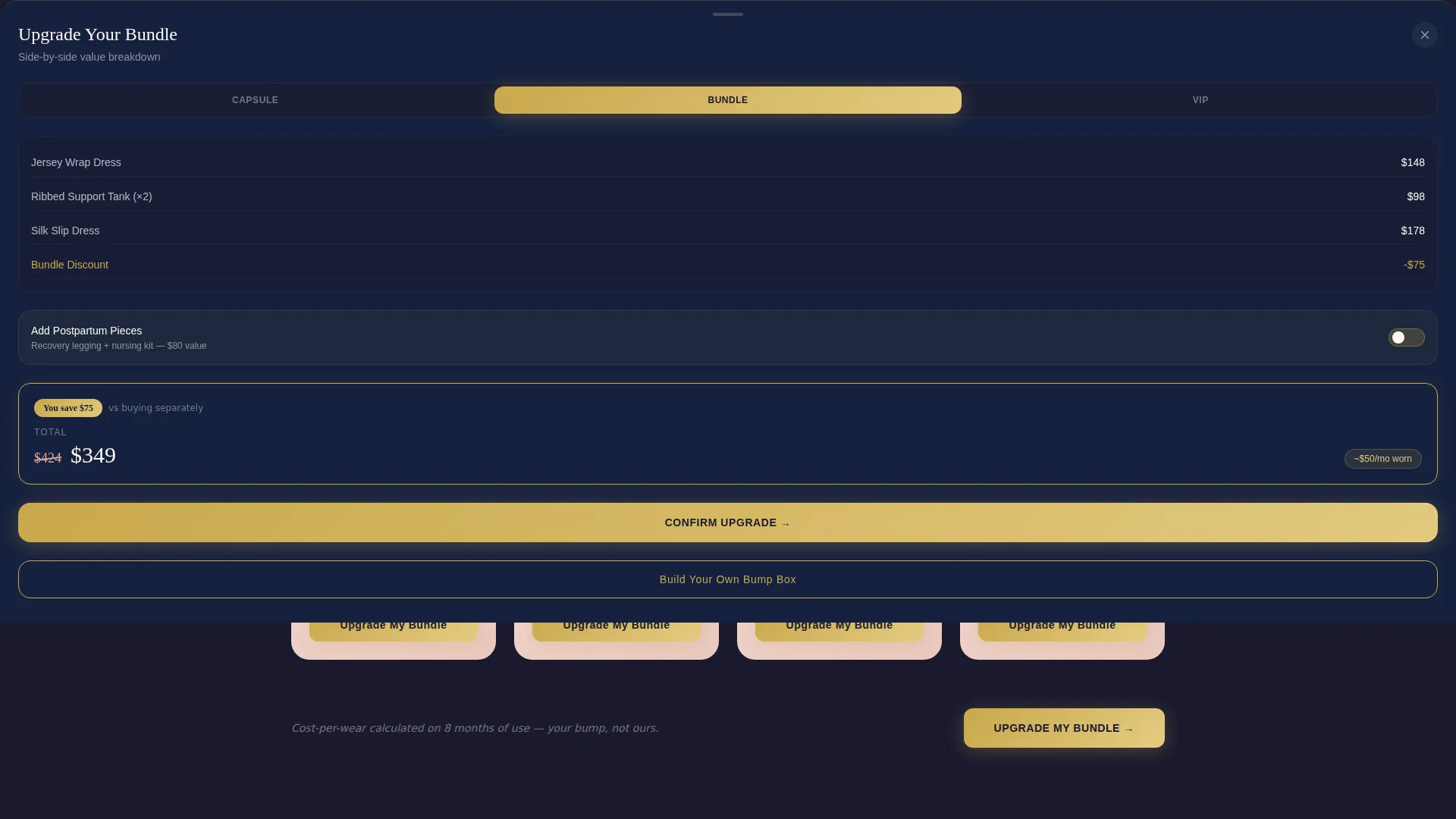
Slide-Up Upgrade Drawer
When a visitor adds the core capsule, a slide-up drawer appears with a side-by-side value breakdown of the capsule versus the full bundle. A single toggle allows the shopper to add postpartum pieces without leaving the page or restarting the checkout flow.
Cost-Per-Wear Pricing Cards
Each product card calculates and displays a cost-per-wear figure by dividing the item price by the number of months it fits. This framing makes the higher-tier bundles appear as the more economical choice and gives shoppers a concrete reason to upgrade.
"Build Your Own Bump Box" Path
A secondary conversion path sits alongside the preset tiers for shoppers who prefer to curate their own selection. It captures browsers who are not ready to commit to a bundle while keeping them inside the page and moving toward a purchase.
Page sections overview
| Section | Purpose |
|---|---|
| Countdown Timer Header | Opens the page with urgency and product previews |
| Core Capsule Tier | Presents the standard collection at base price |
| Trimester Bundle Tier | Reveals bundle savings with a crossed-out total and gold badge |
| VIP Postpartum Tier | Adds recovery pieces and a nursing kit at the top tier |
| Sticky Urgency Bar | Keeps countdown visible across all scroll positions |
| Slide-Up Upgrade Drawer | Prompts bundle upgrade after initial add-to-cart |
| Build Your Own Box | Offers a flexible path for browsers not choosing a preset |
Design & branding system
The visual identity is built around a Soft Gradient theme using an Obsidian and Gold color system. The palette feels like a black velvet jewelry box opened under candlelight, with deep darkness framing warm, glowing tones.
- Deep obsidian (#1A1A2E) forms the primary background; brushed gold (#C9A84C) appears on price tags, countdown digits, and call-to-action buttons
- A warm blush gradient flowing from #F4E0D9 to #EAC8C1 washes across card surfaces, with soft champagne (#FFF8F0) used for body text panels
- Gradients bleed gently across card edges so the modular grid breathes rather than stacks, and gold is reserved for interactive elements to guide the eye toward action
Mobile & speed optimization
The card grid layout is modular, which means sections stack cleanly on smaller screens without losing the tier hierarchy or urgency cues.
- The sticky gold urgency bar remains visible on mobile viewports throughout the scroll journey
- Expandable card clusters use a tap-to-reveal interaction that works naturally on touch screens
- The slide-up upgrade drawer is designed to appear cleanly on mobile after the initial cart action
How this template helps you convert
Bloom is structured as an upsell and upgrade funnel from the first pixel to the final call to action. Every layout decision is made to increase the likelihood that a visitor chooses a higher tier.
- The countdown header and sticky bar create a time-limited context that motivates action at every scroll position, reducing the chance a visitor leaves to think it over.
- The cost-per-wear math displayed on each card reframes a higher bundle price as a smarter financial decision, making the upgrade feel rational rather than indulgent.
- The slide-up drawer and "Build Your Own Bump Box" path capture visitors at two different commitment levels, so the page earns a conversion from both decisive buyers and cautious browsers.
Other information about this template
Bloom sits in the Retail and E-Commerce category under the Fashion and Clothing Store subcategory, with a specific alignment toward adaptive clothing for maternity and postpartum wardrobes. It was built using a Card Grid (Modular) template style and is matched to a Curated Collection creative direction and an Upsell/Upgrade landing-page direction.
- The intersection niche is Adaptive Clothing, reflecting the engineering behind draped jerseys, stretch silks, and postpartum recovery pieces that transition across life stages
- The header concept follows a Full-Bleed Photo approach, using fabric-in-motion imagery rather than model portraits to keep the focus on material and fit
- This template is suited for time-limited flash campaigns, seasonal capsule drops, and any maternity brand that wants to present multiple price tiers in one structured, editorial page
Theme
Neo-Retro
Creative direction
Curated Collection
Color system
Obsidian & Gold
Style
Card Grid (Modular)
Direction
Upsell/Upgrade
Page Sections
Full-width Countdown Timer Header
Modular Tiered Card Grid
Sticky Gold Urgency Bar
Slide-up Upgrade Drawer
Cost-per-wear Pricing Display
Build Your Own Bump Box Path
Related questions
Can I change the countdown timer duration?
Does the page include three pricing tiers by default?
What is the Build Your Own Bump Box section?
Can I use my own product photography in the card grid?
Is this template suitable for postpartum and nursing product ranges?



