Preschool Enrollment Landing Page Template
Bloom is an editorial-style preschool landing page template built for fall enrollment campaigns. It pairs a half-page photo and headline header with family narrative sections, pull-quotes, and a clear call to action. The design uses a warm ink-and-parchment palette to feel authoritative yet approachable, helping parents trust the school before they ever book a visit.
by Rocket studio
Quick summary
Bloom is a single-page preschool enrollment template styled like a premium school prospectus. It opens with a bold editorial header, moves through family story sections that build trust, and closes with a firm call to action that sends parents directly to the application. The page is designed to feel warm, credible, and unhurried.
Who this template is for
This template is built for preschools running seasonal enrollment campaigns. It suits schools that want to move parents from curiosity to commitment without relying on a long form on the page itself.
- Early childhood educators and school directors managing fall enrollment windows
- Marketing professionals handling preschool or childcare promotional campaigns
- Independent preschools and small learning centers launching a seasonal offer
What problem this template solves
Most preschool pages feel either too corporate or too cluttered. Parents scanning between school options need something that earns trust quickly and makes the next step obvious.
- Generic school websites bury enrollment details and lose parents before they reach the call to action
- Busy parents, including dual-income couples and first-time moms returning to work, need a page that respects their time and answers their concerns clearly
- Schools with limited seats need urgency built into the layout without resorting to pushy tactics
What you get with this template
You get a complete, ready-to-adapt landing page with a defined visual identity and a content flow proven to move readers toward enrollment. Every section has a clear job to do.
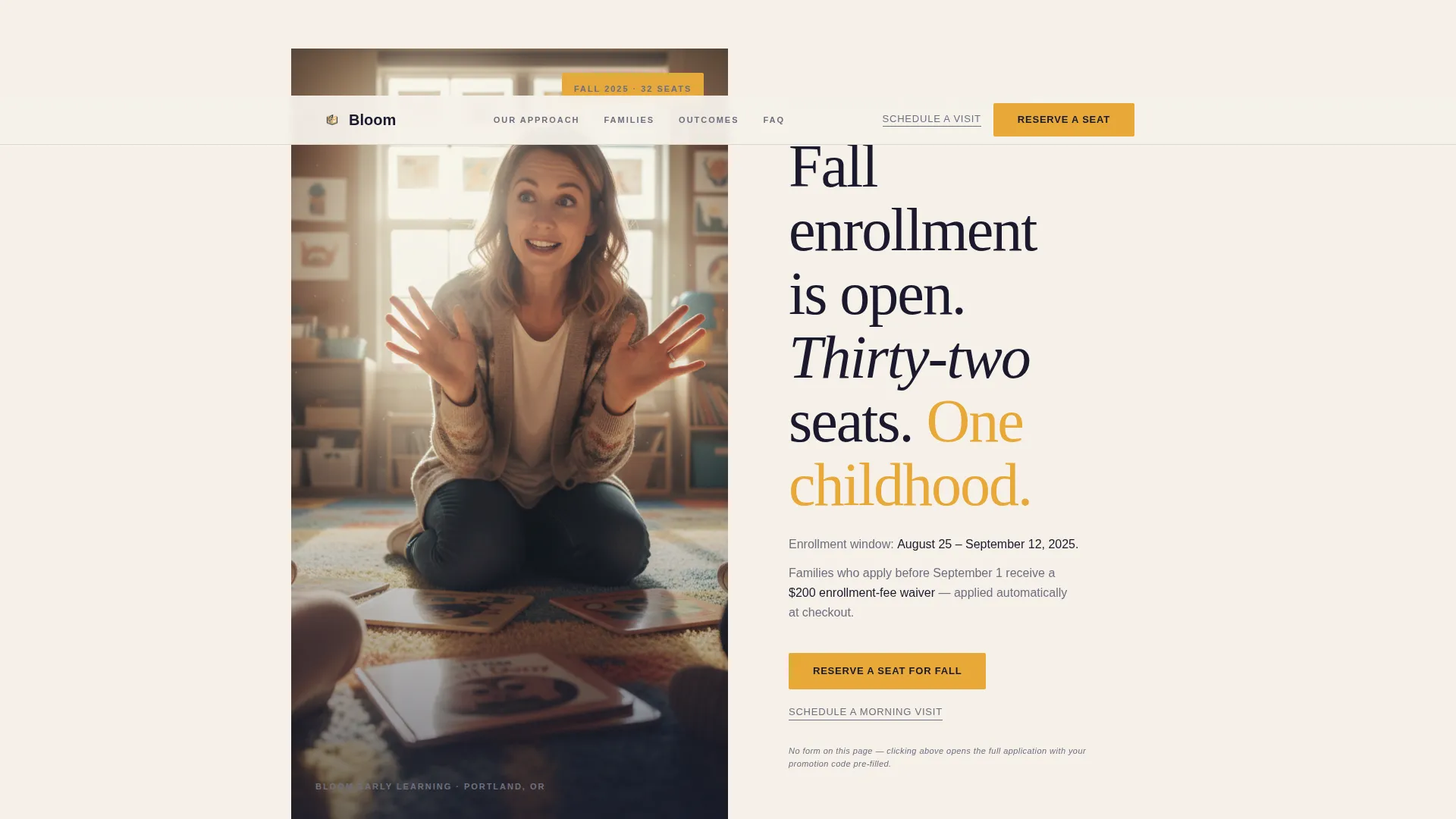
- A half-page editorial header with photo and headline composition
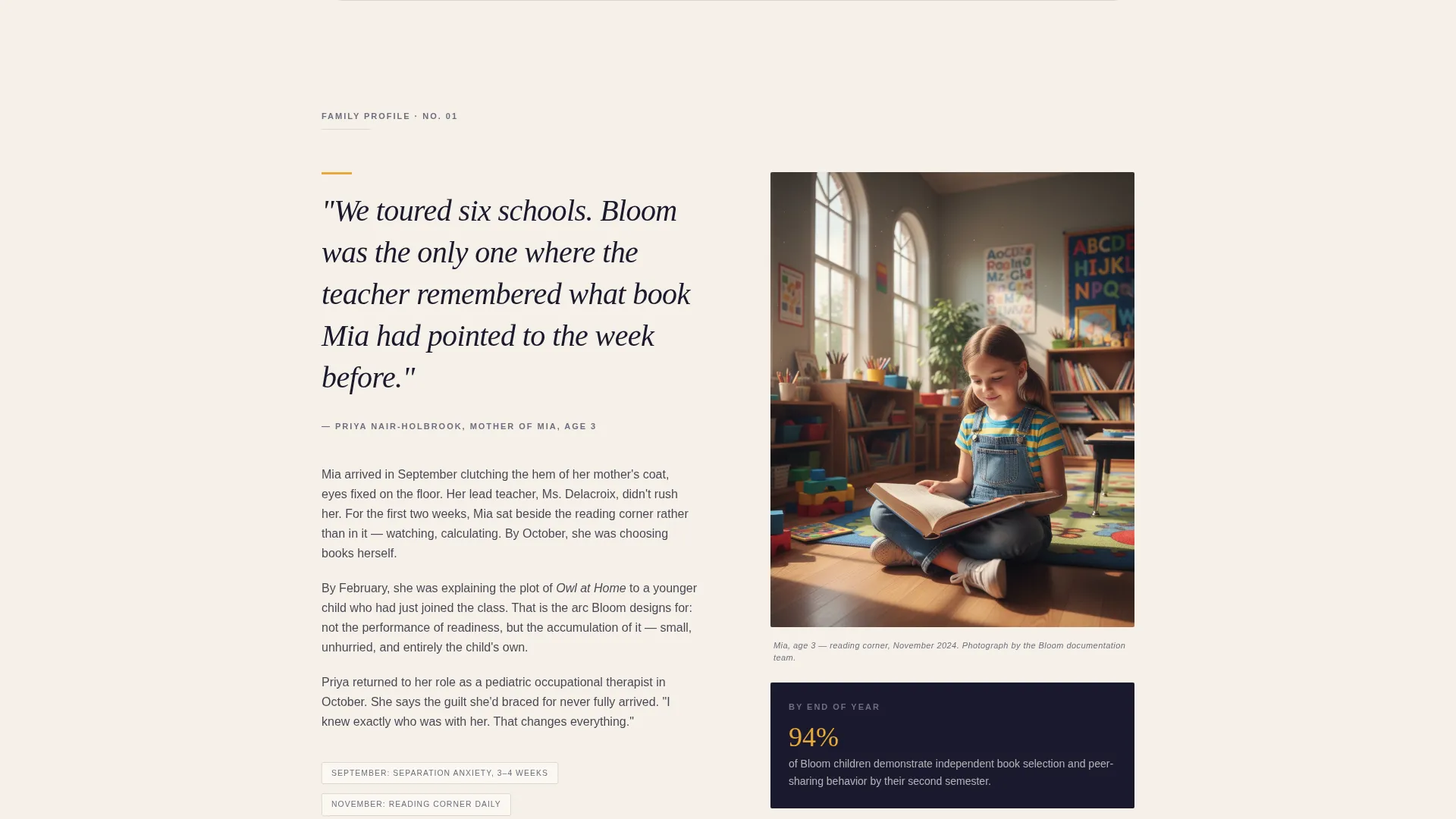
- A narrative scroll structure built around family case studies and pull-quotes
- Two call-to-action placements plus a softer secondary link at each stage, with a compact FAQ accordion closing the page
Feature list
This template includes a carefully sequenced set of layout components, each grounded in the editorial magazine style described in the brief.
Half-Page Editorial Header
The header splits into two columns. The left side holds a candid, editorially lit photograph of a teacher at child-height during storytime. The right side presents a large serif headline and a dateline-style subhead naming the promotion window and tuition incentive in plain language.
Case Study Narrative Sections
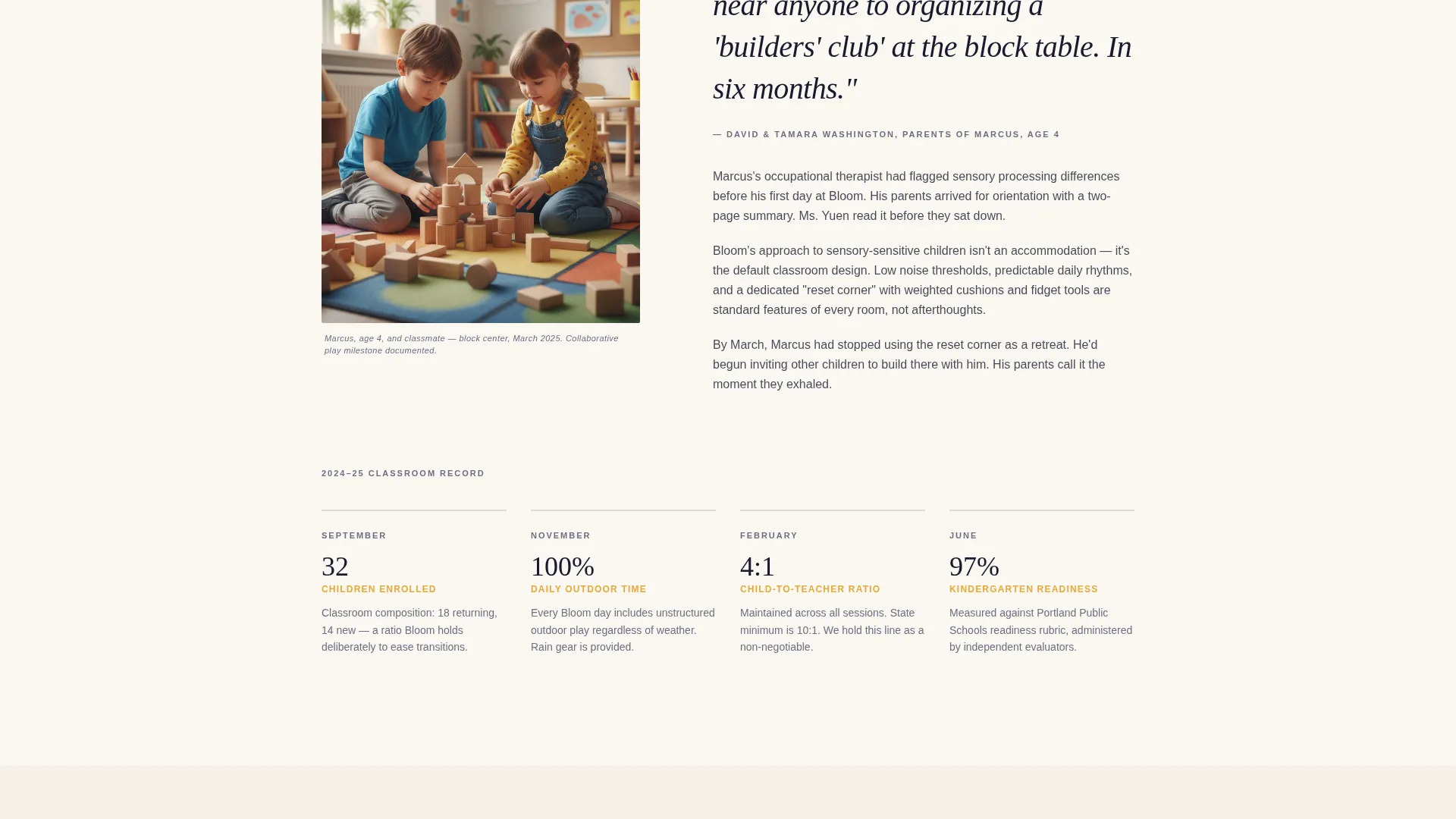
Each scroll section profiles one family's year at the school in magazine feature style. A parent pull-quote, a captioned photograph, and a short narrative paragraph work together to carry the reader from September uncertainty to June confidence.
Layered Call-to-Action Structure
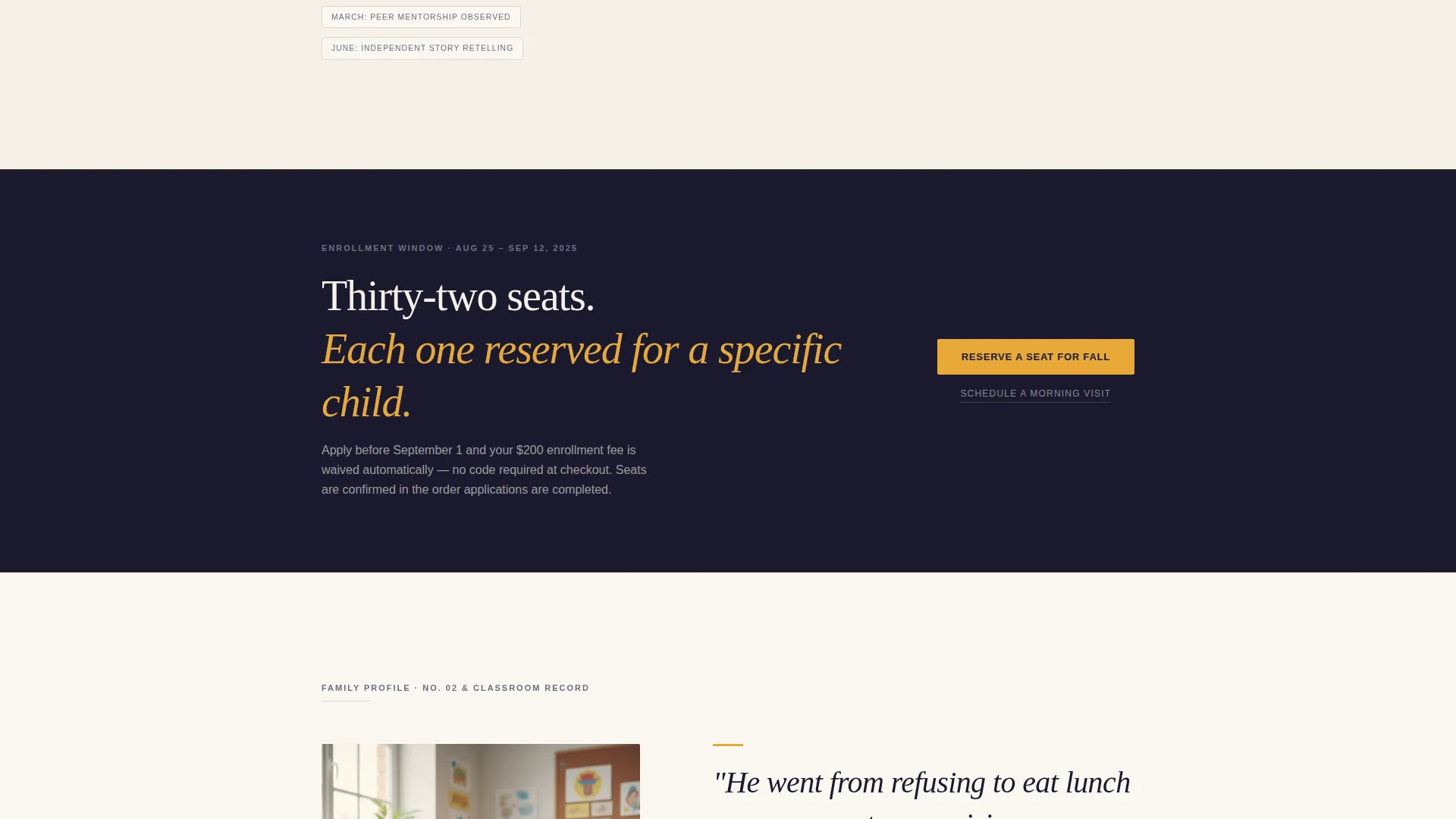
The primary call to action, "Reserve a Seat for Fall," appears three times across the page. It is placed beneath the header, after the second family profile, and anchored at the bottom. Each placement includes a softer secondary link, "Schedule a Morning Visit," for parents who need a lower-stakes next step.
Pull-Quote and Infographic Components
Marigold-accented pull-quotes break up the narrative and slow the reader down. Later in the scroll, outcomes data is presented as elegant infographics that shift the tone from story to evidence without feeling clinical.
FAQ Accordion
A compact FAQ accordion sits just above the final call to action at the bottom of the page. It addresses common parent concerns in a tidy, collapsible format so the page stays clean.
Page sections overview
| Section | Purpose |
|---|---|
| Editorial Header | Opens enrollment pitch with photo and headline |
| Primary call to action Block | Prompts immediate seat reservation action |
| Family Profile One | Builds early trust through narrative story |
| Pull-Quote Break | Slows the reader, highlights parent voice |
| Family Profile Two | Deepens trust, adds second family perspective |
| Mid-Page call to action Block | Re-engages readers ready to act mid-scroll |
| Classroom Milestones | Widens scope from one child to whole class |
| Outcomes Infographics | Presents data in an editorial visual format |
| FAQ Accordion | Handles objections before the final action |
| Bottom call to action Block | Anchors final enrollment and visit prompts |
Design & branding system
The visual identity follows an editorial magazine theme using an ink-and-parchment color system. The palette feels like a Montessori prospectus printed on heavy uncoated stock, restrained and literate with a single warm accent.
- Core colors: deep editorial black (#1A1A2E), warm parchment (#F5F0E8), and soft graphite (#6E6E80) for body text and backgrounds
- Accent color: marigold (#E8A838) used only for buttons, pull-quotes, and highlighted enrollment dates
- Typography follows a large serif style for headlines, keeping the tone unhurried and authoritative
Mobile & speed optimization
The template is structured to remain readable and navigable across screen sizes. Its column-based header and narrative sections reflow cleanly for smaller viewports.
- The half-page two-column header collapses to a stacked layout on mobile without losing hierarchy
- Call-to-action buttons remain prominent and tappable at every scroll position on smaller screens
How this template helps you convert
The layout is built to move a hesitant parent toward a firm decision. Every design and content choice reduces friction and builds confidence.
- The narrative case study structure earns emotional trust before asking for commitment, which lowers resistance at the call-to-action moments
- The three-placement call-to-action system catches parents at different readiness levels, and the softer "Schedule a Morning Visit" link keeps fence-sitters on the page rather than bouncing
- The FAQ accordion addresses likely objections right before the final call to action, so parents arrive at the button with fewer reasons to hesitate
Other information about this template
Bloom is designed as a click-through landing page. No enrollment form lives on the page itself. The primary call-to-action button carries parents to the full application with a promotion code pre-filled, keeping the page focused and the conversion path clean.
- The template suits preschool seasonal promotions, including fall enrollment windows with limited seats and tuition incentives
- The editorial magazine theme makes it a strong fit for schools that want to stand apart from standard childcare website templates
- The Sidebar Companion template style means this page can work alongside an existing school website as a dedicated campaign page rather than replacing the full site
Theme
Editorial Magazine
Creative direction
Logo Wall Authority
Color system
Monochrome Steel
Style
Sidebar Companion
Direction
Partnership/B2B
Page Sections
Half-page Editorial Header
Family Case Study Narrative
Three-placement Call to Action System
Marigold Accent Pull-quotes
Outcomes Infographic Section
FAQ Accordion
Related questions
Does this template include an enrollment form?
Can I use this template for promotions other than fall enrollment?
How many call-to-action placements does the template include?
Is this template suitable for a small or independent preschool?
What happens if I do not have professional photos for the header?



