Regulatory & Licensing FAQ & Common Questions Website Template
The Permit Plain English Building Permit Office Landing Page Template is designed for government permit offices that want to guide applicants clearly through every step. It combines a searchable frequently asked question knowledge base, a sticky anchor nav, expandable accordions, and a lead-capture form into one authoritative, jargon-free landing page built for homeowners, contractors, and architects alike.
by Rocket studio
Quick summary
This template gives building permit offices a plain-English knowledge hub. Visitors can search by project type, browse spoke sections on Zoning, Submittals, Inspections, Timelines, and Appeals, and submit a pre-screening request without ever feeling lost. The result is a permit office page that actually explains the process instead of burying it in code sections.
Who this template is for
This template is designed for any public office or municipal agency that handles building permit applications. It works equally well for permit offices serving large contractor populations and those primarily helping first-time homeowners plan a deck or addition.
- First-time homeowners researching permit requirements before they build
- General contractors managing multiple construction submittals across jurisdictions
- Architects and design professionals who need clear plan submission standards
What problem this template solves
Most permit office pages are dense, hard to read, and built for staff rather than the public. Visitors arrive with a simple question, can't find a plain-English answer, and leave without submitting anything. This template solves that directly.
- Visitors struggle to find which permit applications apply to their project type
- Applicants submit incomplete plan packages, causing costly review delays
- Offices field the same phone calls repeatedly because the information isn't findable online
What you get with this template
This template provides a full hub-and-spoke landing page ready to edit and launch. Every section is pre-structured so you can modify the content to match your jurisdiction's actual permit processes without rebuilding from scratch.
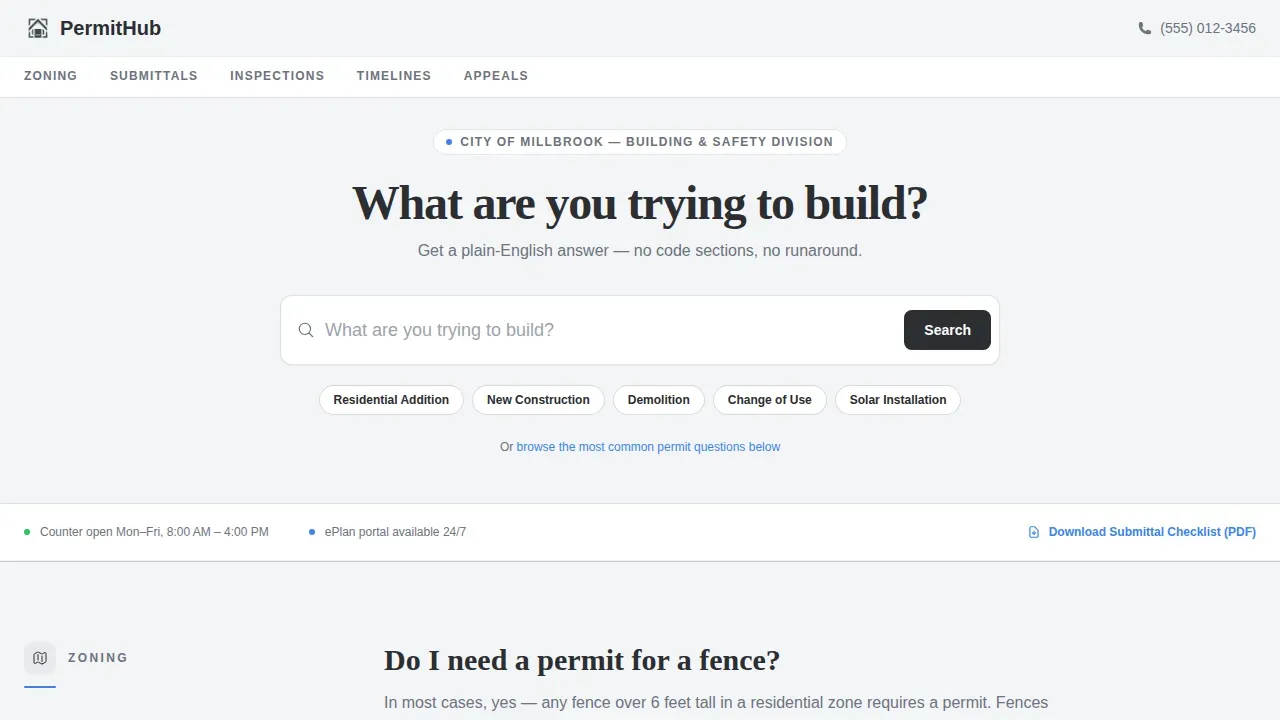
- A searchable hero with quick-filter chips for project types like Residential Addition, New Construction, and Solar Installation
- Five spoke sections covering Zoning, Submittals, Inspections, Timelines, and Appeals, each with accordion frequently asked question blocks
- A persistent bottom bar call to action form and a downloadable PDF checklist gated by email
Feature list
This template is styled to follow best-in-class user experience patterns across all key permit application interactions.
Searchable Hero with Filter Chips
The header is a full-width search field with ghost text reading "What are you trying to build?" Quick-filter chips let visitors jump directly to Residential Addition, New Construction, Demolition, Change of Use, or Solar Installation applications without scrolling.
Sticky Anchor Navigation
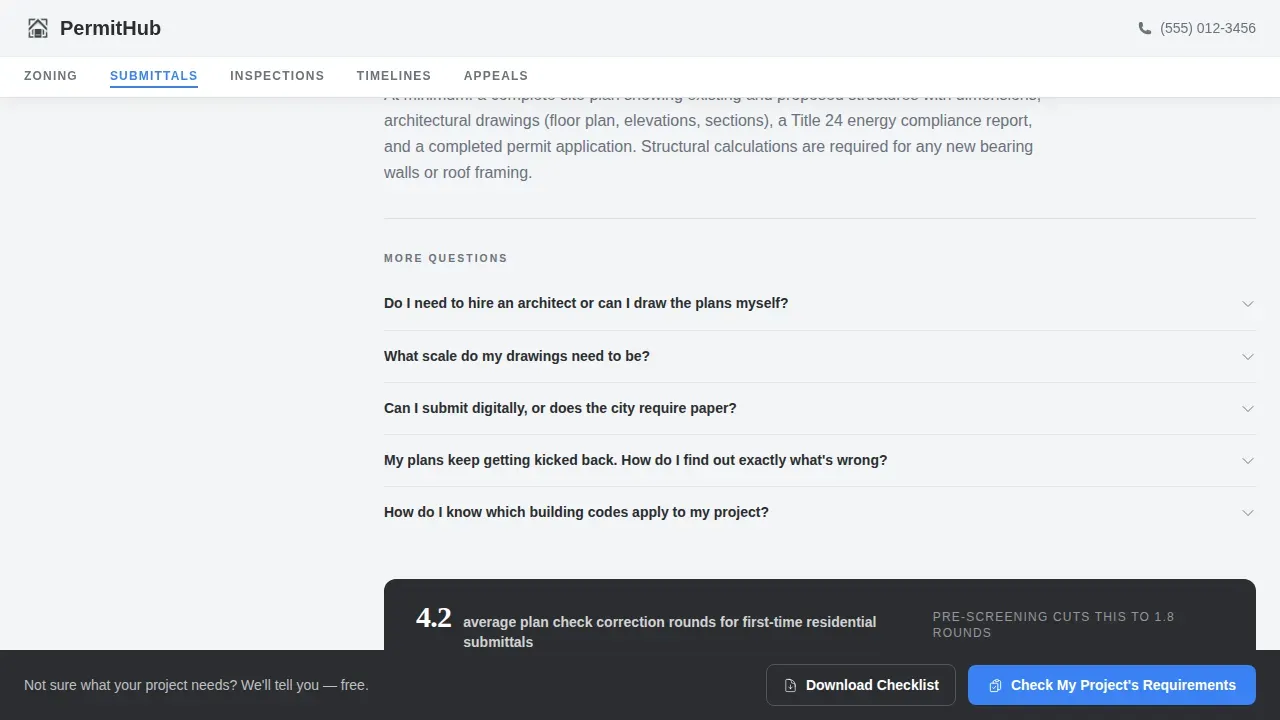
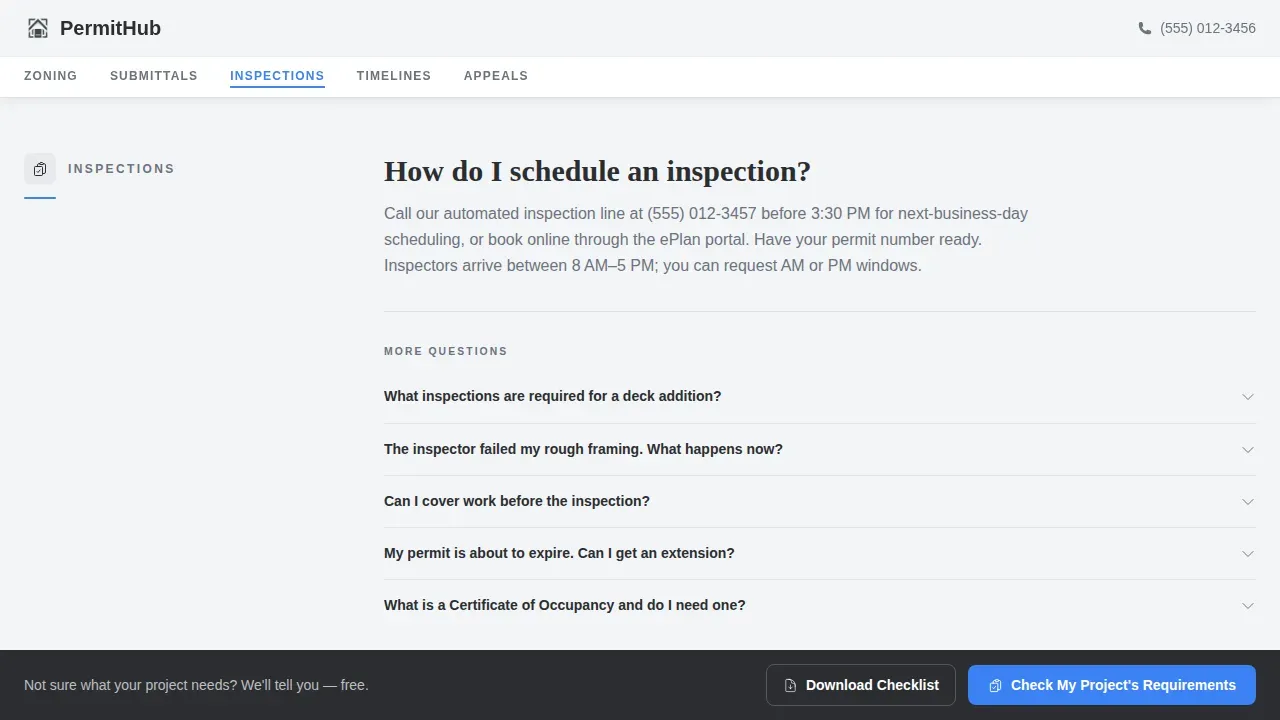
A pinned anchor nav highlights the active spoke as visitors scroll. Links connect directly to Zoning, Submittals, Inspections, Timelines, and Appeals, giving contractors on desktop and homeowners on mobile an equally fast way to navigate construction topics.
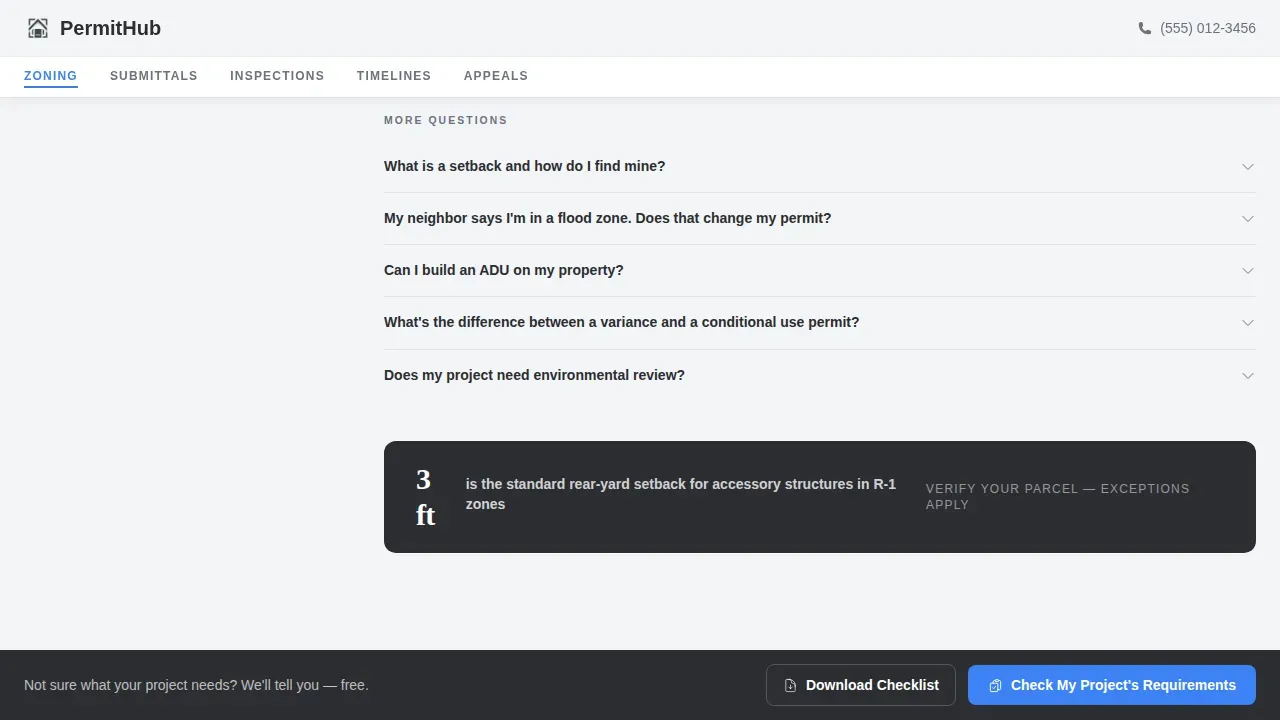
Accordion frequently asked question Spokes
Each spoke section opens with the single most-asked question answered in plain English. Expandable accordions then cascade into deeper questions, making it easy to read only what is relevant and skip the rest.
Stat Callout Bars
Single-stat bars in structural charcoal appear between spokes. They provide transparent processing time details, such as average residential building permit review windows, to build trust through honest information.
Pre-Screening Lead Form
A persistent bottom bar opens a short modal form. Visitors select a project type, enter a property address, add a brief description, and provide an email. This positions the permit application pre-screening as a free consultation rather than a sales step.
PDF Checklist Download Gate
A secondary conversion path lets visitors download a complete submittal checklist after entering only their email. This captures leads who are not yet ready to submit but want to leave with actionable resources.
Page sections overview
| Section | Purpose |
|---|---|
| Search Hero | Project type search with quick-filter chips |
| Anchor Nav Bar | Sticky spoke navigation across five topics |
| Zoning frequently asked question Spoke | Answers fencing, setback, and zoning permit questions |
| Submittals frequently asked question Spoke | Guides document and plan submission requirements |
| Inspections frequently asked question Spoke | Explains how to schedule and pass inspections |
| Timelines frequently asked question Spoke | Sets expectations for building permit review time |
| Appeals frequently asked question Spoke | Covers denied permit applications and next steps |
| Stat Callout Bars | Transparent processing data between spokes |
| Bottom Bar call to action | Persistent pre-screening form trigger |
| Footer Row | Linear single-row footer with key links |
Design & branding system
The visual identity follows an Educational Guide theme using the Monochrome Steel color system. Typography pairs DM Sans for body and interface text with Fraunces serif headings, giving the page a document-like authority. Font sizes stay at or above 16px to support clear readability, and color contrast ratios meet accepted standards for text legibility.
- Structural charcoal (#2B2D31) for primary text, stamped-approval blue (#3B82F6) reserved for links and call to action buttons only
- Permit-paper white (#F4F5F7) as the page background, galvanized mid-gray (#6B7280) for secondary text
- Single-column form layouts with clearly labeled fields and persistent field instructions throughout
Mobile & speed optimization
The template is designed with equal device priority. Contractors typically plan on desktop while homeowners submit from mobile, so both experiences are fully considered in the layout. Static frequently asked question content uses server-rendered components while interactive elements like accordions and the modal form use client-side rendering.
- Smooth-scroll anchor navigation and accordion expand and collapse animations are kept intentionally lightweight
- The persistent bottom bar call to action remains visible and tappable on small screens without obscuring content
- All form fields follow a single-column layout to maintain visual momentum on narrow viewports
How this template helps you convert
A building permit office landing page should guide visitors from initial research through to final action. This template is structured to do that at every scroll depth.
- The searchable hero and quick-filter chips place the most relevant permit application paths above the fold, so visitors find their project type immediately without hunting.
- Accordion spokes let visitors self-qualify and read only what applies to their construction project, reducing drop-off from information overload.
- The dual conversion path, pre-screening form plus PDF checklist download, captures both ready applicants and early-stage researchers in a single page flow.
Other information about this template
This is the Permit Plain English Building Permit Office Landing Page Template, designed to show the full capabilities of an application submission site for building permit offices. You can edit all text, modified color values, and form field labels directly without writing code. Note that templates and format instructions do not replace the official project submittal requirements contained in your jurisdiction's land development manual. The owner, builder, or responsible agent must still complete the formal permit application form as required by their enforcing jurisdiction. Permit application data is often used for statewide statistics, so accurate information entry remains important. Using city-standard templates can speed up the review process by ensuring all required details are present at the first submittal, helping to eliminate common plan corrections. A construction cost estimate may be required for certain grading or right-of-way applications, so plan fields in the form can be modified to include this. You are responsible for complying with state and federal laws concerning construction near wetlands and protected areas. The template can also support compliance with industry standards for public-facing digital applications, including accessible font sizing and color contrast guidance.
- This template can be modified to match your jurisdiction's specific permit application categories and local construction standards
- Edit form field labels, accordion questions, and stat bar figures to reflect your office's actual processing data and requirements
- Download the PDF checklist gate is pre-built and can be connected to your preferred email collection method
Theme
Educational Guide
Creative direction
FAQ-Driven
Color system
Monochrome Steel
Style
Hub & Spoke (Anchor Nav)
Direction
Lead Generation
Page Sections
Searchable Hero with Filter Chips
Sticky Anchor Navigation
Accordion Frequently Asked Question Spokes
Transparent Stat Callout Bars
Dual Conversion Path
Related questions
Can I edit the accordion questions to match my office's actual permit topics?
Does the pre-screening form collect enough information to start a permit application review?
Can homeowners and contractors both use this landing page comfortably?
Is the PDF checklist download gate customizable?
Does this template work for permit offices handling multiple project types?



