Real Estate Photography & Marketing Portfolio Website Template
Blueprint is a precision-built landing page template for 3D floor plan services. It uses an asymmetric 60/40 grid, a case study narrative structure, and a lead generation flow centered on a search box header. Designed for real estate brokerages, property developers, and interior design firms, it turns complex spatial data into compelling, client-ready visual stories.
by Rocket studio
Quick summary
Blueprint is a single-page template built for 3D floor plan service providers. It pairs a Corporate Precision visual identity with a case study narrative scroll structure. The 60/40 asymmetric grid places interactive floor plan visuals on the wider side and project evidence on the narrower side. Every section earns trust before it asks for a lead.
Who this template is for
This template is built for businesses that turn architectural drawings into furnished, dimensioned 3D floor plans. If your clients need to visualize spaces before they exist, Blueprint gives your service the professional stage it deserves.
- Commercial real estate brokerages listing Class A office space
- Residential property developers marketing off-plan apartments
- Interior design firms pitching renovation concepts to homeowners
What problem this template solves
Selling a space that hasn't been built is genuinely difficult. Flat drawings don't move people emotionally, and generic service pages don't earn the trust required for high-value commissions. Blueprint solves both problems at once.
- Clients struggle to visualize unbuilt or unrendered spaces from raw drawings
- Service providers lack a structured way to demonstrate capability through real project evidence
- Lead capture forms feel abrupt without a narrative that proves speed and quality first
What you get with this template
You get a fully structured landing page designed around evidence-led persuasion and precise visual identity. The layout guides visitors from curiosity to commitment through escalating proof points.
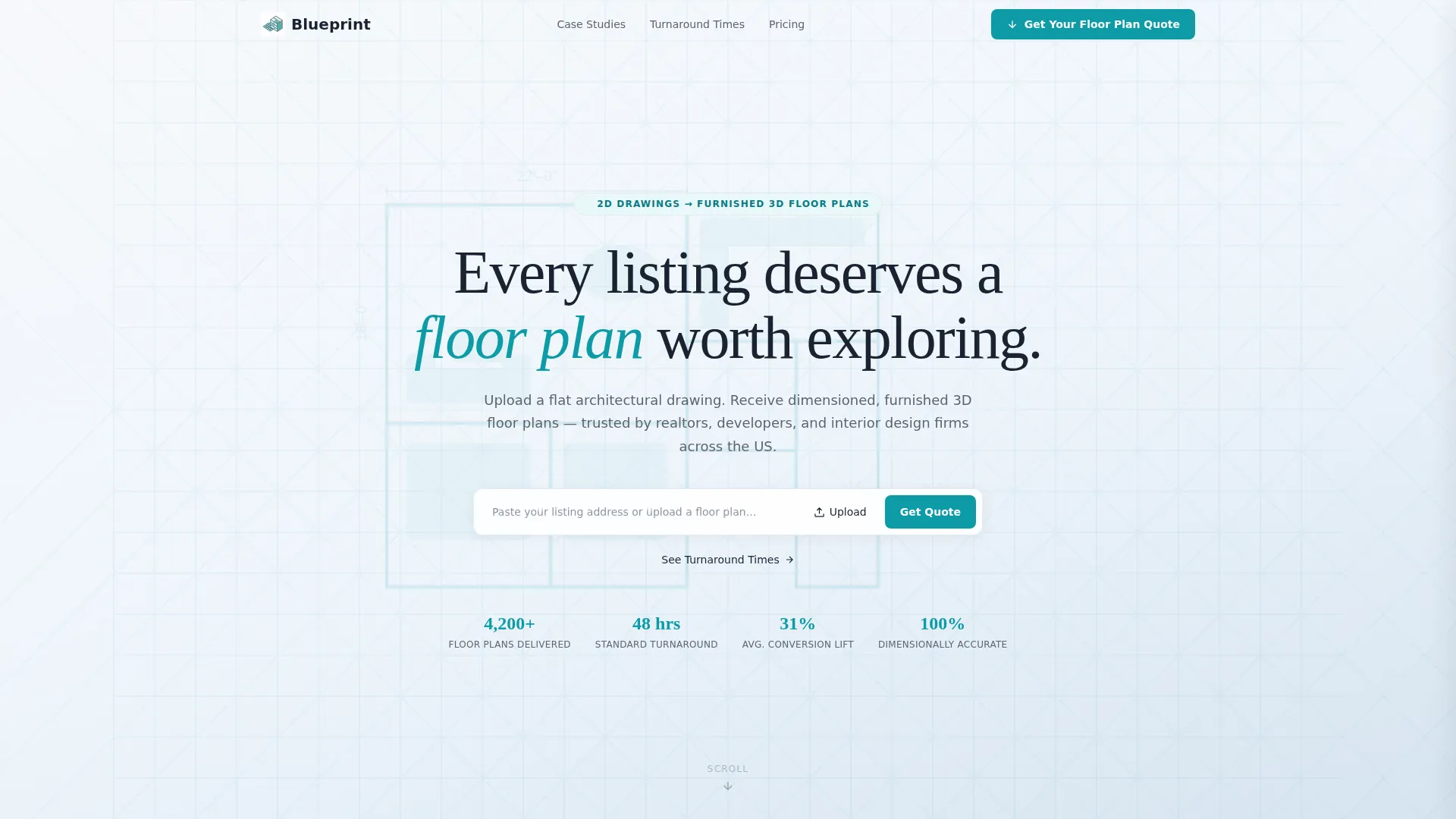
- A search box header with parallax floor plan background and a clear primary call to action
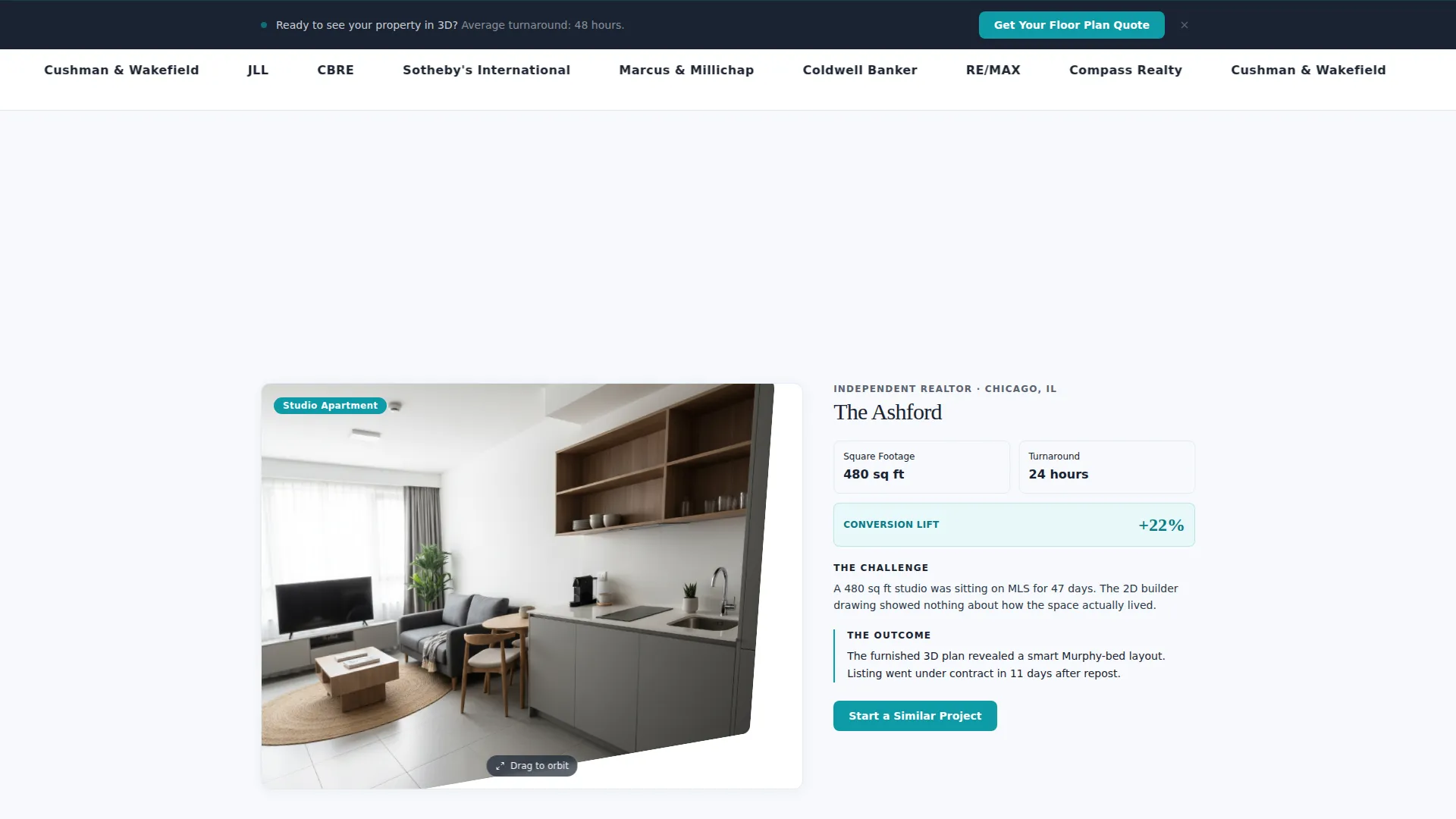
- A scrolling case study section using a 60/40 grid with micro-animations that trigger on scroll
- A multi-step lead capture form with project type selector, square footage slider, file upload, and email field
Feature list
This template packages several purposeful design and layout features. Each one serves the goal of converting a skeptical professional visitor into a qualified lead.
Asymmetric 60/40 Grid Layout
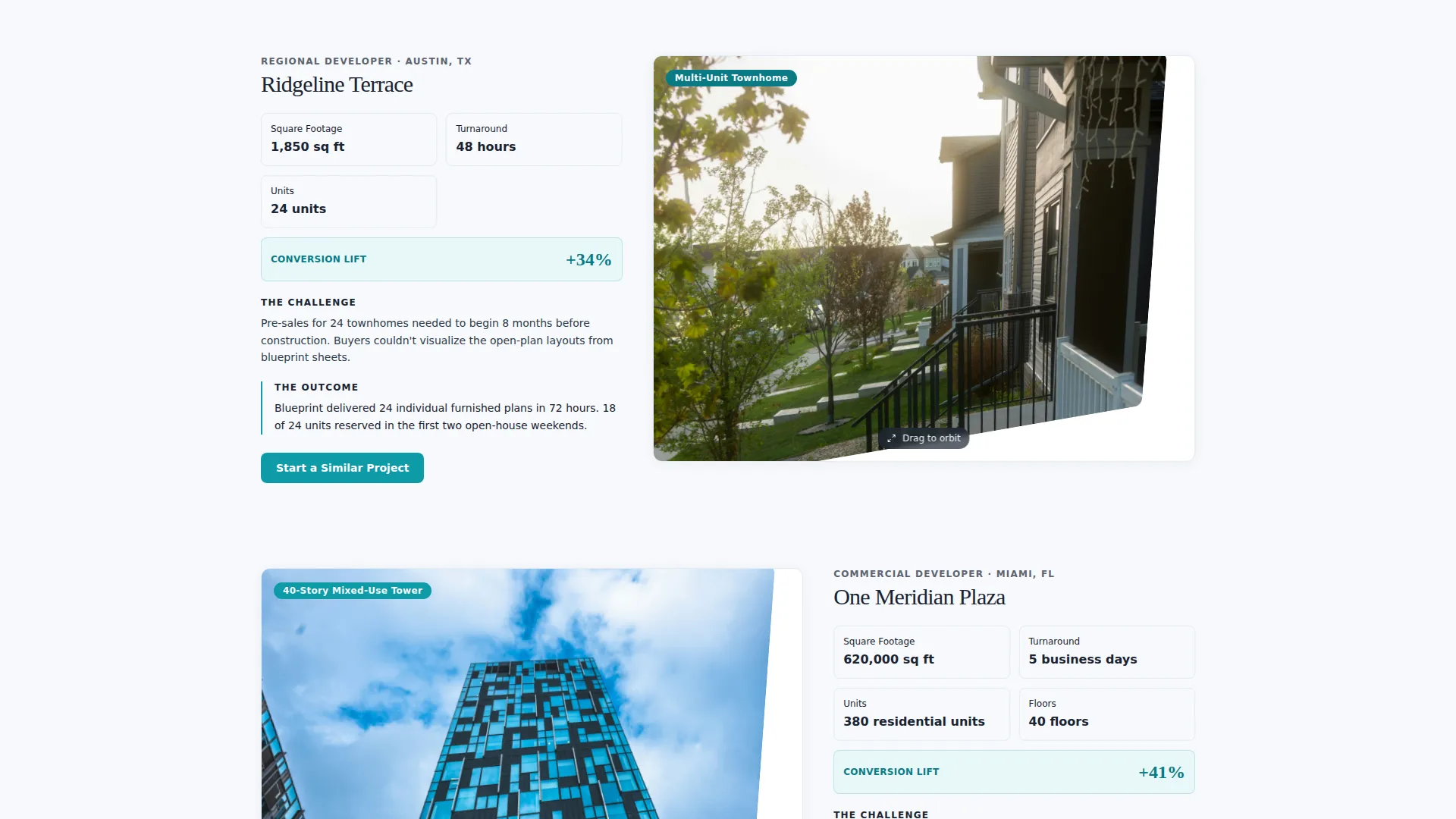
The wider column holds an interactive 3D floor plan the visitor can orbit. The narrower column presents the case study details: client type, turnaround time, square footage, and conversion lift. The split creates visual tension that keeps the eye moving.
Search Box Header with Parallax Background
The header opens with a single centered input field prompting visitors to paste a listing address or upload a floor plan. Behind it, a faint isometric floor plan rotates slowly at low opacity. The restraint communicates confidence.
Scroll-Triggered Micro-Animations
As visitors scroll through each case study, walls rise, furniture fades in, and dimension labels appear in sequence. These animations make abstract spatial data feel alive without distracting from the content.
Escalating Case Study Narrative
The page moves from a simple studio apartment up to a 40-story mixed-use tower. Each case study raises complexity and stakes, proving capability through evidence rather than marketing claims.
Persistent Lead Capture Bar
After the second case study, a bottom bar with the primary call to action stays visible as the visitor continues scrolling. This removes friction by keeping the conversion path present without interrupting the narrative.
Secondary Conversion Path
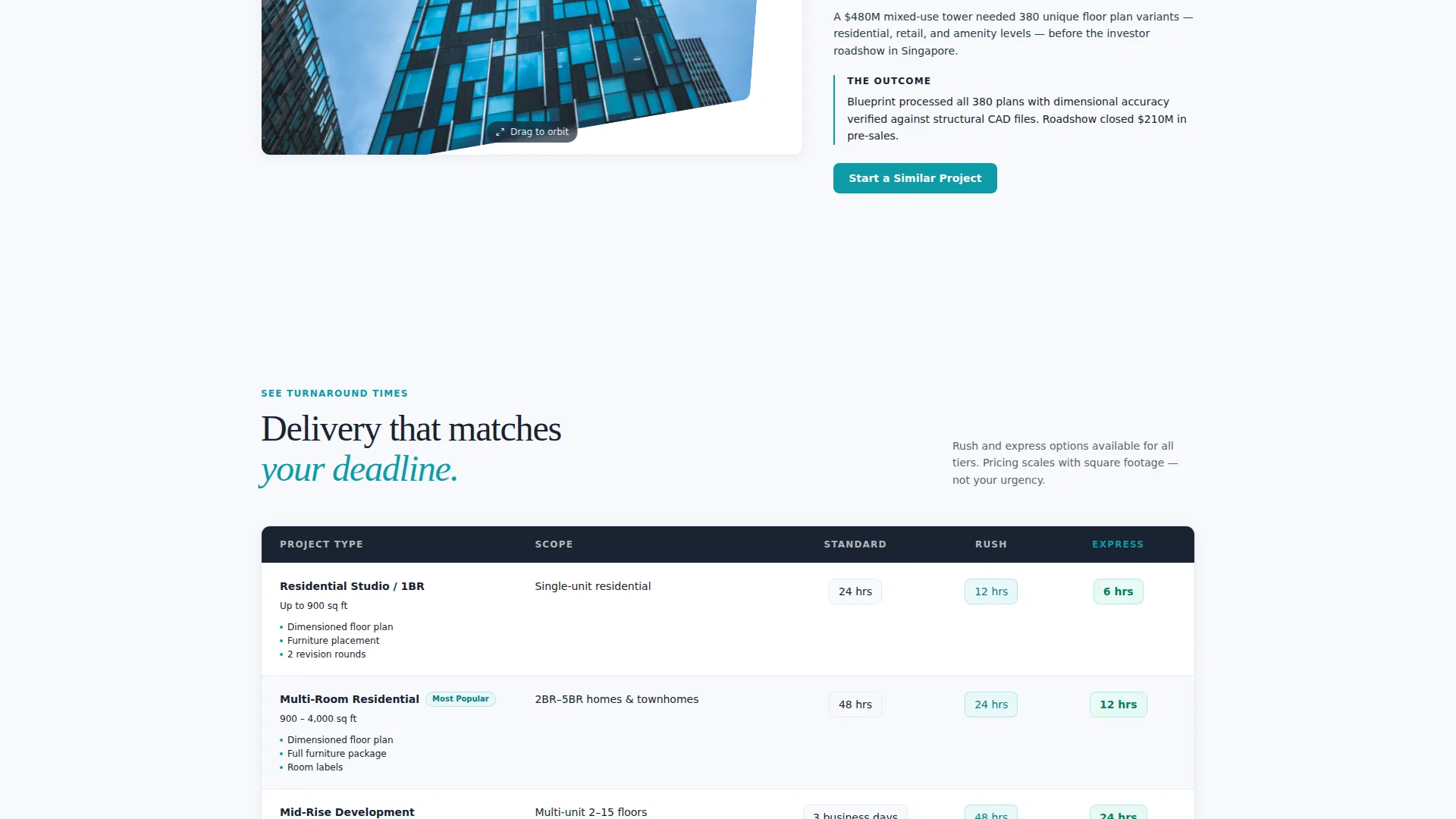
A "See Turnaround Times" link leads to a comparison table that ends with the same lead form. This secondary path earns the click by proving speed before asking for commitment.
Page sections overview
| Section | Purpose |
|---|---|
| Search Box Header | Opens the page with a centered input and parallax floor plan background |
| Studio Apartment Case | First case study, low complexity, establishes the service baseline |
| Mid-Rise Case Study | Raises stakes with larger square footage and faster turnaround |
| Tower Case Study | Peaks narrative with a 40-story mixed-use project proof point |
| Persistent call to action Bar | Keeps the primary call to action visible after the second case study |
| Turnaround Times Table | Secondary path proving speed before asking for lead information |
| Lead Capture Form | Multi-step form collecting project type, size, drawings, and email |
Design & branding system
The Cloud Canvas color system feels like a freshly printed specification sheet: weightless but authoritative. Every color choice is functional, and nothing is purely decorative.
- Open-sky white (#F7F9FC) for backgrounds, architectural pencil gray (#5C6370) for body text, and soft blueprint mist (#D6E4F0) for structural dividers
- Signal teal (#0E9AA7) reserved exclusively for interactive elements, call-to-action buttons, and the header search arrow
- The Corporate Precision theme keeps typography clean and grid lines intentional, reinforcing the precision positioning of the service itself
Mobile & speed optimization
The template is structured to present cleanly across screen sizes. The 60/40 grid collapses into a stacked single-column layout on smaller devices without losing the narrative sequence.
- Case study sections reorder gracefully so the floor plan visual appears above its supporting data on mobile
- The persistent call to action bar and multi-step form are designed to remain accessible at smaller viewport widths
- Micro-animations are scoped to scroll events, keeping them purposeful rather than resource-heavy
How this template helps you convert
Blueprint is built around a lead generation flow that earns trust before it asks for anything. The sequence is deliberate and repeatable.
- The search box header creates an immediate action moment, inviting visitors to engage with their own project details before reading any marketing copy.
- The escalating case study narrative builds proof progressively, so by the time a visitor reaches the lead form, they have already seen evidence matching their own project scale.
- The multi-step form reduces perceived friction by starting with project type rather than personal contact details, making the first step feel like a configurator rather than a cold inquiry.
Other information about this template
Blueprint is well-suited for any business that needs to communicate spatial precision and project credibility to a professional audience. The template supports a range of real estate marketing contexts.
- The template works for services positioning themselves in the competitive 3D floor plan and real estate visualization market
- The case study narrative format is adaptable: teams can swap project types, square footage ranges, and conversion metrics to match their own portfolio
- The Cloud Canvas palette and Corporate Precision theme make this template equally appropriate for architectural visualization studios, property marketing agencies, and individual real estate photographers expanding into floor plan services
Theme
Corporate Precision
Creative direction
Case Study Narrative
Color system
Cloud Canvas
Style
Asymmetric Grid (60/40)
Direction
Lead Generation
Page Sections
Asymmetric 60/40 Grid Layout
Search Box Header with Parallax Background
Scroll-triggered Micro-animations
Escalating Case Study Narrative
Persistent Lead Capture Bar
Multi-step Lead Generation Form
Related questions
Who is this landing page template best suited for?
Can I customize the case study content with my own project examples?
What does the multi-step lead form collect?
How does the secondary conversion path work?
Is the persistent call to action bar visible throughout the entire page?



