Specialist Hospital & Clinic Construction Professional Website Template
Blueprint is a split-screen landing page template built for hospital and clinic general contractors. It combines a location-input header, matched before-and-after case study panels, and a problem-to-solution visual arc to move qualified facility decision-makers toward a project consultation. The Navy Authority color system and Engineering Blueprint theme communicate institutional precision from the first scroll.
by Rocket studio
Quick summary
Blueprint is a single-page, click-through landing page for healthcare construction general contractors. It opens with a facility address search, walks visitors through escalating before-and-after renovation case studies, and closes with a direct call to action linking to a consultation page. Every design choice signals code-compliant expertise and schedule reliability to facility directors, clinic owners, and capital project leads.
Who this template is for
This template is built for general contractors who specialize in hospital and clinic construction. It speaks directly to the people who commission those projects and bear the consequences when timelines slip.
- Hospital facility directors managing deferred maintenance backlogs and occupied-facility renovation schedules
- Clinic owners and practice managers expanding into adjacent suites or refreshing aging exam rooms
- Health system vice presidents of capital projects who report to boards on budget and schedule performance
What problem this template solves
Healthcare construction firms often struggle to earn trust before a single conversation happens. A generic contractor website cannot communicate the specific competencies that hospital procurement teams require.
- Visitors cannot quickly verify whether the contractor has worked in their region or on comparable facility types
- Before-and-after proof is absent or unstructured, leaving decision-makers without the outcome evidence they need
- No clear path exists from initial interest to a qualified consultation, causing high-intent visitors to leave without engaging
What you get with this template
You get a fully structured, single-page layout designed to qualify and convert facility decision-makers without relying on a contact form. Every section has a defined job, and the visual system does the credibility work before a visitor reads a single headline.
- A location-input header with zip-code autofill and proximity micro-copy that signals regional coverage instantly
- A scrollable problem-to-solution arc using split-screen panels with documentary photography and quantified project outcomes
- Two strategically placed calls to action that route visitors to a consultation page where they self-select project type, square footage, and occupancy status
Feature list
This section outlines the core built-in components that make Blueprint work for healthcare construction marketing.
Location-Input Header with Proximity Signal
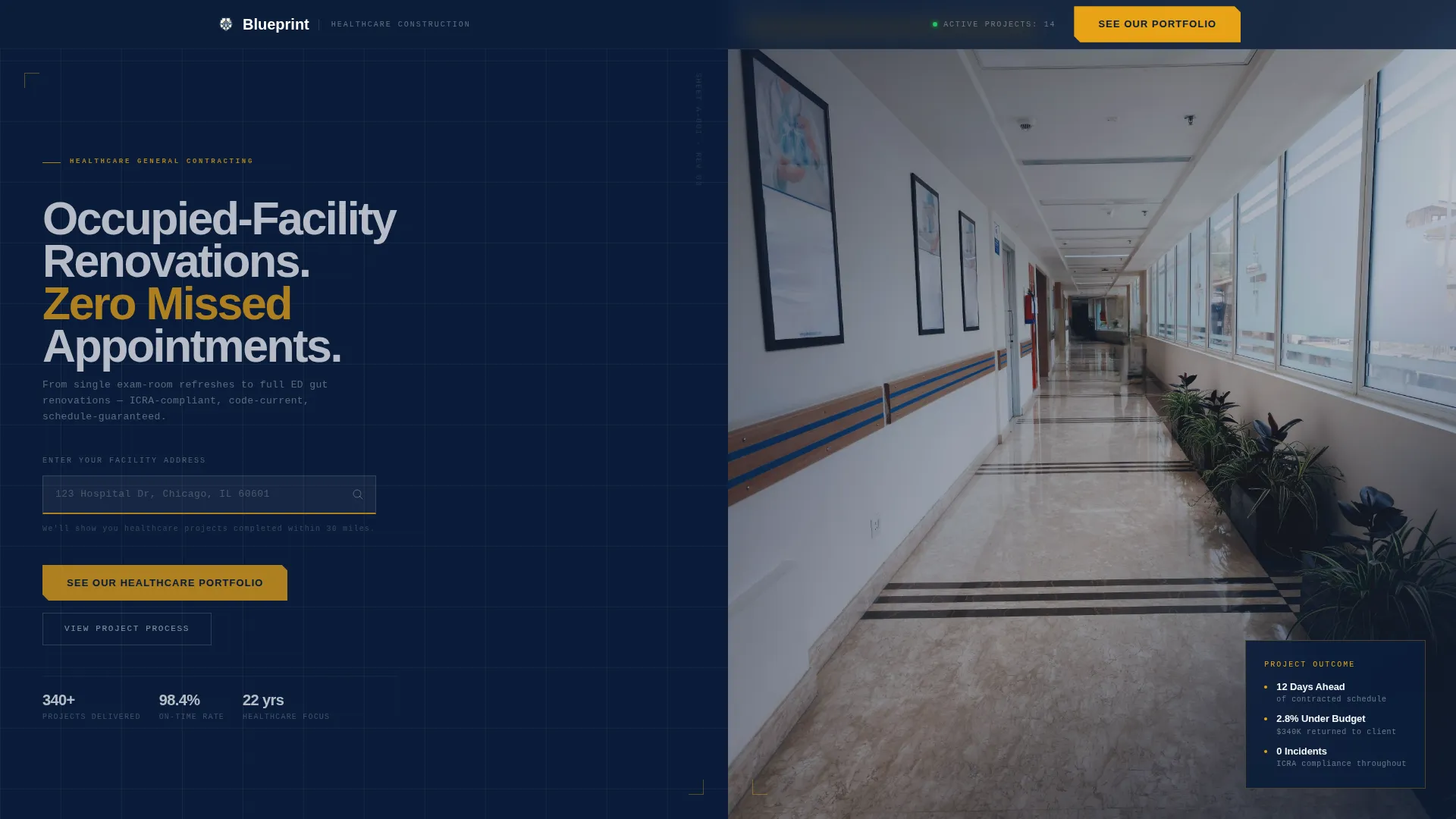
The header centers a facility address search bar over a faintly gridded blueprint background. Thin white construction lines on navy animate subtly, simulating a CAD file rendering in real time. Below the search bar, micro-copy reads "We'll show you healthcare projects completed within 30 miles," establishing regional credibility before any portfolio image loads.
Split-Screen Problem-to-Solution Panels
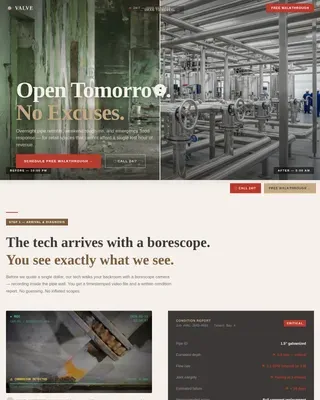
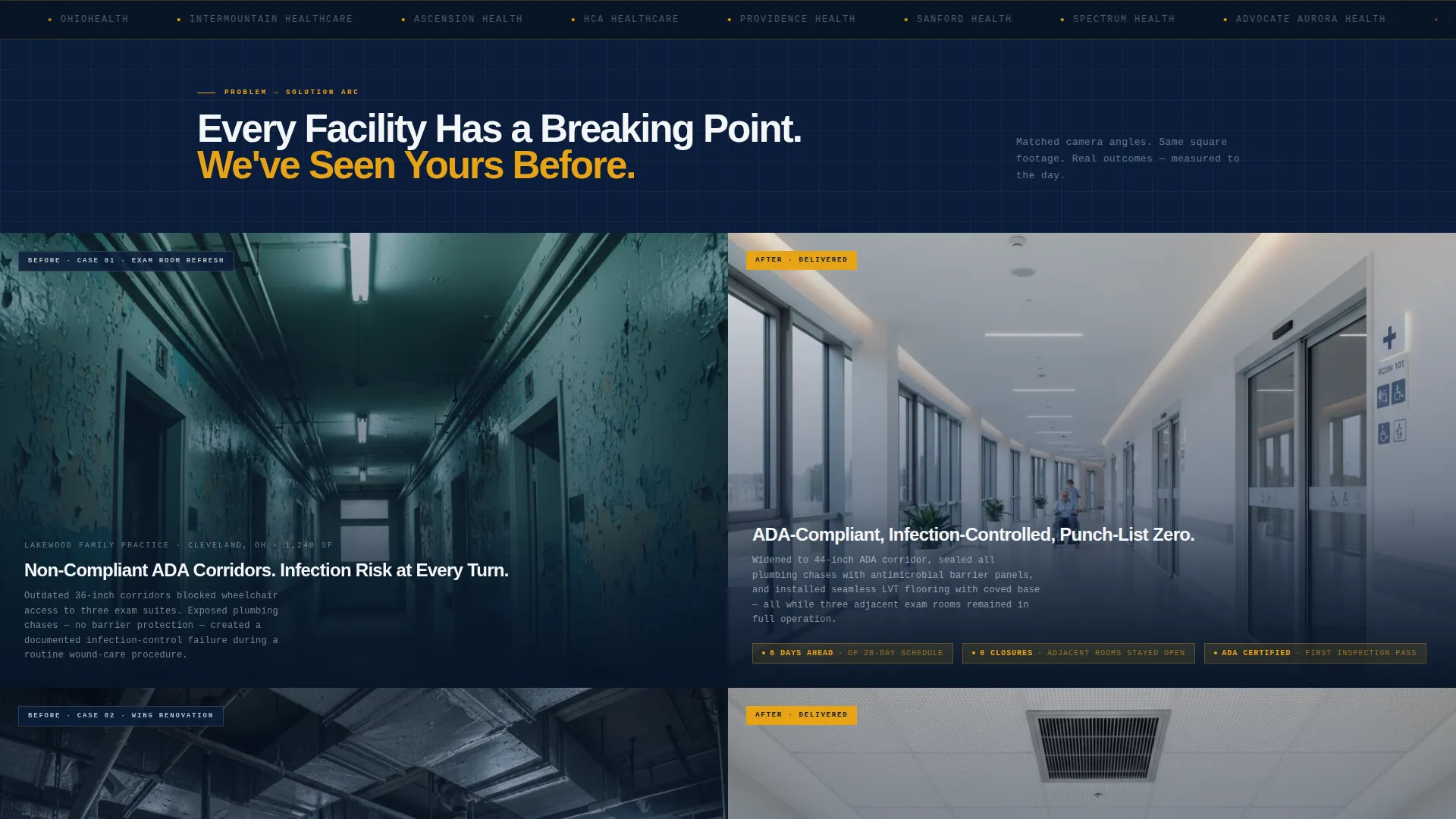
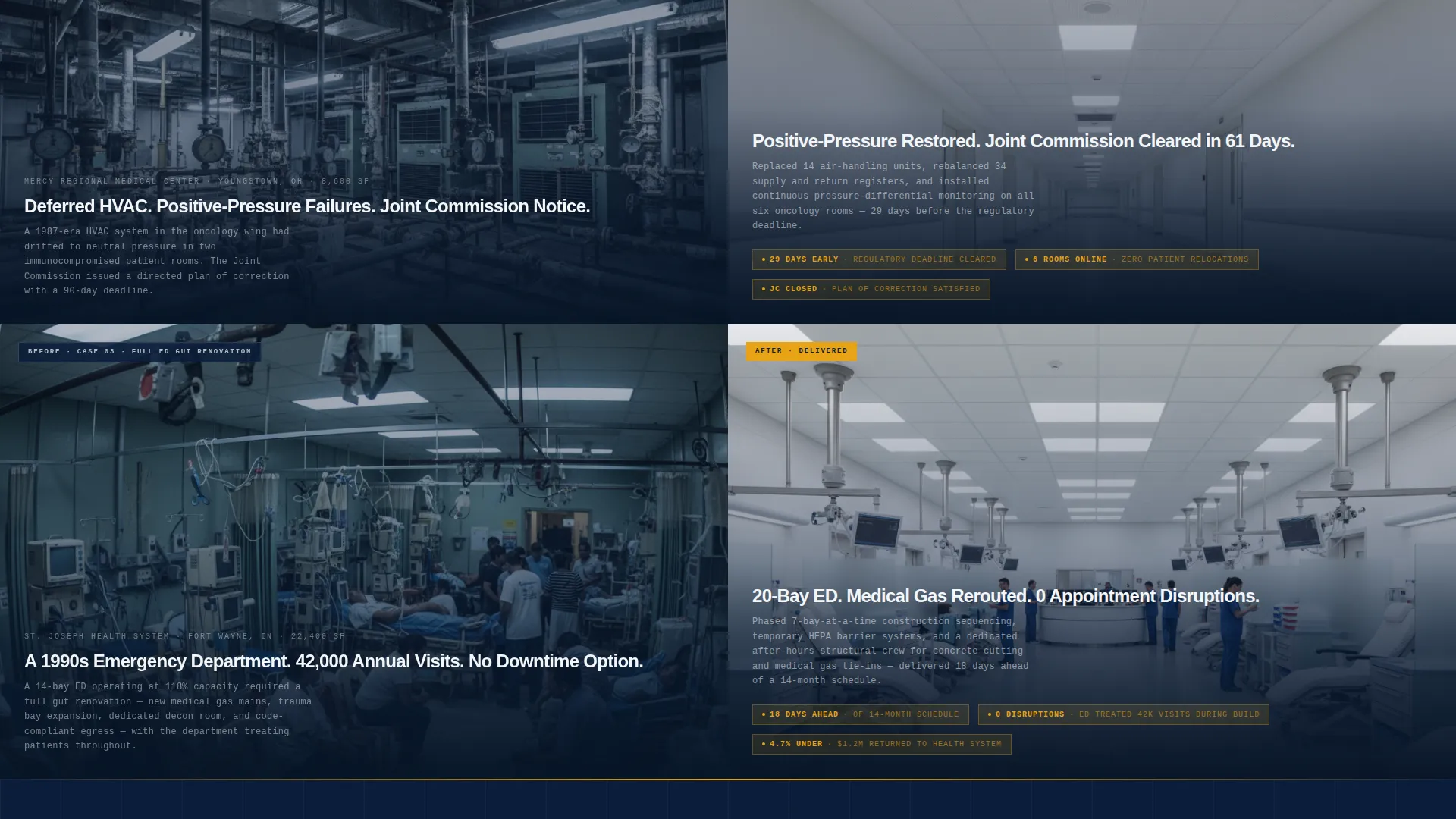
Each 50/50 panel pairs a documentary-style problem photograph on the left with a matching-angle completion photograph on the right. The layout is designed to escalate in project complexity as the visitor scrolls, from a single exam room refresh up to a full emergency department gut renovation, demonstrating that capability grows with scale.
Quantified Outcome Callouts
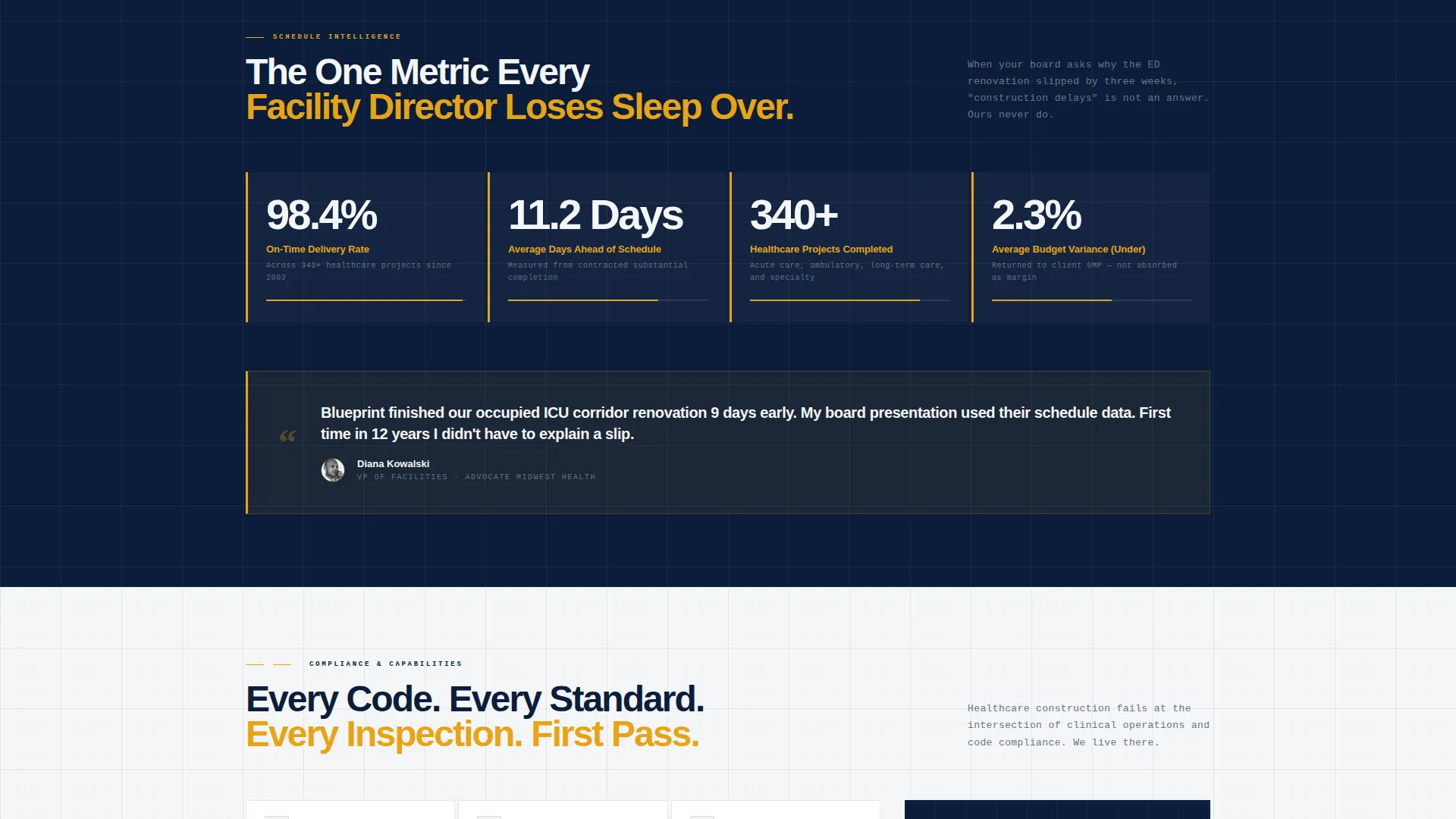
Completed-project panels include specific performance figures such as days ahead of schedule and percentage under budget. These callouts are placed as amber-highlighted data points within the right-side solution panel, targeting the schedule reliability metric that facility directors prioritize most.
Dual Call-to-Action Placement
The primary call to action, "See Our Healthcare Portfolio," appears immediately after the location input returns nearby projects. A second call to action, "Talk to a Project Executive," follows the final case study panel. Neither placement uses a form; both route to a dedicated consultation page.
Engineering Blueprint Visual Theme
The page design uses a Navy Authority color system: deep command navy for headers and section backgrounds, structural graphite for body text, sterile corridor white for spacing between sections, and caution-tape amber reserved exclusively for calls to action and critical data callouts. The result is an institutional, high-contrast layout with zero visual ambiguity.
Consultation Page Hand-Off Structure
The click-through flow is designed to deliver pre-qualified visitors to a separate consultation page. On that page, visitors self-select project type (acute care, ambulatory, or long-term care), square footage range, and whether the facility will remain occupied during construction, reducing friction for both the visitor and the sales team.
Page sections overview
| Section | Purpose |
|---|---|
| Location Input Header | Establish regional presence and proximity before portfolio loads |
| Proximity Micro-Copy | Reinforce regional coverage with a specific 30-mile radius claim |
| Problem Panel (Level 1) | Show a relatable entry-level challenge such as an outdated exam room |
| Solution Panel (Level 1) | Reveal the completed outcome with matching camera angle and metrics |
| Problem Panel (Level 2) | Escalate complexity to corridor compliance or infection-control failure |
| Solution Panel (Level 2) | Deliver matched resolution with schedule and budget outcome figures |
| Problem Panel (Level 3) | Present the highest-stakes scenario: a full emergency department renovation |
| Solution Panel (Level 3) | Close the arc with punch-list-zero finish and quantified performance data |
| Primary call to action Block | Prompt visit to healthcare portfolio after location results appear |
| Final call to action Block | Route high-intent visitors to project executive consultation page |
Design & branding system
The visual identity is built on an Engineering Blueprint theme using a four-color Navy Authority system. Every color has a defined structural role, and no color is used outside its assigned function.
- Deep command navy (#0B1D3A) dominates headers and section backgrounds; structural graphite (#3B4553) carries all body text; sterile corridor white (#F4F6F8) creates breathing room between project phases
- Caution-tape amber (#E8A317) is reserved strictly for calls to action and critical outcome callouts, ensuring it fires only when the visitor needs to act
- The header background uses a faint grid of thin white construction lines on navy, subtly animated to evoke a CAD file rendering in real time
Mobile & speed optimization
The split-screen layout is structured to adapt cleanly across screen sizes. Proportional panel stacking and a restrained color system keep the design functional on smaller displays.
- The 50/50 split panels are designed to stack vertically on mobile so problem and solution photographs remain paired and readable in sequence
- The amber call-to-action buttons maintain sufficient contrast against both navy and white backgrounds at all viewport widths
- The location input and zip-code autofill component sits prominently at the top of the stacked mobile layout, keeping the proximity signal as the first interaction
How this template helps you convert
Blueprint is engineered as a click-through page, not a lead-capture form. Every structural decision is made to earn the click to the consultation page by building trust incrementally across the scroll.
- The location input creates an immediate personal relevance signal, showing the visitor that this contractor has already worked near their facility, lowering skepticism before any case study appears
- The escalating problem-to-solution arc moves the visitor from recognition to confidence, starting with familiar challenges and building toward complex occupied-facility renovations that prove the contractor's full range
- Quantified outcome data placed inside solution panels gives facility directors and capital project leads the schedule and budget proof they need before they are willing to invest time in a consultation
Other information about this template
Blueprint is a purpose-built template for the hospital and clinic general contractor niche within the broader healthcare construction category. A few additional details are worth noting for teams evaluating this template.
- The template is categorized under Construction and Home, with a specific subcategory alignment to Hospital and Clinic Construction
- The click-through flow is intentionally formless on this page; qualification happens on the linked consultation page through self-selected project parameters
- The Engineering Blueprint theme and Navy Authority palette are designed to feel document-grade and institutional, not residential or lifestyle-oriented
- This template style is a Split Screen (50/50) layout with a Location Input header concept and a Problem-to-Solution Arc as the governing creative direction
Theme
Engineering Blueprint
Creative direction
Problem→Solution Arc
Color system
Navy Authority
Style
Split Screen (50/50)
Direction
Click-Through
Page Sections
Location-input Header with Proximity Signal
Split-screen Problem-to-solution Panels
Quantified Outcome Callouts
Dual Strategic Call to Action Placement
Navy Authority Color System
Consultation Page Hand-off Flow
Related questions
Does this template include a contact form?
Can I replace the placeholder photography with my own project images?
How does the location input section work for visitors?
Is this template suitable for contractors working on both hospitals and outpatient clinics?
What happens when a visitor clicks a call to action?