Boost - Highperformance Hyundai Landing Page Template
Boost is a gallery and detail landing page built for a Hyundai-focused performance tuning shop. It leads with an exploded-view hero, flows through a cinematic service sequence, and closes with a structured dyno session booking form. The industrial charcoal and amber design reflects the raw shop environment this audience already lives in.
by Rocket studio
Quick summary
Boost is a single-page gallery and detail landing page for a Hyundai performance tuning shop. It opens with a knolling-style exploded-view hero, guides visitors through tiered service sections with light-sweep transitions, and ends at a booking form designed to convert dyno session inquiries into confirmed appointments.
Who this template is for
This template is built for specialty automotive shops that focus exclusively on Hyundai performance work. It speaks directly to the people who already know what they want and need a shop that can match that energy.
- Hyundai N-line owners seeking ECU tuning, bolt-on upgrades, or full competition builds
- Daily-driver Hyundai owners looking to unlock performance gains from turbocharged platforms
- Shop operators who want a booking-forward page that reflects the real feel of their garage
What problem this template solves
Generic automotive website templates look the same regardless of the shop. A Hyundai performance tuning business needs a page that signals deep platform knowledge before a visitor even reads a word. That credibility gap costs bookings.
- Visitors leave when a shop's page does not reflect the specialization they are looking for
- Inquiry forms bury the information clients actually need before they commit to a session
- Most templates do not give build galleries a place to show real dyno numbers alongside the work
What you get with this template
You get a complete, scroll-driven landing page with a structured gallery, tiered service sections, and a two-path booking form. Every section has a defined purpose and a defined place in the conversion sequence.
- An exploded-view parallax hero with scroll-activated floating component animation
- Expandable build gallery cards that open into full detail overlays with dyno data displays
- A two-path booking form covering vehicle details, current modifications, desired service, and preferred date
Feature list
This template is built around high-interaction design elements and a clear booking flow. Each feature below is grounded in the brief.
Exploded View Parallax Hero
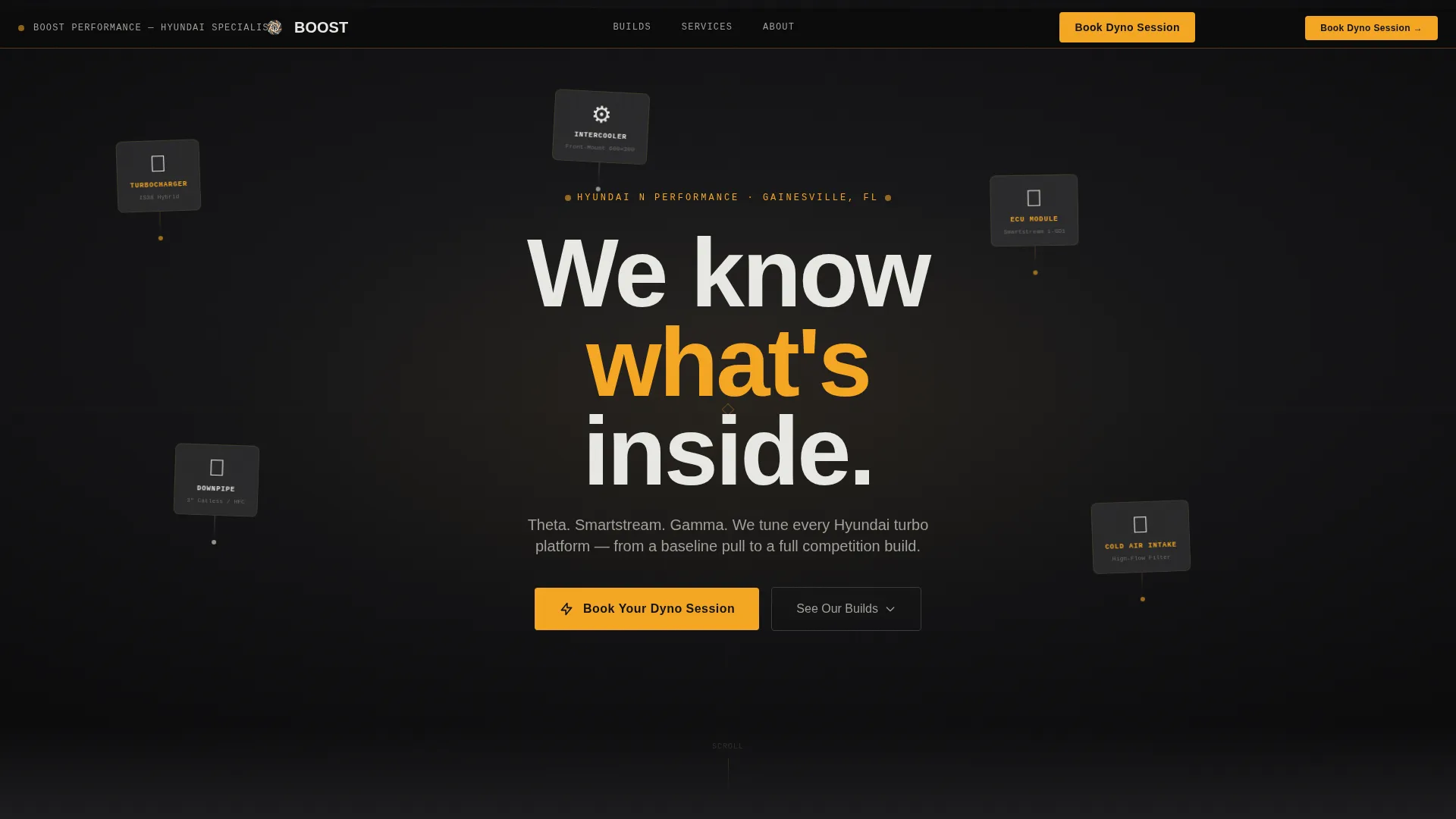
The header renders a Hyundai performance car deconstructed mid-air against a pure black void. Turbo housing, intercooler piping, and the engine control unit each float independently. On scroll, the parts drift via parallax as if caught in the moment of disassembly, reinforcing the shop's platform expertise before any copy is read.
Expandable Build Gallery with Dyno Overlays
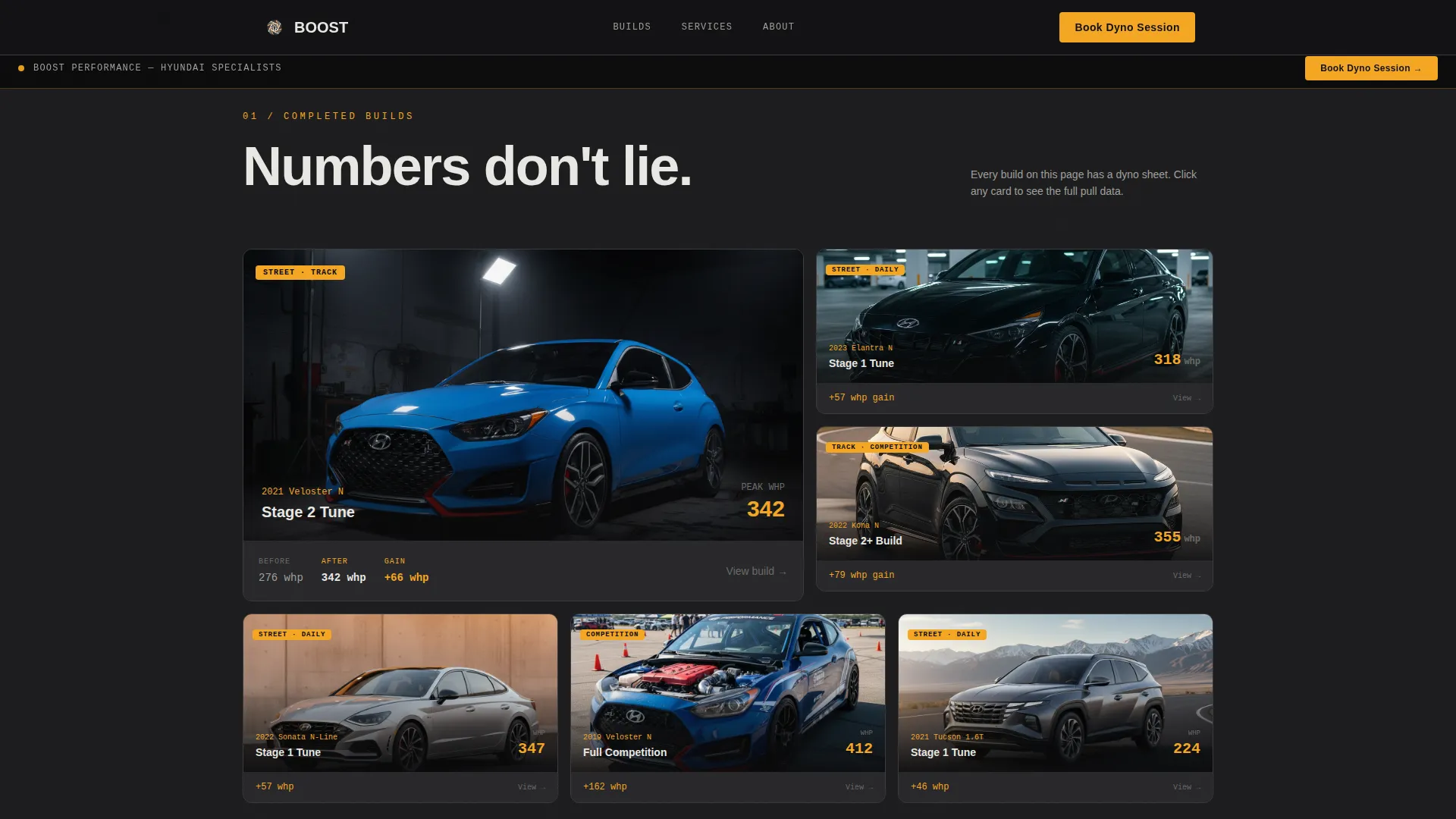
Gallery cards display completed builds with visible power numbers. Each card expands into a full-detail overlay showing dyno graphs and before-and-after horsepower curves. The gallery earns visitor trust before the booking form appears.
Cinematic Section Transitions
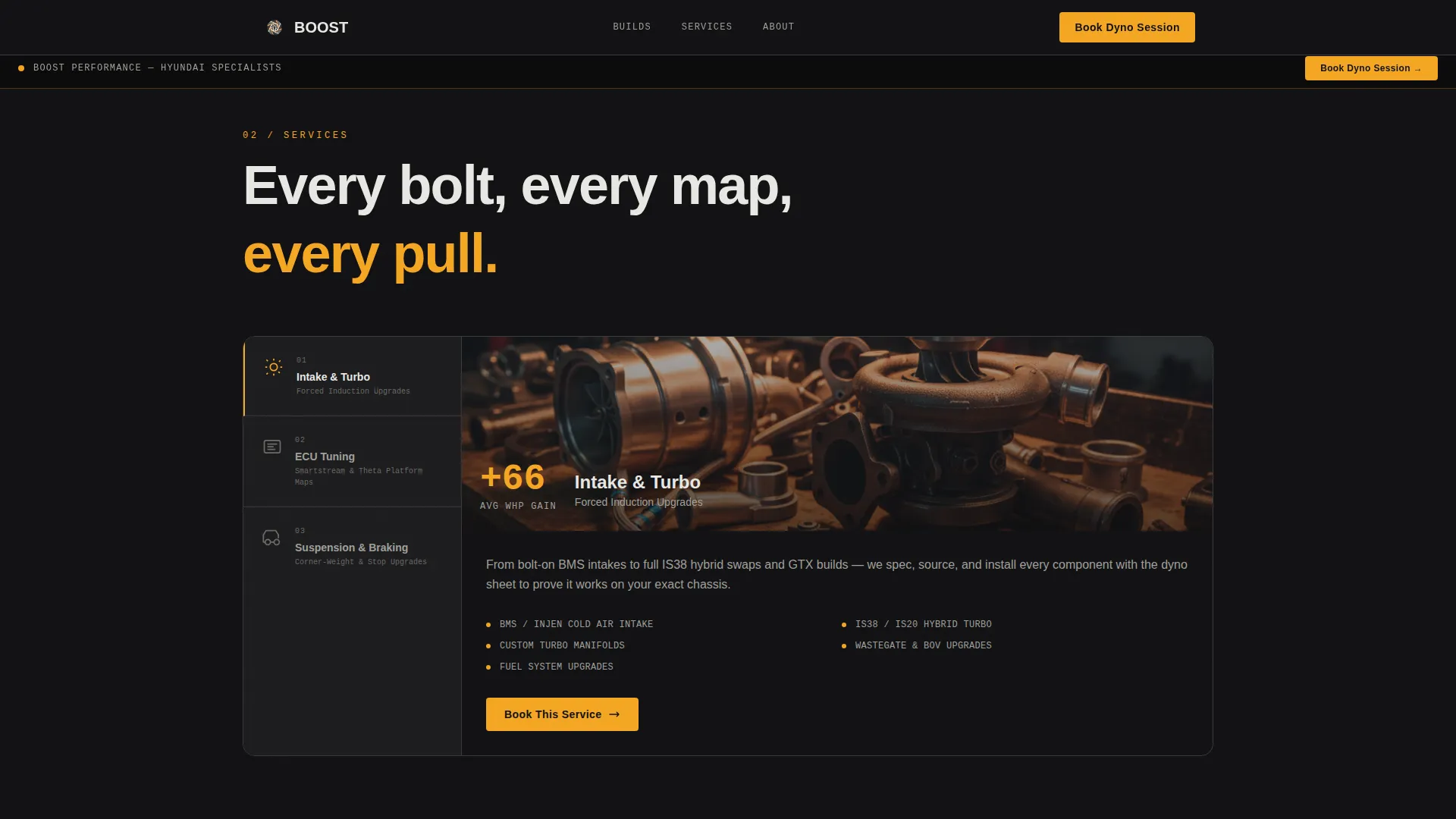
Each service tier, intake and turbo upgrades, ECU tuning, then suspension and braking, enters with a light-sweep animation. The effect simulates an overhead fluorescent passing above the viewer as they scroll deeper into the shop. Intensity builds progressively toward the competition build section.
ECU Boost Map Visualization
The ECU tuning section includes a live-feel boost map visualization. It communicates platform depth to visitors who understand what they are looking at, making the expertise claim visual rather than just textual.
Two-Path Booking Form
The primary path collects vehicle model and year via a dropdown pre-loaded with tunable Hyundai chassis options, current modifications via multi-select, desired service tier, and preferred date. A secondary path labeled "Not sure what you need?" opens a shorter inquiry form with name, car model, and a free-text goal field.
Sticky Amber call to action Bar
After the hero clears, a sticky bar containing the "Book Your Dyno Session" call to action stays visible throughout the scroll. The same prompt reappears as a full-width block at the page bottom, ensuring the booking path is always one tap away.
Page sections overview
| Section | Purpose |
|---|---|
| Hero Exploded View | Hooks visitors with a dramatic floating parts parallax and the line "We know what's inside" |
| Build Gallery | Displays completed Hyundai performance builds with dyno numbers and expandable detail overlays |
| Intake and Turbo | Presents the first service tier with expandable gallery cards and horsepower curve data |
| ECU Tuning | Showcases boost map visualization and platform-specific tuning capabilities |
| Suspension and Braking | Covers the third service tier with low-angle bay photography styling |
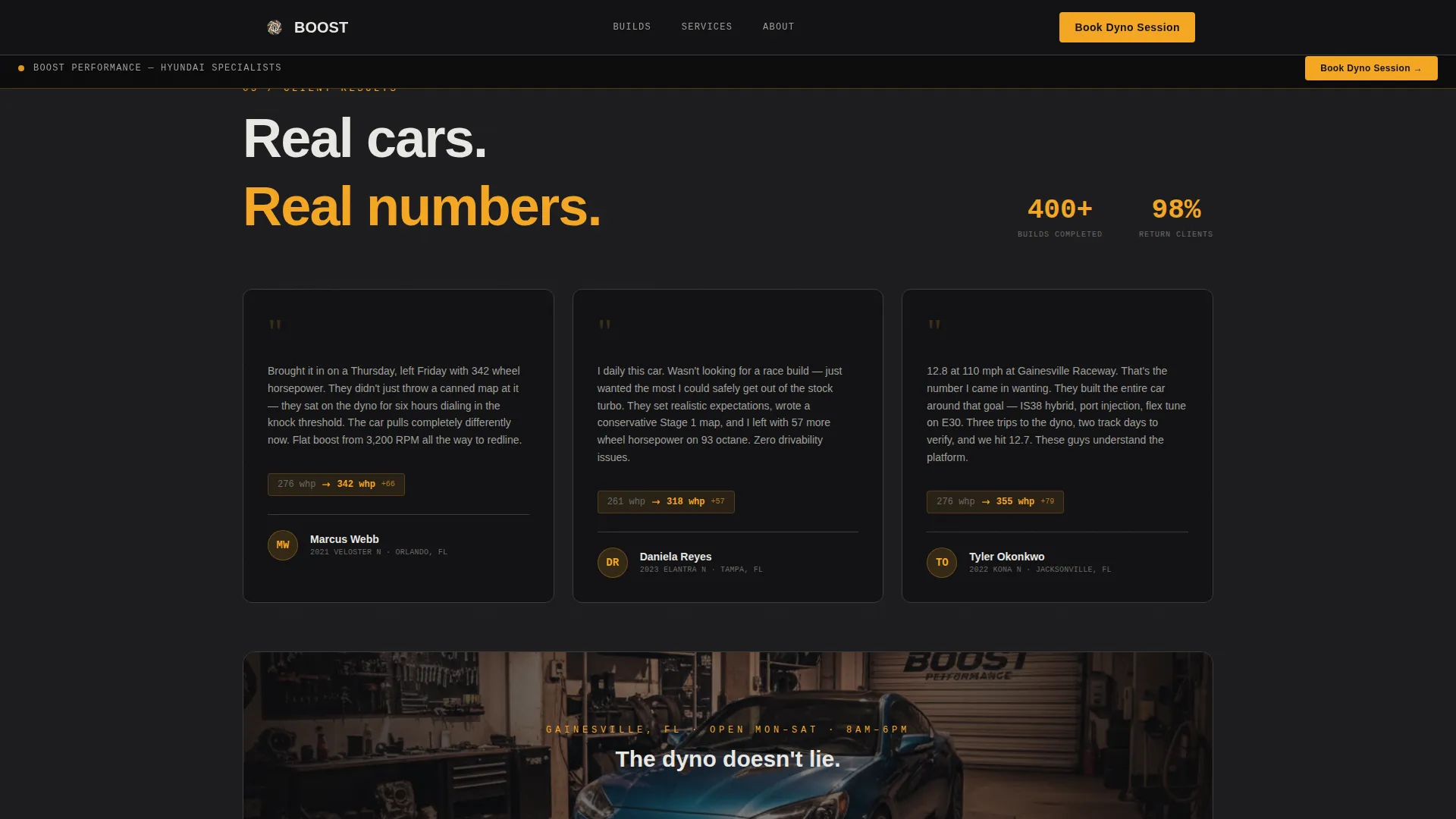
| Social Proof | Testimonials paired with client car model and power output numbers |
| Booking Form | Primary dyno session booking path with conditional vehicle and service fields |
| Inquiry Path | Secondary "Not sure?" form for visitors who need guidance before committing |
| Footer Row | Single-row linear footer with essential shop links |
Design & branding system
The visual identity is Industrial Raw. Every color and type choice is functional before it is decorative. The palette feels like a kill sheet pinned under a caged drop light.
- Colors: deep shop-floor charcoal (#1C1C1E) for all backgrounds, exhaust-manifold gunmetal (#3A3A3C) for card frames and image borders, amber warning-light gold (#F5A623) on every interactive surface including buttons and hover states, and weld-spark white (#E8E8E3) for body text
- Typography: DM Sans handles all body and heading copy for clean readability; JetBrains Mono is used for part numbers, spec callouts, and dyno data to reinforce a technical shop aesthetic
Mobile & speed optimization
The template is designed desktop-first to match how shop clients typically browse, but it is fully responsive down to mobile viewports. Performance choices reflect a high-animation layout that still needs to load cleanly.
- All animations use GPU-accelerated transforms to prevent layout repaints during parallax and light-sweep transitions
- Scroll reveals are triggered via IntersectionObserver, so off-screen sections do not animate until they enter the viewport
How this template helps you convert
The page is structured as a deliberate build sequence. Trust is established visually before the booking form is ever presented.
- The exploded-view hero and build gallery with real dyno numbers establish shop credibility immediately, so visitors arrive at the form already convinced.
- The sticky "Book Your Dyno Session" amber bar keeps the call to action visible at every scroll depth, and the secondary inquiry path removes friction for visitors who are not yet ready to commit to a full session.
Other information about this template
This template covers a focused use case within the Hyundai performance space and is not intended as a general automotive service page. A few practical notes for buyers evaluating this template.
- The booking form dropdown is pre-configured for tunable Hyundai chassis spanning Genesis Coupe through Elantra N
- The multi-select modification field includes intake, exhaust, intercooler, tune, and stock options out of the box
- Service tiers are structured as dyno baseline, Stage 1 tune, Stage 2 build, and consultation
- The page localization is set for USA, USD currency, and MM/DD/YYYY date formatting
- This template works well for shops specializing in Theta and Smartstream engine platforms, the two most common power units in the tunable Hyundai lineup
- The footer uses a single-row linear layout pattern keeping the bottom of the page clean and fast to parse
Theme
Industrial Raw
Creative direction
Cinematic Sequence
Color system
Charcoal & Amber
Style
Gallery + Detail
Direction
Booking/Scheduling
Page Sections
Exploded View Parallax Hero
Build Gallery with Dyno Overlays
Cinematic Light-sweep Transitions
ECU Boost Map Visualization
Two-path Booking Form
Sticky Amber Call-to-action Bar
Related questions
What types of Hyundai vehicles does the booking form support?
Can visitors book without knowing what service they need?
How does the build gallery support the booking conversion?
Is this template suited for mobile visitors?
Can the service tiers and color scheme be customized?



