Geothermal Installer Business Booking Website Template
Bore is an editorial landing page template built for geothermal heating and cooling installers. It uses a manifesto header, longform case study narratives, and a Navy Authority color system to turn complex ground-source energy work into compelling proof. The layout guides visitors from curiosity to a downloadable guide and, ultimately, a free site assessment booking.
by Rocket studio
Quick summary
Bore is a single-page editorial template designed for geothermal installer businesses. It opens with a bold manifesto, then walks visitors through real project case studies that prove technical range and local knowledge. Two conversion paths sit within the scroll: a guide download and a site assessment booking, both structured to meet visitors exactly where they are.
Who this template is for
This template serves geothermal heating and cooling businesses that need to earn trust before they earn a lead. The audience it attracts is technically literate and cautious about commitments.
- Self-build homeowners working through SAP calculations and energy compliance
- Facilities managers planning retrofits on listed or heritage buildings
- Housing developers chasing Part L compliance across new-build estates
What problem this template solves
Most geothermal installers lose prospects because their websites read like brochures, not evidence. Visitors arrive with real technical questions and leave without answers. This template closes that gap.
- It replaces vague service claims with structured case study narratives that show actual project complexity
- It gives skeptical visitors a low-commitment entry point through a downloadable homeowner guide
- It surfaces a site assessment booking only when visitors have already seen enough proof to act
What you get with this template
The template delivers a complete editorial landing page layout. Every section is pre-structured so the installer's story builds steadily from opening statement to final call to action.
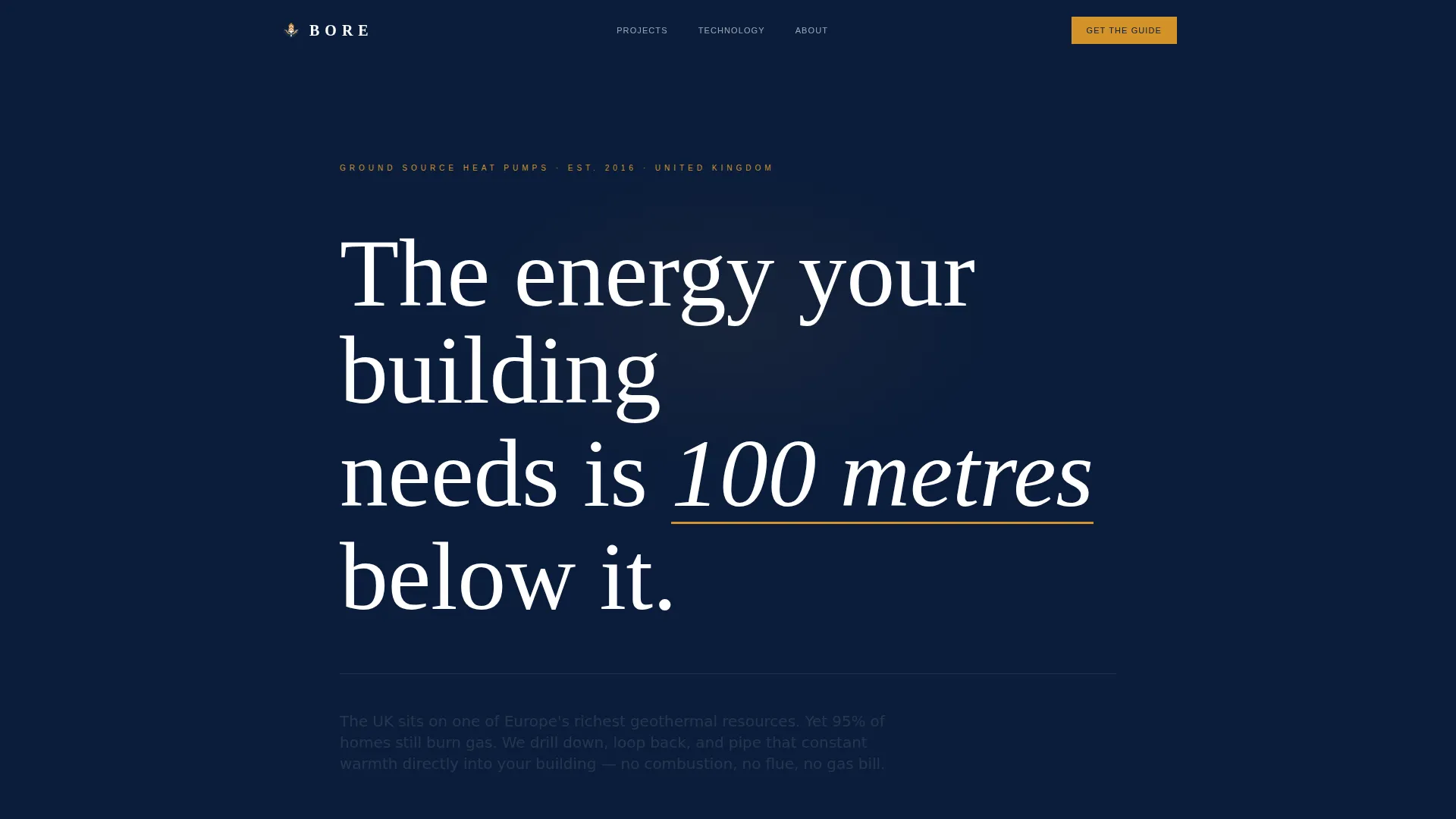
- A manifesto header block with editorial serif typography and a pulsing amber underline accent
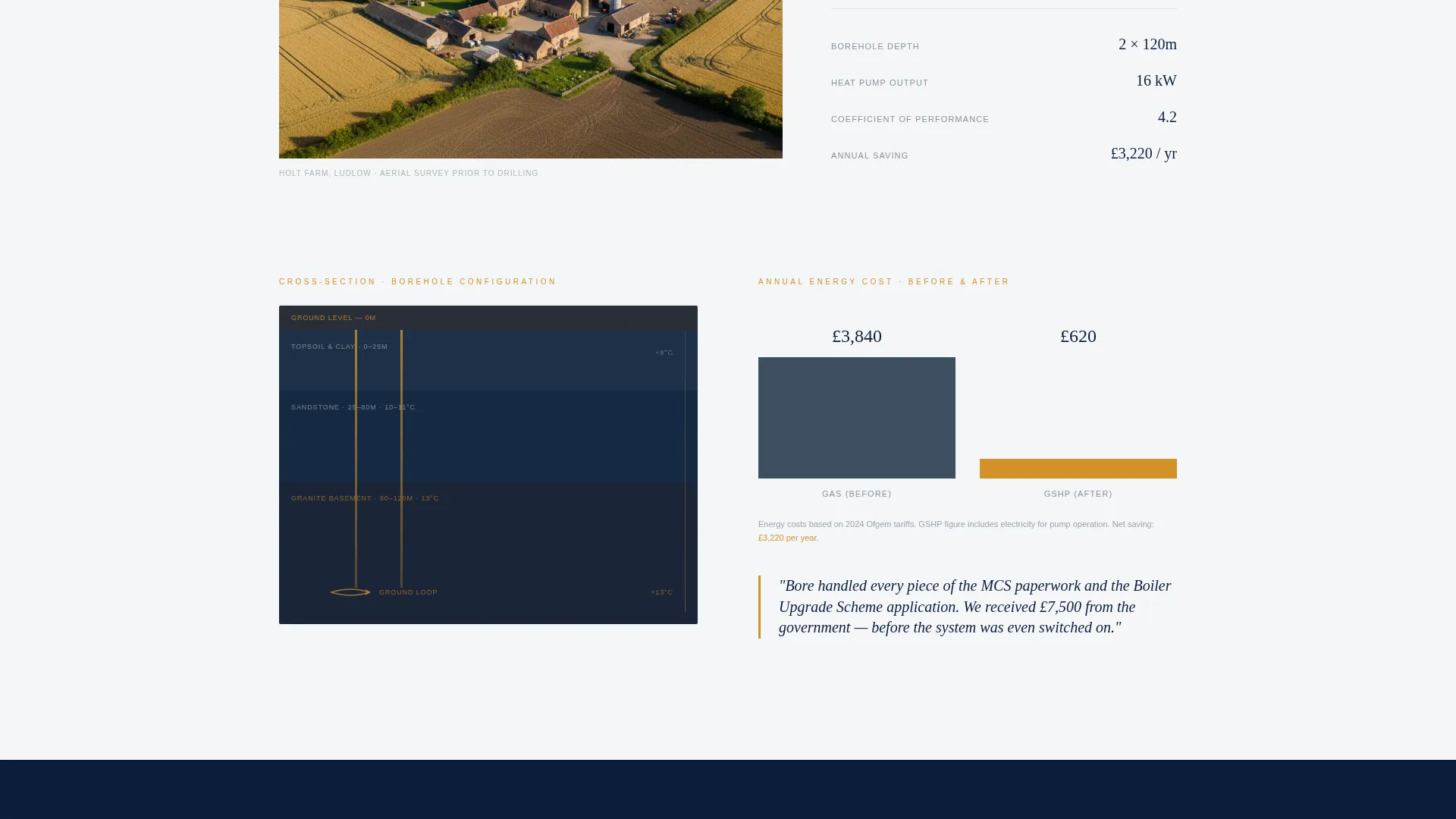
- Full case study sections with pull-quote sidebars, cross-section diagram placeholders, and before-and-after bar chart blocks
- Full-navy interstitial stat panels, a three-field lead capture form, and a postcode-entry site assessment section
Feature list
Manifesto Header Block
The header opens with a single large-type sentence set in editorial serif on command navy. A sans-serif subhead beneath it names the UK's geothermal opportunity directly. The amber underline on the key phrase pulses once on load, drawing the eye without competing visuals.
Longform Case Study Sections
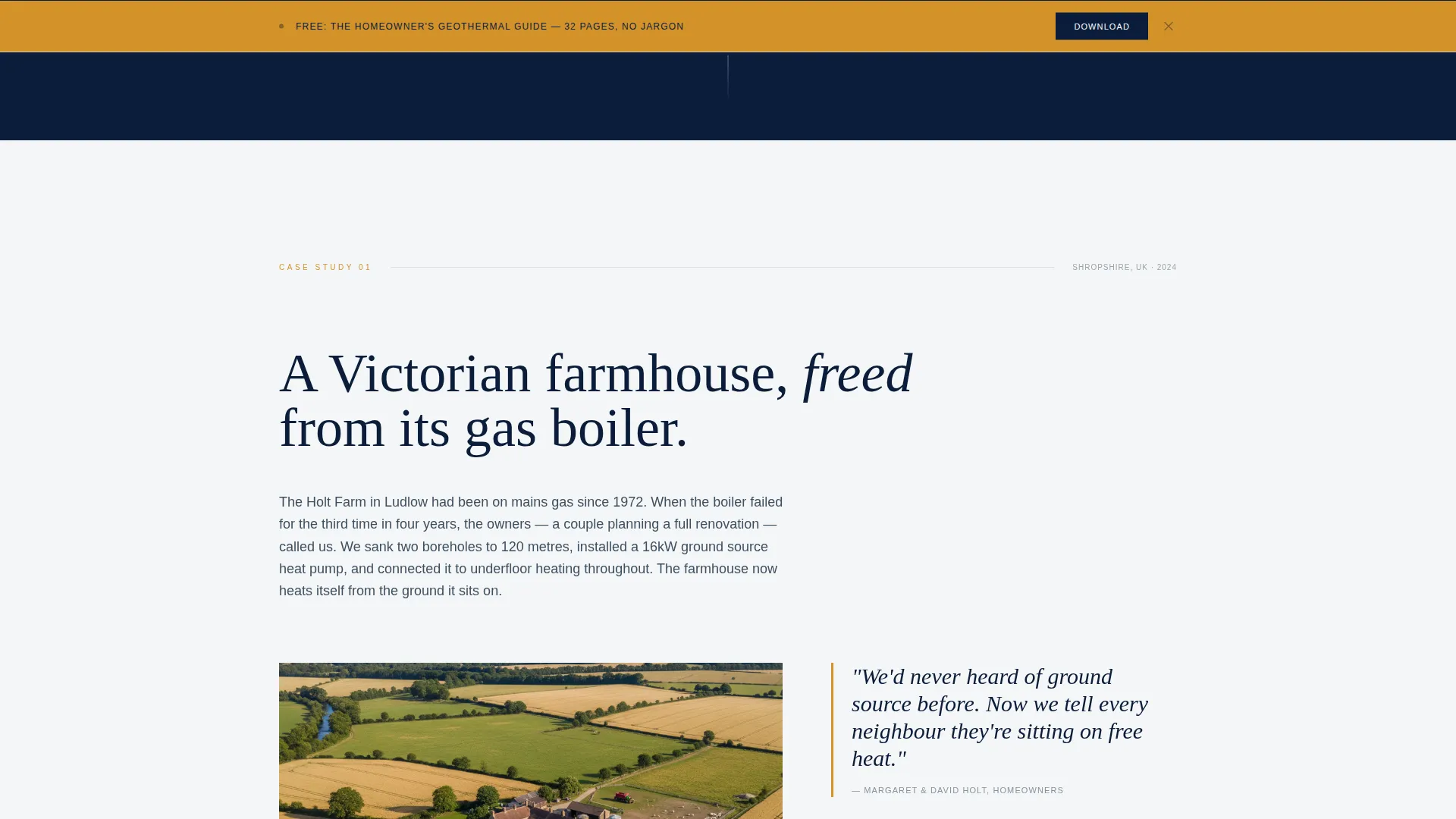
Each case study section is structured like a journalism feature. It includes a drone shot placeholder, a borehole cross-section diagram area, homeowner pull-quotes in amber sidebar blocks, and before-and-after energy bill bar charts in slate and amber. Projects escalate in scale from a farmhouse to a school to a hotel to a new-build estate.
Full-Navy Stat Interstitials
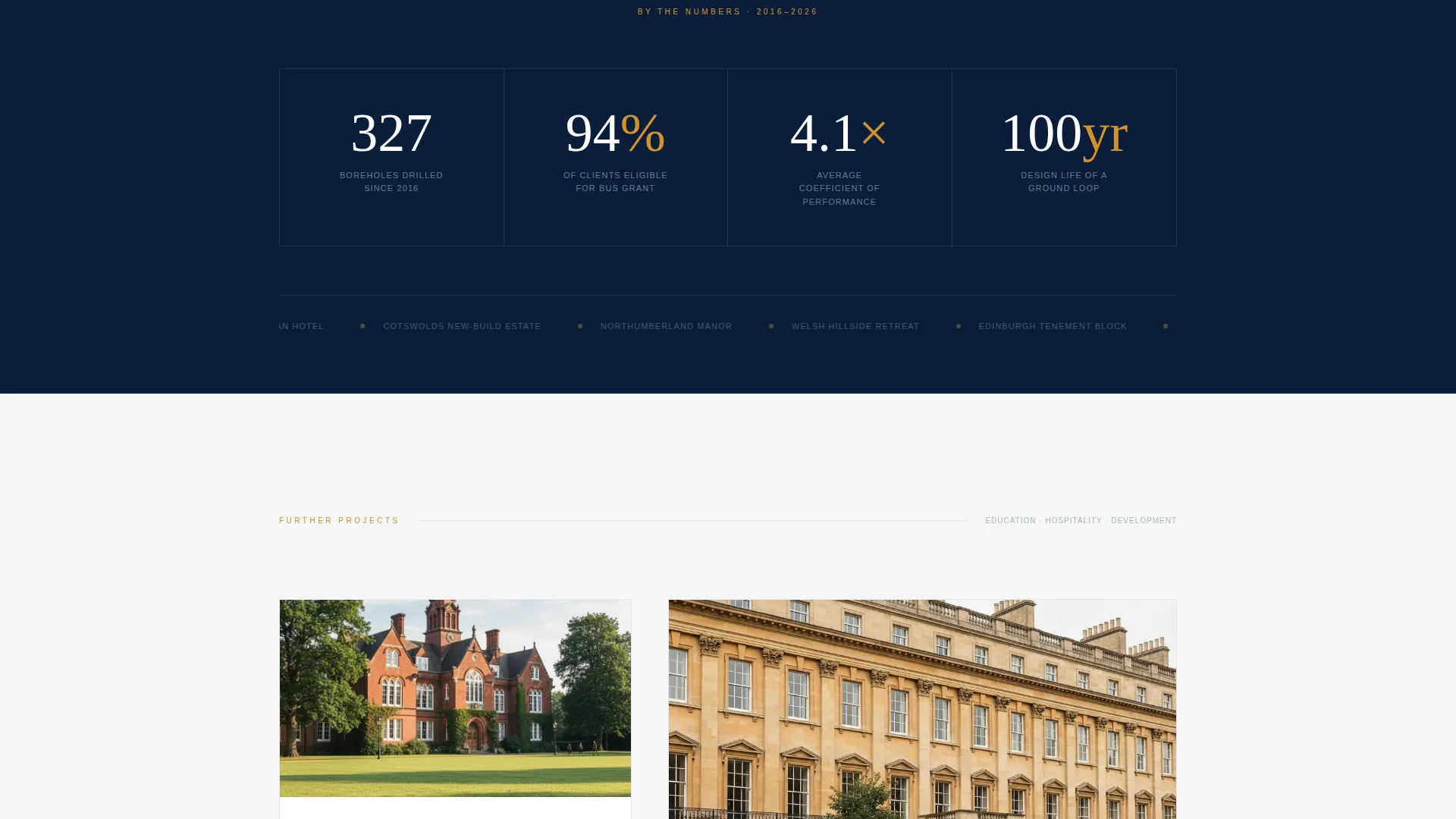
Between case studies, full-width navy panels display a single bold statistic each. These panels maintain scroll rhythm and reinforce authority without asking the visitor to read dense paragraphs. The format mirrors an infrastructure report snapshot.
Three-Field Lead Capture Form
The primary conversion form asks for first name, email, and property type only. The property type field offers two options: retrofit or new build. The form appears first after the opening case study, then again as a sticky bar after the second project section.
Site Assessment Booking Section
A secondary conversion path appears in the final section of the page. It surfaces a postcode-entry field that checks drilling viability, paired with a "Book a Free Site Assessment" call to action. This path is reserved for visitors who have already read through the case study content.
Ground-Loop Amber call to action System
All primary calls to action use the ground-loop amber color (#D4922A) as defined by the Navy Authority palette. Amber is used exclusively for data callouts, inline highlights, and actionable buttons, keeping the visual hierarchy clear and consistent throughout the scroll.
Page sections overview
| Section | Purpose |
|---|---|
| Manifesto Header | Opens with authority statement and subhead |
| Opening Case Study | Farmhouse project with depth diagram and charts |
| First Stat Interstitial | Single-figure panel between case studies |
| Second Case Study | School or institutional retrofit project |
| Sticky Guide Bar | Persistent amber call to action after second case study |
| Third Case Study | Hotel or hospitality-scale installation |
| Second Stat Interstitial | Authority panel before final section |
| New-Build Estate Study | Developer-scale project with compliance context |
| Guide Download Form | Three-field lead capture with property type |
| Site Assessment Section | Postcode entry and free assessment booking |
Design & branding system
The visual identity follows the Navy Authority color system, styled to feel like an engineering journal crossed with a government infrastructure report. Typography does the heavy lifting: editorial serifs carry the manifesto tone, while clean sans-serifs handle all technical subheads and body copy.
- Core palette: command navy (#0B1D3A), borehole slate (#3D4F5F), thermal white (#F4F6F8), and ground-loop amber (#D4922A)
- Amber is reserved strictly for calls to action, data callouts, pull-quote borders, and inline text highlights
- Section rhythm alternates between white editorial panels and full-navy interstitial blocks to maintain scroll momentum
Mobile & speed optimization
The template is built for vertical scroll on any screen size. The editorial column structure adapts so that pull-quote sidebars stack cleanly below their parent paragraphs on smaller screens.
- Stat interstitial panels maintain their full-width navy treatment on mobile without layout breakage
- The sticky call to action bar is designed to sit at the bottom of the viewport on mobile without obscuring key reading content
- The three-field form and postcode entry section are touch-friendly with generous tap targets
How this template helps you convert
The page is structured so that trust builds before any conversion ask is made. By the time a visitor sees the first form, they have already read a complete project story with real data.
- The downloadable homeowner guide offers a low-friction first step, requiring only three fields, so hesitant visitors can engage without committing to a consultation.
- The sticky guide bar after the second case study catches visitors who skimmed past the first form, giving them a second clear opportunity to download without navigating back.
- The site assessment booking section appears only after all four case studies and both stat panels, so visitors who reach it are already well-informed and closer to a genuine decision.
Other information about this template
This template is categorized under Professional Services and is designed specifically for the geothermal installer business niche. It fits the Service Utility theme and uses the Editorial/Magazine template style.
- The creative direction is Case Study Narrative, meaning real projects are the primary persuasion mechanism rather than feature lists or testimonial carousels
- The header concept is Quote/Manifesto, a format that works particularly well for installers whose work carries an inherent environmental and infrastructure story
- The landing page direction is Content/Resource conversion, prioritizing guide downloads as the first lead capture event before booking requests
- The template suits UK-based geothermal businesses working across residential, heritage, and new-build sectors where Part L compliance and grant eligibility are common buyer concerns
Theme
Service Utility
Creative direction
Case Study Narrative
Color system
Navy Authority
Style
Editorial/Magazine
Direction
Content/Resource
Page Sections
Manifesto Header with Amber Accent
Escalating Case Study Layouts
Full-navy Stat Interstitial Panels
Three-field Lead Capture Form
Postcode Site Assessment Section
Navy Authority Color System
Related questions
Can I adapt the case studies to my own completed projects?
Does the postcode viability checker work out of the box?
How many lead capture points does this landing page include?
Is this template suitable for both retrofit and new-build enquiries?
What makes the Navy Authority design appropriate for a geothermal business?



