Industrial Compressor Landing Page Template
Bore is a hub-and-spoke landing page template built for industrial compressor and pneumatics suppliers. It leads with a stats wall of four oversized performance figures, then branches into anchor-navigated spoke sections covering rotary screw, reciprocating, oil-free, portable, and parts and service categories. Every section pairs specification tables with application notes, ending in a clear click-through call to action.
by Rocket studio
Quick summary
Bore is a single-page, anchor-navigated landing page template for industrial compressor and pneumatics suppliers. It opens with a data-first stats wall, then walks technical buyers through five product spoke sections, each anchored in real performance specs. The design follows an Engineering Blueprint theme, making every scroll feel like reading a trusted technical catalog.
Who this template is for
This template is built for compressor and pneumatics businesses that sell to buyers who read spec sheets before they make calls. It works best for suppliers with a diverse product line that needs to be organized and scannable in one place.
- Industrial compressor dealers and distributors presenting rotary screw, reciprocating, oil-free, portable, and parts and service lines
- Pneumatic system suppliers targeting plant maintenance managers and mechanical contractors specifying equipment for new installations
- Rental fleet operators who need buyers to quickly confirm PSI ratings, cubic feet per minute (CFM) output, and fleet availability before reaching out
What problem this template solves
Most industrial equipment pages either overwhelm buyers with walls of unformatted data or hide specifications behind too many clicks. Bore solves that by putting the numbers front and center from the first viewport and organizing depth into logical, navigable sections.
- Plant buyers replacing failed equipment on tight deadlines cannot afford to hunt for discharge pressure and duty cycle figures across separate pages
- Contractors specifying a full pneumatic system need side-by-side comparison tables for CFM, PSI, horsepower (HP), and sound level before committing to a quote request
- Shop foremen evaluating portable units need clear power draw details and tank capacity data presented in a trustworthy, no-fluff format
What you get with this template
The template delivers a complete, ready-to-customize landing page structured around a hub-and-spoke layout. The hub is the persistent anchor navigation bar, and each spoke is a fully built product category section.
- A stats wall header displaying four oversized performance metrics, an anchor navigation bar with five category links and a persistent callback call to action, and five spoke sections each containing a performance comparison table, application notes, and a forge orange click-through button
- A callback form in the navigation area asking only for name, phone number, and equipment type, keeping friction low for urgent buyers
- Full Engineering Blueprint visual styling applied across every section, including blueprint grid line textures, condensed industrial typography, and a Fire and Earth color palette ready for brand customization
Feature list
This section covers the core built-in capabilities delivered by the Bore template.
Stats Wall Header
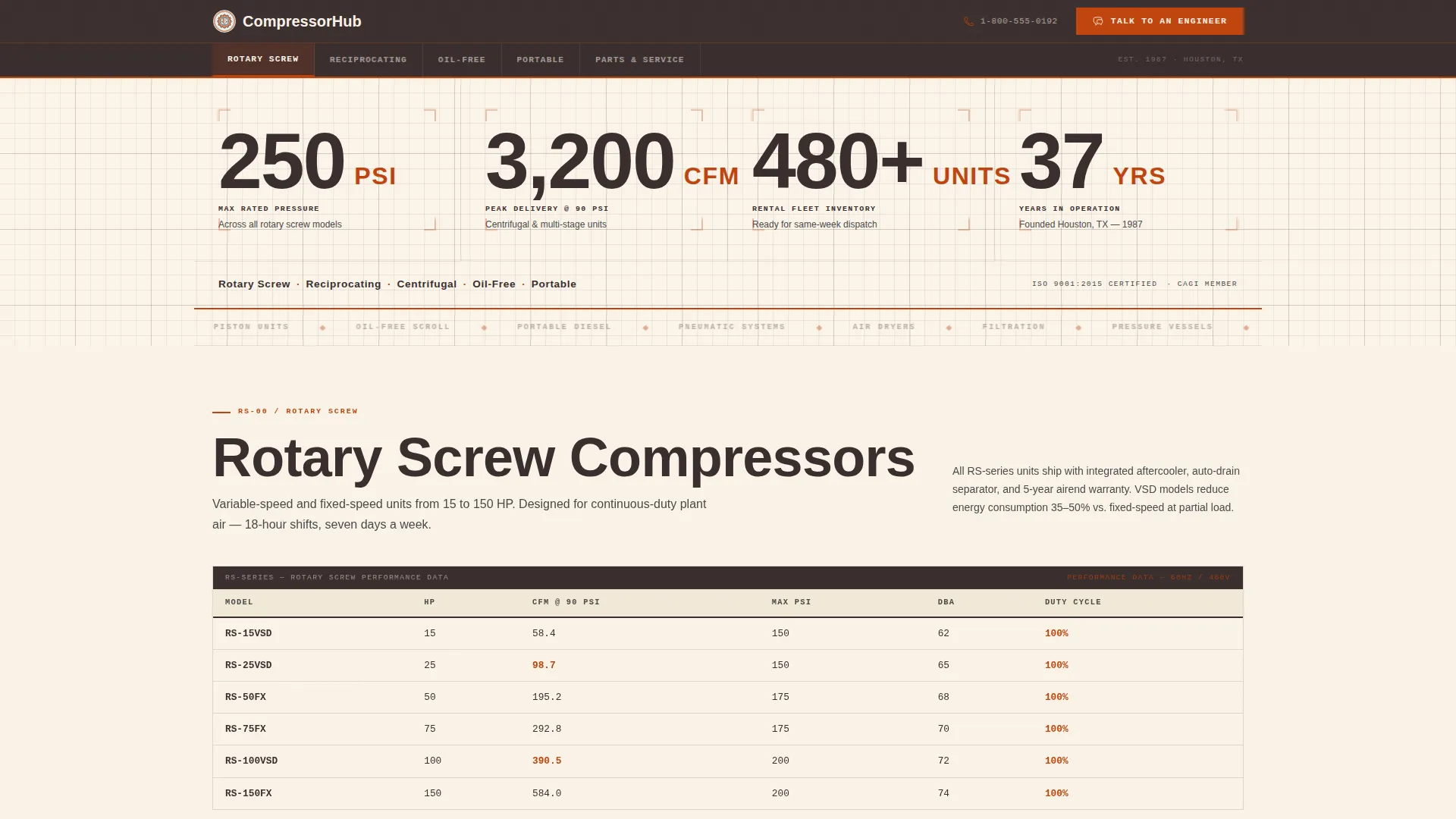
The header fills the viewport with four oversized performance figures: maximum PSI rating, CFM at 90 PSI, rental fleet size, and years in operation. Each number uses a condensed industrial typeface. Unit labels are set in forge orange. The background is kiln white with faint blueprint grid lines. No hero image is used. The data itself is the visual anchor.
Anchor Navigation Bar
A sticky navigation bar pins to the top of the page as users scroll. It contains five category links: Rotary Screw, Reciprocating, Oil-Free, Portable, and Parts and Service. A secondary call-to-action button reading "Talk to an Engineer" is always visible, linking to a direct phone line and the lightweight callback form.
Performance Comparison Tables
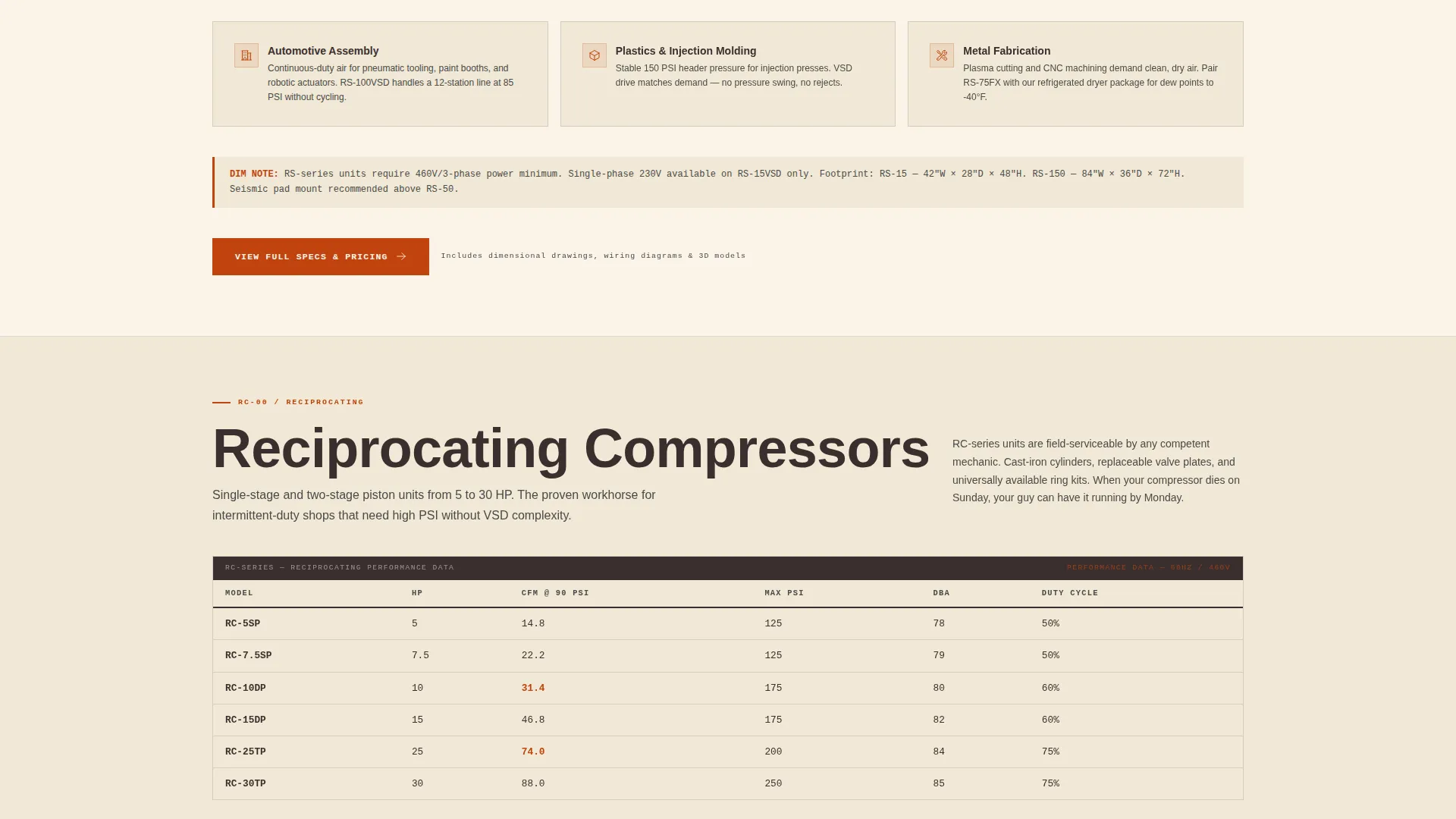
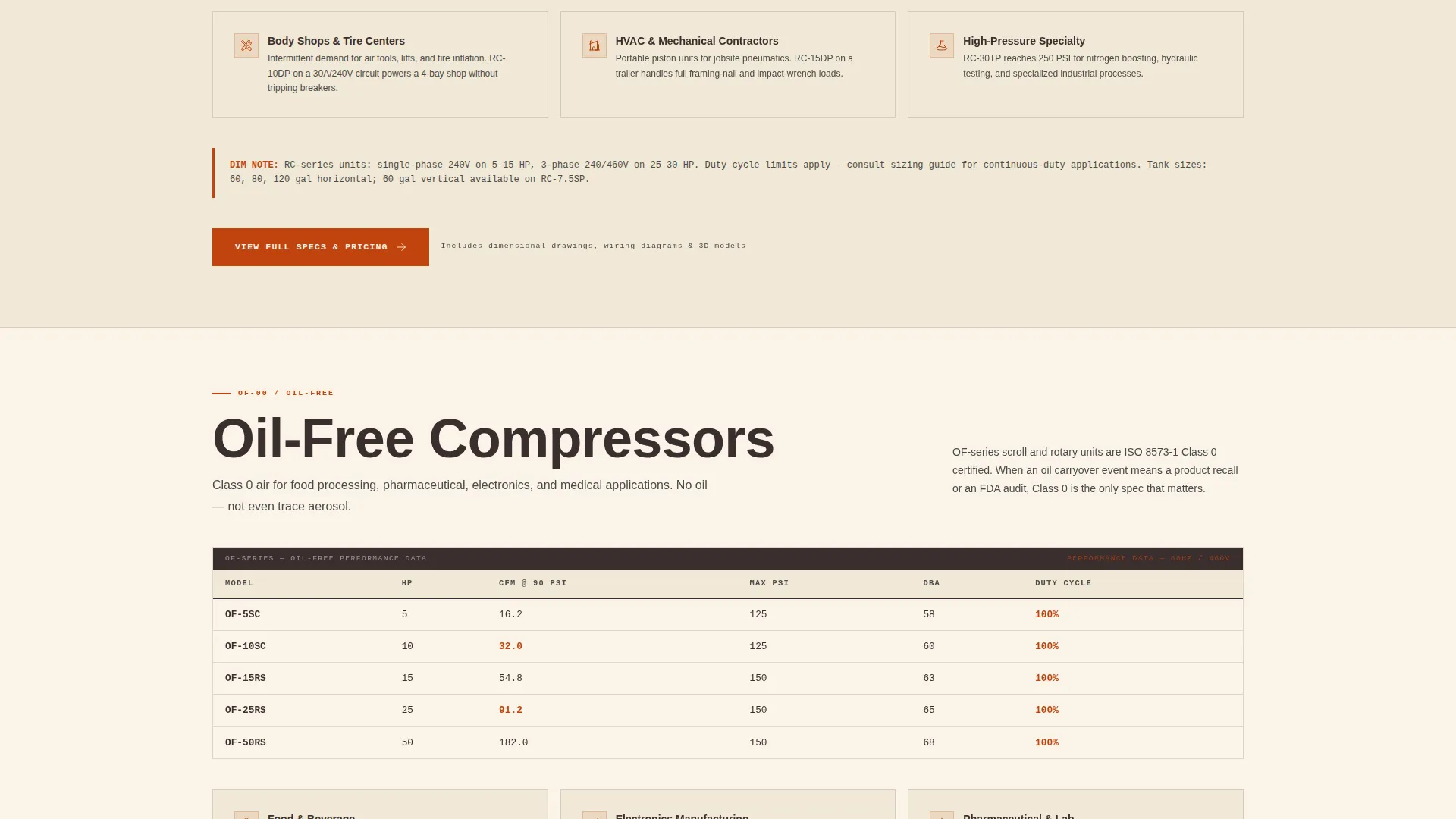
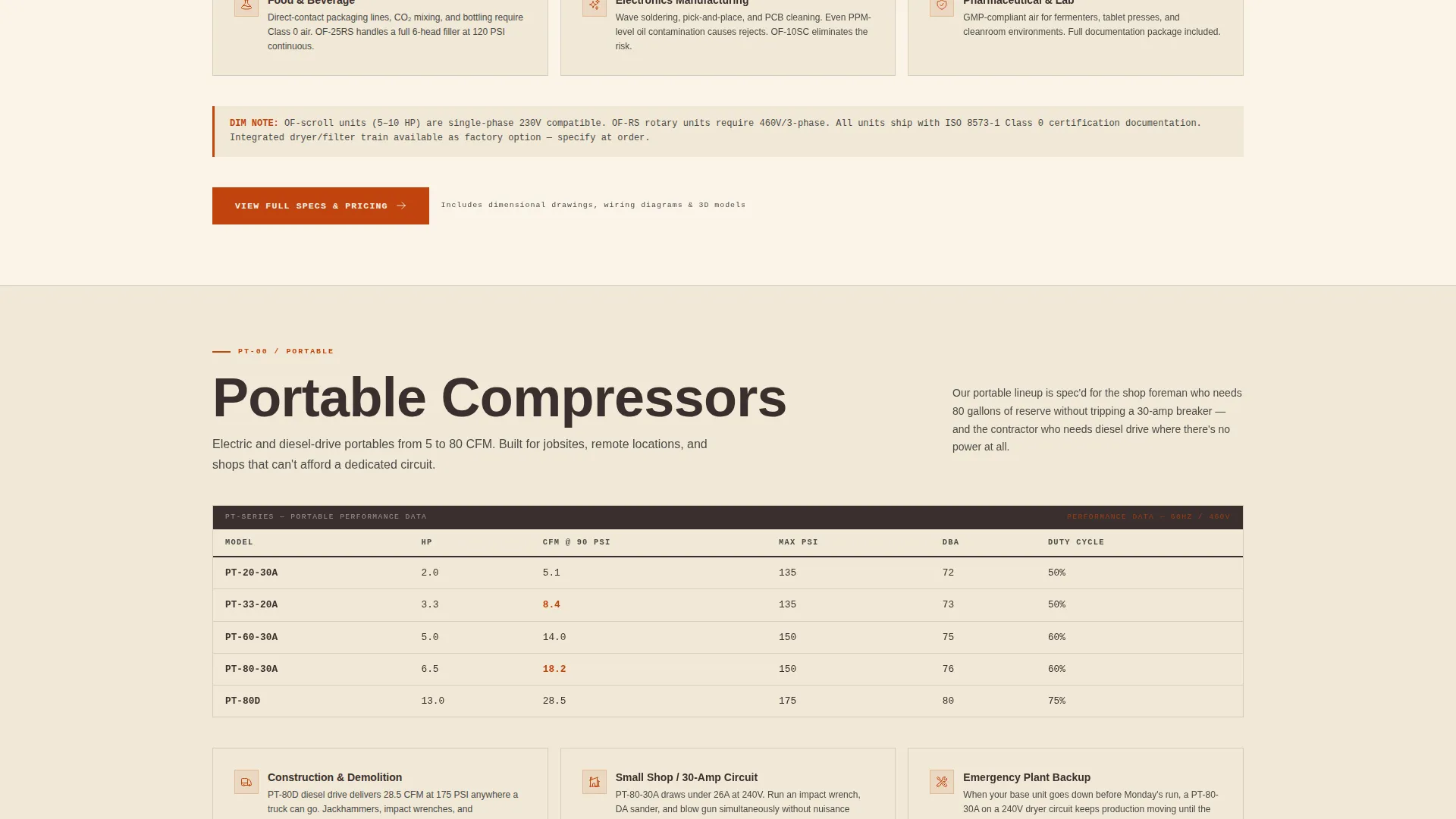
Each spoke section opens with a structured comparison table covering CFM, PSI, HP, sound level in decibels (dBA), and duty cycle. This lets buyers evaluate multiple configurations side by side without leaving the page. Tables are styled to match the blueprint theme, with steel gray dividers and forge orange highlight accents.
Spoke Sections with Application Notes
After each comparison table, the spoke section continues with application notes and dimensional drawing references. These guide buyers who know exactly what bore size and discharge pressure they need, while also supporting buyers who are still in early evaluation. Complexity escalates from section to section.
Click-Through call to action per Section
Every spoke section ends with a forge orange button labeled "View Full Specs and Pricing." Each button links to the corresponding product detail page. This keeps the landing page focused on proving technical depth rather than completing a transaction directly on the page.
Lightweight Callback Form
The callback form in the navigation area captures only name, phone number, and equipment type. Keeping it to three fields reduces friction for urgent buyers, such as maintenance managers facing a Monday deadline.
Page sections overview
| Section | Purpose |
|---|---|
| Stats Wall Header | Anchor the page with four key performance metrics as the first viewport |
| Anchor Navigation Bar | Provide persistent category navigation and always-visible engineer contact call to action |
| Rotary Screw Spoke | Present CFM, PSI, HP, dBA, and duty cycle specs for rotary screw compressors |
| Reciprocating Spoke | Present comparison specs and application notes for reciprocating units |
| Oil-Free Spoke | Detail oil-free compressor specs and suitable application contexts |
| Portable Compressor Spoke | Cover portable unit specs including power draw and tank capacity |
| Parts and Service Spoke | Surface maintenance and service options for the supplier's equipment lines |
| Callback Form Area | Capture name, phone, and equipment type for urgent buyer callbacks |
Design & branding system
The visual identity follows an Engineering Blueprint theme paired with a Fire and Earth color palette. Every design choice reinforces the feeling of reading a cross-section diagram printed on yellowed technical paper.
- Colors: forge orange (#C1440E) for calls to action and highlighted specs, deep umber (#3B2F2F) for body text and navigation, steel gray (#4A4A4A) for section dividers and secondary containers, and kiln white (#FAF3E8) for all backgrounds
- Typography: condensed industrial typefaces for metric displays and headers, creating a stamped-label effect that reads as authoritative and dense
- Texture and layout: faint blueprint grid lines scored across kiln white fields give every section the feel of a technical drawing, reinforcing trust with a buyer audience that respects precision
Mobile & speed optimization
The template is structured for clean rendering across screen sizes. Buyers often check specs from a tablet on the plant floor or a phone while sourcing equipment remotely.
- The anchor navigation bar collapses gracefully on smaller screens, keeping the "Talk to an Engineer" call to action accessible at all times
- Performance comparison tables are laid out to remain readable on mid-size tablet viewports without horizontal overflow
- The stats wall header reflows its four metric blocks into a stacked layout on mobile, preserving legibility of each oversized figure
How this template helps you convert
Bore earns the click-through by demonstrating technical credibility before asking for any action. The page structure is designed to match how industrial buyers actually evaluate equipment.
- The stats wall immediately communicates scale and capability, filtering in the right buyers and building confidence before they read a single line of body copy
- Anchor navigation lets buyers jump directly to the product category they need, reducing time to relevant specs and shortening the path to the "View Full Specs and Pricing" click
- The three-field callback form removes the friction that causes urgent buyers to abandon, making it easy to request a callback even when a buyer has not yet reviewed every section
Other information about this template
Bore was designed specifically for the compressor and pneumatics niche within the broader Manufacturing and Industrial category. A few additional details are worth noting for buyers evaluating this template.
- The template style is Hub and Spoke with Anchor Navigation, meaning one root page organizes multiple product category spokes without requiring separate pages for each line
- The creative direction is Spec Sheet, meaning the scrolling experience is designed to feel like thumbing through a technical catalog rather than a marketing brochure
- The header concept is Stats and Metrics, which means no photography or illustration is required to make the above-the-fold section compelling
- The landing-page direction is Click-Through, so the template is not designed to close a sale on-page; it is designed to qualify buyers and direct them to product detail pages where full transactions occur
- This template suits suppliers who carry multiple compressor technologies and want a single, organized entry point for buyers arriving from search, referral, or direct traffic
Theme
Engineering Blueprint
Creative direction
Spec Sheet
Color system
Fire & Earth
Style
Hub & Spoke (Anchor Nav)
Direction
Click-Through
Page Sections
Stats Wall Header with Four Key Metrics
Persistent Anchor Navigation Bar
Per-section Performance Comparison Tables
Application Notes and Dimensional References
Click-through Call to Action Per Spoke Section
Lightweight Three-field Callback Form
Related questions
Can I customize the four metrics displayed in the stats wall header?
Does each spoke section have its own independent call-to-action button?
How many product categories does the anchor navigation support?
Is the three-field callback form limited by design?
Does this template require a hero image or product photography?



