Inflatable Rental Landing Page Template
Bounce is a masonry-style landing page template built for bounce house and inflatable rental businesses. It combines a toy-catalog visual energy with real booking logic, guiding parents and event coordinators from casual browsing to confident date selection. Flip cards, a floating "Check My Date" button, category filters, and a three-step availability flow make every interaction feel intentional and fun.
by Rocket studio
Quick summary
Bounce is a single-page inflatable rental template designed for families, schools, and community event planners. The masonry grid organizes inflatables by event type, flip cards teach setup requirements, and a persistent booking button keeps the path to reservation always one tap away. The cheerful Cloud Canvas color system makes the page feel warm, trustworthy, and genuinely fun.
Who this template is for
This template is built for local inflatable rental businesses that want a page doing real work, not just looking pretty. It serves operators who book everything from backyard birthday parties to large school field days.
- Suburban parents planning birthday parties two to four weeks out
- Church and school event coordinators booking bulk rentals for festivals or fun days
- Inflatable rental owners who want a self-service booking flow without back-and-forth phone calls
What problem this template solves
Parents and coordinators arrive at rental sites with too many questions and too little guidance. They do not know what fits in a yard, which units suit which age groups, or what happens if it rains. This template solves that trust gap before anyone picks up the phone.
- Flip cards surface setup requirements, surface types, supervision tips, and party-size recommendations directly on each unit card
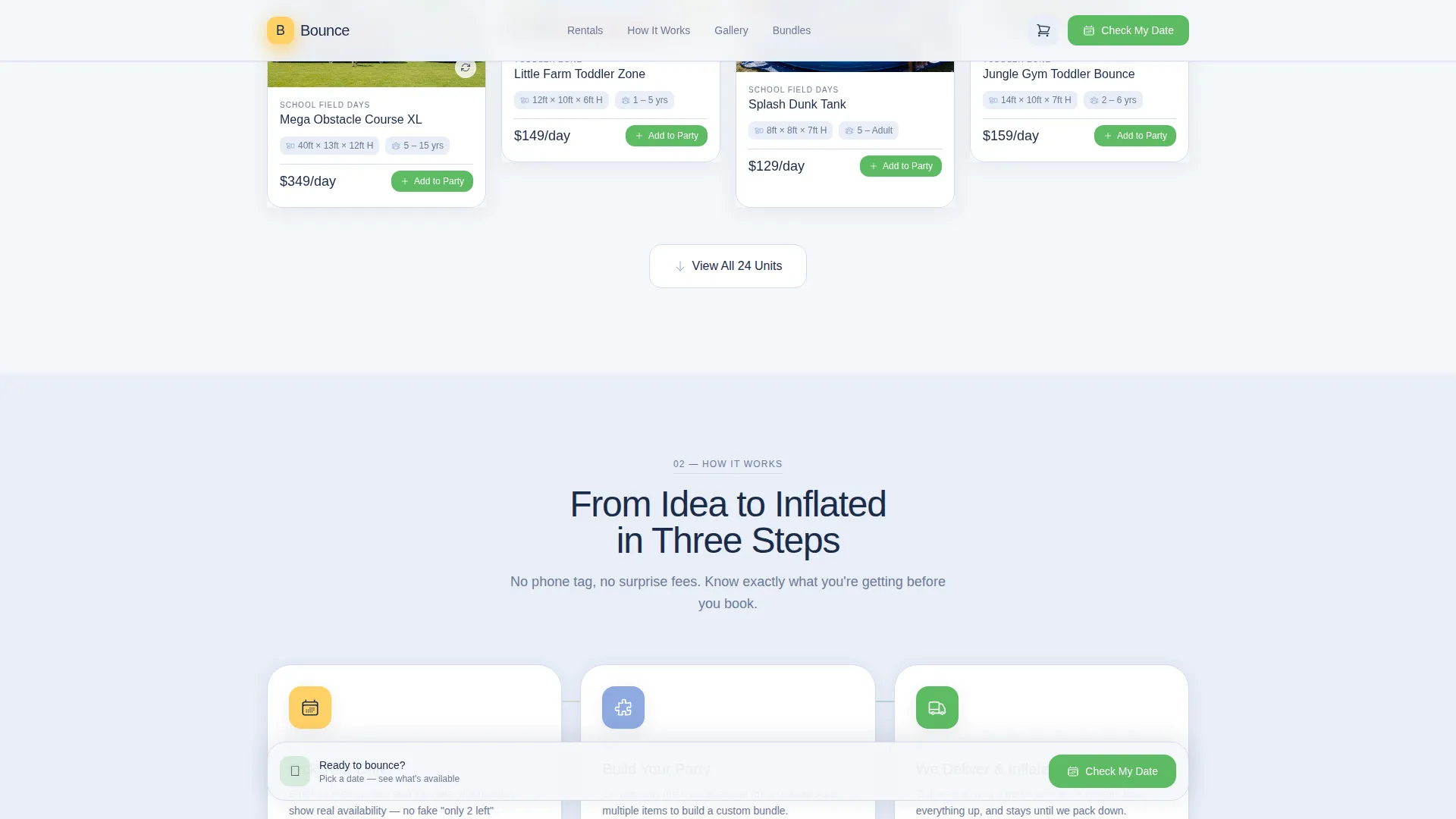
- A three-step booking flow confirms date, delivery zip code, and unit availability in a single session
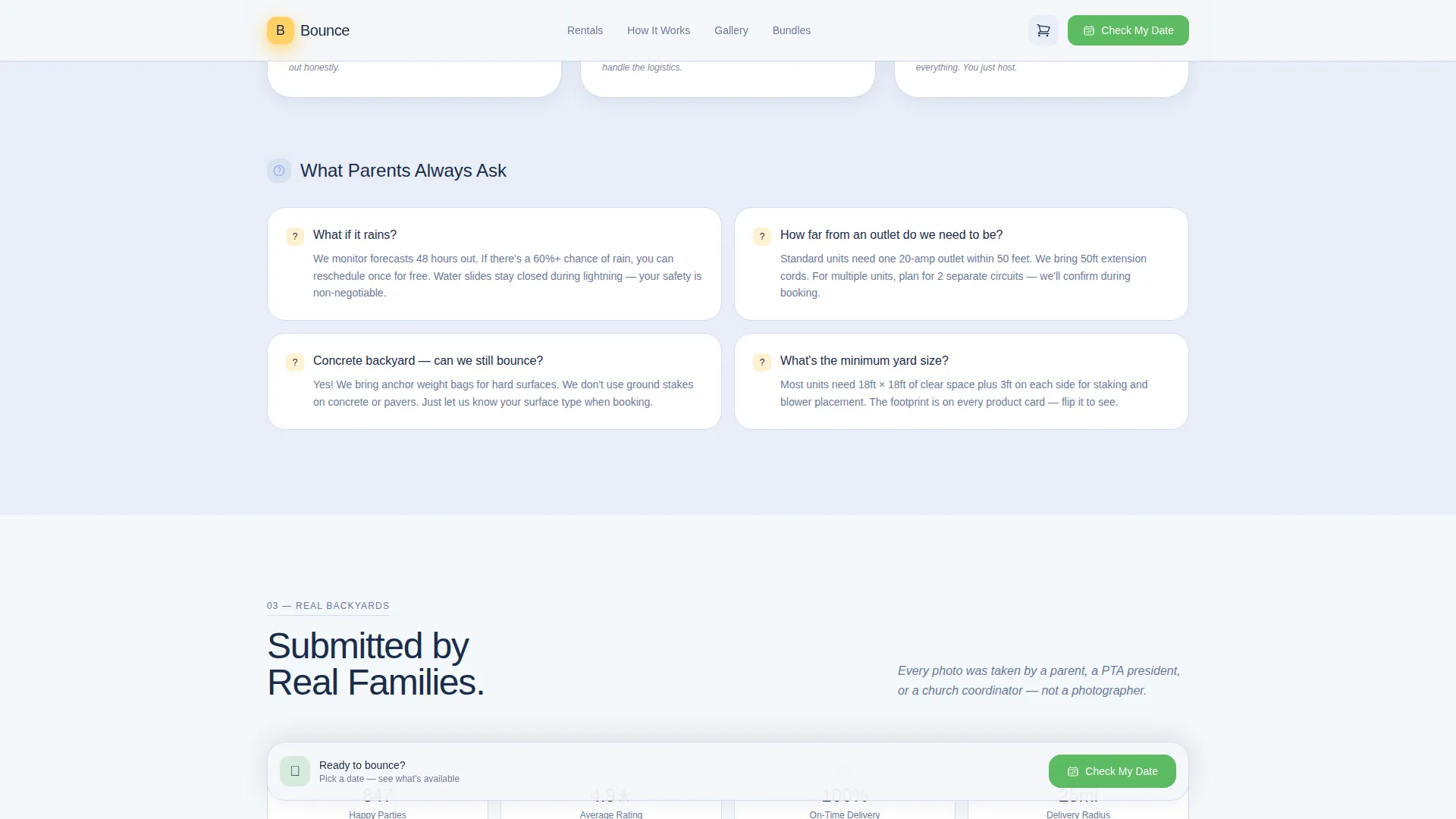
- Real backyard photos and social proof stats replace generic claims with evidence parents can relate to
What you get with this template
You get a fully structured, single-page rental landing page ready to represent an inflatable business from first scroll to final booking step. Every section is purposeful and organized around how real rental customers think and shop.
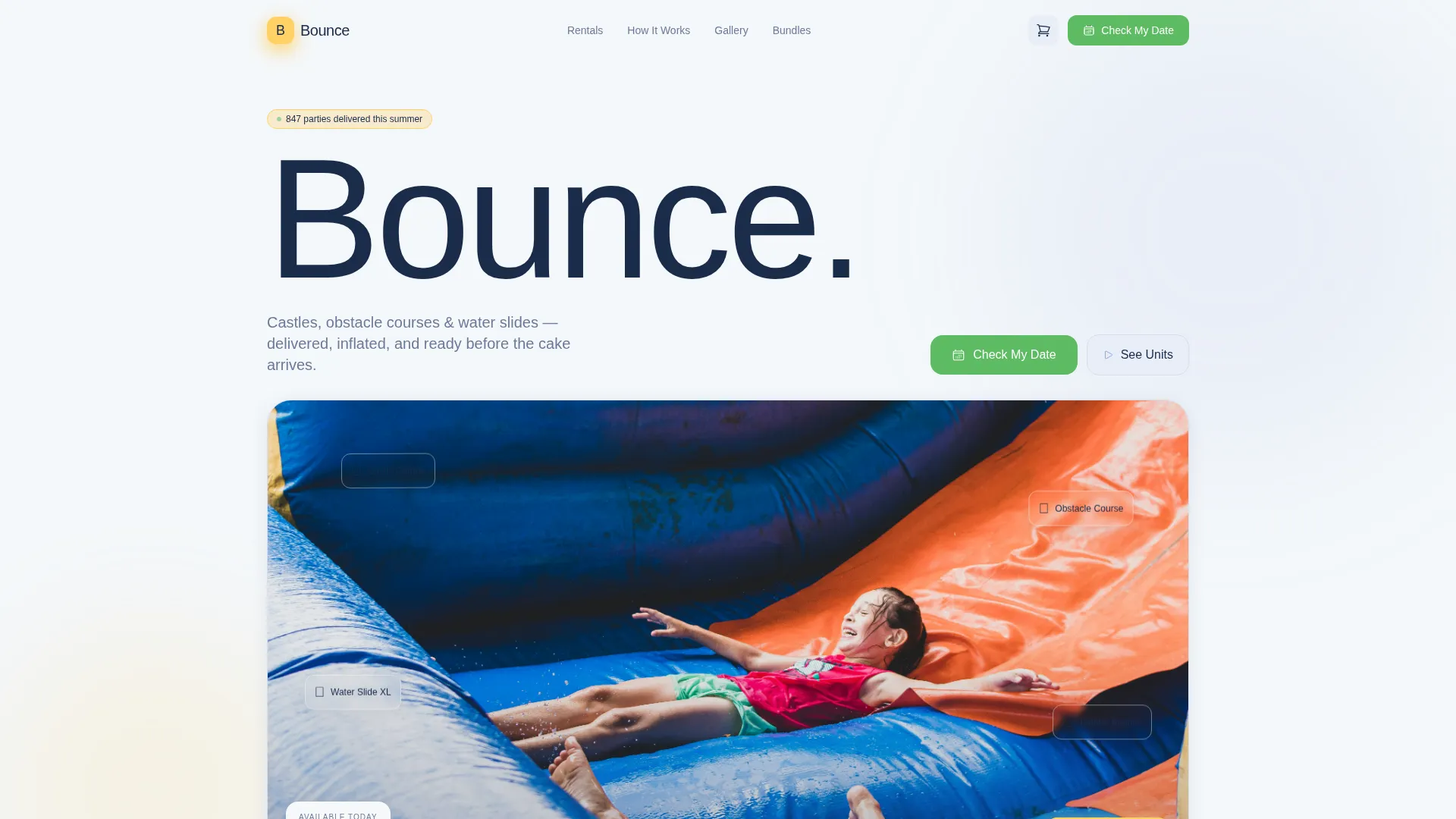
- An interactive hero with bobbing animated inflatables, unit hover details, and a floating "Check My Date" call to action
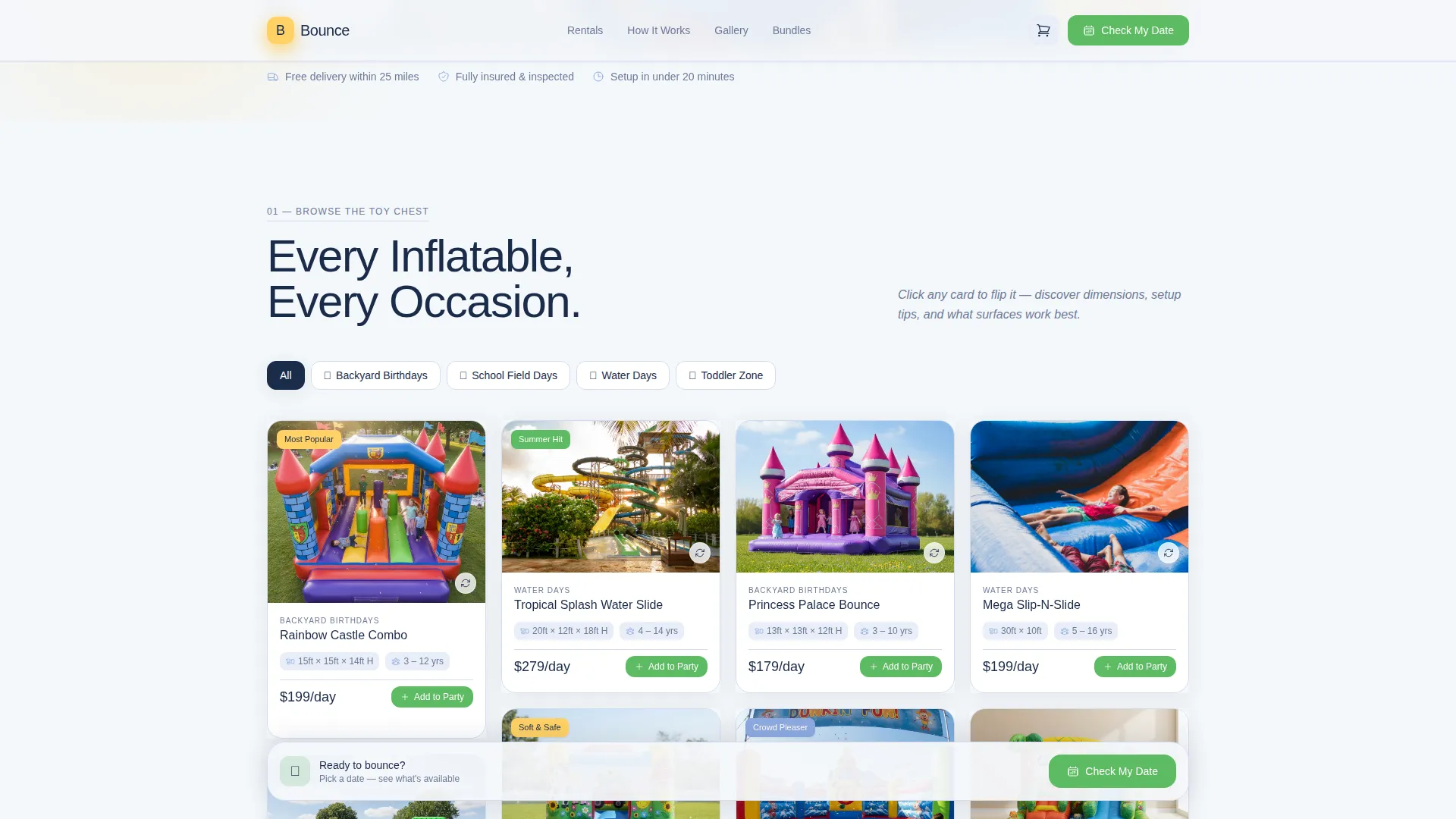
- A masonry category explorer grouping units under Backyard Birthdays, School Field Days, Water Days, and Toddler Zone, each with flip-card spec guides
- A bundles and pricing section with "Add to Party" cart logic, a real backyards photo grid, and a testimonials slider showing 847 happy parties completed
Feature list
A paragraph introduces this section: every feature below is drawn directly from the template brief, covering interaction design, booking logic, and the educational layer that sets this template apart from a basic rental listing page.
Bobbing Hero with Hover Reveals
The header places illustrated inflatables on a cartoon lawn with subtle bobbing animations. Hovering over any unit enlarges it gently and reveals its name, dimensions, age range, and a footprint graphic to help visitors judge yard fit at a glance.
Masonry Category Explorer
The scrollable grid organizes inflatables into four event-type categories. Each card flips on click to show a mini-guide covering setup requirements, surface compatibility, supervision tips, and a recommended party-size range.
Three-Step Booking Flow
Tapping "Check My Date" opens a focused three-step modal: event date picker, zip code entry for delivery radius confirmation, and a filtered unit grid showing only available inflatables for that date. Scarcity shown is real, not simulated.
Add to Party Cart Logic
Visitors can tap "Add to Party" on any masonry card to build a bundle before selecting a date. This cart-style path lets coordinators plan multi-unit rentals and compare options before committing to a booking.
Seasonal Availability Calendar
A built-in calendar grays out already-booked weekends so visitors can plan around real availability. This visual cue reduces back-and-forth inquiries and helps parents confirm timing confidence before they reach checkout.
Real Backyards Social Proof Section
Past renters submit backyard photos that populate a photo grid alongside star ratings and a testimonials slider. The "847 happy parties" stat anchors trust with a specific, honest number.
Page sections overview
| Section | Purpose |
|---|---|
| Hero with Animation | Introduce brand energy and surface the floating booking call to action |
| Category Explorer Grid | Browse inflatables by event type using filterable masonry flip cards |
| How It Works | Walk visitors through the three-step date, zip, and availability flow |
| Real Backyards Photos | Build trust with submitted photos, ratings, and a testimonials slider |
| Bundles and Pricing | Present combo packages with Add to Party cart-style selection logic |
| Footer | Deliver a linear single-row footer with contact and navigation links |
Design & branding system
The visual style follows an Educational Guide theme that feels like a watercolor painting left on a picnic blanket. It is cheerful without being loud, soft enough for a tired parent scrolling on a phone but vivid enough to make a child point at the screen.
- Color system: soft cumulus white (#F4F7FA) for backgrounds, sky-washed periwinkle (#8EAAE0) for primary elements, sunshine rubber yellow (#FFD166) for accents, and grass-stain green (#5DBB63) for hover states and booking buttons
- Typography: Plus Jakarta Sans for headings paired with DM Sans for body copy, keeping the tone friendly and easy to scan
- Animation approach: high-energy but controlled, using bobbing CSS keyframes, card flip transitions, parallax scroll reveals, and a date picker modal overlay
Mobile & speed optimization
The template is built mobile-first because the primary audience books on phones while managing a household. Every interactive element is sized and spaced for thumb navigation, and the layout reflows gracefully from wide desktop grids to single-column mobile stacks.
- The floating "Check My Date" button persists at the bottom of the viewport on all screen sizes, keeping the booking path always accessible
- Server components handle static sections while client components manage interactive elements like the date picker, card flips, and cart logic, keeping the page responsive under real usage conditions
How this template helps you convert
The template converts by reducing every friction point between a curious parent and a confirmed booking date. It teaches, reassures, and then makes the next step feel obvious.
- The educational flip cards answer unasked questions about setup, age suitability, and yard requirements, so visitors feel informed and confident before they ever tap a call to action
- The real-time availability calendar and filtered unit grid make scarcity visible and honest, creating natural urgency without manufactured pressure
- The "Add to Party" cart path lets coordinators build multi-unit bundles at their own pace, increasing average order value while keeping the experience low-pressure
Other information about this template
This template is categorized under Kids and Family, specifically within the Kids Party and Entertainment subcategory, with a niche focus on bounce house and inflatable rental businesses. It is localized for the United States market using USD currency and MM/DD/YYYY date formatting throughout the booking flow.
- Template style: Masonry and Pinterest-style grid layout with a single-page, section-led structure
- Intersection match score: 13, reflecting strong alignment between the Kids and Family category, the Kids Party and Entertainment subcategory, and the Bounce House and Inflatable Rental niche
- The footer follows Pattern 1: a linear single-row layout suitable for contact details, quick links, and basic business information
Theme
Educational Guide
Creative direction
Interactive Explorer
Color system
Cloud Canvas
Style
Masonry/Pinterest
Direction
Booking/Scheduling
Page Sections
Bobbing Hero with Hover Reveals
Masonry Category Explorer
Three-step Booking Flow
Add to Party Cart Logic
Seasonal Availability Calendar
Real Backyards Social Proof Section
Related questions
Who is this landing page template designed for?
How does the category explorer organize inflatable units?
How does the three-step booking flow work?
Does the template support bundle or multi-unit bookings?
What social proof elements are built into this template?



