Woodland Wedding Portfolio & Case Study Website Template
Bower is an enchanted forest wedding landing page built for woodland decorators. It blends a Gallery Walk portfolio layout with warm parchment tones, parallax scroll, and layered imagery to showcase foraged, nature-led ceremony styling. The lead form is styled like an handwritten RSVP card, inviting couples and venue coordinators to share their forest wedding vision.
by Rocket studio
Quick summary
Bower is a single-page landing page template for enchanted forest wedding decorators. It guides visitors through a cinematic Gallery Walk of layered woodland imagery, then closes with a soft lead-capture form. Every detail, from torn-paper image edges to dusted rose call-to-action buttons, is built to prove taste before asking for trust.
Who this template is for
This template is made for creative professionals working in the enchanted forest wedding space. It speaks naturally to people who dress clearings, not ballrooms.
- Woodland wedding decorators who want a portfolio landing page that reflects their artistry
- Couples planning an enchanted forest wedding who need to find a decorator aligned with their vision
- Venue coordinators at estate farms and arboretums discovering decorators who understand natural spaces
What problem this template solves
Most wedding decorator pages feel generic. They list packages and prices before they earn any trust. Couples planning a forest wedding celebration need to feel the mood first, then decide. Bower solves this gap.
- It replaces transactional layouts with an immersive, scroll-led experience that builds romance and wonder
- It captures qualified leads through a form that feels like an invitation, not a contract
- It lets a decorator's visual story speak before any date, venue, or budget conversation begins
What you get with this template
Bower is a complete, single-page landing page with five structured sections and a minimal botanical footer. Every element is ready to deploy as-is or adapt to a specific enchanted forest wedding style.
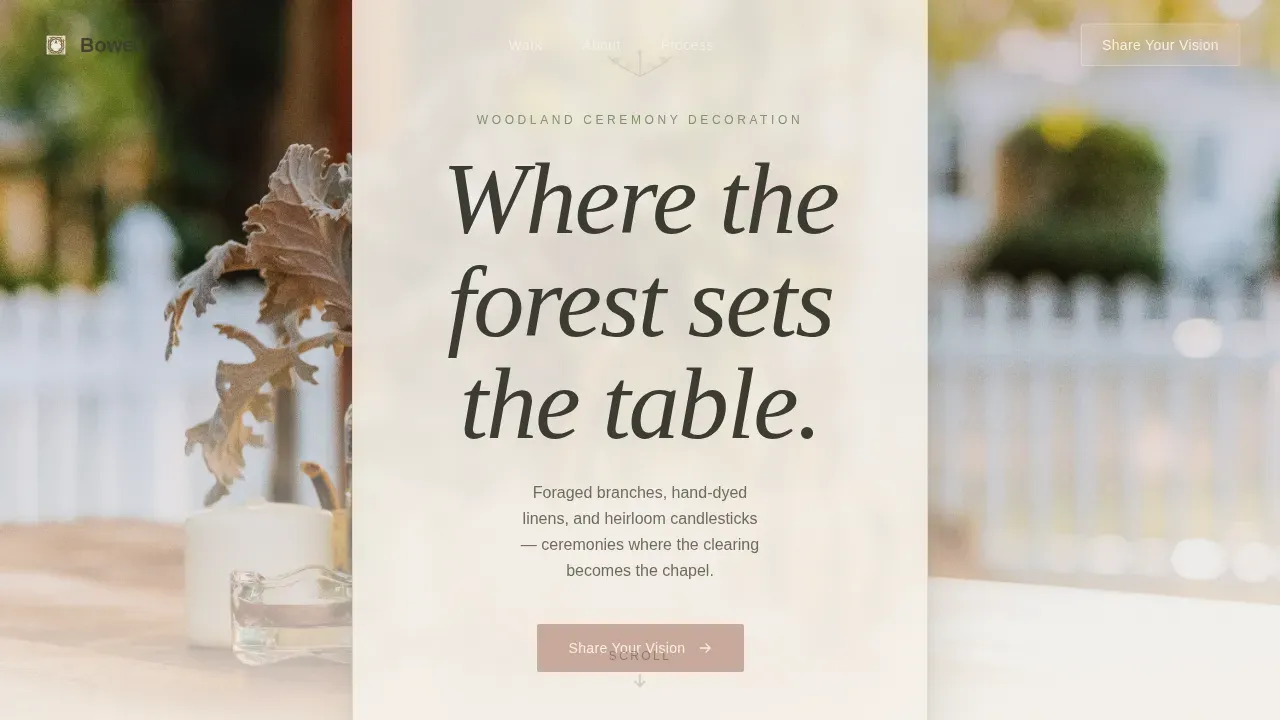
- A full-viewport hero with a seasonal autumn table scene and a translucent parchment headline overlay
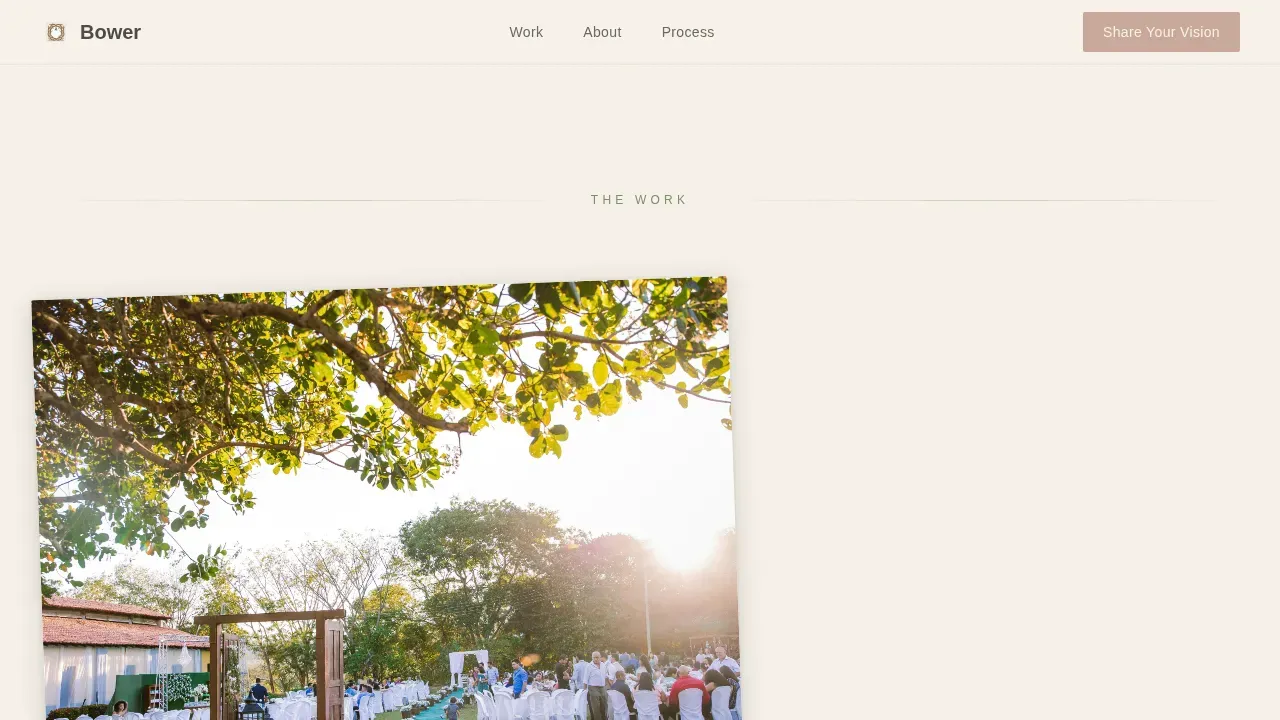
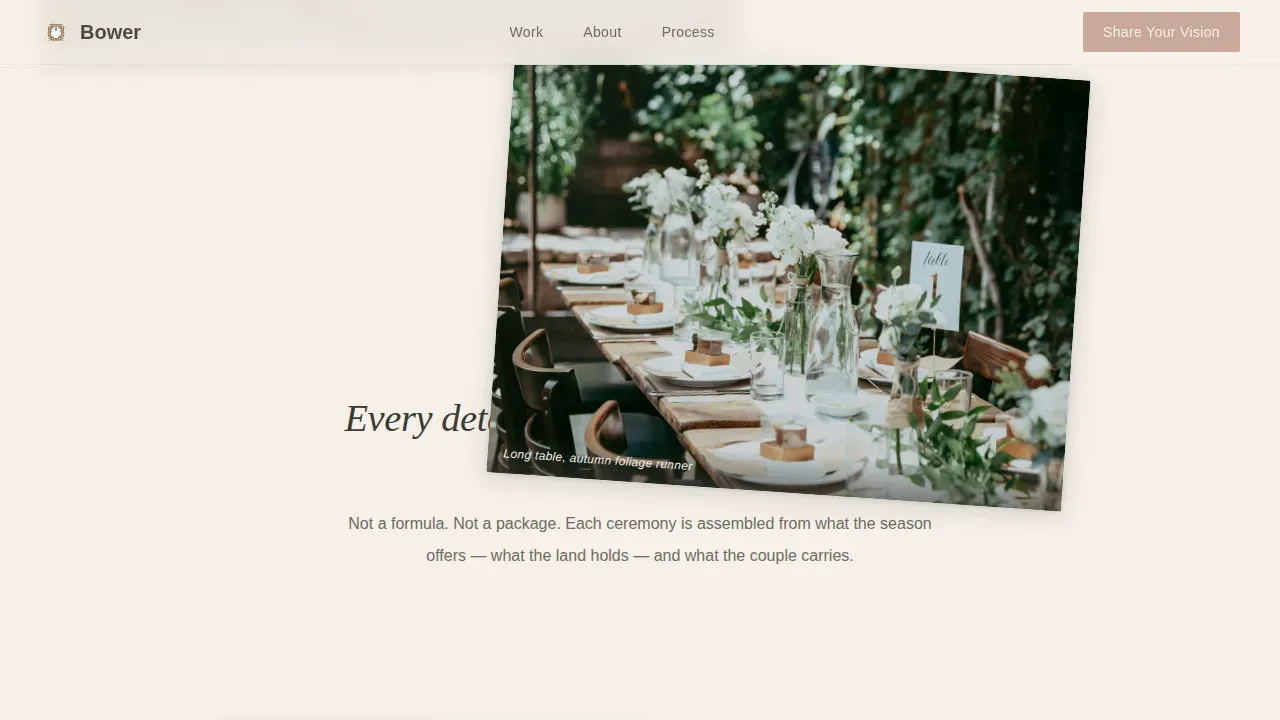
- A Gallery Walk section with overlapping portfolio images, torn-paper CSS edges, parallax scroll, and staggered reveal animations
- An RSVP-styled lead form asking for couple names, venue or location, season and year, and a free-text "dream in three words" field
Feature list
This template covers every layer of an enchanted forest wedding decorator's online presence, from the first impression to the final call to action.
Full-Viewport Hero Section
The hero opens with a wide autumn table scene shot at low angle through hanging dried florals. A translucent parchment card overlays the image, holding the headline "Where the forest sets the table" like calligraphy on vellum. The color and layout set the enchanted forest theme immediately.
Gallery Walk with Parallax Scroll
Portfolio images layer at slight angles with torn-paper edges, arriving in staggered sequence as visitors scroll. The effect feels like turning pages in a physical portfolio. This section brings the forest wedding aesthetic to life through motion and depth.
Philosophy Split Section
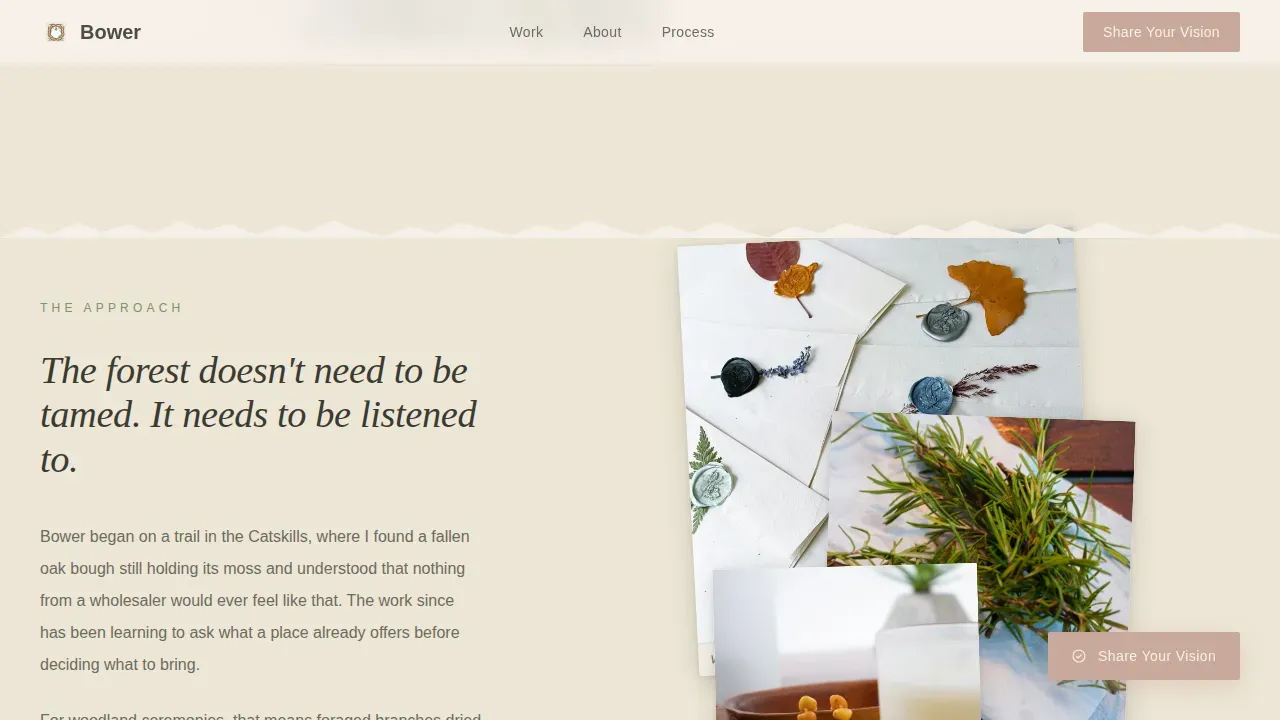
An asymmetric split pairs Bower's approach in prose with macro detail images, such as a wax seal, a sprig of rosemary, and rain on a bell jar. This section adds elegance and personal story to the visual presentation.
Floating Call-to-Action Button
A dusted rose "Share Your Vision" button appears after the third gallery layer on scroll. It stays visible as visitors move deeper into the woods of the page, gently guiding them toward the lead form without interrupting the experience.
RSVP-Styled Lead Form
The final section is styled like a handwritten RSVP card. It collects first names, venue or location, preferred season and year, and a creative free-text field. The form feels like an invitation, keeping the enchanted forest wedding theme consistent to the very end.
Page sections overview
| Section | Purpose |
|---|---|
| Hero with overlay | Opens with atmosphere and headline |
| Gallery Walk layers | Showcases portfolio with depth |
| Philosophy split | Communicates approach and artistry |
| Gallery continuation | Deepens visual narrative |
| Floating call to action | Prompts scroll-triggered engagement |
| RSVP lead form | Captures qualified wedding inquiries |
| Botanical footer | Closes with minimal brand details |
Design & branding system
Bower follows a Warm Artisan theme using the Cloud Canvas color system. Every color choice reflects the tactile, sun-faded elegance of a hand-pressed wedding invitation left on a linen tablecloth.
- Soft parchment (#F5F0E8) dominates all backgrounds; muted sage (#A3B18A) anchors section dividers and botanical illustrations
- Charcoal bark (#3A3A32) carries all body text for strong readability; dusted rose (#C9A99B) is reserved for buttons and interactive highlights only
- Fraunces serif headlines pair with DM Sans body fonts, and script fonts mimic the organic flow found in enchanted forest wedding invitations
Mobile & speed optimization
Bower is designed desktop-first for couples and venue coordinators browsing at leisure. It transitions gracefully to smaller screens without losing its layered forest wedding atmosphere.
- Intersection Observer powers scroll-reveal animations, loading each gallery layer only when it enters the browser viewport
- CSS transforms handle parallax effects, keeping motion smooth across devices
- Staggered image reveals are timed so the page feels alive without overwhelming mobile guests
How this template helps you convert
Bower earns clicks by building trust through visual taste rather than a list of services. The page is structured to move visitors naturally from wonder to action.
- The hero and gallery layers prove the decorator's enchanted forest style before any text-led selling begins, so visitors are already invested by the time they reach the form
- The floating dusted rose button appears at the right scroll moment, making it easy to act without breaking the mood of the forest wedding experience
- The RSVP form uses warm, conversational prompts, lowering resistance and making it feel like the natural next step in the couple's special day
Other information about this template
This template is part of the broader enchanted forest wedding design ecosystem. It pairs well with coordinated stationery, enchanted forest wedding invitations, and matching digital assets for a cohesive wedding look.
- Enchanted forest wedding decor themes benefit from plenty of greenery, including vines, trees, and foliage, and this template's visual palette reflects those earthy colors
- Lighting details like rice paper orb lights and Edison bulbs shown in the hero image reinforce the warm, romantic magic of a forest wedding at dusk
- Coordinated enchanted forest wedding invitations can feature wax seals, floral motifs, and script fonts to match the page's tactile character
- Designs can be saved and exported in formats like PDF, JPG, or PNG for print or digital use, and edited directly in a browser without extra software
- The bower enchanted forest wedding landing page template is ideal for decorators who want instant access to a portfolio-ready page that reflects the romance and natural elegance of the woods
- QR codes can be added to printed stationery, such as menus or invitations, linking guests back to this landing page or the RSVP form
- Green tones carry psychological harmony in enchanted forest themes, signaling growth and love, which is why sage plays a structural role throughout this layout
Theme
Warm Artisan
Creative direction
Gallery Walk
Color system
Cloud Canvas
Style
Overlap/Layered
Direction
Lead Generation
Page Sections
Full-viewport Hero with Overlay
Gallery Walk with Parallax and Layering
Philosophy Split Section
Scroll-triggered Floating Call to Action
Rsvp-styled Lead Capture Form
Related questions
Who is this landing page template best suited for?
Does the template include a lead capture form?
Can I use this template alongside enchanted forest wedding stationery?
Is there a gallery section for portfolio images?
What typography does the template use?