Pulmonology Medicine Booking Website Template
Breathe is a split-screen pulmonology telemedicine landing page built for respiratory care practices. It opens with an animated bronchial intake form and guides chronic COPD patients, post-COVID long-haulers, and rural asthmatics through a symptom audit before presenting a booking call to action. The Teal Catalyst color system and Organic Flow design give every section a calm, clinical confidence.
by Rocket studio
Quick summary
Breathe is a single-page telemedicine landing page for pulmonology specialty care. It pairs a three-step intake form with a scrollable symptom audit to move hesitant patients toward booking a lung consultation. The 50/50 split-screen layout, animated airway illustration, and Teal Catalyst palette create a calm clinical experience that earns trust before it asks for a commitment.
Who this template is for
This template is built for pulmonology telemedicine practices that need to convert chronic respiratory patients into scheduled appointments online. It works equally well for solo board-certified pulmonologists and multi-provider telehealth groups.
- Pulmonology clinics serving chronic obstructive pulmonary disease (COPD) patients and asthma sufferers who need ongoing remote care
- Telehealth practices targeting post-COVID long-haulers and rural patients who cannot easily reach an in-person specialist
- Respiratory care providers who want a structured intake flow rather than a generic contact form
What problem this template solves
Respiratory patients often delay care because the path from symptom to specialist feels long and uncertain. A blank appointment form does not reassure someone who has been winded for months. This template replaces that cold entry point with a guided audit that validates each concern before asking for a booking.
- Patients with chronic conditions need to feel understood before they commit to a new provider
- Rural and post-COVID patients face access barriers that make a frictionless online intake critical
- Practices lose hesitant visitors who are not yet ready to book but would respond to a lower-stakes entry point
What you get with this template
You get a fully structured, single-page layout designed specifically for pulmonology telemedicine. Every section serves a clear purpose in moving a visitor from symptom recognition to scheduled consultation.
- A three-step intake form with pill-shaped condition selectors, a floating booking button, and a secondary email capture path for hesitant visitors
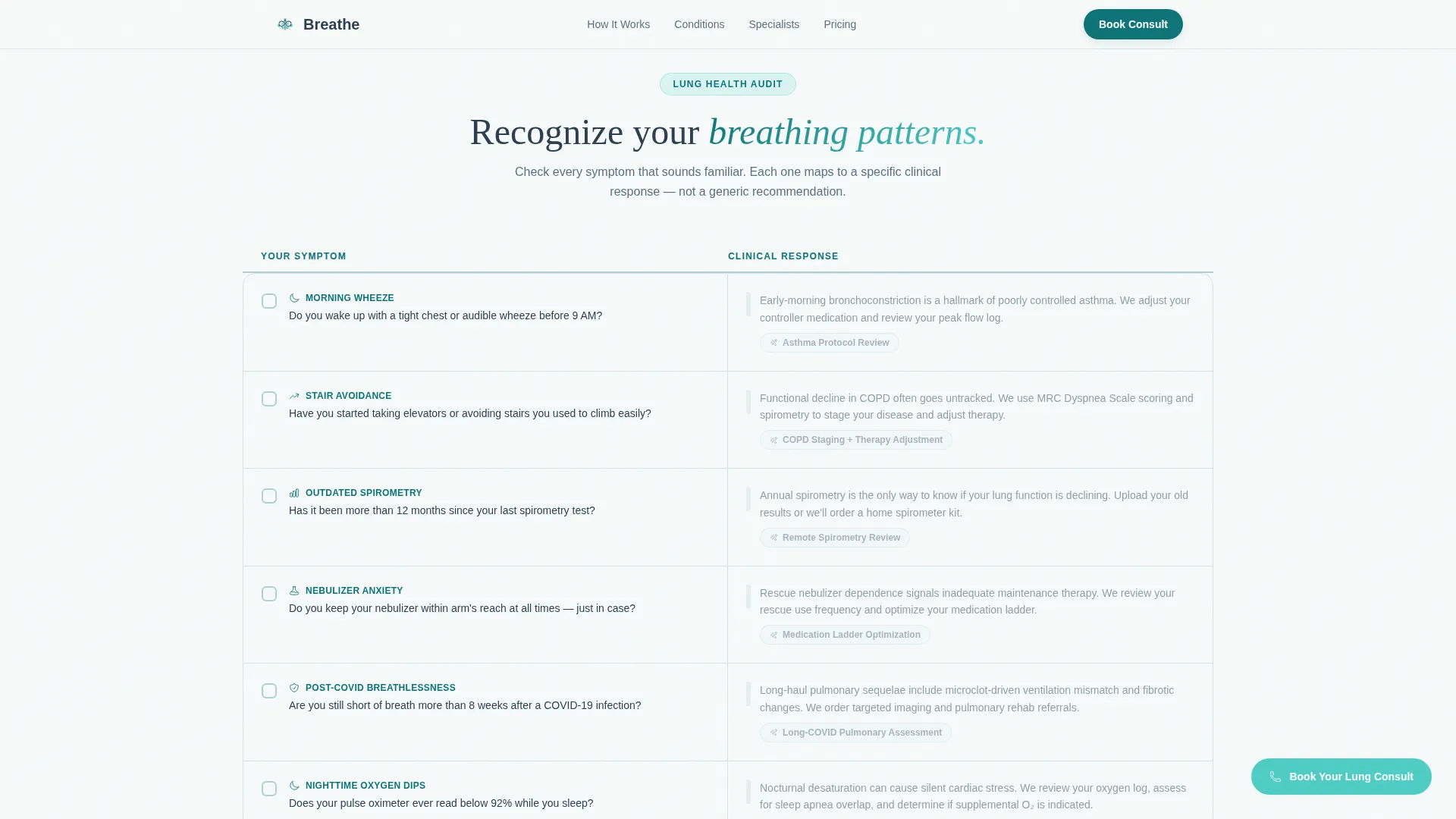
- A Lung Health Audit section that pairs patient symptoms on the left with matching clinical responses on the right
- A Teal Catalyst color system applied across all components, with an animated bronchial SVG, bento credential cards, and a linear single-row footer
Feature list
This section describes each major built-in component and what it contributes to the visitor experience.
Animated Split-Screen Header Form
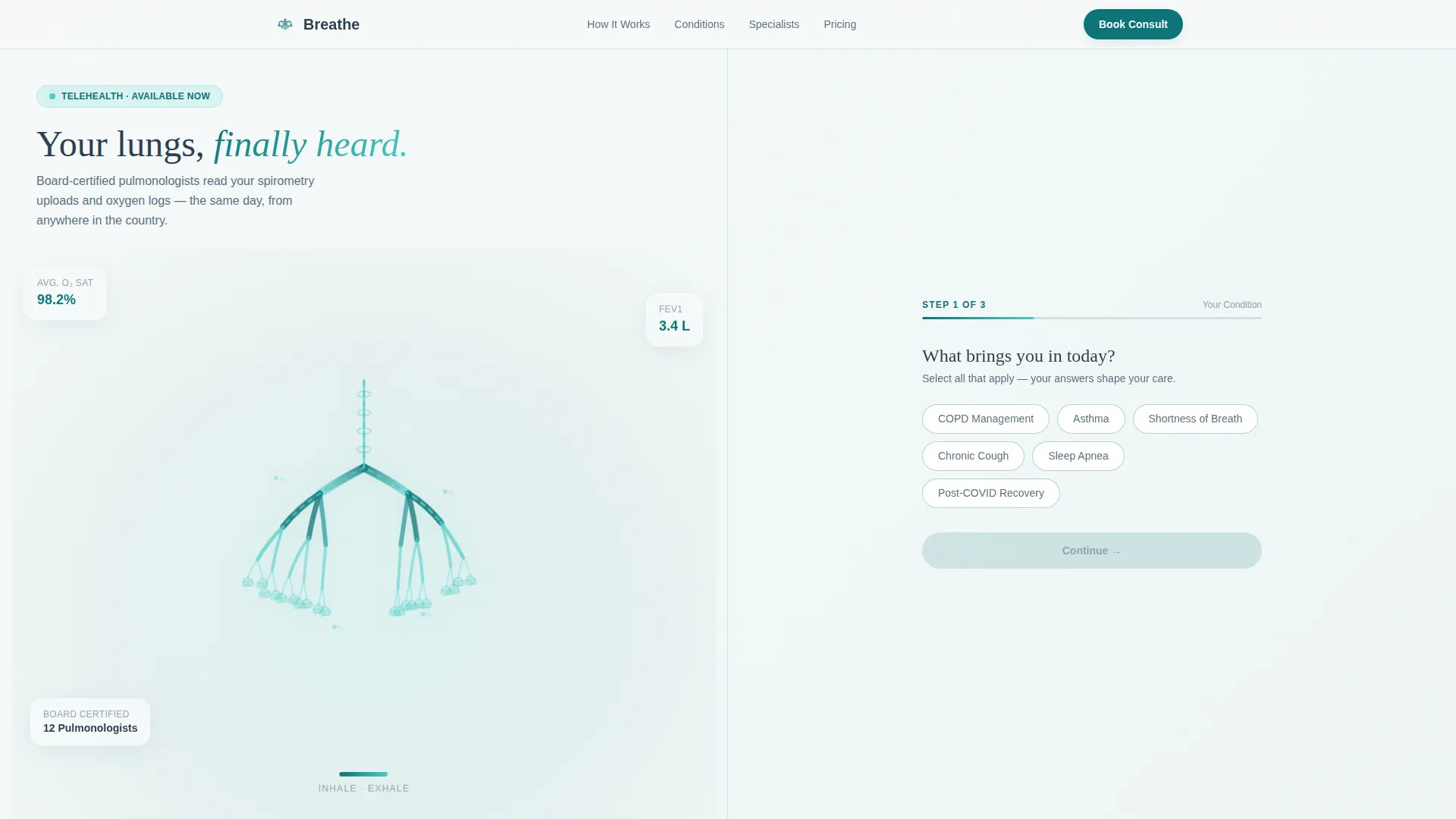
The header divides the viewport equally. The left panel displays a flowing teal bronchial airway illustration with a subtle inhale-exhale expansion loop. The right panel opens immediately on the form's first step, asking visitors to identify their primary concern using pill-shaped selectors for COPD management, asthma, shortness of breath, chronic cough, sleep apnea, and post-COVID recovery. A soft aqua progress bar marks step one of three.
Three-Step Guided Intake Flow
The multi-step form walks visitors through their condition, their schedule preference, and their insurance type without overwhelming them. Step three includes a state-of-residence dropdown for licensure matching and appointment window options covering morning, afternoon, and evening. The form retains each answer as the visitor progresses, reinforcing that the page is already listening.
Lung Health Audit Checklist
Below the header, a call-and-answer checklist unfolds as the visitor scrolls. The left column presents familiar respiratory concerns: waking up wheezing, avoiding stairs, and overdue spirometry tests. The right column reveals the specific service, specialist match, or monitoring protocol that each concern unlocks. The rhythm builds the case for booking organically.
Floating Booking Call to Action
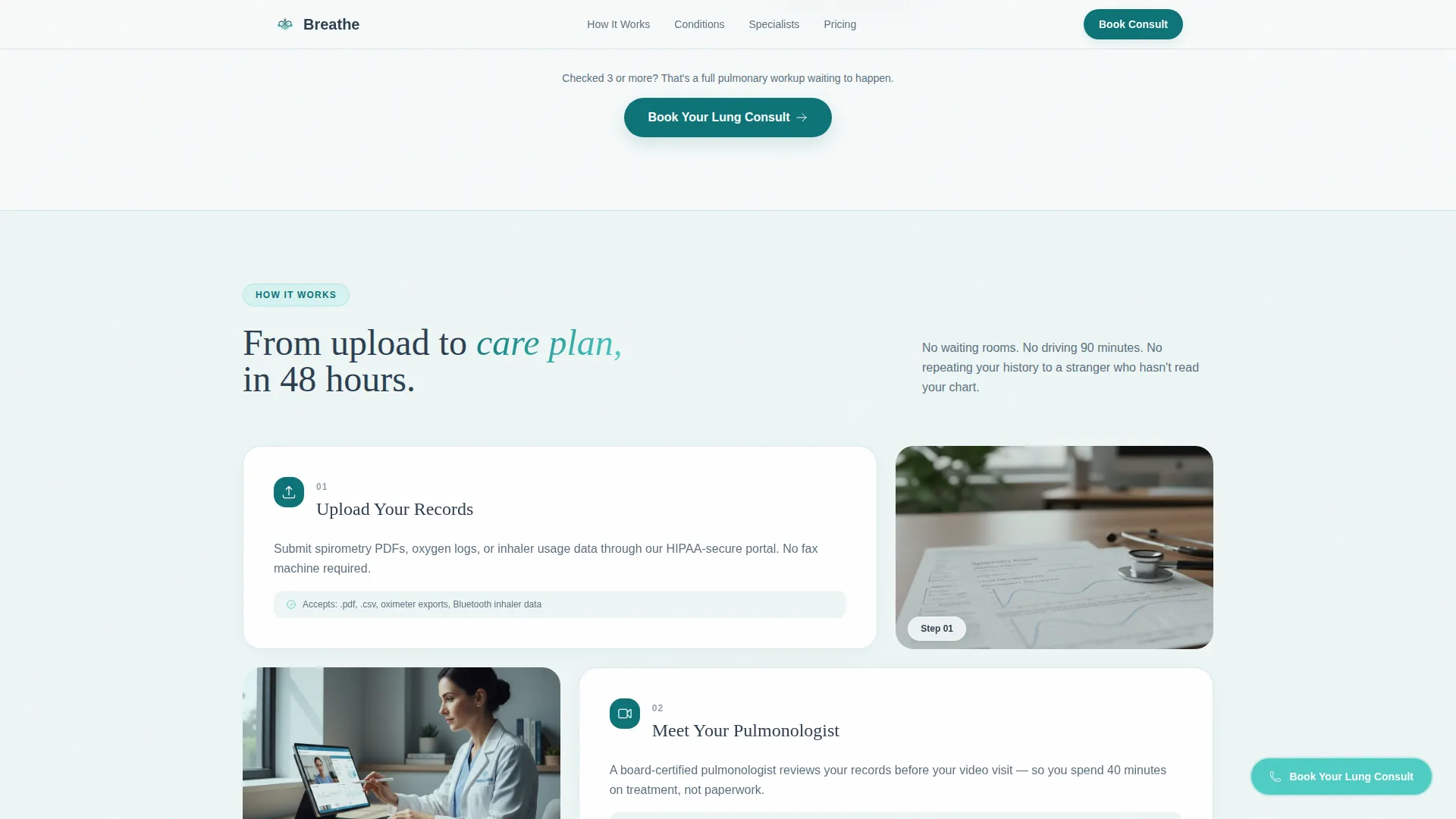
Once the header form scrolls out of view, a persistent floating button labeled "Book Your Lung Consult" in oxygenated aqua stays pinned on screen. It gives visitors a direct path to schedule at any point during their scroll without forcing them to return to the top.
Breathing Score Email Capture
A secondary conversion path sits below the main audit. Visitors who are not yet ready to book can answer a five-question micro-assessment and receive a personalized Breathing Score delivered as a PDF. This nurtures hesitant patients and keeps the practice connected with visitors at an earlier stage of decision-making.
Specialist Credential Bento Cards
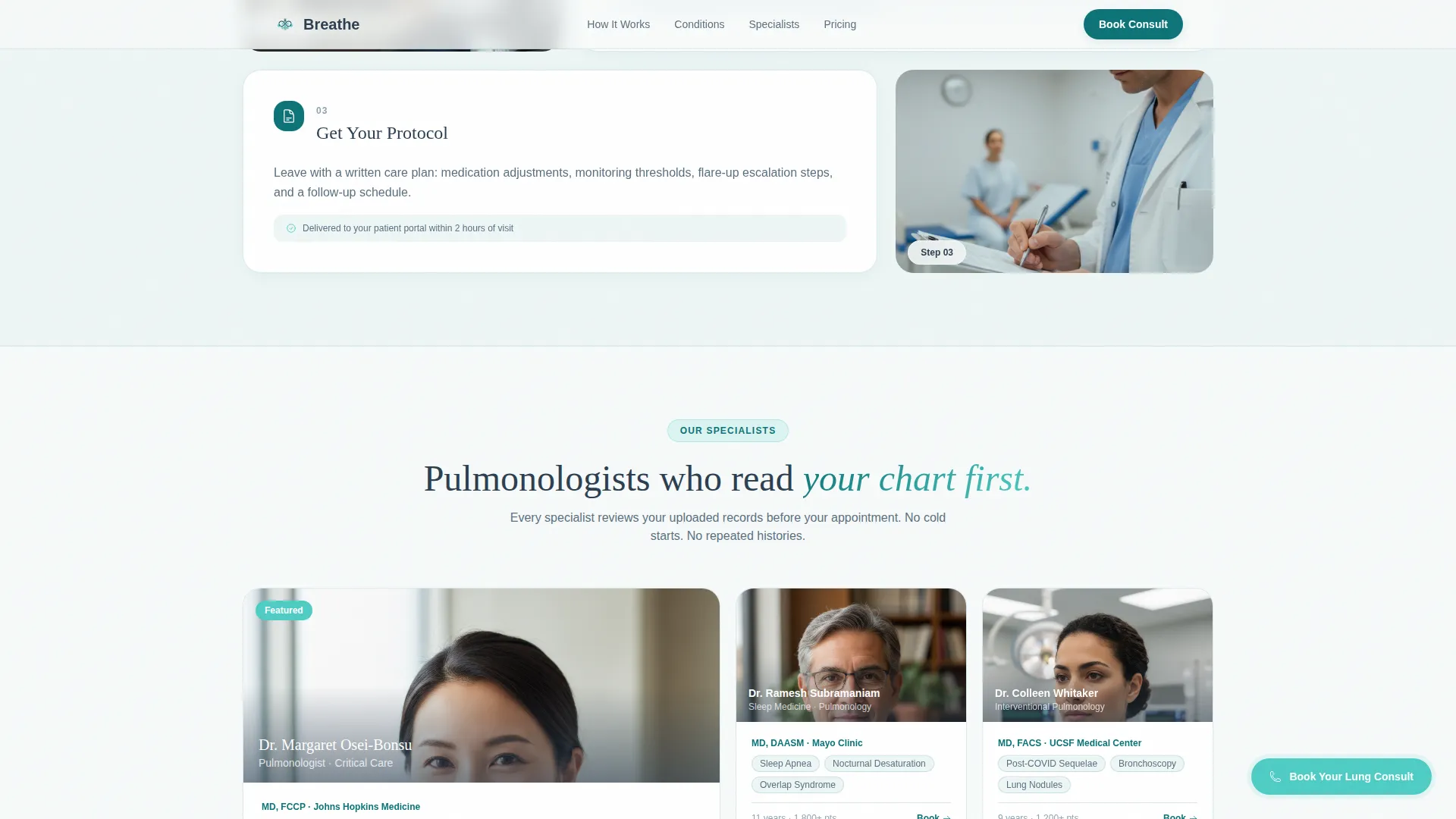
The specialists section presents board certifications and condition counts in a bento-style card layout. Social proof is woven into the design rather than listed as an afterthought, giving patients clinical confidence in the providers they are about to contact.
Page sections overview
| Section | Purpose |
|---|---|
| Split-Screen Header | Animated airway illustration plus three-step intake form |
| Lung Health Audit | Symptom-to-protocol checklist driving scroll engagement |
| How It Works | Asymmetric bento flow explaining the diagnostic process |
| Specialist Cards | Bento credential cards displaying board certifications |
| Breathing Score call to action | Email micro-assessment capture for hesitant visitors |
| Footer | Linear single-row footer with practice links |
Design & branding system
The visual identity follows an Organic Flow theme that feels like a clean lung scan held up to light: cool, translucent, and quietly alive. Every color in the palette has a functional role tied to the breathing metaphor of the template.
- Deep respiratory teal (#0D7377) anchors section dividers and icon fills; oxygenated aqua (#4ECDC4) pulses on hover states, progress indicators, and the floating button
- Alveolar white (#F7FAFA) provides generous breathing room between content blocks; grounding charcoal (#2C3E50) keeps clinical body text legible without feeling sterile
- Typography pairs DM Sans for body readability with Fraunces as a display serif, adding warmth to headings without losing clinical credibility
Mobile & speed optimization
The template is built desktop-first to handle the complexity of the multi-step form and checklist layout, and it scales responsively to mobile viewports. Animations and interactive elements are handled through client-side components, while static sections use server components for faster initial rendering.
- The floating booking button and pill selectors reflow cleanly for touch interaction on smaller screens
- Reveal animations, parallax effects, and the SVG inhale-exhale loop are scoped to client components so they do not block static content from loading
How this template helps you convert
The page earns the booking click by auditing first and selling second. Every design decision is sequenced to reduce hesitation and build clinical trust before the call to action appears.
- The intake form opens as the headline, so visitors feel acknowledged the moment they land rather than being greeted with a generic hero banner
- The Lung Health Audit scrolls visitors through their own symptoms and shows the matching clinical response for each, building personalized relevance before any ask is made
- The dual conversion path handles both ready-to-book patients through the floating button and hesitant visitors through the Breathing Score email capture, ensuring neither group leaves empty-handed
Other information about this template
This template is part of a broader telemedicine design system built around direct-to-patient scheduling for specialty care. It is a strong fit for practices operating under US state licensure requirements, given the built-in state-of-residence dropdown in the intake form. The localization defaults are English, United States Dollar (USD) pricing display, and MM/DD/YYYY date formatting. The page is intentionally single-purpose with no multi-page navigation structure, keeping the visitor focused on the intake-to-booking flow from first scroll to final step.
- The template is categorized under Health and Medical, specifically the Pulmonology Medicine subcategory, making it relevant for specialist telemedicine directories
- Insurance type options in the form include a self-pay dropdown, supporting practices that serve uninsured or underinsured rural patients
- The design system, color tokens, and component structure are built to allow straightforward brand customization for any respiratory care provider
Theme
Organic Flow
Creative direction
Checklist & Audit
Color system
Teal Catalyst
Style
Split Screen (50/50)
Direction
Booking/Scheduling
Page Sections
Animated Split-screen Header
Three-step Guided Intake Form
Lung Health Audit Checklist
Floating Booking Button
Breathing Score Email Capture
Specialist Credential Bento Cards
Related questions
Can I customize the condition options in the intake form?
Is this template suitable for a solo pulmonologist or only for larger clinics?
What is the Breathing Score and how does it work within the page?
Does the template support patients who want to pay out of pocket?
What sections are included in this landing page template?



