COPD Care Professional Website Template
Breathe is a COPD telehealth landing page built for Medicare-enrolled adults managing Stage II to III chronic obstructive pulmonary disease. It presents a coordinated three-specialist care team, pulmonologist, respiratory therapist, and pharmacist, through a scroll-driven sidebar layout, a six-question care gap assessment, and a clean clinical visual identity designed to feel calm, clear, and trustworthy.
by Rocket studio
Quick summary
Breathe is a sidebar companion landing page for a COPD telehealth service. It guides Medicare-enrolled patients through a coordinated specialist care experience using an Expert Panel sidebar, condition-stage content columns, and a progressive quiz. The design is Corporate Precision: clean, calm, and clinical. Every section moves the visitor closer to scheduling their first virtual visit.
Who this template is for
This template is built for COPD telehealth practices that serve Medicare-enrolled adults. It works equally well for caregivers researching care options for a parent living with chronic obstructive pulmonary disease.
- COPD telehealth providers targeting Medicare patients aged 65 and older
- Respiratory care practices offering pulmonology, therapy, and pharmacy services together
- Patient acquisition teams converting high-intent visitors into scheduled virtual visits
What problem this template solves
Managing Stage II or Stage III COPD often means emergency room visits, conflicting medication guidance, and long drives to a specialist. Patients need a clear, trustworthy way to understand their care options without leaving home. This template removes that friction at every step.
- No single page clearly explains a coordinated three-specialist telehealth model to a non-clinical audience
- Medicare patients are often uncertain whether telehealth visits are covered, creating drop-off before conversion
- Generic health pages feel cold and impersonal, making it hard for anxious patients to trust a new provider
What you get with this template
You get a fully structured, desktop-first landing page with a persistent sidebar and a mobile-responsive fallback. Every section is pre-built and mapped to a specific patient trust moment, from first impression through care gap assessment.
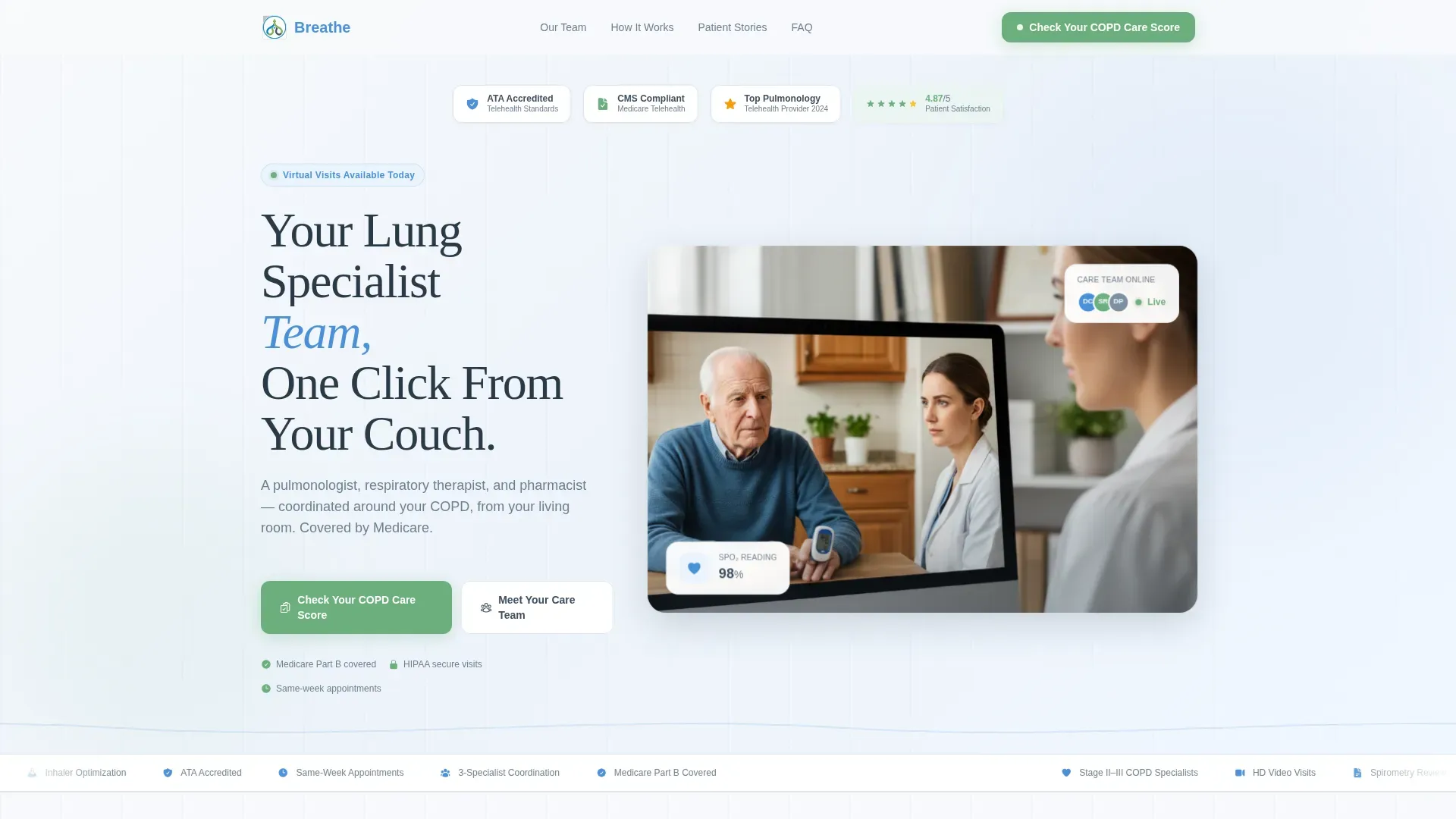
- Hero section with award badges, a split telehealth session image, a live patient satisfaction counter, and a primary headline
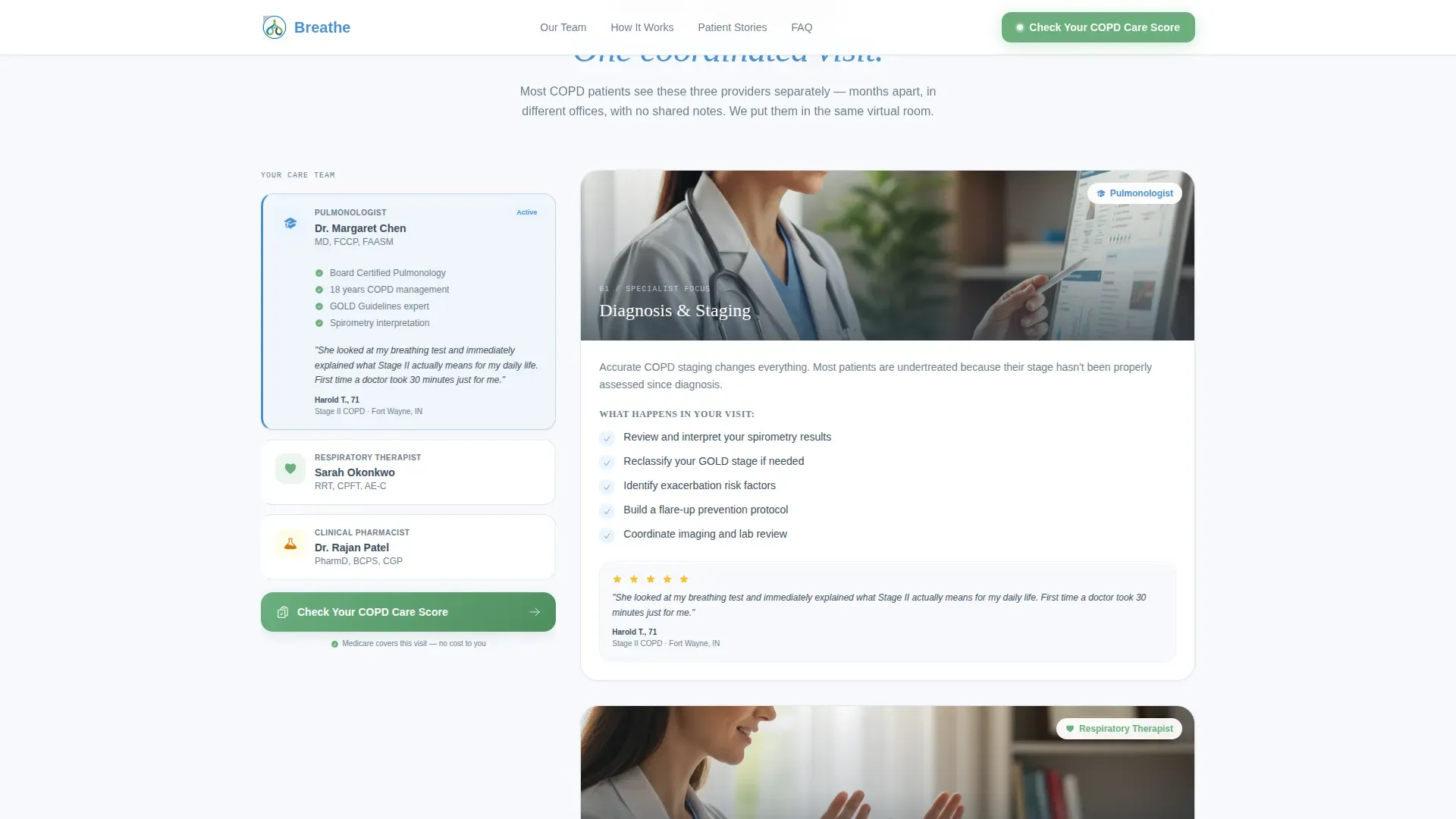
- Scroll-driven Expert Panel sidebar introducing the pulmonologist, respiratory therapist, and pharmacist in sequence
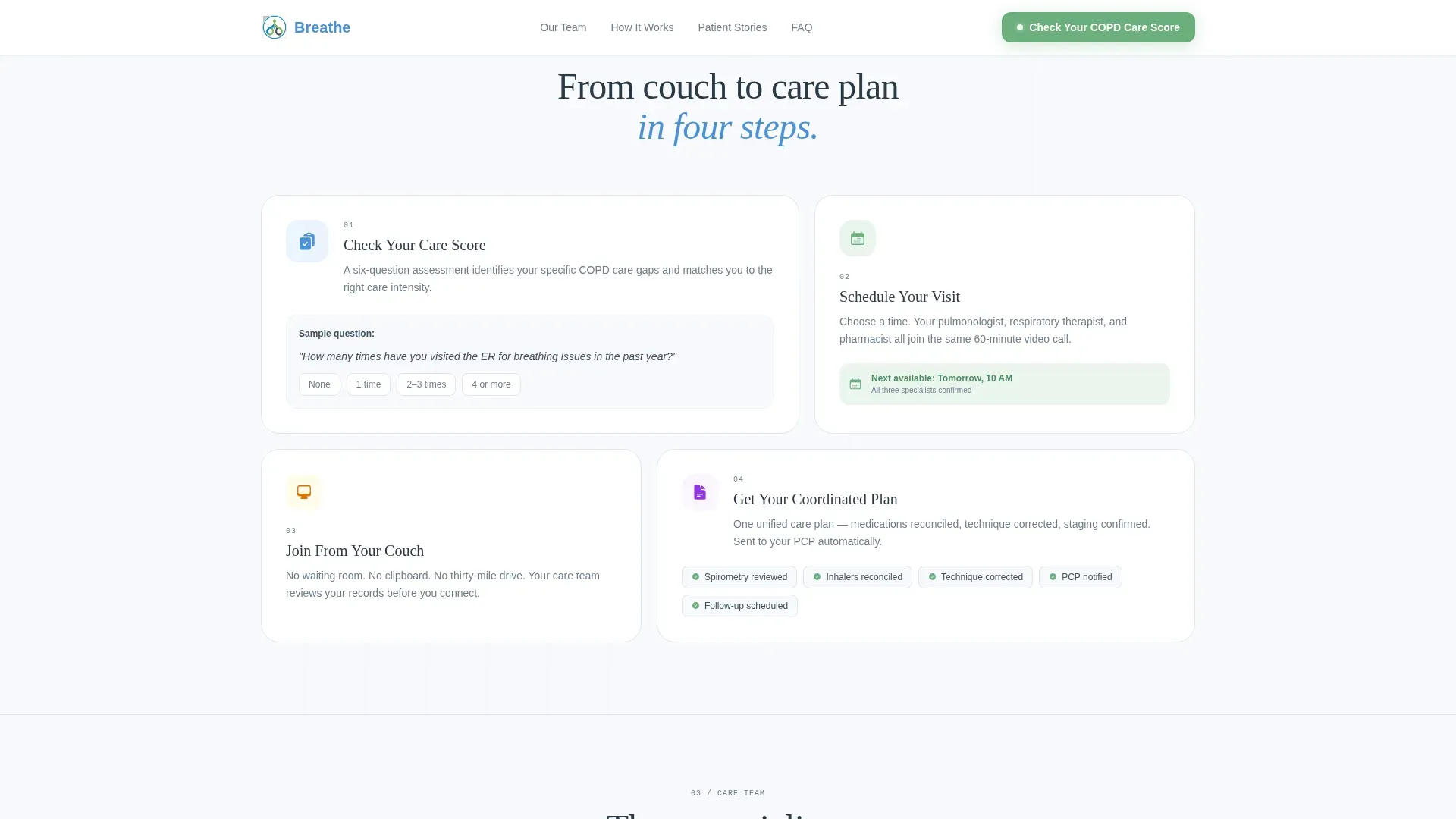
- A six-question COPD Care Score Quiz with progressive disclosure, personalized results, and a Medicare coverage closer
Feature list
This template is built around one idea: earning patient trust before asking for commitment. Each feature serves that purpose.
Scroll-Driven Expert Panel Sidebar
The persistent sidebar introduces each specialist one panel at a time as the visitor scrolls. Each panel includes a credential summary, a short video clip slot explaining their role in COPD management, and a single patient quote tied to that discipline. The experience mimics a coordinated clinic handoff without a waiting room.
Progressive COPD Care Score Quiz
The primary call to action opens a six-question assessment. It starts with one low-friction question about emergency room visits, then progressively reveals questions on current medications, oxygen use, last spirometry date, smoking history, and insurance type. Results deliver a personalized care gap summary and a scheduling button.
Condition-Stage Content Columns
The main content column mirrors each expert panel with its matching care focus. The three stages covered are diagnosis and spirometry staging, breathing technique and device training, and medication reconciliation with inhaler optimization. Visitors see exactly what each specialist handles before they commit.
Award Badges and Social Proof Header
The header row displays accreditation and compliance badges alongside a live animated patient satisfaction counter set at 4.87 out of 5. This block appears above the headline to establish credibility before the visitor reads a single line of body copy.
Animated Outcome Statistics
The Patient Outcomes section uses scroll-triggered counter animations and spotlight-effect testimonial cards to surface emergency room reduction statistics. These animated counters make outcome data feel real and current rather than static.
Sticky Sidebar Call to Action
The "Check Your COPD Care Score" button is pinned at the bottom of the sidebar so it travels with the visitor through the entire scroll journey. It stays in green, the only color reserved for patient action, so it never competes with informational content.
Page sections overview
| Section | Purpose |
|---|---|
| Hero with badges | Establish credibility and introduce the headline offer |
| Expert Panel sidebar | Introduce each specialist with credentials and patient quotes |
| Condition stages column | Map each specialist to their COPD care focus area |
| Patient outcomes | Surface ER reduction stats and spotlight testimonials |
| COPD Care Score Quiz | Qualify visitors and deliver a personalized care gap summary |
| Footer flow | Close with navigation and trust signals |
Design & branding system
The visual identity follows a Corporate Precision theme using the Cloud Canvas color system. Every color has a strict role so the page reads clearly and never feels cluttered.
- Sky white (#F7F9FC) covers all backgrounds, giving the page a clean, breathable feel
- Clinical slate (#3D4F5F) anchors body text and navigation for calm, readable contrast
- Pulse-oximeter blue (#4A90D9) marks interactive elements, data points, and specialist credential highlights
- Reassurance green (#6BAF7E) appears only on call-to-action buttons, so every green element signals a patient action
Typography uses Fraunces for display headings and DM Sans for body text and interface elements. The pairing balances warmth with clinical precision.
Mobile & speed optimization
The layout is desktop-first with a sidebar companion structure, and it includes a responsive mobile fallback so the experience holds on smaller screens. Performance is built around a static-first architecture.
- Server Components handle the static layout, reducing JavaScript overhead for core sections
- Client Components are scoped to the quiz and animations, keeping the initial page load light
- Scroll-reveal animations, counter effects, and quiz transitions are medium-weight and load progressively
How this template helps you convert
Every design decision in this template reduces a specific barrier that stops COPD patients from booking a virtual visit.
- The progressive quiz starts with one easy question, lowering the cognitive entry cost before the visitor invests more attention
- The sticky green call-to-action button stays visible throughout the scroll, so the path to scheduling is never more than one click away
- The Medicare coverage statement appears plainly beside the final scheduling button, removing the cost objection at the exact moment it would otherwise cause hesitation
Other information about this template
This template is categorized under Health and Medical with a subcategory focus on COPD Care and a niche alignment to COPD telehealth services. It is designed for patient acquisition in a Medicare telehealth context.
- The Intersection Match Score for this template is 13, indicating strong alignment between the template style and the target niche
- The template style is Sidebar Companion, the creative direction is Expert Panel, and the header concept uses Award Badges
- The landing-page direction is Quiz and Assessment, matching the primary conversion mechanism built into the page
- Localization is set for English, United States date format, and Medicare insurance context
- The footer uses a Horizontal Flow pattern suited to desktop-first layouts

Theme
Corporate Precision
Creative direction
Expert Panel
Color system
Cloud Canvas
Style
Sidebar Companion
Direction
Quiz/Assessment
Page Sections
Scroll-driven Expert Panel Sidebar
Progressive COPD Care Score Quiz
Condition-stage Content Columns
Award Badges and Satisfaction Counter
Sticky Green Call-to-action Button
Animated Outcome Statistics
Related questions
Who is this landing page template designed for?
Does the quiz require a backend or database to function?
Can I customize the Expert Panel content for my own care team?
Is the Medicare coverage statement already included in the template?
Does this template work on mobile devices?



