Pulmonologist Booking Website Template
Breathe is a sidebar-companion landing page template built for pulmonology clinics that need to educate patients before their first visit. It walks newly diagnosed respiratory patients through animated lung diagrams, step-by-step condition modules, and a conversion panel that turns quiet, late-night research into a booked consultation appointment.
by Rocket studio
Quick summary
Breathe is a pulmonologist patient education landing page template with a persistent numbered sidebar, animated bronchial tree diagrams, and a clinical Slate and Sky color system. It guides asthma, COPD, and pre-surgical patients through five progressive education modules and closes with a dual call-to-action panel designed to convert informed readers into scheduled consultations.
Who this template is for
This template is built for pulmonology specialty clinics that want to meet patients where they already are: online, anxious, and looking for real answers. It suits solo pulmonologists and group practices that prioritize patient education as part of their intake experience.
- Pulmonologists serving newly diagnosed asthma or COPD patients
- Respiratory specialty clinics preparing patients for procedures such as bronchoscopy
- Adult patients or family caregivers researching lung condition treatment options at home
What problem this template solves
Most clinic websites hand patients a dense block of medical text and a phone number. That approach leaves newly diagnosed patients feeling more overwhelmed than informed. This template replaces that experience with a calm, structured visual journey through lung anatomy, diagnosis, and treatment.
- Patients arrive at appointments underprepared, raising the burden on clinical staff to cover basics
- Anxiety-driven visitors leave a page quickly without finding the confidence to book
- Generic health pages fail to differentiate a specialist's expertise from a search result
What you get with this template
The template delivers a fully structured, single-page patient education flow with a sidebar navigation rail and six clearly defined content sections. Every module is built to earn the next step rather than simply listing information.
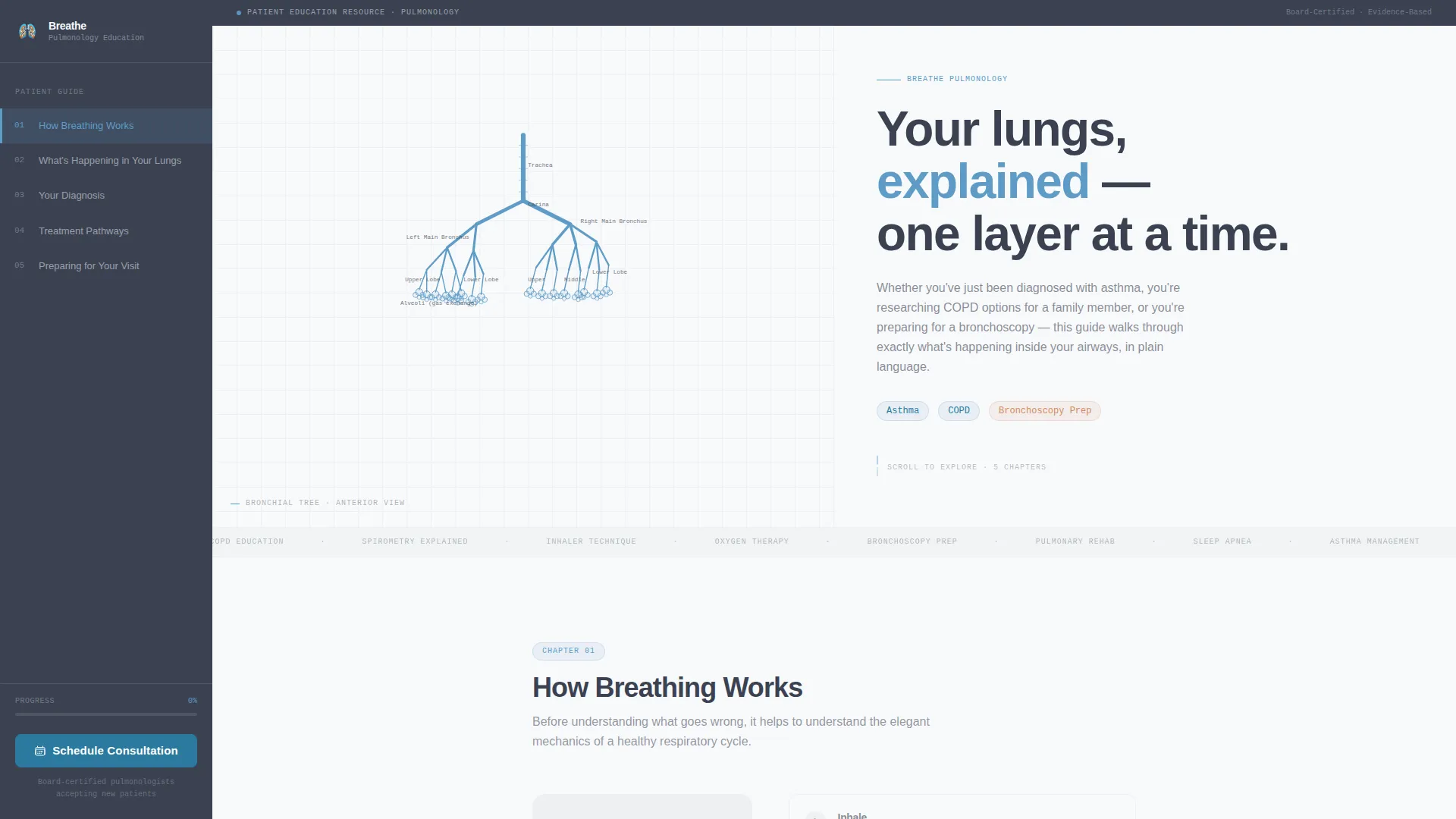
- An animated SVG bronchial tree hero with a scroll-triggered sidebar chapter rail
- Five progressive education modules covering anatomy, diagnosis, treatment pathways, and visit preparation
- A closing conversion panel with a primary consultation call to action and a secondary PDF download path
Feature list
Animated SVG Bronchial Tree Header
The hero section opens with a continuous line-art illustration of the human bronchial tree rendered in sky blue on linen white. On page load, the trachea draws first and branches propagate outward with anatomical accuracy. Alveoli bloom at the tips as tiny clusters, and a headline fades in alongside the animation.
Persistent Numbered Sidebar Rail
A fixed sidebar acts as a chapter navigator with five numbered steps. It highlights the active section as the visitor scrolls, giving patients a clear sense of progress through the education content. On mobile, the sidebar collapses into a compact scroll-tracking indicator.
Progressive Condition Education Modules
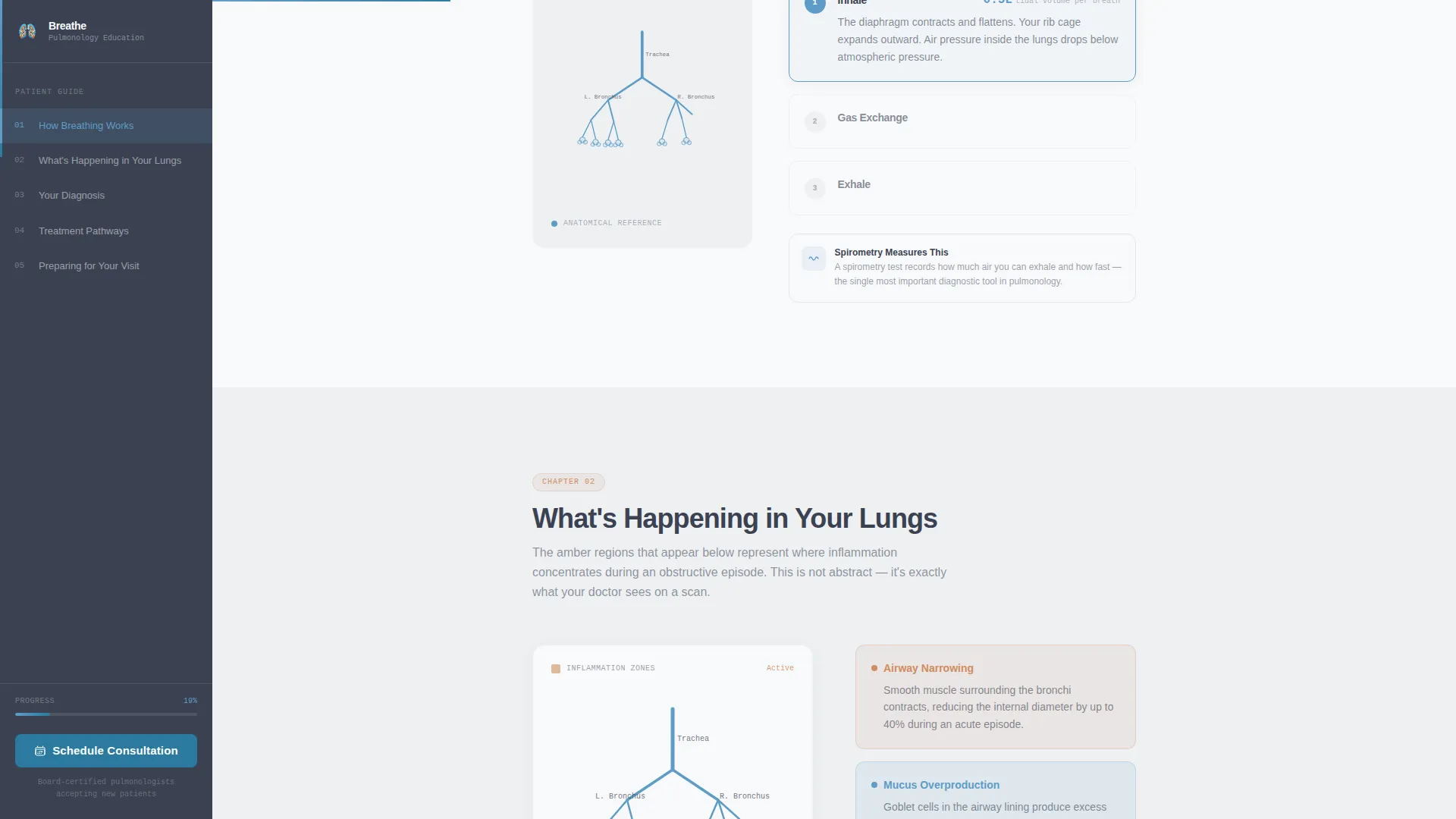
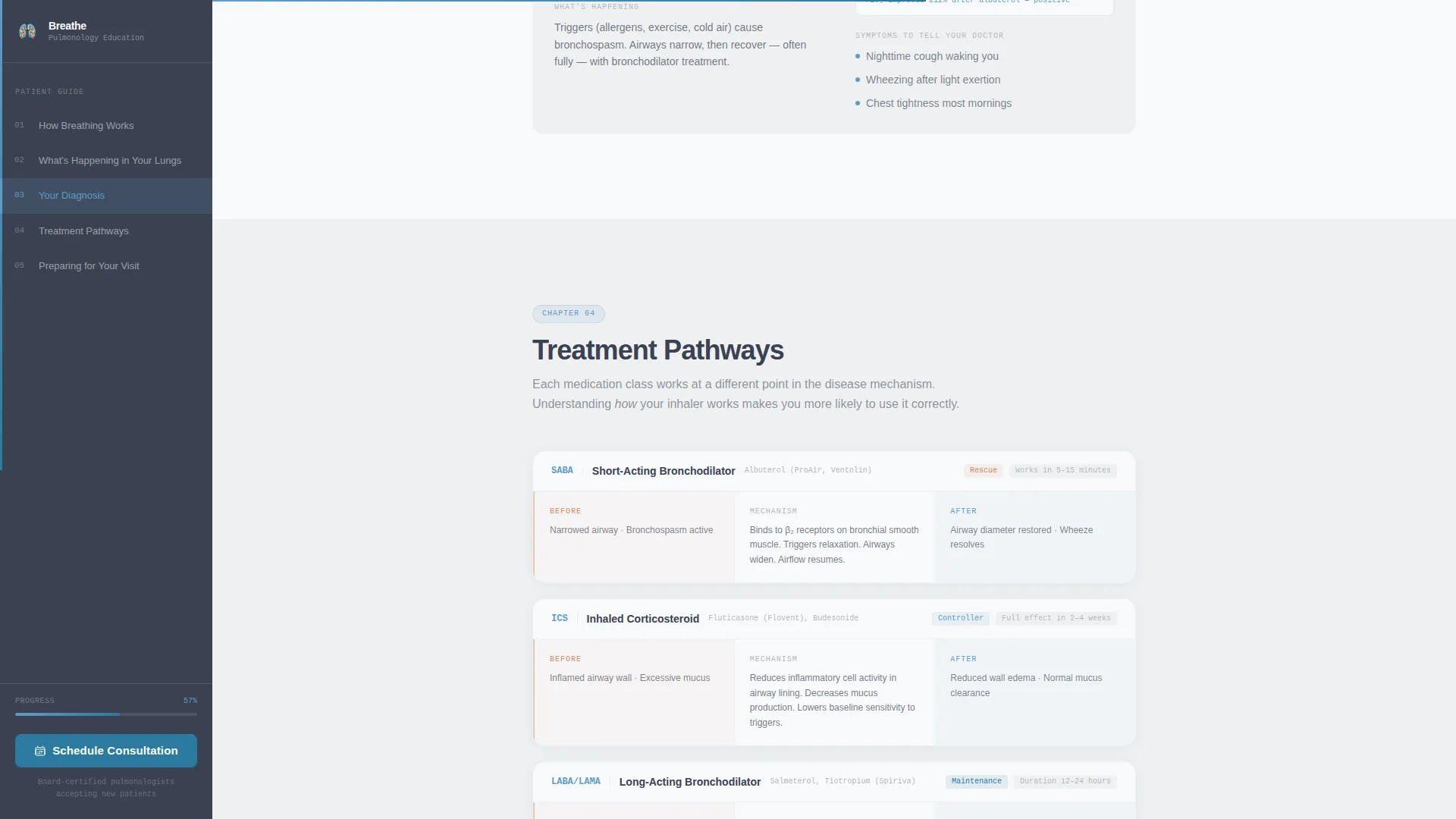
Each of the five main sections opens with a new line-art diagram that builds on the previous one. Inflammation states appear as amber overlay animations, and treatment mechanism diagrams show visual before-and-after states. This step-by-step format respects patient intelligence without oversimplifying clinical detail.
Diagnosis Condition Cards
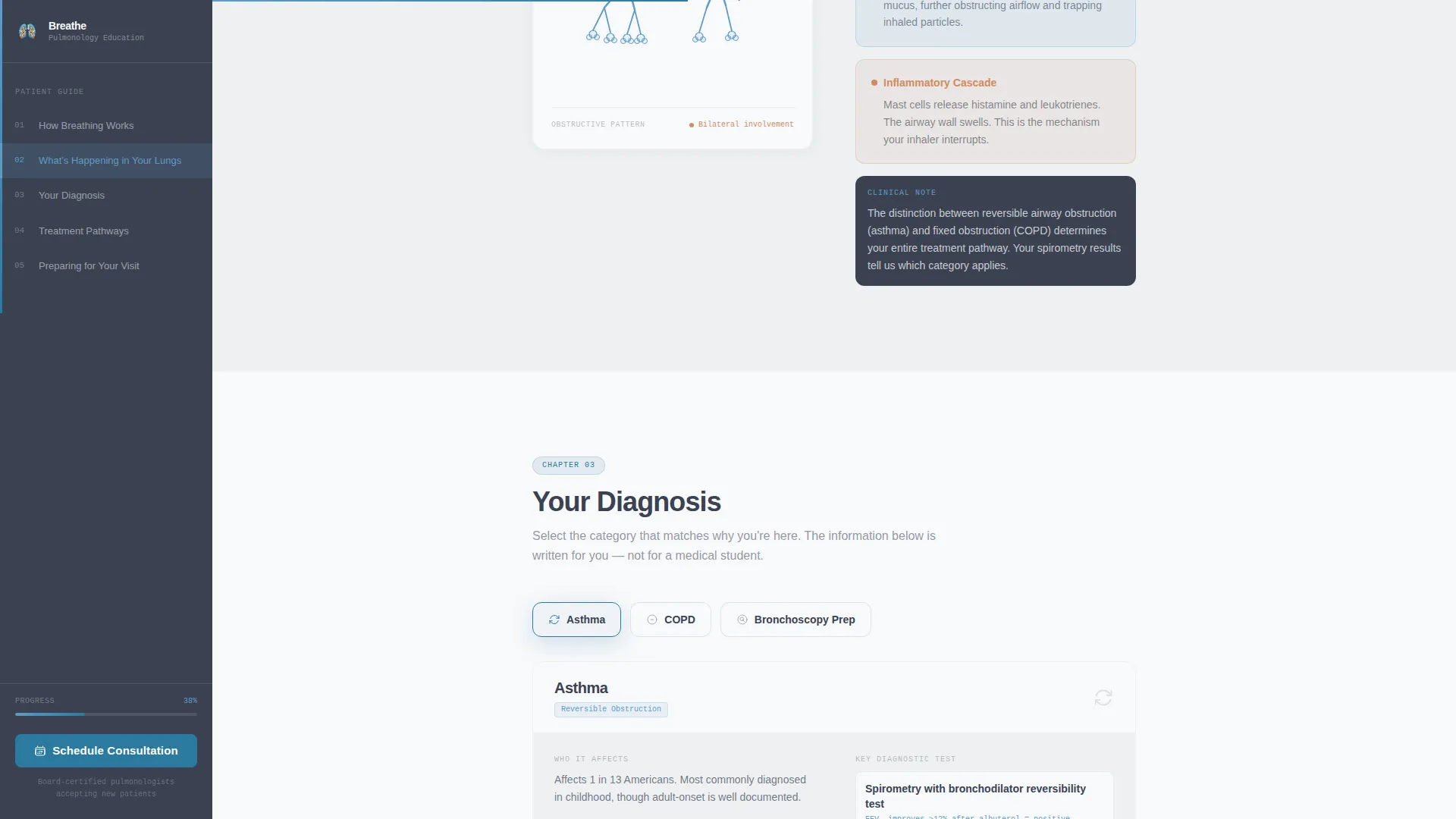
Section four presents three condition cards covering asthma, chronic obstructive pulmonary disease (COPD), and pre-surgical preparation. Each card gives patients a focused, scannable summary of their specific diagnosis context within the broader education flow.
Dual Call-to-Action Conversion Panel
After the final education module, a dedicated conversion panel recaps what the patient just learned and names three questions to bring to their appointment. It presents the primary call to action, "Schedule Your Consultation," alongside a secondary option to download the guide as a PDF in exchange for an email address.
Trust Indicators and Social Proof Block
The template includes a dedicated area for board certifications, patient volume statistics, and trust indicators. These elements anchor the clinic's credibility without interrupting the educational narrative.
Page sections overview
| Section | Purpose |
|---|---|
| Hero with Animation | Opens with animated bronchial tree and primary headline |
| How Breathing Works | Introduces airway anatomy with progressive diagram |
| What's Happening Inside | Shows inflammation states with amber overlay animation |
| Your Diagnosis Cards | Presents asthma, COPD, and pre-surgical condition cards |
| Treatment Pathways | Visual before-and-after diagrams of treatment mechanisms |
| Preparing for Your Visit | Appointment prep questions and dual call-to-action panel |
| Footer | Single-row linear footer with clinic contact essentials |
Design & branding system
The visual identity follows a Corporate Precision theme. Every color decision serves legibility and clinical trust rather than warmth or decoration. Typography uses DM Sans for headings and IBM Plex Mono for diagram labels and annotations.
- Color system: clinical charcoal (#3B4252) for body text, diagnostic sky blue (#5E9CC7) for active navigation and progress indicators, pulse-ox accent (#2B7A9E) for interactive elements and call-to-action surfaces, and linen white (#F8F9FB) for content panels
- Background alternation: linen white and mist gray (#EDF0F2) separate educational modules without introducing visual noise
- Amber (#D08C60) appears exclusively as an overlay accent on inflammation and condition state diagrams
Mobile & speed optimization
The template is designed desktop-first to support the sidebar companion layout, with a fully responsive collapse pattern for smaller screens. The sidebar chapter rail adapts gracefully so mobile visitors still experience clear section progress.
- Sidebar collapses into a compact scroll-tracking indicator on mobile viewports
- Static content sections use server components while animation and interactivity are handled client-side for a balanced performance approach
- Scroll-triggered diagram reveals activate progressively so content loads in a logical reading sequence
How this template helps you convert
The conversion strategy is built on education first. The template earns the click by making patients feel informed and prepared, not pressured or alarmed.
- The persistent sidebar call to action, "Schedule Your Consultation," remains visible throughout the entire scroll without pulsing or aggressive motion, reducing friction while maintaining presence.
- The closing conversion panel names three specific questions for the patient to bring to their appointment, transforming a passive reader into an active, appointment-ready participant.
- The secondary PDF download path captures email addresses from visitors who are not yet ready to book, creating a follow-up opportunity through a low-commitment action.
Other information about this template
This template is part of the Breathe design series built specifically for pulmonology and respiratory specialty clinics. It is suited for practices that want their digital presence to reflect the same calm authority their specialists bring to the exam room.
- Template style: Sidebar Companion with a Step-by-Step Guide creative direction
- Localization: English (United States), imperial measurements, and 12-hour time format
- Animation level: High, including SVG path drawing, scroll-triggered section reveals, and amber condition overlays
- The header line-art concept is a single continuous-stroke anatomical illustration, not a photograph or stock image
- The footer follows a Pattern 1 Linear Single-Row layout for a clean, minimal close to the page
Theme
Corporate Precision
Creative direction
Step-by-Step Guide
Color system
Slate & Sky
Style
Sidebar Companion
Direction
Click-Through
Page Sections
Animated SVG Bronchial Tree Hero
Persistent Sidebar Chapter Rail
Progressive Diagram Education Modules
Diagnosis Condition Cards
Dual Call-to-action Conversion Panel
Trust Indicators and Social Proof Block
Related questions
Who is this landing page template designed for?
Can I customize the condition cards for my specific practice?
Does the sidebar navigation work on mobile devices?
What is the purpose of the PDF download option in the conversion panel?
Do I need animation or coding experience to use this template?



