Mobile Café Landing Page Template | Lavender Dream
Brew is a mobile café landing page template built for converted-van coffee businesses. It opens with an oversized serif search prompt instead of a hero image, guiding visitors through a five-step illustrated quiz to a personalised package recommendation. The soft lavender-and-oat colour system and polaroid-style gallery cards give the page an unhurried, tactile warmth that fits event-focused coffee services perfectly.
by Rocket studio
Quick summary
Brew is a single-page landing page template designed for mobile café operators. It replaces the typical food-truck hero shot with a quiet, search-box-led experience. Visitors are guided through a five-step quiz to a tailored package recommendation. The Lavender Dream colour palette and polaroid gallery cards create a soft, memorable visual identity that matches the warmth of a great espresso moment.
Who this template is for
Brew is built for independent mobile coffee businesses that take bookings for events and pop-up appearances. It speaks directly to operators whose clients care about atmosphere as much as the coffee itself.
- Mobile café owners booking weddings, corporate pop-ups, and festival stands
- Event service providers who want a booking-focused page with personality
- Coffee entrepreneurs moving from word-of-mouth to a polished online presence
What problem this template solves
Most food-and-drink service pages look the same: a wide hero photo, a price list, and a contact form. That format does not communicate the mood or experience a mobile café actually sells. Brew fixes this by making the page itself feel like part of the experience.
- Visitors cannot immediately tell what package suits their event, so they leave without enquiring
- Standard contact forms feel cold and impersonal for a product sold on warmth and atmosphere
- Generic layouts fail to show the small, memorable details that make one mobile café stand out
What you get with this template
Brew gives you a fully structured single-page layout with every section already in place. You replace placeholder content with your own copy, images, and pricing details, and the page is ready to take booking enquiries.
- A search-box header, polaroid gallery section, interactive quiz flow, and secondary contact form
- Scroll-triggered illustrated elements including an aroma wheel and a live shot counter
- A five-step quiz that ends in a personalised package card with estimated pricing and a booking button
Feature list
Brew includes a focused set of interactive and visual components built specifically for the mobile café booking journey.
Search-Box Header Prompt
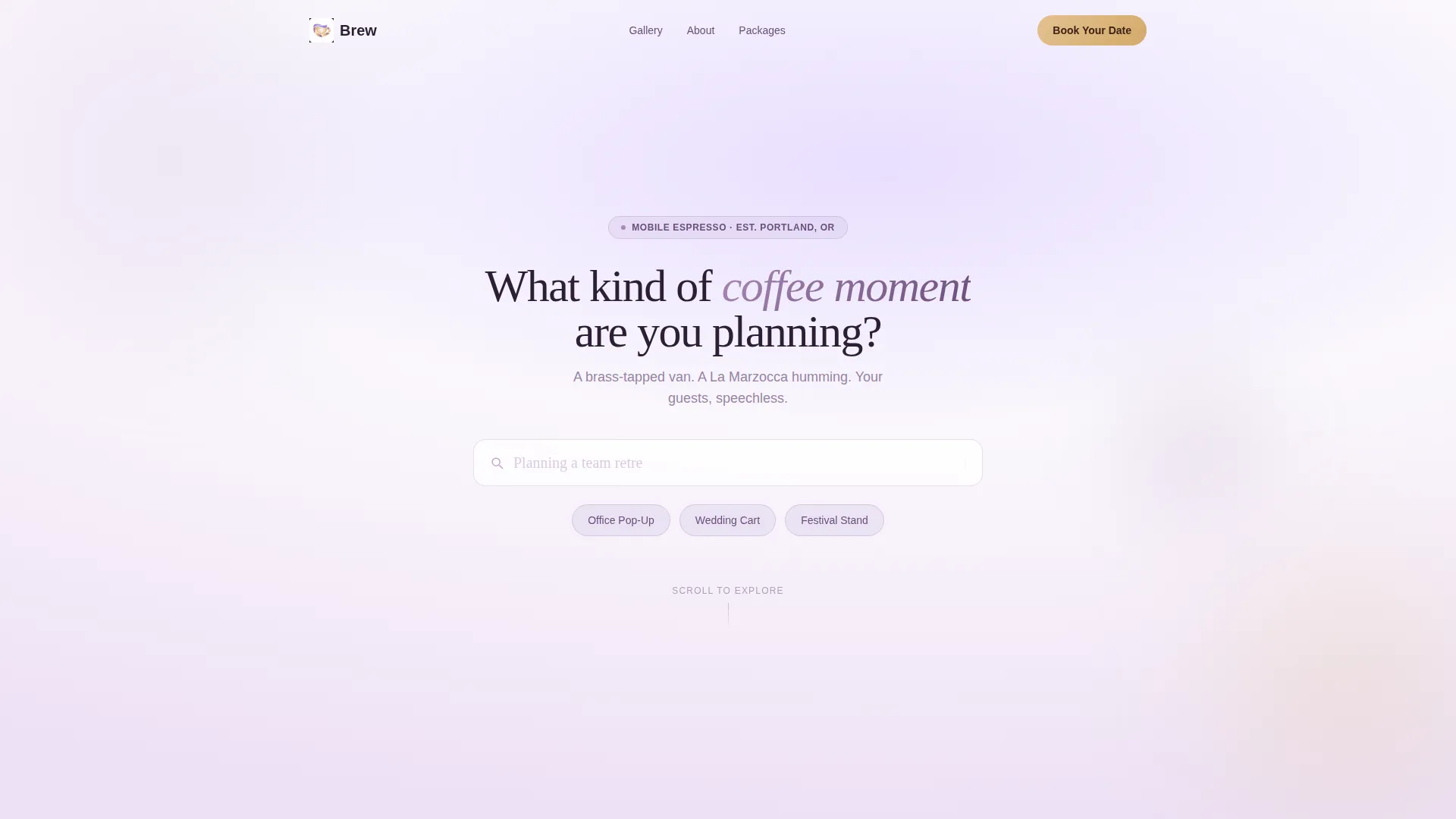
The page opens with a centred, rounded input bar carrying the question "What kind of coffee moment are you planning?" Three floating pill-shaped suggestions sit below it: "Office Pop-Up," "Wedding Cart," and "Festival Stand." The simplicity creates an immediate, personal tone without relying on a large hero image.
Polaroid-Style Gallery Cards
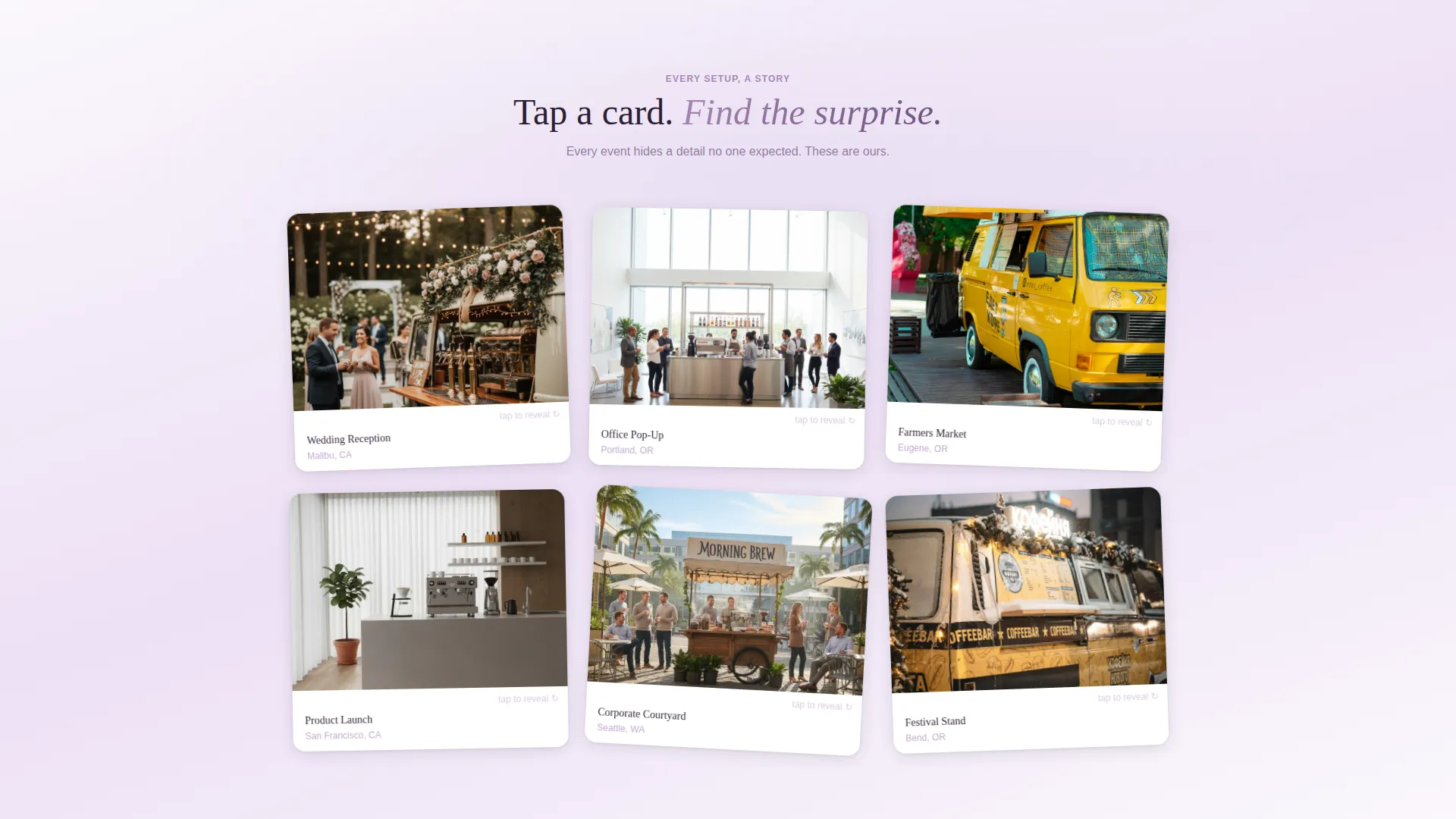
Scrolling past the header reveals a grid of soft-gradient polaroid cards. Each card shows a different event setup. Tapping a card flips it to reveal a hidden detail such as a custom cup sleeve, a handwritten latte-art message, or the playlist playing at that event.
Five-Step Illustrated Quiz
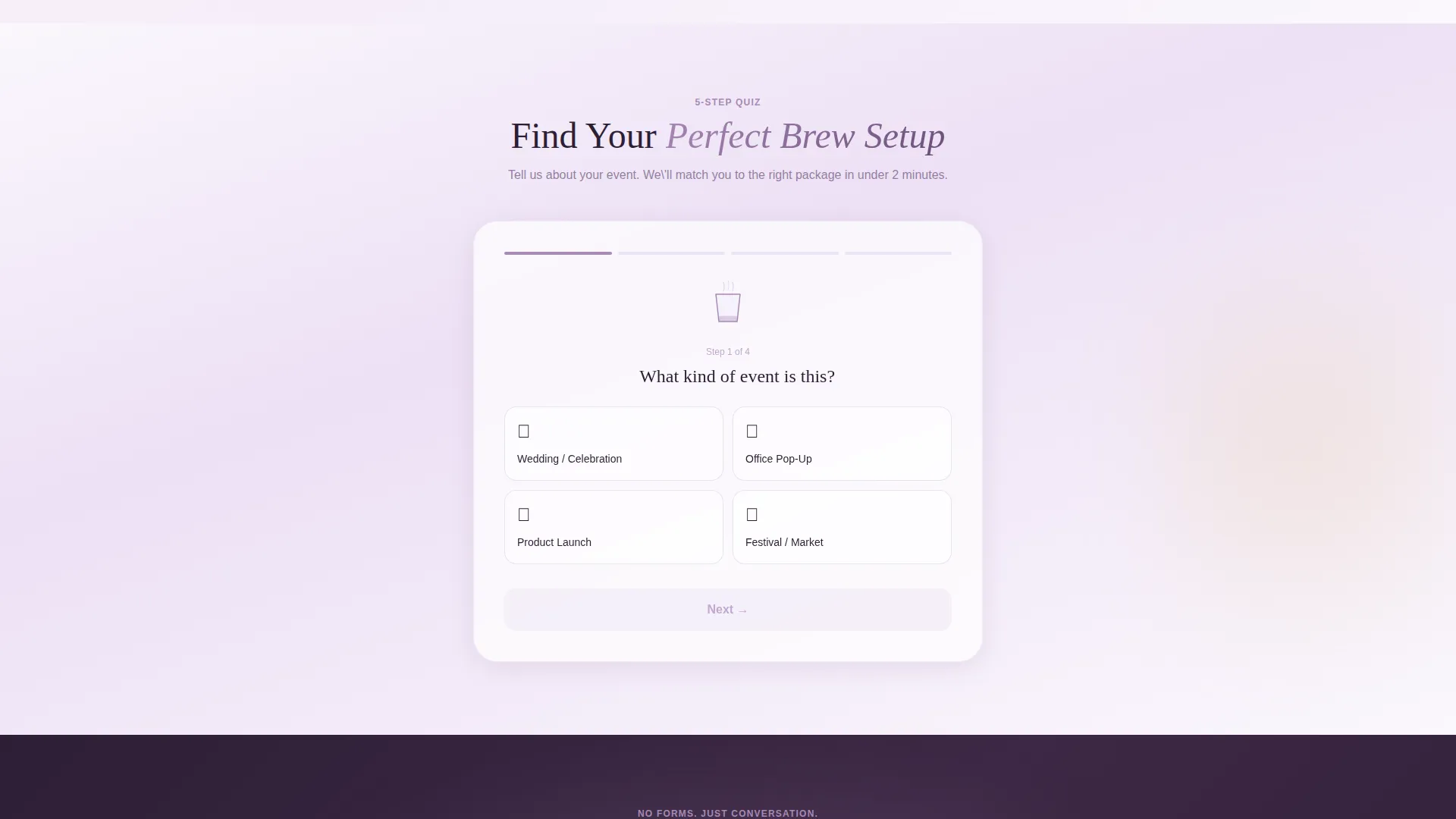
The primary conversion path is a guided quiz covering event type, guest count, vibe, must-have drinks, and preferred date. Each step transitions with a soft gradient fade and a coffee-pouring micro-animation. The result screen delivers a recommended package with estimated pricing and a "Lock In Your Date" booking button.
Scroll-Triggered Illustrated Elements
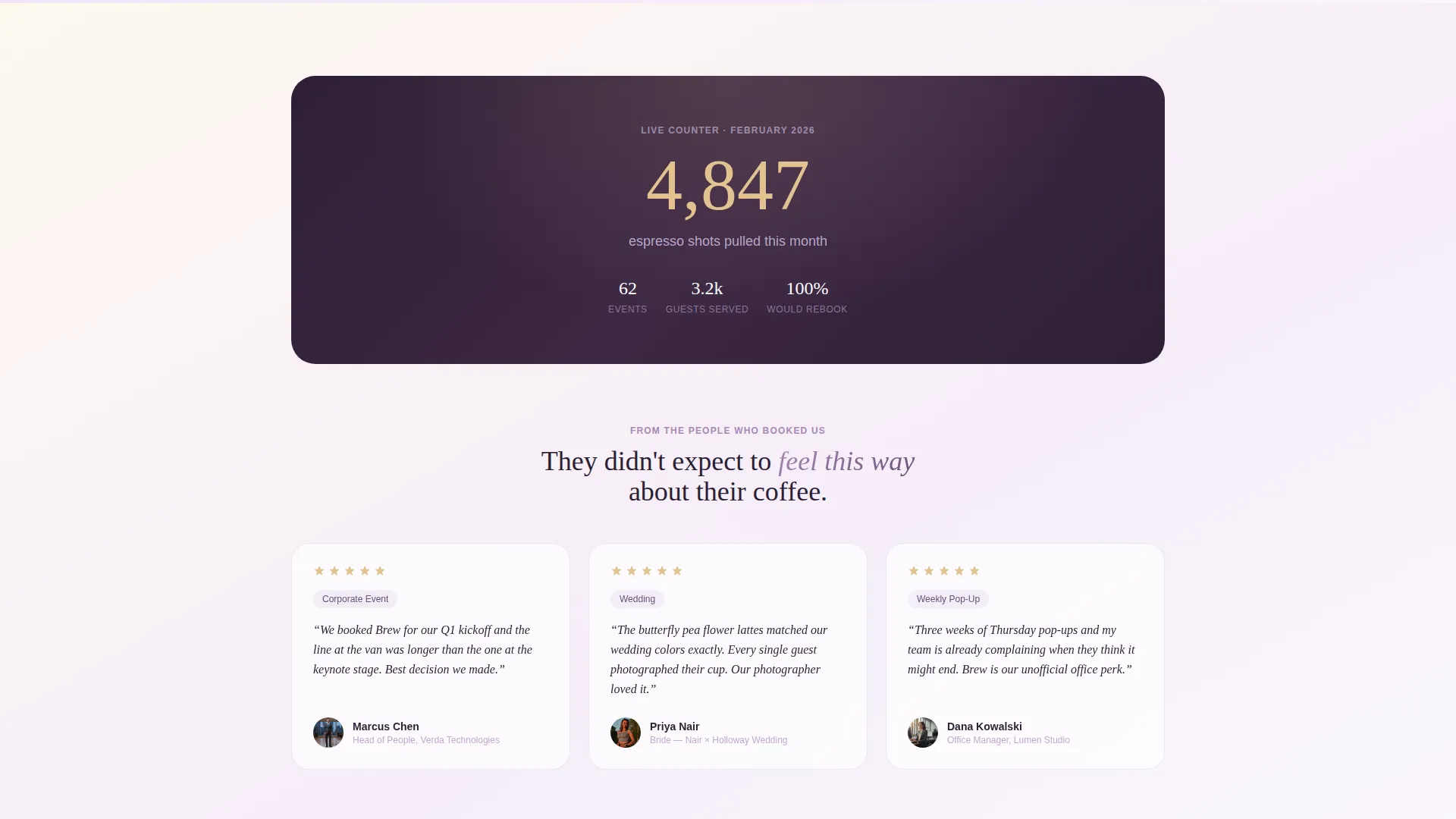
As visitors scroll, an aroma wheel illustration animates into view and a live counter displays shots pulled this month. A "guess the milk" mini-interaction adds a playful layer. These moments build affection with the visitor before any commitment is requested.
Secondary Low-Commitment Contact Path
Visitors who prefer not to complete the quiz can tap "Just Say Hello" to open a short, warm message form. This secondary path removes friction for visitors who are curious but not yet ready to book.
Lavender Dream Colour System
The entire template is styled in a four-tone palette: pale wisteria, steamed-milk white, dusty mauve, and honeyed oat. Gradients shift gently between wisteria and milk white across backgrounds. Mauve anchors headlines, and honeyed oat highlights every tap target and hover state.
Page sections overview
| Section | Purpose |
|---|---|
| Search Box Header | Opens the page with a personal prompt instead of a hero image |
| Pill Suggestion Tags | Guides visitors toward relevant booking categories |
| Polaroid Gallery Grid | Showcases event setups with flip-reveal hidden details |
| Aroma Wheel Illustration | Adds a scroll-triggered delight moment mid-page |
| Shot Counter Block | Shows a live count of espresso shots pulled this month |
| Guess the Milk | Delivers a playful mid-scroll mini-interaction |
| Five-Step Quiz Flow | Guides visitors to a personalised package recommendation |
| Results Package Card | Displays recommended setup, estimated pricing, and booking call to action |
| Just Say Hello Form | Provides a low-commitment secondary contact path |
Design & branding system
Brew uses a Soft Gradient theme built around the Lavender Dream colour system. The palette is deliberately unexpected for a coffee brand, which is precisely what makes it memorable and photograph-worthy.
- Pale wisteria (#D5C7E8) and steamed-milk white (#FAF7FC) drift across backgrounds in gentle gradient washes
- Dusty mauve (#A888B5) anchors headlines and navigation text for quiet authority
- Honeyed oat (#E2C290) warms every button, tap target, and hover state like a caramel drizzle across foam
Mobile & speed optimization
The template layout is structured for a smooth experience on mobile devices, where many event enquiries are made on the go at markets, weddings, or corporate events.
- Touch-friendly pill tags, flip cards, and quiz steps are sized for easy single-thumb interaction
- Gradient backgrounds and illustrated elements are kept lightweight so the page loads without delay
- The quiz flow and contact form are stacked vertically for comfortable mobile scrolling
How this template helps you convert
Brew is built around a quiz-to-booking funnel that warms visitors up before asking them to commit. Every interactive element earns trust rather than demanding attention.
- The search-box header immediately frames the visit as a conversation, not a sales pitch, making visitors more likely to engage with the quiz
- The five-step quiz qualifies the visitor, delivers a personalised recommendation, and ends on a direct "Lock In Your Date" booking button, reducing the gap between interest and enquiry
- The "Just Say Hello" fallback keeps low-intent visitors in the funnel with a simple, pressure-free message form
Other information about this template
Brew belongs to the Retail and E-Commerce category under the Mobile Business subcategory. It is well suited to any mobile café operator looking to move beyond social media direct messages and into a dedicated booking page.
- The template style follows a Masonry and Pinterest-influenced card layout for the gallery section
- The creative direction is Surprise and Delight, meaning each scroll rewards visitors with something small and unexpected
- The landing page direction is quiz-led and click-through, guiding visitors step by step toward a booking action
- Brew works equally well for a single-operator espresso van and a small team running multiple mobile coffee setups at once
Theme
Soft Gradient
Creative direction
Surprise & Delight
Color system
Ink & Paper
Style
Masonry/Pinterest
Direction
Click-Through
Page Sections
Search-box Header with Prompt
Flip-card Polaroid Gallery
Five-step Illustrated Quiz
Scroll-triggered Delight Elements
Secondary Contact Form Path
Lavender Dream Visual System
Related questions
Can I customise the quiz steps and package results?
Do I need design experience to use this template?
Is the template suitable for a business that only does weddings?
How does the 'Just Say Hello' form work alongside the quiz?
What makes this template different from a standard food-truck page?



