Specialist Immigrant & Refugee Support Professional Website Template
Bridge is a single-column landing page template built for interpretation and translation services. It uses story-first storytelling, animated statistics, and downloadable resource cards to build trust before asking for action. Designed for hospital case managers, immigration attorneys, and school liaisons, Bridge converts through conviction rather than a hard sell.
by Rocket studio
Quick summary
Bridge is a single-column landing page template for professional interpretation and translation services. It leads with a cinematic team photo, moves through anonymized case narratives, and earns every click by giving practical resources before making a request. The layout is calm, editorial, and built around the idea that language access is a civil right.
Who this template is for
This template serves organizations and professionals who coordinate language access for vulnerable communities. It speaks directly to people who understand the stakes of a miscommunicated word in a clinical or legal setting.
- Hospital case managers coordinating care for refugee and immigrant patients
- Immigration attorneys preparing clients for asylum interviews
- School district liaisons facilitating enrollment and family conferences across language barriers
What problem this template solves
Most service pages for interpretation and translation lead with a rate sheet or a feature grid. Bridge does the opposite. It builds the emotional and professional case for language access before asking a visitor to do anything.
- Generic service pages fail to communicate the human cost of a language gap in medical or legal settings
- Professional buyers need evidence of real-world competence before booking an interpreter or downloading a resource
- The standard contact form buried at the bottom of a page does not reflect the urgency these situations carry
What you get with this template
Bridge delivers a complete single-column landing page flow, structured to alternate between emotional narrative and practical tools. Every section earns the next one.
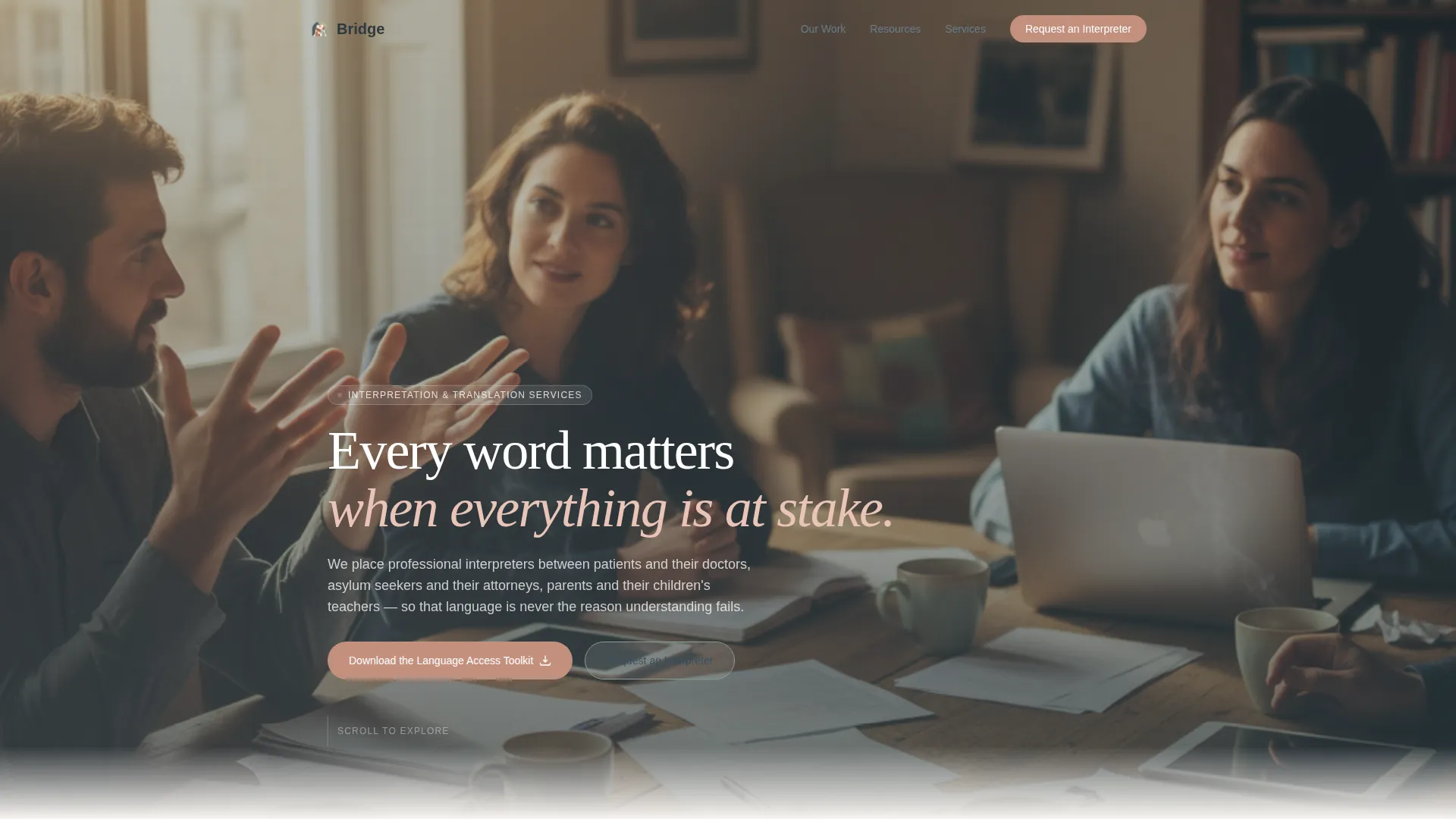
- A cinematic hero section with a team photo and a fade-in headline overlay
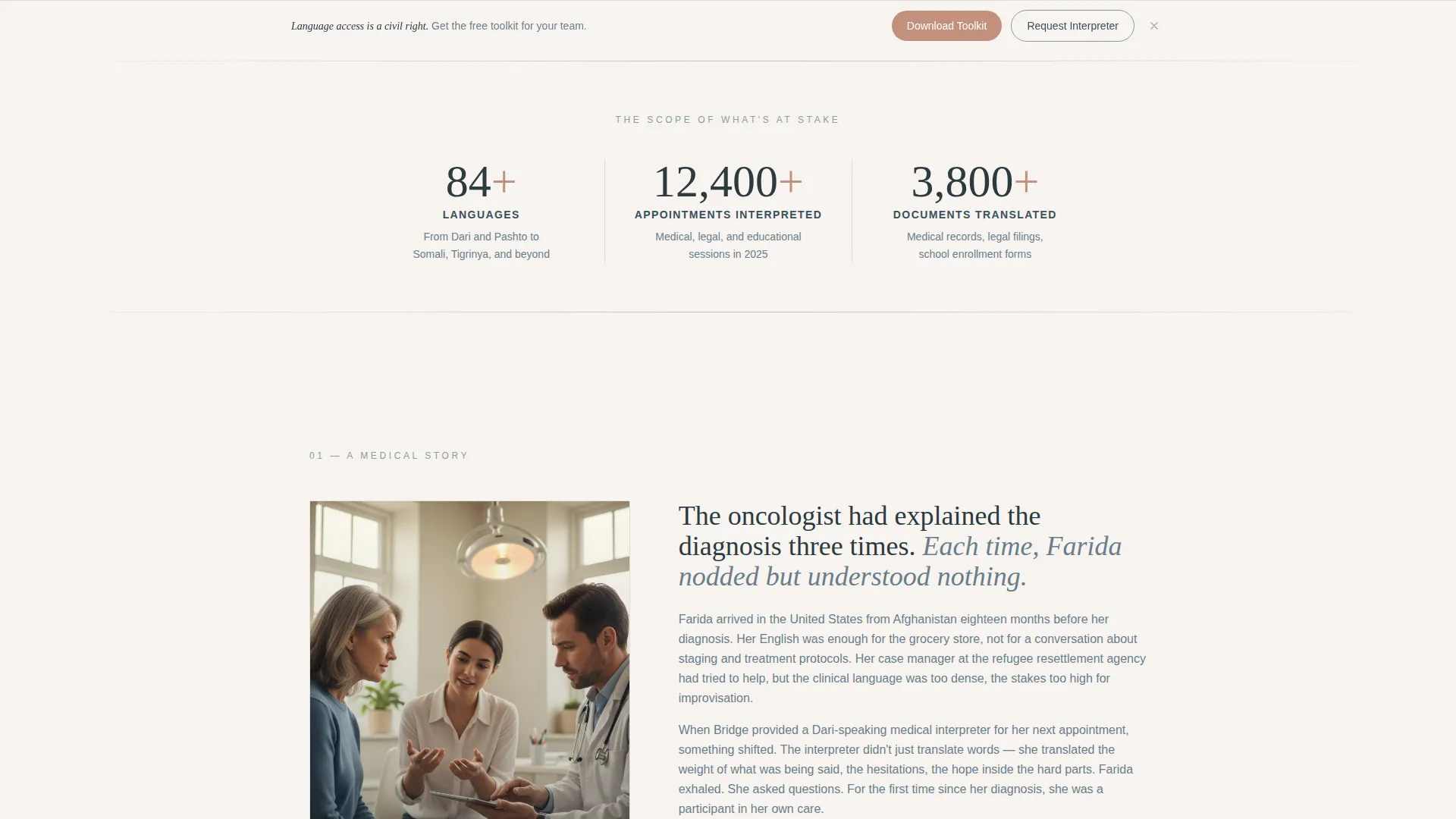
- Animated statistics counters for languages offered, appointments interpreted, and documents translated
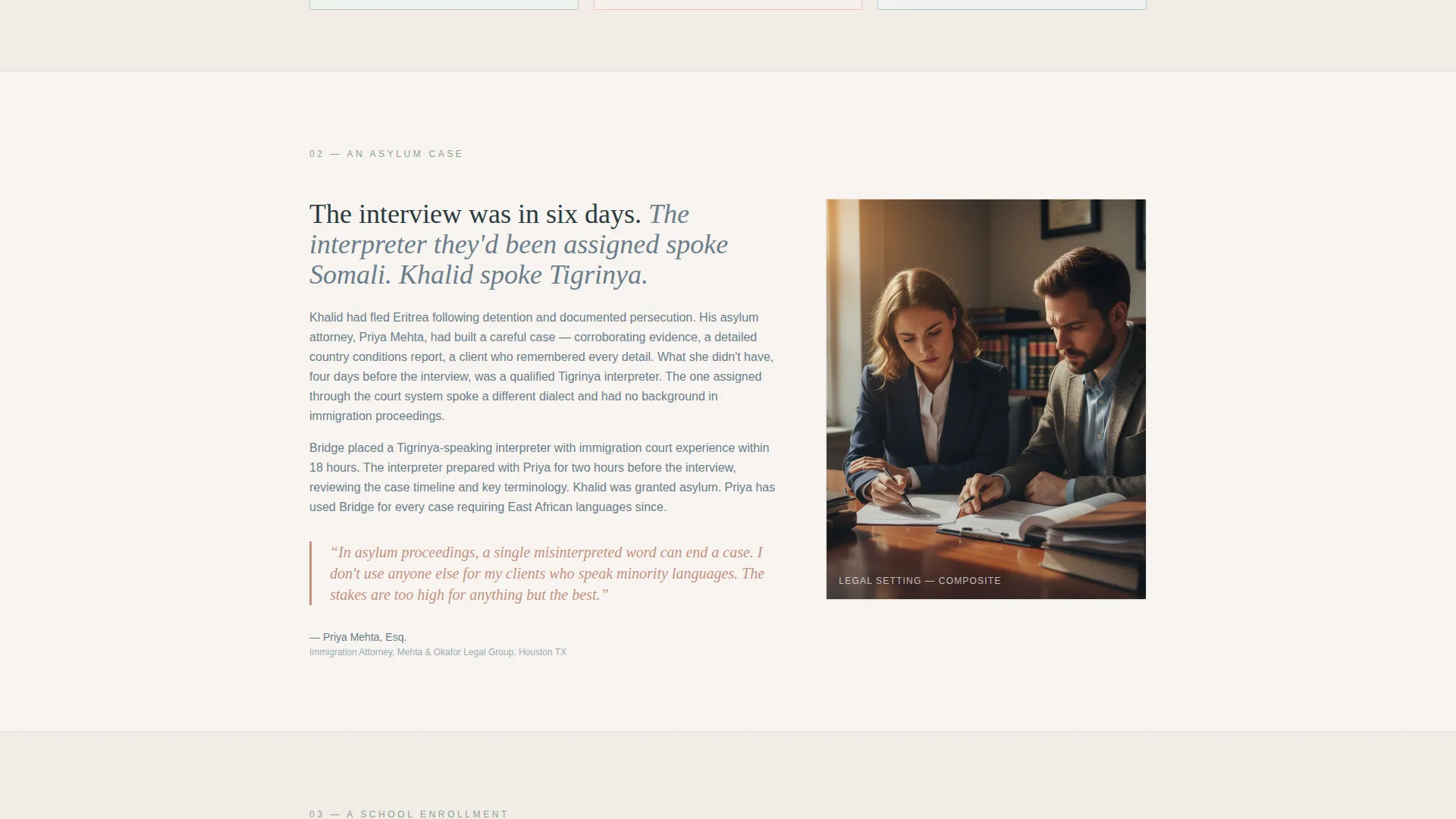
- Three anonymized story blocks covering medical, legal, and educational interpretation scenarios
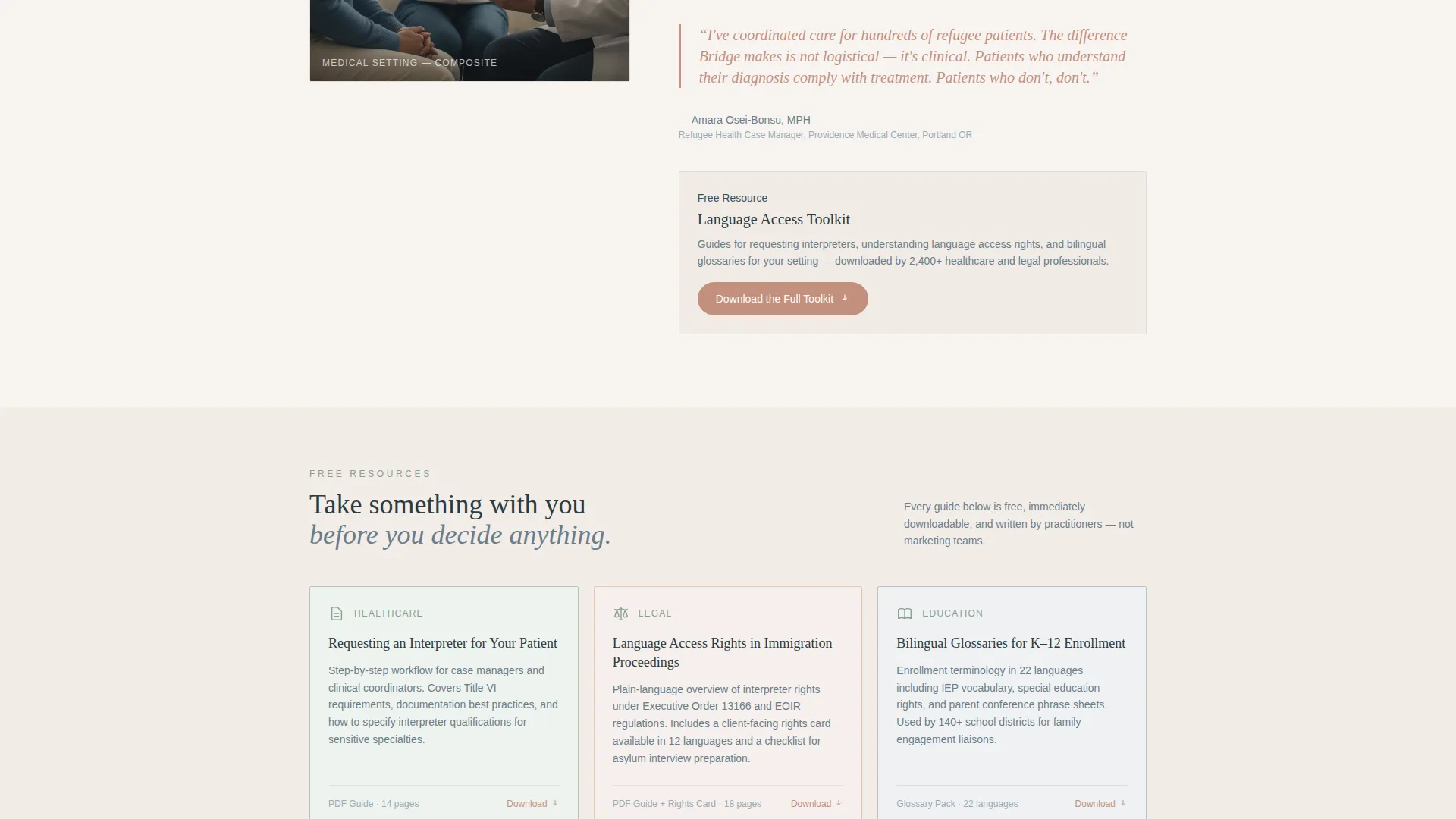
- Downloadable resource cards including guides on language access rights and bilingual glossaries
- A single-field email capture that unlocks a full resource library
- A secondary interpreter request form with fields for language pair, setting type, date, and appointment format
Feature list
A paragraph that introduces what makes Bridge functionally distinct. Each feature below is built directly from the template brief, not added speculatively.
Cinematic Hero with Fade-In Overlay
The header uses a team photo concept: four interpreters mid-conversation around a document-covered table, captured with warm window light and shallow depth of field. A single headline fades in over the image on load, immediately establishing warmth and professional credibility.
Scroll-Triggered Statistics Counter
Three animated counters display the service's volume: languages supported, appointments interpreted in the past year, and documents translated. Counters activate as the visitor scrolls into view, creating a moment of quiet authority without a single superlative.
Story Blocks with Pull Quotes
Three narrative sections cover an anonymized patient journey, an asylum case timeline, and a school enrollment story. Each block uses two short paragraphs and closes with a pull quote from the professional who requested the interpretation service.
Downloadable Resource Cards
Three resource cards appear between story blocks. Each card links to a downloadable guide, including a guide for requesting an interpreter for a patient, a resource on language access rights in immigration proceedings, and a bilingual glossary for K-12 enrollment.
Email Capture and Resource Library Gate
A single-field email form with an optional organization name field unlocks the full resource library. The form appears after the first story block and again as a sticky bottom bar after the second, giving visitors two natural moments to opt in.
Dual-Path Conversion Flow
Bridge supports two distinct conversion goals on one page. The primary path leads to the Language Access Toolkit download. The secondary path links to an interpreter scheduling form that collects language pair, setting type, date, and whether the appointment is in-person or remote.
Page sections overview
| Section | Purpose |
|---|---|
| Hero Team Photo | Establish human credibility with a warm, editorial header image and headline |
| Animated Stats Counter | Communicate service volume through scroll-triggered number counters |
| Medical Story Block | Share an anonymized patient journey to build conviction |
| Resource Card Row | Offer three downloadable guides as immediate value |
| Legal Story Block | Present an asylum case timeline with a professional pull quote |
| Educational Story Block | Narrate a school enrollment scenario with a professional pull quote |
| Email Capture Form | Gate the full resource library behind a single-field email opt-in |
| Interpreter Request Form | Let visitors schedule by language pair, setting, date, and format |
Design & branding system
Bridge uses a Healing Space visual identity built around the Cloud Canvas color system. The palette was chosen to feel like the waiting room you wish every clinic had: warm light, natural materials, and nothing that shouts.
- Warm white (#F7F4F0) carries all backgrounds, giving the page a linen-textured, breathable feel
- Muted sage (#B5C5B8) appears in section dividers and iconography; gentle slate (#6B7D8A) carries body text with weight but not harshness
- Terracotta (#C4907E) is reserved for call-to-action buttons and pull quotes, warming every touchpoint that asks for action
Mobile & speed optimization
Bridge is built desktop-first with strong adaptation for tablet use, reflecting how case managers and school liaisons often access resources in the field. The layout stays readable and functional at every breakpoint.
- The single-column flow collapses cleanly on tablet and mobile without losing the narrative rhythm
- Static content sections use server components while counters and story reveals use client-side rendering for smooth scroll-triggered animation
- The sticky bottom bar for the resource library call to action remains visible and tappable on smaller screens
How this template helps you convert
Bridge earns the click by demonstrating expertise and giving real value before making any request. The page is structured so that trust builds naturally as visitors scroll.
- The story blocks and statistics establish credibility in the first two sections, so visitors arrive at the call-to-action already convinced
- The resource cards provide immediate, tangible value, making the email opt-in feel like a fair exchange rather than a gate
- The dual-path structure lets case managers download the toolkit while attorneys and liaisons move directly to the interpreter request form, serving both buyer intents on one page
Other information about this template
Bridge sits within the Community and Nonprofit category, aligned to the Immigrant and Refugee Support subcategory and the Interpretation and Translation Service niche. A few additional details worth knowing before you build:
- Typography uses Fraunces for serif headings and DM Sans for body text, pairing editorial warmth with clean readability
- The creative direction follows a Movement and Cause approach: the scroll builds conviction rather than listing service features
- Animation is set to a medium level: fade-in hero text, scroll-triggered counters, and story block reveals, nothing that distracts from the content
- The footer follows a horizontal flow pattern consistent with the single-column layout
- This template is localized for the United States market, with English-language copy and healthcare and legal terminology appropriate for that context
Theme
Healing Space
Creative direction
Movement & Cause
Color system
Cloud Canvas
Style
Single Column Flow
Direction
Content/Resource
Page Sections
Cinematic Hero with Fade-in Headline
Scroll-triggered Statistics Counters
Story Blocks with Professional Pull Quotes
Downloadable Resource Cards
Dual-path Conversion Structure
Sticky Resource Library Bar
Related questions
Who is the primary audience for this template?
Can I use this template for a translation-only service, not interpretation?
How does the email capture work in Bridge?
What downloadable resources are built into the template?
Is this template suitable for a for-profit language services company?



