Accessible Technology Nonprofit Landing Page Template
Bridge is a masonry-style landing page template built for accessible technology nonprofits. It combines a community photo wall header, a zip-code-filtered resource grid, caregiver voice sections, and a story-sharing prompt into one warm, grounded layout. The Forest Trust color system and mobile-first structure make it feel like a neighborhood resource hub, not a corporate website.
by Rocket studio
Quick summary
Bridge is a single-page nonprofit template designed around community presence and local resource discovery. It uses a masonry card grid filtered by zip code, a user-generated photo wall header, and pull-quote sections to connect case workers, family caregivers, and program coordinators with adaptive technology resources in their neighborhoods.
Who this template is for
This template was built for organizations that serve people who have been shut out of mainstream technology. It speaks directly to the people doing the searching, not just the people being served.
- Case workers, special education coordinators, and public librarians looking for local adaptive technology resources
- Family caregivers and advocates searching on behalf of a senior, veteran, or child with a disability
- Accessible technology nonprofits that want a warm, community-centered online presence without a clinical or corporate feel
What problem this template solves
Many nonprofit landing pages feel like brochures. They list services without showing proof of presence. People searching for local adaptive technology resources often arrive on pages that do not reflect their neighborhood, their situation, or their urgency.
- Visitors leave because they cannot tell whether the organization actually serves their area
- Case workers on phones in the field need fast, filtered results, not long scrolling pages with generic content
- Organizations lose trust when their page looks corporate instead of community-rooted
What you get with this template
Bridge delivers a complete, ready-to-customize landing page layout with every section a community resource nonprofit needs. The structure prioritizes proof before ask, showing local stories before requesting any action.
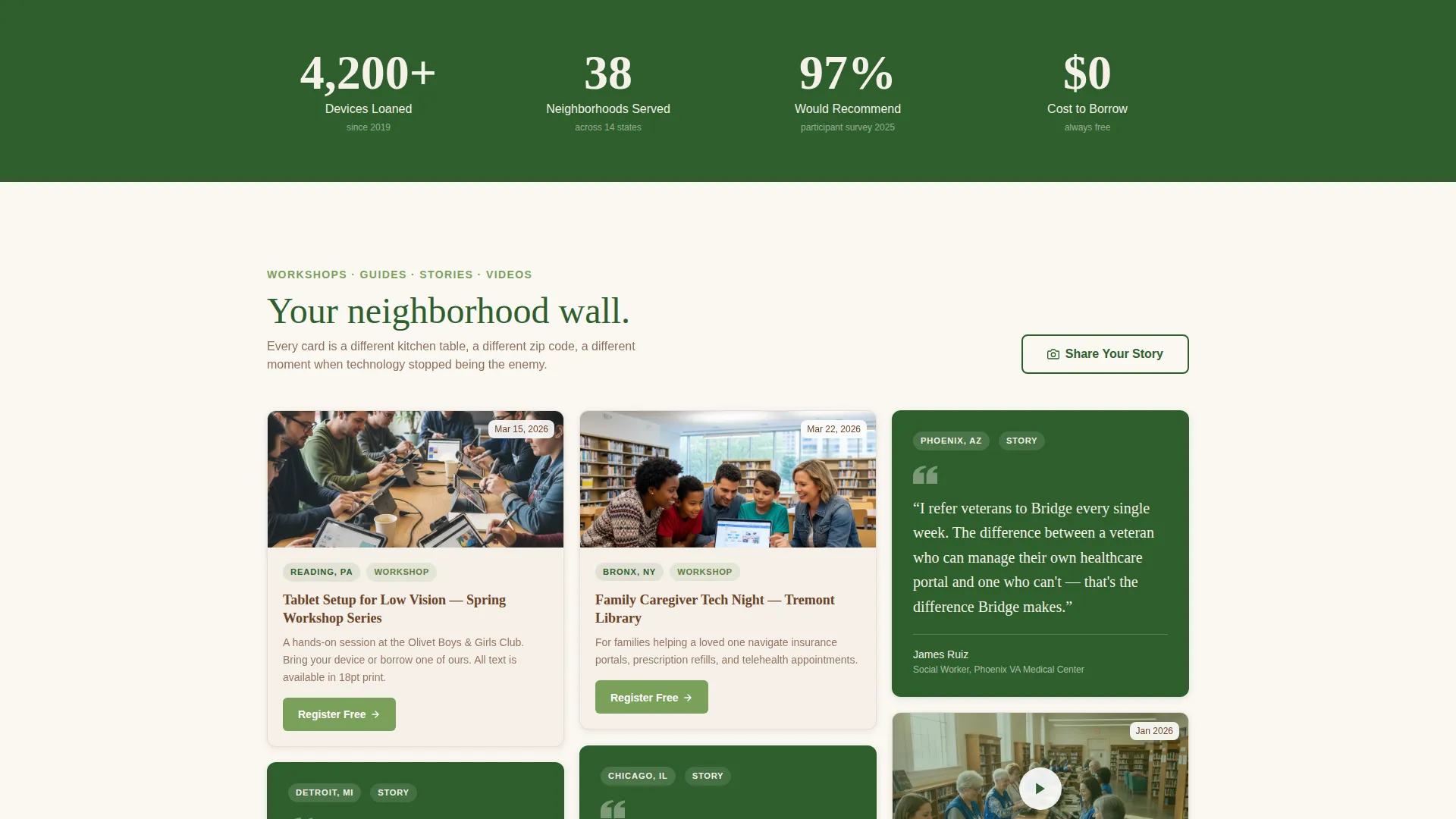
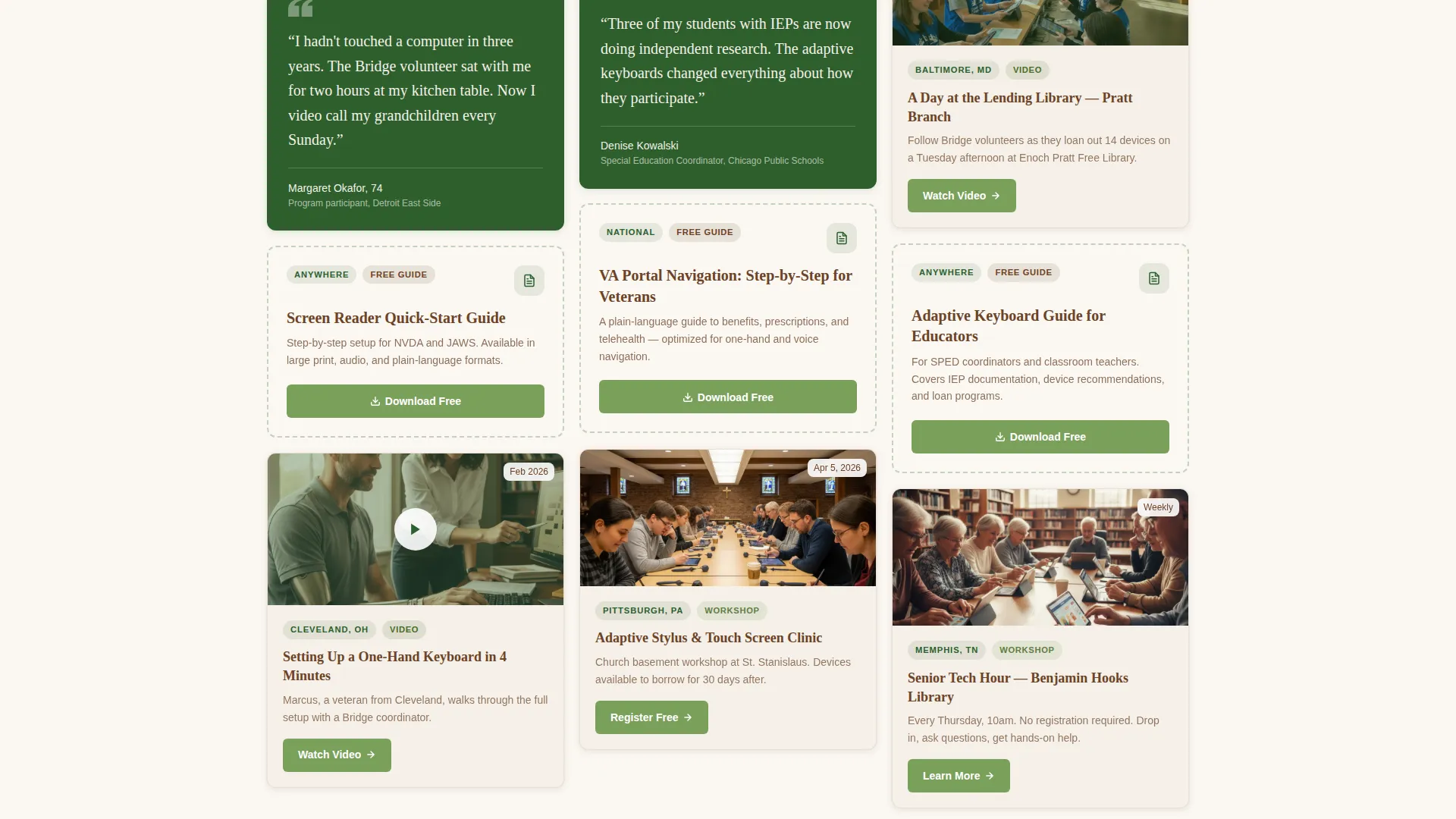
- A masonry resource grid with zip code filtering, community name tags, and mixed card formats including video, quote, guide, and workshop cards
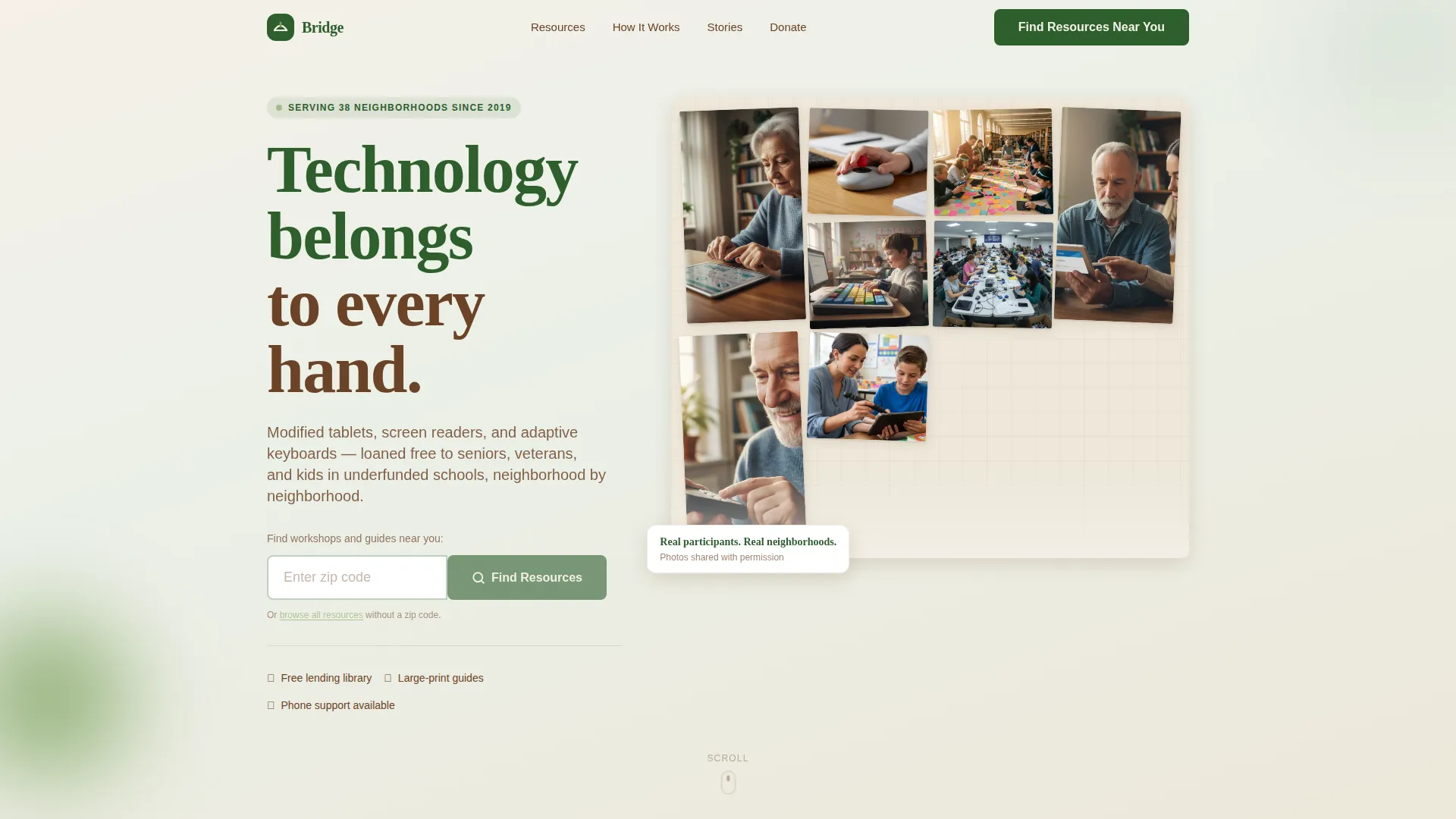
- A user-generated photo wall hero section with large-type headline overlay and a zip code call-to-action input
- A story-sharing section with a photo upload prompt and a short three-sentence response field
Feature list
This template is built around several purposeful capabilities drawn directly from the brief.
UGC Photo Wall Hero
The header is a living mosaic of real participant and volunteer photographs. Images appear at slightly varied sizes and gentle pin angles, replicating the feel of a community bulletin board. A single high-contrast headline, "Technology belongs to every hand," floats over the grid.
Zip Code Resource Filter
The primary call to action is a single zip code input field. Entering a zip code filters the masonry grid to show local workshops, lending libraries, and downloadable guides relevant to that community. The design earns the click by showing neighborhood content before asking for anything.
Masonry Neighborhood Grid
The card grid uses a Pinterest-style masonry layout where cards reveal progressively as the visitor scrolls. Cards are tagged by community name and mix formats: short device-setup videos, caregiver pull-quotes, workshop photos, and downloadable how-to guides. Density increases naturally as the user scrolls deeper.
Community Voices Section
Dedicated pull-quote cards surface caregiver and participant stories with specificity. Each quote references a real scenario, a kitchen table, a library workshop, a church basement, grounding the mission in lived experience rather than abstract impact statements.
Share Your Story Upload
A secondary conversion path invites visitors to contribute their own experience. The section includes a photo upload field and a three-sentence prompt, building the user-generated content library that feeds the photo wall over time.
Scroll-Linked Card Animations
Masonry cards enter with gentle reveal animations as the page scrolls. Subtle pin-and-tilt effects on photo cards reinforce the community bulletin board aesthetic. Interactive elements use the fern green accent color to mark every clickable path clearly.
Page sections overview
| Section | Purpose |
|---|---|
| UGC Photo Wall Hero | Opens with community photos and the primary zip code call to action |
| Neighborhood Resource Grid | Masonry cards filtered by zip code, tagged by community name |
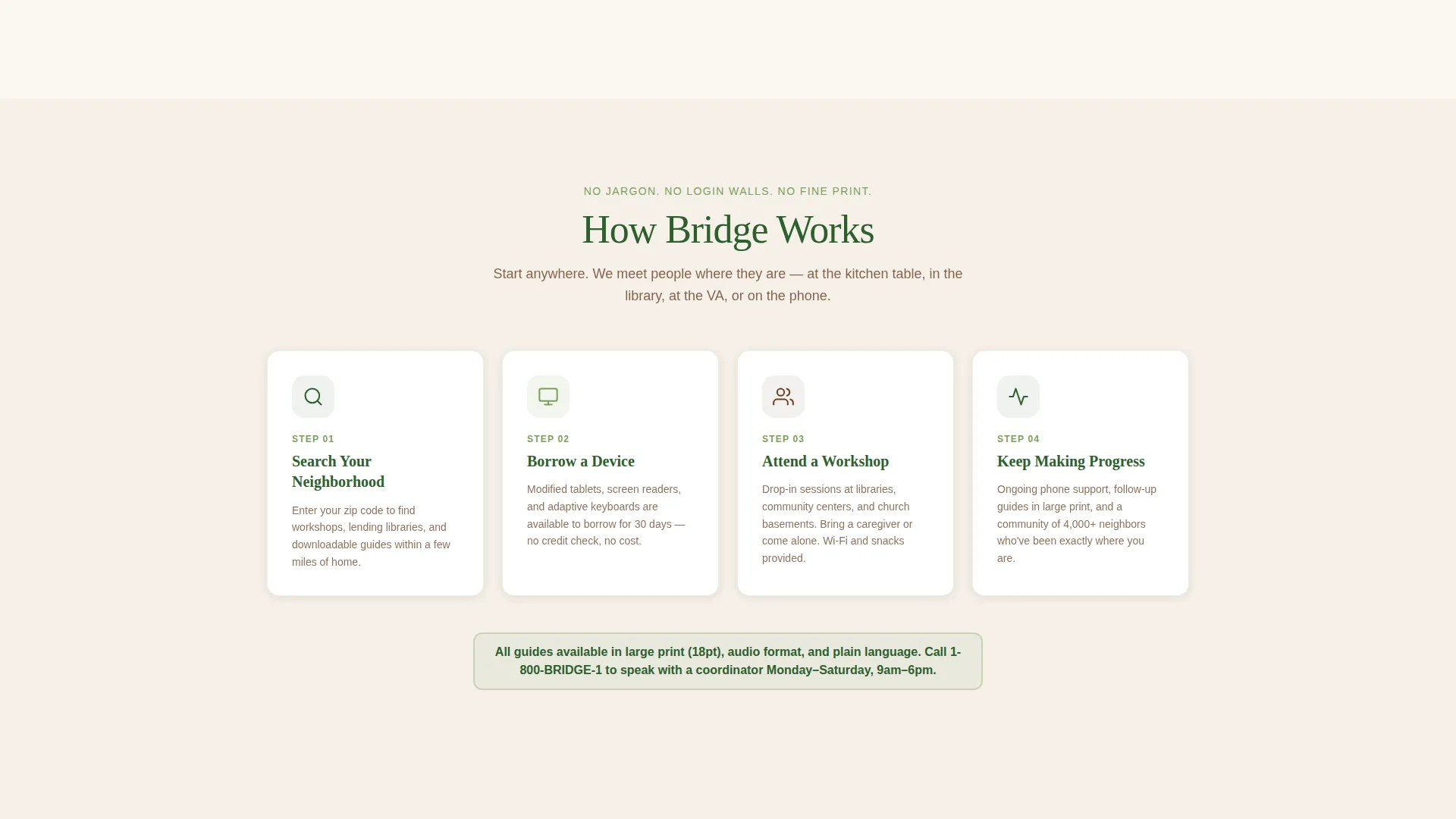
| How Bridge Works | Visual process cards explaining the lending and workshop model |
| Community Voices | Caregiver and participant pull-quotes with situational specificity |
| Share Your Story | Photo upload and secondary call to action for story contribution |
| Footer | Single-row linear footer with essential links and contact information |
Design & branding system
The visual identity follows a Healing Space theme built on the Forest Trust color palette. Every color choice is intentional: warm and grounded, never clinical or loud.
- Deep moss (#2D5F2D) for primary structure, birch white (#F5F0E8) and a lightest moss tint for alternating backgrounds, and heartwood brown (#6B4226) for all body text to maintain warmth over clinical contrast
- Fern green (#7BA05B) marks every interactive element and hover state, giving visitors a clear and consistent path forward through every clickable action
- Typography pairs Fraunces serif headings for warmth and humanity with DM Sans body text for high readability across all screen sizes
Mobile & speed optimization
The template is designed mobile-first because case workers and family members are most often searching from a phone in the field. Touch targets and type sizes reflect that reality.
- Mobile-optimized touch targets throughout the masonry grid and zip code filter so field workers can navigate quickly on a small screen
- Progressive image loading keeps the initial view fast even when the photo wall contains many participant images
- Scroll-linked animations are kept at a medium intensity so they enhance the experience without slowing down mobile rendering
How this template helps you convert
Bridge is structured around a specific conversion sequence: show local presence first, then invite action. Every design decision supports that order.
- The zip code filter lets visitors confirm that Bridge serves their neighborhood before they commit to any next step, building trust through geographic relevance
- Mixed-format resource cards with individual download and register buttons give every visitor a specific, low-friction action matched to their immediate need
- The "Share Your Story" section creates a second conversion path for engaged visitors who are ready to give back, extending the relationship beyond a single resource lookup
Other information about this template
Bridge is a template built for the Community and Nonprofit category with a specific focus on disability and inclusion organizations working in accessible technology. A few additional details worth knowing before you customize it.
- The template style is Masonry or Pinterest layout, meaning cards do not follow a rigid equal-height grid but instead fill naturally like a bulletin board wall
- The creative direction is Local and Neighborhood, so every section is designed to feel geographically specific rather than nationally generic
- The header concept is a UGC Photo Wall, which works best when populated with real photographs from participants and volunteers rather than stock imagery
- The landing page direction is Content and Resource Hub, meaning the primary goal is resource discovery rather than a single sign-up or donation conversion
- Background sections alternate between birch white and the lightest tint of moss green to create visual rhythm without heavy contrast shifts
- The footer follows a linear single-row pattern, keeping the bottom of the page clean and uncluttered
Theme
Healing Space
Creative direction
Local & Neighborhood
Color system
Forest Trust
Style
Masonry/Pinterest
Direction
Content/Resource
Page Sections
UGC Photo Wall Hero Section
Zip Code Neighborhood Filter
Masonry Resource Card Grid
Community Voices Pull-quotes
Share Your Story Upload Prompt
Scroll-linked Card Animations
Related questions
Who is this template designed for?
Can I customize the colors and fonts in this template?
How does the zip code filter work in the template?
What kinds of content cards does the masonry grid support?
Is this template suitable for a small nonprofit with limited content?



