Digital Divide Awareness Campaign Landing Page
Bridge is a single-page editorial landing page template built for digital divide awareness campaigns. It pairs a full-screen golden-hour video header with long-form storytelling sections, resident portraits, a hyperlocal block map, and a community center transformation layout. The design uses a warm Soft Mist color system to make an urgent civic issue feel as close as next door.
by Rocket studio
Quick summary
Bridge is a click-through landing page template designed for digital divide awareness campaigns. It guides visitors through hyperlocal human stories, from a neighborhood block map to resident portraits and community center transformations, before opening a clear door to donate or volunteer. The Soft Mist color system keeps every section warm, readable, and emotionally grounded.
Who this template is for
This template is built for organizations and individuals ready to turn abstract connectivity statistics into neighborhood-close human stories. It works best for campaigns that want to move people to act, not just inform them.
- Nonprofit organizations running digital equity or broadband access campaigns
- Community organizers and civic groups raising donor or volunteer support
- Policy advocates and journalists who need an editorial-quality web presence for a social impact story
What problem this template solves
Most nonprofit landing pages present the digital divide as a national headline. The problem disappears into percentages and policy language, and visitors scroll past without feeling anything. Bridge solves that by anchoring the story to a single block, a single face, a single before-and-after.
- Abstract statistics fail to motivate action; this template replaces them with named resident stories and a block-level coverage map
- Generic nonprofit page layouts feel clinical; Bridge uses editorial magazine pacing and a warm visual identity to earn empathy before asking for anything
- Premature calls to action backfire; the fixed amber "Connect a Neighbor" button only materializes after the second resident story, once trust has been built
What you get with this template
You get a fully structured, single-page editorial layout with every section pre-built and ready to customize. The template hands you a complete storytelling arc from opening video to final call to action.
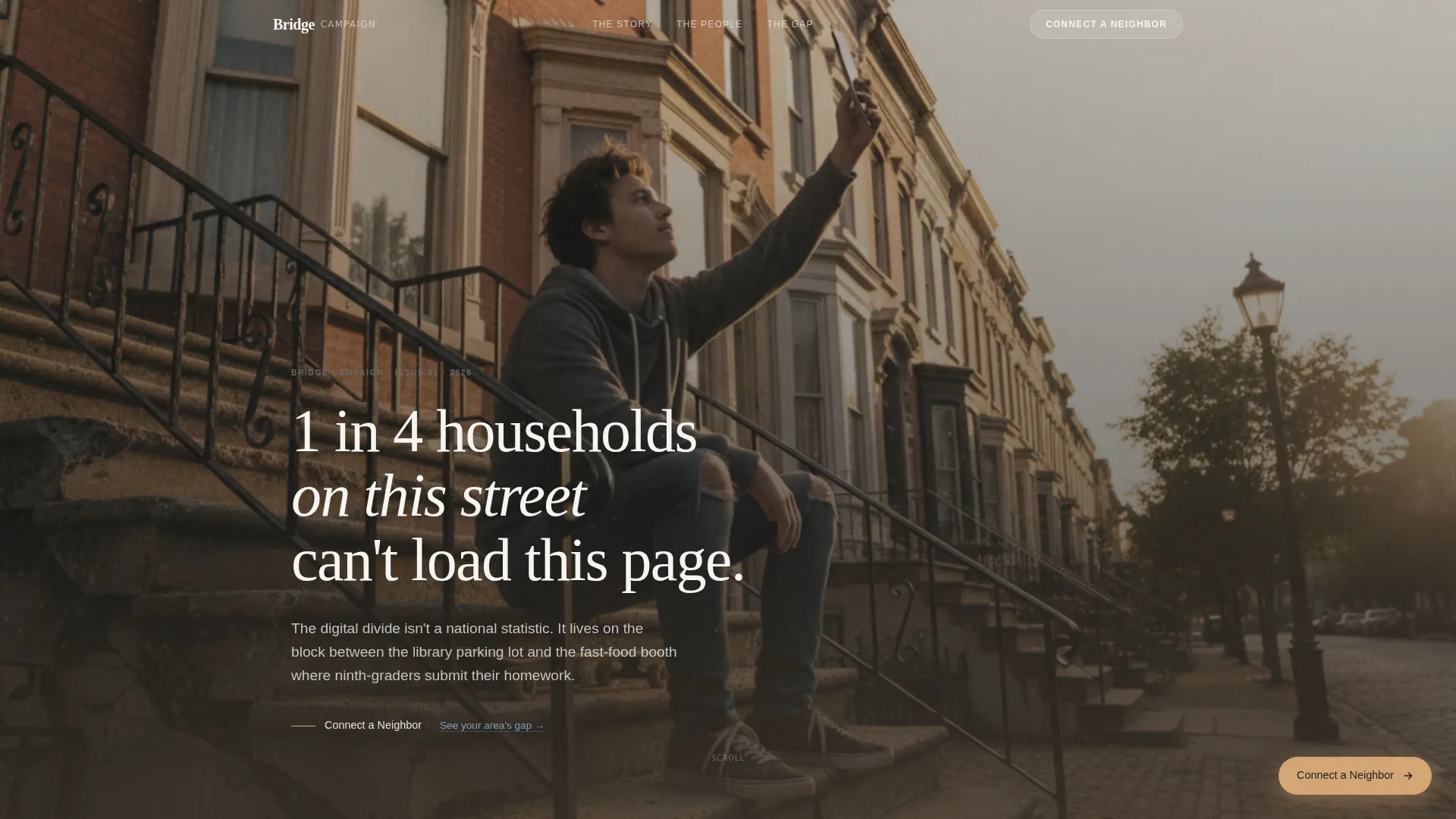
- A full-screen golden-hour video header with a serif headline overlay and a soft introductory call-to-action link
- Five distinct content sections covering the block map, resident portrait, community center transformation, and a take-action close
- A Fraunces serif and DM Sans typographic system, a five-tone Soft Mist color palette, and scroll-linked reveal animations throughout
Feature list
This template includes focused, prompt-backed capabilities that support an editorial digital divide campaign from first impression to final conversion.
Full-Screen Video Hero Section
The header plays a golden-hour neighborhood video in the background. A single serif headline fades in over the footage: "1 in 4 households on this street can't load this page." A soft text link below it invites the first click before the reader has scrolled once.
Hyperlocal Block Map Story
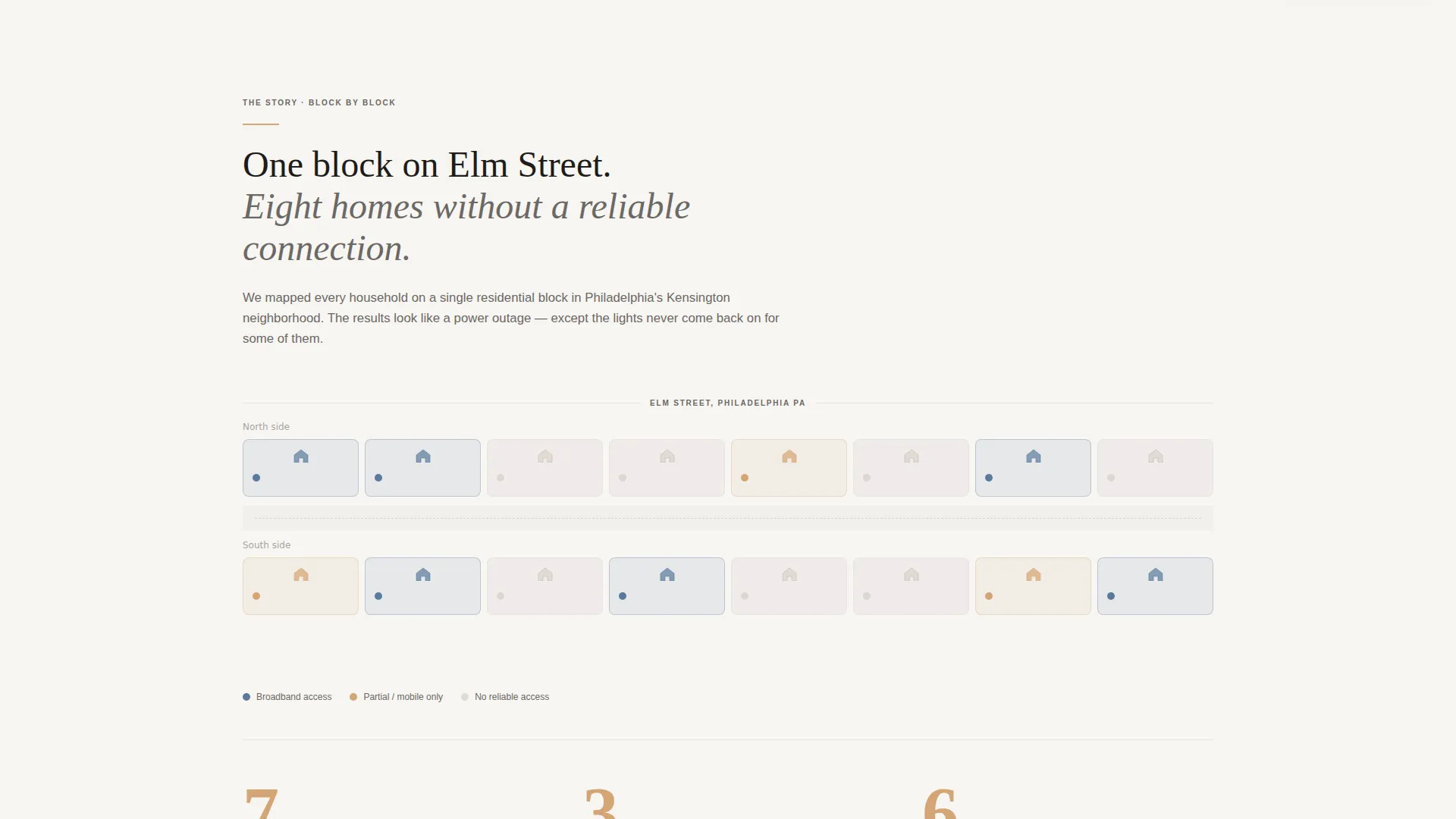
The second section tells a data story through a single street's coverage visualization rather than national statistics. This keeps the issue immediate and geographically close, which is far more motivating than abstract numbers.
Magazine-Style Resident Portrait
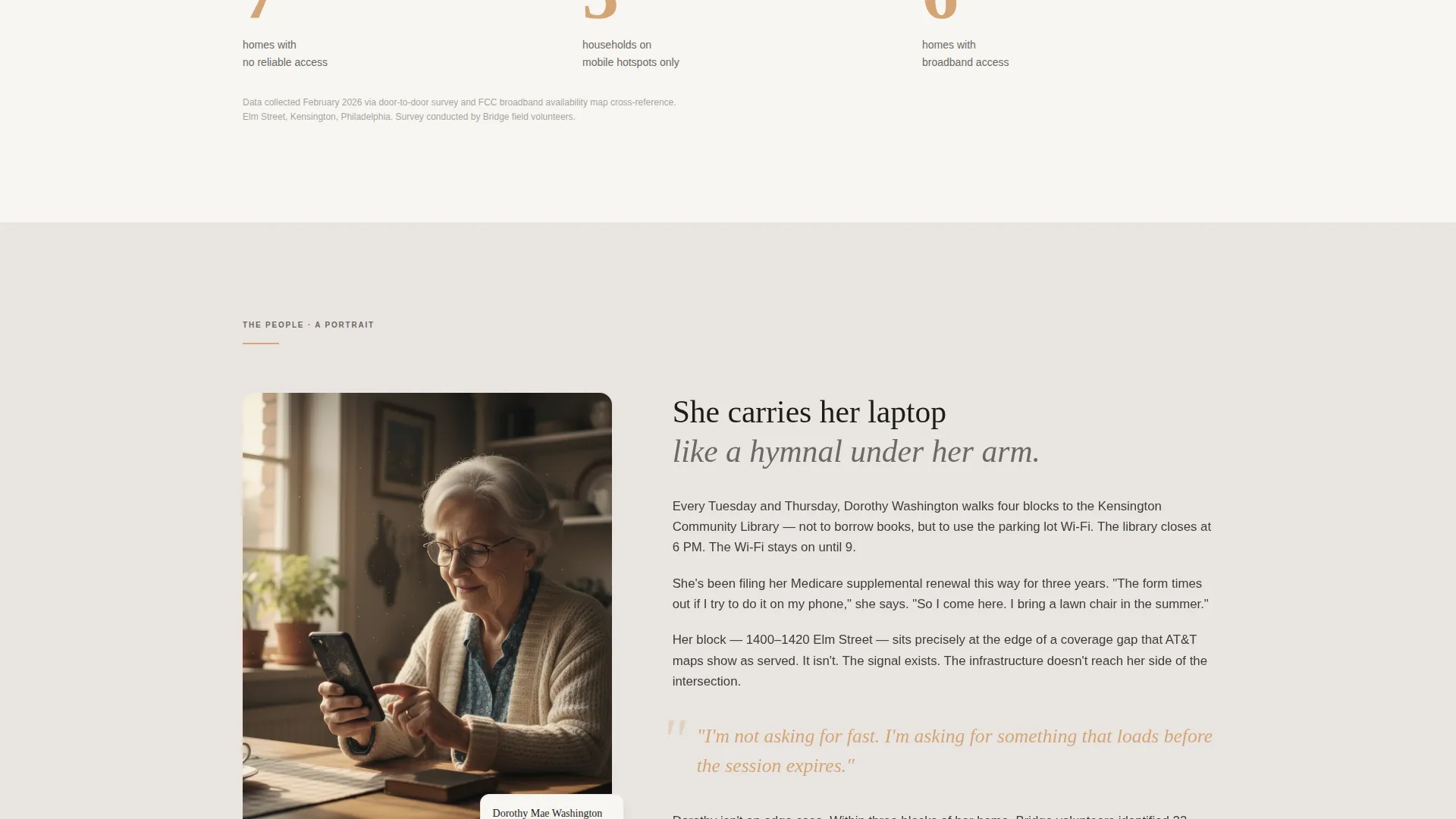
A full editorial portrait section presents a named community member with a magazine-quality photo layout. A pull quote appears in warm amber, giving the section visual weight and an emotional anchor point.
Community Center Before-and-After
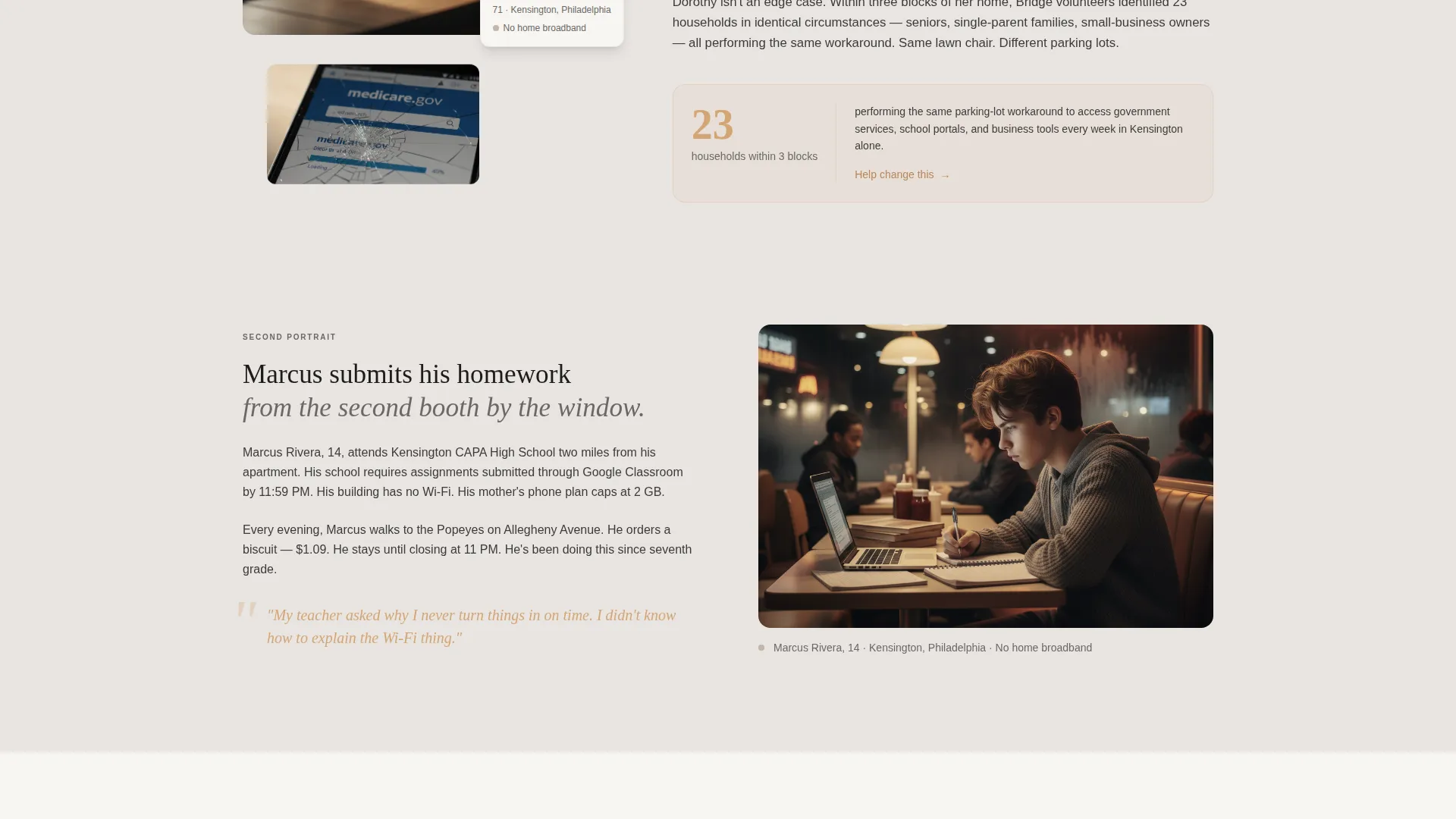
An editorial split layout shows a community space before and after gaining reliable connectivity. The two-state visual makes the impact of the campaign's work tangible without requiring the visitor to imagine it.
Scroll-Linked Reveal Animations
Sections fade in as the visitor scrolls, paced like turning pages in a long-form feature article. The motion is intentional and medium in intensity, never distracting from the editorial content.
Fixed Amber Call-to-Action Button
The primary "Connect a Neighbor" button is hidden at first. It materializes as a fixed amber element after the visitor passes the second resident story. A secondary link, "See Your Area's Gap," connects to an interactive coverage map.
Page sections overview
| Section | Purpose |
|---|---|
| Golden-Hour Hero | Opens with neighborhood video, serif headline, and soft first call to action |
| Block Map Story | Visualizes connectivity gaps on a single residential street |
| Resident Portrait | Humanizes the issue with a magazine-style profile and amber pull quote |
| Community Center Split | Shows before-and-after transformation with an editorial two-column layout |
| Take Action Close | Presents the fixed amber button and secondary coverage map link |
| Minimal Footer | Closes with a horizontal flow footer pattern |
Design & branding system
The visual identity follows a Community Hearth theme. Every color and typographic choice reinforces warmth and human proximity rather than institutional distance.
- Color palette uses five tones: morning fog gray (#E8E4E1), warm porch-light amber (#D4A574), faded sidewalk chalk white (#F7F5F2), quiet denim blue (#5B7A9D) for links and interactive moments, and muted charcoal (#3D3B39) for body text
- Typography pairs Fraunces serif for headlines and pull quotes with DM Sans for body copy and interface text, creating a community newspaper register
- Amber appears selectively as an earned accent on pull quotes, highlighted statistics, hover states, and the fixed call-to-action button; it never appears decoratively
Mobile & speed optimization
The template is designed desktop-first, matching how long-form editorial content is most comfortably read. Responsive mobile support is built in so the layout adapts cleanly to smaller screens.
- Scroll-linked reveals use the Intersection Observer approach, so animations trigger only when elements enter the viewport
- CSS scroll-behavior handles smooth page transitions without heavy JavaScript dependencies
- Full-bleed photography sections and the video header are structured to degrade gracefully on slower connections
How this template helps you convert
Bridge earns the call to action rather than demanding it. Every design and sequencing decision is built to move a first-time visitor toward donating or signing up to volunteer.
- The opening video and serif headline create an immediate emotional connection before any ask is made, so visitors are invested in the story by the time the first soft link appears.
- The resident portrait and community center sections deepen empathy section by section, and the fixed amber button only appears after this arc is complete, reducing resistance at the moment of decision.
- The secondary "See Your Area's Gap" link gives visitors who are not ready to donate a lower-commitment next step, keeping them engaged with the campaign.
Other information about this template
Bridge is part of the Community and Nonprofit template category and sits within the Digital Divide Nonprofit subcategory. A few practical notes for teams evaluating this template:
- The template is localized for United States audiences, with English copy and USD donation context built into the design intent
- The footer follows a horizontal flow pattern for a minimal, uncluttered close to the page
- The animation intensity is medium throughout; scroll reveals and the fixed button trigger are built on standard browser behaviors for broad compatibility
- The editorial direction draws on community newspaper warmth and Polaroid-soft photography aesthetics, making it distinct from sterile cause-marketing templates
- This template is a click-through landing page, meaning its primary job is to carry visitors to a separate donation or volunteer sign-up destination
Theme
Community Hearth
Creative direction
Local & Neighborhood
Color system
Soft Mist
Style
Editorial/Magazine
Direction
Click-Through
Page Sections
Full-screen Video Hero with Serif Headline
Hyperlocal Block Map Data Story
Editorial Resident Portrait Layout
Before-and-after Community Center Section
Fixed Amber Call-to-action Button
Scroll-linked Reveal Animations
Related questions
What kind of campaign is Bridge designed for?
Can I use Bridge for a campaign in my specific city or neighborhood?
Is Bridge a single page or a multi-page template?
When does the 'Connect a Neighbor' button appear?
What video content works best in the hero section?



