Digital Divide Advocacy Landing Page Template
Bridge is a masonry-style advocacy landing page built for digital divide organizations closing the homework gap. It leads visitors through a data-first protest-sign grid, community story cards, and a momentum section, then funnels them into a streamlined event registration form. The design uses a nature-inspired Teal Catalyst palette to make every scroll feel like a movement already in motion.
by Rocket studio
Quick summary
Bridge is a single-page advocacy template designed for grassroots digital equity organizations. It opens with a full-viewport parallax mosaic hero, builds a case through masonry data and story cards, and closes with a focused event registration form. The goal is simple: turn a first-time visitor into someone who shows up at the table.
Who this template is for
This template was built for the people doing the real work of digital equity advocacy. It speaks directly to those who know the problem by name and need a page that earns trust fast.
- School librarians, community center directors, and municipal broadband advocates driving event turnout
- Educators and volunteers looking for a clear path to sign up and show up
- Nonprofit organizers who need a page that communicates urgency without losing warmth
What problem this template solves
Most nonprofit landing pages feel transactional. They ask for a click before they earn it. Bridge solves that by building a case first, section by section, so that by the time a visitor reaches the registration form, they already feel part of something.
- Visitors arrive without context and leave before acting, because the page never made the stakes feel real
- Generic form layouts fail audiences who need to see the community before they commit to joining it
- Static hero sections miss the emotional weight that moves people from passive readers to active participants
What you get with this template
Bridge delivers a complete, scroll-driven advocacy landing page with five distinct sections and a sticky registration bar. Every component is purposeful and tied directly to converting first-time visitors into event registrants or watch-party hosts.
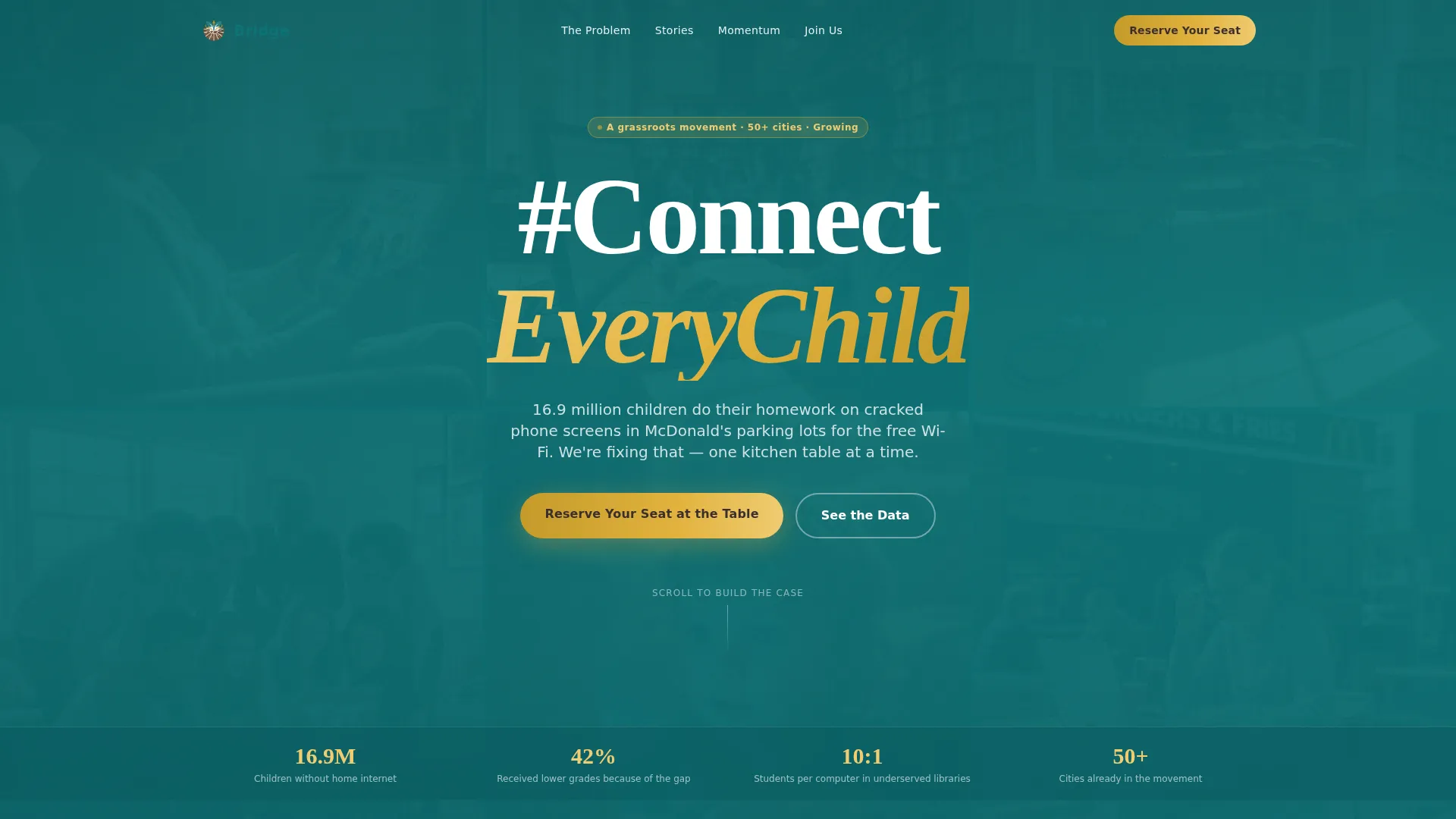
- A full-viewport parallax hero with the #ConnectEveryChild movement moment and a gold call-to-action button
- A masonry grid flowing from protest-sign data cards through community story cards to a momentum section with partner logos and legislative wins
- A dual-path registration section with a primary event form and a secondary watch-party email signup
Feature list
This template is built around high-interactivity, movement-grade components. Each feature below is grounded in the design brief.
Parallax Mosaic Hero Section
The hero fills the entire viewport with layered community photographs that shift subtly on scroll. Bold hand-painted typography spells out the movement hashtag. Hover captions appear over each photo, naming the community and zip code behind every face.
Masonry and Pinterest Grid Layout
The content grid is the engine of this template. Cards drift upward as they enter the viewport, creating a staggered reveal rhythm. The grid moves from statistics to stories to momentum, accelerating pace as the visitor scrolls closer to the registration form.
Protest-Sign Data Cards
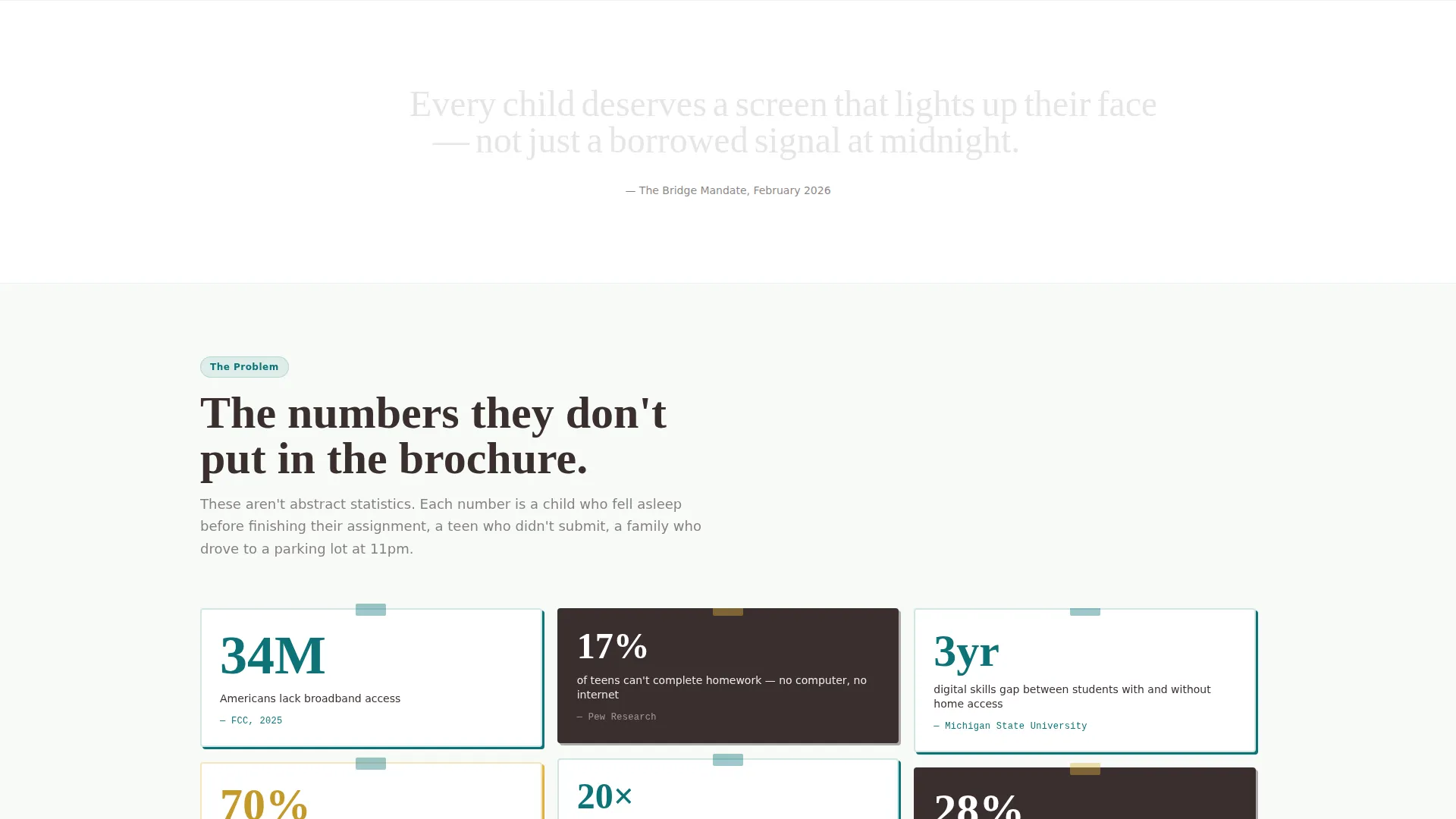
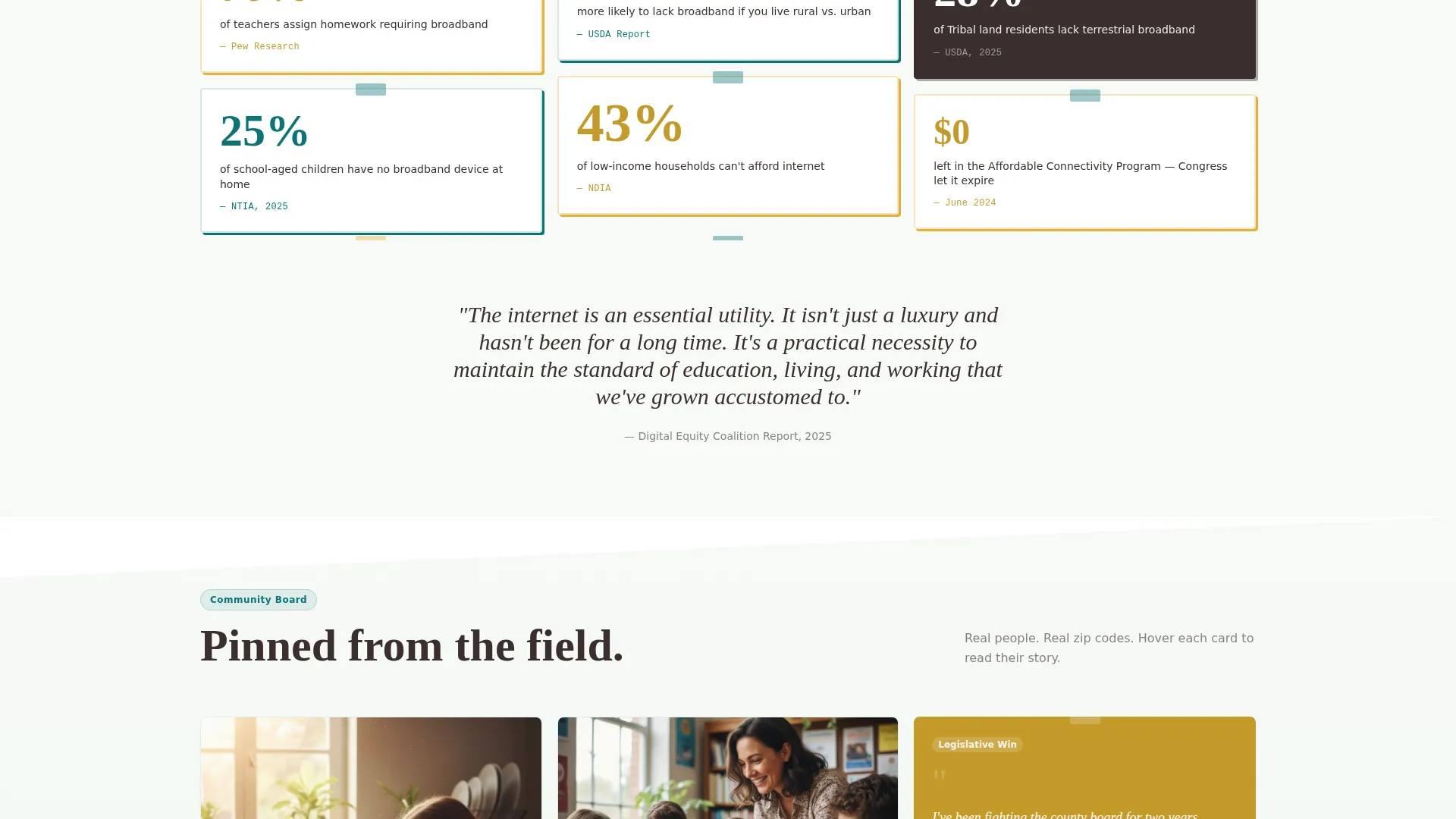
Statistics are styled to look like handwritten protest signs, making numbers feel human rather than clinical. Each card in the first masonry row communicates a single, striking fact about the digital divide.
Community Story Cards
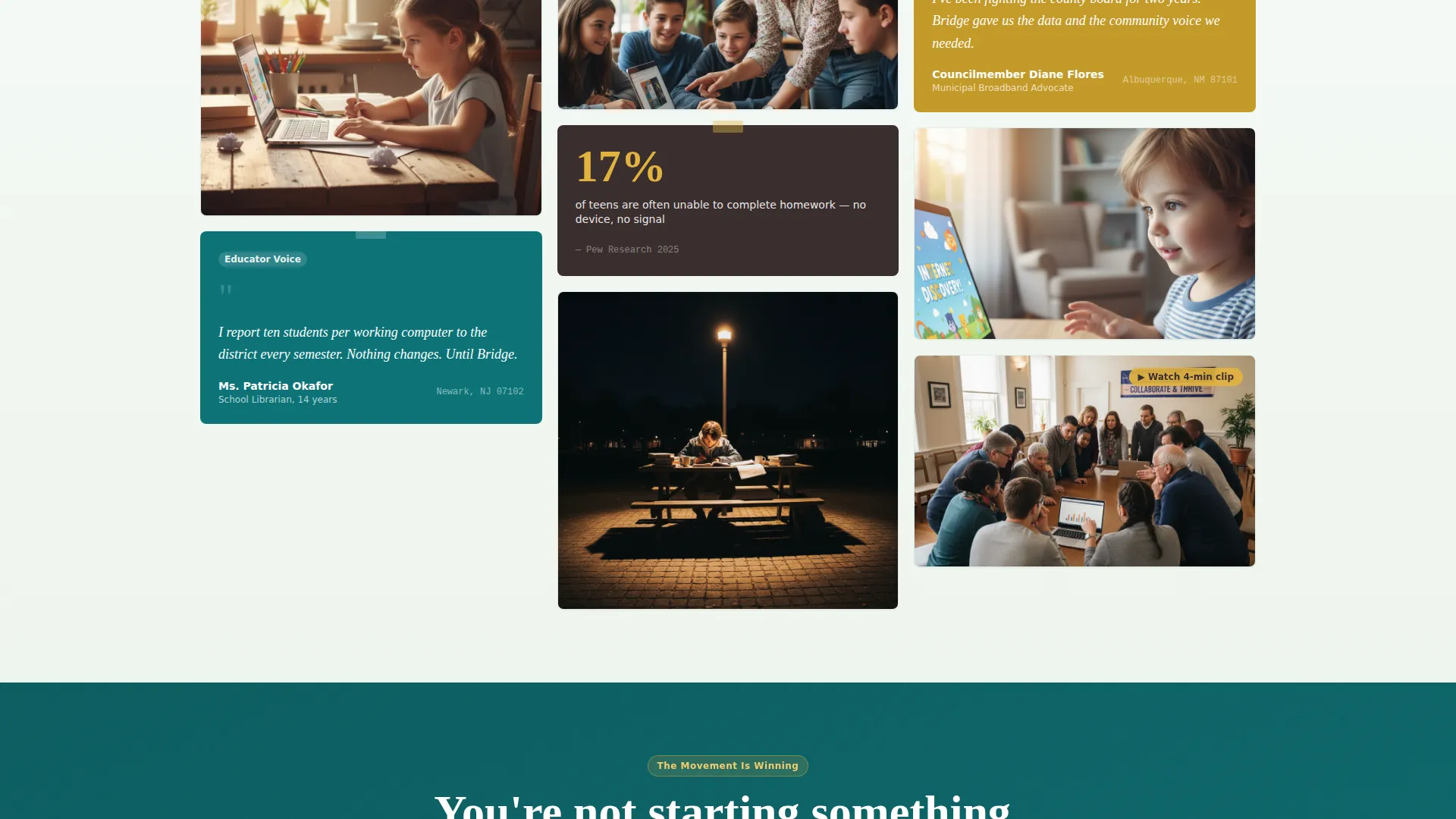
Story cards mix photo essays and video testimonials in a pinned-flyer visual style. Each card includes a caption grounding the story in a named community, giving the movement a face and a place rather than an abstract cause.
Sticky Registration Bar
After the visitor passes the second scroll section, a bottom bar activates and stays visible for the rest of the page. It carries the gold "Reserve Your Seat at the Table" call to action so the registration path is always one tap away.
Dual-Path Registration Form
The primary form collects first name, zip code for nearest event matching, and a single radio selection for attendee type. A secondary lightweight path lets visitors who cannot attend sign up to host a watch party with only their email address.
Page sections overview
| Section | Purpose |
|---|---|
| Hero parallax mosaic | Opens with the movement moment and a gold call-to-action button |
| Problem data cards | Presents digital divide statistics in protest-sign card style |
| Community story grid | Shares faces, captions, and zip codes as pinned community flyers |
| Momentum and wins | Displays partner logos, legislative wins, and event recaps |
| Registration form | Captures event sign-ups and watch-party hosts in one place |
| Footer row | Closes the page with a clean single-row linear footer |
Design & branding system
The visual identity is rooted in a nature-inspired aesthetic that feels like a community garden breaking through concrete. Every color choice has a functional role, not just a decorative one.
- Teal (#0D7377) dominates section backgrounds and card borders, giving the page a grounded, persistent energy
- Gold (#E2B33E) appears exclusively on calls to action and highlights, drawing the eye only where action is needed
- Soil brown (#3B2F2F) anchors body typography, while new-growth white (#F7FAF7) keeps card backgrounds open and readable
- Fraunces serif handles headlines for warmth and authority; DM Sans handles body copy for clarity and legibility
Mobile & speed optimization
The template is built with a mobile-first approach. The target audience includes educators and community members who are often on phones, so every interaction is designed to feel native on a small screen.
- Sticky call-to-action bar and the registration form are optimized for thumb-reach on mobile viewports
- Scroll-reveal animations and staggered card drift use intersection observers so motion only triggers when elements are visible
- Static sections use server components while animation and interactivity layers are handled client-side to keep the page responsive
How this template helps you convert
Bridge is designed so that each scroll section earns the next click. By the time a visitor reaches the form, the page has already done most of the persuasion work.
- The parallax hero opens with emotional weight and immediate movement identity, making the cause feel real and the moment feel urgent, before asking for anything
- The masonry grid builds a logical and emotional case through data, stories, and proof of momentum, so the visitor arrives at the form already convinced
- The sticky gold registration bar and the dual-path form lower the barrier to entry, offering both a full event seat and a simpler watch-party path for those who need a lighter commitment
Other information about this template
Bridge is a purpose-built template for digital equity and community organizing campaigns. It is not a general nonprofit template adapted for the cause; it was conceived specifically around the homework gap and the communities affected by it.
- The template is categorized under Community and Nonprofit, with a niche focus on digital divide advocacy organizations
- The Teal Catalyst color system and Movement and Cause creative direction are designed to work together across all five sections without visual inconsistency
- The Hashtag and Movement header concept is built into the hero structure, making it straightforward to update the movement name or hashtag for related campaigns
- Template style is Masonry and Pinterest grid, making it visually distinct from standard cause-marketing layouts
Theme
Nature-Inspired
Creative direction
Movement & Cause
Color system
Teal Catalyst
Style
Masonry/Pinterest
Direction
Event Registration
Page Sections
Parallax Mosaic Hero with Hover Captions
Masonry Grid with Staggered Scroll Reveal
Protest-sign Data Cards
Sticky Gold Call-to-action Bar
Dual-path Event Registration Form
Momentum Section with Social Proof Cards
Related questions
Can I use this template for a cause other than digital equity?
Is the watch-party signup separate from the main event form?
How does the zip code field in the registration form work?
Does the sticky registration bar appear immediately on page load?
Can I edit or remove the hover captions on the hero photos?



