Corporate Event Live Streaming Services Website Template
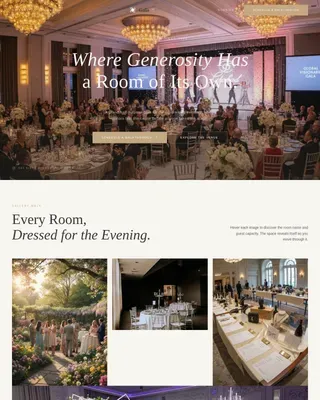
Broadcast is a cinematic landing page built for corporate event live streaming companies. It uses overlapping content cards, a full-screen video header, and a warm spotlight color palette to guide visitors through the emotional arc of a live event. The primary call to action, "Reserve Your Stream Date," drives qualified event inquiry with a focused, storytelling-first layout.
by Rocket studio
Quick summary
Broadcast is a single-page template designed for a production company that streams keynotes, galas, and product launches to global audiences. It layers overlapping content cards to recreate the emotional build of a live event, from pre-production calm through the energy of a live audience, ending at a clear registration form that earns the click before asking for it.
Who this template is for
This template is built for live streaming production companies that handle high-stakes corporate events. It speaks directly to the people coordinating those events, not just the production team selling the service.
- Executive assistants managing annual all-hands meetings across multiple time zones
- Marketing directors who need a product reveal broadcast to go live the moment it happens
- Event planners at nonprofits whose remote donors need to feel present in the room
What problem this template solves
Most event streaming pages list equipment specs and package prices. They do not make a visitor feel anything. That emotional gap is the problem this template closes.
- Clients struggle to visualize how their remote audience will experience the event
- Generic service pages fail to prove emotional competence before asking for a booking
- Visitors leave before reaching the form because nothing holds their attention on the way down
What you get with this template
You get a fully structured, atmosphere-driven landing page that guides each visitor through a miniature version of the live event experience before presenting the registration form.
- A full-screen video header with bold headline text and a sixty-second highlight reel format
- Four sequenced overlapping content cards that build from pre-production planning to post-event analytics
- A dual conversion path: a floating pill button for ready buyers and an anchored inquiry form for those who need more context
Feature list
This template is built around cinematic storytelling and conversion-ready structure. Every design and layout decision supports a single goal: making visitors feel the event before they book it.
Full-Screen Video Background Header
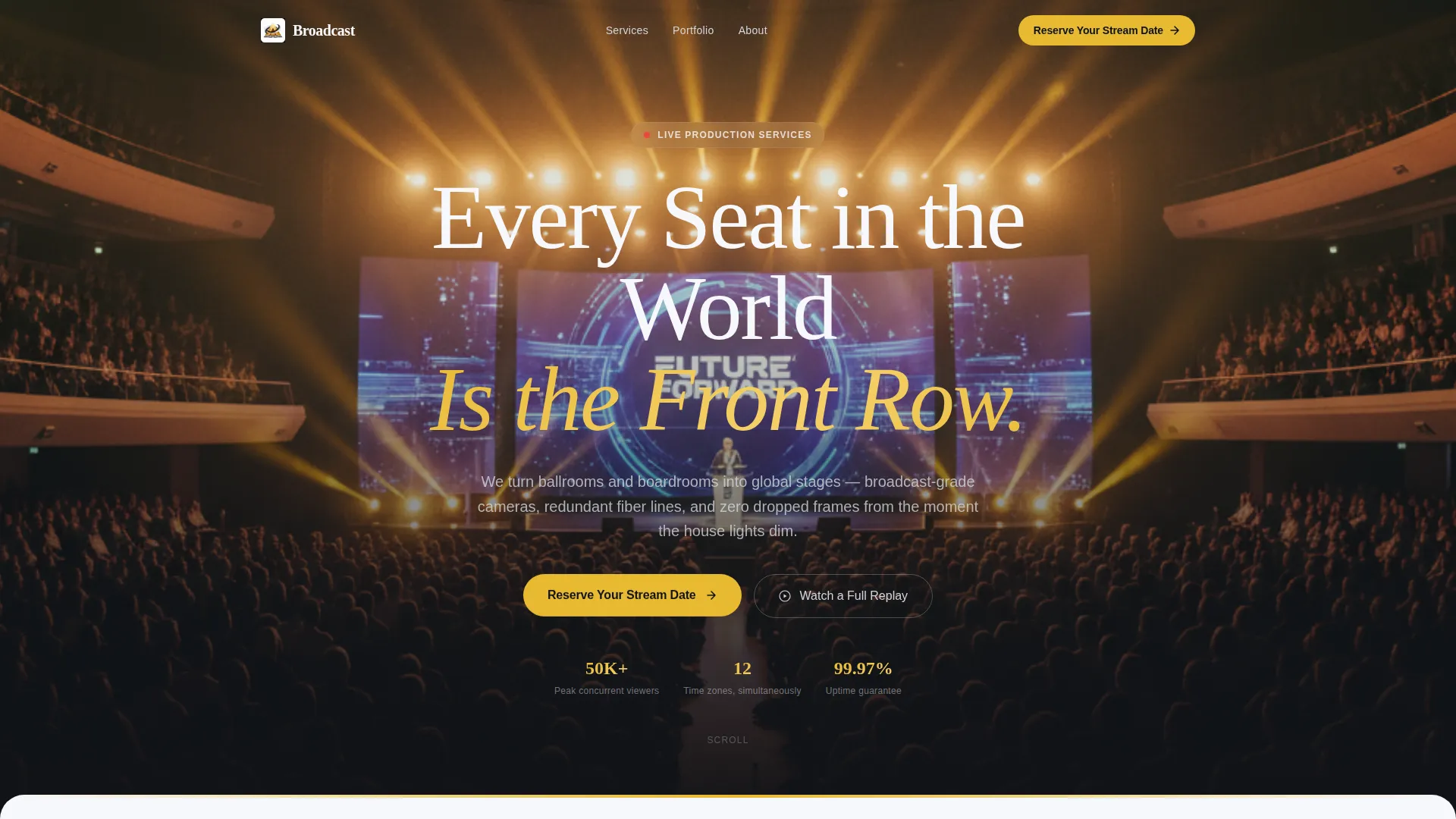
The header plays a sixty-second reel cutting between a packed keynote hall, a live control room operator, a remote viewer raising a glass, and confetti cannons erupting as a stream viewer count passes fifty thousand. Footage is color-graded warm with bloomed highlights, and a single bold white headline reads "Every Seat in the World Is the Front Row."
Overlap and Layered Card Scroll
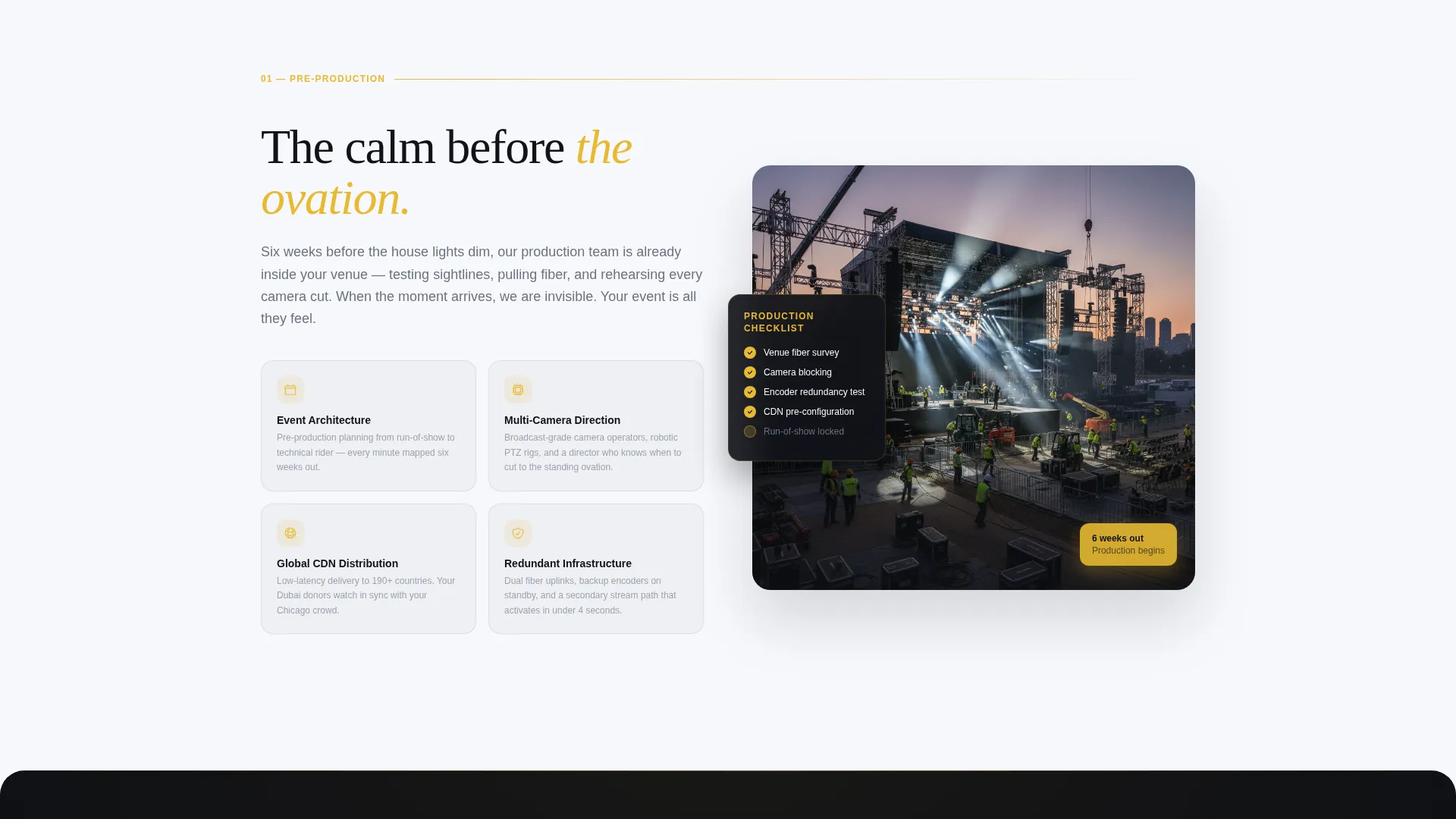
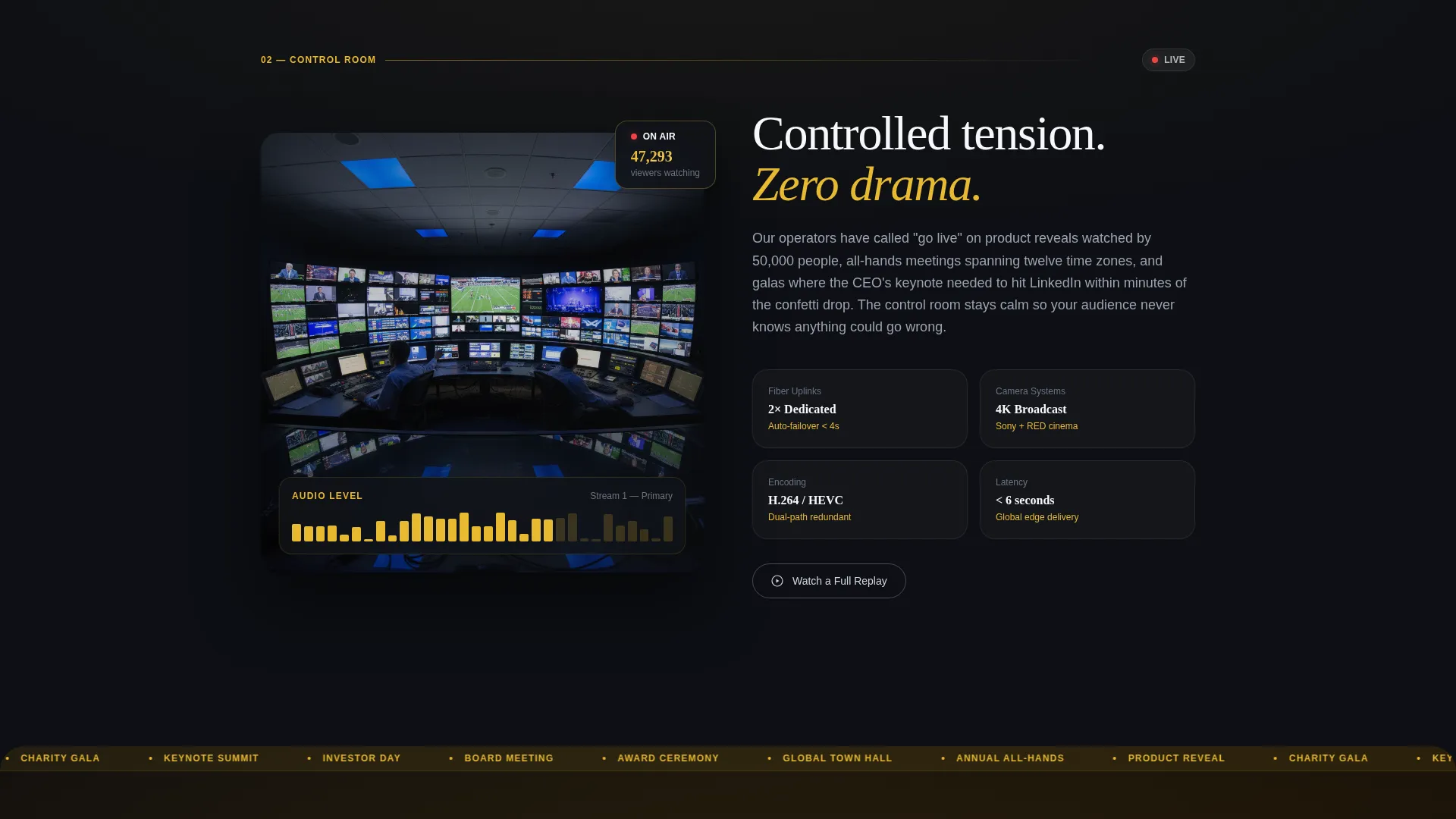
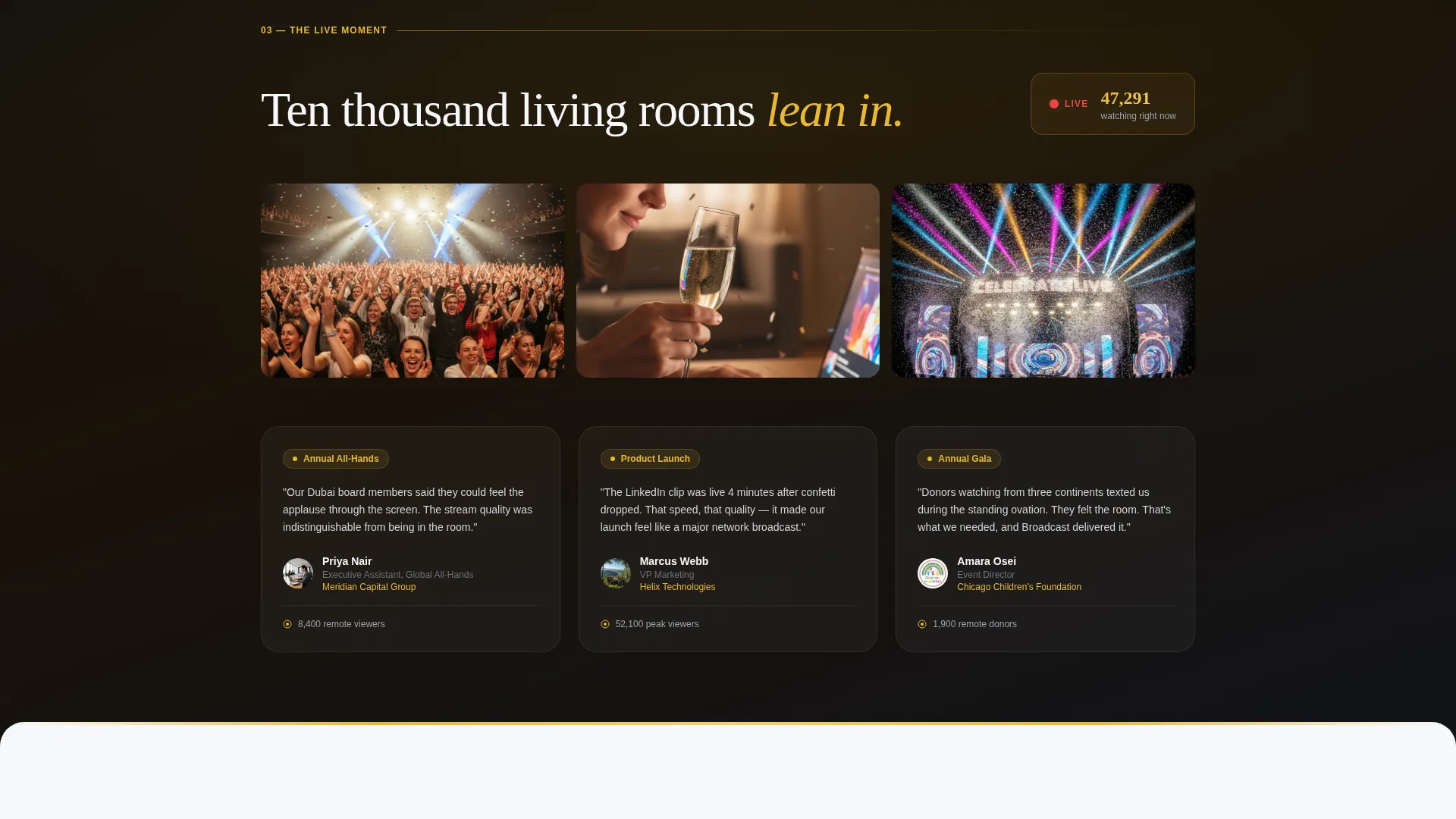
Each content section slides in as a stacked card that layers over the previous one. The scroll builds like a live event itself: pre-production calm, controlled live-room tension, full audience energy, and finally post-event data glowing on a screen.
Dual Conversion Path Design
A floating pill button labeled "Reserve Your Stream Date" appears after the header settles. A secondary link, "Watch a Full Replay," connects to an ungated highlight reel for visitors not yet ready to commit. Both paths appear at the right moment in the scroll sequence.
Anchored Event Inquiry Form
The registration form sits at the crescendo section of the page. It collects event date, expected in-room and remote audience size, venue city, and a single open-text field labeled "Tell us about the moment." The form is placed only after the visitor has moved through the full emotional arc of the page.
Celebration and Joy Color System
Warm spotlight gold ignites every interactive element and hover state. Soft white and atmospheric silver dominate the card surfaces. Deep broadcast black anchors headlines with the visual weight of a live feed title card. The palette feels like confetti suspended in stadium light.
Atmosphere and Mood Creative Direction
The page is not a list of services. It is a structured emotional experience. Each section is intentionally sequenced to match the emotional stages of a real event, so the visitor arrives at the form already trusting the team.
Page sections overview
| Section | Purpose |
|---|---|
| Video Header | Opens with a cinematic reel and bold headline to set the emotional tone immediately |
| Pre-Production Card | Shows the calm, organized side of planning to establish professional credibility |
| Live Control Room Card | Introduces controlled tension and technical precision to build confidence |
| Live Audience Card | Captures real-time energy and audience reaction to make the experience feel tangible |
| Post-Event Analytics Card | Settles the arc with data and results, showing value beyond the live moment |
| Floating call to action Button | Presents "Reserve Your Stream Date" as a pill button after the header video settles |
| Event Inquiry Form | Collects event details at the page's emotional peak with a low-friction field set |
| Replay Secondary Path | Offers an ungated highlight reel link for visitors who need more time before committing |
Design & branding system
The Cloud Canvas color system grounds the page in a palette that feels simultaneously professional and celebratory. Every color serves a specific role in the visual hierarchy.
- Soft cumulus white (#F7F8FC) and atmospheric silver (#D1D5DB) cover the majority of card surfaces to keep content readable and airy
- Warm spotlight gold (#E8B931) activates every button, hover state, and interactive element so attention always lands in the right place
- Deep broadcast black (#111318) is reserved for headlines and grounding layers, giving key text the gravity of a live title card
Mobile & speed optimization
The overlapping card layout and full-screen video header are designed to transition naturally across screen sizes without losing the cinematic feel.
- The layered card scroll adapts to narrower viewports so the stacking effect and emotional sequence remain intact on mobile
- The floating pill button stays accessible throughout the scroll on smaller screens, keeping the primary conversion path always within reach
How this template helps you convert
The page earns conversion by proving emotional competence before asking for a commitment. Every design and layout decision feeds toward that goal.
- The video header and overlapping card sequence walk visitors through the full arc of a live event, building trust in the production team's ability to create that experience for their own audience
- The dual conversion path meets visitors where they are: the floating pill button captures ready buyers early, and the "Watch a Full Replay" link keeps undecided visitors engaged rather than bouncing
Other information about this template
This template sits inside the Wedding and Events category, specifically built for the corporate event live streaming niche. It is a strong fit for production companies that regularly handle high-profile broadcast projects.
- The template style is Overlap and Layered, creating a sense of accumulation and crescendo as the visitor scrolls
- The header concept is a Full-Screen Video Background, setting a cinematic standard from the first second of the visit
- The landing page direction is Event Registration, meaning every section is sequenced to move a qualified visitor toward submitting an inquiry
- The Celebration and Joy theme and the Atmosphere and Mood creative direction work together to make the page feel like the moment before a major event begins
- This template is well suited for companies streaming to audiences spread across multiple time zones, where the remote viewer experience is as important as the in-room one
Theme
Celebration & Joy
Creative direction
Atmosphere & Mood
Color system
Cloud Canvas
Style
Overlap/Layered
Direction
Event Registration
Page Sections
Full-screen Cinematic Video Header
Overlapping Layered Card Scroll
Dual Conversion Path
Anchored Event Inquiry Form
Cloud Canvas Color System
Related questions
What type of business is this template built for?
Can I customize the inquiry form fields?
What does the secondary Watch a Full Replay path do?
Does the page work for events with both in-person and remote audiences?
How is the overlapping card layout different from a standard scrolling page?