Interactive Team Experience Landing Page Template
Stream is a gallery and detail landing page template built for live streaming team building event services. It guides people and culture leads, internal comms managers, and agency event coordinators from a cinematic hero moment straight to a booking form. The warm editorial layout, seasonal gallery, and inline three-step scheduler work together to turn page visitors into confirmed stream dates.
by Rocket studio
Quick summary
Stream is a landing page template designed specifically for live streaming team building event production. It opens with a cinematic lifestyle hero, flows through a seasonal gallery of real event captures, and closes the loop with an inline booking scheduler and an email-gated sample stream replay. Every section of this landing page is built to move an interested visitor toward a confirmed date.
Who this template is for
This template is for professionals who need to host live streaming team building events for distributed workforces. It speaks directly to the people doing the planning and the people who promised hybrid before they figured out the details.
- People and culture leads at companies with 200 or more employees who want remote workers to feel present, not just CC'd on a recap email
- Internal comms managers building a fun segment into a quarterly all-hands and needing a professional streaming platform to back it up
- Agency event coordinators who have committed to delivering a hybrid experience and need a polished landing page to match the promise
What problem this template solves
Remote colleagues miss the best moments. The tug-of-war collapse, the cook-off disaster, the escape room breakthrough happen in person, and everyone watching from a living room across six time zones gets an attached photo two days later. This landing page template solves that gap by giving a live streaming production service a dedicated webpage that communicates the value, builds anticipation, and books the event.
- A company running a virtual event has no professional streaming landing page to point guests toward, so leads fall through
- Event pages buried inside a general website fail to focus visitors on a single conversion goal, reducing registrations
- Without social proof such as viewer counts and live chat replays, potential clients cannot visualize the experience before committing
What you get with this template
You get a complete, ready-to-customize landing page layout built around the full booking and streaming journey. No starting from scratch, no guessing which sections matter. The template gives you every element a high-converting live streaming event page needs, pre-arranged and styled.
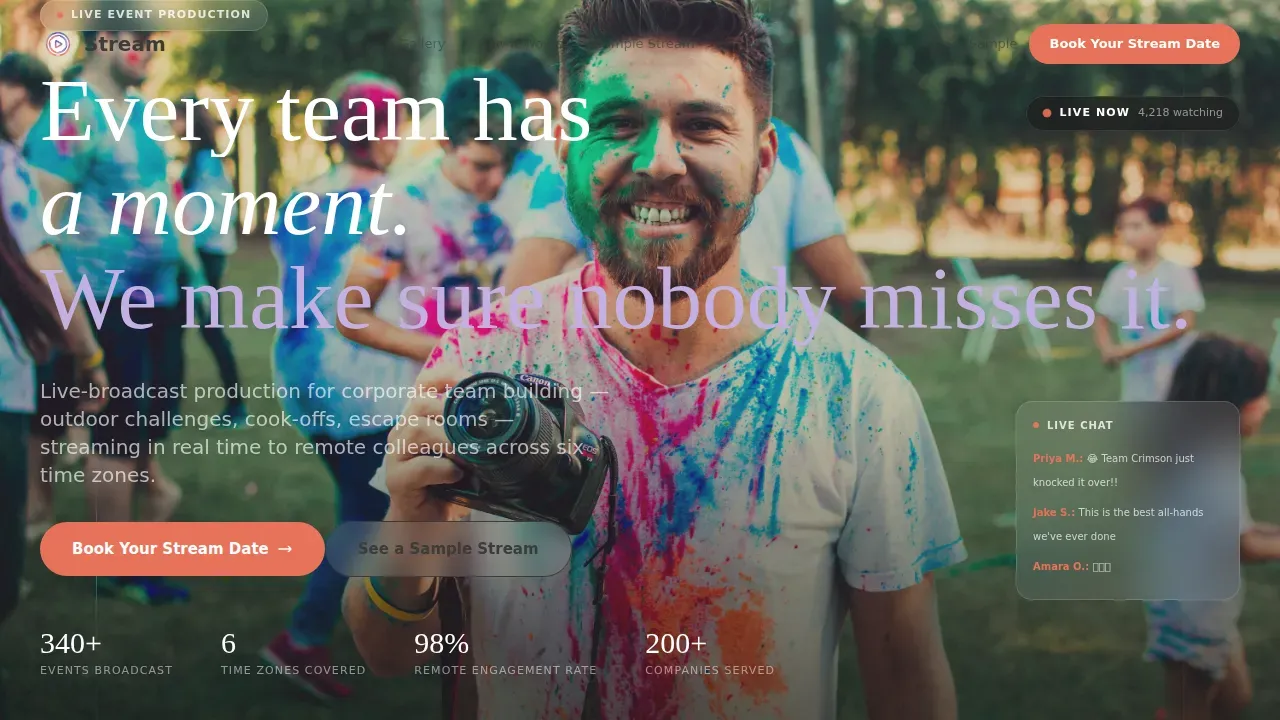
- A cinematic hero section with a lifestyle shot, headline fade-in animation, floating live-status card, and an above-the-fold call-to-action button that visitors see immediately without scrolling
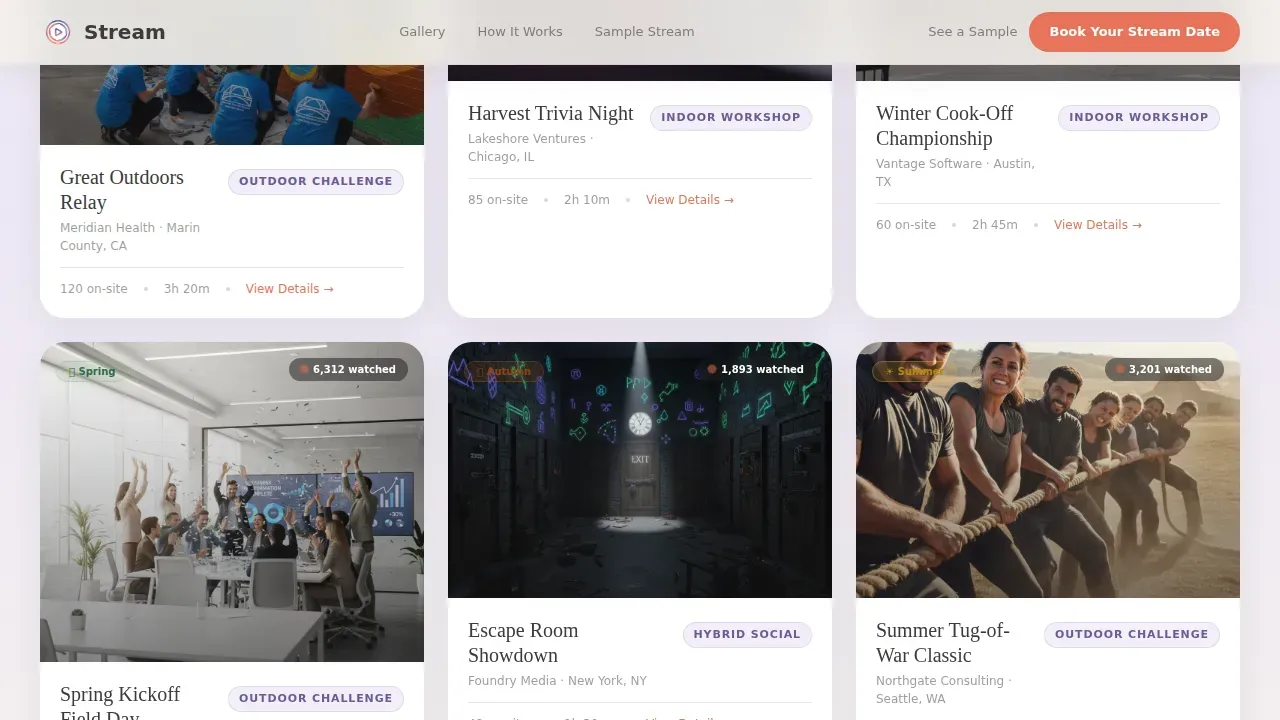
- A seasonal gallery with expandable cards showing event type, team size, viewer counts, and a 15-second highlight clip interface with a live chat replay sidebar
- A three-step inline scheduler covering event type selection, a calendar picker with seasonal pricing badges, and a short lead generation form capturing company name, team size, and remote viewer location
Feature list
This template packs the engaging, production-grade features a live streaming team building landing page needs to convert visitors into booked clients.
Seasonal Gallery with Expandable Cards
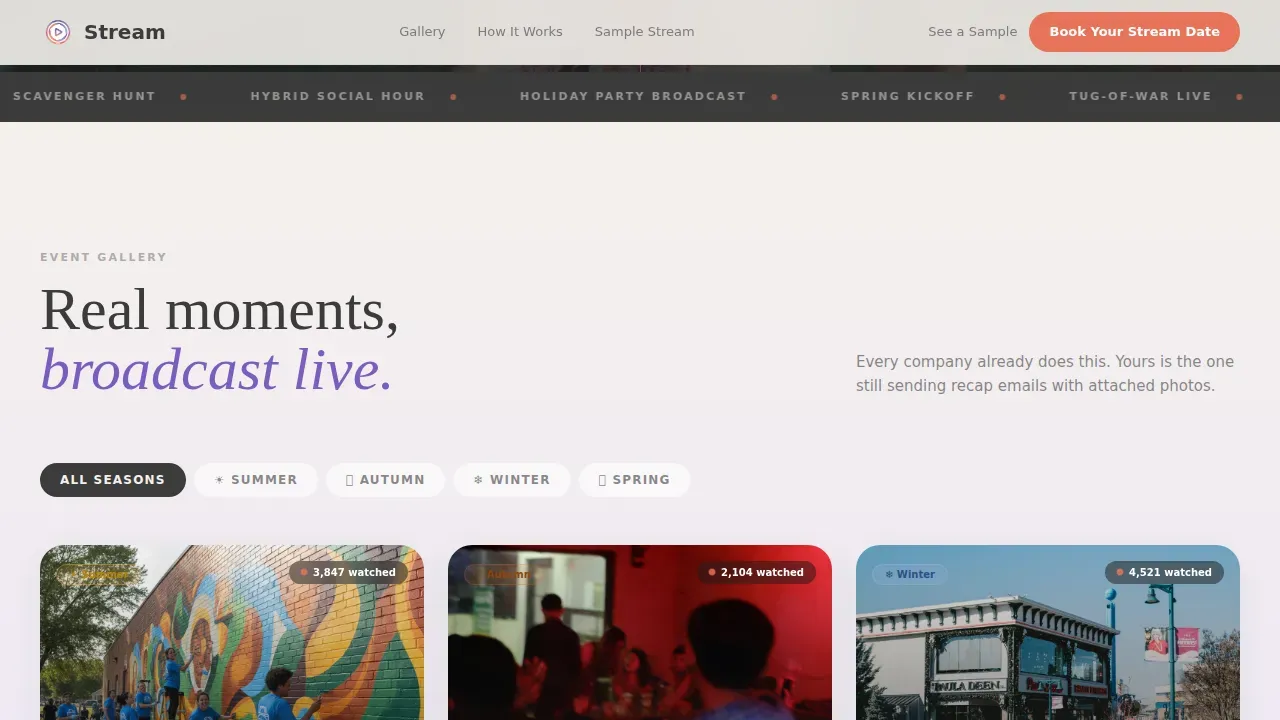
The gallery organizes event captures by season and moment type. Each card expands into a detail view showing event type, team size, and viewer count. A 15-second highlight clip interface with a live chat replay sidebar lets potential clients experience the energy of past streaming events before they book.
Inline Three-Step Booking Scheduler
Clicking the primary call-to-action opens a three-step scheduler directly on the page. Step one is event type selection: outdoor challenge, indoor workshop, hybrid social, or custom. Step two is a calendar picker showing available production dates with seasonal pricing badges. Step three is a short form capturing company name, estimated team size, and whether remote viewers will be domestic or international.
Sticky Booking Bar
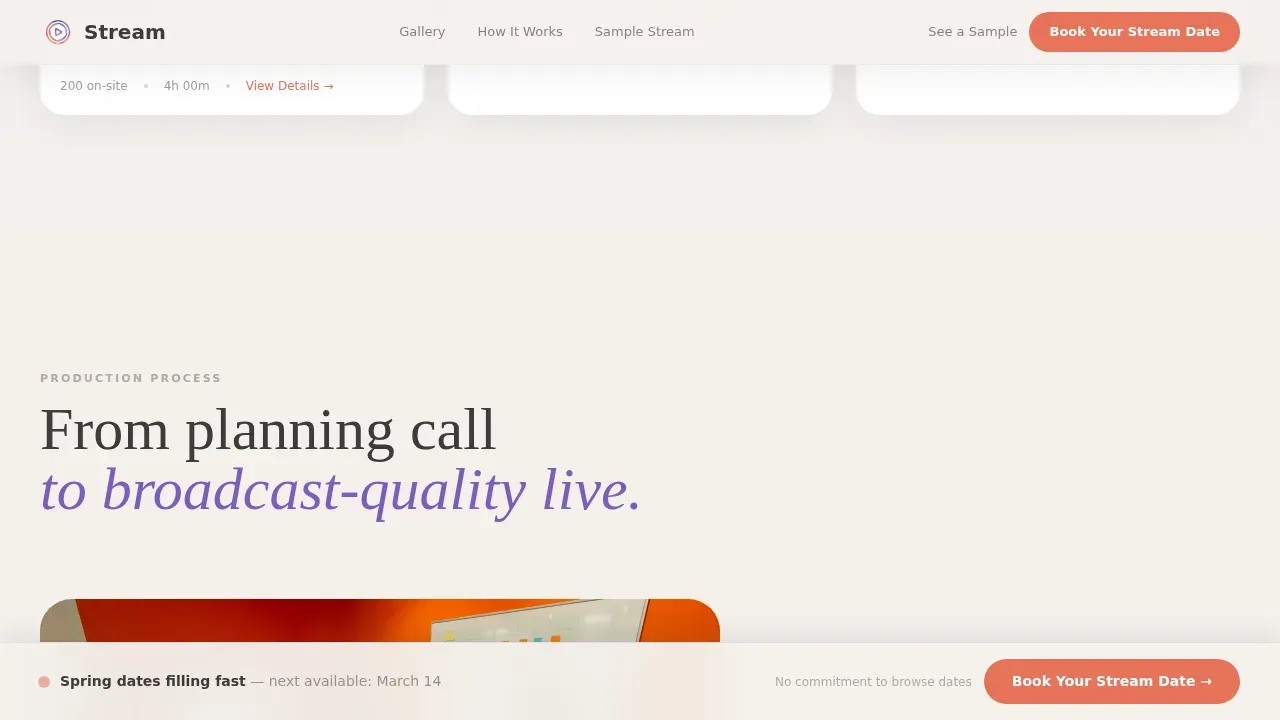
After the third gallery row, a sticky bar appears and persists as visitors scroll. It keeps the call-to-action visible without interrupting the browsing experience. This persistent element is one of the most effective tools for re-engaging visitors who are ready to commit but haven't clicked yet.
Email-Gated Sample Stream Replay
A secondary conversion path lets hesitant visitors access a full four-minute replay by submitting only their email address. This acts as a lead generation mechanism that lets potential clients experience the product before booking a date. The gate is lightweight by design, a single field to reduce friction.
Live Chat Replay Sidebar
Every expanded gallery card displays a live chat replay running alongside the highlight video. This sidebar recreates the feeling of watching a live streaming event in real time, with scrolling messages that make the energy of the main event tangible for anyone reviewing the page.
Testimonial and Social Proof Strip
A logo and testimonial strip provides social proof from past clients. Viewer counts visible on gallery cards reinforce the scale and reach of each streaming event. These elements work together to encourage sign-ups by showing that real companies with real audiences already trust the service.
Page sections overview
| Section | Purpose |
|---|---|
| Hero with call to action | Cinematic lifestyle shot, headline fade-in, floating live-status card, above-the-fold booking button |
| Seasonal Event Gallery | Curated streaming event captures organized by season and moment type |
| Gallery Detail Expansion | Expandable cards with event type, team size, viewer count, highlight clip, and chat replay |
| Sticky Booking Bar | Persistent call-to-action bar appearing after the third gallery row |
| Inline Booking Scheduler | Three-step event type, calendar, and form flow embedded directly on the page |
| Sample Stream Gate | Email-gated four-minute replay for leads not yet ready to book |
| Social Proof Strip | Company logos and testimonials encouraging visitor confidence |
| Footer | Linear single-row footer with navigation links |
Design & branding system
The landing page design follows a Soft Gradient theme built on the Cloud Canvas color system. The palette feels like a laptop screen glowing at golden hour: warm enough to feel human, cool enough to feel polished. Typography pairs Fraunces serif display headings with DM Sans for body text and interface elements, giving the page a warm editorial character that stands apart from generic corporate streaming pages.
- Colors: warm mist white (#F4F1EC) for backgrounds, soft lilac (#C3B1E1) bleeding into sky periwinkle (#9BB5E3) on section transitions, charcoal graphite (#3B3B3B) for body text, and coral signal (#E8735A) reserved exclusively for call-to-action buttons and live-status indicators
- Visual texture: film-grain overlay adds depth to the background without competing with event imagery or video content; the layout uses scroll-triggered gallery reveals, line-reveal headlines, and spotlight card hover effects to create a broadcast-grade feel
- Brand flexibility: the player background, thumbnail, color scheme, and controls are customizable, so the streaming landing page can reflect your organization's brand identity rather than the template's defaults
Mobile & speed optimization
This landing page is built desktop-first because people and culture leads typically book from work laptops. The layout prioritizes a large gallery canvas and an expansive scheduler experience on wider screens. At the same time, the template is responsive so that visitors accessing the page from a smartphone or tablet still get a clear, usable experience.
- The booking scheduler, gallery cards, and email-gate form all adapt cleanly across device sizes, including smartphone and tablet viewports
- Static gallery sections use server-side rendering while interactive components such as the scheduler and email-gate modal load as client components, keeping the page responsive without unnecessary code overhead
- Mobile optimization matters: up to 41% of event page visitors may be viewing on a mobile device, so the streaming landing page layout accounts for that audience without compromising the desktop-first experience
How this template helps you convert
Every layout decision on this streaming landing page points toward one outcome: a booked production date or a captured email address. The page is not trying to do too many things at once.
- The hero section places the primary call-to-action above the fold so visitors see "Book Your Stream Date" the moment the webpage loads, before they scroll, before they second-guess, and before the moment passes
- The seasonal gallery creates a sense that every other company already does this, building the kind of social pressure that encourages a visitor to register rather than close the tab
- The email-gated sample stream replay captures leads who are not ready to book, giving the service a second chance to convert every visitor who lands on the landing page URL
Other information about this template
This template sits at the intersection of live streaming production and team building event marketing. It is the stream live team building event streaming landing page template built for services that need to translate in-person energy into remote engagement. Here is additional context that may be useful when evaluating or customizing the template.
- The landing page layout is tailored to serve as a virtual location where guests can attend a streaming event or review past event highlights, functioning as both a booking page and a post-event archive
- You can embed pre-recorded, real-time, or studio live streams directly on the webpage, and you can password-protect streams to control access and add a layer of security for private corporate events
- The live chat window can double as an info box before the main event goes live, displaying your organization logo, event description, and upcoming events schedule to keep the audience engaged while they wait
- After the event, you can encourage viewers to share the landing page URL so colleagues who missed the stream can watch the recording of the virtual event at their own pace
- Social media links can be added to the webpage to drive traffic to your social platforms; social media sharing buttons also make it easy for attendees to spread the word and enhance reach organically
- The template layout supports sponsor acknowledgments, giving sponsors visibility on the landing page and showing appreciation for their support in a natural, professional way
- Platforms such as Landingi and OneStream Live are examples of tools that support customizable event landing pages, including features like countdown timers, embed controls, customizable video backgrounds, and audio player options relevant to streaming and podcast-style presentations
- The template's modern design and structured layout mean you do not need to build from scratch or write a single line of code to have a professional, engaging streaming landing page ready to share
Theme
Soft Gradient
Creative direction
Seasonal/Moment
Color system
Cloud Canvas
Style
Gallery + Detail
Direction
Booking/Scheduling
Page Sections
Seasonal Gallery with Expandable Detail Cards
Inline Three-step Booking Scheduler
Sticky Booking Bar After Gallery
Email-gated Sample Stream Replay
Live Chat Replay Sidebar
Social Proof and Viewer Count Display
Related questions
Can I customize the colors and branding to match my organization?
How does the email-gated sample stream replay work?
Can the landing page display an upcoming events schedule?
Is the booking scheduler built into the landing page or does it link out?
Can I use this template for both domestic and international remote audiences?