Buyer's Agent Landing Page Template
Brownstone is a full-viewport, dark-immersive landing page built for buyer's agents who specialize exclusively in brownstones, rowhouses, and townhomes. It opens with an interactive cost estimator, flows through before-and-after gallery cards, and closes the loop with a five-question readiness quiz that delivers a personalized consultation booking path.
by Rocket studio
Quick summary
Brownstone is a single-page, gallery-plus-detail landing page designed for a specialist buyer's agent working in brownstone and rowhouse markets. The template pairs an interactive cost estimator with a progressive readiness quiz, before-and-after acquisition gallery, and a deep dark-emerald visual identity that feels as considered as the properties it represents.
Who this template is for
This template is built for a buyer's agent whose entire practice centers on historic attached homes. It speaks directly to three distinct buyer types and positions the agent as the definitive local expert.
- First-time buyers who are anxious about hidden structural costs in century-old properties
- Investors actively hunting undervalued shells for full gut-renovation projects
- Families who discovered a stoop they loved on a Sunday walk and need honest bones-level guidance
What problem this template solves
Most real estate landing pages treat every buyer the same. This template solves the trust gap that specialist agents face when prospects cannot tell a boutique expert from a generalist portal.
- Visitors arrive uncertain whether renovation risk or purchase price is their bigger worry
- Generic agent pages offer no way to self-qualify before booking a call
- A specialist's credibility goes invisible behind templated layouts that look like every other listing site
What you get with this template
You get a focused, single-page flow that moves a visitor from curiosity to a booked consultation. Every section is designed to do one job and hand off to the next.
- A full-viewport interactive cost estimator that opens the page and anchors attention immediately
- An expandable before-and-after gallery of past acquisitions, each card linking to a case-study detail view
- A five-question progressive readiness quiz with three personalized outcome tiers and a tailored booking link
Feature list
This template ships with six purpose-built components, each tied directly to a moment in the buyer's decision process.
Interactive Brownstone Cost Estimator
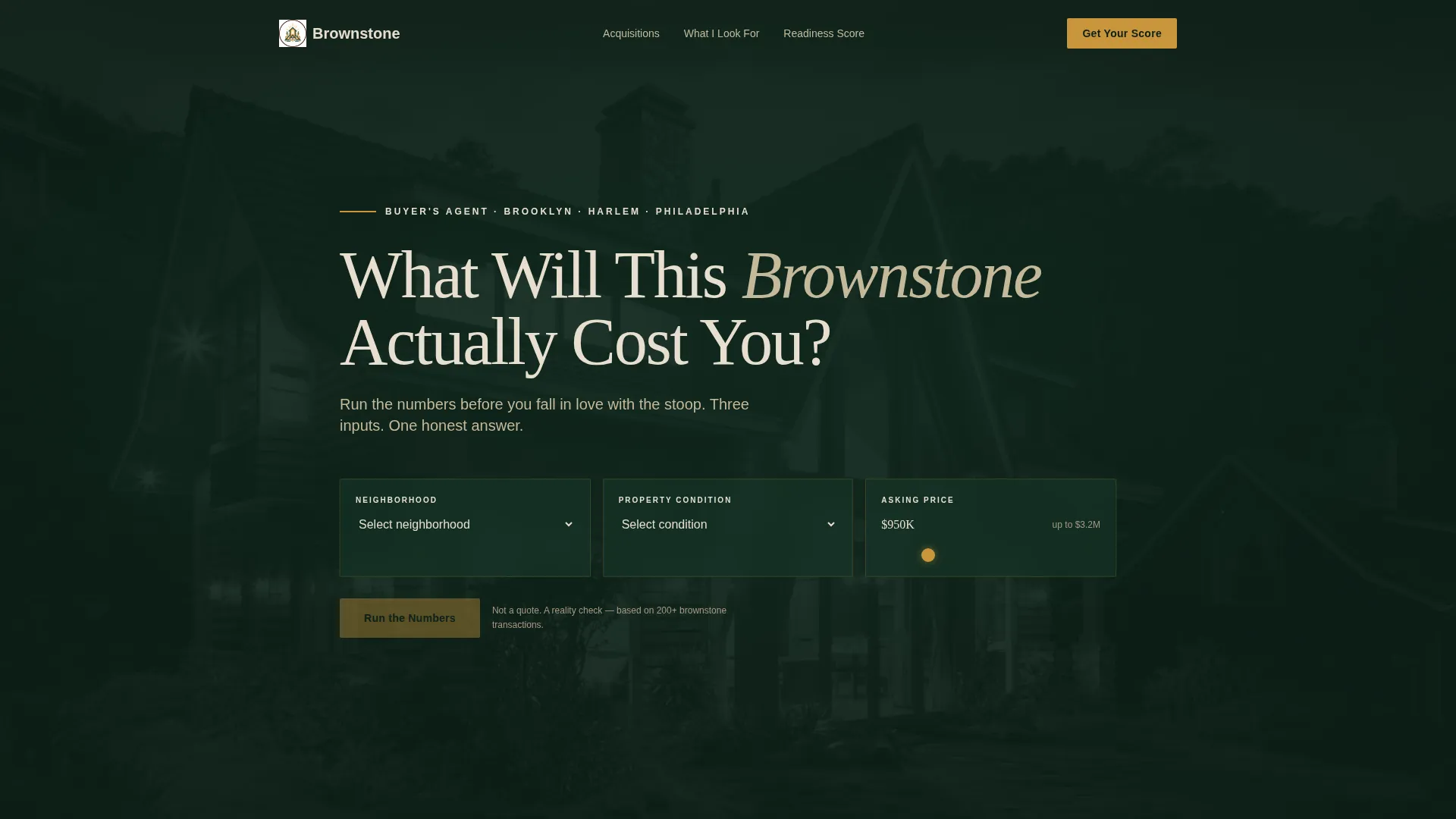
The header fills the entire viewport with a near-black emerald background and a faintly visible brownstone façade at eight percent opacity. Three input controls float over the image: a neighborhood dropdown covering Bed-Stuy, Park Slope, Fort Greene, Harlem, and West Philly; a condition selector for turnkey, cosmetic refresh, or gut renovation; and a price-range slider with a brass-amber track. On submit, the tool reveals estimated renovation reserves, an inspection red-flag probability score, and a projected five-year equity position, all animated in gaslight amber.
Deliberate Incomplete Output Design
The estimator result is intentionally partial. It reveals enough detail to make the visitor's next question immediate, then each lower section answers exactly one piece of what the calculator left open. This creates a scroll logic that feels earned rather than forced.
Before-and-After Acquisition Gallery
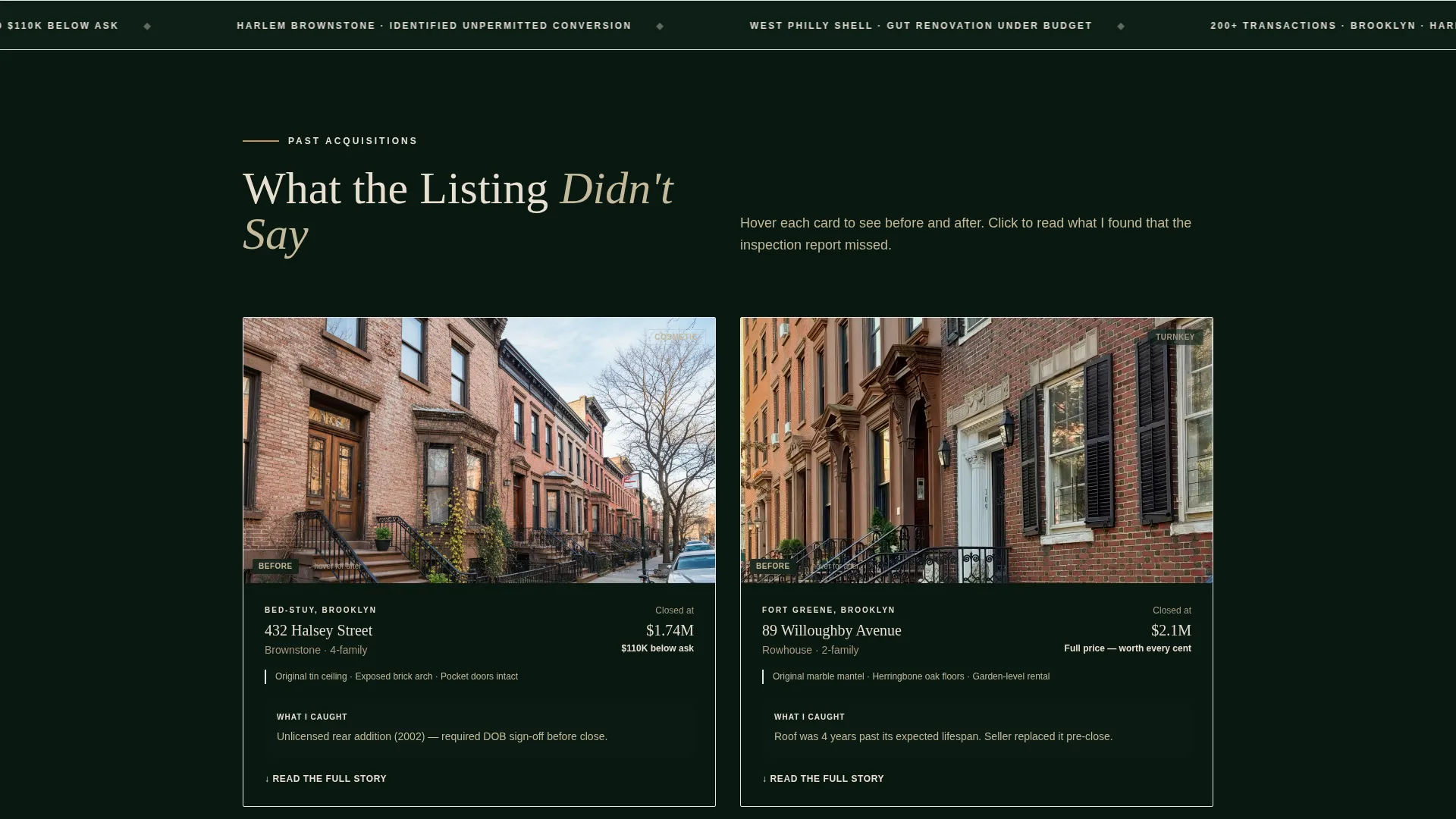
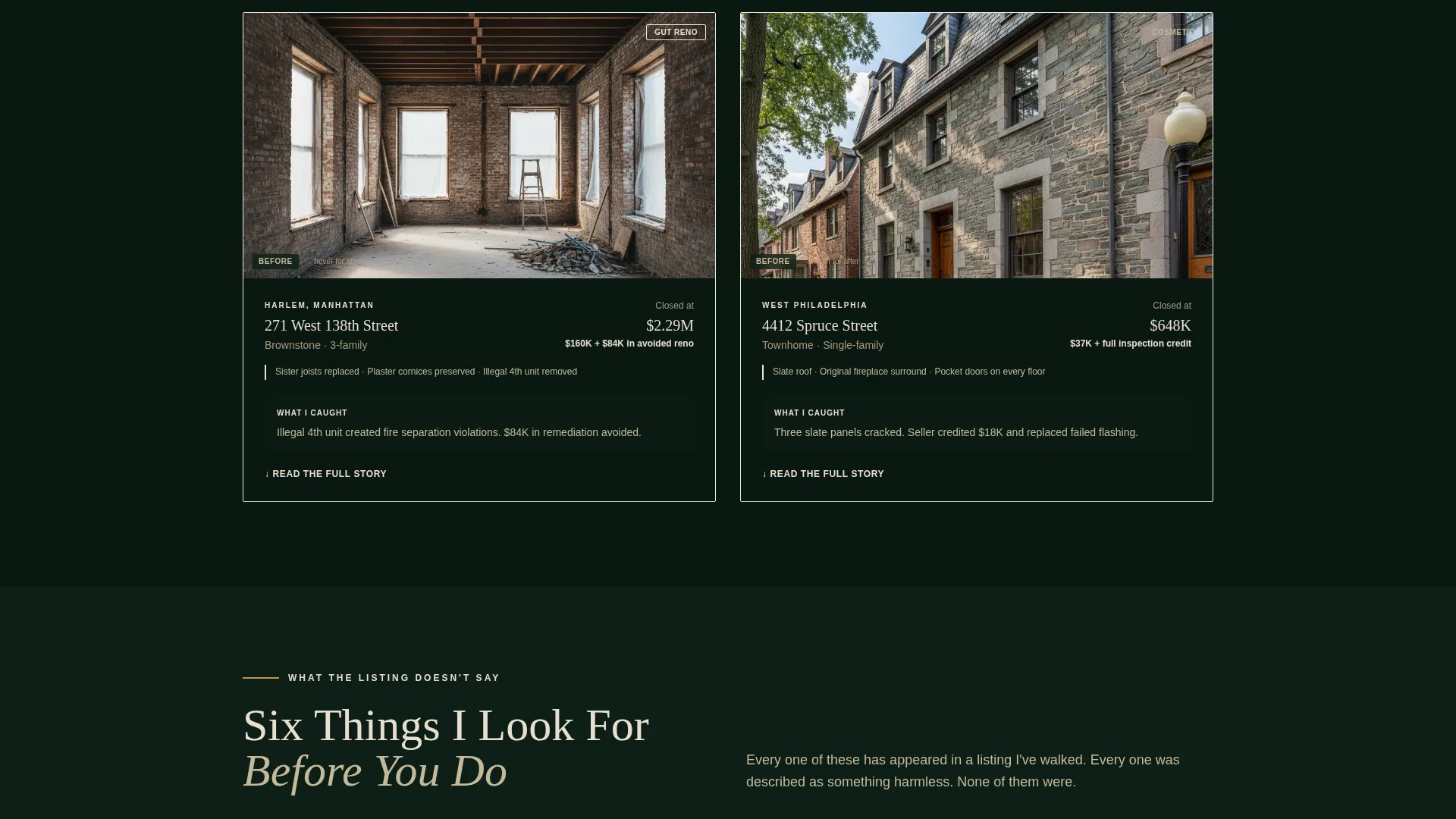
Past deals appear as detail cards showing original tin ceilings, exposed brick arches, and replaced sister joists. Each card expands to a full case study that documents what the agent identified that the listing did not disclose. A quiet secondary link beneath each card reads "Ask me what I'd look for in this one."
Five-Question Readiness Quiz
After the estimator hooks a visitor, the primary call to action launches a progressive five-question assessment. Questions cover buying timeline, renovation comfort level, must-have architectural details such as pocket doors and original molding, financing status, and neighborhood priority. Each answer subtly adjusts the gallery content shown in real time.
Personalized Readiness Tier Output
The quiz closes with one of three outcome tiers: Stoop-Ready, Foundation Phase, or Blueprint Stage. Each tier delivers a tailored message and connects directly to a consultation booking link, so no two visitors land on the same generic thank-you screen.
Dark-to-Intimate Scroll Narrative
The page moves through a deliberate sequence: data, then evidence, then story. Each section deepens the visual tone, pulling the visitor further into the house metaphor until the final sections feel like a private conversation at the garden level.
Page sections overview
| Section | Purpose |
|---|---|
| Cost Estimator Header | Opens with full-viewport calculator tool |
| Estimator Results Panel | Reveals amber-animated cost and equity output |
| Before-and-After Gallery | Showcases past acquisitions with expandable case studies |
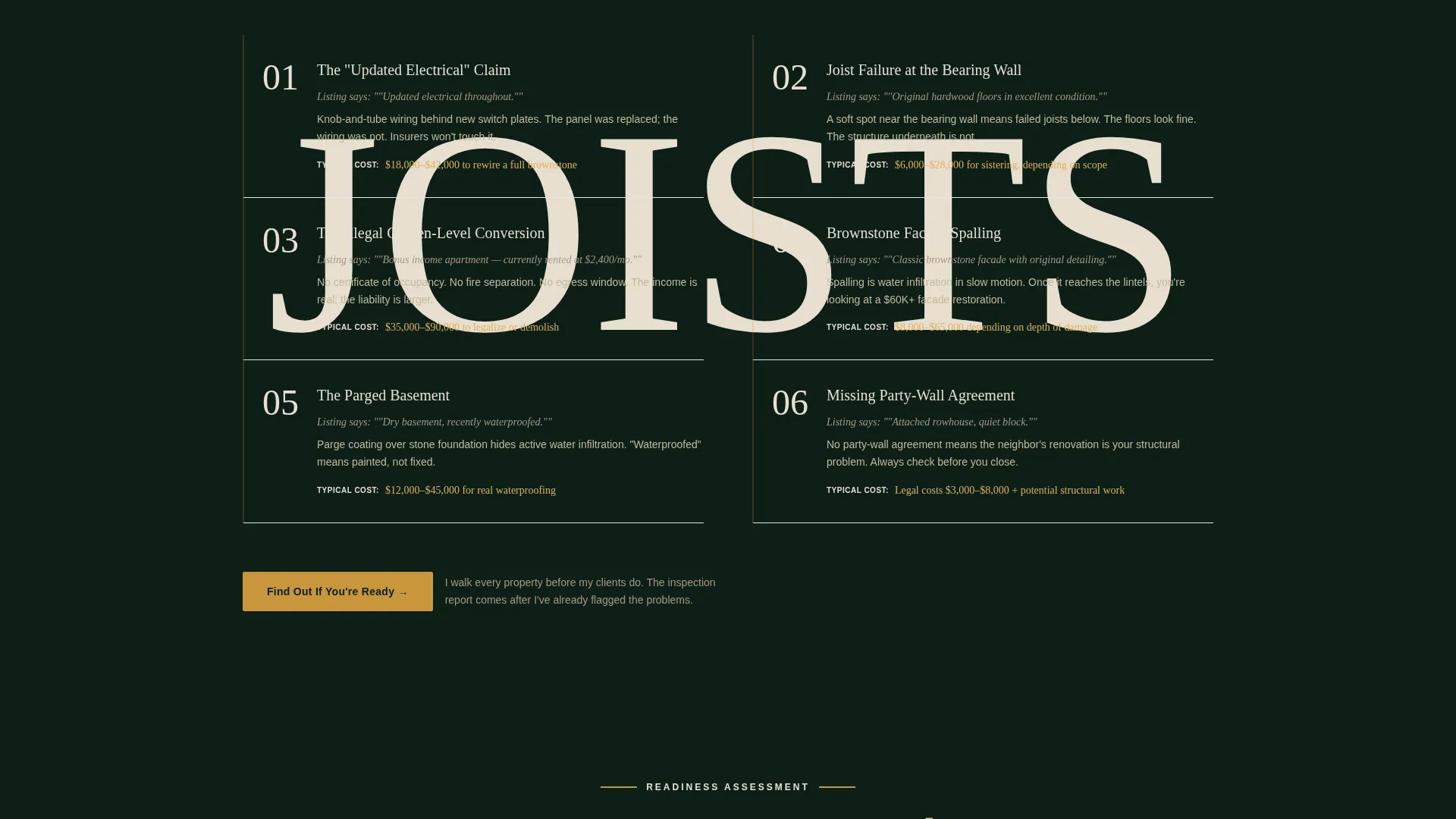
| Readiness Quiz Launch | Primary call-to-action leading into five-question assessment |
| Progressive Quiz Flow | Collects buyer profile across five adaptive questions |
| Personalized Tier Screen | Delivers readiness result and booking link |
| Secondary Card Links | Quiet per-card prompts to start a direct conversation |
Design & branding system
The visual identity is a Dark Immersive theme built around a four-color palette that references the physical materials of a freshly restored Victorian rowhouse. Every color carries a spatial role, not just a decorative one.
- Deep brownstone shadow (#0D1F17) serves as the primary background, absorbing light the way dark wainscoting does in a gaslit parlor
- Parlor emerald (#1B4332) layers over it for card surfaces, section dividers, and hover backgrounds
- Restored-mantel cream (#E8DFD0) handles all body type and supporting text for comfortable contrast
- Gaslight amber (#C9963B) is reserved strictly for interactive elements, hover states, and all calculator output figures
Mobile & speed optimization
The layout is built as a full-width immersive experience that adapts the estimator inputs, gallery cards, and quiz flow for smaller screens without losing the atmospheric depth of the dark palette.
- The full-viewport header scales cleanly so the façade photograph and floating input fields remain readable on mobile displays
- Gallery cards reflow to a single-column stack, keeping before-and-after details visible without horizontal scrolling
- The progressive quiz advances one question at a time, making touch interaction on each step feel natural and deliberate
How this template helps you convert
The conversion architecture is layered. Each interaction gives something before asking for anything, building commitment gradually across the full scroll.
- The cost estimator delivers immediate, personalized output that makes the visitor feel seen before they have entered any contact information, reducing bounce before the relationship begins.
- The readiness quiz collects buyer-profile data through five engaging questions and ends on a custom result screen with a direct booking link, turning a passive browser into a qualified consultation lead.
Other information about this template
This template sits at the intersection of specialist real estate positioning and immersive single-page design. It is well suited to agents operating in high-consideration, low-volume markets where one right client relationship matters more than broad traffic.
- The template style is Full-Width Immersive, meaning every section stretches edge to edge and the atmosphere is maintained from top to bottom of the page
- The creative direction follows a Before-and-After Reveal structure, which maps naturally to how a knowledgeable buyer's agent demonstrates value
- The header concept is built around an interactive input tool rather than a static hero image, setting it apart from standard real estate agent pages
- The page direction is oriented toward direct sales, meaning every design decision supports moving a visitor toward booking a consultation rather than browsing passively
Theme
Dark Immersive
Creative direction
Before/After Reveal
Color system
Cloud Canvas
Style
Full-Width Immersive
Direction
Direct Sales
Page Sections
Interactive Cost Estimator Header
Gaslight Amber Animated Output
Expandable Before-and-after Gallery
Five-question Progressive Quiz
Personalized Readiness Tier Result
Layered Dark-to-intimate Scroll Flow
Related questions
Can I update the neighborhoods listed in the estimator dropdown?
How does the readiness quiz adjust the gallery in real time?
Can I use this template if I work in a market outside Brooklyn or Philadelphia?
Is the calculator output editable so I can reflect my actual market data?
Does the page support both the quiz and a simpler direct contact option?



