Brownstone & Rowhouse Real Estate Booking Website Template
Brownstone is a mortgage landing page built for brownstone and rowhouse specialists. It leads with an interactive mortgage calculator, surfaces NYC-specific costs like mansion tax and co-op flip taxes, and guides visitors toward a consultation booking. The warm Midnight Blue and gaslight amber palette feels like a Brooklyn block at dusk, unhurried and quietly confident.
by Rocket studio
Quick summary
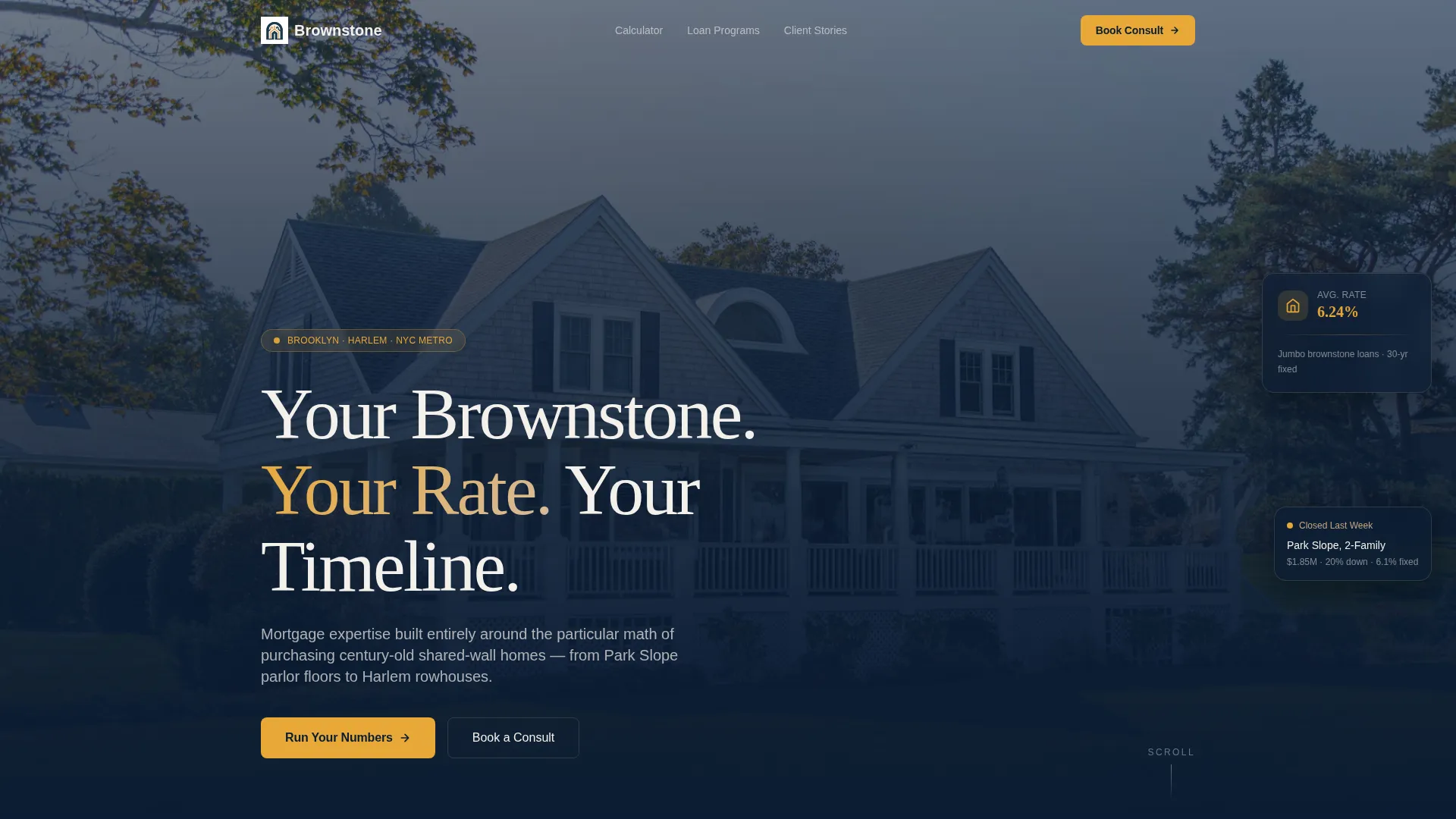
Brownstone is a single-page mortgage landing page designed for specialists in brownstone and rowhouse financing. It opens with a full-screen video header, then leads immediately into an asymmetric 60/40 calculator layout. Visitors run their numbers, explore NYC-specific loan programs, read client stories, and book a 30-minute consult, all within one warm, deeply atmospheric page.
Who this template is for
This template is built for mortgage professionals whose entire practice lives inside the world of New York City's shared-wall homes. It speaks directly to the advisor who understands co-op underlying mortgages, landmark inspection fees, and the particular financing challenges that come with century-old rowhouses.
- Mortgage brokers and loan officers focused on brownstone, rowhouse, and co-op transactions
- Real estate finance professionals serving first-time buyers, growing families, and multi-family investors in neighborhoods like Park Slope, Bed-Stuy, Crown Heights, and Harlem
- Specialists who want to lead with a calculator tool rather than a generic hero pitch
What problem this template solves
Most mortgage landing pages feel interchangeable. They use the same hero, the same generic call to action, and the same bullet points about "competitive rates." That approach fails completely when your clients are navigating mansion tax thresholds, co-op flip taxes, and landmark inspection costs that most lenders have never heard of.
- Buyers have no way to estimate the true, all-in cost of purchasing a brownstone before they call a broker
- Generic mortgage pages do not build the niche trust that complex NYC property transactions require
- Visitors leave without booking because the "call us" call to action appears before they have seen any useful numbers
What you get with this template
You get a fully structured, single-page layout that moves a visitor from curiosity to consultation in one smooth scroll. Every section earns the next. The calculator does the heavy lifting, the loan program section deepens credibility, and the booking widget closes the loop.
- A full-screen video header with a slow, ambient walk down a brownstone-lined street and a translucent navy overlay with a centered headline
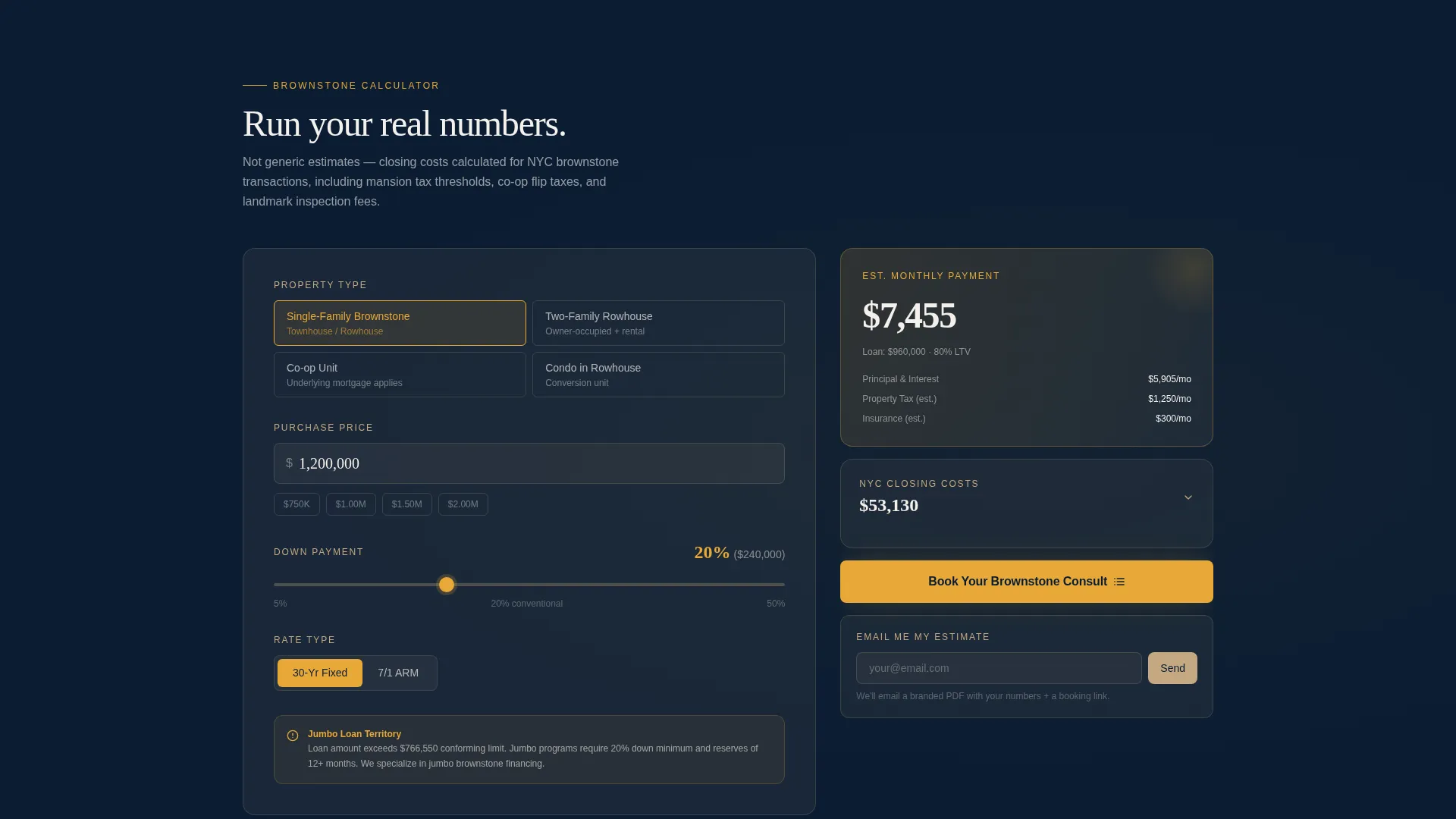
- An interactive 60/40 mortgage calculator with live results, NYC closing cost estimates, and context-sensitive guidance that shifts as inputs change
- A sticky 40-column sidebar that keeps the visitor's calculated numbers visible as they scroll through loan programs and client stories
Feature list
A brief paragraph introduces the template's core capability set before the individual features below.
Interactive Brownstone Mortgage Calculator
Visitors select property type (single-family brownstone, two-family rowhouse, co-op, or condo within a rowhouse conversion), enter a purchase price, and adjust a draggable down payment slider. They toggle between fixed and adjustable rates, and results update live: monthly payment, estimated closing costs including mansion tax thresholds, co-op flip taxes, and landmark inspection fees.
Context-Sensitive Guidance Panel
The 40-column guidance panel shifts its messaging as the visitor adjusts inputs. When the purchase price crosses one million dollars, a note about jumbo loan options appears. When the visitor selects a co-op property type, the panel surfaces underlying mortgage implications. This keeps advice relevant without requiring a phone call first.
Sticky Sidebar with Persistent Results
As the visitor scrolls past the calculator into loan programs and client stories, their calculated numbers remain visible in a sticky sidebar on the 40-column. This design choice keeps the conversation grounded in the visitor's specific situation rather than in abstract information.
Brownstone-Specific Loan Program Section
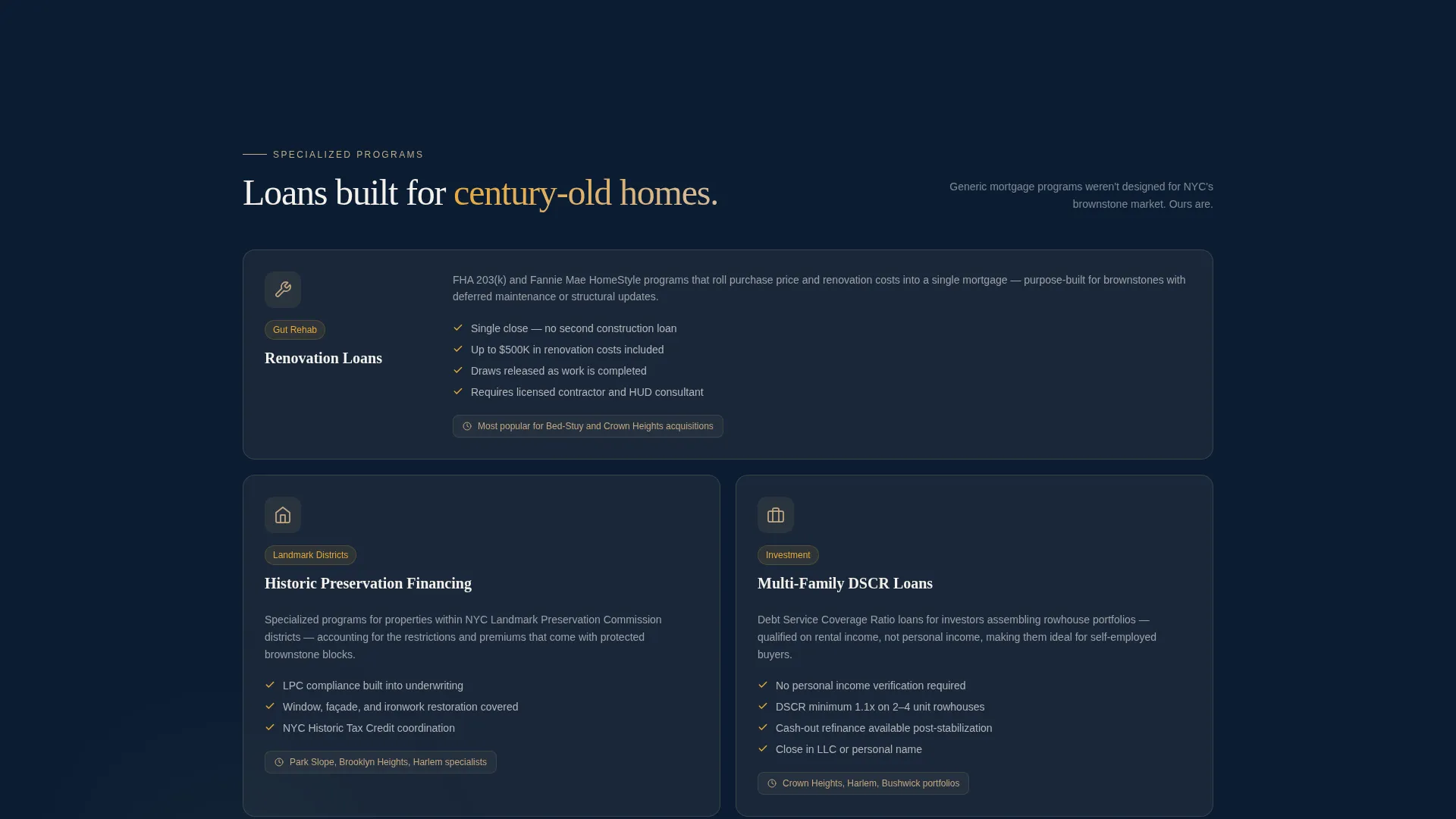
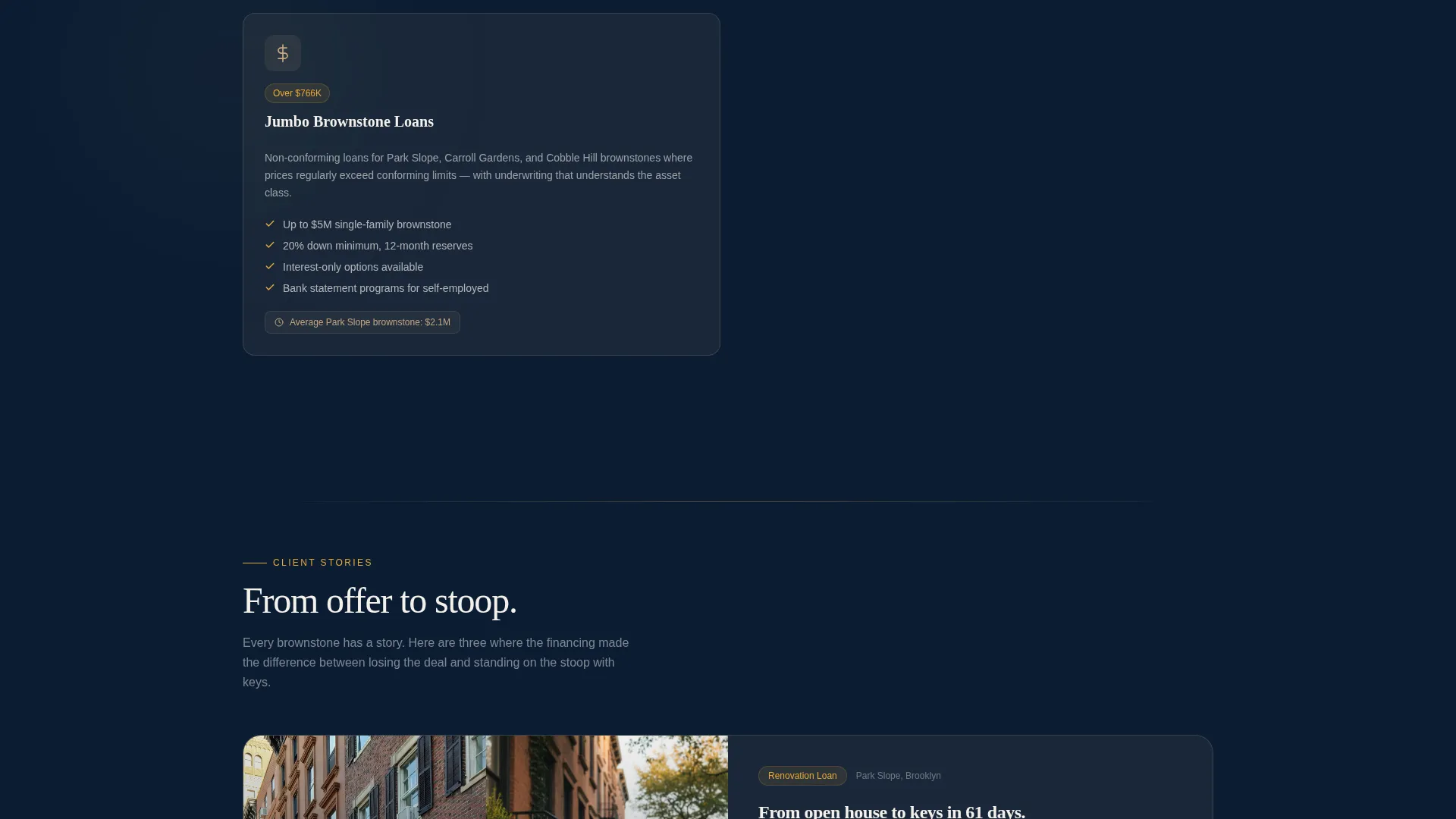
A dedicated section covers renovation loans for gut rehabs, historic preservation financing, and multi-family investment loans using a debt service coverage ratio (DSCR) structure. Each program is presented as a named option rather than buried in fine print.
Before-and-After Client Story Vignettes
Client stories are told as side-by-side vignettes: the original listing photo beside a photo of the family on the stoop six months after closing. This format makes social proof concrete and emotionally resonant without feeling like a testimonial wall.
Booking and Lead Capture System
The primary call to action, "Book Your Brownstone Consult," appears first inside the calculator results panel. A secondary path, "Email Me My Estimate," captures leads who are not yet ready to talk by delivering a branded PDF with personalized numbers and an embedded booking link.
Page sections overview
| Section | Purpose |
|---|---|
| Full-Screen Video Header | Opens with ambient brownstone street footage and a headline that sets the tone |
| 60/40 Calculator Layout | Lets visitors estimate monthly payments and NYC closing costs before any sales conversation |
| Context-Sensitive Guidance | Shifts advice alongside calculator inputs, surfacing jumbo loan and co-op notes in real time |
| Loan Program Section | Presents renovation, historic preservation, and DSCR multi-family financing as named options |
| Client Story Vignettes | Builds trust with before-and-after photo vignettes from real transaction journeys |
| Consult Booking Widget | Captures warm leads via a 30-minute calendar scheduling form |
| Email Estimate Capture | Gives hesitant visitors a low-friction path to receive a branded PDF estimate |
Design & branding system
The visual identity follows a Pastoral Calm theme built on a Midnight Blue color system. Every color decision mirrors the experience of walking a tree-lined Brooklyn block just after dusk: the deep navy sky above, warm lamplight spilling from parlor windows, and sandstone facades glowing in the amber light.
- Deep brownstone navy (#0B1D33) as the primary background, weathered sandstone (#C4A882) for card fills and secondary surfaces, gaslight amber (#E8A838) on calls to action and calculator interactive elements, and stoop-white (#F4F0EB) for text and open breathing space
- An asymmetric 60/40 grid gives the calculator dominant screen space on the left while the guidance panel and sticky sidebar occupy the right column
- The full-screen video header uses a slow steadicam walk at shoulder height, close enough to show sandstone grain, brass door knocker patina, and terracotta window boxes, with a translucent navy overlay easing in after four seconds
Mobile & speed optimization
The asymmetric grid and sticky sidebar are core to the desktop experience, but the layout is structured to remain clear and navigable on smaller screens. The calculator, guidance panel, and booking widget are each self-contained components that stack vertically without losing their logical sequence.
- The calculator inputs, slider, and toggle controls are sized for comfortable touch interaction on mobile devices
- The sticky sidebar transitions to an inline summary card on smaller viewports, keeping calculated results accessible without blocking scroll
- The video header is designed to work with a static fallback image on devices where autoplay video is restricted
How this template helps you convert
Conversion is built into the page's architecture. Every section earns the next click rather than demanding it cold.
- The calculator runs first, so the visitor has a personalized number in hand before any sales language appears. The "Book Your Brownstone Consult" call to action appears directly inside the results panel, making the booking feel like a natural follow-up to the calculation.
- The secondary "Email Me My Estimate" path captures visitors who are not ready to book. They receive a branded PDF with their numbers and an embedded booking link, creating a second-chance conversion moment after the session ends.
Other information about this template
This template is purpose-built for a single, high-intent niche. It does not try to serve every mortgage scenario. That focus is its strength.
- The scheduling form collects first name, preferred contact method (phone or video call), the property address or neighborhood the visitor is exploring, and a calendar widget with available 30-minute slots
- The template is suited to the brownstone and rowhouse mortgage market in New York City, where transaction complexity routinely involves landmark board reviews, co-op board approvals, and layered closing cost structures
- The Pastoral Calm visual theme and ambient video header are intentional departures from the high-contrast, urgency-driven design common in mortgage marketing
Theme
Dark Immersive
Creative direction
Before/After Reveal
Color system
Cloud Canvas
Style
Full-Width Immersive
Direction
Direct Sales
Page Sections
Interactive Brownstone Mortgage Calculator
Context-sensitive Guidance Panel
Sticky Sidebar with Persistent Results
Brownstone-specific Loan Program Section
Before-and-after Client Story Vignettes
Two-path Lead Capture and Booking
Related questions
What types of properties does the calculator support?
What NYC closing costs does the template account for?
How does the template capture leads who are not ready to book a call?
Does the template include renovation and investment loan program content?
Can the video header be replaced with a static image?



